Welcome Guest ( Log In | Register )

Bump Topic Topic Closed RSS Feed
127 Pages « < 34 35 36 37 38 > » Bottom

Outline · [ Standard ] · Linear+

 HP Pavillion DV6-6XXX series Owners Lounge V5, >9000 owners. Like a boss.

views
     
elco-ph
post Jan 26 2012, 02:43 AM

New Member
*
Newbie
0 posts

Joined: Dec 2011
From: Manila, Philippines


QUOTE(Acid_RuleZz @ Jan 26 2012, 12:48 AM)
Hmm.. never happen to me before.
Official?
Unofficial?
Modded?
Independant?
HP?

laugh.gif
*
The most stable one. smile.gif

My problem is a BSOD after waking from hibernate. BSOD typically points to dxkrnl.sys or atikmpag.sys as the culprits.

And running DXDIAG causes my DV6 to hang. Literally HANG. Nothing can be done until I force a power-off by pressing and holding the power button. sad.gif

I tried reinstalling DX11 but to no avail. DXDIAG still hangs.

I don't play games. I just surf the web. And I rarely use the Radeon GPU. I'm on battery power 90% of the time so I just use the Intel GPU/

Which video driver would be best for me? So that I have no more BSOD when waking from hibernate? smile.gif
TSAcid_RuleZz
post Jan 26 2012, 03:24 AM

ミウ ❤
*******
Senior Member
6,612 posts

Joined: Jan 2003
From: Tomorrow


ahh.. i have no idea about that since i always put my laptop to sleep instead of hibernate. sad.gif

have u tried Leshcat's driver?
junkieG
post Jan 27 2012, 10:37 AM

DIGITAL ERA
*******
Senior Member
2,687 posts

Joined: Jan 2003
From: Sue Bunk Jai Yaa!


I could not find info address over HP service centre in klang valley...where to go in klang valley?

My fan oredi making funny sound...very irritating!

Im convenient if nearby pj or shah alam

Kindly assist!!!
one1zs
post Jan 29 2012, 01:48 AM

New Member
*
Junior Member
31 posts

Joined: Jan 2011
Hi guys, I just bought Dv6-6c19tx.

When i done a search about HD 7690 xt the main problem is switch able graphic. If i want to play the games how do i switch to the radeon graphic card????
marcus20125
post Jan 29 2012, 11:25 AM

Regular
******
Senior Member
1,770 posts

Joined: Dec 2009


QUOTE(junkieG @ Jan 27 2012, 10:37 AM)
I could not find info address over HP service centre in klang valley...where to go in klang valley?

My fan oredi making funny sound...very irritating!

Im convenient if nearby pj or shah alam

Kindly assist!!!
*
http://www8.hp.com/my/en/contact-hp/office-locations.html
chahupping
post Jan 29 2012, 04:07 PM

Getting Started
**
Junior Member
137 posts

Joined: May 2009
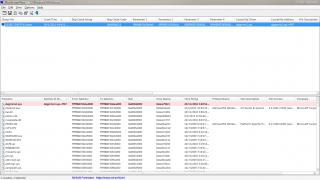
bsod again..


Attached thumbnail(s)
Attached Image
jerrywan
post Jan 29 2012, 06:45 PM

Casual
***
Junior Member
423 posts

Joined: Jan 2009
From: KL and SeREmban area


QUOTE(one1zs @ Jan 29 2012, 01:48 AM)
Hi guys, I just bought Dv6-6c19tx.

When  i done a search about HD 7690 xt the main problem is switch able graphic. If  i want to play the games  how do i switch to the radeon graphic card????
*
right klik and then ull see an option SWITCHABLE GRAPHIC OPTION.
then, choose AMD Radeon (High Perfomance mode)
noda
post Jan 29 2012, 10:37 PM

New Member
*
Junior Member
7 posts

Joined: Aug 2011
hi~
i got few problems for my dv6-6114tx
first is,
when i want to adjust brightness, the sun liked icon for brightness didnt appear, so do when i adjust the volume, the beats icon
second is,
my lappy will reach 9X degrees just playing COD4 Modern Warfare~

thanks for you all help
have any solutution for it?
storky20
post Jan 29 2012, 11:11 PM

Getting Started
**
Junior Member
182 posts

Joined: Feb 2008
QUOTE(one1zs @ Jan 29 2012, 01:48 AM)
Hi guys, I just bought Dv6-6c19tx.

When  i done a search about HD 7690 xt the main problem is switch able graphic. If  i want to play the games  how do i switch to the radeon graphic card????
*
Change your graphics settings from DYNAMIC to FIXED on your BIOS (press F8 when booting up your laptop) then use Catalyst Control Center (installed on your laptop) to change Switchable Graphics setting from Power Saving GPU to High Performance GPU.
choki123
post Jan 30 2012, 01:22 AM

Getting Started
**
Junior Member
76 posts

Joined: Oct 2011


Hi,

I know this is a bit out topic but had searched through the forum and cant locate exact answer to my doubts.
As i just bought my dv6-6c19tx just this month, i wanna expand my entertainment experience rclxms.gif i wanna ask :

1) Is it possible that i can buy an external monitor i.e. 21" - 24" to use as the display instead of my 15.6" currently? If i linked them up with HDMI-HDMI cable, what would the best resolutions will be? Coz the current dv6 of mine can display up to 1366x768 on my lappie.

2) The display resolutions is depends on the GPU's output resolutions or the external monitor supported resolutions?

3) Will the GPU be burdened if i play games via this external monitor? Do you guys recommend me doing this?

Wanna get the answer before i proceed to buy a monitor

Thanks all notworthy.gif
vincentlaw
post Jan 30 2012, 02:25 AM

Regular
******
Senior Member
1,507 posts

Joined: May 2007


QUOTE(choki123 @ Jan 30 2012, 01:22 AM)
Hi,

I know this is a bit out topic but had searched through the forum and cant locate exact answer to my doubts.
As i just bought my dv6-6c19tx just this month, i wanna expand my entertainment experience  rclxms.gif  i wanna ask :

1) Is it possible that i can buy an external monitor i.e. 21" - 24" to use as the display instead of my 15.6" currently? If i linked them up with HDMI-HDMI cable, what would the best resolutions will be? Coz the current dv6 of mine can display up to 1366x768 on my lappie.
- Yes u can buy any external monitor, at size (recommended with HDMI input so HDMI-HDMI)
- u can dual display with external monitor + ur laptop monitor, OR Duplicate screen, OR only external monitor
- the resolution is confirm support up till your external monitor resolution (my 23" monitor have full HD which is 1920x1080 res)... the reason ur laptop have 1366x768 is because the screen native resolution is that only... Your graphic card confirm can support up to anything which u can afford now tongue.gif


2) The display resolutions is depends on the GPU's output resolutions or the external monitor supported resolutions?
- display resolution is at best at your monitor native(max optimal resolution)
- i dual monitor my 6c19tx with a 23" FHD monitor, so my laptop at 1366x768 (screen 1) & my external monitor is at 1920x1080 (screen 2)


3) Will the GPU be burdened if i play games via this external monitor? Do you guys recommend me doing this?
by design = it should not burn.... however u need to make sure its not overheated. Overheated usually caused by few factor such as (1) dust block the airflow of the fan and causes it not enuf air circulation.... (2) fan of your lappy is spoiled.... (3) u turn of the fan (set passive) via collsense and u play game with it

Wanna get the answer before i proceed to buy a monitor
yes u can proceed to buy external monitor, prefered HDMI compatible, full HD(1920x1080 OR bigger resolution screen)

Thanks all  notworthy.gif
*
choki123
post Jan 30 2012, 09:12 AM

Getting Started
**
Junior Member
76 posts

Joined: Oct 2011


@vincentlaw

Thanks for the answer. In fact i read your thread previously on how to connect the devices. It's useful though. And the drawings was good biggrin.gif I tot u r using Dell XPS? laugh.gif

I will proceed to look for a new monitor then... any recommendations? Is it better to get a Wide Display Screen anyway?

vincentlaw
post Jan 30 2012, 01:30 PM

Regular
******
Senior Member
1,507 posts

Joined: May 2007


QUOTE(choki123 @ Jan 30 2012, 09:12 AM)
@vincentlaw

Thanks for the answer. In fact i read your thread previously on how to connect the devices. It's useful though. And the drawings was good biggrin.gif I tot u r using Dell XPS?  laugh.gif

I will proceed to look for a new monitor then... any recommendations? Is it better to get a Wide Display Screen anyway?
*
Oh thats about my lappy + monitor + PS3 + speaker connection.. hahaha now i got it all fixed...

ya i still have my XPS with me but old old model, decided to give it away to my nephew & niece since i got this newer HP DV6...

Every monitor, or i should say MOST, is widescreen. Its either 16:9 or 16:10 ratio. i would recommend
- Dell Ultrasharp U2312HM (23" monitor) for RM629 <<< 2nd generation or successor of my Dell Utrasharp U2311H
- Dell Ultrasharp U2412M (24" monitor) for RM899

both of them are IPS panel which have much much better viewing angle than LED and LCD. Im very happy with my monitor. Its cheap and nice seriously.
gseed87
post Jan 30 2012, 04:41 PM

Getting Started
**
Junior Member
170 posts

Joined: Nov 2007


if i use the beats earphone from HTC, will get the same effect? lol
razor886
post Jan 30 2012, 05:12 PM

New Member
*
Newbie
0 posts

Joined: Jan 2012


QUOTE(vincentlaw @ Jan 30 2012, 01:30 PM)
Oh thats about my lappy + monitor + PS3 + speaker connection.. hahaha now i got it all fixed...

ya i still have my XPS with me but old old model, decided to give it away to my nephew & niece since i got this newer HP DV6...

Every monitor, or i should say MOST, is widescreen. Its either 16:9 or 16:10 ratio. i would recommend
- Dell Ultrasharp U2312HM (23" monitor) for RM629 <<< 2nd generation or successor of my Dell Utrasharp U2311H
- Dell Ultrasharp U2412M (24" monitor) for RM899

both of them are IPS panel which have much much better viewing angle than LED and LCD. Im very happy with my monitor. Its cheap and nice seriously.
*
Sifu Vincent, I want a set up similar to yours (but Xbox 360 instead of PS3). Thanks for the monitor recommendations but they are somewhat pricey especially since I just bought the 6c19TX haha sweat.gif Do you know of any cheaper (but still good) ones? tongue.gif Large viewing angle is not necessary and oh yeah, full HD please. And may I ask what external speakers are you using or what do you recommend?

By the way, without the external speakers, there will still be sound output from the laptop when connected to an external monitor right? Sorry for the noobness blush.gif Thanks in advance notworthy.gif
Luwk
post Jan 30 2012, 08:21 PM

Casual
***
Junior Member
452 posts

Joined: Mar 2011
When i alt tab from games the brightness / dim changes and goes darker..... its not the game because it happens to all games. already tried reinstalling etc. i have the latest graphics driver. this happens in warcraft 3/ heroes of newerth/ dota 2. !! ANNOYING
Please help me all sifus here ... wuwu
tsuramigamush
post Jan 30 2012, 09:44 PM

New Member
*
Junior Member
13 posts

Joined: Apr 2010

just got my dv6 6c19TX .hehe. add me to family
Ikhwan Aziz
post Jan 31 2012, 12:30 PM

New Member
*
Junior Member
30 posts

Joined: Jan 2010
From: Sabah


Everytime I start up for the first time after a successful shut down, I get an error saying my cooling fan(90B) is not functioning and the laptop will shut down in 15 secs.

I let it shut down first then start up again, the message don't appear but will appear again after I shut down and start up later on.

I bought the laptop on 2nd of January this year, almost a month already. The only thing I use it for is gaming. About 12 hours a day. D:

Games like Team Fortress 2 and Skyrim on medium settings.

Any idea why?
storky20
post Jan 31 2012, 03:17 PM

Getting Started
**
Junior Member
182 posts

Joined: Feb 2008
Sigh, getting random dropped WIFI connections more often these few days even with 4-5 bars. This has never happened before over the past 2-3 weeks I had my 6c19TX.

Should I send for service or something?

EDIT:
It's strange but whenever I'm loading something like a YT video, the connection doesn't drop. It only drops whenever there's idle time in between (like 15-30 secs) of no internet activity.

Connecting my laptop to the charger seems to make the connection stable though... lols. Wth is happening.

This post has been edited by storky20: Jan 31 2012, 05:25 PM
blue16
post Jan 31 2012, 07:07 PM

Metal Box-Blue16
****
Senior Member
618 posts

Joined: Dec 2006
From: Metal Box Enterprise JB
is that possible ppl get a fake beats from buyting dv?

127 Pages « < 34 35 36 37 38 > » Top
Topic ClosedOptions
 

Change to:
| Lo-Fi Version
0.0405sec    0.44    6 queries    GZIP Disabled
Time is now: 6th December 2025 - 01:19 PM