

guys ,
How to reject or block unwanted call & msg ?
SAMSUNG GALAXY NOTE™ | V4, RRP RM2299
SAMSUNG GALAXY NOTE™ | V4, RRP RM2299
|
|
 Dec 7 2011, 10:12 AM Dec 7 2011, 10:12 AM
|
 
Senior Member
1,982 posts Joined: Jul 2007 
|
guys ,
How to reject or block unwanted call & msg ? |
|
|
|
|
|
Dec 7 2011, 10:15 AM
|

Senior Member
3,699 posts Joined: May 2006 
|
QUOTE(AMDunFreak @ Dec 7 2011, 10:07 AM) I have a problem, I clicked YouTube link in Facebook application, it will open internet then open YouTube application then I click the video to load the video. Then how do I go back to browse Facebook while YouTube video load in background? Looks like when I click home button for long and choose Facebook then afterwards I switch to YouTube the video will need to load again.. YouTube mobile sucks big time   It won't load in background. Always need to reload if you switch to other page. |
|
|
Dec 7 2011, 10:19 AM
|

Senior Member
5,362 posts Joined: Jan 2003 From: Johor Bahru 
|
QUOTE(noprob @ Dec 7 2011, 10:12 AM) guys , for unwanted call - long press the number in call log and select "Add to reject list". Dunno whether it will also block sms or not.How to reject or block unwanted call & msg ? |
|
|
Dec 7 2011, 10:55 AM
|

Junior Member
212 posts Joined: Jan 2003
|
please help me to find on screen lock button in galaxy note. i hate to use the om/offphysical button. ok done, just downloaded from market. what a silly me
This post has been edited by kewlbuzz: Dec 7 2011, 11:05 AM |
|
|
Dec 7 2011, 11:07 AM
|
|
Junior Member
278 posts Joined: Aug 2006
|
QUOTE(kewlbuzz @ Dec 7 2011, 10:55 AM) please help me to find on screen lock button in galaxy note. i hate to use the om/offphysical button. ok done, just downloaded from market. what a silly me u can try screen off and lock in the market |
|
|
Dec 7 2011, 11:43 AM
|
|
Senior Member
1,708 posts Joined: May 2008
|
QUOTE(freyria182 @ Dec 7 2011, 11:07 AM) u can try screen off and lock in the market Hi freyria182, any apps can wait up the offscreen without pressing home button and ON/OFF button?? |
|
|
|
|
|
Dec 7 2011, 12:29 PM
|

Junior Member
179 posts Joined: Sep 2010 From: Kuala Lumpur
|
Guys , Digi has Launch White Note (Free Delivery)
=) |
|
|
Dec 7 2011, 12:48 PM
|
|
Senior Member
2,800 posts Joined: Mar 2005 From: - 
|
QUOTE(whoknow88 @ Dec 7 2011, 12:29 PM) Guys , Digi has Launch White Note (Free Delivery) cool white note =)  |
|
|
Dec 7 2011, 12:51 PM
|
|
Junior Member
309 posts Joined: Aug 2008
|
Cynox,how to enable split keyboard for Swiftkey?
|
|
|
Dec 7 2011, 12:59 PM
|
|
Senior Member
5,362 posts Joined: Jan 2003 From: Johor Bahru
|
QUOTE(synchun @ Dec 7 2011, 12:51 PM) Cynox,how to enable split keyboard for Swiftkey? only for Swiftkey X Tablet edition - In landscape mode, there is a U-shape key on the right side of the Swiftkey setting key - tab it and it will change to split keyboard. |
|
|
Dec 7 2011, 01:01 PM
|
|
Junior Member
278 posts Joined: Aug 2006
|
hi,
can we off the prediction on the SwiftKey X? |
|
|
Dec 7 2011, 01:11 PM
|
|
Junior Member
309 posts Joined: Aug 2008
|
Then which one do I purchase? Phone version or Tablet version? Tablet version will work on phone?
|
|
|
Dec 7 2011, 01:15 PM
|

Senior Member
1,205 posts Joined: Sep 2007
|
hi, flash my rom to other version, the swype not support chinese input...
anyone can give me the swype from stock rom? TQTQ |
|
|
|
|
|
Dec 7 2011, 01:15 PM
|

Senior Member
11,305 posts Joined: Jan 2003
|
Personally, the normal Swiftkey X version works for me. The Note isn't that big of a phone, and certainly does not need a split keyboard. Holding the Note with my hands in landscape mode, my thumbs are even able to overlap one another to reach all the keys without much constraint. The reason why Tablet X keyboard was made was to cater to tablets which is wider in nature, therefore splitting the keyboard into two portions, reachable by your two thumbs when you're holding it in landscape.
Your choice personally. I think the normal Swiftkey X is perfect for the Note. I've purchase the Tablet X version for Motorola Xoom last time, and that version is perfect for the tablet Xoom. Added on December 7, 2011, 1:17 pm QUOTE(synchun @ Dec 7 2011, 01:11 PM) Then which one do I purchase? Phone version or Tablet version? Tablet version will work on phone? The Tablet X version should work on your Note, it works for 2.1 and above. I suggest you install the Swiftkey Tablet X Free version and see if that works for you.This post has been edited by stringfellow: Dec 7 2011, 01:17 PM |
|
|
Dec 7 2011, 01:21 PM
|
|
Junior Member
375 posts Joined: Jan 2005
|
QUOTE(razin @ Dec 7 2011, 10:08 AM) Until now also no download... I think I will sue them... Ha ha Maybe they heard me.... It magically download.. All three of emails... Ha ha |
|
|
Dec 7 2011, 01:21 PM
|
|
Senior Member
5,362 posts Joined: Jan 2003 From: Johor Bahru
|
QUOTE(synchun @ Dec 7 2011, 01:11 PM) Then which one do I purchase? Phone version or Tablet version? Tablet version will work on phone? I think the current USD1.00 is the phone edition. The only difference between them might be the split keyboard only - it depends on whether you need the split keyboard badly. I will suggest you get the Phone edition first to try out. Yes, Tablet edition work on Note. I got the Tablet edition during the Black Friday sales at a good discount - moreover I might be getting an Asus Transformer Prime soon. Btw, here is my Note holder in my car (photos taken by Note of course  ): ):Up-right 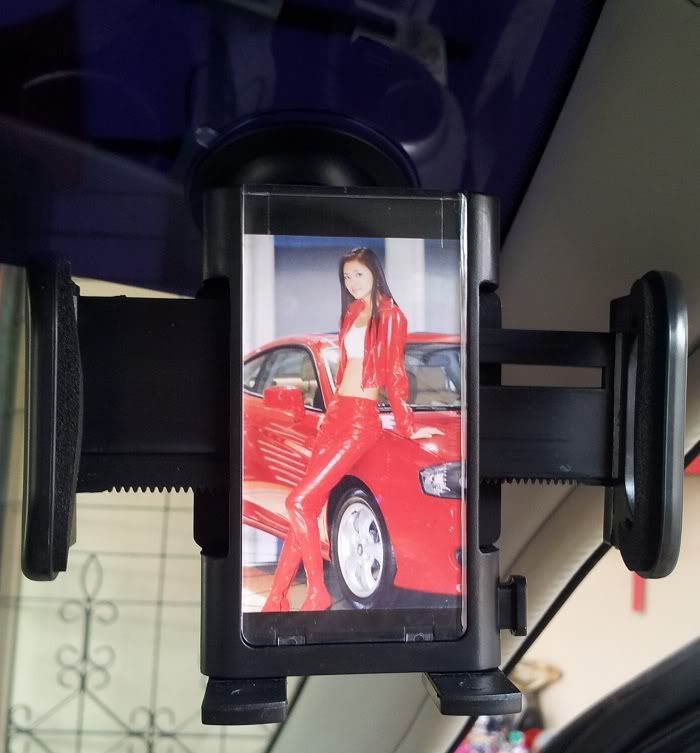 Can be rotated 360° - good for watching youtube while stuck in a traffic jam.  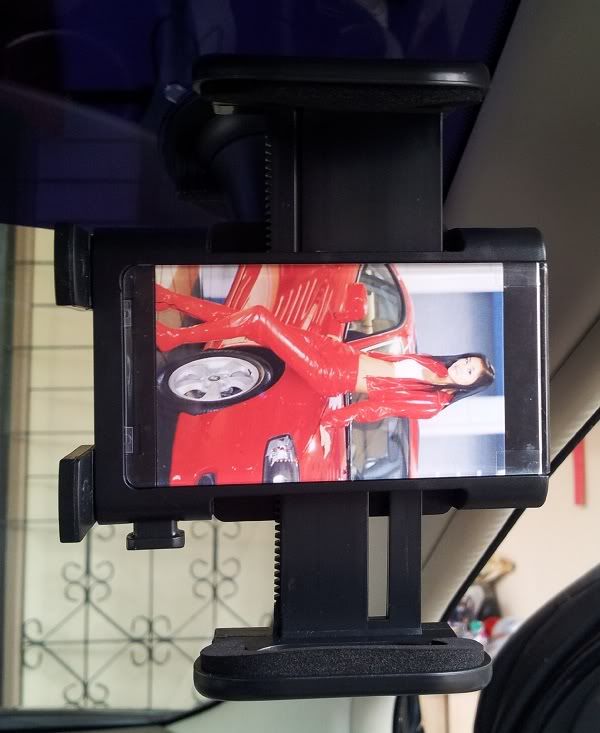 The back 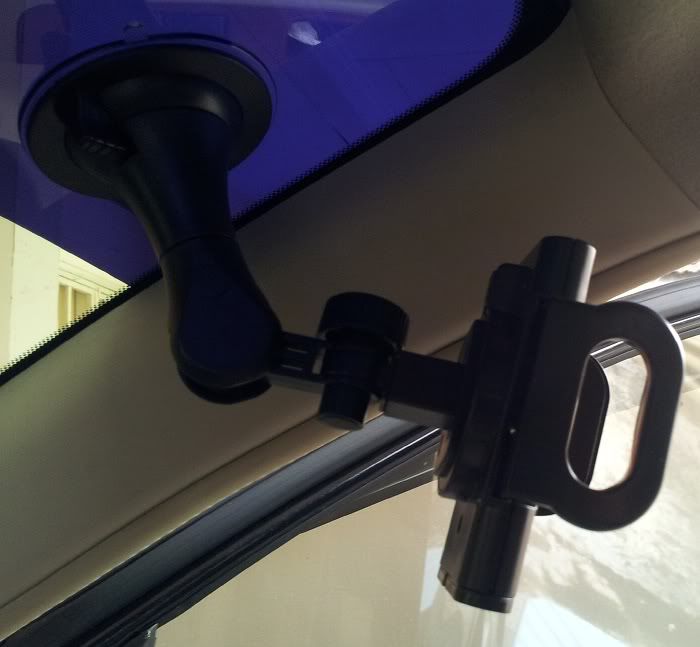 |
|
|
Dec 7 2011, 02:11 PM
|
|
Senior Member
7,044 posts Joined: Nov 2007
|
QUOTE(Cynox @ Dec 7 2011, 01:21 PM) Btw, here is my Note holder in my car (photos taken by Note of course no mention of $$$? ):anyway, the rm10 i bought... is quite similar, but i worry cannot hold Note's weight. previously bought for sgs2. plus, i think that old one i have... i think in cannot fit the note in landscape mode. have to go back and try... |
|
|
Dec 7 2011, 02:39 PM
|

Senior Member
1,002 posts Joined: Jan 2003 From: kl 
|
just successfully paired Gnote with ps3 controller. but no games to play as i dont play emulator games >.<
|
|
|
Dec 7 2011, 02:40 PM
|

Junior Member
101 posts Joined: Oct 2011
|
where did u buy and how much?
QUOTE(Cynox @ Dec 7 2011, 01:21 PM) I think the current USD1.00 is the phone edition. The only difference between them might be the split keyboard only - it depends on whether you need the split keyboard badly. I will suggest you get the Phone edition first to try out. Yes, Tablet edition work on Note. I got the Tablet edition during the Black Friday sales at a good discount - moreover I might be getting an Asus Transformer Prime soon. Btw, here is my Note holder in my car (photos taken by Note of course ):Up-right Can be rotated 360° - good for watching youtube while stuck in a traffic jam. The back |
|
|
Dec 7 2011, 02:43 PM
|
|
Junior Member
179 posts Joined: Sep 2010 From: Kuala Lumpur
|
Wow Cynox ,
u leave your note so near to windows , When traffic jam . Motor near , PIANG ! Your Note gone ~  |
|
Topic ClosedOptions
|
| Change to: |  0.0415sec 0.0415sec
 0.30 0.30
 6 queries 6 queries
 GZIP Disabled GZIP Disabled
Time is now: 9th December 2025 - 03:13 AM |
 Quote
Quote