

of course it support, i try before and the TL-MR3420 web interface show UMG 1831 at modem model, only case my old places is stuck at UMTS instead of HSPA or HSPA+ with UMTS2100MHz band
Tp Link TL-MR3420 3G/3.75G router owner club V1
Tp Link TL-MR3420 3G/3.75G router owner club V1
|
|
 May 17 2012, 07:36 PM May 17 2012, 07:36 PM
|
 
Elite
6,931 posts Joined: Apr 2011 From: Bolehland for sure ^_^  
|
of course it support, i try before and the TL-MR3420 web interface show UMG 1831 at modem model, only case my old places is stuck at UMTS instead of HSPA or HSPA+ with UMTS2100MHz band
|
|
|
|
|
|
May 18 2012, 12:47 AM
|
 
Senior Member
8,025 posts Joined: Feb 2005 From: Planet Boleland
|
QUOTE(ro9212 @ May 17 2012, 01:11 PM) Oh great! Actually haven't got the umg1831 yet, just wanted to know if its working. If yes i will get both item i have a UMG1831 and E367  E367 beat UMG hands down, why u want to buy a second best modem  E367 is only abt rm165 now compared to UMG rm150  |
|
|
May 18 2012, 01:11 AM
|

Junior Member
46 posts Joined: May 2012 From: Kota Kinabalu
|
QUOTE(digilife @ May 18 2012, 12:47 AM) i have a UMG1831 and E367 How about E353? Just curious about these modems E367 beat UMG hands down, why u want to buy a second best modem E367 is only abt rm165 now compared to UMG rm150  |
|
|
May 18 2012, 01:28 AM
|
|
Senior Member
8,025 posts Joined: Feb 2005 From: Planet Boleland
|
QUOTE(ro9212 @ May 18 2012, 01:11 AM) How about E353? Just curious about these modems if UMG scored 8, E367 scored 9.5 and E353 scored 9.3 and E372 scored 9.9 out of a possible 10btw, i have a E372,E367,UMG1831,MF691 and Icon505M (2#units) and i am qualified to grade them here abt Icon505M, this is a signal sucker but utilise too much power, hence the heat generated and MF691, have good ping , best is 35ms but sometimes hang for no reasons |
|
|
May 18 2012, 01:41 AM
|
|
Junior Member
46 posts Joined: May 2012 From: Kota Kinabalu
|
QUOTE(digilife @ May 18 2012, 01:28 AM) if UMG scored 8, E367 scored 9.5 and E353 scored 9.3 and E372 scored 9.9 out of a possible 10 All hail digilife, too many modem btw, i have a E372,E367,UMG1831,MF691 and Icon505M (2#units) and i am qualified to grade them here abt Icon505M, this is a signal sucker but utilise too much power, hence the heat generated and MF691, have good ping , best is 35ms but sometimes hang for no reasons  Care to give me one for test? Haha.. Okay then I'll try to get E367 Care to give me one for test? Haha.. Okay then I'll try to get E367 |
|
|
May 18 2012, 03:15 PM
|

Senior Member
792 posts Joined: Oct 2009
|
hi all...
i'm using it now with E1762... but.. every time i shut down pc and router... then switch on back on morning.... i need to reset back.... need to setup back... any solution... one more... anyone have any explanation.... the best way to using this router match with adsl modem.. cause i also using streamyx.... |
|
|
|
|
|
May 18 2012, 11:55 PM
|

Senior Member
1,814 posts Joined: Dec 2008 
|
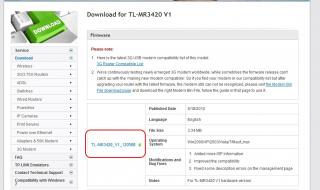
here link http://www.tp-link.com.my/support/download...3420&version=V1
lates firmwre TL-MR3420_V1_120508 5/18/2012 u have to do upgrade firmware how is that still stable any problem |
|
|
May 19 2012, 01:37 AM
|
|
Elite
6,931 posts Joined: Apr 2011 From: Bolehland for sure ^_^
|
already upgrade to latest firmware few days ago,
dialing and connecting E353 is much more faster now as in 12~30sec only compare to older firmware need 1~5min. and this time new firmware dont disaply modem model there anymore, only written Identify successful |
|
|
May 19 2012, 07:58 AM
|
|
Senior Member
8,025 posts Joined: Feb 2005 From: Planet Boleland
|
MR3420 latest FW
advatage, connection is faster, speed is smoother 
with E367  with E372  This post has been edited by digilife: May 19 2012, 08:21 AM |
|
|
May 19 2012, 02:24 PM
|
 
Staff
72,815 posts Joined: Sep 2005 From: KUL 
|
I upgraded mine too last night.
   I think the speed is about the same as my previous. Will observe further. I think the speed is about the same as my previous. Will observe further. |
|
|
May 19 2012, 03:38 PM
|
|
Senior Member
1,814 posts Joined: Dec 2008
|
QUOTE(digilife @ May 19 2012, 07:58 AM) MR3420 latest FW great lates firmware hehe
advatage, connection is faster, speed is smoother
with E367 with E372 |
|
|
May 19 2012, 07:51 PM
|
|
Senior Member
792 posts Joined: Oct 2009
|
QUOTE(raikko5 @ May 18 2012, 03:15 PM) hi all... anyone can help me?i'm using it now with E1762... but.. every time i shut down pc and router... then switch on back on morning.... i need to reset back.... need to setup back... any solution... one more... anyone have any explanation.... the best way to using this router match with adsl modem.. cause i also using streamyx.... |
|
|
May 19 2012, 07:54 PM
|
|
Staff
72,815 posts Joined: Sep 2005 From: KUL
|
QUOTE(raikko5 @ May 19 2012, 07:51 PM) anyone can help me? I used to use my E1762 with TP Link MR 3420 and to be honest, I never had any issue with it. At least not those you listed up there.Hope other sifus can help... |
|
|
|
|
|
May 19 2012, 07:55 PM
|
|
Senior Member
792 posts Joined: Oct 2009
|
QUOTE(fruitie @ May 19 2012, 07:54 PM) I used to use my E1762 with TP Link MR 3420 and to be honest, I never had any issue with it. At least not those you listed up there. maybe got other setting i miss out.. can anyone help m....Hope other sifus can help... |
|
|
May 19 2012, 09:19 PM
|
|
Junior Member
65 posts Joined: Jul 2009
|
QUOTE(raikko5 @ May 19 2012, 07:51 PM) anyone can help me? when you have the internet connection up and running.. try to restart your pc, see if the connection still good. then we can narrow down the problem to check whether it is from router or your pc firewall.. |
|
|
May 19 2012, 09:55 PM
|
|
Senior Member
792 posts Joined: Oct 2009
|
QUOTE(shinichi87 @ May 19 2012, 09:19 PM) when you have the internet connection up and running.. try to restart your pc, see if the connection still good. then we can narrow down the problem to check whether it is from router or your pc firewall.. ok.. my test:- Connection up - Shut Down PC... - Try running wifi using my phone... (all good).. - Then i restart pc back... - yes.. connection still there.. BUT.. When i switch/shut OFF both.... then the problem come back.... need to reset router back.... its router or pc firewall? |
|
|
May 19 2012, 10:07 PM
|
|
Elite
6,931 posts Joined: Apr 2011 From: Bolehland for sure ^_^
|
Have u try to update your E1762 modem firmware ?
Added on May 19, 2012, 10:14 pm QUOTE(raikko5 @ May 19 2012, 09:55 PM) ok.. my test: try to flash update your TL-MR3420 to latest firmware- Connection up - Shut Down PC... - Try running wifi using my phone... (all good).. - Then i restart pc back... - yes.. connection still there.. BUT.. When i switch/shut OFF both.... then the problem come back.... need to reset router back.... its router or pc firewall? and try to update your E1762 modem too to latest firmware if your E1762 is maxis set then can go here for latest firmware try to do both and see whether problems still exist ? This post has been edited by chuahcs79: May 19 2012, 10:14 PM |
|
|
May 19 2012, 10:33 PM
|
|
Senior Member
1,814 posts Joined: Dec 2008
|
today i already bought TP-Link TL-MR3420 RM90 i saw the box showing Firmware version 1.0
This post has been edited by logit85: May 20 2012, 12:28 PM |
|
|
May 20 2012, 03:29 AM
|
|
Junior Member
36 posts Joined: Apr 2012
|
hi there, it seems like my mr 3420 keeps disconnecting from internet.. currently using the manufacturer's firmware.. any other better firmware i could use? thanks
|
|
|
May 20 2012, 03:47 AM
|
|
Elite
6,931 posts Joined: Apr 2011 From: Bolehland for sure ^_^
|
QUOTE(redyakuza87 @ May 20 2012, 03:29 AM) hi there, it seems like my mr 3420 keeps disconnecting from internet.. currently using the manufacturer's firmware.. any other better firmware i could use? thanks have u flash it with latest firmware yet ? |
|
Topic ClosedOptions
|
| Change to: |  0.0305sec 0.0305sec
 0.22 0.22
 6 queries 6 queries
 GZIP Disabled GZIP Disabled
Time is now: 9th December 2025 - 05:35 AM |
 Quote
Quote