Welcome Guest ( Log In | Register )

Bump Topic Topic Closed RSS Feed
131 Pages « < 66 67 68 69 70 > » Bottom

Outline · [ Standard ] · Linear+

 Tp Link TL-MR3420 3G/3.75G router owner club V1

views
     
TSchuahcs79
post Sep 20 2012, 11:14 PM

Look at all my stars!!
Group Icon
Elite
6,931 posts

Joined: Apr 2011
From: Bolehland for sure ^_^


QUOTE(ic-klass @ Sep 20 2012, 05:23 PM)
Just recieved email from Superbuy. The v2 tl-mr3420 is nit in stock. Have to wait till end off sept or early oct. Demm..
*
actually the current TL-MR3420 V1 can support 4G LTE modem like ZTE MF820D, confirm by our member Blacktubi

so no need to upgrade router is fine as well thumbup.gif
blacktubi
post Sep 20 2012, 11:47 PM

-
Group Icon
Elite
8,420 posts

Joined: Jul 2008

LTE modems such as MF820 bin files are already available from TP-LINK

www.tp-link.com/en/support/3g/

Further confirmation from TP-LINK Modem compatible list
MF820
www.tp-link.com/en/support/3g-comp-list/?model=TL-MR3420&location=2107

Even E398 already in the list
www.tp-link.com/en/support/3g-comp-list/?model=TL-MR3420&location=2094
TSchuahcs79
post Sep 20 2012, 11:53 PM

Look at all my stars!!
Group Icon
Elite
6,931 posts

Joined: Apr 2011
From: Bolehland for sure ^_^


QUOTE(blacktubi @ Sep 20 2012, 11:47 PM)
LTE modems such as MF820 bin files are already available from TP-LINK

www.tp-link.com/en/support/3g/

Further confirmation from TP-LINK Modem compatible list
MF820
www.tp-link.com/en/support/3g-comp-list/?model=TL-MR3420&location=2107

Even E398 already in the list
www.tp-link.com/en/support/3g-comp-list/?model=TL-MR3420&location=2094
*
Looks like dont need to get new V1.2 router at all !!! rclxm9.gif rclxm9.gif
harcharanjit
post Sep 21 2012, 02:01 PM

New Member
*
Junior Member
27 posts

Joined: Jul 2010
Dear all members
i am planning to buy a 3g tp-link router..so which model should i go for???? is it 3420?? or others,, i am interested in a powerfull one...my 3g usb broadband,,is celcom huawei E173.. Please also advice me on how to enhance the signal....


Added on September 21, 2012, 2:07 pmcan somebody please help me,,on how to update the latest firmware on usb broadband huawei E173 which is using celcom service?? thanks


Added on September 21, 2012, 2:26 pmdear members
please advise me which is the best economical 3g wifi router?? which i can use it with my huawei usb broadband E173? please also give me some ideas on how to enhance the signal,,any good tips?? thanks


Added on September 21, 2012, 2:28 pm[quote=chuahcs79,Oct 13 2011, 03:42 AM]
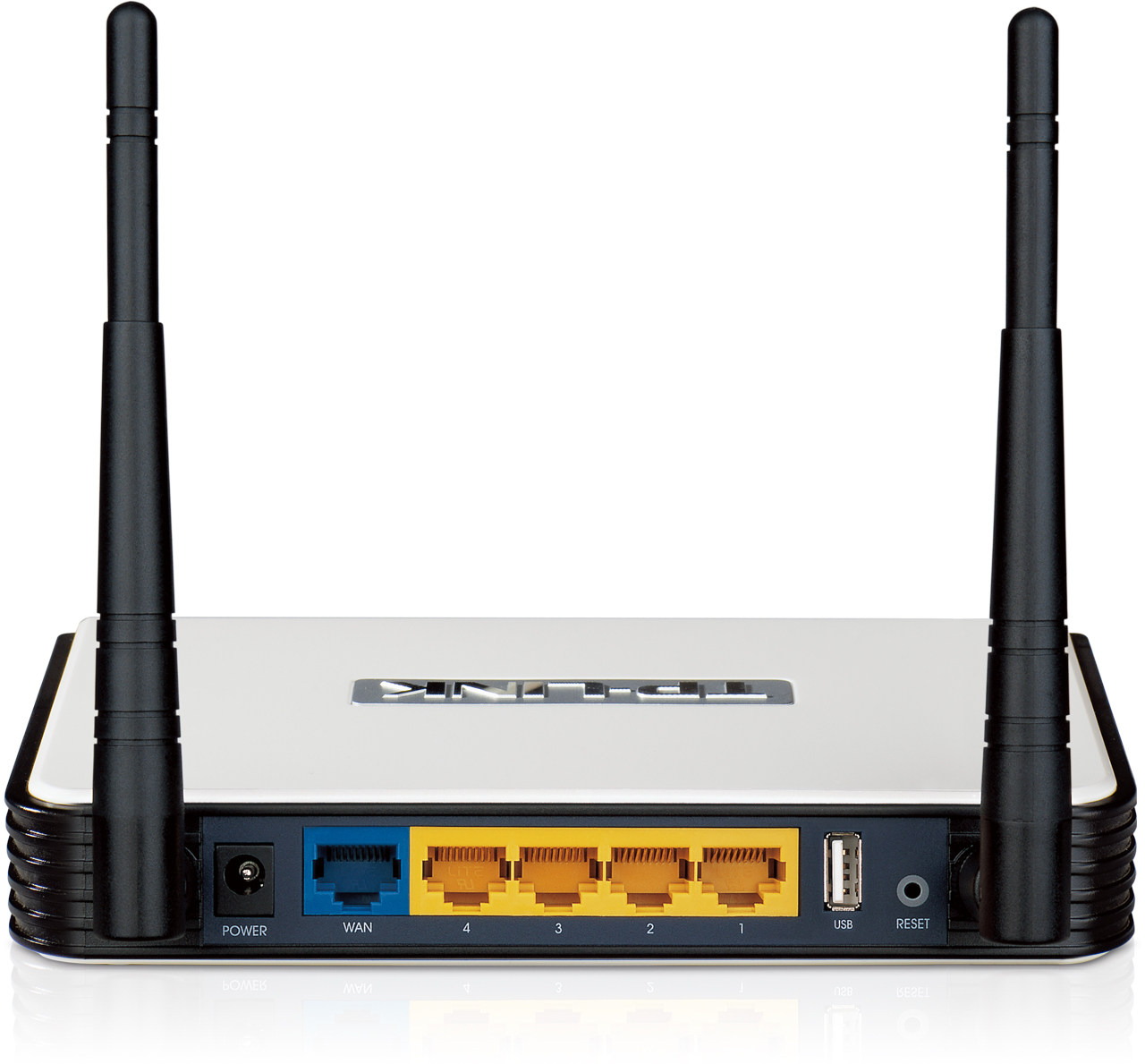
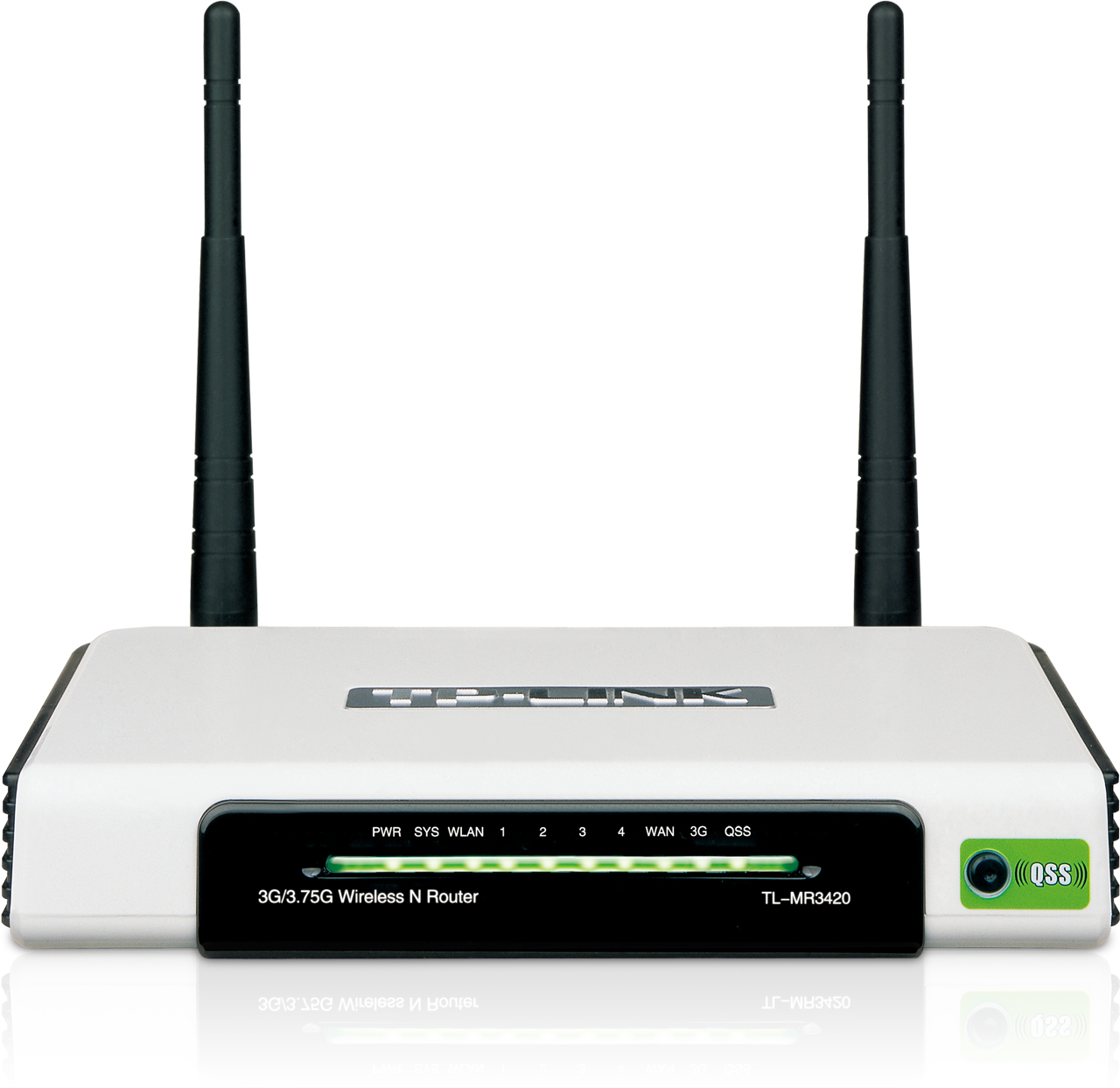
Router specs

Router feature

Compatible 3G Modem Support LIst

Firmware update MY

Firmware update SG

How to use the QSS button
user posted image
user posted image
just wanted every user of TL-MR3420 to share and exchange opinion,.
suspected the router usb port only support up to 1.2Mbps upload,..

mine i am using it with Sonyericsson W705 phone with data usb cable to TL-MR3420
[attachmentid=2485837]

[attachmentid=2482851]
[attachmentid=2482852]

signal strength is 100% FULL rclxms.gif
am using my TL-MR3420 with Huawei usb modem E1762 as well + strainer ( for signal enhance )

[attachmentid=2482854]

[attachmentid=2482855]

signal strength is improve from normally 60 % to 80-87%..
[attachmentid=2482856]

Please share your experience and problems ,.

as Sharing Is Caring,. notworthy.gif notworthy.gif
[QUOTE]
*

[/quote]


the signal enhancer does it work?? using the above strainer does it boost up the signal?? thanks

This post has been edited by harcharanjit: Sep 21 2012, 02:28 PM

blacktubi
post Sep 21 2012, 05:02 PM

-
Group Icon
Elite
8,420 posts

Joined: Jul 2008

QUOTE(harcharanjit @ Sep 21 2012, 02:01 PM)
» Click to show Spoiler - click again to hide... «

*
1) For powerful one, just buy MR3420. It having WiFi with more capacity and more power.
2) Strainer works as focusing the signal which makes it slightly more directional. Provided you must aim it to the tower
TSchuahcs79
post Sep 22 2012, 03:45 AM

Look at all my stars!!
Group Icon
Elite
6,931 posts

Joined: Apr 2011
From: Bolehland for sure ^_^


now can use those item below for reflecting signal

- cookie tin ( work best for me )
- strainer
- soya box 1 liter pack
- stainless steel

naminakata87
post Sep 22 2012, 04:51 AM

Enthusiast
*****
Senior Member
706 posts

Joined: Dec 2009
From: Rainbow City JB


my tp link mr4320 cant read my e1550,if i plug the e1550 to pc it can read,but when i try to do the set up,the is no connection on my tp lonk.how to settle this?anyone know
TSchuahcs79
post Sep 22 2012, 06:11 AM

Look at all my stars!!
Group Icon
Elite
6,931 posts

Joined: Apr 2011
From: Bolehland for sure ^_^


QUOTE(naminakata87 @ Sep 22 2012, 04:51 AM)
my tp link mr4320 cant read my e1550,if i plug the e1550 to pc it can read,but when i try to do the set up,the is no connection on my tp lonk.how to settle this?anyone know
*
update your mr3420 to latest firmware,.

refer to first pages first post for firmware link notworthy.gif
deejay5
post Sep 22 2012, 10:34 AM

New Member
*
Junior Member
29 posts

Joined: Aug 2007
QUOTE(chuahcs79 @ Sep 22 2012, 03:45 AM)
now can use those item below for reflecting signal

- cookie tin ( work best for me )
- strainer
- soya box 1 liter pack
- stainless steel
*
so the items are for reflecting signal, means it should be towards base station right?
the router antenna is just for wifi signal right? or should it be towards the base station as well?
TSchuahcs79
post Sep 22 2012, 02:46 PM

Look at all my stars!!
Group Icon
Elite
6,931 posts

Joined: Apr 2011
From: Bolehland for sure ^_^


QUOTE(deejay5 @ Sep 22 2012, 10:34 AM)
so the items are for reflecting signal, means it should be towards base station right?
the router antenna is just for wifi signal right? or should it be towards the base station as well?
*
those reflecting signal item it meant to be used for your usb modem,

router antenna signal dont need any reflecting as 3dBi both antenna is good enough thumbup.gif
harcharanjit
post Sep 22 2012, 07:08 PM

New Member
*
Junior Member
27 posts

Joined: Jul 2010
QUOTE(blacktubi @ Sep 21 2012, 05:02 PM)
1) For powerful one, just buy MR3420. It having WiFi with more capacity and more power.
2) Strainer works as focusing the signal which makes it slightly more directional. Provided you must aim it to the tower
*
thanks


overnoob
post Sep 22 2012, 08:46 PM

Getting Started
**
Junior Member
119 posts

Joined: Apr 2012
where can i get tht item?
TSchuahcs79
post Sep 23 2012, 04:54 AM

Look at all my stars!!
Group Icon
Elite
6,931 posts

Joined: Apr 2011
From: Bolehland for sure ^_^


QUOTE(overnoob @ Sep 22 2012, 08:46 PM)
where can i get tht item?
*
u refer to which item ? hmm.gif
BlueDigit
post Sep 24 2012, 02:24 AM

New Member
*
Junior Member
33 posts

Joined: Jan 2011


Hello all, can anyone recommend which is the best combo option for 3G router + 3G usb modem?

Is it TL-MR3420 + Huawei usb modem E1762 on front page is a great option for getting lesser ping and stronger signal? smile.gif
deejay5
post Sep 24 2012, 09:28 AM

New Member
*
Junior Member
29 posts

Joined: Aug 2007
QUOTE(BlueDigit @ Sep 24 2012, 02:24 AM)
Hello all, can anyone recommend which is the best combo option for 3G router + 3G usb modem?

Is it TL-MR3420 + Huawei usb modem E1762 on front page is a great option for getting lesser ping and stronger signal?  smile.gif
*
best combo? mr3420 with e372 or e367 for me.
ibnuasad
post Sep 24 2012, 12:42 PM

A screw is not a screw until you screw it!
****
Senior Member
558 posts

Joined: Jun 2006
From: Lowyat.Net


Just bought another unit smile.gif

I'm experiencing the "limited connectivity" problem when using bgn or n only. I can connect via wireless for about 5-10 minutes, after that, I get "limited connectivity". This happens for both my laptop and smartphone.

I've switched the router to use "g" only and everything works just fine.
ddr3
post Sep 24 2012, 01:22 PM

HEDGIE :3
******
Senior Member
1,459 posts

Joined: Oct 2009
From: BOLEHLAND


QUOTE(ibnuasad @ Sep 24 2012, 12:42 PM)
Just bought another unit smile.gif

I'm experiencing the "limited connectivity" problem when using bgn or n only. I can connect via wireless for about 5-10 minutes, after that, I get "limited connectivity". This happens for both my laptop and smartphone.

I've switched the router to use "g" only and everything works just fine.
*
Same issue icon_question.gif though changed a new unit 1 to 1 icon_question.gif laugh.gif changed the channel also the same? 1,6,11

This post has been edited by ddr3: Sep 24 2012, 01:23 PM
fruitie
post Sep 24 2012, 01:59 PM

Rise and Shine
Group Icon
Staff
72,865 posts

Joined: Sep 2005
From: KUL

QUOTE(ibnuasad @ Sep 24 2012, 12:42 PM)
Just bought another unit smile.gif

I'm experiencing the "limited connectivity" problem when using bgn or n only. I can connect via wireless for about 5-10 minutes, after that, I get "limited connectivity". This happens for both my laptop and smartphone.

I've switched the router to use "g" only and everything works just fine.
*
Common problem with TP Link MR3420. So, just switch it to B&G only and use channel 1,6 and 11.
blacktubi
post Sep 24 2012, 02:17 PM

-
Group Icon
Elite
8,420 posts

Joined: Jul 2008

I bought my second unit of MR3420

Same issue as well doh.gif

Have to set it "N" only, switch country to Japan and use channel 14


ddr3
post Sep 24 2012, 02:20 PM

HEDGIE :3
******
Senior Member
1,459 posts

Joined: Oct 2009
From: BOLEHLAND


QUOTE(blacktubi @ Sep 24 2012, 02:17 PM)
I bought my second unit of MR3420

Same issue as well doh.gif

Have to set it "N" only, switch country to Japan and use channel 14
*
N, JAPAN then channel 14 solved the WIRELESS INACTIVE problem? rclxms.gif

131 Pages « < 66 67 68 69 70 > » Top
Topic ClosedOptions
 

Change to:
| Lo-Fi Version
0.0198sec    0.39    6 queries    GZIP Disabled
Time is now: 17th December 2025 - 02:20 AM