Outline ·
[ Standard ] ·
Linear+
HP Pavillion DV6-6XXX series Owners Lounge V4, -162 owners. Y U NO INTEL + AMD CFX!!
|
TSAcid_RuleZz
|
 Nov 30 2011, 05:34 PM Nov 30 2011, 05:34 PM
|

|
QUOTE(lee_what2004 @ Nov 30 2011, 05:24 PM) Mobility HD4670 could only run around 25FPS for Skyrim.. As for Splash Player, major issue for me now is green video for almost my anime, most likely driver problem.. Did the GPU usage >90% in Skyrim? I found that when i get low FPS the GPU usage dropped significantly. Game problem imo. You can try DNA online Skyrim config, i fixed few performance issue with it. If you disable hardware acceleration it still green? I don't have Hi10P anime to try.  QUOTE(nothingz @ Nov 30 2011, 05:25 PM) i have seen this video on how to fix SSD onto dv6 but the bottom cover for this version of dv6 is with screws while my 6114 is all plastics without screws, i think need to pull it out. anyone tried before? Take out the battery and slide the latch on opposite direction. |
|
|
|
|
|
lee_what2004
|
Nov 30 2011, 05:39 PM
|
*stare* ji--------

|
Yup, the GPU usage always near 100%, running at 1080p though..
Disabled hardware acceleration also green.
|
|
|
|
|
|
TSAcid_RuleZz
|
Nov 30 2011, 05:56 PM
|
|
|
Mean no problem there then.
Btw, i lost audio on both MPC-HC and WMP. Do you know what went wrong?
|
|
|
|
|
|
lee_what2004
|
Nov 30 2011, 05:59 PM
|
*stare* ji--------
|
Click Volume icon, Mixer, any green bar moving up/down ?
|
|
|
|
|
|
tweiyang11
|
Nov 30 2011, 06:09 PM
|
Getting Started

|
QUOTE(Acid_RuleZz @ Nov 30 2011, 05:56 PM) Mean no problem there then. Btw, i lost audio on both MPC-HC and WMP. Do you know what went wrong? QUOTE(lee_what2004 @ Nov 30 2011, 05:59 PM) Click Volume icon, Mixer, any green bar moving up/down ? i get that all the time.... like what lee_what2004 said, if there are no green bar moving up/down when you're playing music/videos, just disable and re-enable the 'speakers and headphones' in the audio control panel... works for me  This post has been edited by tweiyang11: Nov 30 2011, 06:10 PM This post has been edited by tweiyang11: Nov 30 2011, 06:10 PM |
|
|
|
|
|
TSAcid_RuleZz
|
Nov 30 2011, 06:13 PM
|
|
|
QUOTE(lee_what2004 @ Nov 30 2011, 05:59 PM) Click Volume icon, Mixer, any green bar moving up/down ? No.. so how to fix it? » Click to show Spoiler - click again to hide... « QUOTE(tweiyang11 @ Nov 30 2011, 06:09 PM) i get that all the time.... like what lee_what2004 said, if there are no green bar moving up/down when you're playing music/videos, just disable and re-enable the 'speakers and headphones' in the audio control panel... works for me Doesn't work for me  and audio working fine with Chrome/Splash/Foobar/Games. |
|
|
|
|
|
lee_what2004
|
Nov 30 2011, 06:16 PM
|
*stare* ji--------
|
Seems like the player itself is not outputting the sound.
Did you do any changes to the codec or something similar?
On MPC, Options, Playback - Output, Audio Renderer, try change it to your speaker.
|
|
|
|
|
|
TSAcid_RuleZz
|
Nov 30 2011, 06:27 PM
|
|
|
Right.. duno how the Output change to Null Audio Renderer. I didn't recall changing this.  Got the sound back. Arigato gozaimasu.  This post has been edited by Acid_RuleZz: Nov 30 2011, 06:36 PM This post has been edited by Acid_RuleZz: Nov 30 2011, 06:36 PM |
|
|
|
|
|
lee_what2004
|
Nov 30 2011, 06:40 PM
|
*stare* ji--------
|
The WMP also back?
|
|
|
|
|
|
spicediablo
|
Nov 30 2011, 07:17 PM
|
Getting Started
|
Been using my hotkeys all along to change from intel to AMD graphics. It's not working now. Can't launch catalyst too as I'm on intel now. Help!!!!!
|
|
|
|
|
|
lee_what2004
|
Nov 30 2011, 07:26 PM
|
*stare* ji--------
|
Check on Services, is the AMD External Events Utility running?
|
|
|
|
|
|
spicediablo
|
Nov 30 2011, 07:28 PM
|
Getting Started
|
No it's not. I'm doing a clean install now...arggg
|
|
|
|
|
|
lee_what2004
|
Nov 30 2011, 07:29 PM
|
*stare* ji--------
|
Right click it and start ?
|
|
|
|
|
|
spicediablo
|
Nov 30 2011, 07:31 PM
|
Getting Started
|
I tried looking for Catalyst in my programs but it's not there....
Anyway, I did a clean install and AMD was switched on by default. Now updating to v8.93..
I noticed previously when i right click, there is no configurable switchable graphics option but now it's there...
This post has been edited by spicediablo: Nov 30 2011, 07:40 PM
|
|
|
|
|
|
kAmilli
|
Nov 30 2011, 07:47 PM
|
New Member
|
Guys, anybody have this problem : My sound is "clicking" when going above certain loudness level, like, say, 70% with "Loudness Equalization" and "Virtual Surround" , CPU usage is NOT high, all drivers up to date, installed cleanly. It's not an enhancement's fault, without it there is also a clicking barrier, but it's a lil higher because the volume is lower. Not a speaker problem either - i can hear clicks in headphones too. Can someone help?
|
|
|
|
|
|
TSAcid_RuleZz
|
Nov 30 2011, 07:48 PM
|
|
|
QUOTE(lee_what2004 @ Nov 30 2011, 06:40 PM) Apparently WMP problem caused by Win7DSFilterTweaker that i play around last night. It's all good nao. QUOTE(spicediablo @ Nov 30 2011, 07:17 PM) Been using my hotkeys all along to change from intel to AMD graphics. It's not working now. Can't launch catalyst too as I'm on intel now. Help!!!!! I can open CCC evenwhen i'm on Intel. Just need the service,mom.exe and ccc.exe running. |
|
|
|
|
|
swks26
|
Nov 30 2011, 07:58 PM
|
|
|
Hey guys, I've a Dv6 user but the 3xxx range, hope I can jump into this thread.
My lappy heats up quite a bit. Anyways to fix it?
When idle it's around 55-60 and when gaming like Team Fortress 2, it gets to 80.
Now I've reduced the CPU performance to 99% (apparently prevents turbo boost?) and have a cooler pad. When gaming it's at 70 and when idle about 50 and now on Chrome/MSN/itunes it's about 55.
I've had this lappy for 10months now.
Anymore ways to deal with it? :\
|
|
|
|
|
|
TSAcid_RuleZz
|
Nov 30 2011, 08:22 PM
|
|
|
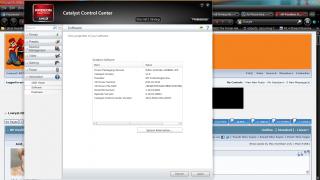
QUOTE(chahupping @ Nov 30 2011, 08:21 PM) bsod again, i think is caused by driver?? btw is my software outdated?? 11.6.. yeah. even HP driver is newer than that.
Added on November 30, 2011, 8:28 pmQUOTE(swks26 @ Nov 30 2011, 07:58 PM) Hey guys, I've a Dv6 user but the 3xxx range, hope I can jump into this thread. My lappy heats up quite a bit. Anyways to fix it? When idle it's around 55-60 and when gaming like Team Fortress 2, it gets to 80. Now I've reduced the CPU performance to 99% (apparently prevents turbo boost?) and have a cooler pad. When gaming it's at 70 and when idle about 50 and now on Chrome/MSN/itunes it's about 55. I've had this lappy for 10months now. Anymore ways to deal with it? :\ Clean the dust inside? What is the temperature when it still new? This post has been edited by Acid_RuleZz: Nov 30 2011, 08:28 PM |
|
|
|
|
|
chahupping
|
Nov 30 2011, 08:32 PM
|
Getting Started
|
QUOTE(Acid_RuleZz @ Nov 30 2011, 09:22 PM) 11.6.. yeah. even HP driver is newer than that.
Added on November 30, 2011, 8:28 pmClean the dust inside? What is the temperature when it still new? so i just update my ccc to 11.11a?? what bout others?? |
|
|
|
|



 Quote
Quote



 0.0304sec
 0.39
0.39
 6 queries
 GZIP Disabled