Err... Not really "black"
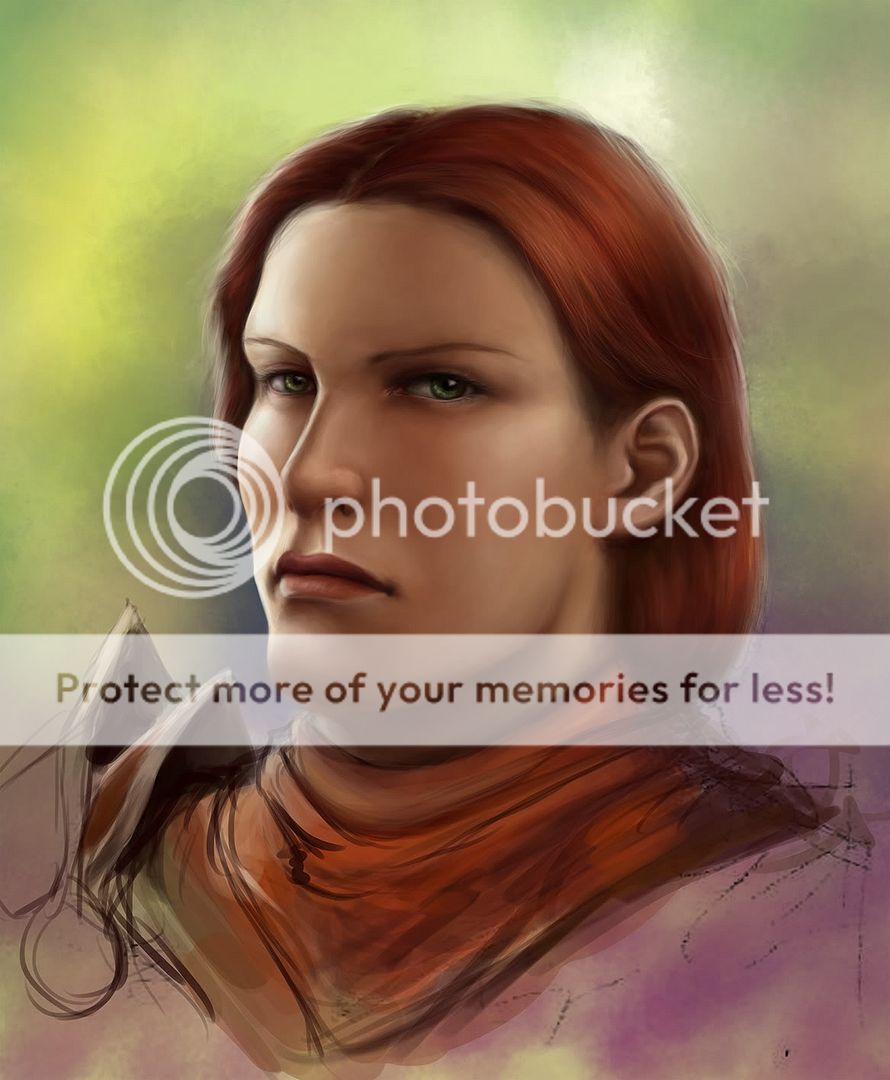
I'll show you the skintone palette set I used for the painting that I'd posted the WIP for earlier, as an example.

The first four colours above are the ones I basically used for shading, going from highlight -> shadow.
You'll notice that the highlight is a very pale, very DESATURATED yellow, sort of greyish. In contrast, the shadow tone is a dark, SATURATED red-orange (it looks brown here, but it isn't; the greenish tone of the background makes it look "cooler" than it really is)
What's happening here is that I am using a progression of colours that goes from cool to warm. Mixing up cool and warm colours are a good way to give "life" to a painting.
So if cool light, warm shadow. Warm light, cool shadow

The three colours below are the "enrichment" or "enhancing" colours, which I brush lightly over selected areas of the face to give extra colour variety, using very low opacity, almost transparent brushes, with very soft edges. The yellow is most obvious on the forehead (which is usually yellow toned), the pink I used on the brighter parts of the cheeks and nose (the middle of the face is usually ruddy and warm), and the orange on the shadowed areas where skin is near skin (the edge of the nostrils, the underside of the chin) to give the effect of bounced light and the resulting subsurface scattering, which is quite important to make skin look like skin.
EDIT: I actually AVOID black. It's too flat, too dark, and can make your painting look very muddy. It works best if the painting is very, VERY desaturated to begin with, but otherwise it's better to actually use the "dark and saturated" trick again for the darkest parts of the painting. Almost-black deep red, almost-black deep blue, that sort of thing.


 Nov 1 2011, 10:49 PM


 Quote
Quote


 bamboo is kinda bad at strokes detection









 0.0280sec
 0.74
0.74
 6 queries
 GZIP Disabled