Outline ·
[ Standard ] ·
Linear+
::: ART ATTACK V3 :::, all about handmade ART :D
|
Sai91
|
 Feb 8 2012, 03:28 AM Feb 8 2012, 03:28 AM
|

|
QUOTE(DragonReine @ Feb 5 2012, 10:30 PM) @ Sai It IS Commander Shepard, actually  Or one player's version of her, anyway (this is for an art trade. I make her a set of paintings, she makes me a pair of earrings) Also, update on the second: » Click to show Spoiler - click again to hide... « huh?lol..  no wonder look abit familiar..  |
|
|
|
|
|
Sai91
|
Feb 8 2012, 03:29 AM
|
|
|
QUOTE(inachi @ Feb 7 2012, 11:23 PM) a sharing to you guys.. A very very great artist. http://www.facebook.com/sam.spratt?flyingspaghettimonster=tsTake a look at this album..he actually painted a series of memes. http://www.facebook.com/media/set/?set=a.2...20470458&type=3and his latest sketch on eyes study. » Click to show Spoiler - click again to hide... « D: awesome detail..great artist really great..and dat memes.. |
|
|
|
|
|
sakuradesune
|
Feb 8 2012, 09:20 PM
|
Getting Started

|
his painting is alive D:
|
|
|
|
|
|
Sai91
|
Feb 8 2012, 09:25 PM
|
|
|
scarry eh eh? lol
|
|
|
|
|
|
Hexism
|
Feb 9 2012, 08:49 AM
|
|
|
|
|
|
|
|
|
inachi
|
Feb 9 2012, 04:43 PM
|
|
|
|
|
|
|
|
|
vypur85
|
Feb 9 2012, 06:16 PM
|
Getting Started
|
QUOTE(Hexism @ Feb 9 2012, 08:49 AM) Hexism, that speedpaint looks really good. How long did you took to produce that piece? Btw, Sam Spratt's works are good le. Inspirational... This post has been edited by vypur85: Feb 9 2012, 06:24 PM |
|
|
|
|
|
Sai91
|
Feb 9 2012, 07:00 PM
|
|
|
QUOTE(Hexism @ Feb 9 2012, 08:49 AM) » Click to show Spoiler - click again to hide... « after i watched this..makes me remember to that thread in /K/  This post has been edited by Sai91: Feb 9 2012, 07:00 PM This post has been edited by Sai91: Feb 9 2012, 07:00 PM |
|
|
|
|
|
Hexism
|
Feb 9 2012, 07:12 PM
|
|
|
QUOTE(vypur85 @ Feb 9 2012, 06:16 PM) Hexism, that speedpaint looks really good. How long did you took to produce that piece? Btw, Sam Spratt's works are good le. Inspirational... thanks - took about 30-40 mins iirc |
|
|
|
|
|
DragonReine
|
Feb 9 2012, 10:03 PM
|
|
|
A snap of what Reine does while painting: 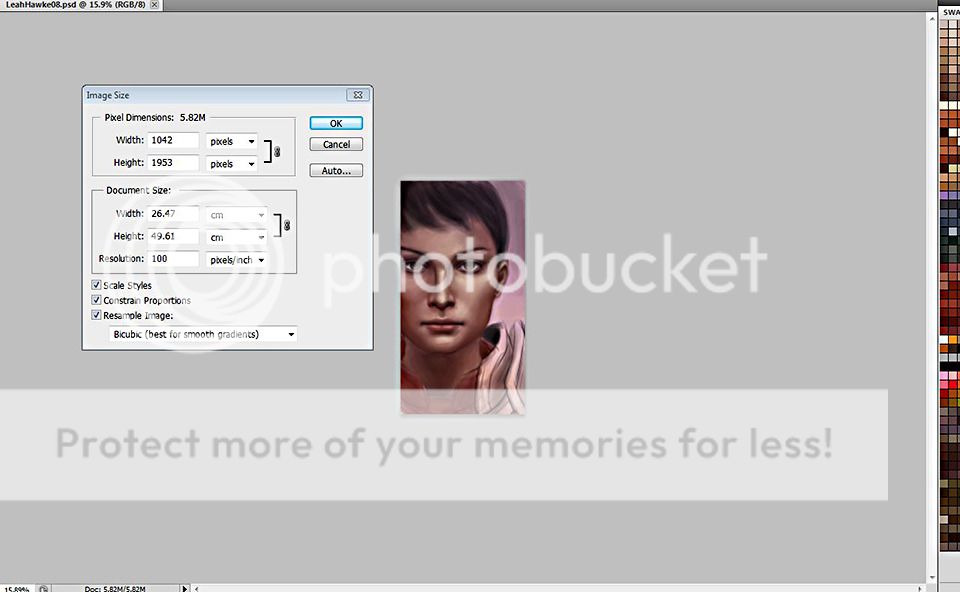 A friend of mine asked how do I lay down colours without losing the underlying sketch, and this was my visual response  Zoom REALLY far out and keep the image size small-ish. This post has been edited by DragonReine: Feb 9 2012, 10:05 PM |
|
|
|
|
|
Yume-rie
|
Feb 10 2012, 12:31 AM
|
New Member
|
Hellooo. This is a commission :0 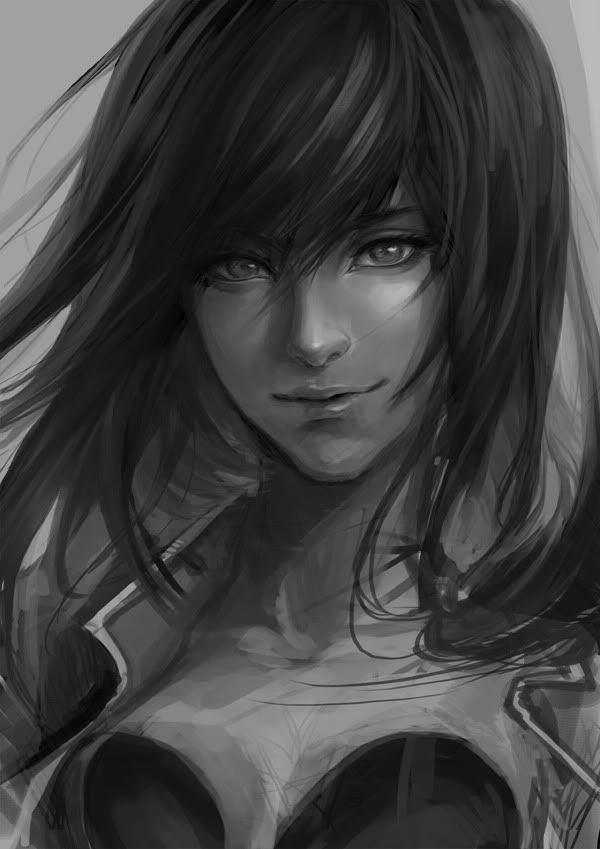 Head to body proportions got problem here, but it's fixed in the final piece in my DA! >> Commission - Riese by Yume-rie |
|
|
|
|
|
SUSAdamiquesce
|
Feb 10 2012, 01:35 AM
|
|
|
im glad people are coming back to contribute,haha I thought u've gone for sure yume
and like always,superb!
I like the idea of doing it in grayscale and then use soft light to colorize it,wow,sounds fit to me because I dont know how to handle colours.
I see u've many viewers in deviantart,Im jelly!
|
|
|
|
|
|
Sai91
|
Feb 10 2012, 04:47 AM
|
|
|
QUOTE(Yume-rie @ Feb 10 2012, 12:31 AM) Hellooo. This is a commission :0 » Click to show Spoiler - click again to hide... « Head to body proportions got problem here, but it's fixed in the final piece in my DA! >> Commission - Riese by Yume-rieoh my..anyway i still dont know how to draw in greyscale tho..  anytips?  |
|
|
|
|
|
Bonchi
|
Feb 10 2012, 07:25 AM
|
|
|
try not to use weird brushes for initial colouring.. try using the round brush and blur brush imo.. will make it look less messy
custom brushes save for the touch up and detailing step
|
|
|
|
|
|
inachi
|
Feb 10 2012, 11:05 AM
|
|
|
QUOTE(Sai91 @ Feb 10 2012, 04:47 AM) oh my..anyway i still dont know how to draw in greyscale tho.. anytips? color grayscale its actually more alike the same..mostly change around the opacity..from this way it helps you make sure your overall values is correct..then only u apply another layer of color on top. This post has been edited by inachi: Feb 10 2012, 11:06 AM |
|
|
|
|
|
vypur85
|
Feb 10 2012, 12:50 PM
|
Getting Started
|
Nice work there Yume! @Sai91: Perhaps you can try referencing for a start. It's much easier than independent colouring. Once you get a hang of it, the 'feel' will come in naturally.  Something simple like an eye can be a good start. (Just like the SamSpratt's eye study.) This post has been edited by vypur85: Feb 10 2012, 12:50 PM |
|
|
|
|
|
Sai91
|
Feb 10 2012, 05:12 PM
|
|
|
QUOTE(Bonchi @ Feb 10 2012, 07:25 AM) try not to use weird brushes for initial colouring.. try using the round brush and blur brush imo.. will make it look less messy custom brushes save for the touch up and detailing step custom brush eh? such as? cuz all i have is default brush there.. |
|
|
|
|
|
Sai91
|
Feb 10 2012, 05:14 PM
|
|
|
QUOTE(inachi @ Feb 10 2012, 11:05 AM) color grayscale its actually more alike the same..mostly change around the opacity..from this way it helps you make sure your overall values is correct..then only u apply another layer of color on top. hmm..soo basicaly need to know how to change the opacity of the colour? no wonder i always failed at it.. |
|
|
|
|
|
Sai91
|
Feb 10 2012, 05:17 PM
|
|
|
QUOTE(vypur85 @ Feb 10 2012, 12:50 PM) Nice work there Yume! @Sai91: Perhaps you can try referencing for a start. It's much easier than independent colouring. Once you get a hang of it, the 'feel' will come in naturally. Something simple like an eye can be a good start. (Just like the SamSpratt's eye study.) referencing is different than masking right? and this one is referencing to other picture actually..but i just change the hair.. |
|
|
|
|




 Quote
Quote


 0.0324sec
 0.59
0.59
 6 queries
 GZIP Disabled