Welcome Guest ( Log In | Register )

Outline · [ Standard ] · Linear+

Unifi [Guide] UniFi - Any custom router can use UniFi, For Huawei HG655a & ZTE ZXDSL 931DII

views
     
TSlighter
post Aug 11 2011, 03:46 PM, updated 10y ago

Recommended Seller
*******
Senior Member
2,478 posts

Joined: Jan 2003


Hi Guys,

I just done a step-by-step guide how to configure your Huawei HG655a able to support any router/wireless router.

Please read the guide below and give me some comment.. thanks

http://unifi.stanleytiang.com
http://stanleytiang.blogspot.com

This post has been edited by lighter: Feb 18 2013, 05:07 PM
calvin_ng
post Aug 11 2011, 05:11 PM

TeamCity | HCC | Insighters
******
Senior Member
1,583 posts

Joined: Mar 2007
From: KEPONG


just get the custom TP-link firmware problem solved.... hehehe and it wont add more port mapping to huawei so the processor can concentrate on the 1 port....
JinXXX
post Aug 11 2011, 06:33 PM

Look at all my stars!!
*******
Senior Member
2,516 posts

Joined: Feb 2007
From: Uarla Umpur


just curious how did you obtain the user/pass for the HG655a for admin mode...

anyway.. i rather not touch the HG655a , just incase some shit happen then tm blame me ask me buy new HG655a cause its been tempered with hahahaha

for advance and technical users you can do it if you want.. if your noob and all i would advise againsts it
TSlighter
post Aug 11 2011, 06:50 PM

Recommended Seller
*******
Senior Member
2,478 posts

Joined: Jan 2003


it is just a few clicks to configure it.. i think its even more steps for other solution. you can always restore the back to original if anything happen.

anyway its up to you guys whether to use this method or not..im just sharing..
aneip
post Aug 11 2011, 07:25 PM

Look at all my stars!!
*******
Senior Member
2,466 posts

Joined: Nov 2004


Nice 1..

As for Alcatel-Lucent OTU (for fiber), I believe no webgui available.. The only thing the installer keying is by using the telnet and keying some kind of ID.. I believe the configuration for the router is downloaded from TM server.
gahkin
post Aug 11 2011, 11:15 PM

Enthusiast
*****
Senior Member
735 posts

Joined: Jan 2003
From: Selayang , Kepong


wow... how so late u share it out, if not i no need sell my 1043ND sad.gif

btw, just give a dumb to u to share a nice method.
bahathir
post Aug 11 2011, 11:26 PM

Regular
******
Senior Member
1,200 posts

Joined: Jan 2009


Yeah, how dp you get the password? Anyway that's a good news.
TSlighter
post Aug 12 2011, 12:20 AM

Recommended Seller
*******
Senior Member
2,478 posts

Joined: Jan 2003


previously my unifi having a lot of problem with VoIP.. the technician came to my house more than 5 times.. when i start to get closed to him and he reveal the login details.. actually previously i saw a forumer posted the login in UniFi thread i guess not many people realized that..

just an update.. i tested my IPTV it actually doesn't work.. the Set-Top-Box keep in my storage never been open before.. i've tried to configure the Set-Top-Box eventually failed..

appreciate anyone can test it for me by follow my instruction in my blog then plug the IPTV to BTU LAN1 Port..

This post has been edited by lighter: Aug 12 2011, 12:21 AM
aneip
post Aug 12 2011, 01:18 AM

Look at all my stars!!
*******
Senior Member
2,466 posts

Joined: Nov 2004


Can share screenshot for ptm1.600? Must be something there..
Syfq
post Aug 12 2011, 06:13 AM

Sense of Definition
******
Senior Member
1,138 posts

Joined: Aug 2005
From: Blackout


Hello! , i have some problem ,

i suddenly reset my Huawei HG655a so i need to make sure my modem connect back using my unifi ID , can someone teach me how

amirsubhi
post Aug 12 2011, 09:04 AM

The Power Is IN Your Hand!
******
Senior Member
1,472 posts

Joined: Apr 2005
From: SumwHeRe In MaLaYsIa


QUOTE(Syfq @ Aug 12 2011, 06:13 AM)
Hello! , i have some problem ,

i suddenly reset my Huawei HG655a so i need to make sure my modem connect back using my unifi ID , can someone teach me how
*
You need to call TM,

When you reset the ONU, you will lost your VoBB configuration, i'm not sure regarding VLAN, i guess missing too?

Give TM a call, they will upload the configuration from their server i believe


Side note: If TM send new firmware directly to ONU, I believe custom configuration that we have done missing too right? TM send new version of firmware to ONU from time to time


Anyway as IPTV not working, something to do with VLAN 600, see where you tag it

This post has been edited by amirsubhi: Aug 12 2011, 09:06 AM
yushin
post Aug 12 2011, 10:10 AM

Look at all my stars!!
*******
Senior Member
3,327 posts

Joined: Jan 2003
From: Selangor


I just get a managed switch that can split the VLAN, no need to mess with the ONU and can use any router I like.
The VLAN capable switch is an additional cost tho.
ckboon
post Aug 12 2011, 10:23 AM

Casual
***
Junior Member
458 posts

Joined: Nov 2004

http://www.stanleytiang.com <-- URL NOT FOUND!
bahathir
post Aug 12 2011, 11:16 AM

Regular
******
Senior Member
1,200 posts

Joined: Jan 2009


http://stanleytiang.blogspot.com/

BTW, here I got Huawei HG850a and not applicable for the hack. smile.gif
TSlighter
post Aug 12 2011, 12:06 PM

Recommended Seller
*******
Senior Member
2,478 posts

Joined: Jan 2003


QUOTE(bahathir @ Aug 12 2011, 11:16 AM)
http://stanleytiang.blogspot.com/

BTW, here I got Huawei HG850a and not applicable for the hack. smile.gif
*
Have you try to configure the HG850a? I cant test it because I dont have one unless i use my customer's to test it..

by the way, this is not hack. is just settings.. tongue.gif
bahathir
post Aug 12 2011, 12:15 PM

Regular
******
Senior Member
1,200 posts

Joined: Jan 2009


Yes, I tried connecting to LAN2 in HG850a... No respond at all. smile.gif I'll try it again, when no one is using it... I'll try at LAN1 with VLAN setup on my laptop.
TSlighter
post Aug 12 2011, 02:11 PM

Recommended Seller
*******
Senior Member
2,478 posts

Joined: Jan 2003


QUOTE(bahathir @ Aug 12 2011, 12:15 PM)
Yes, I tried connecting to LAN2 in HG850a... No respond at all. smile.gif I'll try it again, when no one is using it... I'll try at  LAN1 with VLAN setup on my laptop.
*
I at my customer place configuring their firewall for UniFi. I too can't access to HG850a. I guess the IP subnet is different. So I got no choice to configure their firewall with VLAN tagging over PPPoE to dial the UniFi direct to the BTU.

Dark Kai
post Aug 12 2011, 02:21 PM

Getting Started
**
Junior Member
165 posts

Joined: Jan 2003
From: Puchong


Noob question here....

What advantages do we get by changing the router?

bahathir
post Aug 12 2011, 03:04 PM

Regular
******
Senior Member
1,200 posts

Joined: Jan 2009


I sniffed the LAN2 using tcpdump for awhile and I got this...

CODE
10:23:28.862808 ARP, Request who-has 10.42.255.254 tell 10.42.219.110, length 46
10:26:29.298580 ARP, Request who-has 10.42.255.254 tell 10.42.219.110, length 46


I configured NIC 10.42.219.111 and ping and nmap 10.42.219.110 but no respond. Yeah, mght be it had been firewalled.

Need further investigation. smile.gif

This post has been edited by bahathir: Aug 12 2011, 03:05 PM
Areas Elysian
post Aug 12 2011, 07:18 PM

Regular
******
Senior Member
1,132 posts

Joined: Oct 2010
I know this post will not add anything, but I just want to show my support to you guys who are finding ways to allow users to have custom routers.

Great work there.

I am also a Huawei HG850a user here. I am really slowly getting ticked off by Unifi's own Router.

If you can get the Huawei HG850a to work with a custom router, (in my case, Netgear WNDR3700), I have to belanja you makan one day man..

LoL
cannavaro
post Aug 13 2011, 02:40 AM

CATTENACIO
*******
Senior Member
3,008 posts

Joined: Sep 2005
From: T.T.D.I, Bukit Damansara


We need rizvanrp for this. Where are you riz? brows.gif

This post has been edited by cannavaro: Aug 13 2011, 02:41 AM
rizvanrp
post Aug 13 2011, 11:05 AM

Getting Started
Group Icon
Elite
195 posts

Joined: Sep 2006


Hey lighter, awesome guide. IPTV should work fine with the config you've put up. Just follow the same tagging config but bind to a separate port for VLAN600 and you should be able to connect the STB directly to that port on the BTU.

QUOTE(bahathir @ Aug 12 2011, 03:04 PM)
I sniffed the LAN2 using tcpdump for awhile and I got this...

CODE
10:23:28.862808 ARP, Request who-has 10.42.255.254 tell 10.42.219.110, length 46
10:26:29.298580 ARP, Request who-has 10.42.255.254 tell 10.42.219.110, length 46


I configured NIC 10.42.219.111 and ping and nmap 10.42.219.110 but no respond. Yeah, mght be it had been firewalled.

Need further investigation. smile.gif
*
Looks like VOIP traffic from VLAN400, may be a misconfiguration for port 2 on your BTU or that may be the SIP IP for your BTU and it's sending out ARP requests to every port. Check the source MAC to confirm :3 One issue with the Huawei HGxxx BTUs is that they tend to send out broadcast traffic on every port regardless of how its configured.

QUOTE(cannavaro @ Aug 13 2011, 02:40 AM)
We need rizvanrp for this. Where are you riz?  brows.gif
*
I only has fiberhome sad.gif You guise lucky to have a huawei BTU with a web GUI lol
abubin
post Aug 19 2011, 03:07 PM

10k Club
********
All Stars
10,429 posts

Joined: Jan 2003


anyone tried this on Huawei Echolife 850a? I wanna ditch the dlink-dir650 as it adds another layer to my network.
TSlighter
post Aug 20 2011, 05:19 PM

Recommended Seller
*******
Senior Member
2,478 posts

Joined: Jan 2003


So far only tested on Huawei HG655a.. hopefully someone can able to test on other model..

Recently my Huawei HG665a encounter frequent disconnection.. technician came over to replace a new unit of HG655a. This new one look slightly different than the old one.. somehow i feel the new one look more rounded and not really hot
TaiZi@CCF
post Aug 24 2011, 06:02 PM

Casual
***
Junior Member
367 posts

Joined: Jan 2003
From: Boleh Land


today TM guy installed unifi for me, i saw he login the HG655a with username admin, but he refuse to give me the password.

and the password by this guide is not working, any crue?
TSlighter
post Aug 24 2011, 07:25 PM

Recommended Seller
*******
Senior Member
2,478 posts

Joined: Jan 2003


QUOTE(TaiZi@CCF @ Aug 24 2011, 06:02 PM)
today TM guy installed unifi for me, i saw he login the HG655a with username admin, but he refuse to give me the password.

and the password by this guide is not working, any crue?
*
try with different browser. It should work.

if it shows password incorrect after clicking the login button then they might have changed the password.

if the screen just refresh after clicking login button then its browser problem.
timothyc
post Aug 26 2011, 02:38 AM

Getting Started
**
Junior Member
70 posts

Joined: Jan 2003
From: Kuala Lumpur
Confirm IPTV can work with the same way as above for internet. I now have internet on LAN 3 and IPTV on LAN 4 biggrin.gif

Only observation is that the HG655a modem may appear to hang and the GUI turns unresponsive after pressing "Submit" when changing the port for ptm1.600. The setting that was made would be retained however after a power cycle.

You may also need to power cycle the IPTV box if it doesn't detect the changes. smile.gif

Thanks lighter for making this finding. TM's DIR-615 is now removed from my set up, saving some electricity and making the planet a little greener wink.gif
TSlighter
post Aug 26 2011, 04:11 PM

Recommended Seller
*******
Senior Member
2,478 posts

Joined: Jan 2003


QUOTE(timothyc @ Aug 26 2011, 02:38 AM)
Confirm IPTV can work with the same way as above for internet. I now have internet on LAN 3 and IPTV on LAN 4 biggrin.gif

Only observation is that the HG655a modem may appear to hang and the GUI turns unresponsive after pressing "Submit" when changing the port for ptm1.600. The setting that was made would be retained however after a power cycle.

You may also need to power cycle the IPTV box if it doesn't detect the changes. smile.gif

Thanks lighter for making this finding. TM's DIR-615 is now removed from my set up, saving some electricity and making the planet a little greener wink.gif
*
Great finding bro! So you bind the port to LAN 4? Finally someone able to test IPTV for me. Really appreciate it I will update my blog and credit to you. thumbup.gif

The BTU is actually not only a modem. It can be a router as well.. I can do direct dial PPPoE, NAT, Port Forwarding, DHCP & etc.. But I will not waste my time doing a step-by-step guide for this. I believe no one gonna use it as a router. laugh.gif
William_Yeo
post Sep 2 2011, 11:01 AM

Regular
******
Senior Member
1,524 posts

Joined: Jan 2003
From: Cheras | Puchong | Seremban | KL | PJ


wat about the new alcate-lucent modem... i not getting the huawei model
thankyou
post Sep 2 2011, 11:52 AM

Regular
******
Senior Member
1,941 posts

Joined: Jan 2003
As for Huawei HG850a, this will not work because TM has firewall(iptables) enabled to block access from local LAN port...

1) Set your local ip to 192.168.1.XXX/24
2) Connect to any local LAN port
3) Power Off/On HG850a
4) Keep refreshing your browser on http://192.168.1.1

you should able to view the web access login page for seconds before firewall is loaded then there goes our webpage/ssh(or was it telnet i forgotten about it)...
chintmy
post Sep 2 2011, 02:48 PM

Getting Started
**
Junior Member
76 posts

Joined: Dec 2004


Just wondering how do the technician do the setting (1st timer) then? I am sure they also have remote access to the web interface to check the setting remotely.


TSlighter
post Sep 2 2011, 03:55 PM

Recommended Seller
*******
Senior Member
2,478 posts

Joined: Jan 2003


QUOTE(chintmy @ Sep 2 2011, 02:48 PM)
Just wondering how do the technician do the setting (1st timer) then?  I am sure they also have remote access to the web interface to check the setting remotely.
*
They usually configure the modem and router they come over. Even it's fresh and new they just need to configure your VoIP login. Because the internet and IPTV are in bridged mode.
blindbox
post Sep 3 2011, 01:56 PM

Meh
******
Senior Member
1,705 posts

Joined: Nov 2004


This post has been pointless, lol. rizvanrp did an analysis of it a long time ago.

DAMN IT. I thought this one was for HG850a.

I did some analysis on HG850a. Here's what nmap gives.

CODE

PORT     STATE    SERVICE VERSION

21/tcp   filtered ftp

22/tcp   filtered ssh

23/tcp   filtered telnet

80/tcp   filtered http

8011/tcp open     unknown


The device is set on IP 192.168.2.1 . port 80 is filtered. Either that they DISABLED the web interface, OR I need a specific IP that'd allow me to access it. nmap.org is down so I can't really interpret what filtered means in nmap.

EDIT: rizvanrp, if you're reading this, could you tell me the subnet of iptv again (PM me)?

EDIT2: A more thorough nmap scan.

CODE

Not shown: 1965 closed ports, 29 open|filtered ports

PORT     STATE    SERVICE VERSION

21/tcp   filtered ftp

22/tcp   filtered ssh

23/tcp   filtered telnet

80/tcp   filtered http

8011/tcp open     unknown

67/udp   open     dhcps?

| dhcp-discover:  

|   IP Offered: 192.168.100.2

|   DHCP Message Type: DHCPOFFER

|   Server Identifier: 192.168.100.1

|   IP Address Lease Time: 3 days, 0:00:00

|   Subnet Mask: 255.255.255.0

|   Router: 192.168.100.1

|_  Domain Name Server: 192.168.100.1, 198.41.0.4

MAC Address: 78:1D:BA:D9:FD:2B (Unknown)


This gets more and more interesting.


This post has been edited by blindbox: Sep 3 2011, 04:33 PM
neskafeice
post Sep 5 2011, 02:20 PM

New Member
*
Junior Member
41 posts

Joined: May 2008
any chance if i can do the same for my ZTE VDSL2 modem?... if there is any possibility then my network layer can be lessen.. cause i want to use it with airport extreme. otherwise.. need mikrotik as the medium...

This post has been edited by neskafeice: Sep 5 2011, 02:23 PM
rizvanrp
post Sep 6 2011, 12:22 PM

Getting Started
Group Icon
Elite
195 posts

Joined: Sep 2006


QUOTE(neskafeice @ Sep 5 2011, 02:20 PM)
any chance if i can do the same for my ZTE VDSL2 modem?... if there is any possibility then my network layer can be lessen.. cause i want to use it with airport extreme. otherwise.. need mikrotik as the medium...
*
ZTE was the first VDSL2 BTU to be reconfigured for direct VLAN <-> port mapping sometime last year -- http://forum.lowyat.net/index.php?showtopi...post&p=35603950

@blindbox

What's on TCP 8011? :3

@thankyou

Did anyone try mapping out the firewall ruleset for the new HG850's? IIRC there was no drop rule running on it until recently. Is it a full drop rule or drop all but allow existing/established (in which case it would be possible to establish a TCP session via SSH/telnet and keep it running before the rules kick in)? Perhaps you could even automate the login with a script and hop into the shell + disable the ACL quickly..
Slash21
post Sep 8 2011, 04:25 PM

Getting Started
**
Junior Member
214 posts

Joined: Aug 2008
From: I am where the wind blows...
This thread is getting interesting... getting rid of the dreaded DIR-615, I now totally despise the color orange and the digits 6..1..5.

Any updates on if this works with Huawei 850a?

Thanks.
chintmy
post Sep 8 2011, 05:58 PM

Getting Started
**
Junior Member
76 posts

Joined: Dec 2004


one of the way is to get another unit, do a reset... then start configuring it from zero. If anyone can get the setting like our original unit, then it will works...

Other than TM ppl, I guess we have no chance to see the setting.
blindbox
post Sep 9 2011, 11:31 AM

Meh
******
Senior Member
1,705 posts

Joined: Nov 2004


QUOTE(rizvanrp @ Sep 6 2011, 12:22 PM)
ZTE was the first VDSL2 BTU to be reconfigured for direct VLAN <-> port mapping sometime last year -- http://forum.lowyat.net/index.php?showtopi...post&p=35603950

@blindbox

What's on TCP 8011? :3

@thankyou

Did anyone try mapping out the firewall ruleset for the new HG850's? IIRC there was no drop rule running on it until recently. Is it a full drop rule or drop all but allow existing/established (in which case it would be possible to establish a TCP session via SSH/telnet and keep it running before the rules kick in)? Perhaps you could even automate the login with a script and hop into the shell + disable the ACL quickly..
*
Nothing. If you remembered from your old post (try googling it), you already did try to find services on 8011. I tried ftp, http, ssl, https and telnet, nothing.... Any other tcp protocols that I should try? (I just remembered ssl and telnet are udps, of course they don't work).

TCP 8011 is just an open port. No idea how to use it.

All we know is that the HG850a has two IP addresses, one at 192.168.2.1, another at 192.168.100.1

Hmm I haven't done a wireshark yet on those IPs though. I'll update this thread as I come along.

NEW STUFF:

Well, I did a wireshark and *drumroll*, I found already-found discoveries. I figured the reason why IPTV doesn't work on any of the Huawei ports were because it's not sending vlan 600 to the Juniper server/switch/etc they have at TMNet. Hence, it can't read it. So ignoring firewall routing and whatsoever, you could probably put the d-link given by TM to one of the port and run IPTV there. So, port 1 > Openwrt/DD-WRT hardware not capable of IPTV, and port 2 >D-Link from TM > IPTV.

Well.. gotta test it now.

This post has been edited by blindbox: Sep 9 2011, 12:13 PM
zhiyuan
post Sep 11 2011, 03:28 AM

Casual
***
Junior Member
301 posts

Joined: Apr 2005
From: SS2, PJ


im not sure are the testing you guys doing impact the IPTV or not.. cause i am not able to view anything on a stock IPTV here...

i am getting really bad choppy video here .... cant even see TV3 on TV

abubin
post Sep 15 2011, 12:42 AM

10k Club
********
All Stars
10,429 posts

Joined: Jan 2003


i don't care about iptv. Who want to watch those sucky channels?

I just want a way to get rid of vlan500 so that I can use my normal wifi router with it. Now I have another layer of router dlink615 just for the vlan.
Max
post Sep 15 2011, 09:00 AM

Regular
******
Senior Member
1,705 posts

Joined: Jan 2003
From: Sepang - Putrajaya - Cyberjaya


if u get rid vlan500 then u have no internet access at all.. no?
if not mistaken, if u read from the 1st post, there is already a way to use other router.
'most' router can be used but minus the iptv.
colins
post Sep 23 2011, 07:59 AM

Getting Started
**
Junior Member
129 posts

Joined: May 2005


the blog says IPTV still can be used, by connecting to HG655a's LAN port 1.
Max
post Sep 23 2011, 04:32 PM

Regular
******
Senior Member
1,705 posts

Joined: Jan 2003
From: Sepang - Putrajaya - Cyberjaya


QUOTE(colins @ Sep 23 2011, 07:59 AM)
the blog says IPTV still can be used, by connecting to HG655a's LAN port 1.
*
yes, do able.
u have to route the iptv vlan inside the HG modem.
but i think it will load the modem..
dont know about others, but my modem HG655a do run hot.. blink.gif
jeepac
post Sep 24 2011, 07:48 AM

New Member
*
Newbie
1 posts

Joined: Jul 2005
From: Selangor


i down know if this might help

apprently 2 ports are open on the HG850a 53 and 8011
Juno_wong
post Sep 24 2011, 05:30 PM

New Member
*
Junior Member
15 posts

Joined: May 2006
i reset my HG655a ONT without backup =.="
can someone teach me how to configure or restore back saved file config?

Huawei Hg655a >> Thomson TG799vn Gateway >> my pc.
paultantk
post Sep 24 2011, 06:13 PM

Casual
***
Junior Member
407 posts

Joined: Jan 2003


Thomson? Are you a Maxis user?
Juno_wong
post Sep 24 2011, 08:42 PM

New Member
*
Junior Member
15 posts

Joined: May 2006
QUOTE(paultantk @ Sep 24 2011, 06:13 PM)
Thomson? Are you a Maxis user?
*
Yes i am, i think fttb and huawei hg655a is a vdsl. i messed up with the vlan setting. please save/backup your configuration file and i try to restore it back. if u need password and the access is admin & hs5711Bbvl
colins
post Sep 26 2011, 10:35 AM

Getting Started
**
Junior Member
129 posts

Joined: May 2005


My IPTV doesn't work despite following exactly what the guide says, any idea what went wrong?


timothyc
post Sep 26 2011, 10:43 AM

Getting Started
**
Junior Member
70 posts

Joined: Jan 2003
From: Kuala Lumpur
QUOTE(colins @ Sep 26 2011, 10:35 AM)
My IPTV doesn't work despite following exactly what the guide says, any idea what went wrong?
*
Did you assign VLAN 600 to a different port, plug the IPTV into the port and turn off VLAN tagging?

And also, did you confirm that the HG655a configuration is correct? Mine hanged a few times trying to set that right.
colins
post Sep 26 2011, 12:16 PM

Getting Started
**
Junior Member
129 posts

Joined: May 2005


QUOTE(timothyc @ Sep 26 2011, 10:43 AM)
Did you assign VLAN 600 to a different port, plug the IPTV into the port and turn off VLAN tagging?

And also, did you confirm that the HG655a configuration is correct? Mine hanged a few times trying to set that right.
*
Nope, other than those instructions listed, everything else remains untouched.
VLAN600 is bind and tag to Port 1 (this is the default and I didn't change this)
What other config on the HG655a that I need to look out for?
Thanks in advance for your guidance.
timothyc
post Sep 26 2011, 01:52 PM

Getting Started
**
Junior Member
70 posts

Joined: Jan 2003
From: Kuala Lumpur
QUOTE(colins @ Sep 26 2011, 12:16 PM)
Nope, other than those instructions listed, everything else remains untouched.
VLAN600 is bind and tag to Port 1 (this is the default and I didn't change this)
What other config on the HG655a that I need to look out for?
Thanks in advance for your guidance.
*
You need to do exactly the same thing for VLAN600 as you did for VLAN500 but bind it to a different port - I used port 4.

I was the one who tested and informed the TS that this works. smile.gif

This post has been edited by timothyc: Sep 26 2011, 01:53 PM
colins
post Sep 26 2011, 03:37 PM

Getting Started
**
Junior Member
129 posts

Joined: May 2005


QUOTE(timothyc @ Sep 26 2011, 01:52 PM)
You need to do exactly the same thing for VLAN600 as you did for VLAN500 but bind it to a different port - I used port 4.

I was the one who tested and informed the TS that this works. smile.gif
*
OK, did the same for VLAN600 as for VLAN500, VLAN600 now on Port 2 (Port 4 doesn't work), and everything works!
Thank you for the guidance, cool!

This post has been edited by colins: Sep 26 2011, 03:57 PM
Juno_wong
post Sep 26 2011, 11:23 PM

New Member
*
Junior Member
15 posts

Joined: May 2006
How about mine guys, my Maxis HSI used TM network access. I did something with the HG655a and also has been hard reset to default configuration settings.

After few days tried to set the VLAN id and finally i figured out Maxis used VLAN id 621 and i followed back Maxis used LAN Port 2. Now the problem is my VOIP doesn't work and my actual speed from 10Mbps dropped to 3-4Mbps UP & DOWN...

I need the more configuration setting to my HG655a and able to use VOIP and back to 10Mbps.

I called Maxis since last Friday and Maxis did call me this afternoon but TM guy will come to my house on this Saturday... If can I want to manage is by myself and learn more about this stuff.

Thanks in advance guys.
linearz
post Sep 29 2011, 11:05 AM

New Member
*
Junior Member
40 posts

Joined: Jan 2003
I was playing with vlan setting last night and now I can connect my IPTV directly to the Huawei HG655a. Thanks everyone for the guides.
Pok Leh
post Sep 29 2011, 01:20 PM

Getting Started
**
Junior Member
263 posts

Joined: Sep 2010
QUOTE(aneip @ Aug 11 2011, 07:25 PM)
Nice 1..

As for Alcatel-Lucent OTU (for fiber), I believe no webgui available.. The only thing the installer keying is by using the telnet and keying some kind of ID.. I believe the configuration for the router is downloaded from TM server.
*

so, no need to configure that Alcatel-Lucent OTU if wanna use different wireless router than that D-Link DIR-615?
Kiding
post Sep 29 2011, 02:26 PM

Regular
******
Senior Member
1,135 posts

Joined: Jan 2003
From: Seri Kembangan


QUOTE(Pok Leh @ Sep 29 2011, 01:20 PM)
so, no need to configure that Alcatel-Lucent OTU if wanna use different wireless router than that D-Link DIR-615?
*
You can use other wireless routers that are supported by unifi ( http://klseet.com/index.php?option=com_con...id=42&Itemid=39 ) without configuring alcatel OTU.

The reason we want to configure the OTU is because we wanna to fully utilize the OTU, since there are few available ports in OTU, it can do VLAN untagging job.

I wanted to configure internet VLAN and IPTV VLAN to map to LAN port 2 and LAN port 3, then I can make D-Link 615 as my second AP to serve first floor, but there is no manual for this OTU, kinda difficult to hack it without any documentation.

Pok Leh
post Oct 1 2011, 10:44 AM

Getting Started
**
Junior Member
263 posts

Joined: Sep 2010
QUOTE(Kiding @ Sep 29 2011, 02:26 PM)
You can use other wireless routers that are supported by unifi ( http://klseet.com/index.php?option=com_con...id=42&Itemid=39 ) without configuring alcatel OTU.

The reason we want to configure the OTU is because we wanna to fully utilize the OTU, since there are few available ports in OTU, it can do VLAN untagging job.

I wanted to configure internet VLAN and IPTV VLAN to map to LAN port 2 and LAN port 3, then I can make D-Link 615 as my second AP to serve first floor, but there is no manual for this OTU, kinda difficult to hack it without any documentation.
*
same idea here...

thanks
ChiFoong.
post Oct 1 2011, 11:53 AM

New Member
*
Newbie
3 posts

Joined: Jan 2011


If i'm using RT-N13U Router Wireless-N Asus , i can connect it by replacing the D-Link router provided by unifi ?

I can't seem to connect it with my asus router , D- Link router hasn't got a good coverage !
linearz
post Oct 1 2011, 06:05 PM

New Member
*
Junior Member
40 posts

Joined: Jan 2003
Here is my setting to enable the IPTV on port 3 and RT-N16 router on port 2. I'm using latest tomato usb firmware and it doesn't support 3 digits VLAN tagging. Basically, any other generic PPPoE dialer should be supported. I didn't touch any other setting except shown in the screenshots.

user posted image

user posted image


Warning: Always backup the default setting. I will not take any responsibility if you bricked your devices.
xXAaronXx
post Oct 2 2011, 08:45 PM

My Love for AppleJack
******
Senior Member
1,172 posts

Joined: May 2006
From: Puchong
Can this be done on the Alcatel-Lucent OTU ?
TSlighter
post Oct 3 2011, 05:03 PM

Recommended Seller
*******
Senior Member
2,478 posts

Joined: Jan 2003


QUOTE(xXAaronXx @ Oct 2 2011, 08:45 PM)
Can this be done on the Alcatel-Lucent OTU ?
*
currently this method only works for Huawei HG655a model..
Pok Leh
post Oct 4 2011, 11:51 AM

Getting Started
**
Junior Member
263 posts

Joined: Sep 2010
QUOTE(lighter @ Oct 3 2011, 05:03 PM)
currently this method only works for Huawei HG655a model..
*
aisehhh..too bad..appreciate if any master sifu can do for Alcatel-Lucent OTU..

thanks
panafone
post Oct 4 2011, 11:59 AM

Casual
***
Junior Member
426 posts

Joined: Jan 2003
From: somewhere over the rainbow


Hi,

I'm thinking of replacing tm's router with the Asus RT-N13U like in rizanrp's guide.

But will I still be able to connect to IPTV?

Thanks in advance for the reply.
colins
post Oct 4 2011, 12:20 PM

Getting Started
**
Junior Member
129 posts

Joined: May 2005


Anyone tested which configuration is better? Un-tag the VLAN at modem compared to at router.
digipaq
post Oct 4 2011, 12:39 PM

New Member
*
Junior Member
23 posts

Joined: Jun 2010
QUOTE(panafone @ Oct 4 2011, 11:59 AM)
Hi,

But will I still be able to connect to IPTV?

*
Not a problem.
zaldy1028
post Oct 8 2011, 01:50 PM

New Member
*
Newbie
3 posts

Joined: Nov 2008


QUOTE(lighter @ Aug 11 2011, 04:46 PM)
Hi Guys,

I just done a step-by-step guide how to configure your Huawei HG655a able to support any router/wireless router.

Please read the guide below and give me some comment.. thanks

http://unifi.stanleytiang.com
http://stanleytiang.blogspot.com
*
Hi Lighter,

Thanks for the guide I managed to get into the home gateway and reconfig the port for my own router. However, upon testing for the STB it didn't work when I directly connect it's LAN cable on LAN1 of the home gateway. I just noticed that during the STB's startup it fails to get an IP addresss (the startup part where we see a yellow progress bar).

Any ideas how it can be fixed?

Thanks again for the guide. Accessing the gateway is a big help.
fandango
post Oct 8 2011, 10:49 PM

New Member
*
Newbie
2 posts

Joined: Dec 2009


QUOTE(lighter @ Oct 3 2011, 05:03 PM)
currently this method only works for Huawei HG655a model..
*
Hi Stanley,

My UNIFI modem is Huawei Echo Life HG850a. Do u think it's similar to HG655a?
Ravenous
post Oct 9 2011, 06:02 PM

New Member
*
Newbie
0 posts

Joined: Oct 2011
QUOTE(thankyou @ Sep 2 2011, 11:52 AM)
As for Huawei HG850a, this will not work because TM has firewall(iptables) enabled to block access from local LAN port...

1) Set your local ip to 192.168.1.XXX/24
2) Connect to any local LAN port
3) Power Off/On HG850a
4) Keep refreshing your browser on http://192.168.1.1

you should able to view the web access login page for seconds before firewall is loaded then there goes our webpage/ssh(or was it telnet i forgotten about it)...
*
Great work guys. Grateful for a solution on the HG850a. Would dearly love to get rid of the 615.
CloudComputer
post Nov 10 2011, 10:03 PM

Getting Started
**
Junior Member
257 posts

Joined: Aug 2011
From: Kuala Lumpur
As mentioned in early post, TM may push updates to the modem sometimes and reset all the settings, does it really happen?
ExCrIpT
post Nov 20 2011, 12:46 AM

Regular
******
Senior Member
1,671 posts

Joined: Jan 2003


how to locate the unifi password?
calling the hotline, they won't give right?
teniqcnerd
post Nov 20 2011, 02:35 PM

Getting Started
**
Junior Member
134 posts

Joined: Jan 2008


I am posting in this thread because I been told by Unifi that I need to replace my router because it may be damage.
Okay my situation is I can make connection to the net with wireless connection constantly. The signal always drop. I am using the same laptop in my office and also connect using wireless Unifi and I don't face any problem.
Please take note, my iPhone connection has no problem. At this point I don't know what is the actual problem.
Here I hope I can get some answers;
1) what other alternative modem+router beside specified by Unifi.
2) with my situation, is my router damage?

Frustration...


chengsiong
post Nov 21 2011, 11:18 AM

Getting Started
**
Junior Member
168 posts

Joined: Nov 2010
From: KL


QUOTE(teniqcnerd @ Nov 20 2011, 02:35 PM)
I am posting in this thread because I been told by Unifi that I need to replace my router because it may be damage.
Okay my situation is I can make connection to the net with wireless connection constantly. The signal always drop. I am using the same laptop in my office and also connect using wireless Unifi and I don't face any problem.
Please take note, my iPhone connection has no problem. At this point I don't know what is the actual problem.
Here I hope I can get some answers;
1) what other alternative modem+router beside specified by Unifi.
2) with my situation, is my router damage?

Frustration...
*
Go to http://192.168.0.1 , username: operator password: h566UniFi
Then go advanced, advanced wireless, get the wireless mode to 802.11b/g/n or 802.11n only if all ur device support
And for iphone, change bandwidth 20/40Mhz (auto) to 20Mhz.

click save settings, it should work.. thumbup.gif

This post has been edited by chengsiong: Nov 21 2011, 11:19 AM
weikee
post Nov 22 2011, 03:00 PM

10k Club
********
All Stars
12,019 posts

Joined: Jan 2003
Hi All,

The password no longer work. I got my unifi 2 weeks ago. But I need to extract out my PPPoE password. Any other method? config.bin give me garbage using routerpassview

I am using Dlink 615 firmware 7.09
ExCrIpT
post Nov 22 2011, 06:33 PM

Regular
******
Senior Member
1,671 posts

Joined: Jan 2003


Guys i tried the method on this website
http://klseet.com/index.php?option=com_con...e&id=7&Itemid=6
But iCan no longer access the router after flashing.
Means its broken d?


timothyc
post Nov 22 2011, 06:46 PM

Getting Started
**
Junior Member
70 posts

Joined: Jan 2003
From: Kuala Lumpur
If you didn't get the password list during your installation by the TM technicians, call the Unifi support line and ask for it. They will give it to you by email.
akuinsan
post Nov 22 2011, 09:08 PM

Getting Started
**
Junior Member
253 posts

Joined: Oct 2004
From: Bangi/Kajang


when soon i get my unifi BIZ package, can i just connect from BTU directly to my office gateway server?

my current setup for streamyx business package is like below pict :
user posted image

what's default IP address for the BTU?
can I replace the BTU ip address if it's same with my current gatewat server ip add?

sorry if i posted in wrong thread biggrin.gif
Juno_wong
post Nov 22 2011, 09:32 PM

New Member
*
Junior Member
15 posts

Joined: May 2006
QUOTE(akuinsan @ Nov 22 2011, 09:08 PM)
when soon i get my unifi BIZ package, can i just connect from BTU directly to my office gateway server?

my current setup for streamyx business package is like below pict :
user posted image

what's default IP address for the BTU?
can I replace the BTU ip address if it's same with my current gatewat server ip add?

sorry if i posted in wrong thread biggrin.gif
*
Usually BTU/ONT will use 192.168.1.1 (DHCP OFF) and the gateway (dlink white & orange) will be 192.168.0.1

If your client or access point using 192.168.1.xxx you can simply swap the BTU and GATEWAY ip range.
akuinsan
post Nov 22 2011, 09:44 PM

Getting Started
**
Junior Member
253 posts

Joined: Oct 2004
From: Bangi/Kajang


can i just change the BTU/ONT ip add, without change server/gateway ip range?
if the BTU ip can't change, need to do some re-setting office network (some pc using static ip setting)

for this time, from what i search, TM not allow user to login to BTU right?


This post has been edited by akuinsan: Nov 22 2011, 09:49 PM
teniqcnerd
post Nov 22 2011, 10:27 PM

Getting Started
**
Junior Member
134 posts

Joined: Jan 2008


QUOTE(timothyc @ Nov 22 2011, 07:46 PM)
If you didn't get the password list during your installation by the TM technicians, call the Unifi support line and ask for it. They will give it to you by email.
*
Is it there are no password needed.
username: admin
password: <blank>

????????

weikee
post Nov 22 2011, 11:49 PM

10k Club
********
All Stars
12,019 posts

Joined: Jan 2003
QUOTE(teniqcnerd @ Nov 22 2011, 10:27 PM)
Is it there are no password needed.
username: admin
password: <blank>

????????
*
Not the Admin, but the PPPoE. Anyway i got it from them, is so cryptic. Now I can use my cisco router and switch. Replacing all the TM equipment, except the Fiber BTU.
Juno_wong
post Nov 24 2011, 01:09 AM

New Member
*
Junior Member
15 posts

Joined: May 2006
QUOTE(akuinsan @ Nov 22 2011, 09:44 PM)
can i just change the BTU/ONT ip add, without change server/gateway ip range?
if the BTU ip can't change, need to do some re-setting office network (some pc using static ip setting)

for this time, from what i search, TM not allow user to login to BTU right?
*
Who's care bout login to BTU? thumbup.gif
sugen
post Jan 11 2012, 02:11 PM

Regular
******
Senior Member
1,357 posts

Joined: Jul 2007


is that possible to setup TM SIP protocol into your mobile phone SIP client so that we can do free call from our mobile phone instead of wireless phone that is provided by telekom
aneip
post Jan 11 2012, 05:38 PM

Look at all my stars!!
*******
Senior Member
2,466 posts

Joined: Nov 2004


QUOTE(sugen @ Jan 11 2012, 02:11 PM)
is that possible to setup TM SIP protocol into your mobile phone SIP client so that we can do free call from our mobile phone instead of wireless phone that is provided by telekom
*
Don't think so.. The VOIP running on private network and not internet.. Unless TM setup SIP server on the net than shouldn't be a problem..
jack12454
post Jan 14 2012, 06:36 AM

New Member
*
Newbie
1 posts

Joined: Sep 2011


Hi, a noob question here....
Is this post guiding those who have router without VLAN support to be able to use on the HG655a? (just to confirm)
firstly, i tot that unifi can only use the router that they gave. Then I found this post.

I called the unifi and simply told them that I bought another router, could I change the DIR615 to my own router and do i have to do any extra setting? that guy said no and I can use any router as long they've VLAN setting ._.
sorry for the lame question. I'm just not quite sure and confused a bit. sweat.gif
BaronVonchesto
post Jan 16 2012, 10:40 PM

Getting Started
**
Junior Member
101 posts

Joined: May 2008
Hey has anyone noticed any performance degredation after doing the VLAN untagging in the VDSL modem?

Im on the 20M connection and using my trusty netgear WGR614 v6 router that has been serving me well for many years with good performance.

However now that ive got the internet and iptv working using the technique here my speedtest to cyberjaya shows ping 22ms, download 18.06mbps, upload test takes forever to run and eventually settles on like 0.09mbps

something is wrong here.. i wanted better performance than the crappy dir-615 for playing Star Wars: the old republic - but this is much worse!
Prince of Andalus
post Jan 20 2012, 09:03 AM

Casual
***
Junior Member
365 posts

Joined: Dec 2006
How do i do this for ZTE ZXDSL 931 DII?

I post my screenshots

user posted image

Uploaded with ImageShack.us

user posted image

Uploaded with ImageShack.us

In your tutorial, you remove vlan tagging. But in ZTE ZXDSL, there are 2 types. There are port binding and vlan trunk. Should i do this to both or only one?
stan001
post Jan 24 2012, 05:52 PM

On my way
****
Senior Member
623 posts

Joined: Jan 2003
From: Kuala Lumpur


Thanks for the TS for posting the details and modem password..

Changed the settings to the following and got both IPTV & Router/Wireless ( using Linksys WRT54GS on DD-WRT V24 )...

*** Finally the buggy TM's DIR-615 is out of the Unifi network without spending a single $$$ on new router... using my existing Streamyx reliable DD-WRT wireless router...

I removed all the VLAN Tagging on BOTH the port as I do not want to mess with the VLAN tagging settings on the DD-WRT wireless router..

Settings as follows for HG655a :-

LAN1 - Unused
LAN2 - IPTV ( no vlan tagging, vlan 600 )
LAN3 - ROUTER/PPPOE ( no vlan tagging, vlan 500 )
LAN4 - Use for accessing the router

Just configure the PPPOE as per normal connections...

Do PM me if you have similar setup and need my assistance...

dave185
post Feb 9 2012, 10:19 PM

Getting Started
**
Junior Member
52 posts

Joined: Jan 2007
Hi guys,

Anyone have guide have to setup Echolife 850a BTU? I found guide posted by Prodigy. But the problem is, when i try to connect using browser thru 192.168.100.1, i just cant get any connection.

Also, from another forum, i get to know that also, if you reboot the BTU, you will get 5 seconds time to be able to see the management webpage / telnet to logon, but after that, the connection will auto DCed and all back to no access.

Anyone know how to permanently able to connect to HG850a management page?

Thx
maxiscool
post Feb 15 2012, 09:31 AM

Casual
***
Junior Member
379 posts

Joined: Jan 2003
QUOTE(dave185 @ Feb 9 2012, 10:19 PM)
Hi guys,

Anyone have guide have to setup Echolife 850a BTU? I found guide posted by Prodigy. But the problem is, when i try to connect using browser thru 192.168.100.1, i just cant get any connection.

Also, from another forum, i get to know that also, if you reboot the BTU, you will get 5 seconds time to be able to see the management webpage / telnet to logon, but after that, the connection will auto DCed and all back to no access.

Anyone know how to permanently able to connect to HG850a management page?

Thx
*
Anybody found a way to change the configuration for the 850a BTU?
soonwai
post Feb 15 2012, 06:14 PM


********
All Stars
11,455 posts

Joined: Oct 2007
From: KL


QUOTE(dave185 @ Feb 9 2012, 10:19 PM)
Hi guys,

Anyone have guide have to setup Echolife 850a BTU? I found guide posted by Prodigy. But the problem is, when i try to connect using browser thru 192.168.100.1, i just cant get any connection.

Also, from another forum, i get to know that also, if you reboot the BTU, you will get 5 seconds time to be able to see the management webpage / telnet to logon, but after that, the connection will auto DCed and all back to no access.

Anyone know how to permanently able to connect to HG850a management page?

Thx
*
The few seconds you can connect to the BTU is when it starts up and before the firewall kicks in. Don't think there's much we can do about that.

Utada
post Feb 15 2012, 11:37 PM

Getting Started
**
Junior Member
202 posts

Joined: Jan 2003


Anyone got the password for the Echolife 850a BTU?

Am using my office's 20mb at home which is subscribed to 5mb. Speed wont go beyond 7mb, I believe something is capped at the BTU.

Any ideas?
soonwai
post Feb 15 2012, 11:51 PM


********
All Stars
11,455 posts

Joined: Oct 2007
From: KL


QUOTE(Utada @ Feb 15 2012, 11:37 PM)
Anyone got the password for the Echolife 850a BTU?

Am using my office's 20mb at home which is subscribed to 5mb. Speed wont go beyond 7mb, I believe something is capped at the BTU.

Any ideas?
*
Yeah, speed is capped at the BTU. Can you still get the login page?
J1@l_ l_l l\l
post Feb 20 2012, 11:52 PM

Getting Started
**
Junior Member
291 posts

Joined: Aug 2009
From: Kedai Bakuteh Ah Kau Pte. Ltd.


QUOTE(timothyc @ Aug 26 2011, 02:38 AM)
Confirm IPTV can work with the same way as above for internet. I now have internet on LAN 3 and IPTV on LAN 4 biggrin.gif

Only observation is that the HG655a modem may appear to hang and the GUI turns unresponsive after pressing "Submit" when changing the port for ptm1.600. The setting that was made would be retained however after a power cycle.

You may also need to power cycle the IPTV box if it doesn't detect the changes. smile.gif

Thanks lighter for making this finding. TM's DIR-615 is now removed from my set up, saving some electricity and making the planet a little greener wink.gif
*
QUOTE(Max @ Sep 23 2011, 04:32 PM)
yes, do able.
u have to route the iptv vlan inside the HG modem.
but i think it will load the modem..
dont know about others, but my modem HG655a do run hot..  blink.gif
*
Mine internet and VOIP work but the IPTV doesn't work as according to this. There is no mention of ptm1.600 or VLAN600. Would U guys mind to share the trick?

QUOTE(colins @ Sep 26 2011, 10:35 AM)
My IPTV doesn't work despite following exactly what the guide says, any idea what went wrong?
*
So as mine, I guess probably due to the ptm1.600 or VLAN600 unsure.gif

QUOTE(colins @ Sep 26 2011, 03:37 PM)
OK, did the same for VLAN600 as for VLAN500, VLAN600 now on Port 2 (Port 4 doesn't work), and everything works!
Thank you for the guidance, cool!
*
VLAN600 and VLAN500 are having the same settings?

QUOTE(linearz @ Sep 29 2011, 11:05 AM)
I was playing with vlan setting last night and now I can connect my IPTV directly to the Huawei HG655a. Thanks everyone for the guides.
*
Only my internet and the VOIP work as according to this guide cry.gif , IPTV not working cry.gif

QUOTE(zaldy1028 @ Oct 8 2011, 01:50 PM)
Hi Lighter,

Thanks for the guide I managed to get into the home gateway and reconfig the port for my own router. However, upon testing for the STB it didn't work when I directly connect it's LAN cable on LAN1 of the home gateway. I just noticed that during the STB's startup it fails to get an IP addresss (the startup part where we see a yellow progress bar).

Any ideas how it can be fixed?

Thanks again for the guide. Accessing the gateway is a big help.
*
Me too, the IPTV doesn't work.
timothyc
post Feb 21 2012, 11:43 AM

Getting Started
**
Junior Member
70 posts

Joined: Jan 2003
From: Kuala Lumpur
QUOTE(J1@l_ l_l l\l @ Feb 20 2012, 11:52 PM)
Mine internet and VOIP work but the IPTV doesn't work as according to this. There is no mention of ptm1.600 or VLAN600. Would U guys mind to share the trick?
So as mine, I guess probably due to the ptm1.600 or VLAN600 unsure.gif
VLAN600 and VLAN500 are having the same settings?
I am trying to remember as I do not have the HG655a anymore...

Do exactly for ptm1.600 as you did for ptm1.500.

Make sure that the port binding for ptm1.600 is to a different port compared to ptm1.500 as you did for your internet.

For example.. if ptm1.500 is set to LAN 3, set ptm1.600 to LAN 4 only. Both ptm1.500 and ptm1.600 should not be binded to the same LAN port.

Turn off VLAN tagging as well for ptm1.600
J1@l_ l_l l\l
post Feb 23 2012, 06:10 PM

Getting Started
**
Junior Member
291 posts

Joined: Aug 2009
From: Kedai Bakuteh Ah Kau Pte. Ltd.


QUOTE(timothyc @ Feb 21 2012, 11:43 AM)
I am trying to remember as I do not have the HG655a anymore...

Do exactly for ptm1.600 as you did for ptm1.500.

Make sure that the port binding for ptm1.600 is to a different port compared to ptm1.500 as you did for your internet.

For example.. if ptm1.500 is set to LAN 3, set ptm1.600 to LAN 4 only. Both ptm1.500 and ptm1.600 should not be binded to the same LAN port.

Turn off VLAN tagging as well for ptm1.600
*
Cannot be done bro. When trying to remove the VLAN tagging the HG655a says "The binding port must have VLAN tag".

Another thing, it should be IP bridge or PPPOE bridge for the IPTV?
timothyc
post Feb 23 2012, 06:14 PM

Getting Started
**
Junior Member
70 posts

Joined: Jan 2003
From: Kuala Lumpur
QUOTE(J1@l_ l_l l\l @ Feb 23 2012, 06:10 PM)
Cannot be done bro. When trying to remove the VLAN tagging the HG655a says "The binding port must have VLAN tag".

Another thing, it should be IP bridge or PPPOE bridge for the IPTV?
*
If you can't remove the VLAN tag for ptm1.600, how did you do it for ptm1.500?

I do not remember the other settings for ptm1.600 right now - It was left unchanged. I think it should be IP bridge as the IPTV does not need PPPOE.
stan001
post Feb 23 2012, 06:33 PM

On my way
****
Senior Member
623 posts

Joined: Jan 2003
From: Kuala Lumpur


I do not hv the mentioned modem/router but these are all Networking / Virtual LAN terminology or protocols :-

VLAN tagging = this port hv VLAN numbers tagging on it, can only be used with another switch/router that support VLAN protocol/802.1q ( original DIR-615 )
IP Bridge = traffic is pure IP
PPPOE bridge = traffic is encapsulated with PPP Over Ethernet ( use mainly for authentications )
Vlan 500 = used by Unifi for Internet traffic
Vlan 600 = used by IPTV


What you need to get it working without the DIR-615 is this settings :-

Incoming line is a VLAN trunking with both vlan500 & vlan600 on the same port...

You will need to split them to different ports and remove the VLAN tagging...

- 1 separate network port for Internet with VLAN 500
- 1 separate network port for IPTV with VLAN 600

*** remove ALL VLAN tagging on both the above ports


TSlighter
post Feb 23 2012, 07:30 PM

Recommended Seller
*******
Senior Member
2,478 posts

Joined: Jan 2003


QUOTE(stan001 @ Feb 23 2012, 06:33 PM)
I do not hv the mentioned modem/router but these are all Networking / Virtual LAN terminology or protocols :-

VLAN tagging = this port hv VLAN numbers tagging on it, can only be used with another switch/router that support VLAN protocol/802.1q ( original DIR-615 )
IP Bridge = traffic is pure IP
PPPOE bridge = traffic is encapsulated with PPP Over Ethernet ( use mainly for authentications )
Vlan 500 = used by Unifi for Internet traffic
Vlan 600 = used by IPTV
What you need to get it working without the DIR-615 is this settings :-

Incoming line is a VLAN trunking with both vlan500 & vlan600 on the same port...

You will need to split them to different ports and remove the VLAN tagging...

- 1 separate network port for Internet with VLAN 500
- 1 separate network port for IPTV with VLAN 600

*** remove ALL VLAN tagging on both the above ports
*
Very good explaination!
ckboon
post Feb 25 2012, 10:21 AM

Casual
***
Junior Member
458 posts

Joined: Nov 2004

any comment about the speed cap after converted to BTU?
BaronVonchesto
post Feb 25 2012, 12:13 PM

Getting Started
**
Junior Member
101 posts

Joined: May 2008
Just want to say thankyou stanley!!
stan001
post Mar 17 2012, 12:49 AM

On my way
****
Senior Member
623 posts

Joined: Jan 2003
From: Kuala Lumpur


Update, I flash my DIR-615 to DD-WRT using this instructions from http://unifi.athena.my/ddwrt_guide.php

( skip the VLAN tagging part and below )

I force the wireless to N-only for higher tput..

*** remember to keep all the old config and firmware with you in case you need to flash it back to orig firmware...

Best part is that you do not need to spend any $$$ on buying a new wireless router at all...


Previously I switched back to my old streamyx WRT54GS but the wifi speed was just too slow at 802.11g...

This post has been edited by stan001: Mar 17 2012, 12:51 AM
kyon22
post Mar 27 2012, 03:26 PM

Getting Started
**
Junior Member
141 posts

Joined: Aug 2007
I'm trying to turn my DIR-615 G2 router into a vlan bridge using athena guide but nothing works. My router is running firmware 7.12. Should i flash it to DD-WRT or is there any other way?
E1 - AKG
post Apr 11 2012, 12:12 AM

Your personal audio store!
*******
Senior Member
6,439 posts

Joined: Aug 2009
From: Kuala Lumpur


Need help! Connected the Airport Extreme to LAN2 of the ZXDSL931 (comes with UniFi) and the Airport Extreme shows "Your Apple Wi-Fo base station does not have a valid IP address". rclxub.gif

Really appreciate any help at all notworthy.gif

stan001
post Apr 11 2012, 12:45 AM

On my way
****
Senior Member
623 posts

Joined: Jan 2003
From: Kuala Lumpur


QUOTE(E1 - AKG @ Apr 11 2012, 12:12 AM)
Need help!  Connected the Airport Extreme to LAN2 of the ZXDSL931 (comes with UniFi) and the Airport Extreme shows "Your Apple Wi-Fo base station does not have a valid IP address".  rclxub.gif

Really appreciate any help at all  notworthy.gif
*
Those other modem ports are not used besides the one connected to the d-link wireless router...

You can use them as extra switch ports if u plug a cable from yr d-link router switch ports to the modem ports...

Did you follow the instructions on the first page settings ??


E1 - AKG
post Apr 11 2012, 02:47 AM

Your personal audio store!
*******
Senior Member
6,439 posts

Joined: Aug 2009
From: Kuala Lumpur


QUOTE(stan001 @ Apr 11 2012, 12:45 AM)
Those other modem ports are not used besides the one connected to the d-link wireless router...

You can use them as extra switch ports if u plug a cable from yr d-link router switch ports to the modem ports...

Did you follow the instructions on the first page settings ??
*
Thank you for the response notworthy.gif

Which means the d-Link wireless router cannot be replaced with the Airport Extreme hmm.gif

Having strange problems with the d-Link wireless router. Whenever running a video server app ie PPS on the iPad and surfing on the MacBook at the same time, the d-Link crashes. rclxub.gif
unknown_2
post Apr 11 2012, 11:04 AM

On my way
****
Junior Member
571 posts

Joined: Mar 2012


i lost my unifi account password.
if there anyway to retrieve it?
catwing wan
post Apr 18 2012, 09:22 AM

New Member
*
Junior Member
8 posts

Joined: Feb 2008
Good Job Bro!. Now I dun Need the Dlink...
stan001
post Apr 18 2012, 10:24 AM

On my way
****
Senior Member
623 posts

Joined: Jan 2003
From: Kuala Lumpur


QUOTE(E1 - AKG @ Apr 11 2012, 02:47 AM)
Thank you for the response  notworthy.gif

Which means the d-Link wireless router cannot be replaced with the Airport Extreme  hmm.gif 

Having strange problems with the d-Link wireless router.  Whenever running a video server app ie PPS on the iPad and surfing on the MacBook at the same time, the d-Link crashes.  rclxub.gif
*
No, the DIR-615 is doing a few functions - VLAN trunking - split the Data and Video traffic to different ports from a single incoming port from the modem and the regular stuff a wireless router does... "most" other routers does not do the first function...

The TM Unifi version of the DIR-615 wireless router software is so buggy... mine used to hang/crash every few days until I flash mine to DD-WRT, after like 2 weeks or more... no issues whatsoever..

Another option would be the Microtik routers ...

timothyc
post Apr 18 2012, 11:42 AM

Getting Started
**
Junior Member
70 posts

Joined: Jan 2003
From: Kuala Lumpur
QUOTE(unknown_2 @ Apr 11 2012, 11:04 AM)
i lost my unifi account password.
if there anyway to retrieve it?
*
Call Unifi support. They will help you.


Added on April 18, 2012, 11:53 am
QUOTE(E1 - AKG @ Apr 11 2012, 12:12 AM)
Need help!  Connected the Airport Extreme to LAN2 of the ZXDSL931 (comes with UniFi) and the Airport Extreme shows "Your Apple Wi-Fo base station does not have a valid IP address".  rclxub.gif

Really appreciate any help at all  notworthy.gif
*
You will need to change the VLAN trunk setting on the ZTE VDSL modem to enable direct PPPoE from your Airport Extreme without needing the UniFi supplied D-Link router.

There was a guide by solichan here at http://forum.lowyat.net/index.php?showtopi...post&p=36938431 but the images has been removed.

If I remember and could find time to do it, I will make some screenshots for you from my unit.


Alternatively, you can use the Airport Extreme, but with the D-Link as a VLAN bridge. For this, please refer to the guide at http://unifi.athena.my/custom_routers.php

This post has been edited by timothyc: Apr 18 2012, 11:53 AM
E1 - AKG
post Apr 18 2012, 12:27 PM

Your personal audio store!
*******
Senior Member
6,439 posts

Joined: Aug 2009
From: Kuala Lumpur


QUOTE(timothyc @ Apr 18 2012, 11:42 AM)
Call Unifi support. They will help you.


Added on April 18, 2012, 11:53 am

You will need to change the VLAN trunk setting on the ZTE VDSL modem to enable direct PPPoE from your Airport Extreme without needing the UniFi supplied D-Link router.

There was a guide by solichan here at http://forum.lowyat.net/index.php?showtopi...post&p=36938431 but the images has been removed.

If I remember and could find time to do it, I will make some screenshots for you from my unit.
Alternatively, you can use the Airport Extreme, but with the D-Link as a VLAN bridge. For this, please refer to the guide at http://unifi.athena.my/custom_routers.php
*
Not a tech person, only knows plug and play rclxub.gif Would appreciate any help at all notworthy.gif
matiha
post Apr 18 2012, 12:32 PM

New Member
*
Newbie
0 posts

Joined: Feb 2011
QUOTE(linearz @ Oct 1 2011, 06:05 PM)
Here is my setting to enable the IPTV on port 3 and RT-N16 router on port 2. I'm using latest tomato usb firmware and it doesn't support 3 digits VLAN tagging. Basically, any other generic PPPoE dialer should be supported. I didn't touch any other setting except shown in the screenshots.

user posted image

user posted image
Warning:  Always backup the default setting. I will not take any responsibility if you bricked your devices.
*
You still can maintain LAN1 setting for both VLAN500 & VLan600; only add LAN2 for Vlan500(internet) & Lan3 for Vlan600(IPTV).
XPS
post Apr 18 2012, 10:38 PM

Casual
***
Junior Member
322 posts

Joined: Jan 2008
QUOTE(E1 - AKG @ Apr 11 2012, 12:12 AM)
Need help!  Connected the Airport Extreme to LAN2 of the ZXDSL931 (comes with UniFi) and the Airport Extreme shows "Your Apple Wi-Fo base station does not have a valid IP address".  rclxub.gif

Really appreciate any help at all  notworthy.gif
*
Couple of comments.

1. Apple Extreme (AEB) cannot logon to Unifi via PPPOE authentication since middle of 2011 AFTER Unifi changed something on their end. It was fine before that. Which also means re-configuring DIR-615 as a pure VLAN switch and having AEB handling PPPOE is no longer feasible.

2. AEB in bridge mode works fine. That is my setup for over a year now. DIR-615 handles PPPOE but with wireless turned off it works flawlessly. Under Internet > Connection Sharing > Bridge Mode. Thats all you need to setup on AEB.

3. 802.1n on the 2.4GHz spectrum can only support 3 effective networks and even more congestion when some routers use wide channels (twice the bandwidth). Therefore wifi interference will happen given that we have loads of wireless networks plus cordless phones etc on the same spectrum. If your devices can run on the 5GHz spectrum then having AEB as your primary wireless router will make life easier and you won't see wireless drops whatsoever.
matiha
post Apr 20 2012, 03:20 PM

New Member
*
Newbie
0 posts

Joined: Feb 2011
QUOTE(matiha @ Apr 18 2012, 12:32 PM)
You still can maintain LAN1 setting for both VLAN500 & VLan600; only add LAN2 for Vlan500(internet)  & Lan3 for Vlan600(IPTV).
*
Follow the instruction, but you still can maintain LAN1 setting for both VLAN500 & VLan600; only add LAN2 for Vlan500(internet) as ppoe_brige & Lan3 for Vlan600(IPTV) as ip_brige. It work for me that i am using Belkin Surf N300 Wireless N Router. While I keep my Dlink tor standby or for UNIFI technician come over for trouble shooting.
sapora
post Apr 20 2012, 03:43 PM

Getting Started
**
Junior Member
155 posts

Joined: Mar 2006
guys help me. im using tp link TL WR841N, both my HP laptop wont recognize the unifi!! i try some solutions which are change to channel 11.. can u guys help meee
unknown_2
post Apr 20 2012, 04:28 PM

On my way
****
Junior Member
571 posts

Joined: Mar 2012


QUOTE(sapora @ Apr 20 2012, 03:43 PM)
guys help me. im using tp link TL WR841N, both my HP laptop wont recognize the unifi!! i try some solutions which are change to channel 11.. can u guys help meee
*
change the signal length from 20/40Mhz to 20Mhz only.
47ronin
post Apr 20 2012, 04:38 PM

Casual
***
Junior Member
365 posts

Joined: Jan 2003


QUOTE(sapora @ Apr 20 2012, 03:43 PM)
guys help me. im using tp link TL WR841N, both my HP laptop wont recognize the unifi!! i try some solutions which are change to channel 11.. can u guys help meee
*
It's your OWN ROUTER TP-Link WR841N that doesn't recognised your laptops, not UNIFI.

Check your router configuration.

This post has been edited by 47ronin: Apr 20 2012, 04:40 PM
工藤新一
post May 8 2012, 11:32 PM

Casual
***
Junior Member
472 posts

Joined: Jan 2009


Done. Thanks for the guide~
I actually using an unifi supported router, but I want to put my iptv at living room and router in my room, so using this guide~

This post has been edited by 工藤新一: May 9 2012, 12:30 AM
Qamarzamsyawal
post May 31 2012, 07:01 PM

New Member
*
Junior Member
15 posts

Joined: Aug 2009
has anybody try this with TP-Link TL941ND wireless router? Or RD-W8960N?
How's the performance?

jayjay11
post Jun 6 2012, 02:47 AM

Getting Started
**
Junior Member
88 posts

Joined: Mar 2012
Can i use by BTU as a LAN?
TSlighter
post Jun 6 2012, 03:18 PM

Recommended Seller
*******
Senior Member
2,478 posts

Joined: Jan 2003


QUOTE(jayjay11 @ Jun 6 2012, 02:47 AM)
Can i use by BTU as a LAN?
*
What do you mean use BTU as a LAN? do you mean use it as a router?

UniFi BTU is actually a router modem, you can use it like a normal router.
jayjay11
post Jun 7 2012, 10:01 AM

Getting Started
**
Junior Member
88 posts

Joined: Mar 2012
QUOTE(lighter @ Jun 6 2012, 03:18 PM)
What do you mean use BTU as a LAN? do you mean use it as a router?

UniFi BTU is actually a router modem, you can use it like a normal router.
*
Thanks for the information
akuinsan
post Jun 7 2012, 12:05 PM

Getting Started
**
Junior Member
253 posts

Joined: Oct 2004
From: Bangi/Kajang


QUOTE(jayjay11 @ Jun 6 2012, 02:47 AM)
Can i use by BTU as a LAN?
*
QUOTE(lighter @ Jun 6 2012, 03:18 PM)
What do you mean use BTU as a LAN? do you mean use it as a router?

UniFi BTU is actually a router modem, you can use it like a normal router.
*
if can, how to setting unifi username & password at BTU
normally unifi username & password setting inside Residential Gateway (RG) rite?

This post has been edited by akuinsan: Jun 7 2012, 12:11 PM
toh2020
post Jun 21 2012, 12:34 AM

Casual
***
Junior Member
493 posts

Joined: Apr 2011
u talking about the huawei hg850a rite. know what when i set my nic ip addr to 192.168.100.123 & subnet to 255.255.255.0. do a ping to 192.168.100.1. i got reply below.

reply from 192.168.100.1: bytes=32 time=1ms TTL=64
reply from 192.168.100.1: bytes=32 time=2ms TTL=64
reply from 192.168.100.1: bytes=32 time=1ms TTL=64
reply from 192.168.100.1: bytes=32 time<1ms TTL=64

however when i try to access the http://192.168.100.1. it cannot load the page. wondering if it's firewalled or we have to open the gui different port?

KAHAK
post Jun 21 2012, 03:36 PM

Getting Started
**
Junior Member
181 posts

Joined: Mar 2010
Ya Allah.Jangan bagi TM menipu dan Tolong Lah Ya Allah's Bagi Jaring Broadband FIGHT BALIK TM net...Dilarang Membuli ISP lain!!!
TSlighter
post Jul 10 2012, 06:11 PM

Recommended Seller
*******
Senior Member
2,478 posts

Joined: Jan 2003


QUOTE(KAHAK @ Jun 21 2012, 03:36 PM)
Ya Allah.Jangan bagi TM menipu dan Tolong Lah Ya Allah's Bagi Jaring Broadband FIGHT BALIK TM net...Dilarang Membuli ISP lain!!!
*
I seriously don't understand what you talking about. cry.gif
Diademz
post Jul 10 2012, 11:39 PM

Folding@Malaysia needs you!
Group Icon
VIP
1,246 posts

Joined: Jan 2003

Can any new Unifi users share if the modem is still the Huawei HG655a model? Or is it another type?

I have a old trusty WRT54GL on Streamyx which is Tomato'ed and setup based on how I want it (>10 devices, bandwidth and QOS control, etc etc) and do not want to replace this wonderful router.

My Unifi installation is later this month - assuming the modem provided by TM is a HG655a, I can follow the instructions to use my WRT54GL?

If it's not this model, what are the available options if I still want to use WRT54GL and have access to both Internet and IPTV?

TQ!


Added on July 14, 2012, 11:18 pm
QUOTE(Diademz @ Jul 10 2012, 11:39 PM)
Can any new Unifi users share if the modem is still the Huawei HG655a model? Or is it another type?

I have a old trusty WRT54GL on Streamyx which is Tomato'ed and setup based on how I want it (>10 devices, bandwidth and QOS control, etc etc) and do not want to replace this wonderful router.

My Unifi installation is later this month - assuming the modem provided by TM is a HG655a, I can follow the instructions to use my WRT54GL?

If it's not this model, what are the available options if I still want to use WRT54GL and have access to both Internet and IPTV?

TQ!
*
anyone?


Added on July 22, 2012, 8:59 amGot it, thanks to rizvanrp's excellent guide.

This post has been edited by Diademz: Jul 22 2012, 08:59 AM
alyem
post Jul 26 2012, 01:58 PM

Casual
***
Junior Member
303 posts

Joined: Dec 2006
Any info on Linksys WRT54GS?
attapon
post Aug 25 2012, 10:05 PM

New Member
*
Newbie
0 posts

Joined: Aug 2012
Hi all,

Just wanna confirm i use this

user posted image

Price 159rm i can get at 150rm after nego.
i stay in penang island.

setup follow this link http://klseet.com/index.php/tp-link/tp-link-tl-wr841n

no need to upgrade firmware, just enter username and pwd of unifi then can use d
signal fine. before i change to this router i found connection lost when send request to server.

Especially when i use with iTunes Store
now everything seem fine

rclxms.gif
ronnie
post Aug 27 2012, 01:03 AM

Not enough stars
*********
All Stars
21,308 posts

Joined: Jan 2003
From: Kuala Lumpur


QUOTE(lighter @ Jun 6 2012, 03:18 PM)
What do you mean use BTU as a LAN? do you mean use it as a router?

UniFi BTU is actually a router modem, you can use it like a normal router.
*
Is there a guide to configure Huawei HG655a as the VDSL Modem + Router (1 device just for Internet)
TSlighter
post Aug 27 2012, 05:50 PM

Recommended Seller
*******
Senior Member
2,478 posts

Joined: Jan 2003


QUOTE(ronnie @ Aug 27 2012, 01:03 AM)
Is there a guide to configure Huawei HG655a as the VDSL Modem + Router (1 device just for Internet)
*
Currently i do not have any guide as im pretty busy coz my daughter just borned since last week.

You may try to follow my guide on blog then enable DHCP and PPPoE.

This post has been edited by lighter: Aug 27 2012, 05:51 PM
TSlighter
post Aug 29 2012, 01:55 PM

Recommended Seller
*******
Senior Member
2,478 posts

Joined: Jan 2003


QUOTE(ronnie @ Aug 27 2012, 01:03 AM)
Is there a guide to configure Huawei HG655a as the VDSL Modem + Router (1 device just for Internet)
*
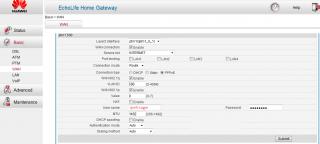
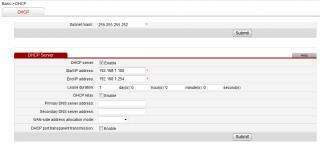
Here are the sample screenshot how to switch your Huawei HG655a VDSL Modem as a router.

Basically just enable the Routing & PPPoE on VLAN ID500 and enable DHCP Server.

Hope it helps.


Attached thumbnail(s)
Attached Image Attached Image
ronnie
post Aug 29 2012, 02:35 PM

Not enough stars
*********
All Stars
21,308 posts

Joined: Jan 2003
From: Kuala Lumpur


QUOTE(lighter @ Aug 29 2012, 01:55 PM)
Here are the sample screenshot how to switch your Huawei  HG655a VDSL Modem as a router.

Basically just enable the Routing & PPPoE on VLAN ID500 and enable DHCP Server.

Hope it helps.
*
Let me give it a try tonight...
TSlighter
post Aug 29 2012, 02:46 PM

Recommended Seller
*******
Senior Member
2,478 posts

Joined: Jan 2003


I've updated my blog with step by step guide how to configure the Huawei HG655a as a modem router.

http://unifi.stanleytiang.com
Madgeiser
post Sep 4 2012, 11:37 AM

Casual
***
Junior Member
433 posts

Joined: Jan 2003


Hello,

Not sure if anyone here know about corporate implementation, but anyway, here goes.

We have subscribed to the UNIFI BIZ 20 package at our office. The UNIFI for my office is the highrise building type of implementation. All the fiber termination is done at the building MDF room. Then copper wire is being run up to the datacenter floor via CAT3 cables.

From my end, i have replaced the DLINK router with a Cisco ASA 5512X, which is connected to the Huawei Echolife. The cisco asa has 3 zone configured, outside, inside and dmz.

Now my issue is, i can get very good download speed, more than 20Mbit/s, but upload speed for some reason does not exceed 7Mbit/s with the Cisco ASA. The ASA cannot managed to get a PPPoE connection establish if i plug it into port 1 of the Huawei Echolife, port 2 to 4 works fine.

When i unplug the ASA and put back the DLINK router, i can get 20Mbit/s for both download and upload. It can only managed to get a PPPoE connection on port 1 of the Huawei Echolife. If i plug it to port 2 to 4, no PPPoE connection is establish.

I have also logged into the Huawei Echolife box, and the box WAN connection does say 20Mbit/20Mbit for the PPPoE speed negotiated. So that pretty much rule out TMNET wrong capping, and the test with the DLINK router also confirmed it is not a line issue.

I have been troubleshooting this for about a week and have not come close to any solution. Does anyone here have done any corporate implementation for UNIFI with a Cisco ASA?
skeithskeith
post Sep 12 2012, 05:11 PM

New Member
*
Junior Member
19 posts

Joined: Jul 2012
From: Kuala Lumpur


Hello, any happened to have UNIFI modem I-240-P, password?
I need it to configure my TL-R488T, apparently I have to disable vlan tagging.

zhiyuan
post Sep 13 2012, 01:49 AM

Casual
***
Junior Member
301 posts

Joined: Apr 2005
From: SS2, PJ


QUOTE(skeithskeith @ Sep 12 2012, 05:11 PM)
Hello, any happened to have UNIFI modem I-240-P, password?
I need it to configure my TL-R488T, apparently I have to disable vlan tagging.
*
dont think any one has this tho ...

andrew9292
post Sep 13 2012, 04:12 AM

-/Livin' On A Prayer/-
*****
Senior Member
955 posts

Joined: Sep 2008
From: Petaling Jaya


QUOTE(skeithskeith @ Sep 12 2012, 05:11 PM)
Hello, any happened to have UNIFI modem I-240-P, password?
I need it to configure my TL-R488T, apparently I have to disable vlan tagging.
*
Don't think it has a user configurable web interface... You'll need to telnet in and configure. Even TM technicians just run a script from their laptop when they install at customer's place...

If i not mistaken TL-R488T can configure port based vlan on each ports, so i think it should be able to run vlan.500 on it's WAN port

This post has been edited by andrew9292: Sep 13 2012, 04:14 AM
HoshiGami
post Oct 2 2012, 10:59 AM

星神
*****
Senior Member
873 posts

Joined: Nov 2005
From: M78
hi, my office is running Unifi Biz5 package (dynamic IP). my problem is i want to have my clients from overseas log into my network. is there a way to configure this while maintaining my standard unifi network setup as shown in your diagram?

this is very important and really hopes you can help me.

thank you alot
TSlighter
post Oct 2 2012, 02:38 PM

Recommended Seller
*******
Senior Member
2,478 posts

Joined: Jan 2003


QUOTE(HoshiGami @ Oct 2 2012, 10:59 AM)
hi, my office is running Unifi Biz5 package (dynamic IP).  my problem is i want to have my clients  from overseas log into my network. is there a way to configure this while maintaining my standard unifi network setup as shown in your diagram?

this is very important and really hopes you can help me.

thank you alot
*
bro your condition is nothing much related to my guide.

you want your clients able to access your network from overseas. still don't really get what you mean. do you mean file sharing?

I would suggest you to host an FTP server you may use an open source FileZilla server.

HoshiGami
post Oct 2 2012, 04:39 PM

星神
*****
Senior Member
873 posts

Joined: Nov 2005
From: M78
QUOTE(lighter @ Oct 2 2012, 02:38 PM)
bro your condition is nothing much related to my guide.

you want your clients able to access your network from overseas. still don't really get what you mean. do you mean file sharing?

I would suggest you to host an FTP server you may use an open source FileZilla server.
*
sorry if i didn't explain this clearly. I want something like remote access. instead of using the teamviewer software, is there a way to directly connect to my network and take control of a pc? do i need to change anything in the mode or router?

thanks
zeronehza
post Oct 3 2012, 01:03 PM

Malaysian Real Madrid Supporter Club
******
Senior Member
1,704 posts

Joined: Jan 2003
From: Hogoh Pahang Hogoh

hi everyone, i just bought linksys e2500,

why i cant log in with default password ?

admin : blank
pass : admin

anyone using this router?

using cisco connect also not help

edited : got it, just reset the router

This post has been edited by zeronehza: Oct 3 2012, 04:11 PM
lcloon
post Oct 3 2012, 03:07 PM

New Member
*
Junior Member
28 posts

Joined: Apr 2005
Hi everyone.

Previously, I used my Asus RT-N56U to pair with Unifi's ZTE 931 modem. But after the modem adapter got problem, TM technician replaced the different set of modem for me as they said now Unifi is using this Huawei HG655A modem to all new customers, ZTE 931 no more available.

After install the new modem, the Huawei HG655A modem got no problem with the Unifi's DLink router. But my Asus RT-N56U no more can communicate/link with the Huawei HG655A. I did update the Asus RT-N56U latest firmware but still can't communicate/link with the Huawei modem.

Anyone here got similar problem? Or can anyone here kind to assist?
zeronehza
post Oct 5 2012, 10:03 AM

Malaysian Real Madrid Supporter Club
******
Senior Member
1,704 posts

Joined: Jan 2003
From: Hogoh Pahang Hogoh

can someone create a gudie how to configure linksys e2500 step by step ?
ive already flash to ddwrt fw.. but still cant get it connect to internet.. sad.gif
sbd
post Oct 5 2012, 10:43 AM

Enthusiast
*****
Senior Member
707 posts

Joined: Feb 2005


hi guys, my unifi supplied router is acting up with frequent disconnects and needs resetting. Sorry I can't go thru this entire thread cos need to buy one replacement one now. which is the latest and best?

i have seen asus rt-n13u and tp link tl-wr641n being recommended.

I need a pwerful throw of the wifi. the unifi one drops 60% just going thru one wall.

Many thanks for your recommendations
zeronehza
post Oct 5 2012, 11:03 AM

Malaysian Real Madrid Supporter Club
******
Senior Member
1,704 posts

Joined: Jan 2003
From: Hogoh Pahang Hogoh

QUOTE(sbd @ Oct 5 2012, 10:43 AM)
hi guys, my unifi supplied router is acting up with frequent disconnects and needs resetting. Sorry I can't go thru this entire thread cos need to buy one replacement one now. which is the latest and best?

i have seen asus rt-n13u and tp link tl-wr641n being recommended.

I need a pwerful throw of the wifi. the unifi one drops 60% just going thru one wall.

Many thanks for your recommendations
*
im regret buying linksys... it took me a lot of time to configure it.. sad.gif many recommended tp link.. its fully support unifi now..
sbd
post Oct 5 2012, 12:09 PM

Enthusiast
*****
Senior Member
707 posts

Joined: Feb 2005


thanks, any more comments before I go out and buy this afternoon?
linkinstreet
post Oct 13 2012, 02:12 AM

Red Bull Addict
Group Icon
Moderator
9,275 posts

Joined: Jan 2005
From: KL. Best place in Malaysia. Nuff said

necro an old thread. My RT13U keep hanging on me earlier this week and I was too lazy to go to Lowyat to buy a new router. Since I have a few TP-Link routers around (extra router we ordered from our networking at the office) I googled up using unifi with existing router and hey presto! I found this thread.

After using this guide, I would like to point out that stan001's post above is the best way to configure this. Seems that you can't use port 1 or port 4 without using the vlan tagging option. Trying to use either IPTV or PPOE dialer without tagging on these two ports would throw up an error. So just use port 2 and 3 for IPTV and PPOE dialing.

Anyways thank you stanley for this guide. Saved me a LOT of monies
slack3r
post Nov 6 2012, 01:19 AM

Getting Started
**
Junior Member
177 posts

Joined: May 2012


Got this working on our Aztech WL557RT4 not sure if it supports VLAN since I can't find anything on its web based settings page

What I did

Connect to the HG665A
Went to Wan
Set ptm.1600 check port binding lan2 uncheck vlan tagging
Set ptm.1500 check port binding lan3 uncheck vlan tagging

For both I unchecked port binding and vlan tagging for lan1

Connect IPTV to lan2 on the HG665a
Connect Aztech WL557RT4 to lan 3

Setup aztech with our unifi username and password save settings reboot router connect

I have iptv working and aztech wl557rt4 working as router wireless router.

This post has been edited by slack3r: Nov 6 2012, 01:22 AM
stan001
post Nov 6 2012, 02:38 AM

On my way
****
Senior Member
623 posts

Joined: Jan 2003
From: Kuala Lumpur


QUOTE(linkinstreet @ Oct 13 2012, 02:12 AM)
necro an old thread. My RT13U keep hanging on me earlier this week and I was too lazy to go to Lowyat to buy a new router. Since I have a few TP-Link routers around (extra router we ordered from our networking at the office) I googled up using unifi with existing router and hey presto! I found this thread.

After using this guide, I would like to point out that stan001's post above is the best way to configure this. Seems that you can't use port 1 or port 4 without using the vlan tagging option. Trying to use either IPTV or PPOE dialer without tagging on these two ports would throw up an error. So just use port 2 and 3 for IPTV and PPOE dialing.

Anyways thank you stanley for this guide. Saved me a LOT of monies
*
You are welcome... glad to contribute back to the community as others had helped me before...

I'm using Asus RT-N16 with DD-WRT mega firmware now after the Dlink DIR-615 died not even two year of using Unifi..


slack3r
post Nov 14 2012, 04:18 PM

Getting Started
**
Junior Member
177 posts

Joined: May 2012


after 1 day of having the connection I suddenly lost internet connection. checked huawei modem and ptm.209 says connecting and never connected

any reason for that? I reverted back to default settings but still the same issue. the dlink globe light indicator is blinking orange

VoiP phone works
TV setup box is working also can browser and watch youtube videos on the setup box so I believe we have internet connection
SUSnewly wed duck
post Nov 21 2012, 01:37 PM

Getting Started
**
Junior Member
65 posts

Joined: Oct 2012
hi bro,
any news abt the new l7 router?
Scotland007
post Nov 25 2012, 07:31 PM

New Member
*
Junior Member
41 posts

Joined: Aug 2012
Has anyone got an airport extreme to work with the Hg650A modem?
TSlighter
post Nov 25 2012, 10:14 PM

Recommended Seller
*******
Senior Member
2,478 posts

Joined: Jan 2003


QUOTE(Scotland007 @ Nov 25 2012, 07:31 PM)
Has anyone got an airport extreme to work with the Hg650A modem?
*
It should work with any router. wink.gif
jengla
post Nov 26 2012, 09:15 PM

New Member
*
Newbie
0 posts

Joined: Nov 2012
user posted image


any idea for this error..

This post has been edited by jengla: Nov 26 2012, 09:15 PM
steven437
post Dec 24 2012, 10:09 AM

I'm crazy, do you?
*******
Senior Member
2,079 posts

Joined: Jan 2003


anybody can tell me what is the IPTV dns??

can you go to your IPTV network setting and tell me the DNS please..

thanks..
kong5091
post Jan 31 2013, 09:46 PM

Enthusiast
*****
Senior Member
942 posts

Joined: Jan 2003
Anyone can guide me on how to set the new unifi L7-N-R2000 modem WAN connection to bridge mode instead of PPPOE ?
blu3skyr4in
post Feb 5 2013, 01:50 PM

New Member
*
Junior Member
22 posts

Joined: Mar 2009


anyone can provide Huawei HG850a User and Password?
i Have a extra new unit ~the HTTP not yet been disable .able to login 192.168.100.1 web browse~
akuinsan
post Feb 5 2013, 02:03 PM

Getting Started
**
Junior Member
253 posts

Joined: Oct 2004
From: Bangi/Kajang


QUOTE(blu3skyr4in @ Feb 5 2013, 01:50 PM)
anyone can provide Huawei HG850a User and Password?
i Have a extra new unit ~the HTTP not yet been disable .able to login 192.168.100.1 web browse~
*
try this
username : telekomadmin
password : admintelekom
Jeremy_John
post Feb 6 2013, 04:00 AM

Getting Started
**
Junior Member
147 posts

Joined: Jan 2010
From: Selangor


QUOTE(jengla @ Nov 26 2012, 09:15 PM)
user posted image
any idea for this error..
*
1) Untick all Port Binding and Vlan Tagging > Save
2) If you trying to connect hypptv directly then follow this and connect your hypptv to Lan 3. Or else just tick back what you want to set it too and save.
user posted image
user posted image

QUOTE(kong5091 @ Jan 31 2013, 09:46 PM)
Anyone can guide me on how to set the new unifi L7-N-R2000 modem WAN connection to bridge mode instead of PPPOE ?
*
I don't think it's possible, I have tried to do that many times but fail because there is not setting under the manual setup section.

QUOTE(blu3skyr4in @ Feb 5 2013, 01:50 PM)
anyone can provide Huawei HG850a User and Password?
i Have a extra new unit ~the HTTP not yet been disable .able to login 192.168.100.1 web browse~
*
Try this:
Username: admin
Password: hs5711Bbvl

This post has been edited by Jeremy_John: Feb 6 2013, 04:01 AM
akuinsan
post Feb 6 2013, 07:36 PM

Getting Started
**
Junior Member
253 posts

Joined: Oct 2004
From: Bangi/Kajang


anybody can give me a good router to replace current L7 router provided by TM?

BUT... i want find router WITHOUT wireless. Just wired router.
because I want used it at office, my office already have lot of Access Point + internet controlled by gateway server.

so that router only for internet connection between server LAN port to TM BTU only. If got only 1port router pun ok apa.

found some model on TP-Link website - wired SOHO routers, it's compatible with unifi?

or i can used my old 1port ADSL2+ modem router?


This post has been edited by akuinsan: Feb 6 2013, 07:38 PM
TSlighter
post Feb 18 2013, 05:09 PM

Recommended Seller
*******
Senior Member
2,478 posts

Joined: Jan 2003


Hi guys, I have updated my blog with a new guide by connecting your custom router with UniFi ZTE ZXDSL 931DII VDSL modem. Give it a try and feedback here.

Please take note that this configuration is not tested with IPTV. Try at your own risk. Thanks for viewing! tongue.gif
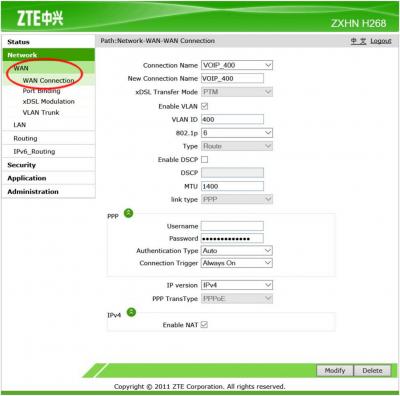
blu3skyr4in
post Feb 19 2013, 12:51 PM

New Member
*
Junior Member
22 posts

Joined: Mar 2009


QUOTE(akuinsan @ Feb 5 2013, 02:03 PM)
try this
username : telekomadmin
password : admintelekom
*
Thx BigBig Sifu~Will Try later

QUOTE(Jeremy_John @ Feb 6 2013, 04:00 AM)
1) Untick all Port Binding and Vlan Tagging > Save
2) If you trying to connect hypptv directly then follow this and connect your hypptv to Lan 3. Or else just tick back what you want to set it too and save.
user posted image
user posted image
I don't think it's possible, I have tried to do that many times but fail because there is not setting under the manual setup section.
Try this:
Username: admin
Password: hs5711Bbvl
*
admin
hs5711Bbvl <---Tested Before~Not working..
blu3skyr4in
post Feb 21 2013, 07:54 PM

New Member
*
Junior Member
22 posts

Joined: Mar 2009


QUOTE(blu3skyr4in @ Feb 19 2013, 12:51 PM)
Thx BigBig Sifu~Will Try later
admin
hs5711Bbvl <---Tested Before~Not working..
*
user:telekomadmin
pass:admintelekom

cannot also==~
blu3skyr4in
post Mar 13 2013, 01:14 AM

New Member
*
Junior Member
22 posts

Joined: Mar 2009


Hi there anyone know tat is possible the HG850a terminal will Hang?
cause my customer internet Hang.his device is Asus N56U Router (Unifi Support)with Firmware 318 and HG850a terminal~
i call Unifi care he say my Asus cause the Hang~but i ask my customer how the problem happen~they say tat HG850a Lan 1 light no blink and the asus N56u wan port no light and internet also no light~after 2 device on off .on will working..

Just wanna find out problem~Thx All Big Big
(PS:Just 11 march 2013 updated the Asus N56U Firmware to 342 The latest Firmware)
stan001
post Mar 13 2013, 01:51 AM

On my way
****
Senior Member
623 posts

Joined: Jan 2003
From: Kuala Lumpur


QUOTE(blu3skyr4in @ Mar 13 2013, 01:14 AM)
Hi there anyone know tat is possible the HG850a terminal will Hang?
cause my customer internet Hang.his device is Asus N56U Router (Unifi Support)with Firmware 318 and HG850a terminal~
i call Unifi care he say my Asus cause the Hang~but i ask my customer how the problem happen~they say tat HG850a Lan 1 light no blink and the asus N56u wan port no light and internet also no light~after 2 device on off .on will working..

Just wanna find out problem~Thx All Big Big
(PS:Just 11 march 2013 updated the Asus N56U Firmware to 342 The latest Firmware)
*
I suggest you look into the Asus N56U logs... Most likely pppoe issues or other issues related to the WAN ports/LAN interfaces...

The unifi modem usually do NOT hang... most of the time it was caused by router s/w issue... like the DIR-615...

The latest firmware 342, did u read the "release notes" on what was fixed for this firmware ???


blu3skyr4in
post Mar 13 2013, 02:23 AM

New Member
*
Junior Member
22 posts

Joined: Mar 2009


QUOTE(stan001 @ Mar 13 2013, 01:51 AM)
I suggest you look into the Asus  N56U logs... Most likely pppoe issues or other issues related to the WAN ports/LAN  interfaces...

The unifi modem usually do NOT hang... most of the time it was caused by router s/w issue... like the DIR-615...

The latest firmware 342, did u read the "release notes" on what was fixed for this firmware ???
*
342 no update for pppoe and wan port.
only update for 3g usb dongle and ddns
TSlighter
post Mar 13 2013, 11:01 AM

Recommended Seller
*******
Senior Member
2,478 posts

Joined: Jan 2003


QUOTE(blu3skyr4in @ Mar 13 2013, 01:14 AM)
Hi there anyone know tat is possible the HG850a terminal will Hang?
cause my customer internet Hang.his device is Asus N56U Router (Unifi Support)with Firmware 318 and HG850a terminal~
i call Unifi care he say my Asus cause the Hang~but i ask my customer how the problem happen~they say tat HG850a Lan 1 light no blink and the asus N56u wan port no light and internet also no light~after 2 device on off .on will working..

Just wanna find out problem~Thx All Big Big
(PS:Just 11 march 2013 updated the Asus N56U Firmware to 342 The latest Firmware)
*
try to plug the HG850a LAN 1 port to your notebook. if its still no light means the modem is faulty.
blu3skyr4in
post Mar 14 2013, 12:19 AM

New Member
*
Junior Member
22 posts

Joined: Mar 2009


QUOTE(lighter @ Mar 13 2013, 11:01 AM)
try to plug the HG850a LAN 1 port to your notebook. if its still no light means the modem is faulty.
*
is a hotel~
now the device is like tat

HG850a-->Asus N56u-->Zycel unmanage 8port POE+8 Port=16port-->5 Engenius EAP150 AP.

Chose N56u becos of the 300.000 data session.

Peak Time will be 40-50 customer connect at the same time~tats the time the internet going to hang.

the hotel only 26rooms

PS:all Cat6 wire only HG850a Lan1 to Asus N56u is Cat5e

This post has been edited by blu3skyr4in: Mar 14 2013, 12:20 AM
stan001
post Apr 25 2013, 04:03 AM

On my way
****
Senior Member
623 posts

Joined: Jan 2003
From: Kuala Lumpur


Need some advise b4 I call UNIFI support ....

Firstly, my DD-WRT ASUS RT-N16 spoil and in the process of warranty claim so I use back my old Linksys WRT-54GS for UNIFI access...

Then the black Huawei modem also "kong" and "Internet" and "dsl" light all off.. I think the modem cannot boot into firmware as I cannot even go into the 192.168.1.1 modem management IP...

If I call unifi support people over, will they help me replace the black huawei modem with my current "non-standard" setup using a WRT-54GS running PPPOE ???

The old DIR-615 , it have been long dead even before my 2 years contract was up ( replaced with Asus RT-N16 mentioned above )... now running unifi without any contract... but I still have backup Maxis fiber link...


TSlighter
post Apr 25 2013, 02:12 PM

Recommended Seller
*******
Senior Member
2,478 posts

Joined: Jan 2003


QUOTE(stan001 @ Apr 25 2013, 04:03 AM)
Need some advise b4 I call UNIFI support ....

Firstly, my DD-WRT ASUS RT-N16 spoil and in the process of warranty claim so I use back my old Linksys WRT-54GS for UNIFI access...

Then the black Huawei modem also "kong" and  "Internet" and "dsl" light all off.. I think the modem cannot boot into firmware as I cannot even go into the 192.168.1.1 modem management IP...

If I call unifi support people over, will they help me replace the black huawei modem with my current "non-standard" setup using a WRT-54GS running PPPOE ???

The old DIR-615 , it have been long dead even before my 2 years contract was up ( replaced with Asus RT-N16 mentioned above )... now running unifi without any contract... but I still have backup Maxis fiber link...
*
Normally i will just act as a noob when UniFi technician came to my house. They have replaced my modem for 3 times due to over heat. twice for DSL link dropped.

it is better you reset your modem as default and borrow the d-link router from someone else before calling them. i'm very sure they will blame you spoils the modem.

This post has been edited by lighter: Apr 25 2013, 02:13 PM
stan001
post Apr 27 2013, 01:48 PM

On my way
****
Senior Member
623 posts

Joined: Jan 2003
From: Kuala Lumpur


QUOTE(lighter @ Apr 25 2013, 02:12 PM)
Normally i will just act as a noob when UniFi technician came to my house. They have replaced my modem for 3 times due to over heat. twice for DSL link dropped.

it is better you reset your modem as default and borrow the d-link router from someone else before calling them. i'm very sure they will blame you spoils the modem.
*
Thanks for the suggestions!!!

I tried powering up my DIR-615 and to my surprise, it is alive... re-flash it back from DD-WRT to TM firmware and call Unifi support... they came and replaced my black modem to a similar one... they even upgraded my DIR-615 firmware... haha..

Black modem username/password still valid... will change it after I get back my Asus RT-N16... warranty replacement is one month... so so so long wait...


redrum77
post May 6 2013, 10:38 PM

Casual
***
Junior Member
376 posts

Joined: Jan 2003
Hi guys
Need help can somebody screen capture The settings for hg556a iptv config ? I think unifi guys missed out the settings on mine! Currently showing the Ethernet cable disconnect error.
stan001
post May 6 2013, 11:47 PM

On my way
****
Senior Member
623 posts

Joined: Jan 2003
From: Kuala Lumpur


QUOTE(redrum77 @ May 6 2013, 10:38 PM)
Hi guys
Need help can somebody  screen capture The settings for hg556a iptv config ? I think unifi guys missed out the settings on mine! Currently showing the Ethernet cable disconnect error.
*
Find Post #59


redrum77
post May 7 2013, 09:38 AM

Casual
***
Junior Member
376 posts

Joined: Jan 2003
QUOTE(stan001 @ May 6 2013, 11:47 PM)
Find Post #59
*
Hi stan001,

Attached screen capture
user posted image

I am not sure if i can follow exactly the post #59 config. As i would like to retain the DLink 615 router for the time being and just get the IPTV up and running.


So from my screen capture for ptm1.600 i should just uncheck Port Binding and Vlan tagging on LAN 1 and checked LAN 4 right ? Coz in ptm1.500 both Port Binding and Vlan is checked on LAN 1. Do i need to change Connection mode and Bridge Type ?

Once i change the above i should connect my iptv to DLINK 615 LAN 4 or Huawei HG655a Lan 4 ?


stan001
post May 7 2013, 02:27 PM

On my way
****
Senior Member
623 posts

Joined: Jan 2003
From: Kuala Lumpur


QUOTE(redrum77 @ May 7 2013, 09:38 AM)
Hi stan001,

Attached screen capture
user posted image

I am not sure if i can follow exactly the post #59 config. As i would like to retain the DLink 615 router for the time being and just get the IPTV up and running.
So from my screen capture for ptm1.600 i should just uncheck Port Binding and Vlan tagging on LAN 1 and checked LAN 4 right ? Coz in ptm1.500 both Port Binding and Vlan is checked on LAN 1. Do i need to change Connection mode and Bridge Type ?

Once i change the above i should connect my iptv to DLINK 615 LAN 4  or Huawei HG655a Lan 4 ?
*
BACKUP the config first....

I leave LAN1 & LAN4 alone...

I use LAN2 for IPTV (600) and LAN3 for PPPOE/Internet (500)

See below explanation... shd work with any equipment....

Plug in IPTV to LAN2, restart IPTV box and it should work....


QUOTE
(stan001 @ Feb 23 2012, 06:33 PM)
I do not hv the mentioned modem/router but these are all Networking / Virtual LAN terminology or protocols :-

VLAN tagging = this port hv VLAN numbers tagging on it, can only be used with another switch/router that support VLAN protocol/802.1q ( original DIR-615 )
IP Bridge = traffic is pure IP
PPPOE bridge = traffic is encapsulated with PPP Over Ethernet ( use mainly for authentications )
Vlan 500 = used by Unifi for Internet traffic
Vlan 600 = used by IPTV
What you need to get it working without the DIR-615 is this settings :-

Incoming line is a VLAN trunking with both vlan500 & vlan600 on the same port...

You will need to split them to different ports and remove the VLAN tagging...

- 1 separate network port for Internet with VLAN 500
- 1 separate network port for IPTV with VLAN 600

*** remove ALL VLAN tagging on both the above ports
rockpoper
post May 7 2013, 02:44 PM

Intel Nvidia
****
Senior Member
582 posts

Joined: Dec 2010
From: Earth


Now my WIFI extra strong brows.gif
2nd floor full bar rclxm9.gif


Attached thumbnail(s)
Attached Image Attached Image
redrum77
post May 7 2013, 03:59 PM

Casual
***
Junior Member
376 posts

Joined: Jan 2003
QUOTE(rockpoper @ May 7 2013, 02:44 PM)
Now my WIFI extra strong brows.gif
2nd floor full bar rclxm9.gif
*
Bro where you get the antenna ?
rockpoper
post May 7 2013, 04:07 PM

Intel Nvidia
****
Senior Member
582 posts

Joined: Dec 2010
From: Earth


QUOTE(redrum77 @ May 7 2013, 03:59 PM)
Bro where you get the antenna ?
*
e-bay
redrum77
post May 7 2013, 05:21 PM

Casual
***
Junior Member
376 posts

Joined: Jan 2003
QUOTE(stan001 @ May 7 2013, 02:27 PM)
BACKUP the config first....

I leave LAN1 & LAN4 alone...

I use LAN2 for IPTV (600) and LAN3 for PPPOE/Internet (500)

See below explanation... shd work with any equipment....

Plug in IPTV to LAN2, restart IPTV box and it should work....
*
Ok thanks, will try it out.
whis
post May 16 2013, 10:28 PM

Getting Started
**
Junior Member
68 posts

Joined: Jul 2008
Can i use linksys E1200 to set the PPPOE for unifi?
blu3skyr4in
post May 26 2013, 07:40 PM

New Member
*
Junior Member
22 posts

Joined: Mar 2009


hihi,anyone try b4 TP-Link 901nd set as repeater and support VLan600 Hypp TV Device?

Agito666
post Jul 22 2013, 10:22 PM

10k Club
Group Icon
Elite
11,861 posts

Joined: Oct 2008
From: Bangalasia
hi, i followed the guide "set huawei HG655a with custom router" (my router is TL-WR1043ND)
and it works but the only one not working is IPTV, how to fix that? sad.gif
stan001
post Jul 23 2013, 02:27 AM

On my way
****
Senior Member
623 posts

Joined: Jan 2003
From: Kuala Lumpur


QUOTE(Agito666 @ Jul 22 2013, 10:22 PM)
hi, i followed the guide "set huawei HG655a with custom router" (my router is TL-WR1043ND)
and it works but the only one not working is IPTV, how to fix that?  sad.gif
*
Pls post the screen capture of the HG655a on the VLAN settings...


Agito666
post Jul 23 2013, 09:43 AM

10k Club
Group Icon
Elite
11,861 posts

Joined: Oct 2008
From: Bangalasia
QUOTE(stan001 @ Jul 23 2013, 02:27 AM)
Pls post the screen capture of the HG655a on the VLAN settings...
*
http://stanleytiang.blogspot.com/2011/08/u...using-your.html

i follow this guide completely.
so the setting of Vlan tagging is same unsure.gif

now working tonight screencap sweat.gif
jayoscar
post Jul 23 2013, 05:23 PM

Casual
***
Junior Member
309 posts

Joined: Jul 2005
From: SK, Desa Serdang, Selangor

QUOTE(Agito666 @ Jul 23 2013, 09:43 AM)
http://stanleytiang.blogspot.com/2011/08/u...using-your.html

i follow this guide completely.
so the setting of Vlan tagging is same  unsure.gif

now working tonight screencap  sweat.gif
*
Stanley does reply in his post below mention VLAN will not available if you use your VDSL directly as router.
So IPTV will not work.

I think best is to find good replacement for VDSL modem that has Bandwidth control+wifi+Vlan enable.
nod.gif
Agito666
post Jul 23 2013, 05:48 PM

10k Club
Group Icon
Elite
11,861 posts

Joined: Oct 2008
From: Bangalasia
QUOTE(jayoscar @ Jul 23 2013, 05:23 PM)
Stanley does reply in his post below mention VLAN will not available if you use your VDSL directly as router.
So IPTV will not work.

I think best is to find good replacement for VDSL modem that has Bandwidth control+wifi+Vlan enable.
nod.gif
*
hmm got normal guide how to re-config back my modem like those normal technician do? i google can't find so i only can take this closest solution first to online, TV side because my dad want to watch so i need to config haha...

erm i not networking field so i totally clueless about what is VLAN, VDSL.... i only know my custom router can use IPTV ... but since that guide is route IPTV to modem so i thought it works unsure.gif
TSlighter
post Jul 24 2013, 05:26 PM

Recommended Seller
*******
Senior Member
2,478 posts

Joined: Jan 2003


Guys ive already mentioned in my blog IPTV is not tested. So try it at your own risk. smile.gif
Agito666
post Jul 25 2013, 10:23 PM

10k Club
Group Icon
Elite
11,861 posts

Joined: Oct 2008
From: Bangalasia
QUOTE(lighter @ Jul 24 2013, 05:26 PM)
Guys ive already mentioned in my blog IPTV is not tested. So try it at your own risk. smile.gif
*
because your last line got listed "Thanks timothyc for testing the IPTV. "
so i thought it is safe unsure.gif

anyway, still thanks for the guide.
jayoscar
post Jul 26 2013, 11:54 AM

Casual
***
Junior Member
309 posts

Joined: Jul 2005
From: SK, Desa Serdang, Selangor

Anyone willing to sell their ONU to me, I'm thinking of continue research on replace all device as one ONU enough.
Looking at some product now, need your onu sell to me, if you not using anymore.
No Alcatel at the moment.

No clue how to access the bridged Alcatel modem.

stan001
post Aug 14 2013, 11:03 AM

On my way
****
Senior Member
623 posts

Joined: Jan 2003
From: Kuala Lumpur


Got my unifi modem replaced again, this time to a new silver plastic casing with TM logo on top with front panel LED status but the inside / firmware is still the same, model is revised to HG655m ...

All the old settings still works...
TSlighter
post Aug 14 2013, 11:42 AM

Recommended Seller
*******
Senior Member
2,478 posts

Joined: Jan 2003


QUOTE(stan001 @ Aug 14 2013, 11:03 AM)
Got my unifi modem replaced again, this time to a new silver plastic casing with TM logo on top with front panel LED status but the inside / firmware is still the same, model is revised to HG655m ...

All the old settings still works...
*
Cool.. thanks for the update!
Have_nice_day_guy
post Sep 28 2013, 12:59 AM

New Member
*
Junior Member
4 posts

Joined: Dec 2008


My company just subscribed to Unifi BIZ 10 with 1 Fixed IP and I am tasked to configure the line into our gateway - ZyWall 35. We had a Alcatel I-240G-P as BTU and DIR-614 (or L7NDR2000) as our equipment.

So here's the case:

We have a D-Link DGS-1210 Switch and from my little research I am able to access and configure the VLAN ports (D-Link has VID and PVID settings). So my question is that can this switch route the VID 500 and 400 (voice and data) from the BTU and connect to our own Zywall gateway, if yes, how? I'm very new to these and very sorry if I sounded like an idiot.

If not, what would be the alternative solution? How do I setup a bridge mode for TL-1043ND or any compatible router so that my ZyWall do the PPPOE dial-up (for some instance, my IT manager wanted that way).

Also, is there anyway I can access the Alcatel? I did remember TM installer did something using Putty to communicate with the BTU, the IP was 192.168.1.251.

Any help would be deeply appreciated as I am quite urgent to set everything running next week.

Thanks in advance.


yaosiang
post Sep 28 2013, 07:22 PM

Look at all my stars!!
*******
Senior Member
2,494 posts

Joined: Jan 2003
From: Kota Kemuning, Shah Alam


QUOTE(Have_nice_day_guy @ Sep 28 2013, 12:59 AM)
My company just subscribed to Unifi BIZ 10 with 1 Fixed IP and I am tasked to configure the line into our gateway - ZyWall 35. We had a Alcatel I-240G-P as BTU and DIR-614 (or L7NDR2000) as our equipment.

So here's the case:

We have a D-Link DGS-1210 Switch and from my little research I am able to access and configure the VLAN ports (D-Link has VID and PVID settings). So my question is that can this switch route the VID 500 and 400 (voice and data) from the BTU and connect to our own Zywall gateway, if yes, how? I'm very new to these and very sorry if I sounded like an idiot.

If not, what would be the alternative solution? How do I setup a bridge mode for TL-1043ND or any compatible router so that my ZyWall do the PPPOE dial-up (for some instance, my IT manager wanted that way).

Also, is there anyway I can access the Alcatel? I did remember TM installer did something using Putty to communicate with the BTU, the IP was 192.168.1.251.

Any help would be deeply appreciated as I am quite urgent to set everything running next week.

Thanks in advance.
*
You can use the D-Link DSG-1210 switch to untag VLAN 500 from BTU and connect to the Internet using the ZyWall gateway via PPPoE connection.

You can refer to the settings below. I have it running for years without issues. Connect LAN 1 from BTU to switch port 16 (in my case). Then connect switch port 15 to the WAN port of any routers.

It works for IPTV VLAN 600 too but I have never tried it for voice.

Hope it helps! smile.gif


Attached thumbnail(s)
Attached Image
Have_nice_day_guy
post Sep 30 2013, 02:06 AM

New Member
*
Junior Member
4 posts

Joined: Dec 2008


QUOTE(yaosiang @ Sep 28 2013, 07:22 PM)
You can use the D-Link DSG-1210 switch to untag VLAN 500 from BTU and connect to the Internet using the ZyWall gateway via PPPoE connection.

You can refer to the settings below. I have it running for years without issues. Connect LAN 1 from BTU to switch port 16 (in my case). Then connect switch port 15 to the WAN port of any routers.

It works for IPTV VLAN 600 too but I have never tried it for voice.

Hope it helps! smile.gif
*
Hi, thank you so much. It will definitely help!

By the way, the PVID set to default right?

PVID 1 to all ports?

Thanks again. You really saved my day! Will try it out soon. It's way better than waiting reply from TM.
Have_nice_day_guy
post Sep 30 2013, 08:49 PM

New Member
*
Junior Member
4 posts

Joined: Dec 2008


Thanks to all the guidance here.

I managed to setup everything excluding the voice. Wil observe and figure out the voice.

jayoscar
post Oct 1 2013, 03:42 PM

Casual
***
Junior Member
309 posts

Joined: Jul 2005
From: SK, Desa Serdang, Selangor

QUOTE(Have_nice_day_guy @ Sep 30 2013, 08:49 PM)
Thanks to all the guidance here.

I managed to setup everything excluding the voice. Wil observe and figure out the voice.
*
I think voice is unable to setup as the Alcatel BTU serve as a VOIP device which direct convert to Tone signal connect to your phone, what you can do is connect that POTS to a PBX machine for sharing the POTS, of course number only one only. flex.gif
Damascus
post Oct 10 2013, 07:13 AM

New Member
*
Newbie
1 posts

Joined: Nov 2008


QUOTE(stan001 @ Aug 14 2013, 11:03 AM)
Got my unifi modem replaced again, this time to a new silver plastic casing with TM logo on top with front panel LED status but the inside / firmware is still the same, model is revised to HG655m ...

All the old settings still works...
*
Hi Stan,

Could you confirm that IPTV on Modem HG655M will work or not if plug it to lan 1 after doing the custom router configuration? I set it up as per your blog http://stanleytiang.blogspot.com/ but both my Internet on my Asus router plug in on Modem Lan 3 and the IPTV plug on Modem Lan 1 didn't work. Have I missed any configuration at my custom router?


http://imageshack.us/photo/my-images/850/2ozq.jpg/
http://imageshack.us/photo/my-images/96/17o5.jpg/
http://imageshack.us/photo/my-images/547/opvh.jpg/

Thank you.

This post has been edited by Damascus: Oct 11 2013, 11:11 AM
Moogle Stiltzkin
post Oct 19 2013, 08:16 PM

Look at all my stars!!
*******
Senior Member
4,454 posts

Joined: Jan 2003
bruce.gif

This post has been edited by Moogle Stiltzkin: Jul 15 2017, 10:32 AM
osxchd
post Oct 30 2013, 01:14 PM

Am I a Freak?
******
Senior Member
1,083 posts

Joined: Jan 2003
From: "New" Klang Road, Kuala Lumpur


anyone has any idea how to set the tm box hg655m to directly connect to maxis iptv?
UbuntuClient
post Oct 30 2013, 02:13 PM

Regular
******
Senior Member
1,417 posts

Joined: Jun 2007
From: /puchong/cyberjaya/klang


Any router that support IPTV and Unifi?
klwoon
post Oct 30 2013, 11:36 PM

Getting Started
**
Junior Member
159 posts

Joined: Nov 2004
I'm having trouble log into HG655m WebUI, I set the static IP and DNS as per the blog, PC is connected to modem via LAN2, after entering username/password and press enter, the browser will load back the login page, as if nothing happened.

I've tried reset network connection, restart PC, tried firefox, chrome but I just can't login.

Any idea what's wrong? Thanks in advance.
osxchd
post Nov 6 2013, 05:08 PM

Am I a Freak?
******
Senior Member
1,083 posts

Joined: Jan 2003
From: "New" Klang Road, Kuala Lumpur


did u try clearing cache?
TSlighter
post Nov 6 2013, 05:21 PM

Recommended Seller
*******
Senior Member
2,478 posts

Joined: Jan 2003


QUOTE(klwoon @ Oct 30 2013, 11:36 PM)
I'm having trouble log into HG655m WebUI, I set the static IP and DNS as per the blog, PC is connected to modem via LAN2, after entering username/password and press enter, the browser will load back the login page, as if nothing happened.

I've tried reset network connection, restart PC, tried firefox, chrome but I just can't login.

Any idea what's wrong? Thanks in advance.
*
Please use Firefox browser.
fillet
post Feb 16 2014, 08:05 PM

Regular
******
Senior Member
1,925 posts

Joined: Jan 2003
dear former.. I have Alcatel-Lucent-Onu-I240G BTU.

can I access it directly to remove Vlan ID so that I can use any router with it?
FuriousSshad
post Nov 20 2014, 09:00 PM

New Member
*
Junior Member
5 posts

Joined: Apr 2014


QUOTE(fillet @ Feb 16 2014, 08:05 PM)
dear former.. I have Alcatel-Lucent-Onu-I240G BTU.

can I access it directly to remove Vlan ID so that I can use any router with it?
*
hey...so did you get to access the BTU?
FuriousSshad
post Nov 20 2014, 09:02 PM

New Member
*
Junior Member
5 posts

Joined: Apr 2014


hey guys...what's the IP address for the BTu? The BTU I was provided with was a ONU-ALCATEL-LUCENT-I240G. sorry to bother anyone with this old topic smile.gif

This post has been edited by FuriousSshad: Nov 20 2014, 09:04 PM
Rascalkiller
post Jan 12 2015, 03:31 AM

Getting Started
**
Junior Member
51 posts

Joined: Feb 2011
hi
i m using huawei HG655m,
have anyone solve the problem with iptv using custom router and this modem?
BaronVonchesto
post May 7 2015, 10:05 PM

Getting Started
**
Junior Member
101 posts

Joined: May 2008
Hey guys. Anyone can help to walk me through the setup of the ZTE 931DII modem for Unifi VOIP?

Im using the huawei 655a but of late the voip is causing problems. The modem will crash and reboot whenever I receive an incoming call.

I have a spare TM ZTE 931DII VDSL modem - Pls Dont ask how i got it wink.gif I have gotten unifi internet (on custom router) and my hypp.TV working fine but I cant seem to configure my voip.

The voip was left unconfigured when i got the modem, though a WAN connection for VLAN 400 was preconfigured. I assume that I just needed to enter my SIP Auth Username and Password which I extracted from the huawei but it just doesnt seem to work.

In the VOIP status page it shows voip 1 and 2 as "unregistered" how ever the network status page shows the Wan connection for VOIP_PTM400 as connected and having an IP address.

Any advice on what could be going wrong>?
mizfit
post May 8 2015, 06:43 PM

New Member
*
Junior Member
7 posts

Joined: Feb 2015
Hi guys, help please..i know there is a guide and the blogspot however I am temporarily using office laptop hence I cannot view the site and the guide. I badly need help as my connection drops often making it hard for me to work at home when needed.

Current setup:
Modem: ZXDSL 931
Router: DLINK -WBR2300 (silver box with TM logo)

From what I read here, router seems to be at fault..hence I want to replace my router. I borrowed BELKIN router just to test if it work and wanted to try the config..

Possible if I someone can send steps/guide to me (as I cant visit the site)..also anyone knows the username and password for the ZTE modem?

Thank you all..really need help smile.gif sad.gif
BaronVonchesto
post May 10 2015, 11:53 PM

Getting Started
**
Junior Member
101 posts

Joined: May 2008
Just want to see if anyone is able to offer any advice on my question above?
BaronVonchesto
post May 11 2015, 12:06 AM

Getting Started
**
Junior Member
101 posts

Joined: May 2008
QUOTE(mizfit @ May 8 2015, 06:43 PM)

Possible if I someone can send steps/guide to me (as I cant visit the site)..also anyone knows the username and password for the ZTE modem?

Thank you all..really need help smile.gif sad.gif
*
For the ZTE modem. Set your LAN port to a static IP of 192.168.1.x and plug the cable to PORT 4 of the ZTE.

Go to 192.168.1.1 on your browser.

Username: admin
Password: hs5711Bbvl

Find the VLAN trunk option and turn it off for port 1.

For IPTV set the VLAN600 service to port 4 and set VLAN trunk on port 4
XyDi
post May 11 2015, 01:46 PM

New Member
*
Junior Member
32 posts

Joined: Apr 2014


Does anyone know how to set up HG655m LAN1 port direct to wireless router & LAN2 (wired) direct to PC?
mizfit
post May 11 2015, 07:47 PM

New Member
*
Junior Member
7 posts

Joined: Feb 2015
QUOTE(BaronVonchesto @ May 11 2015, 12:06 AM)
For the ZTE modem. Set your LAN port to a static IP of 192.168.1.x and plug the cable to PORT 4 of the ZTE.

Go to 192.168.1.1 on your browser.

Username: admin
Password: hs5711Bbvl

Find the VLAN trunk option and turn it off for port 1.

For IPTV set the VLAN600 service to port 4 and set VLAN trunk on port 4
*
Thank you, will try this..is there way for me to open other port to access net? UNIFI tech said only router has net access..and not on modem..
BaronVonchesto
post May 16 2015, 12:56 PM

Getting Started
**
Junior Member
101 posts

Joined: May 2008
QUOTE(mizfit @ May 11 2015, 07:47 PM)
Thank you, will try this..is there way for me to open other port to access net? UNIFI tech said only router has net access..and not on modem..
*
Its possible yes but you need to set the PPoE connection to happen on the modem instead. If you don't even know what Im talking about I suggest you dont touch and just follow the instruction there and use a normal router. This is really for more advanced user. people who are not tech savvy shouldnt play around with things they dont understand.
BaronVonchesto
post Jun 21 2015, 01:29 AM

Getting Started
**
Junior Member
101 posts

Joined: May 2008
QUOTE(BaronVonchesto @ May 7 2015, 10:05 PM)
Hey guys. Anyone can help to walk me through the setup of the ZTE 931DII modem for Unifi VOIP?

Im using the huawei 655a but of late the voip is causing problems. The modem will crash and reboot whenever I receive an incoming call.

I have a spare TM ZTE 931DII VDSL modem - Pls Dont ask how i got it wink.gif  I have gotten unifi internet (on custom router) and my hypp.TV working fine but I cant seem to configure my voip.

The voip was left unconfigured when i got the modem, though a WAN connection for VLAN 400 was preconfigured. I assume that I just needed to enter my SIP Auth Username and Password which I extracted from the huawei but it just doesnt seem to work.

In the VOIP status page it shows voip 1 and 2 as "unregistered" how ever the network status page shows the Wan connection for VOIP_PTM400 as connected and having an IP address.

Any advice on what could be going wrong>?
*
still no update on this? haiz...
TSlighter
post Jul 1 2015, 02:23 PM

Recommended Seller
*******
Senior Member
2,478 posts

Joined: Jan 2003


QUOTE(BaronVonchesto @ Jun 21 2015, 01:29 AM)
still no update on this? haiz...
*
let me get back to you on this weekend.
WLFung
post Aug 2 2015, 11:11 PM

Getting Started
**
Junior Member
137 posts

Joined: Jan 2003
From: Kuala Lumpur
QUOTE(BaronVonchesto @ May 7 2015, 10:05 PM)
Hey guys. Anyone can help to walk me through the setup of the ZTE 931DII modem for Unifi VOIP?

Im using the huawei 655a but of late the voip is causing problems. The modem will crash and reboot whenever I receive an incoming call.

I have a spare TM ZTE 931DII VDSL modem - Pls Dont ask how i got it wink.gif  I have gotten unifi internet (on custom router) and my hypp.TV working fine but I cant seem to configure my voip.

The voip was left unconfigured when i got the modem, though a WAN connection for VLAN 400 was preconfigured. I assume that I just needed to enter my SIP Auth Username and Password which I extracted from the huawei but it just doesnt seem to work.

In the VOIP status page it shows voip 1 and 2 as "unregistered" how ever the network status page shows the Wan connection for VOIP_PTM400 as connected and having an IP address.

Any advice on what could be going wrong>?
*
Hi, there.
Requesting some helps. notworthy.gif

Attached Image

Could you send me the VLAN 400 WAN Connection settings on ZTE Modem?
I somehow had accidentally deleted the "VOIP_PTM400_0" WAN Connection settings in my friend's ZTE ZXHN H268 Modem.
Which means the VLAN 400 had been removed.
And if any settings in related to Port Bindings or VLAN Trunk to the "VOIP_PTM400_0" connection settings?

I wonder ZTE ZXHN H268 got the same UI settings as in ZTE 931DII. Basically there are same. wink.gif
So I should bring backs the settings in order for the VOIP to work not?
The SIP & SIP Account settings is still there. Just disappeared the "VOIP_PTM400_0" for the SIP WAN Connection.

I'm using the "Bridge_PTM500_0" Binding to LAN1, so that the 3rd party WiFi Router ASUS N12-D1 as a PPPoE Dialer to ZTE LAN1.
In this case, the ZTE itself would no longer to gain the "Internet" network itself, all the Internet connection was handle by ASUS, does it means there are no longer to have the VOIP service which it is build with ZTE. huh.gif

As the look for those tutorial, using the 3rd party router as a PPPoE Dialer, why they drew the diagram that IPTV should connect to ZTE LAN Port and not the 3rd party Router LAN Port?
Just my curious. hmm.gif
Voyeurizm
post Aug 4 2015, 12:28 AM

Getting Started
**
Junior Member
110 posts

Joined: Sep 2010
From: Shah Alam


i will try setting this up
lilomojo
post Sep 22 2015, 12:26 PM

New Member
*
Junior Member
7 posts

Joined: Feb 2008


Hello friends,can huaiwei hg8240 use this trick?


Attached thumbnail(s)
Attached Image
publicENEMY
post Oct 2 2015, 07:34 AM

Getting Started
**
Junior Member
189 posts

Joined: Feb 2008
Just wanna say great effort.

By the way, I hate crappy China Crap network devices. Is it possible to use cisco devices to setup unifi? If so, can someone provide model number? I currently use huawei and rg innatech.i want to replace both of those china crap.
JinXXX
post Oct 5 2015, 11:28 PM

Look at all my stars!!
*******
Senior Member
2,516 posts

Joined: Feb 2007
From: Uarla Umpur


anybody know where i can get/buy spare HG655a ?
or vdsl2 modem that is compatible with unifi ?
MyPIA
post Oct 6 2015, 09:57 AM

Getting Started
**
Junior Member
178 posts

Joined: May 2013
From: KL/Selangor


QUOTE(JinXXX @ Oct 5 2015, 11:28 PM)
anybody know where i can get/buy spare HG655a ?
or vdsl2 modem that is compatible with unifi ?
*
Garage Sales, saw a guy selling it for RM100, I think!
jusbella
post Dec 16 2015, 09:28 PM

Look at all my stars!!
*******
Senior Member
3,032 posts

Joined: Dec 2011


I got ONU-ALCATEL-LUCENT-I240G, how to access to it.. any expert out there? or TM staff here?
TSlighter
post Dec 17 2015, 11:57 AM

Recommended Seller
*******
Senior Member
2,478 posts

Joined: Jan 2003


QUOTE(publicENEMY @ Oct 2 2015, 07:34 AM)
Just wanna say great effort.

By the way, I hate crappy China Crap network devices. Is it possible to use cisco devices to setup unifi? If so, can someone provide model number? I currently use huawei and rg innatech.i want to replace both of those china crap.
*
Any network router/switch support VLAN tagging should work.
Edisonkim
post Feb 14 2017, 05:34 PM

Getting Started
**
Junior Member
151 posts

Joined: Mar 2008


hi! is that any sifu can help about this modem? ONU-Alcatel-Lucent-l240g this one is attached on the fibre and wireless is using Networks K7-N-R2000 currently got problem so i plan to change to with asus rt-n12hp but then i was not able to configure it even configure it i was getting weird ip is that anything sifu can help me? thanks ps the asus rt-n12hp wireless router i have bought it home thanks
jusbella
post Feb 14 2017, 05:38 PM

Look at all my stars!!
*******
Senior Member
3,032 posts

Joined: Dec 2011


Make sure u update to latest firmware from Malaysia site.

Then in Asus just run the Wizard, then there is small tick box, choose special requirement from isp, then choose unifi home or Maxis home depend your subscription. Then proceed enter your unifi user name and password then settled.

QUOTE(Edisonkim @ Feb 14 2017, 05:34 PM)
hi! is that any sifu can help about this modem? ONU-Alcatel-Lucent-l240g this one is attached on the fibre and wireless is using Networks K7-N-R2000 currently got problem so i plan to change to with asus rt-n12hp but then i was not able to configure it even configure it i was getting weird ip is that anything sifu can help me? thanks ps the asus rt-n12hp wireless router i have bought it home thanks
*
Edisonkim
post Feb 14 2017, 06:54 PM

Getting Started
**
Junior Member
151 posts

Joined: Mar 2008


Thanks bro i will try again

QUOTE(jusbella @ Feb 14 2017, 06:38 PM)
Make sure u update to latest firmware from Malaysia site.

Then in Asus just run the Wizard, then there is small tick box, choose special requirement from isp, then choose unifi home or Maxis home depend your subscription. Then proceed enter your unifi user name and password then settled.
*


Change to:
| Lo-Fi Version
0.1119sec    0.55    6 queries    GZIP Disabled
Time is now: 1st December 2025 - 11:18 AM