* 3.7 inch Corning Gorilla Glass display with 480 x 854 pixels * 5MP autofocus camera with image stabilization, video recording and LED flash * HSDPA (900 / 2100 MHZ), GSM/EDGE (850 / 900 / 1800 / 1900 MHz) * Wi-Fi 802.11 b/g/n * 512MB RAM, 2GB ROM * A-GPS * 3.5mm headset jack * Stereo Bluetooth * Crystal Talk Plus * MicroSD card support (up to 32GB) * Accelerometer * 1540 mAh battery * 107 x 59 x 13.4 mm * 118 grams
» Click to show Spoiler - click again to hide... «
Proper flashes include rom for UK, France, Central Europe and China (If your set comes with build number 2.51, you can only flash to UK for now). The instructions for flashing as followed : 1) Search somewhere along the lines of "RSDLite - download here" 2) Install it. 3) Go to http://and-developers.com/sbf:defy 4) Download the Full Flash rom, the one where the provider is "UK" 5) Unzip that file, you now have a .sbf folder (not file) 6) Put that .sbf folder in C:\Users\Admin\My Documents 7) Shut down phone 8) Hold Power + Volume UP buttons at once for few seconds 9) Phone is now in bootloader mode (screen looks like a command prompt) 10) Release the buttons, and plug USB to computer and phone 11) Open RSD Lite, your phone should be detected as connected (Device name was like "S OMAP 3630" or some BS like that) 12) Click "..." to browse for the .sbf file in C:\Users\Admin\My Documents 13) In RSD Lite, click to highlight your connected DEFY, and then click "Start". The first column beside the connected phone should now have a green icon thing, and the ROM is being flashed. 14) DO NOT TOUCH YOUR PHONE, THE CABLE, OR THE COMPUTER! (I went and took a dump) 15) When the "Status" column in RSD Lite says "Please manually power up this phone", so shut it down and power it again. Note: The status stays in "Checksum Group 37" for a verrrrryyyy long time before saying "Rebooting". I thought it got stuck there, but it ended up ok. 16) Your DEFY is now reflashed to stock with motoblur. 17) You can now close RSD Lite. It will complain saying you will damage the attached device, but I pulled it out wayyyy before this (I unhooked it when it told me to reboot manually) and my DEFY is not dead. You may choose to close RSD Lite before unhooking your DEFY. 18) Post your results in this thread and confirm or reject my procedure. *Quote from xda-developer forum*
P/s : Above instruction is for UK. You can only flash to this rom for now since build 2.51 can't downgrade
» Click to show Spoiler - click again to hide... «
Full specs from Maxis How many type of packages available from Maxis? 24 months contract = RM999 18 months contract = RM1149 12 months contract = RM1299 Retail price without contract = RM1599
The rate plans and data plans Rate plan value from RM50, RM80, RM150, RM250, RM500 + Data plan value from 500mb, 1.5gb, 3gb MONTHLY PERIOD
Plug in in Portal mode. Activate Usb Debugging. Execute Superoneclick with Adminrights and then click on root, restart your phone.
If this dont work try this:
Step 1; Turn your android phones USB Debugging OFF. Step 2: Download and launch Superoneclick with Admin rights on your PC. Then Click Root. Step 3: When it says: Waiting for Device, Turn USB Debugging ON Step 4: It’ll now run RATC Step 5: When it says: Starting ADB Server… Step 6: Turn your android phones USB Debugging OFF Step 7: Turn your android phones USB Debugging ON Step 8: Turn your android phones USB Debugging OFF Step 9: All BEFORE it says “Waiting for device…” again Reboot your phone and now it should be rooted
How to unroot?
Get an app call 'z4root' available from market.
There should be an option 'Unroot'. Click it and it will say successfully unroot. However, the superuser permission program is still there and you need to remove it manually. Below steps must be done BEFORE you click unroot in z4root. Otherwise it will not work.
Step 1: Get a paid app call 'Root Explorer' from market (or you can find 'ahem' version if you're a cheap skate like me ) Step 2: navigate to /system/app. Remember to click the R/W to R/O that's located on top right corner of the program. Step 3: Find the apk 'Superuser.apk' and uninstall it. Step 4: Now go to z4root and click unroot. Step 5: Reboot your phone. Now you phone should be unroot and without the superuser app
Step-by-step from Eclair to Froyo <-- Old Style
» Click to show Spoiler - click again to hide... «
This is a safe step-by-step to upgrade your phone to froyo 2.2 and still able to downgrade to your current stock rom. This guide assumed that you are running on 2.5.1 based firmware.
Things need to be downloaded beforehand
1. Download USB Driver Motorola HERE 2. Download RSD Lite HERE 3. Download system recovery HERE 4. Download SuperOneclick from previous spoiler 5. Download Froyo_UK_3.4.2-117 (by iaio72-xda-developers) do HERE 6. Download TmobileUS_Boot_Devtree HERE
From Éclair to Froyo
1. Install RSD Lite and USB Driver Motorola 2. Root your Defy with SuperOneClick (guide can be found on previous spoiler) 3. Install System Recovery apk file. Open the app and click Install System Recovery ( place System Recovery apk file in your SD Card) 4. Extract the file Froyo_UK_3.4.2-117 and place the folder in sdcard/goapkrev/backup ( if you cannot find the folder, create one) 5. Click Recovery boot and it should enter clockwork mod recovery 6. Navigate to backup/restore. Do a Backup for your current stock rom (navigate using volume up/down and press Power Button to enter) 7. Wipe data and wipe dalvik cache (in Advanced Options) in the recovery mode 8. Restore Froyo_UK_3.4.2-117 9. Click reboot and right after that press and hold down volumn up button and you should be in boot mode 10. Plug in you Defy to computer and open RSD Lite. Open the file TmobileUS_Boot_Devtree and flash with it. 11. It will take a while to flash 12. When everything is done get into the clockwork mod recovery again and wipe data and dalvik cache 13. Reboot for the last time and you are currently running Froyo 2.2. Cheers!
P/S : For those that loss the haptic feedback keys after applied the UK froyo, install this http://dl.dropbox.com/u/13898388/haptic_fix.zip and put it in the root of your sdcard. Then apply it through 'install zip from sdcard' in custom system recovery
Contributing credits to tyenfei and abbygirl
Step by step upgrade to Official Froyo SEA <-- New Release
» Click to show Spoiler - click again to hide... «
HOW TO UPGRADE WITH FULL SBF FILE
1. Download FULL SBF, Install USB Driver and RSD Lite
Full SBF for SEA 15 - OFFICIAL RE-RELEASE! 3.4.3-36-1.7
FULL SBF for SEA 15 - Old one 3.4.3-331 This is the real official version rerelease for our region. mediafire | source: brnoadhi - from Indonesia mediafire | source: polaris441 - from Malaysia mirror creator | source: ankit360 - from India
2. Create a Backup: - Create backup of sms, apps+settings, etc, so it can be restored on this new official Froyo
3. Erase Data and Cache[MUST DO! SERIOUSLY, YOU MUST DO THIS!] - Turn of your phone, - Press and hold Power+Vol.down until android logo appears - If you previously on Eclair, press right bottom corner of the screen to get the menu - If you previously on other Froyo build, press Vol.up+Vol.Down simultaneously to get the menu - Navigation button: Vol.up and Vol.down | Action button: Eclair, use the touchscreen. For Froyo, use power button. - Do Wipe Data, wait until it's done - Then Do Wipe Cache, wait until it's done - Choose Reboot system, BUT IMMEDIATELY JUST AFTER YOU choose reboot, press and HOLD Vol.Up for 5 seconds and release - You are now on bootloader
4. Flashing the SBF File to Your Device: - Open RSD Lite 4.9 from your computer desktop shortcut, then click browse button [...] to open the SBF file downloaded files usually is .7z or .rar, PLEASE extract it first to open if your computer can't open SBF files, try to shorten the SBF filename, and don't put it on folder, try put it on outside like D:\ or E:\ - Connect USB cable to your device, if it's the first time to flash SBF file, WAIT untill all the drivers properly configured - In RSD Lite 4.9 window will recognize your device, it will says connected. If don't, try to pull cable and plug it again until it's connected. - Click Start button, wait the process, it takes 7-10 minutes - When all is done and ready, RSD Lite status will shows "Finished" and Result="PASS" - You are on official South East Asia Froyo 2.2.2!!
ENJOY your new MOTODEFY. Your DEFY deserve Froyo, even Gingerbread
Fixed SBF for Downgrade-ability from Undowngrade-ability
» Click to show Spoiler - click again to hide... «
This is for those that screwed up on their attempt of using nandroid backup to flash to Froyo, and instead used the full flash sbf of Froyo rom which is undowngradeable. Fear not, as this fixed SBF made by me is for the 2.51 SEA stock rom.
Steps to revert back to your stock rom of 2.51 SEA rom provided you've made a nandroid backup of it
1. Assuming you are on any of the Froyo full flash sbf now, do the steps for 'root the phone', and 'install custom recovery' 2. Put your nandroid backup of 2.51 SEA rom in sdcard/goapkrev/backup ( if you cannot find the folder, create one) 3. Get into custom recovery mode, wipe data and factory reset 4. Restore the backup 4. Reboot and wait until the restore completed (It may take a while) 5. Once its done, restart the phone and get into bootloader mode 6. Flash this FIXED SBF using RSD Lite 7. Again, wait for the flashing to complete (I went to take a dump) 8. Reboot for the last time and walla, back to the past
P/S : Nandroid backup for 2.51 SEA rom coming soon
Recommended ROM for Gingerbread
» Click to show Spoiler - click again to hide... «
* Remember to do a wipe data and dalvik cache before and after restore to any of these roms *
ROMS worth flashing
CyanogenMod 7 aka CM7 Based on Android Open Source Project (AOSP) and is built for performance and reliability over standard vanilla Android. The number 7 is to denote Gingerbread, and therefore the next Ice Cream Sandwich will be CM8. The latest CM7 built for DEFY can be download from the link below.
MIUI MIUI is a heavily customised Android ROM based of Cyanogen/Google source codes by a bunch of Chinese developers with looks and feel of mainly iPhone, with a touch of HTC Sense and Samsung TouchWiz. There are currently 2 MIUI ROMS but they are generally the same with very little difference
MIUI US (1 file download) This is a pre-translated version, therefore only 1 file
I would say, at the moment, these 2 ROMS are the best for the DEFY, and is worth the trouble to update your phone to Froyo, and then learn how to root, install 2nd-init, and then installing these ROMS. It's really like comparing heaven and earth if you compare these ROMS to the standard/official ROM from Motorola.
In short, if you want pure speed and customisability, then go for CM7, but if you want more eye candy, go for MIUI.
Till then, happy playing with your phone....like i did
This Section has been contribute by blackwhitechipsKL : 14th July 2011, 12:07 AM
Phone out of battery! Help Here
» Click to show Spoiler - click again to hide... «
forum.xda-developers.com/showthread.php?t=892026
APN settings for Malaysia Telcos
» Click to show Spoiler - click again to hide... «
For Maxis/Hotlink
Name = Maxis(3G) APN = unet Proxy = 202.75.133.49 Port = 80 Username = maxis password = wap MMSC = http://172.16.74.100:10021/mmsc MMS proxy = 202.75.133.49 MMS port = 80 APN type = default,mms
For Celcom Celcom 3g internet setting :
Name : Celcom 3G Internet APN : celcom3g MCC : 502 MNC : 19 APN type : default
Celcom 3g MMS setting :
Name : Celcom 3G MMS APN : celcom3g MMSC : http://mms.celcom.net.my MMS proxy : 10.128.1.242 MMS port : 8080 MCC : 502 MNC : 19 APN type : mms
Celcom 2g internet setting :
Name : Celcom 2G Internet APN : celcom.net.my MCC : 502 MNC : 19 APN type : default
Celcom 2g MMS setting :
Name : Celcom 2G MMS APN : mms.celcom.net.my MMSC : http://mms.celcom.net.my MMS proxy : 10.128.1.242 MMS port : 8080 MCC : 502 MNC : 19 APN type : mms
For U Mobile
Internet Settings APN: my3g Username: Password: MMS Settings APN: my3g Username: Password: MMSC: http://10.30.3.11/servlets/mms MMS Proxy: 10.30.5.11:8080 For DIGI
Sim Card & Sync with Google Issue for CM7. Eclair & Froyo can read as reference also
» Click to show Spoiler - click again to hide... «
In contacts menu, press options(the left button undeneath the screen) Here U have to select import/export - and import form SIM
Then, go to home screen - Settings - Accounts and Sync - enable background data + auto sync, then add a Google account - this will be your main account (you even have the posibility to create a fresh one) - this will sync your contacts + e-mail + data Once this step was set up ok, then anytime you reflash your phone, clear data, or change your phone, if you enter this account, your contacts will be there. P.S. - ypu can even import facebook accounts - and join contacts from google + facebook - easier to have pictures for contacts.
» Click to show Spoiler - click again to hide... «
Motorola Defy has an IP67 certified protection. What does it means you may ask? IP stands for Ingress Protection (not the kungfu guy in IP Man ). The first letter '6' indicate that it is totally protected against dust. The second letter '7' indicate that it is protected against the effect of immersion between 15cm and 1m. Motorola has stated that it can withstand the pressure of being underwater as deep as 1m at a maximum time of 30 minutes. If you curious about what other numbers stands for, feel free to have a look at this website
Apn settings not detected automatically
» Click to show Spoiler - click again to hide... «
For those that flashed your firmware to other sbf or custom roms, you may need to add your apn manually. Fortunately, I have made a universal master apns which can detect any telcos all over the world However, you will need to root your device in order to do this.
Step 1 : Download this master-apn HERE Step 2 : Put it in the root of your sdcard. Now install Root Explorer Step 3 : In the Root Explorer navigate to your sdcard and find the apns-conf.xml, copy it Step 4 : Now go to /system/etc. Click R/W to R/O on the top right corner and paste your apns-conf.xml and replace the current one Step 5 : Go to setting - Wireless and networks - Mobile networks - Access point names Step 6 : Click menu button and click Reset to defaults. Wait for it to apply your settings automatically and you are done
How to completely turn off the data connection?
» Click to show Spoiler - click again to hide... «
1. call *#*#4636#*#*-->select phone information-->press menu(the 1st touch key at the bottom)-->select more-->disable/enable data connection.
2. use app/widget that change the APN name.
3. use switcher pro to turn on/off.
How to enter recovery mode and bootloader mode
» Click to show Spoiler - click again to hide... «
Recovery mode Turn Off Phone Press Power Key + Volume down To Power On The Phone And Bring Up The Recovery Screen. Now press around the edge of buttom right corner of the screen to enter the recovery menu
Bootloader mode Turn off Phone Press Power key + Volume up Alternate way : Use application available from the market such as Quick Boot
HELP! My earpiece has stopped working. What gives?
» Click to show Spoiler - click again to hide... «
Ask sanosizo
Self disassemble and fix on the earpiece failure
» Click to show Spoiler - click again to hide... «
Things to note before use : Non-Downgradable (i think so)
Anything Special In This ROM : Superb battery customization, full flash 10.2, Smoother, and very few bloatware
Battery Life Comment : Awesome. If set properly my phone can last for 2 full days
Stability Comment : Sometimes 3G will off it self. Fixed by restarting phone.
Other Comment : I love this ROM. Waiting for Cyanogen.
Review by TAGreptiles
CM7 2.3 Custom ROM - Beta 6 NOW! 15thMay2011
» Click to show Spoiler - click again to hide... «
Steps to CM7:
1) Steps
A) What SBF version to use when flashing CM7? - I'm using 3.4.2-177 Nordic, Quarx itself uses 3.4.3-11 UK, but you can use any Froyo leak of your choice. I really recommend one of these two.
B) How to install CM7 Beta 6? - First flash any Froyo leak of your choice (see 1) - Turn USB Debugging ON - Root via SuperOneClick - Reboot - Install 2nd Init Recovery Installer 1.4(see 12) - Turn USB Debugging OFF - Reboot your device 2 times - Copy CM7 Beta 6, Google Apps 2.3.4(market, gtalk, etc.) and FixBrightness.zip to your SD Card - Reboot your device, when the blue led lights at Motorola logo, press Volume Down to enter Bootmenu - Go to "Set Default Bootmode" then select [2ND-INIT] - Go to "[Custom Recovery] start" - Select "wipe cache partition" then "wipe data/factory reset" - Select "install zip from sdcard", "choose zip from sdcard", then select "update-cm-7.1.0-jordan-beta6-signed" - Select "choose zip from sdcard", then select "gapps-gb-20110503-signed.zip" - Select "choose zip from sdcard", then select "FixBrightness.zip" - Select "+++++Go Back++++++" then "reboot your system now" Now wait and CM7 will be loaded.
For upgrade from previous CM7 or FAQ please refer to here.
IMPORTANT NOTE: Do not use the normal Clockwork recovery anymore. Anytime you want to install any zip file or restore/backup, you MUST use 2int by following the steps above. If not you will get stuck in boot logo.
Features in CM7:
-A lot of customizable themes -DSP Manager -Customizable Lockscreen -Customizable Camera Buttons -Faster and smoother than 2.2 Froyo -Improved 3D performance
» Click to show Spoiler - click again to hide... «
I have a Motorola MB525, South Africa Model, still on Eclair (Meh) and had a lazarus ressurection of a time trying to update the software with RSDlite and many SBF's.
i got an error "Failed flashing process. Failed flashing process. (0x7100): phone connected" and after scouring the Internet for solutions, using many different version of RSD, moving my SBF files all over the place and reinstalling everything required to install the SBF, the solution was as simple as rain.
my symptoms: check if you have the same
on the device properties section, i get a whole lot of N/A under file properties; the box is empty
1. Move sbf file to root of C drive and name it something like G.sbf
2. rerun rsd lite and load the SBF file, and try flashing
3. look under the folder where RSD is installed, you will see a FlashErrorLog file with the date and time of you tried flashing the SBF. you will see an entry with garbage characters. mine was...
ERROR: \\?\c:\g.sbf&!ò contains an invalid path. File: D:\GitProjects2\hdt_windows_flash\flash\code\flash dll\PST_FP_FlashFileIO.cpp 4. what we need to do is to get rid of the three extra characters, by renaming my file G2.3.sbf.
» Click to show Spoiler - click again to hide... «
MotoCharge - Show you battery with 1% at status bar FMRadio APK - This one from Droid2, can listen to FM with loudspeaker. Use only if no FM in your Defy. LED Show - Let Defy display wording like LED board do. Awesome man
» Click to show Spoiler - click again to hide... «
Download this zip file. Then boot to CWM (custom recovery) and choose install zip from SDCard. Make sure you copy that zip file into your SDCard before doing it.
Recommended Protector Case By LYN Defy User
» Click to show Spoiler - click again to hide... «
I think certain things need to re-work on the v3 post. Besides CM7 and MIUI, there are probably 2 more custom ROMS worth flashing, the stock GB and the BB CM7/MIUI. I vote for the other custom ROMs to be taken out.
I think certain things need to re-work on the v3 post. Besides CM7 and MIUI, there are probably 2 more custom ROMS worth flashing, the stock GB and the BB CM7/MIUI. I vote for the other custom ROMs to be taken out.
any1 using "MotoCharge - Show you battery with 1% at status bar" today after fully charged my fone the "moto charge" only dispaly 95% restart the phone still the same... is it my battery kong edi?
edit: i use until 80% and recharge my fone and it still stop at 95% any idea
This post has been edited by prozai: Jul 12 2011, 10:47 PM
any1 using "MotoCharge - Show you battery with 1% at status bar" today after fully charged my fone the "moto charge" only dispaly 95% restart the phone still the same... is it my battery kong edi?
edit: i use until 80% and recharge my fone and it still stop at 95% any idea
flash battery step if you are usign MIUI or CM7. if not, motocharge is really good enough if 1% stepping charge is what you need
I think certain things need to re-work on the v3 post. Besides CM7 and MIUI, there are probably 2 more custom ROMS worth flashing, the stock GB and the BB CM7/MIUI. I vote for the other custom ROMs to be taken out.
+1
This post has been edited by Pallmalli: Jul 12 2011, 11:28 PM
hm...y tis thing happened to my defy my defy only 2 weeks old...lol is it i always turn off the fone during night and then turn it on on the next morning?
Added on July 13, 2011, 4:16 pm
QUOTE(blackwhitechipsKL @ Jul 12 2011, 11:24 PM)
flash battery step if you are usign MIUI or CM7. if not, motocharge is really good enough if 1% stepping charge is what you need
hm...im using stock froyo
This post has been edited by prozai: Jul 13 2011, 04:16 PM
Miui kernel is only 2.6.32.any rom is real gingerbread 2.6.35???
Added on July 13, 2011, 4:31 pm
QUOTE(prozai @ Jul 13 2011, 04:15 PM)
hm...y tis thing happened to my defy my defy only 2 weeks old...lol is it i always turn off the fone during night and then turn it on on the next morning?
Added on July 13, 2011, 4:16 pm hm...im using stock froyo
Come on bro still stock froyo? Slow and inefficient sia.
This post has been edited by defybest: Jul 13 2011, 04:31 PM
if motocharge shows 95%, try leaving the phone on charge for a few more minutes and see if it increases. else, just unplug the charger then plug it back.
prozai is a female lah....dont think that qualifies as BRO...hehehe
anyway, good to learn how to root and stuffs la...and then use a much better ROM for the Defy
hm...i will do that when i got free time to learn any1 using tis to cllibrate the battery? https://market.android.com/details?id=com.n...e=search_result recalibrated but still stuck at 95% using tis no nid to calibrate through recovery mode but im still stuck at 95 % maybe later shud i try battery stat wipe in recovery mode?
Added on July 13, 2011, 9:34 pm
QUOTE(sanosizo @ Jul 13 2011, 06:29 PM)
if motocharge shows 95%, try leaving the phone on charge for a few more minutes and see if it increases. else, just unplug the charger then plug it back.
hmm...still the same...the phone wont charge after reached 95%
Added on July 13, 2011, 9:35 pm
QUOTE(defybest @ Jul 13 2011, 08:31 PM)
prozai girl meh? hot? she should seriously root and flash, make defy more worthy,powerful.
hehe i manage to root my fone only
This post has been edited by prozai: Jul 13 2011, 09:35 PM
hm...i will do that when i got free time to learn any1 using tis to cllibrate the battery? https://market.android.com/details?id=com.n...e=search_result recalibrated but still stuck at 95% using tis no nid to calibrate through recovery mode but im still stuck at 95 % maybe later shud i try battery stat wipe in recovery mode?
Added on July 13, 2011, 9:34 pm hmm...still the same...the phone wont charge after reached 95%
Added on July 13, 2011, 9:35 pm hehe i manage to root my fone only
Root already must flash miui or cm7.better optimum enjoyment. NW he much u quadrant or antutu bench?
Happiness is you could spend time with closest one.
Senior Member
561 posts
Joined: Feb 2010
QUOTE(defybest @ Jul 13 2011, 10:15 PM)
Root already must flash miui or cm7.better optimum enjoyment. NW he much u quadrant or antutu bench?
Can u please teach me how to flash to CM7?? i have already rooted my phone and firmware version of 2.2.2, and i duno how to flash it to nordic firmware version 1st as stated in the CM7 flashing process.
ok, no need to flash to NORDIC. just start from installing 2nd-init onwards, and make sure the CM7 zip file is in your SD card
Added on July 14, 2011, 12:07 amlet me do my bit for v3
ROMS worth flashing
CyanogenMod 7 aka CM7 Based on Android Open Source Project (AOSP) and is built for performance and reliability over standard vanilla Android. The number 7 is to denote Gingerbread, and therefore the next Ice Cream Sandwich will be CM8. The latest CM7 built for DEFY can be download from the link below.
MIUI MIUI is a heavily customised Android ROM based of Cyanogen/Google source codes by a bunch of Chinese developers with looks and feel of mainly iPhone, with a touch of HTC Sense and Samsung TouchWiz. There are currently 2 MIUI ROMS but they are generally the same with very little difference
MIUI US (1 file download) This is a pre-translated version, therefore only 1 file
I would say, at the moment, these 2 ROMS are the best for the DEFY, and is worth the trouble to update your phone to Froyo, and then learn how to root, install 2nd-init, and then installing these ROMS. It's really like comparing heaven and earth if you compare these ROMS to the standard/official ROM from Motorola.
In short, if you want pure speed and customisability, then go for CM7, but if you want more eye candy, go for MIUI.
Till then, happy playing with your phone....like i did
This post has been edited by blackwhitechipsKL: Jul 14 2011, 12:07 AM
i dun understand the meaning of the sentence i highlighted...
What is your score on quadrant or antutu benchmark?
Added on July 14, 2011, 8:18 am
QUOTE(blackwhitechipsKL @ Jul 13 2011, 11:37 PM)
ok, no need to flash to NORDIC. just start from installing 2nd-init onwards, and make sure the CM7 zip file is in your SD card
Added on July 14, 2011, 12:07 amlet me do my bit for v3
ROMS worth flashing
CyanogenMod 7 aka CM7 Based on Android Open Source Project (AOSP) and is built for performance and reliability over standard vanilla Android. The number 7 is to denote Gingerbread, and therefore the next Ice Cream Sandwich will be CM8. The latest CM7 built for DEFY can be download from the link below.
MIUI MIUI is a heavily customised Android ROM based of Cyanogen/Google source codes by a bunch of Chinese developers with looks and feel of mainly iPhone, with a touch of HTC Sense and Samsung TouchWiz. There are currently 2 MIUI ROMS but they are generally the same with very little difference
MIUI US (1 file download) This is a pre-translated version, therefore only 1 file Ir http://www.miui.us/forums/content.php?12-ROM-Downloads
MIUI Android (2 files download) This is a chinese version, with a English language pack add-on, thus 2 files download
I would say, at the moment, these 2 ROMS are the best for the DEFY, and is worth the trouble to update your phone to Froyo, and then learn how to root, install 2nd-init, and then installing these ROMS. It's really like comparing heaven and earth if you compare these ROMS to the standard/official ROM from Motorola.
Yeah,those still on stock rom better flash now.
In short, if you want pure speed and customisability, then go for CM7, but if you want more eye candy, go for MIUI.
Till then, happy playing with your phone....like i did
This post has been edited by defybest: Jul 14 2011, 08:18 AM
ok, no need to flash to NORDIC. just start from installing 2nd-init onwards, and make sure the CM7 zip file is in your SD card
Added on July 14, 2011, 12:07 amlet me do my bit for v3
» Click to show Spoiler - click again to hide... «
ROMS worth flashing
CyanogenMod 7 aka CM7 Based on Android Open Source Project (AOSP) and is built for performance and reliability over standard vanilla Android. The number 7 is to denote Gingerbread, and therefore the next Ice Cream Sandwich will be CM8. The latest CM7 built for DEFY can be download from the link below.
MIUI MIUI is a heavily customised Android ROM based of Cyanogen/Google source codes by a bunch of Chinese developers with looks and feel of mainly iPhone, with a touch of HTC Sense and Samsung TouchWiz. There are currently 2 MIUI ROMS but they are generally the same with very little difference
MIUI US (1 file download) This is a pre-translated version, therefore only 1 file
I would say, at the moment, these 2 ROMS are the best for the DEFY, and is worth the trouble to update your phone to Froyo, and then learn how to root, install 2nd-init, and then installing these ROMS. It's really like comparing heaven and earth if you compare these ROMS to the standard/official ROM from Motorola.
In short, if you want pure speed and customisability, then go for CM7, but if you want more eye candy, go for MIUI.
Till then, happy playing with your phone....like i did
Brother, front page added [Recommended ROM for Gingerbread] orange color.
Really thanks to your effort
Will go to Melaka later, any more changes need please let me know. Will update accordingly tomorrow.
see 1055..stock froyo.. mine score 27++ , overclock 1ghz miui rom. Defy Cortex-A8 processor, TI OMAP3610 is super stable at 1ghz. make your phone more worthy and efficient. smooth browsing and ultra fast mobile experience.
Added on July 14, 2011, 8:31 pm
QUOTE(Osho @ Jul 14 2011, 08:16 PM)
will there be a Defy 2?
might consider Defy 2 when it's released. now using Desire Z and happy with it.
LOL DEFY 2 donno when come out 3 yrs?? now get defy first and watch video in glass of beer.
Added on July 14, 2011, 8:34 pm
QUOTE(Osho @ Jul 14 2011, 08:16 PM)
will there be a Defy 2?
might consider Defy 2 when it's released. now using Desire Z and happy with it.
Your desire z benchmark score how much??
Added on July 14, 2011, 8:39 pmanyone use spoofapp??
This post has been edited by defybest: Jul 14 2011, 08:39 PM
guys! just get my defy...can someone show me some step, to flash..and what is "flashed" ?
HAHA..sound noob..but im really newbie about android...before this im try xperia 10mini pro..my frens flashed it for me, and now he is not around...
im totally lost! *can u guys share what u guys did to ur defy when u all get it before this?*
tq in advance
Cool dude welcome now compare ur defy and xperia benchmark.root ur phone refer first page.download miui on first page orange color tag.share ur outcome when done.
see 1055..stock froyo.. mine score 27++ , overclock 1ghz miui rom. Defy Cortex-A8 processor, TI OMAP3610 is super stable at 1ghz. make your phone more worthy and efficient. smooth browsing and ultra fast mobile experience.
Added on July 14, 2011, 8:31 pm LOL DEFY 2 donno when come out 3 yrs?? now get defy first and watch video in glass of beer.
Added on July 14, 2011, 8:34 pm
Your desire z benchmark score how much??
Added on July 14, 2011, 8:39 pmanyone use spoofapp??
Desire Z 1759 quadrant benchmark with MIUI rom, never feel laggy at anytime.
Defy 2? Is there any rumours saying Moto gonna release Defy 2? Welcome to CM7 world,what version are you in? I am using RC1v2 Personally I prefer CM7 over MIUI Read the 1st post, or search around here http://forum.xda-developers.com/forumdisplay.php?f=855 I don't think the benchmark apps are consistent in custom roms,I heard last time the defy froyosense can reach 2k+ also,play for fun can la
My defy antutu is consistent not quadrant.
Added on July 16, 2011, 1:50 pm
QUOTE(blackwhitechipsKL @ Jul 16 2011, 11:22 AM)
1.7.15 worth flashing. as i dont use FM radio, i'm not affected by the FM radio bug, but other things definitely an improvement from 1.7.1.
i like how the sms has recent contacts list when you click new messages
1.7.15 still f***tup camera can only take auto scene not stable.
Added on July 16, 2011, 1:52 pm
QUOTE(blackwhitechipsKL @ Jul 16 2011, 11:51 AM)
CM7 or MIUI, really better than stock ROMs.
200% better performance.those still on stock froyo is a joke.
This post has been edited by defybest: Jul 16 2011, 01:52 PM
Guys! Help me......i just have my defy around a week....and it is still 2.1 . Then just now, my earpiece got a problem...i cant even hear any tone or voice from others,,but can hear it just by loudspeaker....ive search it, and many said...it is the common prob...how to fix? Is it by upgrade the android firmware 2.2 or 2.3 can solve it? Pls help me in details.... ;(
Is it possible if im upgrade it to 2.2 or 2.3 to solve this?
Don worry if u gt warranty just throw everything to service center.I root my phone gt brick donno how to recover, throw to Motorola they also NV say anything.be steady.
Added on July 17, 2011, 5:32 am
QUOTE(macians @ Jul 17 2011, 12:34 AM)
surely its under warranty...but if i change the earpice, will it void warranty? and do u know how much it cost if ireplace the earpiece?
Warranty 6 mth, I root and flash rom anyhw they also NV say anytjing still valid till ur expired date.hardware small case just say ownself earpeirce koya.settle
This post has been edited by defybest: Jul 17 2011, 05:32 AM
Don worry if u gt warranty just throw everything to service center.I root my phone gt brick donno how to recover, throw to Motorola they also NV say anything.be steady.
Added on July 17, 2011, 5:32 am Warranty 6 mth, I root and flash rom anyhw they also NV say anytjing still valid till ur expired date.hardware small case just say ownself earpeirce koya.settle
Ok....thanks, can I know where is the motorola centre nearby cyberjaya or klang valley. In the warranty card said at pj..
I installed 2nd-init ver.1.9 too to get multitouch work properly and overclocking. Currently running gingerbread 2.3.3 with 720p recorder and multitouch 4 points. Really an awesome phone. Catching it up with overclocking to 1100Mhz to play games.. I have the rooted stock gingerbread 2.3.3 just because I need the full motoblur features as I like it very much..
How likely is it that your phone can get infected with virus?
Installed avg, and it says that superoneclick should be installed.probably a virus alert?
Any antivirus software that you guys using?
Superuser is administration rights n all anti virus don allow it.miui rom has no problem issue.wat rom u using
Added on July 18, 2011, 2:34 am
QUOTE(farsight73 @ Jul 17 2011, 10:05 PM)
I installed 2nd-init ver.1.9 too to get multitouch work properly and overclocking. Currently running gingerbread 2.3.3 with 720p recorder and multitouch 4 points. Really an awesome phone. Catching it up with overclocking to 1100Mhz to play games.. I have the rooted stock gingerbread 2.3.3 just because I need the full motoblur features as I like it very much..
Wow stock gingerbread? ??720p? Wats ur kernel version? 720p record laggy?download link for it?
This post has been edited by defybest: Jul 18 2011, 02:34 AM
Anyone using the latest miui. Any noticeable change from the old 1.7.8
Not much sia.camera bug,flash light at lock screen .miui a bit Sian. Salim if wan change cm7 just wipe everything n flash ffrom 2ndinit recovery? ? Must install other things? ?
em.... i don't think i test landscape mode and the phone not with me right now
btw, this is still a "Phone" lah
Added on July 19, 2011, 1:39 pmops.. my wifi suddenly not function also. wipe cache also same.
may be due to I upgrade from "cacat" froyo.
Not expecting it to take over the role of my dslr, but these are features which would be nice to have, although not a necessity. And I have to be honest, almost 90% of the time I shoot in AUTO mode with this phone anyway.
Not expecting it to take over the role of my dslr, but these are features which would be nice to have, although not a necessity. And I have to be honest, almost 90% of the time I shoot in AUTO mode with this phone anyway.
i wish to know bout my defy internet connection..which will alway disconeected after coneected to wifi in few minutes time..izit the problem occured from phone or software??
i wish to know bout my defy internet connection..which will alway disconeected after coneected to wifi in few minutes time..izit the problem occured from phone or software??
what firmware are you using? i'm not an expert in firmware but i know when I was using CM7 Beta6, I never have any problem with sporatic disconnection from wifi internet. Now just changed to MIUI 1.7.15 for a few days. Seems ok only... (although to be honest, I hardly connects to wifi. always on 3G most of the time).
haha..thanks for the 1st page explanation about the root/flashed...im a newbie already root my defy from 2.1 to 2.2 by follow the step in front...but cannot do it inside my f**king campus area coz them block the access.
im do it at mamak stall with their unifi wifi..thanks to all..
haha..thanks for the 1st page explanation about the root/flashed...im a newbie already root my defy from 2.1 to 2.2 by follow the step in front...but cannot do it inside my f**king campus area coz them block the access.
im do it at mamak stall with their unifi wifi..thanks to all..
looking forward for gingerbread tonight
Great
For speed go for CM7. For fun and eye candy go for MIUI.
For mod kaki, try all
Added on July 19, 2011, 8:12 pmjust to double confirm.
anyone tested flash from MIUI to CM7 or CM7 to MIUI directly without reinstall the whole thing ?
Thinking to put this info at front page
This post has been edited by tyenfei: Jul 19 2011, 08:12 PM
anyone tested flash from MIUI to CM7 or CM7 to MIUI directly without reinstall the whole thing ?
Thinking to put this info at front page
I don't know who can but I know I can't. I need to flash back to stock Froyo before being able to switch from CM7 to MIUI or from MIUI to CM7. Could be something I did wrong? I also don't know. But what the heck. Tried 2 times liao, both times also kena. And I am sure I followed the instructions carefully....
Real gingerbread kernel 2.35 or else all bullshit.wats ur kernel version? ?
Added on July 20, 2011, 11:23 am Correction gingerbread 2.6.35 kernel. Anyone has this kernel? ?
CM7 is not based on the ginger kernal because of the locked bootloader. Unless someone crack the booloader or Moto release the gingerbread,we won't get real ginger kernal. Or you can try flashing the leak ginger,it has the real ginger kernal
I think MIUI automatically OC it? I never installed any overclocking apps yet, but I checked Antutu app info tab and it said my phone's frequency is 300 - 1000 MHz.
latest MIUI is running 1ghz default, but you can change that if you get to cwm and change the settings. vsel setting can be changed as well, so it's like using setvsel except it's integrated in the build
latest MIUI is running 1ghz default, but you can change that if you get to cwm and change the settings. vsel setting can be changed as well, so it's like using setvsel except it's integrated in the build
Wow,thanks.if I change setting at cwm,,do I have to change again at setvsel?
delete setvsel cos it's the same thing. if you run setvsel, setvsel will over-ride the settings in cwm
Added on July 20, 2011, 7:18 pmhowever, if you do plan to change the vsel settings in cwm, make sure the voltage is stable enough for your usage. i'm running 300/24, 600/34, 1000/52 for your reference
This post has been edited by blackwhitechipsKL: Jul 20 2011, 07:18 PM
hey guys, is there any way to activate the screen without pressing the power button? is there some mod like pressing volume up or down to activate the screen?humm @@
hey guys, is there any way to activate the screen without pressing the power button? is there some mod like pressing volume up or down to activate the screen?humm @@
it's not like iphone got physical HOME screen (which always spoils btw), so i guess gotta rely on the power button lah, but its definitely easier to press than the volume button right? so like kysham ask, WHY?
hey guys, is there any way to activate the screen without pressing the power button? is there some mod like pressing volume up or down to activate the screen?humm @@
I was read some way can install a zip file to allow the phone sensor activate the screen .. .. but some report not functioning or really drain battery.
coz the sensor need to work all the time, waiting for the instruction to wake up the screen.
hey guys, is there any way to activate the screen without pressing the power button? is there some mod like pressing volume up or down to activate the screen?humm @@
cm7 got the feature but I never tried before,you might try it on your own then report here
Settings>CM Settings>Input>Volume rocker wake <=tick this 1
hey guys, is there any way to activate the screen without pressing the power button? is there some mod like pressing volume up or down to activate the screen?humm @@
QUOTE(tyenfei @ Jul 21 2011, 07:18 PM)
I was read some way can install a zip file to allow the phone sensor activate the screen .. .. but some report not functioning or really drain battery.
coz the sensor need to work all the time, waiting for the instruction to wake up the screen.
no need flash zip...there are apps that can enable the phone to use phone proximity sensor or even shake to unlock the screens...try search in the market CM7 also can set to use volume rocker to wake the screens...i think this is less battery hogging comparing to the two method above BTW did u guys' market auto updated to WP7 like market?which is v3.0.27?
viber slowed down my phone quite significantly. for example, quadrant benchmark scores dropped from 22xx to 19xx after i installed viber. after remove viber, it shot back up to 22xx again. so not interested in viber at the moment.... maybe in the future they will improve the app, then can try again. it is a great idea, but laggy at the moment.
i think at the end of the day, it's how many friends using it. like FB/Google+, if none of your friends using it, you're alone and you wont be using it.
download if from the market. use market enabler to get 'fake' a US provider, then open market, download all the google stuffs. i keep a gmail.apk cos i dont need other google stuffs, but surprisingly, you can't download gmail from the market, unless from US (or maybe other countries)
my defy stucked at cwm recovery. this messages keep popping up. E:Can't mount /cache/recovery/command.. and so on. what happen? is my phone bricked? huhu. please help..
anyway, there's a ROM that's pretty good as well, although i personally havent used it. it's like a blend of CM7 + MIUI, but it uses LauncherPro as home launcher instead of MIUI Launcher. go get it from xda if you guys want something like it
miui camera bug finally solve!! but here is the bug for 1.7.22 Flashlight on lockscreen requires slide in opposite direction to unlock first before working. No vibrate on android keyboard regardless of settings. WPS WIFI may cause reboots. FM Radio Force Closes (Works with MIUI.us version) No single steps for battery percent. (Fix available.)
Added on July 23, 2011, 4:44 pm
QUOTE(defybest @ Jul 23 2011, 04:33 PM)
miui camera bug finally solve!! but here is the bug for 1.7.22 Flashlight on lockscreen requires slide in opposite direction to unlock first before working. No vibrate on android keyboard regardless of settings. WPS WIFI may cause reboots. FM Radio Force Closes (Works with MIUI.us version) No single steps for battery percent. (Fix available.)
The above is minor bug don't really bother.. hope developer hack n unlock bootloader and create kernel 2.6.35 gingerbread rom..
This post has been edited by defybest: Jul 23 2011, 04:44 PM
Is it just me and my phone? But my friend's defy (keanaik) on official froyo is much smoother than my cm7 rc1. Its obvious when browsing the app drawer.
Is it just me and my phone? But my friend's defy (keanaik) on official froyo is much smoother than my cm7 rc1. Its obvious when browsing the app drawer.
Do you guys notice this?
no way froyo will be smoother, unless you got some wrong settings or you got an old CM7 version (probably beta5) which has a brightness bug. the main idea of CM7 is to take vanilla android and tweak it for speed and stability, and official froyo is added some moto stuffs, can't be smoother
anyone knows why i cannot tether my phone to my laptop via USB?
I just plug in the USB cable then enable tethering via settings, nothing happens. Laptop does not respond. Does not even auto update any drivers or anything at all for that matter. Any one has any idea why?
It says do it at own risk. Anyone on defy try it? Stable?
just noticed it today..not sure who have tried it before.. man..even we do flashing to muiui or cm7 that comes with risk also ma..haha i will try it tonight, hope for the best!!
It says do it at own risk. Anyone on defy try it? Stable?
i tried using CM& RC1...so far no problem... will further test it to see if can solve my phone freeze after opening maps or other heavy graphic games or not...
i tried using CM& RC1...so far no problem... will further test it to see if can solve my phone freeze after opening maps or other heavy graphic games or not...
does it give some improvement in speed? or still the same?
no way froyo will be smoother, unless you got some wrong settings or you got an old CM7 version (probably beta5) which has a brightness bug. the main idea of CM7 is to take vanilla android and tweak it for speed and stability, and official froyo is added some moto stuffs, can't be smoother
but i am on CM7 RC1 (filename: cm7.1.0-RC1-jordan-signed.zip), should not be so laggy before and after installing viber? quadrant could hit 2300, but laggy especially at apps drawer........ what is the brightness bug?
but i am on CM7 RC1 (filename: cm7.1.0-RC1-jordan-signed.zip), should not be so laggy before and after installing viber? quadrant could hit 2300, but laggy especially at apps drawer........ what is the brightness bug?
no laggy before / after install viber.
do you install setvsel ?? CM7 no need that, coz it set itself during boot.
but i am on CM7 RC1 (filename: cm7.1.0-RC1-jordan-signed.zip), should not be so laggy before and after installing viber? quadrant could hit 2300, but laggy especially at apps drawer........ what is the brightness bug?
brightness bug is on previous version..RC1 shoould be no problem. im on CM7 RC1 too..so far no problem and i even under clock it from 1Ghz to 950Mghz. try use Launcher Pro for apps drawer thingy..maybe could help
This post has been edited by Long88: Jul 25 2011, 01:32 PM
but i am on CM7 RC1 (filename: cm7.1.0-RC1-jordan-signed.zip), should not be so laggy before and after installing viber? quadrant could hit 2300, but laggy especially at apps drawer........ what is the brightness bug?
anyone knows why i cannot tether my phone to my laptop via USB?
I just plug in the USB cable then enable tethering via settings, nothing happens. Laptop does not respond. Does not even auto update any drivers or anything at all for that matter. Any one has any idea why?
i'm on official froyo with go launcher ex. i dont have any lag issues after installing viber. always got between 120-150mb free ram. everything is smooth so far...
i'm on official froyo with go launcher ex. i dont have any lag issues after installing viber. always got between 120-150mb free ram. everything is smooth so far...
there, proof that froyo is smooth..........i read that viber dont support some custom ROMs.........might that be an issue?
does it give some improvement in speed? or still the same?
i can feel the improvement in speed and so far i think it fix my app freeze issue
QUOTE(kevraul @ Jul 25 2011, 03:12 PM)
there, proof that froyo is smooth..........i read that viber dont support some custom ROMs.........might that be an issue?
i installed viber and go launcher ex...using CM7...no lag issues for me even my ram is about 70-100mb... maybe u should wipe data+wipe dalvik cache+wipe cache partition even format system partition
If you look at the back cover there's no raised enclosure part like the original version so I doubt it would be waterproof. The actual 3500mAh battery was made by a company called monaco I think. After having the andida battery im now a bit skeptical with all these high capacity battery, especially the unbranded ones.
If you look at the back cover there's no raised enclosure part like the original version so I doubt it would be waterproof. The actual 3500mAh battery was made by a company called monaco I think. After having the andida battery im now a bit skeptical with all these high capacity battery, especially the unbranded ones.
LOL. Those might be be china brand with no water resistance makes defy worthless ..
I've tried aftermarket batteries before (not this 3500mAH ones though) and the problem seems to be the contacts. Always lose contact with the phone causing the phone to shut off (not proper shutdown, just simply no power and die). Worried that this will cause data / file corruption in the long run so I decided to stop using it. The supplier sent a new set to me, still the same problem. I wanted to return everything back to the supplier, but no reply from him, so I just forget it lah. Luckily it doesn't cost me a lot.
I've tried aftermarket batteries before (not this 3500mAH ones though) and the problem seems to be the contacts. Always lose contact with the phone causing the phone to shut off (not proper shutdown, just simply no power and die). Worried that this will cause data / file corruption in the long run so I decided to stop using it. The supplier sent a new set to me, still the same problem. I wanted to return everything back to the supplier, but no reply from him, so I just forget it lah. Luckily it doesn't cost me a lot.
Sometimes u pay for wat u get.this no brand china batt might explode n no safely manufacturing.some really worth it n safe. Decision up to individual.
is there anyway or app that can make video quality in the dark better? at least abit more brighter and more visibility? coz even on night mode u can barely see shit...
heres a sample of test video i made (ignore the shakes/vibrations, was testing out a mount at the same time).. and this was with night mode.
u can see how sucky it is....
my friend has a HTC Sensation which takes brighter videos with more things visible.. so i was wondering if its possible to get something similar via an app etc etc
FYI.. my phone is still on 2.1 and is not rooted. dont intend to root.. and dont intend on going 2.2 anytime soon (too much shit to setup and backup)
is there anyway or app that can make video quality in the dark better? at least abit more brighter and more visibility? coz even on night mode u can barely see shit...
heres a sample of test video i made (ignore the shakes/vibrations, was testing out a mount at the same time).. and this was with night mode.
u can see how sucky it is....
my friend has a HTC Sensation which takes brighter videos with more things visible.. so i was wondering if its possible to get something similar via an app etc etc
FYI.. my phone is still on 2.1 and is not rooted. dont intend to root.. and dont intend on going 2.2 anytime soon (too much shit to setup and backup) thanks
LOL DON INTENT TO ROOT N KEEP ON ECLAIR?? HTC sensation has different hardware ,high end than defy.good job on ur video post.enjoy ur eclair.
If you look at the back cover there's no raised enclosure part like the original version so I doubt it would be waterproof. The actual 3500mAh battery was made by a company called monaco I think. After having the andida battery im now a bit skeptical with all these high capacity battery, especially the unbranded ones.
erm. maybe around 2800-3000 only la..
BTW.. i really satisfied with that Andida battery bro. using it fulltime for now. ori moto keep for backup. this Andida can last me full day also. til now still have 40% need charging maybe around 10-11pm
Added on July 26, 2011, 4:24 pm
QUOTE(kysham @ Jul 26 2011, 09:34 AM)
I've tried aftermarket batteries before (not this 3500mAH ones though) and the problem seems to be the contacts. Always lose contact with the phone causing the phone to shut off (not proper shutdown, just simply no power and die). Worried that this will cause data / file corruption in the long run so I decided to stop using it. The supplier sent a new set to me, still the same problem. I wanted to return everything back to the supplier, but no reply from him, so I just forget it lah. Luckily it doesn't cost me a lot.
so far, the latest battery design for phone like Defy, N95,N96, Spice kinda fix all those old problem. the using the sandwich type already, not like the old contact one. so very hard to lose contact even on hard drop
This post has been edited by salimbest83: Jul 26 2011, 04:24 PM
LOL DON INTENT TO ROOT N KEEP ON ECLAIR?? HTC sensation has different hardware ,high end than defy.good job on ur video post.enjoy ur eclair.
hey bro...i don't understand why u seems kept mocking people who are staying with stock rom namely froyo or eclair when they are not using CM7 or MIUI like u did? if they intend to do so let them be...not using CM7/root/MIUI/cutom roms doesn't mean defy sucks man...just my 2 cents...cheers!!
im open to possible solutions that require 2.2... but rooting.. abit the takut to do
i think it's more towards hardware limitation rather than os version/root or no root issues... not really a fair compare with defy's 5mp camera to sensations 8mp camera IMO or u could try other video recording apps like LG camera to see if there's any difference...not sure if it helps tho~
hey bro...i don't understand why u seems kept mocking people who are staying with stock rom namely froyo or eclair when they are not using CM7 or MIUI like u did? if they intend to do so let them be...not using CM7/root/MIUI/cutom roms doesn't mean defy sucks man...just my 2 cents...cheers!!
hey bro...i don't understand why u seems kept mocking people who are staying with stock rom namely froyo or eclair when they are not using CM7 or MIUI like u did? if they intend to do so let them be...not using CM7/root/MIUI/cutom roms doesn't mean defy sucks man...just my 2 cents...cheers!!
don't think he meant any bad or had any intentions to mock. i was a convert. i was adamant that i wanted to keep my defy in stock ROM. i know the dreaded feeling that one gets when they need to reinstall every damn thing once the flashed a new ROM. But seriously, it is quite worthwhile to do it, not for the eye-candy, but for the performance gain alone is already worth the while. I think the defy is relatively easy to flash. You won't have much chance to go wrong if you follow the instructions closely. I managed to do it at first try, and I can honestly tell you I ain't no wizard when it comes to phone firmware / software stuff. To back up all your stuff, there are many applications in the market that will be able to help you do that. Titanium backup, etc. My emails, calendar events, sms & contacts are saved to the cloud (i.e. GMail) so I have no issues with those too.
Worth a try. If you never tried, you will never know the full potential of the phone. But having said all that, the decision is still yours whether to do it or not. Your phone, not anyone elses.
if you're on stock eclair then there is no harm updating to the stock froyo rom. everything will be intact if u update thru ota or by flashing with the service flash.
the most major change that i felt after updating to froyo is that the battery temp was kept lower even after few hours of tethering on hsdpa connection.
i think it's more towards hardware limitation rather than os version/root or no root issues... not really a fair compare with defy's 5mp camera to sensations 8mp camera IMO or u could try other video recording apps like LG camera to see if there's any difference...not sure if it helps tho~
lol...sorry if im offensive bro... just thought maybe u too hardsell CM7 or MIUI will scare those newcomers away haha... don't get me wrong...i myself also suggest to root and install custom roms... personally think it is the biggest difference between android and other OS... some said...no root=not android what i want to say is give them time to fully test stock roms...im sure eventually they will get bored and started ask for rooting/custom roms guide so chill everybadeh~happpy defy!
lol...sorry if im offensive bro... just thought maybe u too hardsell CM7 or MIUI will scare those newcomers away haha... don't get me wrong...i myself also suggest to root and install custom roms... personally think it is the biggest difference between android and other OS... some said...no root=not android what i want to say is give them time to fully test stock roms...im sure eventually they will get bored and started ask for rooting/custom roms guide so chill everybadeh~happpy defy!
Mate, take your time to explore and experience. You would appreciate and love your defy more after you root and upgrade your OS. Experience and hands on to rectify.
Mate, take your time to explore and experience. You would appreciate and love your defy more after you root and upgrade your OS. Experience and hands on to rectify.
I agreed. I resisted the urge to flash my rom for close to 4 months.... amazing that i actually lasted that long. it made me appreciate the performance gain of the CM7 & MIUI custom roms.
i think the best experience is when you use stock ROM for very long (like myself and kysham) but once you flash custom ROM, you really appreciate the greatness of the custom ROM. stability wise, i can say they are not worse than stock, but the extras they bring is really good.
but use the stock ROM first, and be amaze when you flash new ROM. it's like having a new phone!! the sweet is sweeter after the bitter
i think the best experience is when you use stock ROM for very long (like myself and kysham) but once you flash custom ROM, you really appreciate the greatness of the custom ROM. stability wise, i can say they are not worse than stock, but the extras they bring is really good.
but use the stock ROM first, and be amaze when you flash new ROM. it's like having a new phone!! the sweet is sweeter after the bitter
i think the best experience is when you use stock ROM for very long (like myself and kysham) but once you flash custom ROM, you really appreciate the greatness of the custom ROM. stability wise, i can say they are not worse than stock, but the extras they bring is really good.
but use the stock ROM first, and be amaze when you flash new ROM. it's like having a new phone!! the sweet is sweeter after the bitter
i dont honestly think that it pushes components to the limit. one thing comes to mind. how many touch points does your stock defy has? 2? if you not sure, please download multitouch tester and press as many fingers you have on the screen and you will know. and by just rooting, you can add a multitouch program that gives you up to 10 point multitouch. now, is that pushing components to the limit? or plain unlocking the potential? i understand some components are pushed to the limits, like over-clocking, but then with root, you can under-volt, which means you;re using less voltage to run at same clock speed, meaning you're gaining precious battery life, thus giving your phone a longer lifespan.
dont just judge blindly. there are pros and cons in everything. try to get the max of the good, and lessen the bad.
i dont honestly think that it pushes components to the limit. one thing comes to mind. how many touch points does your stock defy has? 2? if you not sure, please download multitouch tester and press as many fingers you have on the screen and you will know. and by just rooting, you can add a multitouch program that gives you up to 10 point multitouch. now, is that pushing components to the limit? or plain unlocking the potential? i understand some components are pushed to the limits, like over-clocking, but then with root, you can under-volt, which means you;re using less voltage to run at same clock speed, meaning you're gaining precious battery life, thus giving your phone a longer lifespan.
dont just judge blindly. there are pros and cons in everything. try to get the max of the good, and lessen the bad.
no lah....just saying what should be pretty obvious. i realise most ppl are resistant to change, while some are very open to new things. having an open mind and compare with facts and logics still much better than just using 'feel' and emotions to make decisions.
i admit when i got my defy, i didnt DARE to root even, not because i dont want to. i'm just scared i screw up a RM1500 phone. but after rooting it, i left it for 2 weeks before i flashed a froyo ROM, and why? cos my SD card had a problem and had to re-format, so i will end up with a blank phone anyway, so i decided to just flash it. bro lingch can testify the hours he spent with my when i screw up the flashing process, and man, it does change a lot of things for me then. but once you take charge and do things properly, you realise it's not that hard after all. i've seen a 50+ year old man bought himself a HTC and did root and flash custom ROM. one is never to old to learn!
no lah....just saying what should be pretty obvious. i realise most ppl are resistant to change, while some are very open to new things. having an open mind and compare with facts and logics still much better than just using 'feel' and emotions to make decisions.
i admit when i got my defy, i didnt DARE to root even, not because i dont want to. i'm just scared i screw up a RM1500 phone. but after rooting it, i left it for 2 weeks before i flashed a froyo ROM, and why? cos my SD card had a problem and had to re-format, so i will end up with a blank phone anyway, so i decided to just flash it. bro lingch can testify the hours he spent with my when i screw up the flashing process, and man, it does change a lot of thingsmessagessage then. but once you take charge and do things properly, yoretu realise it's not that hard after all. i've seen a 50+ year old man bought himself a HTC and did root and flash custom ROM. one is never to old to learn!
Joined: Feb 2008
From: Kulala Lumpur, Sabah also can
QUOTE(blackwhitechipsKL @ Jul 26 2011, 09:56 PM)
no lah....just saying what should be pretty obvious. i realise most ppl are resistant to change, while some are very open to new things. having an open mind and compare with facts and logics still much better than just using 'feel' and emotions to make decisions.
i admit when i got my defy, i didnt DARE to root even, not because i dont want to. i'm just scared i screw up a RM1500 phone. but after rooting it, i left it for 2 weeks before i flashed a froyo ROM, and why? cos my SD card had a problem and had to re-format, so i will end up with a blank phone anyway, so i decided to just flash it. bro lingch can testify the hours he spent with my when i screw up the flashing process, and man, it does change a lot of things for me then. but once you take charge and do things properly, you realise it's not that hard after all. i've seen a 50+ year old man bought himself a HTC and did root and flash custom ROM. one is never to old to learn!
Couldn't agree more.
The 2.1 Android just feels laggy to me. Did not do justice to the Defy. After reading some of the info here and other places I decided to flash my phone. It went dead. I stayed at home on Saturdays and Sundays even missing my weekly climb session to get it up again...
I learned the hard way. Now on CM7 and loving it. Still don't really get all the jargons or type of ROM builds mentioned here but I think I will survive. Never felt this way for a phone since I got my first HP iPAQ so many years ago. Just 'DUIT' ha ha.
want to ask something..i have 2 defy set...one is black brightstar set, and one more is black white strip set*not sure what set coz dont have 'sirim' or brighstar sticker behind the battery*
ok straight to the point, i have root my brightstar set from 2.1 enclair to 2.2.1 as the instruction above, (the old style one) and currently working great with all motoblur function+widget
but, the other one set set is running on froyo 2.2.2 which is i think is retails update, i means official update, and it working suck.not smooth, lag here n there and the most terrible is, i dont where is the motoblur social networking widget...
im do some research and they said i must to hard reset the phone, i already do that, but when i reboot, there is no motoblur sign-in system, diff with my brightstar set, when i reset, it will open the motoblur sign in/up first rather than android tutorials...
can anyone of pro here explain, is it bcoz the set or the retails 2.2.2 or something else..
for now im using the 2.2.1 first, bcoz it completely save my life, think to sell off the black white strip set..anyone interestd..hahaha..pm me
The 2.1 Android just feels laggy to me. Did not do justice to the Defy. After reading some of the info here and other places I decided to flash my phone. It went dead. I stayed at home on Saturdays and Sundays even missing my weekly climb session to get it up again...
I learned the hard way. Now on CM7 and loving it. Still don't really get all the jargons or type of ROM builds mentioned here but I think I will survive. Never felt this way for a phone since I got my first HP iPAQ so many years ago. Just 'DUIT' ha ha.
Nevertheless custom rom overpower stock rom.
Added on July 27, 2011, 2:44 am
QUOTE(macians @ Jul 27 2011, 02:34 AM)
want to ask something..i have 2 defy set...one is black brightstar set, and one more is black white strip set*not sure what set coz dont have 'sirim' or brighstar sticker behind the battery*
ok straight to the point, i have root my brightstar set from 2.1 enclair to 2.2.1 as the instruction above, (the old style one) and currently working great with all motoblur function+widget
but, the other one set set is running on froyo 2.2.2 which is i think is retails update, i means official update, and it working suck.not smooth, lag here n there and the most terrible is, i dont where is the motoblur social networking widget...
im do some research and they said i must to hard reset the phone, i already do that, but when i reboot, there is no motoblur sign-in system, diff with my brightstar set, when i reset, it will open the motoblur sign in/up first rather than android tutorials...
can anyone of pro here explain, is it bcoz the set or the retails 2.2.2 or something else..
for now im using the 2.2.1 first, bcoz it completely save my life, think to sell off the black white strip set..anyone interestd..hahaha..pm me
Sell amazon or eBay can get higher price
This post has been edited by defybest: Jul 27 2011, 02:44 AM
want to ask something..i have 2 defy set...one is black brightstar set, and one more is black white strip set*not sure what set coz dont have 'sirim' or brighstar sticker behind the battery*
ok straight to the point, i have root my brightstar set from 2.1 enclair to 2.2.1 as the instruction above, (the old style one) and currently working great with all motoblur function+widget
but, the other one set set is running on froyo 2.2.2 which is i think is retails update, i means official update, and it working suck.not smooth, lag here n there and the most terrible is, i dont where is the motoblur social networking widget...
im do some research and they said i must to hard reset the phone, i already do that, but when i reboot, there is no motoblur sign-in system, diff with my brightstar set, when i reset, it will open the motoblur sign in/up first rather than android tutorials...
can anyone of pro here explain, is it bcoz the set or the retails 2.2.2 or something else..
for now im using the 2.2.1 first, bcoz it completely save my life, think to sell off the black white strip set..anyone interestd..hahaha..pm me
Hmm... i think the panda defy is not locally available (all local sets are black, no panda color scheme). could be a US set? anyway, why not you flash the ROM? i think got ROMs with motoblur available in the internet also....
want to ask something..i have 2 defy set...one is black brightstar set, and one more is black white strip set*not sure what set coz dont have 'sirim' or brighstar sticker behind the battery*
ok straight to the point, i have root my brightstar set from 2.1 enclair to 2.2.1 as the instruction above, (the old style one) and currently working great with all motoblur function+widget
but, the other one set set is running on froyo 2.2.2 which is i think is retails update, i means official update, and it working suck.not smooth, lag here n there and the most terrible is, i dont where is the motoblur social networking widget...
im do some research and they said i must to hard reset the phone, i already do that, but when i reboot, there is no motoblur sign-in system, diff with my brightstar set, when i reset, it will open the motoblur sign in/up first rather than android tutorials...
can anyone of pro here explain, is it bcoz the set or the retails 2.2.2 or something else..
for now im using the 2.2.1 first, bcoz it completely save my life, think to sell off the black white strip set..anyone interestd..hahaha..pm me
what u need to do is flash it to a ROM that come with motoblur
Added on July 27, 2011, 10:37 amAnd the reason I flash my phone is because .. i enjoy modding phone since 2006 Motorola E398 time ^^.
Really enjoy those monster pack time.
Btw, my wife Defy unit was in Eclair for 2 month + without problem. No lag, battery good, she download games, songs, photo & video taking, browse internet very happy (lite flash only lah).
to flash the phone is to experience something new, without spending extra money then can have different experience of "New" phone.
of cause we need to spend times to read/ research/ trying/ brick (hope not lah. haha) then revive this is because we choose to want to enjoy the progress.
people can have choice just to pay for new phone.
but this is my choice of enjoy life of mobile phone
This post has been edited by tyenfei: Jul 27 2011, 10:37 AM
thats why i wanna stay with stock froyo for maybe another 6 months or so then jump into custom roms. that is if motorola never really release ginger for defy.
there will be a new model with slight upgrade called defy plus, i heard it will be loaded with gb. since the hardware is almost the same, this probably a good news for a stable custom gb release for our defy. maybe then i change to custom roms hehe
anyway, if anyone still interested in the andida battery just let me know. i still have a few units left.
Joined: Feb 2008
From: Kulala Lumpur, Sabah also can
QUOTE(sanosizo @ Jul 27 2011, 10:51 AM)
thats why i wanna stay with stock froyo for maybe another 6 months or so then jump into custom roms. that is if motorola never really release ginger for defy.
there will be a new model with slight upgrade called defy plus, i heard it will be loaded with gb. since the hardware is almost the same, this probably a good news for a stable custom gb release for our defy. maybe then i change to custom roms hehe
anyway, if anyone still interested in the andida battery just let me know. i still have a few units left.
i dont honestly think that it pushes components to the limit. one thing comes to mind. how many touch points does your stock defy has? 2? if you not sure, please download multitouch tester and press as many fingers you have on the screen and you will know. and by just rooting, you can add a multitouch program that gives you up to 10 point multitouch. now, is that pushing components to the limit? or plain unlocking the potential? i understand some components are pushed to the limits, like over-clocking, but then with root, you can under-volt, which means you;re using less voltage to run at same clock speed, meaning you're gaining precious battery life, thus giving your phone a longer lifespan.
dont just judge blindly. there are pros and cons in everything. try to get the max of the good, and lessen the bad.
hi bro...may i know why is there a need to have so many touch points for?. I am using MIUI but no multitouch program..tester only registers 2 touch points..
hi bro...may i know why is there a need to have so many touch points for?. I am using MIUI but no multitouch program..tester only registers 2 touch points..
for touch points, it depends on your usage. generally 2 points is more than enough for most programs/games, but certain games require more touch points, like Tap Tap Revenge or games like that. if you find 2 points is enough, then it's good enough. but if you find that it's not enough, then you can add the program in. that's the beauty of Android
Added on July 27, 2011, 11:25 ambtw, here's the link. the guy have put it up on android market
for touch points, it depends on your usage. generally 2 points is more than enough for most programs/games, but certain games require more touch points, like Tap Tap Revenge or games like that. if you find 2 points is enough, then it's good enough. but if you find that it's not enough, then you can add the program in. that's the beauty of Android
Added on July 27, 2011, 11:25 ambtw, here's the link. the guy have put it up on android market
for touch points, it depends on your usage. generally 2 points is more than enough for most programs/games, but certain games require more touch points, like Tap Tap Revenge or games like that. if you find 2 points is enough, then it's good enough. but if you find that it's not enough, then you can add the program in. that's the beauty of Android
Added on July 27, 2011, 11:25 ambtw, here's the link. the guy have put it up on android market
for touch points, it depends on your usage. generally 2 points is more than enough for most programs/games, but certain games require more touch points, like Tap Tap Revenge or games like that. if you find 2 points is enough, then it's good enough. but if you find that it's not enough, then you can add the program in. that's the beauty of Android
Added on July 27, 2011, 11:25 ambtw, here's the link. the guy have put it up on android market
Thanks for the info...so multitouchpoints are needed for certain games or apps...anyway have installed the program for the sake of well, installing hehe..
Joined: Feb 2008
From: Kulala Lumpur, Sabah also can
QUOTE(cientoo @ Jul 28 2011, 04:00 PM)
Thanks for the info...so multitouchpoints are needed for certain games or apps...anyway have installed the program for the sake of well, installing hehe..
Thanks again
Any good list of games / apps that will work well for multi touch?
i over-clock to 1ghz only. so far, not really massive into games, so actually 800mhz is good enough. normal games like angry birds, cut the rope, etc is not heavy processor use. xda ppl have OC to 1.4Ghz, but i think that's really over-kill. i think 1.2Ghz will be safe, but that will definitely shorten the phone lifespan. if you plan to use the phone for 3 years only, then by all means, overclock it to 1.4Ghz (at your own risk ah!)
I nothing just install 2ndinit from market.I recommend u root first, than 2ndinit,than flash miui,than defy baseband,than multi point touch.only noob still using window 95, all at least XP or seven.upgrade for ur own benefit.
Added on July 28, 2011, 7:21 pm
QUOTE(prozai @ Jul 28 2011, 05:40 PM)
hmmm bootmenu must been install through adb????
Now even donut and cupcake are rare. Time to upgrade pal.
This post has been edited by defybest: Jul 28 2011, 07:21 PM
I overclocked to 1ghz as well,since the 1st day I bought my defy,no worry,1ghz is VERY safe for Defy. My clock 18/300,30/600,50/1000,no FC or whatsover.
Btw,can you guys download the latest CM7 Nightlies? I can't seem to enter the page,just show me blank white page.
I nothing just install 2ndinit from market.I recommend u root first, than 2ndinit,than flash miui,than defy baseband,than multi point touch.only noob still using window 95, all at least XP or seven.upgrade for ur own benefit.
Added on July 28, 2011, 7:21 pm Now even donut and cupcake are rare. Time to upgrade pal.
not that i dun1...just tat i got no confident enough in doing these i installed 2ndinit which to pick for stock 2.2 (ill go for cm7 soon dun tease me i learn quite slow )
not that i dun1...just tat i got no confident enough in doing these i installed 2ndinit which to pick for stock 2.2 (ill go for cm7 soon dun tease me i learn quite slow )
choose the stable recovery (for CM7),then reboot 2 times. Then reboot again into bootmenu,choose boot default to 2init,then full wipe(data/cache/dalvik/battery stats),then go to recovery & choose the downloaded zip(CM7) from SD card & reboot to enjoy CM7
I using the boot 179-4 nightly,the battery is way more impressing than the previous RC1v2. You can try the SEA kernal also,heard the same performance with 179-4,but with different kernal
This post has been edited by iamKiet: Jul 28 2011, 08:48 PM
not that i dun1...just tat i got no confident enough in doing these i installed 2ndinit which to pick for stock 2.2 (ill go for cm7 soon dun tease me i learn quite slow )
haha, if this is true, then the DEFY will even be much more powerful, although with an UNLOCK bootloader, the risk of bricking the phone is real, unlike currently, the locked bootloader is actually preventing ppl from really bricking the phone. just a wipe and flash with RSDlite is enough to solve anything. an UNLOCKED bootloader can mean real bricking, and your DEFY will be really a paperweight.
problem is, Motorola ROMs sure come with some Moto stuffs which tends to lag the phone. luckily the ROMs here are not Motoblur, but still with all the Moto stuffs that i dislike using.
if you read Cyanogen Mod concept, they take the vanilla android ROM and add stability/speed and customisability to the ROM, basically souping up a standard ROM to be a better performing ROM. you can still have the vanilla ROM feel with the correct launchers, but at the end of the day, the Android advantage is it's ability to customise everything. if you're not gonna customise anything and happy being vanilla, better buy iPhone....at least ppl will go, wah....ANOTHER iphone user
choose the stable recovery (for CM7),then reboot 2 times. Then reboot again into bootmenu,choose boot default to 2init,then full wipe(data/cache/dalvik/battery stats),then go to recovery & choose the downloaded zip(CM7) from SD card & reboot to enjoy CM7
I using the boot 179-4 nightly,the battery is way more impressing than the previous RC1v2. You can try the SEA kernal also,heard the same performance with 179-4,but with different kernal
oh thx perhaps i can go for cm7 asap questions:1)i nid to backup my current rom using? 2)i nid to backup my apps 1by1 using titanium?
This post has been edited by prozai: Jul 28 2011, 10:39 PM
problem is, Motorola ROMs sure come with some Moto stuffs which tends to lag the phone. luckily the ROMs here are not Motoblur, but still with all the Moto stuffs that i dislike using.
if you read Cyanogen Mod concept, they take the vanilla android ROM and add stability/speed and customisability to the ROM, basically souping up a standard ROM to be a better performing ROM. you can still have the vanilla ROM feel with the correct launchers, but at the end of the day, the Android advantage is it's ability to customise everything. if you're not gonna customise anything and happy being vanilla, better buy iPhone....at least ppl will go, wah....ANOTHER iphone user
don't talk about i-phong here please!!! haha just wanna try out Gingerbread if they can give more battery life.. i really meally not into all the blur stuffs, i even spoil my flipout last time just because want to delete the motoblur thingy.. personally, so far the best for my defy is cyanogen because of the speed..maybe
i also like cm7, but i really like the miui dialer, and the eye candy, so i'll trade it. another good thing is you can customised each single icon but in miui launcher, you cant
probably wait till cm7 goes official, then go back to cm7 play play
Added on July 28, 2011, 11:06 pmanyone using this?? maybe can switch ROM much much easier? or need an unlocked bootloader to work? imagine having 5 ROMs to choose!!
I think the news is true probably because of the soon to be released defy plus. Since they made gb for it, why dont they release the rom to original defy phone as well.
my phone kept freezing especially opening google maps and playing heavy graphic games after i booted my phone for some time...this problem has been there since i'm using jboogie roms till now CM7... is it because i installed too many apps and quite a few background apps running?i have 260+ apps installed and my memory is normally 60-120MB even when the phone just booted... i have tried full wipe/ full flash/ wipe system partition...reinstall my apps...reinstall google maps still no luck btw if i post logcat any sifu can analyze it?
Added on July 29, 2011, 10:06 amNo need disappoint lah.
Our defy is defy + already . haha
Not really some difference between omap 3620 and 3610 chip.. next year quad core coming.
Added on July 29, 2011, 12:07 pm
QUOTE(kennethbta @ Jul 29 2011, 10:23 AM)
my phone kept freezing especially opening google maps and playing heavy graphic games after i booted my phone for some time...this problem has been there since i'm using jboogie roms till now CM7... is it because i installed too many apps and quite a few background apps running?i have 260+ apps installed and my memory is normally 60-120MB even when the phone just booted... i have tried full wipe/ full flash/ wipe system partition...reinstall my apps...reinstall google maps still no luck btw if i post logcat any sifu can analyze it?
LoL 260 app, 60-120 MB ram.god d@MN u should do some housekeeping.
This post has been edited by defybest: Jul 29 2011, 12:07 PM
my phone kept freezing especially opening google maps and playing heavy graphic games after i booted my phone for some time...this problem has been there since i'm using jboogie roms till now CM7... is it because i installed too many apps and quite a few background apps running?i have 260+ apps installed and my memory is normally 60-120MB even when the phone just booted... i have tried full wipe/ full flash/ wipe system partition...reinstall my apps...reinstall google maps still no luck btw if i post logcat any sifu can analyze it?
hm .. u may test with this, after backup all your wanted apps/ data then full flash to official SEA froyo then root it install 2ndInit and install CM7.
for sure u need to wipe cache/ data / dalvik cache before start.
Hi all, I juz bought Defy AP set, since I'm new in android, can defy AP set upgrade safely following the guide from this thread? wat will happen if failed? can straight 2.1>>>2.3? or need upgrade 2.2 then only 2.3?
btw will my stuff in 2.1 lost after upgrade?
hope sifus can help me, thanks...
This post has been edited by XorrowXtricken: Jul 29 2011, 02:58 PM
Hi all, I juz bought Defy AP set, since I'm new in android, can defy AP set upgrade safely following the guide from this thread? wat will happen if failed? can straight 2.1>>>2.3? or need upgrade 2.2 then only 2.3?
btw will my stuff in 2.1 lost after upgrade?
hope sifus can help me, thanks...
You may follow the Official SEA Froyo guide.
May sure you read many times, download all necessary files/ program/ drivers.
After upgrade to official froyo, then try root.
After root then follow the instruction for Gingerbread 2.3
Backup your contact with google account/ backup sms with "sms backup & restore" free from market.
Backup your apps with "Titanium Backup" from market but need root before use.
Hi all, I juz bought Defy AP set, since I'm new in android, can defy AP set upgrade safely following the guide from this thread? wat will happen if failed? can straight 2.1>>>2.3? or need upgrade 2.2 then only 2.3?
btw will my stuff in 2.1 lost after upgrade?
hope sifus can help me, thanks...
Bro I recommend u root first follow instruction on first page.than flash the socall gingerbread '2.3' cm7 or miui rom.take note these rom are froyo kernel 2.6.32 not real gingerbread.
guys my v2.1 defy have another issues here, i was going to import contacts from SIM card, so i go APPS menu> Manage Sim Card> Import SIM Card
so my SIM contacts were listed there completely, I choose [select all], then [import], [ok], and this msg come out: [no contacts were imported. an error occured]
wth is that, my SIM contacts already shown but still cant import? I did restart my phone but still same...
even i create new contact oso cant! [cannot create new contact without a valid account]. need help pls, thanks in advance...
This post has been edited by XorrowXtricken: Jul 29 2011, 08:25 PM
guys my v2.1 defy have another issues here, i was going to import contacts from SIM card, so i go APPS menu> Manage Sim Card> Import SIM Card
so my SIM contacts were listed there completely, I choose [select all], then [import], [ok], and this msg come out: [no contacts were imported. an error occured]
wth is that, my SIM contacts already shown but still cant import? I did restart my phone but still same...
even i create new contact oso cant! [cannot create new contact without a valid account]. need help pls, thanks in advance...
U don 2.1 lah,go refer to first page n flash official 2.2 settle.
Added on July 29, 2011, 9:23 pm
QUOTE(defybest @ Jul 29 2011, 09:19 PM)
U don 2.1 lah,go refer to first page n flash official 2.2 settle.
2.1 so many bug.. go flash 2.2, then root, then custom rom.. settle.. now where got windows 95.. update leh..
Added on July 29, 2011, 9:49 pmoh yeah miui 1.7.29!! frsh from oven.. god d@am
This post has been edited by defybest: Jul 29 2011, 09:49 PM
yeah on first page..offical sea froyo.. now miui new version 1.7.29 out liao.. don wait got free windows7 don win95 anymore..join us custom rom and solve crappy bug.. first official froyo, then 2ndinit , then miui.. i downloading miui 1.7.29 now..cant wait to hand on..
Added on July 29, 2011, 10:03 pmwow update list for miui 1.7.29 Recommended updates this week: 1. New default browser (MIUI Browser formally Miren) 2. New AppShare application, now called SuperMarket.apk (Removed in our builds) 3. New Access control settings for passwords and app protection Read on for full changelog...
System: New access control settings (See Settings > Personal > Access control) New, Move photos to SD card after preparing SD card (first boot) Defy OTA support (China only) Fixed IP prefix format for international calling Optimised Defy Wi-Fi signal, faster and more stable than previously Optimised volume controls for keypad and other phone volume settings
Phone: Optimised prompt to inform call recording is not supported in handsfree modes Fixed problem with call recordings list switching to the wrong item being highlighted in list Optimisation of attempts remaining for PIN security entry Optimised touch-tone dialing (Keypad) volume
Contacts: Optimisation of picture pop-up loading speed UI optimisations to picture pop-up menu Optimised A-Z sliding strip speed and fluency
Messaging: Added length check, longer messages than normal SMS automatically convert to Mms Optimisation of slideshow photos Fix some problems with message showing incorrect message when replying Fix close message window after closing with keyboard back key (did not close) Fixed some issues with editing interface Fixed Mms attachment file name if it contained Chinese it could not be seen HD2, Defy fix attachment too large to send problems with Mms
Launcher: Drag the new shortcut into dock Optimisation of App Killer UI Drag apps in Edit wiget mode to the + icon to create new screen Fix some widgets display incorrect sizes Fix desktop wallpaper showing black or incomplete
Browser: New browser upgrade, tabbed browsing support, full-screen mode, reading mode other other new features
SuperMarket (Not applicable in our build): New UI for SuperMarket.apk, formally AppShare.apk, allows sharing and recommendations much like Android Market
Lockscreen, status bar and notifications: Reduce variety lockscreen mask memory footprint Optimisation of the silent, vibrant status bar icons (now seperate icons) Optimisation of Phone and SMS vibration notices with pop-up message options Repair issue in some cases variety lockscreen caused flashing screen Lockscreen music, fix lockscreen support for album art mask
Themes: Optimisation of themes, pictures and theme loading speed Fixed issue where font updates caused problems with notification bar text
File Explorer: New progress when prompted to delete files Optimisation of calls from other apps and problems returning previous directory Optimisation of SD card unavailable style Fix problem with file lists in control panel Fix Defy could not connect to FTP File manager on Windows
Sound Recorder: Optimise audio playback directly from list Fixed some issues regarding the recording button function
Compass: Defy will now support compass application
Backup: No network link optimisation, online cloud backup prompts
Settings: New volume control settings, control system, media, phone, notifications volumes (See Settings > Personal > Sound Settings > Volume Settings) APN fixed, when deleting show pop-up confirmation box Fixed some issues with flightmode causing strange problems in the status bar
This post has been edited by defybest: Jul 29 2011, 10:03 PM
my 1st problem solved, now when this appeared" This app will be downloaded to your device shortly."
but i cant see any chg in my phone? if it's downloading, where can i check the download status & where will it located after download?
U r indeed noob n new to android.when downloading there will be a moving arrow on top left.check ur app go click my app at market .NW next step u go. download 2ndinit and install.
Boot to bootmenu n set 2ndinit as default boot.next go miui.us n download rom.boot to recovery n wipe data n cache,dalvie cache. Install rom n reboot.do a clean install.
Added on July 30, 2011, 3:36 am
QUOTE(defybest @ Jul 30 2011, 03:33 AM)
U r indeed noob n new to android.when downloading there will be a moving arrow on top left.check ur app go click my app at market .NW next step u go. download 2ndinit and install.
Boot to bootmenu n set 2ndinit as default boot.next go miui.us n download rom.boot to recovery n wipe data n cache,dalvie cache. Install rom n reboot.do a clean install.
Once in miui u. R done.
Added on July 30, 2011, 11:34 am
QUOTE(defybest @ Jul 30 2011, 03:33 AM)
U r indeed noob n new to android.when downloading there will be a moving arrow on top left.check ur app go click my app at market .NW next step u go. download 2ndinit and install.
Boot to bootmenu n set 2ndinit as default boot.next go miui.us n download rom.boot to recovery n wipe data n cache,dalvie cache. Install rom n reboot.do a clean install.
Added on July 30, 2011, 3:36 am Once in miui u. R done.
Now how?installed? ?
This post has been edited by defybest: Jul 30 2011, 11:34 AM
I think miui 1.7.29 has bug. cpu always show 800mhz despite overclock at boot. anyone experience this??
Added on July 30, 2011, 5:35 pm
QUOTE(kysham @ Jul 30 2011, 05:05 PM)
you lucky lah.... mine dipped below 2000!
now no lucky cpu always show 800mhz despite oc at boot. u hav this problem??
Added on July 30, 2011, 5:40 pmanyone has this always 800mhz issue despite boot set 1ghz????
Added on July 30, 2011, 6:02 pm
QUOTE(defybest @ Jul 30 2011, 05:08 PM)
I think miui 1.7.29 has bug. cpu always show 800mhz despite overclock at boot. anyone experience this??
Added on July 30, 2011, 5:35 pm now no lucky cpu always show 800mhz despite oc at boot. u hav this problem??
Added on July 30, 2011, 5:40 pmanyone has this always 800mhz issue despite boot set 1ghz????
cwm boot cpu setting not working, must install setvsel
Added on July 30, 2011, 6:18 pmso this motorola bootloader unlocked is bullshit and rumour. defy will never get 2.3 kernel 2.6.35 official. consumer have to pay and upgrade defy+.
This post has been edited by defybest: Jul 30 2011, 06:18 PM
slow slow and be patient lah...last time ppl say Defy wont get CM7, but see where we are now? no CM7 = no MIUI. i'm sure we will get CM8 even! 1.7.29 is just a weekly update. dont like, just flash back to 1.7.22 lah, nothing wrong. if not, just use until next Fri. again, nothing wrong.
wow, really?? what made you make the decision? i honestly do not really see that much difference. if you keep using quadrant, i think it's a waste of time.
as long as the phone serves its purpose, a bit slow is ok lah. you can still use setvsel to increase the clockspeed what
wow, really?? what made you make the decision? i honestly do not really see that much difference. if you keep using quadrant, i think it's a waste of time.
as long as the phone serves its purpose, a bit slow is ok lah. you can still use setvsel to increase the clockspeed what
serves its purpose don't use defy lah ,use Ericsson 388
Added on July 31, 2011, 7:22 amMorning defy user.sunday chilling
This post has been edited by defybest: Jul 31 2011, 07:22 AM
the latest version of miui ported the cm7 boot179 I guest,which suffer from the overclock menu problem found in cmw. But latest cm7 nightly already corrected it,just wait for next fri release,should be fixed ^^ latest cm7 nightly comes with crystal talk that we had in moto stock rom
the latest version of miui ported the cm7 boot179 I guest,which suffer from the overclock menu problem found in cmw. But latest cm7 nightly already corrected it,just wait for next fri release,should be fixed ^^ latest cm7 nightly comes with crystal talk that we had in moto stock rom
wow kiet nice info, seem like cm7 is superior to miui.
Added on July 31, 2011, 4:30 pm
QUOTE(cientoo @ Jul 31 2011, 12:02 PM)
Oh no..my defy earpiece not working anymore..where should I go for warranty claim in penang?
same thing as usual, bring warranty and throw back to service center, just say ownself spoilt u don know.
Added on July 31, 2011, 4:32 pm
QUOTE(cientoo @ Jul 31 2011, 01:42 PM)
Earpiece is alive again!!..just like what bro blackwhitechips mentioned...thnks a bunch..
i usually wipe it after shower together with defy.
Added on July 31, 2011, 4:50 pm
QUOTE(greenday @ Jul 31 2011, 01:40 PM)
guys,
wanna ask how to go back to previous version of miui if dun like the latest build? just reflash back to old version? need data wipe?
btw, any recommendation on the wifi hotspot? cant seems to find in miui
no need. just flash at cwm boot, wipe cache and dalvie cache
This post has been edited by defybest: Jul 31 2011, 04:50 PM
Dolphin HD for full PC experience. Operea Mini when on 3G coz Opera data compression is the best so far
others. can use boat browser also.
Added on August 1, 2011, 8:58 am
yup2.. wanna see also. btw my defy still prtected with silicon resin case since day one. sure scratch and shock resistant proof
Wow Salim long time nv post,thanks for reply. Heard opera is the fastest, seem convincing. Dolphin like stock eclair browser sia. btw u like the new miui 1.7.29? Boleh?
Wow Salim long time nv post,thanks for reply. Heard opera is the fastest, seem convincing. Dolphin like stock eclair browser sia. btw u like the new miui 1.7.29? Boleh?
haha.. really that long eh Dolphin is more advanced. can set which rendering type we want. like Default android, iphone etc. but i set Desktop as default. so its load exactly like on PC. but more heavier on CPU and RAM la.. (we really need 2core Defy asap )
Yup.. Opera stil the fastest out there.
Miui .29 no want use coz read ppl give many bad review already. stil stick to last week .22
haha.. really that long eh Dolphin is more advanced. can set which rendering type we want. like Default android, iphone etc. but i set Desktop as default. so its load exactly like on PC. but more heavier on CPU and RAM la.. (we really need 2core Defy asap )
Yup.. Opera stil the fastest out there.
Miui .29 no want use coz read ppl give many bad review already. stil stick to last week .22
My MIUI can't update directly from .15 to .22 and .29
So i download full MIUI .29 and direct install the zip file and ... DONE
didn't do any backup or clear cache ^^
So far no problem to me, and don't ask me what is my speed test / score. I don't see this think help much right now, you use it test it play then u know this ROM or your setting okay or not
This post has been edited by tyenfei: Aug 1 2011, 11:01 AM
My MIUI can't update directly from .15 to .22 and .29
So i download full MIUI .29 and direct install the zip file and ... DONE
didn't do any backup or clear cache ^^
So far no problem to me, and don't ask me what is my speed test / score. I don't see this think help much right now, you use it test it play then u know this ROM or your setting okay or not
Anyway, a refresh of the rugged Motorola Defy called Defy+ has been confirmed too. This will not be launched in the US, and will only be available internationally.
just an upgrade of processor?come on moto...at least upgrade the screen/camera/seperate GPU~ i'll definitely pass and waiting for dual core rugged phone
Joined: Feb 2008
From: Kulala Lumpur, Sabah also can
Guys anyone here can help?
Been searching online for a 'guide' on how to properly set the CPU setting on the CM7 to enable it to save battery as much as possible on my Defy. I read in some forums folks are getting 4 days before the next charge. (Bestnya!)
Been searching online for a 'guide' on how to properly set the CPU setting on the CM7 to enable it to save battery as much as possible on my Defy. I read in some forums folks are getting 4 days before the next charge. (Bestnya!)
Can anyone point me to the right path?
wow.. 4 days? that guy seriously downclock and undervolt kaw2. and only put that phone on table for 4 days. i can do that.
Added on August 2, 2011, 3:51 pmactually mine normally have around 16-20 hours with wifi always on bro. msg+facebook+ebuddy. no games.. no 3g, Oced to 1Ghz
This post has been edited by salimbest83: Aug 2 2011, 03:51 PM
Joined: Feb 2008
From: Kulala Lumpur, Sabah also can
QUOTE(salimbest83 @ Aug 2 2011, 03:48 PM)
wow.. 4 days? that guy seriously downclock and undervolt kaw2. and only put that phone on table for 4 days. i can do that.
Added on August 2, 2011, 3:51 pmactually mine normally have around 16-20 hours with wifi always on bro. msg+facebook+ebuddy. no games.. no 3g, Oced to 1Ghz
Wah yours good la. Mine Only on wifi unhook from charger around 8 am. Facebook, message, whatsapp by 9 pm or so around 30% already. Is that normal or can I still do more?
Wah yours good la. Mine Only on wifi unhook from charger around 8 am. Facebook, message, whatsapp by 9 pm or so around 30% already. Is that normal or can I still do more?
What is your settings?
erm. looks normal la like that. mine only undervolt alittle only. like 34,44,55 only. others is default Miui setting
im thinking of changing service provider..which one is good for post paid? currently im using maxis prepaid..monthly only rm30+- im just using 2G for my phone so far.
any suggestions?
u have to compare those the service / value that u need.
I'll suggest u to keep the current one if just want to change from prepaid to postpaid.
Just now go to Ambank for cash deposit .. the teller ask me what phone I'm holding ...
... .... my defy look like something dangerous ??
i swype this key and the C4 goes off. Now work faster.
talking about batt, my defy never lasts more than 24 hours. on heavy usage, usually by 10pm its almost dead already. Sometime forgot bring charger really....fuuuuu....
thinking about buying the energizer emergency cell batt. anyone using that?
i swype this key and the C4 goes off. Now work faster. talking about batt, my defy never lasts more than 24 hours. on heavy usage, usually by 10pm its almost dead already. Sometime forgot bring charger really....fuuuuu....
thinking about buying the energizer emergency cell batt. anyone using that?
heavy use?? make sure turn off gps ..that really suck battery
i swype this key and the C4 goes off. Now work faster. talking about batt, my defy never lasts more than 24 hours. on heavy usage, usually by 10pm its almost dead already. Sometime forgot bring charger really....fuuuuu....
thinking about buying the energizer emergency cell batt. anyone using that?
just normal bro. take extra battery with u is better. (im using Andida battery from sanosizo or u just can get one from davidthegreat) small and easy to doubled ur working time.
Added on August 4, 2011, 11:28 am
QUOTE(defybest @ Aug 4 2011, 07:52 AM)
Added on August 4, 2011, 7:55 am
Added on August 4, 2011, 9:29 am Waiting for Fri again for miui update.if true that miui ported. cm7 old source,then cm7 is superiory
yup. i also waiting for it.. mIUI 1.8.5
This post has been edited by salimbest83: Aug 4 2011, 11:28 AM
just normal bro. take extra battery with u is better. (im using Andida battery from sanosizo or u just can get one from davidthegreat) small and easy to doubled ur working time.
Added on August 4, 2011, 11:28 am
yup. i also waiting for it.. mIUI 1.8.5
Wow that sanosizo sales man? How much he sell u batt?
Joined: Mar 2006
From: Somewhere on earth...........
QUOTE(cientoo @ Aug 5 2011, 10:07 AM)
wouldn't this make the Defy bulky?...kinda like otterbox?..
Yerp, its like an armored armored truck. I went to check otterbox commuter for defy and its out of stock. Thought of if there is someone wanna start a bulk then I will join bcs if I were to buy for myself, I will have to bear the shipping cost and I dun have credit card or paypal
check it on ebay..i bought it there last time..super good double layer
Added on August 4, 2011, 8:33 pmhttp://cgi.ebay.at/ws/eBayISAPI.dll?ViewItem&item=180666591638&ssPageName=ADME:X:eRTM:AT:1123
i bought it from here
good ah?
i dropped my defy on tar road. the casing underpart scratched a bit. Now i think i better buy casing. I rather buy it locally than order from ebay lo. coz its gonna cost a bomb with shipping and all...
good ah? i dropped my defy on tar road. the casing underpart scratched a bit. Now i think i better buy casing. I rather buy it locally than order from ebay lo. coz its gonna cost a bomb with shipping and all...
but the item in the ebay link says free shipping...
good ah? i dropped my defy on tar road. the casing underpart scratched a bit. Now i think i better buy casing. I rather buy it locally than order from ebay lo. coz its gonna cost a bomb with shipping and all...
I got it sgd$6 black case,been 4mth great protective.
wouldn't this make the Defy bulky?...kinda like otterbox?..
QUOTE(TAGreptiles @ Aug 5 2011, 11:05 AM)
good ah? i dropped my defy on tar road. the casing underpart scratched a bit. Now i think i better buy casing. I rather buy it locally than order from ebay lo. coz its gonna cost a bomb with shipping and all...
yupp a bit bulky..but my defy still handsome with that ammo suite.. i've droped it about 1 meter height on tar road before..nothing happened..not a scratch.. if u dunt mind to bulk up ur phone with a double layer protection, just give it a try
Added on August 5, 2011, 12:10 pmjust wondering, anybody using otterbox here?
This post has been edited by Long88: Aug 5 2011, 12:10 PM
yupp a bit bulky..but my defy still handsome with that ammo suite.. i've droped it about 1 meter height on tar road before..nothing happened..not a scratch.. if u dunt mind to bulk up ur phone with a double layer protection, just give it a try
Added on August 5, 2011, 12:10 pmjust wondering, anybody using otterbox here?
yupp a bit bulky..but my defy still handsome with that ammo suite.. i've droped it about 1 meter height on tar road before..nothing happened..not a scratch.. if u dunt mind to bulk up ur phone with a double layer protection, just give it a try
Added on August 5, 2011, 12:10 pmjust wondering, anybody using otterbox here?
me...but i think case mate looks better than otter...abit regret how much you bought the case mate case?
QUOTE(psychict @ Aug 5 2011, 12:27 PM)
Ottobox User here
how much you bought the otterbox?i bought around rm140 with a forumer
well i just scanned through the garage sales. no one selling casemate. Maybe should order from the states? Steam summer sales just killed my wallet. have not recovered yet...
Motorola Say the defy is life proof.. shock and water resistant right? What happens if the phone gets damaged by water, is it covered by the warranty?
thanks guys
I don think its cover for water damage. the customer service guy at service center say its splash proof not resistance. but first time can just act bodoh say donno. don be stupid say damage by water, say ownself damage.
miui.us front page misleading it says current version 1.7.29. anyway u using .us or miuiandroid?
Added on August 6, 2011, 3:11 am
QUOTE(defybest @ Aug 6 2011, 02:55 AM)
I don think its cover for water damage. the customer service guy at service center say its splash proof not resistance. but first time can just act bodoh say donno. don be stupid say damage by water, say ownself damage.
Added on August 6, 2011, 3:04 am miui.us front page misleading it says current version 1.7.29. anyway u using .us or miuiandroid?
LOL miui user not sleeping just to flash the rom..1.8.5 seems to have no bug..flashing it now!! will check if bootmenu cpu setting bug again.
This post has been edited by defybest: Aug 6 2011, 03:11 AM
I don think its cover for water damage. the customer service guy at service center say its splash proof not resistance. but first time can just act bodoh say donno. don be stupid say damage by water, say ownself damage.
Added on August 6, 2011, 3:04 am miui.us front page misleading it says current version 1.7.29. anyway u using .us or miuiandroid?
Added on August 6, 2011, 3:11 am LOL miui user not sleeping just to flash the rom..1.8.5 seems to have no bug..flashing it now!! will check if bootmenu cpu setting bug again.
ok..earpiece problem...how to solve.? mine is brightstar set...i can just bring it to them..no problem...but the problem is, im using 2.2.1 now, im root as at the first page 'old style upgrade enclair to froyo' . is it i need to changr anything before i go there..are they ok, if my set is already root set.is it void he warranty?
the diff is got some apps removed and with miui.us, its already translated..so no need to double flash..which is good
Thanks salimbest83. Anyway, kacak sungguh avatar anda
I'm new to Defy and miui... still a lot of reading to do. And from what I read so far, for Defy better use the development rom (1.8.5) and not the stable ROM. Is my understanding correct?
What's the difference between .us and miuiandroid?
miuiandroid has Radio bug!! defy baseband not working!! miui.us is better.
Added on August 6, 2011, 8:51 pm
QUOTE(macians @ Aug 6 2011, 05:45 AM)
ok..earpiece problem...how to solve.? mine is brightstar set...i can just bring it to them..no problem...but the problem is, im using 2.2.1 now, im root as at the first page 'old style upgrade enclair to froyo' . is it i need to changr anything before i go there..are they ok, if my set is already root set.is it void he warranty?
can lah just act bodoh, say donno. ownself spoilt. he no ask dont tell him you root.
Added on August 6, 2011, 8:53 pm
QUOTE(Buffalo Soldier @ Aug 6 2011, 06:05 AM)
Thanks salimbest83. Anyway, kacak sungguh avatar anda
I'm new to Defy and miui... still a lot of reading to do. And from what I read so far, for Defy better use the development rom (1.8.5) and not the stable ROM. Is my understanding correct?
yeah mate welcome to miui!! dev rom has more updating cos its weekly basis. stable rom is monthly. you can try flash cm7 and compare with miui.
Added on August 7, 2011, 6:10 amMiui.us 1.8.5 is good built.no bug so far
This post has been edited by defybest: Aug 7 2011, 06:10 AM
Thanks salimbest83. Anyway, kacak sungguh avatar anda
I'm new to Defy and miui... still a lot of reading to do. And from what I read so far, for Defy better use the development rom (1.8.5) and not the stable ROM. Is my understanding correct?
yup. kinda like that. so far the latest 1.8.5 dont have any trouble for me.
ps: thanks for compliment.
Added on August 7, 2011, 12:16 pm
QUOTE(defybest @ Aug 6 2011, 08:49 PM)
miuiandroid has Radio bug!! defy baseband not working!! miui.us is better.
Added on August 6, 2011, 8:51 pm can lah just act bodoh, say donno. ownself spoilt. he no ask dont tell him you root.
Added on August 6, 2011, 8:53 pm yeah mate welcome to miui!! dev rom has more updating cos its weekly basis. stable rom is monthly. you can try flash cm7 and compare with miui.
Added on August 7, 2011, 6:10 amMiui.us 1.8.5 is good built.no bug so far
mine stil FM radio FC. anyone got working FM? need to confirm..
This post has been edited by salimbest83: Aug 7 2011, 12:16 PM
My CM7 is no longer stable. Version over version over version is pilled up on this Nordic SBF that's months old. Lazy to back up la. Supposed to do a clean install since i already backup all my apps on titanium, keep putting if off this weekend.
emm. it look like only me have FC radio. btw u using wat MIUI? stock MIUI (need flash 2 zip file+languange) or MIUI.us
i was on 2.3.4a and upgraded to 1.8.5 by just updating the zip..without wiping cache/dalvik...only after update is done then only wipe cache/dalvik...did not encounter any issue so far..
Added on August 8, 2011, 9:20 am
QUOTE(defybest @ Aug 8 2011, 07:51 AM)
Luckily radio is not an issue for me in 1.8.5.LOL.wonder when stable very release
Added on August 8, 2011, 8:03 amMonday morning again,just to enquire,anyone shower ur defy and open back cover got water around lens? ???!!!
i think i saw the water on day 1 of my defy being showered...not sure if this an issue...but the water did not go further though..just by the sides..
This post has been edited by cientoo: Aug 8 2011, 09:20 AM
i was on 2.3.4a and upgraded to 1.8.5 by just updating the zip..without wiping cache/dalvik...only after update is done then only wipe cache/dalvik...did not encounter any issue so far..
Added on August 8, 2011, 9:20 am i think i saw the water on day 1 of my defy being showered...not sure if this an issue...but the water did not go further though..just by the sides..
thats normal.
as the rubber protection is to avoid water enter into battery compartment area.
i was on 2.3.4a and upgraded to 1.8.5 by just updating the zip..without wiping cache/dalvik...only after update is done then only wipe cache/dalvik...did not encounter any issue so far..
Added on August 8, 2011, 9:20 am i think i saw the water on day 1 of my defy being showered...not sure if this an issue...but the water did not go further though..just by the sides..
U mean water by the side. Of the lens when u open the back cover ?? The water close to batt..dangerous
Added on August 8, 2011, 10:55 am
QUOTE(tyenfei @ Aug 8 2011, 10:01 AM)
thats normal.
as the rubber protection is to avoid water enter into battery compartment area.
Rubber near the batt or back cover around lens n flash light? ?
This post has been edited by defybest: Aug 8 2011, 10:55 AM
any of u tested latest MIUI 1.8.5 with bluetooth ??
i got issue with my car bluetooth connection. No problem for music, but for phone calling/ answer .. i need to switch to loudspeaker then switch back to bluetooth .. then only i can hear from my car's speaker.
Joined: Feb 2008
From: Kulala Lumpur, Sabah also can
I think I am on CM7 RC0. I would like to try out CM7 RC1v2. Where exactly do we get such ROMS? My earlier CM7 was also a lucky search. For this CM7 RC1v2 I can't seem to find any site / forum that explains the step by step installation guide.
Got link?
Added on August 9, 2011, 5:14 pm
QUOTE(kaystanford @ Aug 9 2011, 03:55 PM)
I think I am on CM7 RC0. I would like to try out CM7 RC1v2. Where exactly do we get such ROMS? My earlier CM7 was also a lucky search. For this CM7 RC1v2 I can't seem to find any site / forum that explains the step by step installation guide.
Got link?
oops Never mind. I think I found it on first page.
This post has been edited by kaystanford: Aug 9 2011, 05:14 PM
battery will drain fast if we use data connection. wifi don't drain that much.
now i undervolt my phone to get extra bit of juice. if i just use for normal sms, viber n some calls, in 24 hours i usually get around 60% left. but since this is a smartphone, it is hard to compare or measure because everyone's phone is different.
Joined: Feb 2008
From: Kulala Lumpur, Sabah also can
QUOTE(Long88 @ Aug 11 2011, 09:50 PM)
defy plus not much from defy. better try out xperia active. my opinion la.can add up waterproof collection..haha
I so wanted to buy the Xperia Active but since it was not out yet got myself the Defy. Hmm but good for collection also huh? he he. can masuk hutan, climbing, swim and not to worry about putting these 2 phones into a water proof bag
" The Motorola DEFY+ is to have the same 3.7" display and 5MP camera, but a faster processor at 1GHz (the original sports 800MHz), and Android 2.3 Gingerbread, whereas the first DEFY is still stuck with Froyo. "
From what i read here .. we are using Defy + already. 1Ghz clock speed and we are not stuck with Froyo.
" The Motorola DEFY+ is to have the same 3.7" display and 5MP camera, but a faster processor at 1GHz (the original sports 800MHz), and Android 2.3 Gingerbread, whereas the first DEFY is still stuck with Froyo. "
From what i read here .. we are using Defy + already. 1Ghz clock speed and we are not stuck with Froyo.
" The Motorola DEFY+ is to have the same 3.7" display and 5MP camera, but a faster processor at 1GHz (the original sports 800MHz), and Android 2.3 Gingerbread, whereas the first DEFY is still stuck with Froyo. "
From what i read here .. we are using Defy + already. 1Ghz clock speed and we are not stuck with Froyo.
" The Motorola DEFY+ is to have the same 3.7" display and 5MP camera, but a faster processor at 1GHz (the original sports 800MHz), and Android 2.3 Gingerbread, whereas the first DEFY is still stuck with Froyo. "
From what i read here .. we are using Defy + already. 1Ghz clock speed and whke are not stuck with Froyo.
Oh my god d@MN,our kernel 2.6.32 so technically yes we are stuck at froyo! !
hehe sleep jus now put the 1.8.5 miui to the root of the sd card then boot into boot menu wipe data and cache only then click the miui rom? tats all? add:wait all i do these in power+volume down (recovery mode) only or do in both recovery and bootlaoder mode...im kinda less condient now
This post has been edited by nanamizuki: Aug 12 2011, 04:14 PM
heheh thx btw i foudn tat only android keyboard installed i wan moto keyboard...is there anyway to get it back
http://www.miui.com/a-76.html btw, tis is a nice link for those who wan to flash miui full steps include pic so user wont get lost TS can put this link as well in the 1st page so that ppl can use it (its in chinese, but u can always tranlate to english using google tranlate )
This post has been edited by nanamizuki: Aug 12 2011, 06:04 PM
main problem is I do not understand the steps. I don't understand starting from (b) to (f)
The instruction is too simple..
Cheers and thanks.
Nice rom there.. but i think u need to get the leaked gingerB rom 1st. his guide kinda blur2 and without all required files. maybe u can try ask him and updated here.. we also wanna test it also
Added on August 12, 2011, 11:17 pmupdate.. required files is in the link he give. DOWNLOAD
This post has been edited by salimbest83: Aug 12 2011, 11:17 PM
bro, what ROM are you using now? the sbf and nandroid is for flashing and recovering the nandroid. this is the old fashion way of installing ROMs, which is thru recovery of a nandroid and then flashing a fixed sbf. if you want to do it this way, boot into recovery, wipe data and cache and dalvik, then recover the nandroid (put in cwm/backup)...then after that, restart, straightaway flash the fixed sbf. once flashing finish, restart phone...
Joined: Feb 2008
From: Kulala Lumpur, Sabah also can
QUOTE(blackwhitechipsKL @ Aug 13 2011, 12:25 AM)
bro, what ROM are you using now? the sbf and nandroid is for flashing and recovering the nandroid. this is the old fashion way of installing ROMs, which is thru recovery of a nandroid and then flashing a fixed sbf. if you want to do it this way, boot into recovery, wipe data and cache and dalvik, then recover the nandroid (put in cwm/backup)...then after that, restart, straightaway flash the fixed sbf. once flashing finish, restart phone...
as you can see, with 2nd init, things are so much easier and faster!
Hey thanks for the info. I am currently at CM7 RCV2. Anyways gonna try a sbf stock ROM found from this forum page 1 lah. Play around and compare to what I had from CM7. Will definitely try this out soon as well
Hey thanks for the info. I am currently at CM7 RCV2. Anyways gonna try a sbf stock ROM found from this forum page 1 lah. Play around and compare to what I had from CM7. Will definitely try this out soon as well


 Jul 12 2011, 03:29 PM, updated 14y ago


 )
)


 *
*
 Quote
Quote






 really ..oh . will test test later.

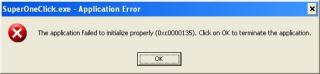






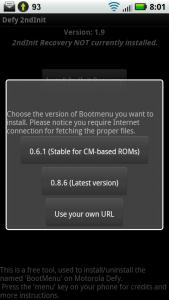


 i'm looking for this also...


 0.1475sec
 0.32
0.32
 6 queries
 GZIP Disabled