

QUOTE(kayrolSPIKE @ Jul 30 2011, 05:07 PM)
hey guys i got dv6-6001tx...then i cannot find the bluetooth settings..there only have mybluetooth..how to turn on the bluetooth and send files form my phone to my dv6..help!

hey guys help me! 
HP Pavillion DV6-6XXX series Owners Lounge V2, - 91 owners!! FUUUUUUUUUUUUU!!
|
|
 Jul 30 2011, 09:00 PM Jul 30 2011, 09:00 PM
|
 
Junior Member
36 posts Joined: Jul 2011   
|
QUOTE(kayrolSPIKE @ Jul 30 2011, 05:07 PM) hey guys i got dv6-6001tx...then i cannot find the bluetooth settings..there only have mybluetooth..how to turn on the bluetooth and send files form my phone to my dv6..help! hey guys help me! |
|
|
|
|
|
Jul 30 2011, 09:18 PM
|
Senior Member
1,855 posts Joined: May 2011 From: Cat City
|
QUOTE(kayrolSPIKE @ Jul 30 2011, 09:00 PM) hey guys help me! Go to Hp Wireless Assistant to turn on ur bluetooth.. |
|
|
Jul 30 2011, 10:50 PM
|

Junior Member
329 posts Joined: Dec 2008
|
QUOTE(louisfjh @ Jul 30 2011, 08:49 PM) actually i take silver color...LOL I got the Black color one but certainly not helping you by proving wat color beneath the nice black color that super match our lappie. have think wan take black color but worry black paint drop so take silver... so just ask ask..  Added on July 30, 2011, 8:51 pm black color so match our laptop mah...  Attached thumbnail(s) 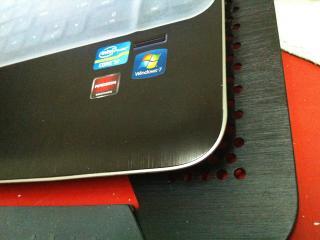
|
|
|
Jul 30 2011, 11:09 PM
|

Junior Member
137 posts Joined: May 2009
|
QUOTE(j-insigh @ Jul 30 2011, 11:50 PM) I got the Black color one but certainly not helping you by proving wat color beneath the nice black color that super match our lappie. i have been trying to find the keyboard protector, what brand is that? where to get? how much? |
|
|
Jul 30 2011, 11:11 PM
|
|
Junior Member
329 posts Joined: Dec 2008
|
^^ idk le, my gf buy for me de. got from PG pc fair, 10rm nia, brandless
 but it does not fit nicely. but it does not fit nicely.This post has been edited by j-insigh: Jul 30 2011, 11:18 PM |
|
|
Jul 30 2011, 11:30 PM
|
|
Senior Member
1,855 posts Joined: May 2011 From: Cat City
|
QUOTE(j-insigh @ Jul 30 2011, 10:50 PM) I got the Black color one but certainly not helping you by proving wat color beneath the nice black color that super match our lappie. Hell yeah it does match our lappy nicely im using black too |
|
|
|
|
|
Jul 30 2011, 11:36 PM
|

Junior Member
257 posts Joined: May 2008
|
QUOTE(j-insigh @ Jul 30 2011, 10:50 PM) I got the Black color one but certainly not helping you by proving wat color beneath the nice black color that super match our lappie. silver also nice leh... yeng  take photo show u later ..  Added on July 30, 2011, 11:37 pmi also looking for protector for the keyboard & for the screen leh... but 15'6 like hard to get.. i saw most also 14' one This post has been edited by louisfjh: Jul 30 2011, 11:37 PM |
|
|
Jul 30 2011, 11:47 PM
|
 
Elite
14,813 posts Joined: Nov 2006
|
Buy 2 protector, overlap..
|
|
|
Jul 30 2011, 11:50 PM
|
|
Junior Member
257 posts Joined: May 2008
|
QUOTE(lee_what2004 @ Jul 30 2011, 11:47 PM) Buy 2 protector, overlap..  good idea good ideabuy 2 for keyboard 2 for screen...   Added on July 30, 2011, 11:51 pm 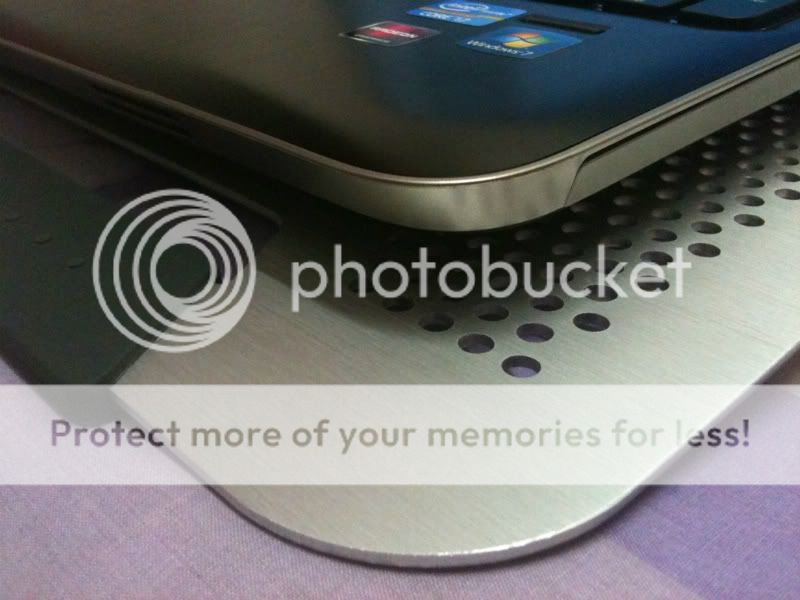 nah nah.... DV6 wif silver cooler... nice eh.... malaysia dv6 dun have silver color.. if not i sure take silver see so nice..  This post has been edited by louisfjh: Jul 30 2011, 11:55 PM |
|
|
Jul 30 2011, 11:54 PM
|
|
Elite
14,813 posts Joined: Nov 2006
|
Dun overlap for screen, not nice
|
|
|
Jul 30 2011, 11:55 PM
|

Junior Member
361 posts Joined: Jun 2007
|
I have one question. For ASUS N53N, the air intake is under the keyboard, so a keyboard protector will interupt the airflow. Where is air intake for DV6?
|
|
|
Jul 30 2011, 11:56 PM
|
|
Junior Member
257 posts Joined: May 2008
|
QUOTE(lee_what2004 @ Jul 30 2011, 11:54 PM) Dun overlap for screen, not nice overlap for keyboard also not nice....  Added on July 30, 2011, 11:56 pm QUOTE(Efalex @ Jul 30 2011, 11:55 PM) I have one question. For ASUS N53N, the air intake is under the keyboard, so a keyboard protector will interupt the airflow. Where is air intake for DV6? left side, bhind & bottomThis post has been edited by louisfjh: Jul 30 2011, 11:57 PM |
|
|
Jul 30 2011, 11:57 PM
|
|
Elite
14,813 posts Joined: Nov 2006
|
Cut it..
|
|
|
|
|
|
Jul 30 2011, 11:58 PM
|
|
Junior Member
257 posts Joined: May 2008
|
QUOTE(lee_what2004 @ Jul 30 2011, 11:57 PM) Cut it.. but have cut edy also not nice.. i like perfect 1... Added on July 31, 2011, 12:00 am QUOTE(j-insigh @ Jul 30 2011, 10:50 PM) I got the Black color one but certainly not helping you by proving wat color beneath the nice black color that super match our lappie. ur lappy many dust This post has been edited by louisfjh: Jul 31 2011, 12:00 AM |
|
|
Jul 31 2011, 12:01 AM
|
|
Junior Member
361 posts Joined: Jun 2007
|
QUOTE(louisfjh @ Jul 30 2011, 11:56 PM) overlap for keyboard also not nice.... Left side is the outlet, where you can heat up your coffee mug. Added on July 30, 2011, 11:56 pm left side, bhind & bottom The back, not sure if it is the inlet or outlet. Now, is there an inlet built under the keyboard like ASUS laptop? |
|
|
Jul 31 2011, 12:03 AM
|
|
Junior Member
257 posts Joined: May 2008
|
QUOTE(Efalex @ Jul 31 2011, 12:01 AM) Left side is the outlet, where you can heat up your coffee mug. oh.. u mean air intake.. i misunderstood... The back, not sure if it is the inlet or outlet. Now, is there an inlet built under the keyboard like ASUS laptop?  that i duno o... ask those sifu |
|
|
Jul 31 2011, 12:59 AM
|

Junior Member
437 posts Joined: Oct 2009
|
Hey guys, how do I enable USB 3.0?
I just bought a WD Passport with USB 3.0 and when I tried the speed by transferring a single 18GB .RAR file, it achieved speeds of 15 to 25MB per second only. I was expecting a lot higher. Why is this? EDIT: Tried second file (20.8GB, also a .RAR file). Transfer speeds plummeted. It's transferring at only 5 to 15MB per second.  This post has been edited by SRLee: Jul 31 2011, 01:20 AM |
|
|
Jul 31 2011, 01:39 AM
|

Senior Member
1,267 posts Joined: Sep 2010 
|
MB
QUOTE(SRLee @ Jul 31 2011, 12:59 AM) Hey guys, how do I enable USB 3.0? O.O i didnt enable anything for usb 3.0 and i get the transfer speed of 95MB min - 125MB max transfer speed . Did u put ur new 3.0 harddisk on the usb port on the left side of the dv6??I just bought a WD Passport with USB 3.0 and when I tried the speed by transferring a single 18GB .RAR file, it achieved speeds of 15 to 25MB per second only. I was expecting a lot higher. Why is this? EDIT: Tried second file (20.8GB, also a .RAR file). Transfer speeds plummeted. It's transferring at only 5 to 15MB per second. |
|
|
Jul 31 2011, 01:48 AM
|
|
Junior Member
257 posts Joined: May 2008
|
QUOTE(SRLee @ Jul 31 2011, 12:59 AM) Hey guys, how do I enable USB 3.0? i think only 2 usb port is 3.0.. the left side 1...I just bought a WD Passport with USB 3.0 and when I tried the speed by transferring a single 18GB .RAR file, it achieved speeds of 15 to 25MB per second only. I was expecting a lot higher. Why is this? EDIT: Tried second file (20.8GB, also a .RAR file). Transfer speeds plummeted. It's transferring at only 5 to 15MB per second. Added on July 31, 2011, 1:55 am QUOTE(Zhao @ Jul 31 2011, 01:39 AM) MB wow... O.O i didnt enable anything for usb 3.0 and i get the transfer speed of 95MB min - 125MB max transfer speed . Did u put ur new 3.0 harddisk on the usb port on the left side of the dv6??  i also wan get 3.0 HDD... lol my hdd transfer speed only 16-25mb... This post has been edited by louisfjh: Jul 31 2011, 01:55 AM |
|
|
Jul 31 2011, 01:59 AM
|
|
Junior Member
437 posts Joined: Oct 2009
|
The USB 3.0 ports are on the left? I thought they were on the right side of the laptop?
|
|
Topic ClosedOptions
|
| Change to: |  0.0303sec 0.0303sec
 0.59 0.59
 6 queries 6 queries
 GZIP Disabled GZIP Disabled
Time is now: 15th December 2025 - 09:32 PM |
 Quote
Quote