QUOTE(cannavaro @ Jun 2 2011, 08:03 PM)
What method did you use in your attempt to downgrade?
The right way is to use the 'emergency room' mode.
Yes... using emergency room... it loaded about few seconds then the page refreshed with page not found... when I refresh, it just go back to emergency page.
I just download the 7.05b and try to upload...but failed. So I have to stop as been work on it few hours dah...hehehe
Have to stop, so my family can still use the internet. Hopefully tonite can try again.
Added on June 3, 2011, 8:54 amQUOTE(ramboo @ Jun 2 2011, 08:30 PM)
1. download ur firmware here
http://unifi.athena.my/downloads.html2. login to u dir-615, follow this guide
http://unifi.athena.my/router_security.html, u need 'secondary account' to do firmware thing

3. follow this step
http://unifi.athena.my/custom_routers.htmlnice e-book there, good luck

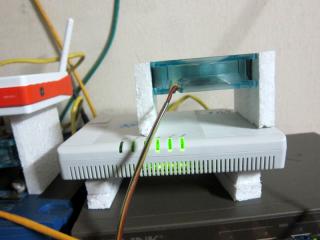
if u want cool ur cap ayam router & dir-615 just do as me
no more PANAS

Yo Ramboo,
I tried the same way... just that I'm stuck before step 2.. hehe
Added on June 3, 2011, 9:08 amQUOTE(fx_53_xt @ Jun 3 2011, 01:47 AM)
Why need to downgrade? i followed all the steps in the guide but i'm using 7.09 version. And i do have wifi disabled with VLAN bridge in my DIR 615
FX.. mind to share how you did it in 7.09... for temporary, I just nak use my own router the Asus. (until the firmware is out) and DIR 615 as VLAN bridge.
Step by step (snapshot would be great too) for where and how to configure. Hope this can be a guideline / reference for any others.
This post has been edited by aaronlim: Jun 3 2011, 09:08 AM 

 Jun 2 2011, 06:51 PM


 Quote
Quote






 0.0194sec
 0.61
0.61
 6 queries
 GZIP Disabled