All is working (well enough) except nVidia GT 540M and Bluetooth.
i can only use HD3000 right now.
 still waiting for Apple to release something on Optimus Technology.
Acer Aspire 5750G, Malaysia's 1st Sandy Bridge laptop
|
|
 Feb 13 2012, 01:04 AM Feb 13 2012, 01:04 AM
|
 
Senior Member
740 posts Joined: Jan 2003 From: Langkawi   
|
Using Acer 5750G with Mac OSX Lion 10.7.3 installed.
All is working (well enough) except nVidia GT 540M and Bluetooth. i can only use HD3000 right now. still waiting for Apple to release something on Optimus Technology. |
|
|
|
|
|
Feb 15 2012, 10:52 PM
|

Junior Member
77 posts Joined: Feb 2005
|
hi guys.
my function keys and Esc all are not working.... if i press Alt+F4, it's good... but when i press Esc or Fn+F6 or Fn+ Arrow (up, down, left, right) all are not working... i tried to uninstall Launch Manager and resintall but it didn't help... anything else that i can do? thanks. |
|
|
Feb 16 2012, 01:48 AM
|

Senior Member
2,227 posts Joined: Jan 2009
|
QUOTE(lun073 @ Feb 15 2012, 10:52 PM) hi guys. How about , un-attach and re-attach ur keyboard .my function keys and Esc all are not working.... if i press Alt+F4, it's good... but when i press Esc or Fn+F6 or Fn+ Arrow (up, down, left, right) all are not working... i tried to uninstall Launch Manager and resintall but it didn't help... anything else that i can do? thanks.  |
|
|
Feb 16 2012, 03:12 PM
|
|
Junior Member
77 posts Joined: Feb 2005
|
QUOTE(skycrawler @ Feb 16 2012, 01:48 AM) How about , un-attach and re-attach ur keyboard . mind to share with me how to do that?thanks a lot  |
|
|
Mar 4 2012, 09:39 PM
|
|
Senior Member
2,227 posts Joined: Jan 2009
|
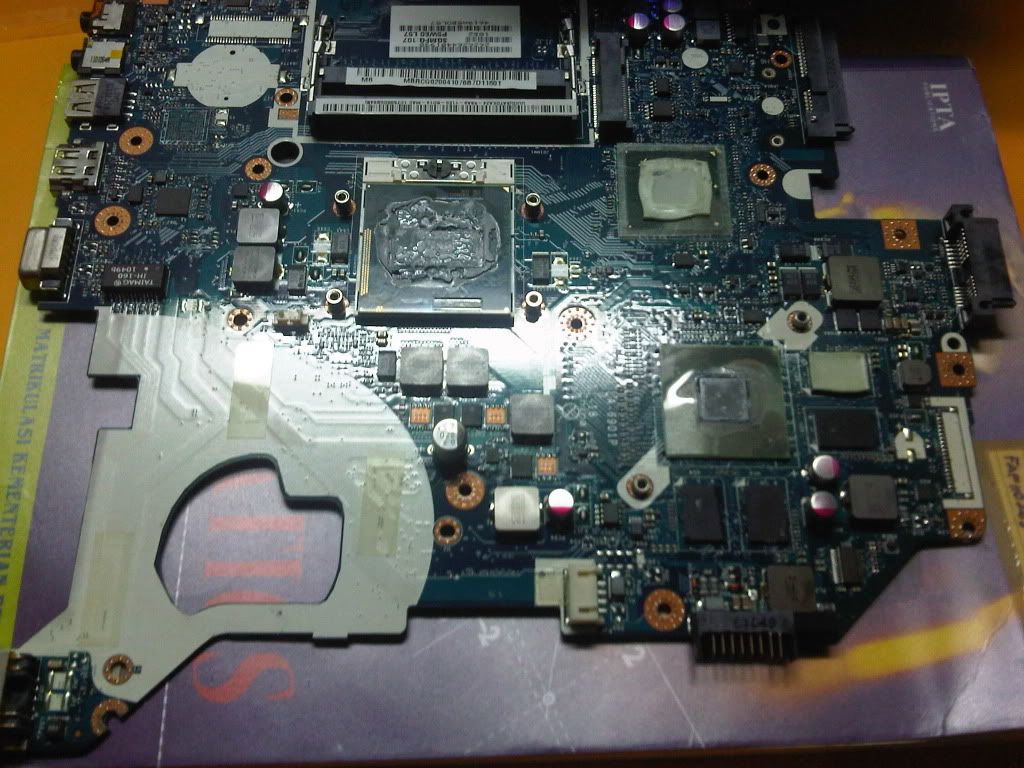
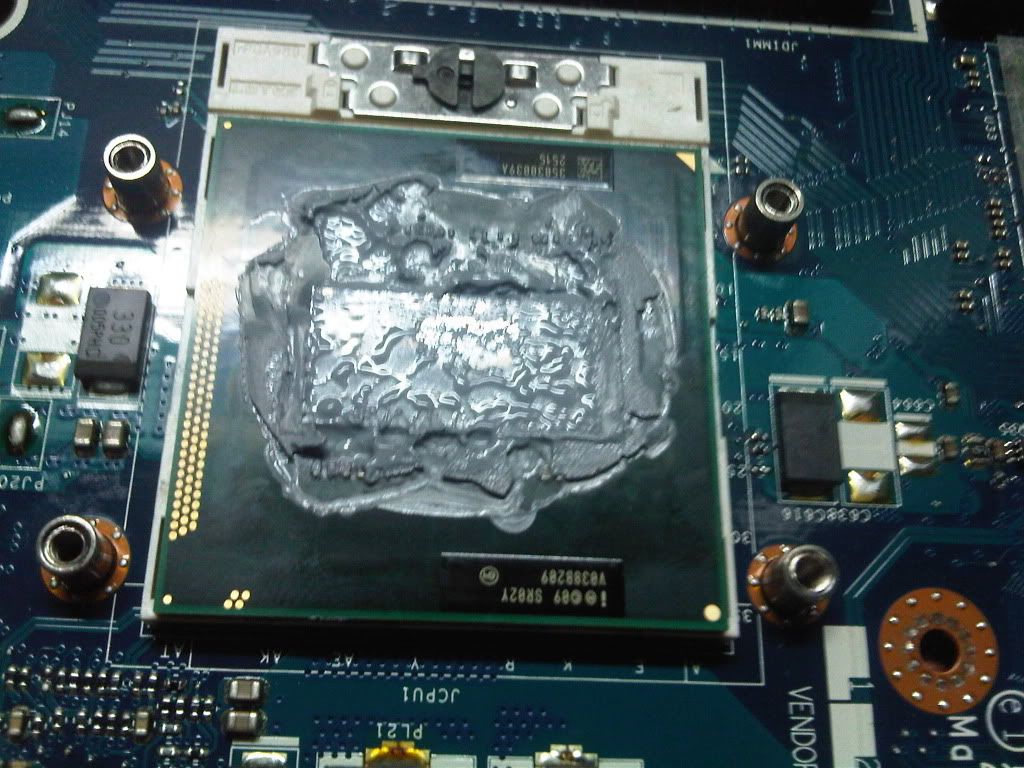
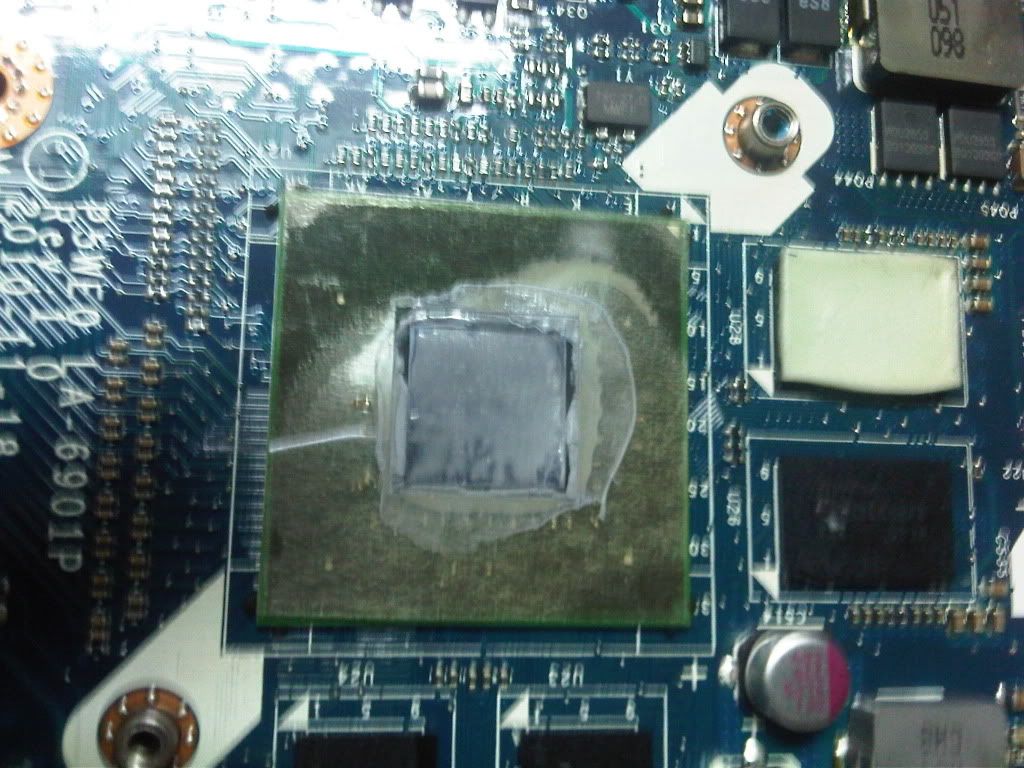
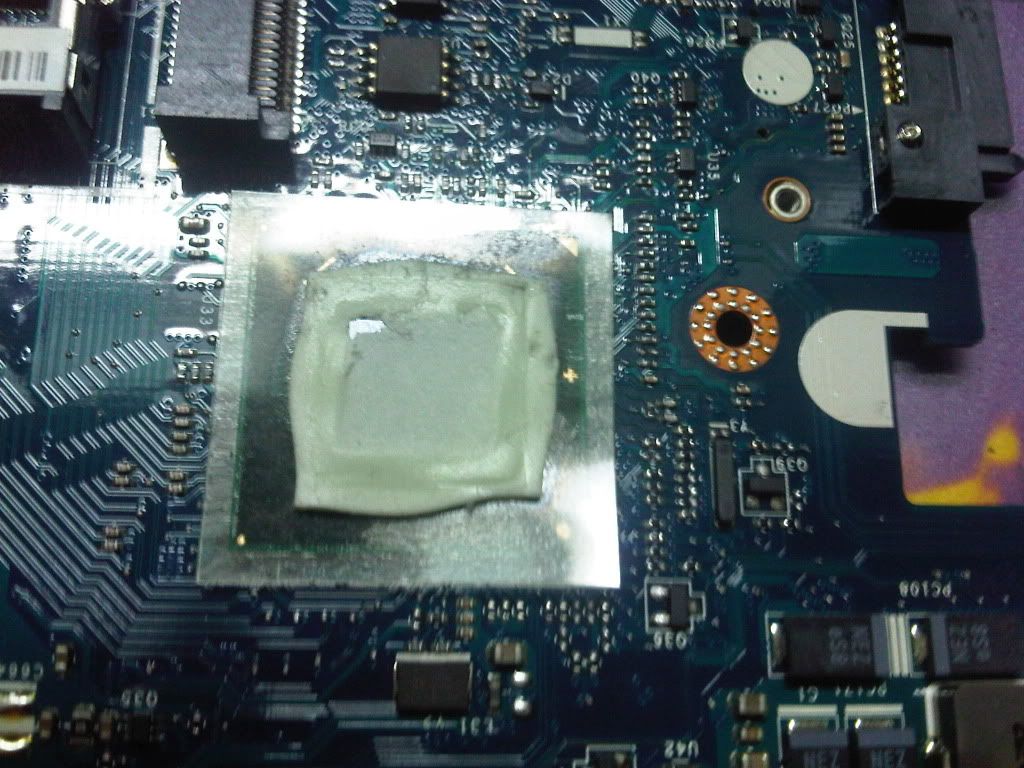
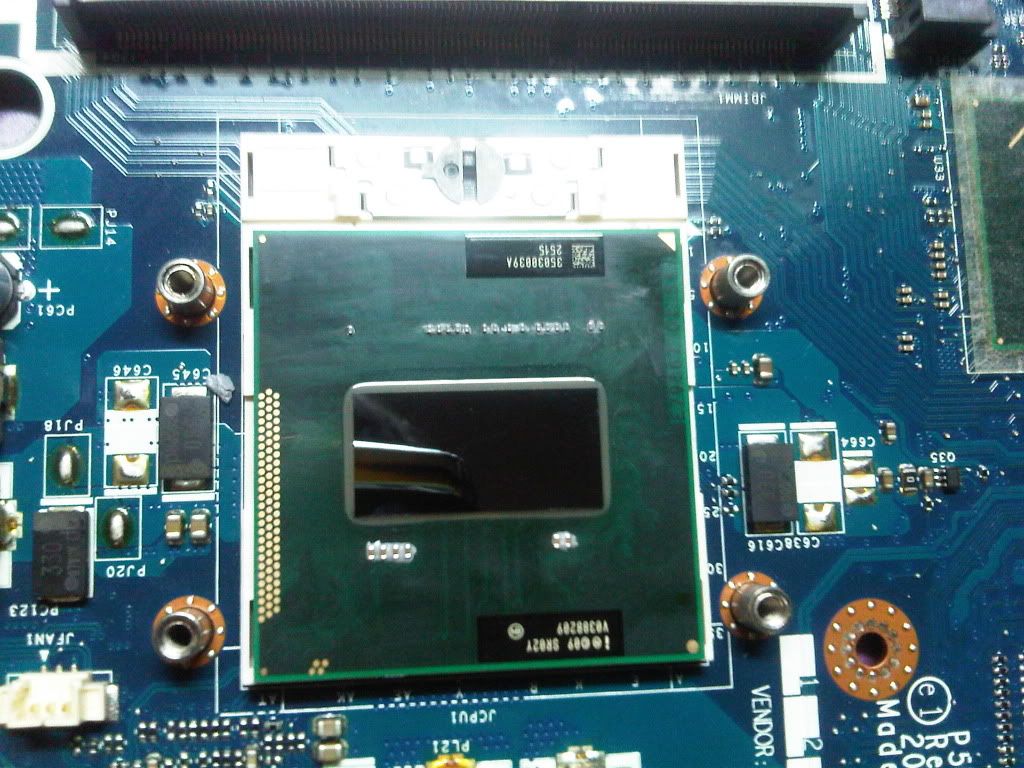
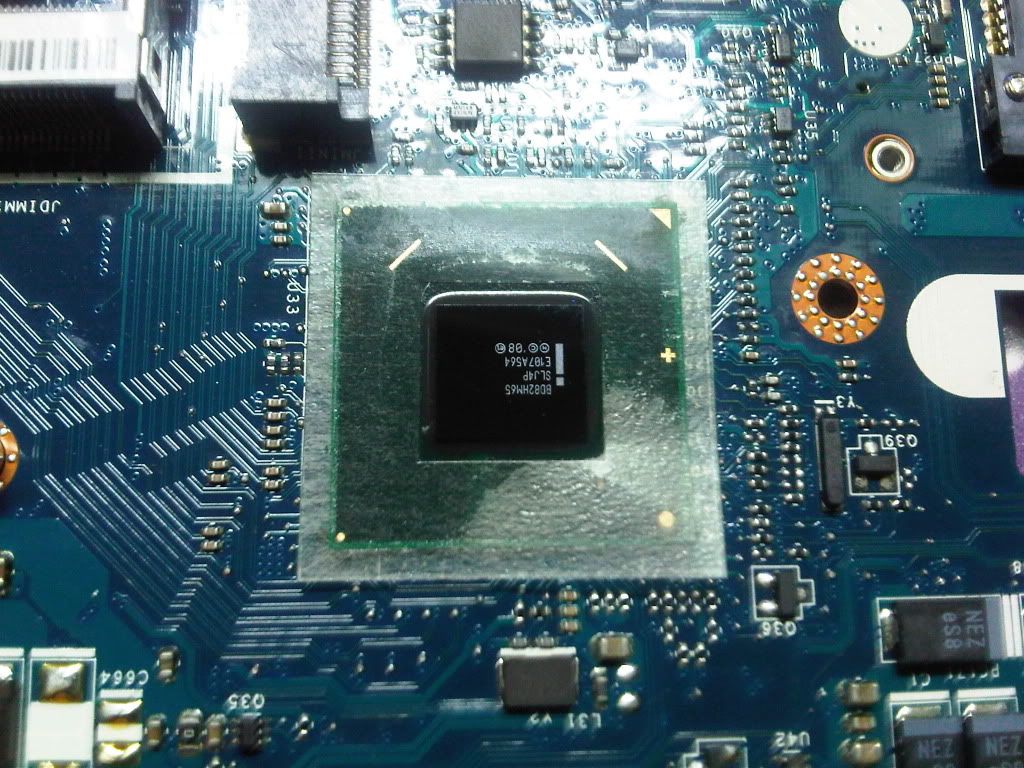
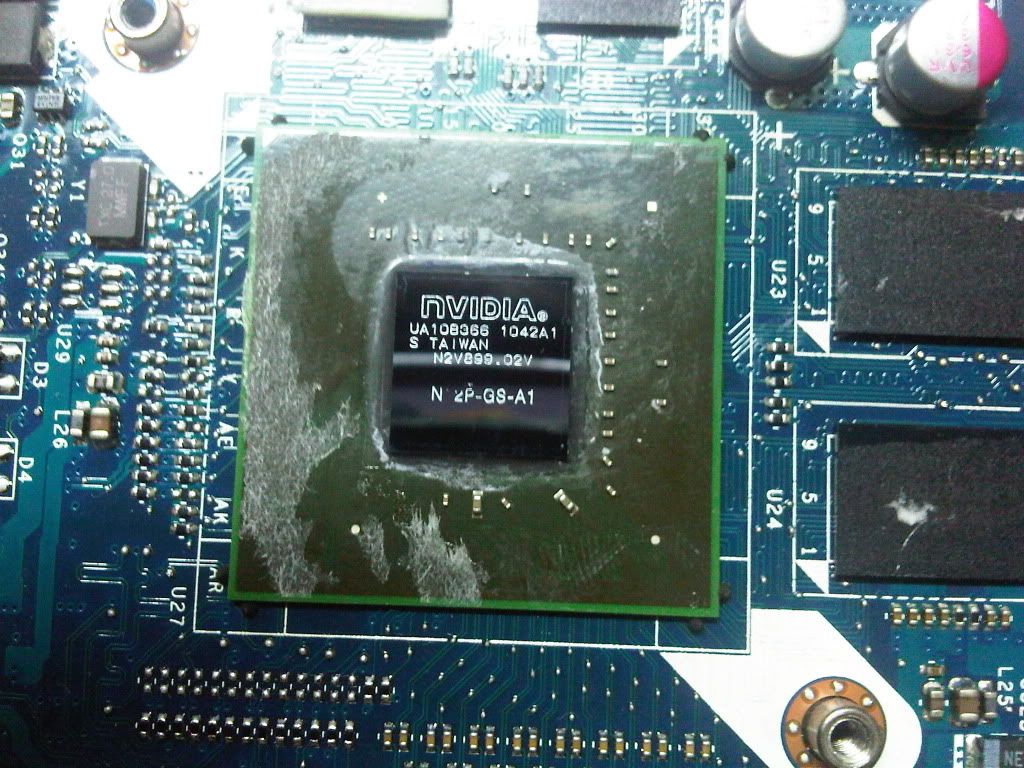
So today I open my laptop to replace stock thermal compound and to clean fan and vent , pics here :
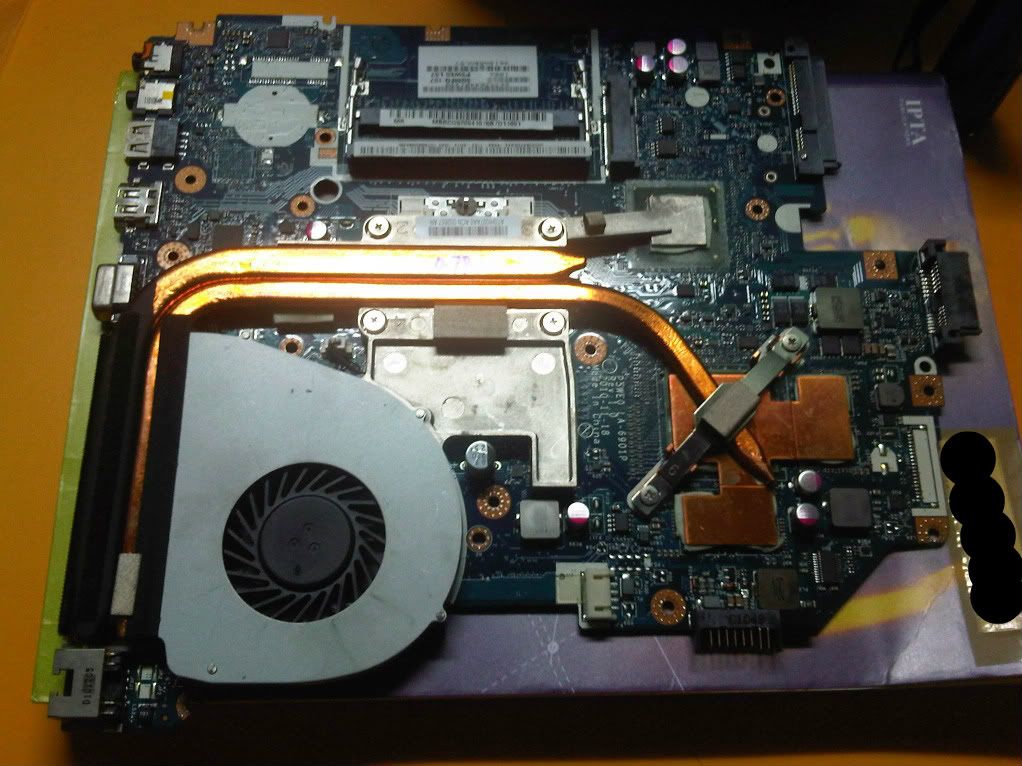 » Click to show Spoiler - click again to hide... « Stock thermal compound and thermal tape placed by Acer Factory » Click to show Spoiler - click again to hide... « After Cleaning stock thermal compound and thermal tape: » Click to show Spoiler - click again to hide... « TAGS : Acer 5750G , cleaning dust , cleaning fan , Replacing Thermal Compound in Acer 5750G , Replacing Thermal Paste in Acer 5750G , use Arctic Silver 5 , Arctic Silver 5 in Acer 5750G This post has been edited by skycrawler: Jul 9 2012, 02:41 PM |
|
|
Mar 4 2012, 09:39 PM
|
|
Senior Member
2,227 posts Joined: Jan 2009
|
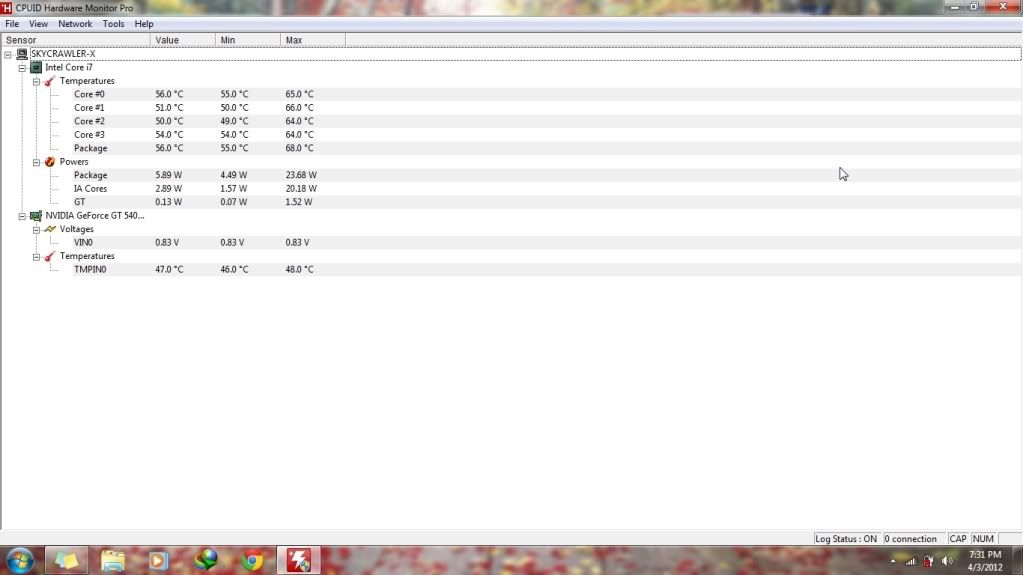
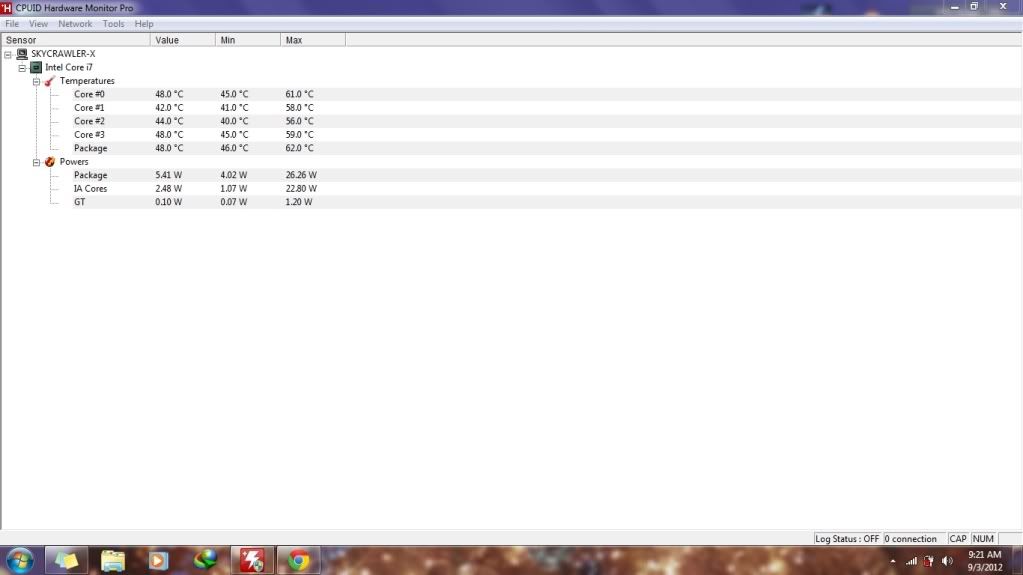
Temperature idle before applying new thermal compound:
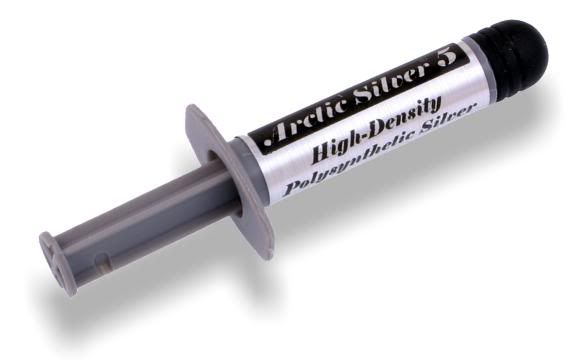
» Click to show Spoiler - click again to hide... « Temperature idle after applying new thermal compound: » Click to show Spoiler - click again to hide... « oh , btw I'm using Arctic Silver 5 as replacement to the stock thermal compound . » Click to show Spoiler - click again to hide... « This post has been edited by skycrawler: Mar 9 2012, 11:40 AM |
|
|
|
|
|
Mar 11 2012, 02:47 AM
|
|
Newbie
0 posts Joined: Mar 2012
|
Hi
Well i also get some serious temperature issues and i think the laptop needs to be cleaned from dust. I really searched a lot however didn't find any instructions how to open up the 5750. Actually i have an Aspire 5755G but i think they are the same. @skycrawler: As I saw from your postings you opened up the laptop. Is it really necessary to remove the whole chase to be able to clean the fan and the cooler fins? Where did you find the instructions how to do it or did you just try it out yourself? Could you maybe then post some links or some instructions? It would really help a lot! Thank you already Greetins, marks |
|
|
Mar 12 2012, 10:14 PM
|
|
Senior Member
2,227 posts Joined: Jan 2009
|
QUOTE(marksasdf @ Mar 11 2012, 02:47 AM) Hi Yup , to reach the fan and vents u have to remove everything (except monitor) including motherboard . I just try it myself Well i also get some serious temperature issues and i think the laptop needs to be cleaned from dust. I really searched a lot however didn't find any instructions how to open up the 5750. Actually i have an Aspire 5755G but i think they are the same. @skycrawler: As I saw from your postings you opened up the laptop. Is it really necessary to remove the whole chase to be able to clean the fan and the cooler fins? Where did you find the instructions how to do it or did you just try it out yourself? Could you maybe then post some links or some instructions? It would really help a lot! Thank you already Greetins, marks  . For the guidelines I cant make it now coz Im quite busy this semester . Maybe during my semester break . For the guidelines I cant make it now coz Im quite busy this semester . Maybe during my semester break  |
|
|
Mar 18 2012, 04:44 PM
|

Senior Member
1,200 posts Joined: Feb 2010 From: Kuala Lumpur
|
It there suppose to get constant overheat for this i7 2630QM? =.=
i got my 5755G last year July Always overheat =.= got to under clock it to prevent that sht from happening Added on March 18, 2012, 4:51 pmbut i think nevermind already since i dun wan to open up my laptop where it still covered by warranty (unless warranty is out) So i bought a Evercool Fairy Ideal Cooler I able to stay below 80 degree even with max load stress test / benchmarking If i do not use it, i am 100% sure the temperature going to hit 100 degree (i get 100 degree even not on max load last time)  This post has been edited by johnlth93: Mar 18 2012, 04:51 PM |
|
|
Mar 21 2012, 11:55 PM
|

Senior Member
4,072 posts Joined: Mar 2011 From: μετά
|
johnlth93- some prob with hardware ar? my bro always play on carpet put tak hot..
if under warrenty as them check. sensor rosak or something? |
|
|
Mar 26 2012, 11:26 AM
|

Junior Member
435 posts Joined: Apr 2010
|
can u help me guys?
when i play a game i always get BSOD code 116 what the cause of this problem?  |
|
|
Apr 5 2012, 06:03 PM
|

Junior Member
366 posts Joined: Jan 2010
|
arrrr soo hot la this lappy..~~~
keep padam when play game..even dota =-=.. |
|
|
Apr 6 2012, 06:04 AM
|
|
Senior Member
2,227 posts Joined: Jan 2009
|
QUOTE(apek1989 @ Apr 5 2012, 06:03 PM) arrrr soo hot la this lappy..~~~ Dats why I changed the stock thermal compound to Arctic Silver 5 .keep padam when play game..even dota =-=.. |
|
|
|
|
|
Apr 11 2012, 12:50 AM
|
|
Junior Member
366 posts Joined: Jan 2010
|
@skycrawler
how u open ur laptop casing ah? need to unscrew all screw on laptop?? btw u use what to clean inside the laptop? Added on April 11, 2012, 4:21 amhuhu..nvm la..i just finish opening n cleaning my lappy.. but still not yet repace the stock thermal paste yet.. huhu..nid to buy the paste 1st..btw reli hard ooo wan dissemble all =-= This post has been edited by apek1989: Apr 11 2012, 04:21 AM |
|
|
Apr 11 2012, 08:45 AM
|
|
Senior Member
2,227 posts Joined: Jan 2009
|
QUOTE(apek1989 @ Apr 11 2012, 12:50 AM) @skycrawler This one consider easy compared to Compaq laptop how u open ur laptop casing ah? need to unscrew all screw on laptop?? btw u use what to clean inside the laptop? huhu..nvm la..i just finish opening n cleaning my lappy.. but still not yet repace the stock thermal paste yet.. huhu..nid to buy the paste 1st..btw reli hard ooo wan dissemble all =-=  |
|
|
Apr 11 2012, 02:45 PM
|
|
Junior Member
366 posts Joined: Jan 2010
|
QUOTE(skycrawler @ Apr 11 2012, 08:45 AM) This one consider easy compared to Compaq laptop yah..i think its a easy after i refer to the tutorial..1st try without the tutorial is really hard to open..  haha..btw already bought arctic silver 5 from garage.. will upload some pics after replacing the thermal paste.. after cleaning out the fan, my lappy idle temp minimum is aroung 43-45..  thats quite good..no overheationg also..huhu.. Added on April 11, 2012, 2:47 pm@skycrawler btw..u are put the arctic silver 5 paste on the gc also?? This post has been edited by apek1989: Apr 11 2012, 02:47 PM |
|
|
Apr 11 2012, 03:01 PM
|
 
Elite
14,813 posts Joined: Nov 2006
|
Put the new paste on CPU and GPU.
|
|
|
Apr 11 2012, 03:39 PM
|
|
Senior Member
2,227 posts Joined: Jan 2009
|
QUOTE(apek1989 @ Apr 11 2012, 02:45 PM) yah..i think its a easy after i refer to the tutorial.. Yup , both on intel gpu and nvidia 1st try without the tutorial is really hard to open.. haha..btw already bought arctic silver 5 from garage.. will upload some pics after replacing the thermal paste.. after cleaning out the fan, my lappy idle temp minimum is aroung 43-45.. thats quite good..no overheationg also..huhu.. Added on April 11, 2012, 2:47 pm@skycrawler btw..u are put the arctic silver 5 paste on the gc also?? . I removed the thermal tape on intel gpu |
|
|
Apr 11 2012, 04:10 PM
|
|
Elite
14,813 posts Joined: Nov 2006
|
Thermal tape, sometimes its needed, to fill the gap cause by height difference, so don't recklessly throw it away too soon..
|
|
|
Apr 11 2012, 07:51 PM
|
|
Junior Member
366 posts Joined: Jan 2010
|
ok boss..will try it later..
wan to make my lappy cooler~~ |
| Change to: |  0.1420sec 0.1420sec
 0.46 0.46
 6 queries 6 queries
 GZIP Disabled GZIP Disabled
Time is now: 15th December 2025 - 05:15 PM |
 Quote
Quote