

 Oct 2 2010, 06:56 PM, updated 16y ago


.:Press Releases / Current News:.
» Click to show Spoiler - click again to hide... «
Keep Your Friends Close With HTC Wildfire
» Click to show Spoiler - click again to hide... «
Share apps, updates and experiences with the latest social powerhouse from HTC
LONDON – 17 May, 2010 – HTC Corporation, a global designer of smartphones, today introduced HTC Wildfire™, a new HTC Sense-based Android phone that integrates the most popular social networks to help bring your friends closer to you. HTC Wildfire closely follows the success of the acclaimed HTC Desire and makes the company’s signature HTC Sense experience accessible to a younger audience.
“Today’s social networks provide an essential forum for friendship with more than 400 million users* - many of whom are young adults - actively sharing their lives with their friends through Facebook,” said Florian Seiche, Vice President, HTC EMEA. “HTC Wildfire makes the HTC Sense experience available to young mobile users for the first time. It brings all your communications into one place, whether it’s through Facebook, Twitter, text messages, images or email, ensuring that you are never far away from the conversation and always close to your friends.”
HTC Wildfire helps you stay connected with those who are most important to you through HTC Sense, a user experience focused on putting people at the centre by making phones work in a more simple and natural way. You won’t miss out on the fun as HTC’s Friend Stream application seamlessly gathers and displays content from social networks like Facebook, Twitter, and Flickr into one organised stream of updates. HTC Wildfire enables you to stay up to date with your friends’ posts, comments, alerts and photos, wherever you are.
In addition, each contact viewed in HTC Wildfire’s address book includes a thread of recent communications with that person, including when you last spoke, recent text messages and emails, and social network updates. When your friend calls, HTC Caller ID displays their Facebook profile photo and latest update, as well as a reminder if their birthday is fast approaching.
Thanks to a new app sharing widget, HTC Wildfire enables you to recommend an application by email, text message or over social networks. Your friends will receive a link allowing them to find the application on the Android Market with a single click and download it to their phone.
Florian Seiche continued, “We understand that people need a better way to navigate their way through the tens of thousands of applications that are currently available on the Android Market. In fact, our own independent research found that consumers are not only hungry for the latest and most popular applications that their friends are using, they want an easier way to find and download them. For the first time ever, you can recommend the newest and coolest apps to a friend or group of friends with HTC Wildfire. With so many applications to choose from, there’s a world of content to discover and pass along to your friends.”
HTC’s latest advanced smartphone is great for viewing and sharing photos on Flickr and for surfing the internet thanks to its 3.2-inch capacitive touch screen. A five-megapixel camera with auto focus and LED flash allows you to capture special moments, while a 3.5mm audio jack and micro SD card slot mean you are never without your favourite songs.
Availability
The new HTC Wildfire will be broadly available to customers across major European and Asian markets from Q3 2010.
About HTC
HTC Corporation (HTC) is one of the fastest growing companies in the mobile phone industry. By putting people at the centre of everything it does, HTC creates innovative smartphones that better serve the lives and needs of individuals. The company is listed on the Taiwan Stock Exchange under ticker 2498. For more information about HTC, please visit www.htc.com
Smartphone maker HTC quarterly profit almost doubles (Thursday, October 7 2010)
» Click to show Spoiler - click again to hide... «
http://malaysia.news.yahoo.com/rtrs/201010...tc-96247d2.html
Reuters -
TAIPEI - Taiwan's HTC Corp, the world's No. 4 smartphone brand, reported a near doubling in third-quarter profit on Wednesday, thanks to new models and its push into phones for Google's Android operating system.
HTC's unaudited net profit was T$11.1 billion for July-September, the company said in a statement that gave no further details. That was up from T$5.695 billion in the same period a year ago and well above a consensus forecast of T$8.7 billion by Thomson Reuters I/B/E/S.
HTC has recently unveiled details of its push into the increasingly important mobile services sector and has introduced two new handsets using Google's Android software.
"Investors are comfortable with HTC's status in the Android market," said Steven Tseng, an analyst at RBS in Taipei. "HTC will keep a stable position, even if it is not a leader in the sector."
He said demand for smartphones looks good in the fourth quarter. He rates HTC a buy with a share price target of T$880.
The results came after the Taipei stock market closed on Wednesday. The stock rose 3 percent to T$719 against a 1 percent rise in the main TAIEX index. HTC's shares have more than doubled from a year-low of T$264.69 in February.
HTC faces tough competition from much larger rival Samsung Electronics, as well as Nokia Oyj, Blackberry maker Research in Motion and iPhone maker Apple Inc.
Research firm Gartner predicts the Android operating system will become the world's second most popular operating system for cell phones this year, almost two years sooner than first expected.
Microsoft's Windows Phone 7 software will be publicly unveiled on October 11 and is expected on handsets in stores by November. HTC is set to be one of the first companies to make smartphones for the Microsoft system.
HTC's sales reached T$27.1 billion in September, more than double from the same month a year earlier, while third quarter revenues reached T$75.85 billion, from T$33.81 billion a year earlier.
The company will hold a marketing event on Thursday in Taiwan to launch new smartphone models.
.:HTC Wildfire Official Site:.:
http://www.htc.com/sea/product/wildfire/overview.html
.:Froyo coming soon:.
http://www.blog.best-mobile-contracts.co.u...are-update.html
.:Product Videos:.
.:Product Reviews:.:
» Click to show Spoiler - click again to hide... «
http://www.engadget.com/2010/06/28/htc-wildfire-review/
http://www.techradar.com/reviews/phones/mo...e-690067/review
http://www.3g.co.uk/PR/July2010/htc-wildfi...y-3g-co-uk.html
http://www.youtube.com/watch?v=2UOkMoE2pDM - Part 1
http://www.youtube.com/watch?v=znxAvLkUPsM - Part 2
.:Product Pricing:.
Original - Not more than RM 1200 (2 years by SIS)
AP - Not more than RM 1100 (depend how long is the warranty)
.:Local HTC Retailer:.
http://www.htc.com/www/where_to_buy.aspx?f...rid=1316&page=0
http://www.htc.com/www/where_to_buy.aspx?f...rid=1316&page=0
.:IMPORTANT - Checking Defects on your Phone:.
» Click to show Spoiler - click again to hide... «
.:HTC Wildfire Operational Guide for New User:.
» Click to show Spoiler - click again to hide... «
HTC WildFire EZ Operational Guide for Beginners:.
1. How to set MP3 as ringtone?
Go to music -> select the song u want -> Menu -> Set as ringtone
Or you can use an application call RingDroid which will allow you to cut the MP3 to use as ringtones/notifications/alarms, etc.
2. How to make MP3 appear in music player?
Make the following folder/directories (all in small caps) in your SD Card and copy your MP3 into it:
-SDCard>media>audio>ringtone
-SDCard>media>audio>alarm
-SDCard>media>audio>notification
-SDCard>media>audio>music
3. How to make Video appear in Video Player?
Make a new folder in your SD Card call "video" and put all your videos inside.
4. How to put photos into contact so that they will be shown as caller/facebook identification?
Please do be reminded you can't place contact pictures directly into the SIM card. Therefore you must export out all your contacts from the SIM to the phone before you can do so.
These are the steps you can do:
i. Press (^) to the apps menu, and select "Contacts".
ii. At the contacts, press "menu" and you'll see "Imports/Exports".
iii. Import all or select certain contacts to be imported to the phone.
iv. Then go to gallery and select the picture, press "menu" and touch on "set as" then select "contact icon", and search for the contact that you wanted to assign the picture with.
5. How to put your own MP3 as ringtone or notification/sms alert tone?
you can put your own mp3 file for your ring tones or notifications:
create folder in SD card root folder - named by media/audio/ringtones for ringtones.
create folder in SD card root folder - named by media/audio/notifications for notifications
Then change the Notification tone in Settings->Sound & Display->Notification sound
Or you can use a free app called Tone Picker mp3. Create a folder on your SD card, pop your wildfired ringtones (mp3) in there and use the app to associate a tone. But it does not differentiate between sms and email.
Or you can use SMS Popup. This allows you to allocate a different Tone for text messages.
6. How to install applications?
Method 1
Press (^) and press on market. Search and select the application -> "install"
Method 2
Download the application .apk file (and folder if necessary) and copy it into root directory of SD Card. Put a tick on Setting>applications>Unknown sources. Download a File Manager application from the market called ASTRO File manager and install it. Open ASTRO and install the .apk file appearing on the screen.
7. How to uninstall applications?
Settings>Application>Manage Applications and select the application to be uninstalled.
8. How to use Alarm to wake up?
Tab on the clock in the Home page and select the alarm clock. Set the time you want to wake up. Or you can use an application called "Klaxon" which has more features.
9. How to navigate the roads in Malaysia using GPS?
You have to turn the phone GPS first. Go to Settings>Location and tick on "Use GPS Satellite". PapagoX5 Malaysia version works well on WildFire's 240x320 resolution. At the moment, other Android GPS applications such as Garmin, iGO, NDrive, etc either do not work well or do not work at all on WildFire.
10. How to conserve your battery?
For a new battery, it is advisable to charge for 8 hours the first time and subsequently charge and discharge fully 5 times before it holds battery charge optimally. For everyday usage, the best way to save battery is:
-Turn off background data
-Only turn on wifi and mobile internet when needed
-Keep brightness just under 50%
-And kill off apps when they are not being used.
You can look in About phone>Battery>Battery use and see what application is using the most battery consumption and you can cut down the application which consumes the most battery juices.
11. How to add your favorite contacts into your Home page?
In your contacts under "Group" select favorite for that contact. Next, go to an empty Home page. Press on (+) in the empty Home page and go to "Widgets" and select the Widget style. Select favorites Group from the group drop down box. All your favorite contacts will appear in your Home page.
12. Where to get updated software and manuals for WildFire?
Your phone does not come with a detailed manual. You can find it inside your phone or you can download it from here for your viewing on a larger screen from your PC:
http://www.htc.com/sea/support.aspx
You have to go to your choose your product window and select HTC WildFire. To download software and manuals for WildFire, you need to key in your serial no.
13. How do I switch off selected "always on" apps to free memory and battery drain?
Select Advanced Task Killer from the apps market. It is free and you put it on your Home page. Tap it and it takes you to a screen which shows all the programs that are running in the background. Tick the ones you want to close and then KILL selected apps.
14. How can I save money on phone usage?
At first it is awesome to receive instant emails, breaking news, facebook updates, weather updates, browsing internet, etc without wifi. After a while you'll find that you can get these information on the regular wifi internet/personal computer. One can easily use up RM10 a day or about RM300 a month using these features. The alternative is that you can turn these off and save a lot of moolahs; you can turn them on again anytime or when you really need them in emergencies.
Click on (^) and go to setup. After the second or third screen (Internet Connection), uncheck "Mobile Network or Wifi" and check on "Wifi Only (Don't have a data plan)".
15. Why can't I see my SD Card in my PC when I connect my WildFire to the PC to install an .apk app by using the provided USB connector?
First you need to install HTC USB driver (you can google for it or find it in HTC website) in your PC. After installing this driver, when you connect your WildFire to the PC through USB, your PC will be able to recognize your WildFire phone's SD Card as a new hard drive and you will be able to copy anything into your SD Card. Then you need to use Method 1 (see 6 above) to install the ASTRO File Manager before you can use Method 2 to install any .apk applications.
Please contribute more operational guide for beginners of this wonderful android phone as we go along.
Credit to sharp56
.:Applications:.
» Click to show Spoiler - click again to hide... «
.:Specifications:.
» Click to show Spoiler - click again to hide... «

http://www.gsmarena.com/htc_wildfire-3337.php
.General.
2G Network - GSM 850 / 900 / 1800 / 1900
3G Network - HSDPA 900 / 2100
Announced - 2010, May
Status - Available. Released 2010, May
.Size.
Dimensions - 106.8 x 60.4 x 12 mm
Weight - 118 g
.Display.
Type - TFT capacitive touchscreen, 16M colors
Size - 240 x 320 pixels, 3.2 inches
- Multi-touch input method
- Accelerometer sensor for UI auto-rotate
- Touch-sensitive controls
- Proximity sensor for auto turn-off
- Optical trackpad
- HTC Sense UI
- Turn-to-mute and lift-to-dim-out a call
.Sound.
Alert types - Vibration, MP3
Speakerphone - Yes
Audio Connection - 3.5 mm audio jack
.Memory.
Phonebook - Practically unlimited entries and fields, Photocall
Call records - Practically unlimited
Internal - 384 MB RAM; 512 MB ROM
Card slot - microSD, up to 32GB. Support Class 4 and above.
.Data.
3G - HSDPA, 7.2 Mbps
GPRS - Class 10 (4+1/3+2 slots), 32 - 48 kbps
EDGE - Class 10, 236.8 kbps
WLAN - Wi-Fi 802.11 b/g
Bluetooth - Yes v2.1 with A2DP
Infrared port - No
USB - Yes, microUSB v2.0
.Camera .
Primary - 5 MP, 2592 x 1944 pixels, autofocus, LED flash
Features - Smile detection, geo-tagging
Video - Yes
Secondary - No
.Features.
OS - Android OS, v2.1 (Eclair)
CPU - Qualcomm MSM 7225 528 MHz processor
Messaging - SMS(threaded view), MMS, Email, Push Email, IM
Browser - HTML
Radio - Stereo FM radio with RDS
Games - Yes
Colors - Black, Brown, White, Red, Silver
GPS - Yes, with A-GPS support
Java - Via third party application
- Digital compass
- Dedicated search key
- Facebook, Flickr, Twitter integration
- Google Search, Maps, Gmail
- YouTube, Google Talk, Picasa integration
- MP3/AAC+/WAV/WMA9 player
- MP4/H.263/H.264/WMV9 player
- Voice memo
- T9
.Battery.
Standard battery, Li-Ion 1300 mAh
Stand-by - Up to 480 h (2G) / Up to 690 h (3G)
Talk time - Up to 7 h 20 min (2G) / Up to 8 h 10 min (3G)
.:Root using UnrEVOked3 v3.21 (Video Included):.
» Click to show Spoiler - click again to hide... «
Credit to xngjn
WARNING - Do it at your own risk!
http://www.thedroiddemos.com/2010/09/21/ho...eo-walkthrough/
I first want to thank everyone at UnrEVOked for what they’ve done. I’m posting this because the UnrEVOked post doesn’t really give any instructions. Its an easy enough root for the Wildfire, but I know I’ve been there before and even the simplest things can be tough if things aren’t laid out. So here’s a step by step tutorial for rooting the HTC Buzz (Wildfire).
Due to some bugs, Unrevoked 3.2 was taken down shortly after being released, but the updated version is now LIVE! So obviously we’re going to bring you a video tutorial on how to root the HTC Buzz (Wildfire)! Thanks to the guys at Unrevoked for giving us this simple solution to rooting the Wildfire.
If you’re rooting the Wildfire on Windows, watch this video first and then continue
If you’re rooting the Wildfire on Mac or Linux, you can start here. Windows users should only continue here once installing the hboot drivers as described above.
Written Step by Step Guide for how to root the HTC Wildfire using unrEVOked 3.2
A short rooting instruction by zngjn (Original Post)
========
u should have download;
reflash_package.exe (Unrevoked3)
android-usb-driver.zip (Hboot for windows)
*i have Hboot and Unrevoked3 link at my signature
1. boot into hboot (volume down + power)
2. now device manager >> Other Device - Android 1.0
3. right click Update driver software >Browse My Computer For Driver Software> choose Android USB Driver( the file u just extract)
4. u will see Android Bootloader Interface under Android Phone in Device Manager
5. restart yours phone
6. enavle USB debuging
7. in device manager u will see ADB under Other device
8. right click select Update Driver Software>Browse My Computer for Driver Software>Let me pick from a list of a device drivers on my computer>android phone>Android ADB Interface
9. after install complete u will see Android ADB Interface under Android phone
10. now can run reflash_package.exe
11. just wait... unrevoked will do all for u (yours phone will reboot several time)
12. now yours phone will boot to ClockworkMod Recovery v2.5.0.1
13. select reboot system now for go in HTC sense
14. u will have Superuser in yours menu.
15. congratulation. u have success root yours phone. the next thing is find new ROM for yours phone
.:UnRoot from UnrEVOked3:.
» Click to show Spoiler - click again to hide... «
Credit to xngjn
this is the way i unroot my wildfire from unrevoked3
Download the .exe file
STEP:
======
1. Download and run the exe file. (attach usb to phone with USB debugging)
2. On the Welcome screen, click Next to begin the RUU installation.
3. Check the listed instructions in the dialog box and make sure you have done them. Click Next to proceed.
4. A message will then be displayed indicating that the utility is verifying and acquiring information about the Android phone as preparation for the update process. Wait for this verification process to be finished.
5. After the verification process, current information about the Android phone will be displayed. Click Update to proceed.
6. Information about the current image version and the new image update version will be displayed. If you are sure that you want to install the new RUU, click Next to proceed.
7. A confirmation message will appear and show the time it will take to install the necessary files (including radio image) to the Android phone. Click Next to begin the update. A progress bar will run through the screen during the update process.
8. RUU update is complete. Click Finish to exit the utility.
SIDE NOTE:
=======
Credit to xngjn
The unroot method is usable for phone that have similar information as below;
Firmware version:
2.1-update 1
Baseband version:
13.45.55.24H_3.35.15.31
Kernal version:
2.6.29-4266b2e1
htc-kernel@and 18-2#1
Build number:
1.15.707.1 CL185145 release-keys
Software number:
1.15.707.1
Browser version:
WebKit 3.1
.:Rooting Wildfire and install Wildpuzzle Rom:.
» Click to show Spoiler - click again to hide... «
http://forceflow.ulyssis.be/2010/10/13/wildpuzzle-rom-for-htc-wildfire/
.:Deleting Stock Apps (Require Phone Rooting):.
» Click to show Spoiler - click again to hide... «
Credit to xngjn
here are the step to delete stock apps:
REMEMBER always do Nandroid backup for recovery.
DO IT AT YOUR OWN RISK....
Android SDK >> http://dl.google.com/android/android-sdk_r07-windows.zip
1. Download the Android SDK from Google .
2. Unzip Google SDK download. You will see a folder called android-sdk-windows. Move that folder to the root of the c:\ drive, and rename it to sdk so that its location is c:\sdk.
3. Run c:\sdk\SDK Setup.exe (You will receive error messages, this is okay. Once the application is installed you can close all windows.
4. Boot into Clockworkmod recovery by powering off the phone and pressing and holding the volume down and power button until the screen lights up.
5. At the menu press volume down to select Recovery, then press power.
6. At the Clockworkmod main menu select partitions menu, then select mount /system
7. On the computer click Start > Run, and type CMD to open a command prompt.
8. In the command prompt type cd\sdk\tools
9. At the command prompt type adb shell
10. At the command prompt type cd /system/app
* type ls to list all the file within the directory
* for example : u wnat to delete "Twitter Widget", u need type
rm com.htc.TwitterWidget.apk
rm com.htc.TwitterWidget.odex
* after done all delete, type exit to end the command prompt
u have success to delete all the stock apps
Recommend Accessories on your HTC Wildfire (credit to hot_hunt)
http://forum.lowyat.net/index.php?showtopi...post&p=36752971
http://forum.lowyat.net/index.php?showtopi...post&p=36753070
http://forum.lowyat.net/index.php?showtopi...post&p=36753165
http://forum.lowyat.net/index.php?showtopi...post&p=36752971
http://forum.lowyat.net/index.php?showtopi...post&p=36753070
http://forum.lowyat.net/index.php?showtopi...post&p=36753165
.:Locate your Phone:.
QUOTE(xngjn @ Oct 21 2010, 09:45 PM)

.:Wildfire Users - 126 Users and growing!!:. (Updated 31 October 2010)
» Click to show Spoiler - click again to hide... «
1. Gorgan Photo taken from Wildfire Camera
2. b4ka0tic Photos
3. mdzaboy
4. irenic
5. dotcom
6. mahad13 Review
7. bokbeng
8. beebee
9. squareballs
10. kanzakicyn
11. alpha0201
12. madman.com Standard Package
13. qarezma
14. peggymun
15. reevephon
16. devil'z070
17. gwsa
18. 100% x trust
19. reevephon
20. music
21. spectreooi
22. axce.lan
23. cwleong59
24. ltw82
25. speedlau
26. nouruddines
27. agemihan1437
28. lodestar
29. snakesolidus
30. jkgan
31. xngjn
32. shoutian88
33. cyril85
34. bad_heroes86
35. michael9413
36. epool86
37. azida
38. kabrio
39. HIM
40. camel90
41. harryfoo (black)
42. hellcommando
43. jifat
44. doobydoo
45. whitegoh
46. latias93
47. coltrain
48. Agent717
49. nitevision92
50. heat84
51. Darrenhans
52. shadow84
53. Winning11
54. anarchy04
55. asean1984
56. mojo_jojo
57. global_2202
58. cheehing
59. nicholas5141
60. silentzai
61. prs
62. d@odao (White Wildifire)
63. Manufacture (White Wildfire)
64. j0ann3
65. EanTham
66. andrelow
67. Jackalv2
68. EasternDigital
69. jumanz
70. buzzee
71. nazman88
72. KHOdin
73. adrian_lmk
74. nern@h
75. UltimatePerfect (White Wildfire)
76. andydavids
77. streetglow (Black Wildfire) 15.9.2010
78. creadz
79. RisK.yO (White Wildfire)
80. danieloo (White Wildfire)
81. marvin8788
82. tomcatf14 (White Wildfire)
83. TheWandererX (White Wildfire)
84. yitping
85. g0ldf1sh (White Wildfire)
86. ben3232
87. ramzy
88. hideto83 (White Wildfire)
89. Inspire4x
90. pajrul (White Wildfire)
91. lightbringer
92. jlik2929
93. ShinAsuka
94. louis2103
95. aqiera
96. StupidGuyPlayComp
97. Kenneth225
98. ngantukullazi
99. hoyin91
100. giveme5
101. yuhhaur
102. gorilakang85 (white wildfire)
103. Vortex_000
104. blizzardng (white wildfire)
105. virusspreader
106. myboey
107. PGS
108. LizStephenie
109. leoric
110. Applestar
111. carbonytte (red wildfire)
112. scwar
113. dreaming
114. Budak Kampung
115. phh9310
116. dreaming
117. manejist
118. meced
119. zyphron
120. bingozero
121. Atsutane-Shirane
122. someone_cs
123. sexualpower
124. narf03
125. alvin ong
126. faiz2036
.:Malaysian Ambassador for Wildfire:.
http://www.lowyat.net/v2/latest/htc-appoin...artphone-2.html
.:Useful Links!:.
XDA-developers HTC Wildfire forum
Official User Guides
.:Signature:.



Side note : PM me if you need to add more info on first page. Thank you.
http://www.lowyat.net/v2/latest/htc-appoin...artphone-2.html
.:Useful Links!:.
XDA-developers HTC Wildfire forum
Official User Guides
.:Signature:.
Side note : PM me if you need to add more info on first page. Thank you.
This post has been edited by soundsyst64: Oct 31 2010, 06:15 PM
 Quote
Quote


 I prefer to edit one post at a time








 ...i tried





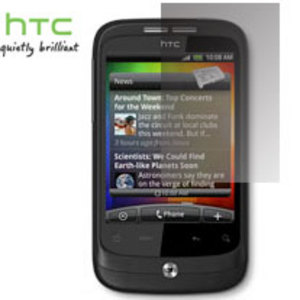
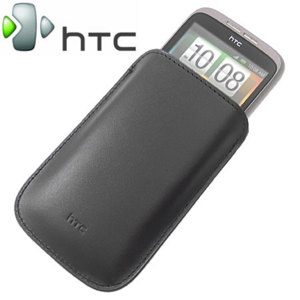













 , those ppl that dun do enough survey sure kena con 99







 0.7697sec
 0.47
0.47
 6 queries
 GZIP Disabled