Welcome Guest ( Log In | Register )

56 Pages « < 51 52 53 54 55 > » Bottom

Outline · [ Standard ] · Linear+

 Intel Core i7 LGA1366 & X58 Overclocking V2, Discussion, Benchmarks, Stabilty, Guides

views
     
TSowikh84
post Dec 28 2011, 09:01 AM

i7 Clan
Group Icon
Elite
8,711 posts

Joined: Nov 2007
From: Butterworth, PG / Machang, Kelantan


QUOTE(irienaoki @ Dec 27 2011, 07:56 PM)
hahaha it s quite complicated compared to DFI mobos
i ll try increase bit by bit
thanks  thumbup.gif  thumbup.gif
*
+1
Thanks to the talented DFI bios engineer, Oscar. Sadly lanparty is discontinued in the market already.
Dont know what Oscar is doing right now i think Gigabyte should hire him lol. Same thing for Jimmy, another great DFI engineer.
blizzzy
post Jan 5 2012, 10:25 AM

Getting Started
**
Junior Member
133 posts

Joined: Nov 2006
nowadays testing only 20 runs one ar?
TSowikh84
post Jan 5 2012, 10:38 AM

i7 Clan
Group Icon
Elite
8,711 posts

Joined: Nov 2007
From: Butterworth, PG / Machang, Kelantan


QUOTE(blizzzy @ Jan 5 2012, 10:25 AM)
nowadays testing only 20 runs one ar?
*
Like this....
Test 20 runs first, if got BSOD the increase to 30, 40, 50 etc untill no BSOD for 30 days. biggrin.gif
blizzzy
post Jan 5 2012, 02:16 PM

Getting Started
**
Junior Member
133 posts

Joined: Nov 2006
Why not just do a 150 run then either another 150 linx or P95 blend 12 hours to confirm the OC. its a yes/no situation. that's how I tested when I was active, bsod or any system unstability will not occur.
TSowikh84
post Jan 5 2012, 02:30 PM

i7 Clan
Group Icon
Elite
8,711 posts

Joined: Nov 2007
From: Butterworth, PG / Machang, Kelantan


QUOTE(blizzzy @ Jan 5 2012, 02:16 PM)
Why not just do a 150 run then either another 150 linx or P95 blend 12 hours to confirm the OC. its a yes/no situation. that's how I tested when I was active, bsod or any system unstability will not occur.
*
It's been debated quite awhile. But for me LinX 20 runs & prime95 for 4 hours (3 hours ram timing error pop up) is enough to conclude stability. Altho my daily usage is not even more than 4 hours. Weekend go out fishing.

This post has been edited by owikh84: Jan 5 2012, 02:32 PM
hypermax
post Jan 12 2012, 01:04 PM

Newbie
*******
Senior Member
2,524 posts

Joined: Jan 2003
From: Beneath the starry night


Hi overclocking Sifus and Gurus,

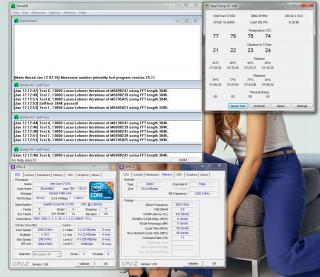
I have a I7 930 and Asus P6T, coupled with Kingston HyperX DDR3 2000Mhz 6GB, and have achieved the following results

Attached Image

My voltages are as followed:

CPU: 1.3V
QPI/VTT: 1.375V
CPU PLL: 1.88V
IOH and ICH both at 1.2V
DRAM: 1.65V

Others at "Auto"

Prime stable at 8hrs

As you can see, my temp is actually quite good, and i believe i can lower the vCore further.

However, when i tried overclocking it to 4Ghz (200x20), it would crash within first 10min of prime. I have tried increasing the vCore to as high as 1.375 but without much success.
The BSOD code i got is 0X050, 0X04E and some other weird 2 digits error.
Pls shed some light on my situation. Thx.

This post has been edited by hypermax: Jan 12 2012, 01:09 PM
TSowikh84
post Jan 12 2012, 01:27 PM

i7 Clan
Group Icon
Elite
8,711 posts

Joined: Nov 2007
From: Butterworth, PG / Machang, Kelantan


0x50 = RAM timings/Frequency or uncore multi unstable, increase RAM voltage or adjust QPI/VTT, or lower uncore if you're higher than 2x
Infopier
post Jan 12 2012, 02:28 PM

Getting Started
**
Junior Member
136 posts

Joined: Dec 2011
Nice to see so many OC enthusiasts here
hypermax
post Jan 13 2012, 01:31 PM

Newbie
*******
Senior Member
2,524 posts

Joined: Jan 2003
From: Beneath the starry night


Finally, 4Ghz
user posted image

But the ram speed and timing is a bit weird. Also, my multiplier refuses to go above 19.
monsh
post Jan 13 2012, 03:29 PM

Let's Change The World !
*******
Senior Member
4,196 posts

Joined: Oct 2007


aik, suddenly this thread becoming active again .

btw guys, i think my system starting to degrade already .
keep getting BSOD .

some say because NVIDIA recent driver is unstable ?
anyone care to clarify this please .

thank you
gengstapo
post Jan 13 2012, 03:32 PM

Retired enthusiast
********
All Stars
10,688 posts

Joined: Jan 2005
QUOTE(monsh @ Jan 13 2012, 03:29 PM)
btw guys, i think my system starting to degrade already .
keep getting BSOD .
*
Same here, either sign of hardware goin' die sooner or degrade. Need to increase some voltage to maintain the speed sweat.gif sweat.gif doh.gif
TSowikh84
post Jan 13 2012, 03:38 PM

i7 Clan
Group Icon
Elite
8,711 posts

Joined: Nov 2007
From: Butterworth, PG / Machang, Kelantan


I've added codes of common BSOD in the first page.
QUOTE
0x101 = increase vcore
0x124 = increase vcore
0x0A = unstable RAM/IMC, increase QPI first, if that doesn't work increase vcore
0x1E = increase vcore
0x3B = increase vcore
0x3D = increase vcore
0xD1 = QPI/VTT, increase/decrease as necessary, can also be unstable Ram, raise Ram voltage
0x9C = QPI/VTT most likely, but increasing vcore has helped in some instances
0x50 = RAM timings/Frequency or uncore multi unstable, increase RAM voltage or adjust QPI/VTT, or lower uncore if you're higher than 2x
0x109 = Not enough or too Much memory voltage
0x116 = Low IOH (NB) voltage, GPU issue (most common when running multi-GPU/overclocking GPU)
0x7E = Corrupted OS file, possibly from overclocking. Run sfc /scannow and chkdsk /r

Dennos
post Jan 13 2012, 03:47 PM

Look at all my stars!!
*******
Senior Member
2,736 posts

Joined: Dec 2006


QUOTE(monsh @ Jan 13 2012, 03:29 PM)
aik, suddenly this thread becoming active again .

btw guys, i think my system starting to degrade already .
keep getting BSOD .

some say because NVIDIA recent driver is unstable ?
anyone care to clarify this please .

thank you
*
285 driver is really unstable, i get kernel recovery problem and vga failure for 2 to 5 second, but it only happen occasionally. Its quite annoying during gaming. sweat.gif sweat.gif
hypermax
post Jan 13 2012, 08:22 PM

Newbie
*******
Senior Member
2,524 posts

Joined: Jan 2003
From: Beneath the starry night


QUOTE(owikh84 @ Jan 13 2012, 03:38 PM)
I've added codes of common BSOD in the first page.
*
Actually, i realized that the BSOD code is not absolute. When i got 0X3D, i actually bumped up my QPI/VTT, and problem solved.

Btw, can anyone teach me how to optimize my ram?
TSowikh84
post Jan 13 2012, 09:29 PM

i7 Clan
Group Icon
Elite
8,711 posts

Joined: Nov 2007
From: Butterworth, PG / Machang, Kelantan


QUOTE(hypermax @ Jan 13 2012, 08:22 PM)
Actually, i realized that the BSOD code is not absolute. When i got 0X3D, i actually bumped up my QPI/VTT, and problem solved.

Btw, can anyone teach me how to optimize my ram?
*
So can ur ram post at rated specs of 2000 C9?
need to pump at least 1.4v VTT for this speed.
hypermax
post Jan 13 2012, 09:32 PM

Newbie
*******
Senior Member
2,524 posts

Joined: Jan 2003
From: Beneath the starry night


QUOTE(owikh84 @ Jan 13 2012, 09:29 PM)
So can ur ram post at rated specs of 2000 C9?
need to pump at least 1.4v VTT for this speed.
*
Can, but in order to run a DDR2000 9 10 9 27, VTT needs at least 1.6. Kinda afraid to push my VTT so high
TSowikh84
post Jan 13 2012, 10:00 PM

i7 Clan
Group Icon
Elite
8,711 posts

Joined: Nov 2007
From: Butterworth, PG / Machang, Kelantan


QUOTE(hypermax @ Jan 13 2012, 09:32 PM)
Can, but in order to run a DDR2000 9 10 9 27, VTT needs at least 1.6. Kinda afraid to push my VTT so high
*
bad IMC, u got a bad chip then. 1.6v VTT is seriously too high & might damage ur chip.
need a golden batch to do this uncore 4GHz & dram 2000MHz.
other batches better settle down at dram 1866MHz or 1600MHz.
hypermax
post Jan 14 2012, 12:28 AM

Newbie
*******
Senior Member
2,524 posts

Joined: Jan 2003
From: Beneath the starry night


QUOTE(owikh84 @ Jan 13 2012, 10:00 PM)
bad IMC, u got a bad chip then. 1.6v VTT is seriously too high & might damage ur chip.
need a golden batch to do this uncore 4GHz & dram 2000MHz.
other batches better settle down at dram 1866MHz or 1600MHz.
*
However, i have read in Xtremesystem forum, some people actually claimed that 1.6 is ok for day to day usage. sweat.gif
TSowikh84
post Jan 14 2012, 06:43 AM

i7 Clan
Group Icon
Elite
8,711 posts

Joined: Nov 2007
From: Butterworth, PG / Machang, Kelantan


QUOTE(hypermax @ Jan 14 2012, 12:28 AM)
However, i have read in Xtremesystem forum, some people actually claimed that 1.6 is ok for day to day usage.  sweat.gif
*
maybe they put active cooling on the VRM ie. waterblock, fan etc...
my R3E's VRM blown up when i tried to pump the VTT to 1.6v, before actually stressing it. The highest stable one was 1.58v but i think it started to toast my mobo. on passive cooling of stock VRM heatshink btw. The most important thing is to let OC protection (OCP) options enabled all the time (default is enabled). Max safe VTT for me is 1.55v, on stock cooling. smile.gif
hypermax
post Jan 14 2012, 09:04 AM

Newbie
*******
Senior Member
2,524 posts

Joined: Jan 2003
From: Beneath the starry night


QUOTE(owikh84 @ Jan 14 2012, 06:43 AM)
maybe they put active cooling on the VRM ie. waterblock, fan etc...
my R3E's VRM blown up when i tried to pump the VTT to 1.6v, before actually stressing it. The highest stable one was 1.58v but i think it started to toast my mobo. on passive cooling of stock VRM heatshink btw. The most important thing is to let OC protection (OCP) options enabled all the time (default is enabled). Max safe VTT for me is 1.55v, on stock cooling.  smile.gif
*
I see. Thanks for the info. I am also afraid of burning my chip, thus settle for VTT 1.35

Btw, Kingston hyperX XMP profile actually calls for 1.7 VTT sweat.gif

This post has been edited by hypermax: Jan 14 2012, 10:01 AM

56 Pages « < 51 52 53 54 55 > » Top
 

Change to:
| Lo-Fi Version
0.0268sec    0.52    6 queries    GZIP Disabled
Time is now: 4th December 2025 - 04:37 PM