Outline ·
[ Standard ] ·
Linear+
The Solid State Storage Thread
|
1qaz1qaz
|
 Dec 14 2011, 07:17 PM Dec 14 2011, 07:17 PM
|

|
QUOTE(iaknesnah @ Dec 14 2011, 07:24 PM) better get the ones with warranty.
Added on December 14, 2011, 6:25 pmforce 3 using sata 3 and its backward compatible. f60 is using sata 2. but y F60 is more expensive than force 3???? and which is better?? corsair force3 60GB, OCZ Agility 3 60GB, cos this 2 almost same~ |
|
|
|
|
|
iaknesnah
|
Dec 14 2011, 08:30 PM
|
|
|
QUOTE(1qaz1qaz @ Dec 14 2011, 07:17 PM) but y F60 is more expensive than force 3???? and which is better?? corsair force3 60GB, OCZ Agility 3 60GB, cos this 2 almost same~ that one i have no idea y.. maybe old price. seller did not update. u can ask seller himself |
|
|
|
|
|
1qaz1qaz
|
Dec 14 2011, 08:33 PM
|
|
|
QUOTE(iaknesnah @ Dec 14 2011, 09:30 PM) that one i have no idea y.. maybe old price. seller did not update. u can ask seller himself than between this~ which 1 should i pack?? corsair force3 60GB, OCZ Agility 3 60GB, cos the spec almost same?? rite?? |
|
|
|
|
|
iaknesnah
|
Dec 14 2011, 09:21 PM
|
|
|
i wud go for agility 3 becoz it has higher 4k random speed
|
|
|
|
|
|
1qaz1qaz
|
Dec 14 2011, 09:29 PM
|
|
|
QUOTE(iaknesnah @ Dec 14 2011, 10:21 PM) i wud go for agility 3 becoz it has higher 4k random speed but base on this~ i thought corsair is better???  http://www.corsair.com/ssd/force-series-3-...hard-drive.htmlhttp://www.ocztechnology.com/ocz-agility-3...ii-2-5-ssd.html http://www.corsair.com/ssd/force-series-3-...hard-drive.htmlhttp://www.ocztechnology.com/ocz-agility-3...ii-2-5-ssd.htmlso im blur~ to pack which one |
|
|
|
|
|
iaknesnah
|
Dec 14 2011, 09:55 PM
|
|
|
QUOTE(1qaz1qaz @ Dec 14 2011, 09:29 PM) are u looking at the sequential speed or the 4k random? coz from the specs i see both have same 4k random max iops. but from benchmark i gather around the net agility3 has a better 4k random read over force3 |
|
|
|
|
|
1qaz1qaz
|
Dec 14 2011, 09:58 PM
|
|
|
QUOTE(iaknesnah @ Dec 14 2011, 10:55 PM) are u looking at the sequential speed or the 4k random? coz from the specs i see both have same 4k random max iops. but from benchmark i gather around the net agility3 has a better 4k random read over force3 so OCZ is a better choice??  |
|
|
|
|
|
iaknesnah
|
Dec 14 2011, 10:04 PM
|
|
|
QUOTE(1qaz1qaz @ Dec 14 2011, 09:58 PM) so OCZ is a better choice?? well i'd say... better than force3 in 4k random read(for normal users daily use) but.... just make sure u have the latest firmware.. |
|
|
|
|
|
1qaz1qaz
|
Dec 14 2011, 11:52 PM
|
|
|
QUOTE(iaknesnah @ Dec 14 2011, 11:04 PM) well i'd say... better than force3 in 4k random read(for normal users daily use) but.... just make sure u have the latest firmware.. sry to ask~ what is firmware???  |
|
|
|
|
|
iaknesnah
|
Dec 15 2011, 12:50 AM
|
|
|
QUOTE(1qaz1qaz @ Dec 14 2011, 11:52 PM) sry to ask~ what is firmware??? it is the program that runs the ssd. u can google for more info |
|
|
|
|
|
scyap
|
Dec 17 2011, 08:37 PM
|
|
|
edit
This post has been edited by scyap: Dec 18 2011, 03:27 PM
|
|
|
|
|
|
SUSsoundsyst64
|
Dec 18 2011, 12:35 PM
|
|
|
I'm currently using 240GB Kingston HyperX SSD operating in full SATA3 port on my lappy. After almost 3 days of usage, no BSOD, no error. Everything loads fast  |
|
|
|
|
|
zs3889
|
Dec 18 2011, 02:17 PM
|
|
|
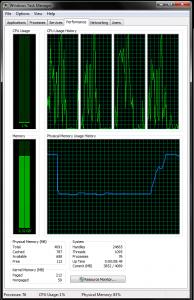
Hi guys, i just got my ssd couple weeks ago and i have been trying to play mw3, which was installed together with steam on this ssd, but whenever i start the game, it lags, it never happen before i got this ssd and i am pretty sure the ssd is causing me this problem. is it happening because low memory on my ssd? but i still have like 50% free space.. here is the screenshot: Attached thumbnail(s)
|
|
|
|
|
|
iaknesnah
|
Dec 18 2011, 07:49 PM
|
|
|
QUOTE(zs3889 @ Dec 18 2011, 02:17 PM) Hi guys, i just got my ssd couple weeks ago and i have been trying to play mw3, which was installed together with steam on this ssd, but whenever i start the game, it lags, it never happen before i got this ssd and i am pretty sure the ssd is causing me this problem. is it happening because low memory on my ssd? but i still have like 50% free space.. here is the screenshot: pls list your system |
|
|
|
|
|
kuntawakaw
|
Dec 18 2011, 08:48 PM
|
|
|
QUOTE(zs3889 @ Dec 18 2011, 02:17 PM) Hi guys, i just got my ssd couple weeks ago and i have been trying to play mw3, which was installed together with steam on this ssd, but whenever i start the game, it lags, it never happen before i got this ssd and i am pretty sure the ssd is causing me this problem. is it happening because low memory on my ssd? but i still have like 50% free space.. here is the screenshot: maybe before this (using HDD) your pagefile is alot, then after change to SSD, your pagefile become less/disable memory = ram. not your Storage. how much your ram is? edit: wait.. i saw 4gb or ram. that one shud be enough. Task manager process tab pls. while running MW3 if possible This post has been edited by kuntawakaw: Dec 18 2011, 08:49 PM |
|
|
|
|
|
iaknesnah
|
Dec 18 2011, 08:54 PM
|
|
|
QUOTE(kuntawakaw @ Dec 18 2011, 08:48 PM) maybe before this (using HDD) your pagefile is alot, then after change to SSD, your pagefile become less/disable memory = ram. not your Storage. how much your ram is? edit: wait.. i saw 4gb or ram. that one shud be enough. Task manager process tab pls. while running MW3 if possible thats what i thought |
|
|
|
|
|
zs3889
|
Dec 18 2011, 09:03 PM
|
|
|
yea i have 4gb of RAM, and yea i wasn't sure it was because of ssd or hdd, because with the same RAM it was fine before. will try to get a screenshot of task manager later.
thanks.
|
|
|
|
|
|
owikh84
|
Dec 19 2011, 10:47 AM
|
i7 Clan

|
Here is a way to increase the Virtual memory or Page file on your Win7:
1. Quit all applications.
2. Choose Start > Control Panel.
3. Click System and Security (Win7), or System and Maintenance (Windows Vista), and then click System.
4. In the Computer Name, Domain, and Workgroup Setting section, click Change Settings.
5. Click the Advanced tab, and then click Settings in the Performance area.
6. Click the Advanced tab, and then click Change in the Virtual Memory area.
7. Deselect the Automatically Manage Paging File Size for All Drives option.
8. From the Drive list, select a hard-disk partition that has free space equal to at least three times the amount of the computer's installed RAM. To determine the amount of space available on a hard-disk partition, click the drive letter; the amount of space available appears in the Paging File Size For Selected Drive area.
9. Click Custom Size.
10. In the Initial Size box, enter a value equal to one and a half (1.5x) times the amount of the computer's installed RAM.
11. In the Maximum Size box, enter a value equal to twice (2x) the amount of the Initial Size value.
12. Click Set, and then click OK to close the Virtual Memory dialog box.
13. Click OK to close the Performance Options dialog box, and then click OK to close the System Properties dialog box.
|
|
|
|
|
|
JinXXX
|
Dec 19 2011, 12:52 PM
|
|
|
see the processes tab
|
|
|
|
|



 Quote
Quote




 0.0232sec
 0.36
0.36
 6 queries
 GZIP Disabled