Welcome Guest ( Log In | Register )

Bump Topic Topic Closed RSS Feed
25 Pages « < 6 7 8 9 10 > » Bottom

Outline · [ Standard ] · Linear+

 Acer Aspire 4740G-432G50, Need opinion.

views
     
jeffrey5337
post Jan 27 2010, 08:02 PM

Getting Started
**
Junior Member
122 posts

Joined: Jul 2007
From: Seri Kembangan


QUOTE(chweitan @ Jan 27 2010, 02:01 PM)
You going to buy at where? If u somewhere around Kalng Valley and get more freebies, then I might go to that. Im plan to get mine on Saturday at Digital Mall PJ currently.
*
yaya, klang area for sure, might go for it tmr.... maybe digital mall or lyp, or maybe both~
uus831
post Jan 27 2010, 10:22 PM

Getting Started
**
Junior Member
132 posts

Joined: Apr 2009


Hi there, i had a problem with my Acer 4740G. I was not using the computer for a while, and then computer screen suddenly turned dark. I thought the computer went to sleep. However it does not respond to clicks, and key presses. The only solution is to force shutdown the machine using the power button. It happened 3 times, yesterday. I thought it might be some issue with Acer hardware going overheating etc.

However, today there is a new update for Windows 7. (27 Jan 2010) http://support.microsoft.com/kb/977074

Reliability update. One of the fixes is;

CODE
On a computer that is running Windows 7, you configure the Screen Saver Settings to display the logon screen on resume. Additionally, you configure the computer to go to sleep. However, the computer may not go to sleep after the screen saver starts. Instead, a black screen is displayed. [B]This problem causes the operating system to stop responding[/B]. You must restart the computer by holding down the power button.


Also, for those who likes to put a blank desktop (solid color) - like me, the logon will take 30 seconds due to a bug in Windows 7. There is an update for that too,
http://support.microsoft.com/kb/977346

CODE
The Welcome screen may be displayed for 30 seconds during the logon process after you set a solid color as the desktop background in Windows 7 or in Windows Server 2008 R2


This is however a hotfix and not distributed using Windows Update. You need to download is manually.
Since i experienced both the above problems, i everyone update their laptop after purchasing, immediately smile.gif

Cheers
chweitan
post Jan 27 2010, 10:31 PM

Getting Started
**
Junior Member
85 posts

Joined: Feb 2008
From: Klang


QUOTE(uus831 @ Jan 27 2010, 10:22 PM)
Hi there, i had a problem with my Acer 4740G. I was not using the computer for a while, and then computer screen suddenly turned dark. I thought the computer went to sleep. However it does not respond to clicks, and key presses. The only solution is to force shutdown the machine using the power button. It happened 3 times, yesterday. I thought it might be some issue with Acer hardware going overheating etc.

However, today there is a new update for Windows 7. (27 Jan 2010) http://support.microsoft.com/kb/977074

Reliability update. One of the fixes is;

CODE
On a computer that is running Windows 7, you configure the Screen Saver Settings to display the logon screen on resume. Additionally, you configure the computer to go to sleep. However, the computer may not go to sleep after the screen saver starts. Instead, a black screen is displayed. [B]This problem causes the operating system to stop responding[/B]. You must restart the computer by holding down the power button.

Also, for those who likes to put a blank desktop (solid color) - like me, the logon will take 30 seconds due to a bug in Windows 7. There is an update for that too,
http://support.microsoft.com/kb/977346

CODE
The Welcome screen may be displayed for 30 seconds during the logon process after you set a solid color as the desktop background in Windows 7 or in Windows Server 2008 R2


This is however a hotfix and not distributed using Windows Update. You need to download is manually.
Since i experienced both the above problems, i everyone update their laptop after purchasing, immediately smile.gif

Cheers
*
Wow... great findings and would help hundreds/thousands of LYN member here with Win7. Shall go for the hotfixes soon, thanks ya.
jeffrey5337
post Jan 28 2010, 11:13 AM

Getting Started
**
Junior Member
122 posts

Joined: Jul 2007
From: Seri Kembangan


QUOTE(uus831 @ Jan 27 2010, 10:22 PM)
Hi there, i had a problem with my Acer 4740G. I was not using the computer for a while, and then computer screen suddenly turned dark. I thought the computer went to sleep. However it does not respond to clicks, and key presses. The only solution is to force shutdown the machine using the power button. It happened 3 times, yesterday. I thought it might be some issue with Acer hardware going overheating etc.

However, today there is a new update for Windows 7. (27 Jan 2010) http://support.microsoft.com/kb/977074

Reliability update. One of the fixes is;

CODE
On a computer that is running Windows 7, you configure the Screen Saver Settings to display the logon screen on resume. Additionally, you configure the computer to go to sleep. However, the computer may not go to sleep after the screen saver starts. Instead, a black screen is displayed. [B]This problem causes the operating system to stop responding[/B]. You must restart the computer by holding down the power button.

Also, for those who likes to put a blank desktop (solid color) - like me, the logon will take 30 seconds due to a bug in Windows 7. There is an update for that too,
http://support.microsoft.com/kb/977346

CODE
The Welcome screen may be displayed for 30 seconds during the logon process after you set a solid color as the desktop background in Windows 7 or in Windows Server 2008 R2


This is however a hotfix and not distributed using Windows Update. You need to download is manually.
Since i experienced both the above problems, i everyone update their laptop after purchasing, immediately smile.gif

Cheers
*
it is useful for us, thx for sharing. thumbup.gif smile.gif
Alizmonster
post Jan 29 2010, 01:06 AM

Getting Started
**
Junior Member
77 posts

Joined: Jan 2009
From: Auckland, New Zealand


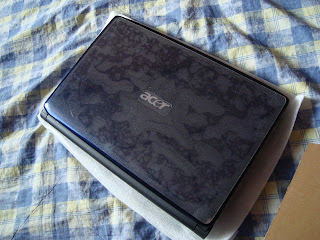
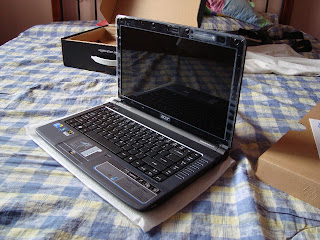
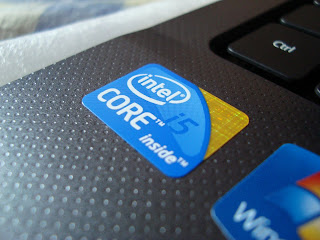
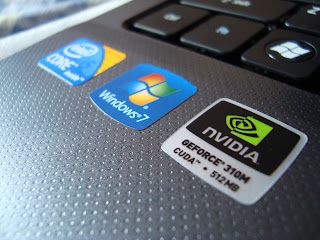
Pictures of the lappy~~

user posted image

user posted image

user posted image

user posted image

user posted image

This post has been edited by Alizmonster: Jan 29 2010, 11:35 AM
nicholas_ywk
post Jan 29 2010, 11:19 AM

New Member
*
Newbie
3 posts

Joined: Dec 2009


I got mine at Sri Computer LYP at RM2400 without any freebies. It comes with a acer bag. Still waiting for my ptptn loan to get a 2gb ram upgrade.
Eugene91
post Jan 29 2010, 11:21 AM

Look at all my stars!!
*******
Senior Member
6,109 posts

Joined: Dec 2008
From: Mike India Romeo India


QUOTE(uus831 @ Jan 27 2010, 10:22 PM)
Hi there, i had a problem with my Acer 4740G. I was not using the computer for a while, and then computer screen suddenly turned dark. I thought the computer went to sleep. However it does not respond to clicks, and key presses. The only solution is to force shutdown the machine using the power button. It happened 3 times, yesterday. I thought it might be some issue with Acer hardware going overheating etc.

However, today there is a new update for Windows 7. (27 Jan 2010) http://support.microsoft.com/kb/977074

Reliability update. One of the fixes is;

CODE
On a computer that is running Windows 7, you configure the Screen Saver Settings to display the logon screen on resume. Additionally, you configure the computer to go to sleep. However, the computer may not go to sleep after the screen saver starts. Instead, a black screen is displayed. [B]This problem causes the operating system to stop responding[/B]. You must restart the computer by holding down the power button.

Also, for those who likes to put a blank desktop (solid color) - like me, the logon will take 30 seconds due to a bug in Windows 7. There is an update for that too,
http://support.microsoft.com/kb/977346

CODE
The Welcome screen may be displayed for 30 seconds during the logon process after you set a solid color as the desktop background in Windows 7 or in Windows Server 2008 R2


This is however a hotfix and not distributed using Windows Update. You need to download is manually.
Since i experienced both the above problems, i everyone update their laptop after purchasing, immediately smile.gif

Cheers
*
At least u did ur research! Great Job! Some ppl will blame Acer already LoL..
starz92
post Jan 29 2010, 12:11 PM

Regular
******
Senior Member
1,679 posts

Joined: Jan 2010
From: Penang
how much did u all buy for that lappy
will the price drop after a few month or during pc fair?

This post has been edited by starz92: Jan 29 2010, 12:11 PM
pinky_gurl
post Jan 29 2010, 01:07 PM

Getting Started
**
Junior Member
75 posts

Joined: Apr 2008
hey ,how long ur guys battery last for????
nicholas_ywk
post Jan 29 2010, 01:39 PM

New Member
*
Newbie
3 posts

Joined: Dec 2009


Does anyone annoyed by the big adapter that was given to us for 4740G?
Alizmonster
post Jan 29 2010, 02:12 PM

Getting Started
**
Junior Member
77 posts

Joined: Jan 2009
From: Auckland, New Zealand


not really annoyed with anything ayee~~
might try some games sooon
Eugene91
post Jan 29 2010, 02:23 PM

Look at all my stars!!
*******
Senior Member
6,109 posts

Joined: Dec 2008
From: Mike India Romeo India


big? Must be a 90W adapter i assume? to power up the Corei5? xD


smeasmea
post Jan 29 2010, 02:51 PM

New Member
*
Junior Member
25 posts

Joined: Jun 2009
aaa mo mukatsuku na...T____T

Reminder:
if you buy preloaded windows from Acer, THERE WILL BE NO RECOVERY / DRIVER DISC provided in the package. Please burn using the e-recovery software. dun wait until your windows dead and then look for recovery discs...


Eugene91
post Jan 29 2010, 03:06 PM

Look at all my stars!!
*******
Senior Member
6,109 posts

Joined: Dec 2008
From: Mike India Romeo India


Yeah.. and also there is a recovery partition on the system.. For acer press F12 repeatedly when BIOS screen appear upon startup smile.gif
smeasmea
post Jan 29 2010, 03:14 PM

New Member
*
Junior Member
25 posts

Joined: Jun 2009
QUOTE(Eugene91 @ Jan 29 2010, 03:06 PM)
Yeah.. and also there is a recovery partition on the system.. For acer press F12 repeatedly when BIOS screen appear upon startup smile.gif
*
@.@ chigau tomou de...

F12 = asus...

Acer = Alt+F10
Eugene91
post Jan 29 2010, 03:23 PM

Look at all my stars!!
*******
Senior Member
6,109 posts

Joined: Dec 2008
From: Mike India Romeo India


wow sorry tongue.gif

What is? "@.@ chigau tomou de..." lol


smeasmea
post Jan 29 2010, 03:32 PM

New Member
*
Junior Member
25 posts

Joined: Jun 2009
QUOTE(Eugene91 @ Jan 29 2010, 03:23 PM)
wow sorry tongue.gif

What is? "@.@ chigau tomou de..." lol
*
ah sorry..my bad habit again /whacksleftwithas4530keyboard

it means, err.."...i think that is not correct"
HeLLonEarTH
post Jan 29 2010, 06:08 PM

Casual
***
Junior Member
311 posts

Joined: Apr 2008
From: Land Of Teets


Anyone tried installing some games on 4740G? Im having problems nao. Avatar game was succesfully installed, guitar heroes succesfuly. Some games works on my desktop but hangs on my laptop during installation. Its not moving. First i thought it could be something due to my hardware. So i remove the extra 2GB of ram but it was uncessfull. Still takes a long time to load autoplay. So i put back the ram. And i did a scandisk for error. But there were no bad sectors. So i did a system check. Also no error. Has this gotta to do with SLIC? Cuz the other games were pirated. And i also wanted to change it to Win 7 Ultimate but it hang during copying files at 46%. 2 ~ 3 hours, it still stays there. So i called upon acer just now and they ask me to send my laptop there to check my hard disk. I told them that my hard disk is working perfectly. Scan for bad sectors and corrupted blah blah but its working fine. There is a BIOS upgrade which is 1.04. But i dont think thats the problem.
Eugene91
post Jan 29 2010, 06:38 PM

Look at all my stars!!
*******
Senior Member
6,109 posts

Joined: Dec 2008
From: Mike India Romeo India


sounds like an OS problem? or even the harddisk.. hmm
HeLLonEarTH
post Jan 29 2010, 06:56 PM

Casual
***
Junior Member
311 posts

Joined: Apr 2008
From: Land Of Teets


But when i use scandisk, no errors were found, no bad sectors. Ive done 6 recovery. All worked perfect. Why pirated software and games unable to install. Even when i try to burn some ISO files. Like the games that im trying to install, it fails.

25 Pages « < 6 7 8 9 10 > » Top
Topic ClosedOptions
 

Change to:
| Lo-Fi Version
0.0257sec    0.50    5 queries    GZIP Disabled
Time is now: 4th December 2025 - 01:59 PM