

List me..i ma pioneer A400x user...old...school
Pioneer - Sound, Vision & Soul, Pioneer AMP User Pls COME IN !
Pioneer - Sound, Vision & Soul, Pioneer AMP User Pls COME IN !
|
|
 Oct 31 2010, 01:49 PM Oct 31 2010, 01:49 PM
|
 
Senior Member
1,557 posts Joined: Jul 2007 From: -KL-  
|
List me..i ma pioneer A400x user...old...school
|
|
|
|
|
|
Oct 31 2010, 04:03 PM
|

Junior Member
120 posts Joined: Aug 2009
|
Yesterday I just bought the Pioneer VSX-920 :-
The Advanced MCACC is good  , but the sound ivolume is very LOW if compare with my Old Yamaha RX-V440, The master volume have to adjust to -13.0db and my Old Yamaha RX V440 just need around -28.0 to -30.0db only, is it normal?? is it because of HD sound(HDMI) , but the sound ivolume is very LOW if compare with my Old Yamaha RX-V440, The master volume have to adjust to -13.0db and my Old Yamaha RX V440 just need around -28.0 to -30.0db only, is it normal?? is it because of HD sound(HDMI)But the sound is much much better compare with my Old AVR.. I Love it..  Anyone can help  My Home Theather Set :- Pioneer VSX-920 PSB B15 (Front) Klipsch RC-62(center) Mclaren Suround Velodyn CHT 10Q(SUB) This post has been edited by chengkl8: Oct 31 2010, 04:05 PM |
|
|
Oct 31 2010, 07:08 PM
|

Senior Member
4,865 posts Joined: Mar 2008
|
QUOTE(naughtyz @ Oct 31 2010, 01:49 PM) List me..i ma pioneer A400x user...old...school good stereo int amp. age doesnt matter   QUOTE(chengkl8 @ Oct 31 2010, 04:03 PM) » Click to show Spoiler - click again to hide... « ]bro ur center is overpowering ur front. u need to get at least rf62  |
|
|
Oct 31 2010, 07:37 PM
|

Senior Member
4,403 posts Joined: Jan 2007 From: Johor Bahru
|
yeah..the case of unbalance sound. Not easy to fix...even though when test is balanced, but actual, it depends on personal preference.
|
|
|
Oct 31 2010, 08:53 PM
|
|
Junior Member
120 posts Joined: Aug 2009
|
QUOTE(arremie @ Oct 31 2010, 07:08 PM) good stereo int amp. age doesnt matter RF-62 will be my next target ] bro ur center is overpowering ur front. u need to get at least rf62  , but have to wait money money come in 1st , but have to wait money money come in 1st  , than my PSB B15 will be under suround... (this will be my last upgrade item for my hometheather for at least (3yrs) , than my PSB B15 will be under suround... (this will be my last upgrade item for my hometheather for at least (3yrs)BTW, is it because my suround too small(weak), than the Pioneer VSX-920 - the advance MCACC have to set my center, front speakers & Sub to very low volume (-6db to -11db) & my suround is +8db. That y, my master volume have to set under -18.0db to built up the sound  Correct??  anything will be happen to my speaker or AVR if I still louder the master volume to below -18.0db?? anything will be happen to my speaker or AVR if I still louder the master volume to below -18.0db?? This post has been edited by chengkl8: Oct 31 2010, 08:54 PM |
|
|
Nov 1 2010, 01:06 PM
|
|
Senior Member
4,865 posts Joined: Mar 2008
|
i also get weird reading from this macc so i actually adjust the level manually using spl meter and now the sound is more balanced. way better than using macc but of course u need to run macc first to get the correct speaker distance.
what's ur surround speaker? bear in mind 920 is only 65wpc and will get lower output if all channel used. don't crank too loud or ur avr might clip and damage ur speakers. This post has been edited by arremie: Nov 1 2010, 01:07 PM |
|
|
|
|
|
Nov 3 2010, 09:24 PM
|

All Stars
10,510 posts Joined: Jan 2003 From: Atlanta 
|
QUOTE(chengkl8 @ Oct 31 2010, 08:53 PM) RF-62 will be my next target When let me try your new amp with Iphone? , but have to wait money money come in 1st , than my PSB B15 will be under suround... (this will be my last upgrade item for my hometheather for at least (3yrs)BTW, is it because my suround too small(weak), than the Pioneer VSX-920 - the advance MCACC have to set my center, front speakers & Sub to very low volume (-6db to -11db) & my suround is +8db. That y, my master volume have to set under -18.0db to built up the sound Correct?? anything will be happen to my speaker or AVR if I still louder the master volume to below -18.0db?? Your purchase come with the iphone cable, right? |
|
|
Nov 4 2010, 04:51 AM
|

Senior Member
5,220 posts Joined: Jan 2003
|
Whats the recommended speaker setup for Pioneer 920?
5.1,7.1 or 9.1? Is there any difference or improvement for 7.1 and 9.1 setup considering most movies are only 5.1? |
|
|
Nov 7 2010, 10:55 PM
|

Senior Member
1,779 posts Joined: Jan 2003
|
hi guy,
need your help and advice on my dad pioneer vsx 820 amp issue with pc connect through hdmi, when first complete install windows 7 and boot to windows then after install ati driver (ATI 5550) and reboot then after boot to windows it is blank screen. If connect directly to LCD then got picture so anyone know what is the setup i need to do for the pionner vsx 820? Thanks |
|
|
Nov 7 2010, 11:14 PM
|
|
Senior Member
4,865 posts Joined: Mar 2008
|
is the input setup correct? ur 820 must display H instead of A. use button "signal sel" on ur remote to cycle the input.
|
|
|
Nov 8 2010, 12:12 AM
|
|
Senior Member
1,779 posts Joined: Jan 2003
|
QUOTE(arremie @ Nov 7 2010, 11:14 PM) is the input setup correct? ur 820 must display H instead of A. use button "signal sel" on ur remote to cycle the input. Yes it show H which got HDMI detect but somehow no display and sound when boot to windows and if direct connect to LG LCD TV it work with sound.Thanks |
|
|
Nov 9 2010, 01:51 PM
|

Senior Member
2,050 posts Joined: Dec 2009 From: DC
|
QUOTE(arremie @ Nov 7 2010, 11:14 PM) is the input setup correct? ur 820 must display H instead of A. use button "signal sel" on ur remote to cycle the input. i also had the same problem.i can't set my media player through avr ... right now i remove all the cable except for the speakers... then just connect; a hdmi from media player to avr VSX-819H, and a hdmi from avr to plasma tv .. can't see any picture, black only. when i change the 'signal sel' and choose H, a couple of second later it will automatically back to A. if i connect directly media player to tv, got no problem. really wish to hear 5.1 sound  |
|
|
Nov 9 2010, 02:41 PM
|
|
Senior Member
4,865 posts Joined: Mar 2008
|
I connect Dune media player, Panny BDP and Pioneer DVDP to my 820 using all HDMI. Then single HDMI from AVR to LCD. No problem so far. Functioning as it is. Got no HDMI notebook to try.
One thing I like about 820 is no video upscaling stuff so it's really very straight forward. The only thing need to check out is the correct input/output setting. |
|
|
|
|
|
Nov 9 2010, 08:29 PM
|
|
Senior Member
2,050 posts Joined: Dec 2009 From: DC
|
Actually, I've this 819h a couple of month already. When I've time, I tried to figure out what when wrong on the setting.
I don't have problem on many wire clutter behind its back, it just become a problem when involved with hdmi. 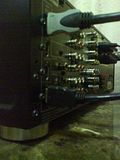 why when it just involve two cable is a problem QUOTE(arremie @ Nov 9 2010, 02:41 PM) The only thing need to check out is the correct input/output setting. Could you mention several probability that I might be wrong here? This post has been edited by koinibler: Nov 9 2010, 08:32 PM |
|
|
Nov 9 2010, 10:16 PM
|
|
Senior Member
4,865 posts Joined: Mar 2008
|
Meaning you have first select correct input source (BD, DVD, TV/SAT, DVR, etc) then make sure if you use HDMI then must select HDMI as the signal.
Anyway there's one thing you can try. If your player has component output then try to use that instead. Sometimes certain device can't talk well thru HDMI. If you insist on using HDMI, then you must connect the device directly to display then use digital audio (coaxial/optical) from device to AVR for the sound. I don't have any problem with any of my HDMI devices but sometimes there's compatibility problem with this HDCP thing. This post has been edited by arremie: Nov 9 2010, 10:17 PM |
|
|
Nov 9 2010, 10:57 PM
|
|
Senior Member
1,779 posts Joined: Jan 2003
|
QUOTE(arremie @ Nov 9 2010, 10:16 PM) Meaning you have first select correct input source (BD, DVD, TV/SAT, DVR, etc) then make sure if you use HDMI then must select HDMI as the signal. i believed is ati driver having issue with pioneer vsx 820k amp unless someone managed to confirm it work.Anyway there's one thing you can try. If your player has component output then try to use that instead. Sometimes certain device can't talk well thru HDMI. If you insist on using HDMI, then you must connect the device directly to display then use digital audio (coaxial/optical) from device to AVR for the sound. I don't have any problem with any of my HDMI devices but sometimes there's compatibility problem with this HDCP thing. Remarks: Even tried the latest ati 6850 which comes with hdmi 1.4a connection and still not working with pioneer vsx 820k. |
|
|
Nov 10 2010, 08:08 PM
|
|
Senior Member
2,050 posts Joined: Dec 2009 From: DC
|
QUOTE(arremie @ Nov 9 2010, 10:16 PM) Meaning you have first select correct input source (BD, DVD, TV/SAT, DVR, etc) then make sure if you use HDMI then must select HDMI as the signal. Meaning you have first select correct input source (BD, DVD, TV/SAT, DVR, etc) <<< i'm sure i'm select the right oneAnyway there's one thing you can try. If your player has component output then try to use that instead. Sometimes certain device can't talk well thru HDMI. If you insist on using HDMI, then you must connect the device directly to display then use digital audio (coaxial/optical) from device to AVR for the sound. I don't have any problem with any of my HDMI devices but sometimes there's compatibility problem with this HDCP thing. then make sure if you use HDMI then must select HDMI as the signal. <<< when i change to hdmi, a couple of second later it revert back to analog (A). Not sure why  If your player has component output then try to use that instead. <<< that is what i'm using for audio, mean no 5.1 surround If you insist on using HDMI, then you must connect the device directly to display then use digital audio (coaxial/optical) from device to AVR for the sound. <<< that its how i'm using my xtreamer right now, quite tired of changing input selection on TV. but, hope i can resort to settle with hdmi rather than spend another RM100 for toslink This post has been edited by koinibler: Nov 10 2010, 08:12 PM |
|
|
Nov 13 2010, 05:49 AM
|
|
Senior Member
4,865 posts Joined: Mar 2008
|
maybe u should ask xtreamer user if they are having same problem with hdmi. make sure u r using the same firmware with the guy who's giving u answer
|
|
|
Nov 13 2010, 08:59 PM
|
|
Senior Member
2,050 posts Joined: Dec 2009 From: DC
|
already did that!
soulquarianz has a same vsx 819h and xtreamer pro firmware 2.4.2 but has no problem. he also mention several possibilities, but its still failed to solve my problem. has anybody has experience bringing the technician home??? |
|
|
Nov 13 2010, 09:04 PM
|
|
Senior Member
4,865 posts Joined: Mar 2008
|
u should try ur xtreamer with other avr and c
|
| Change to: |  0.0329sec 0.0329sec
 0.75 0.75
 6 queries 6 queries
 GZIP Disabled GZIP Disabled
Time is now: 23rd December 2025 - 02:54 AM |
 Quote
Quote