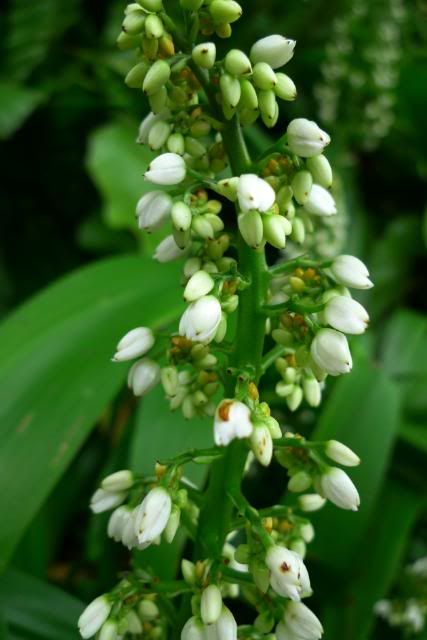
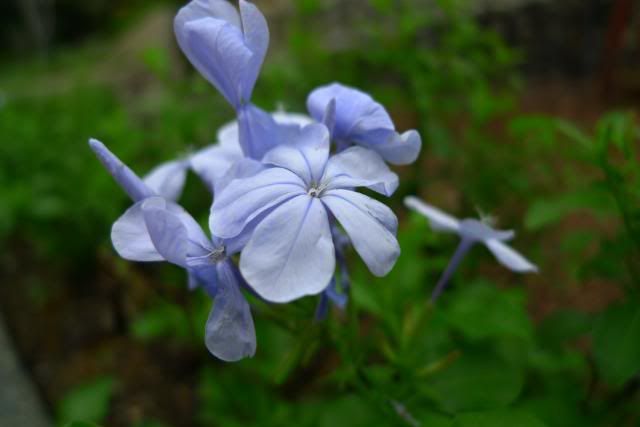
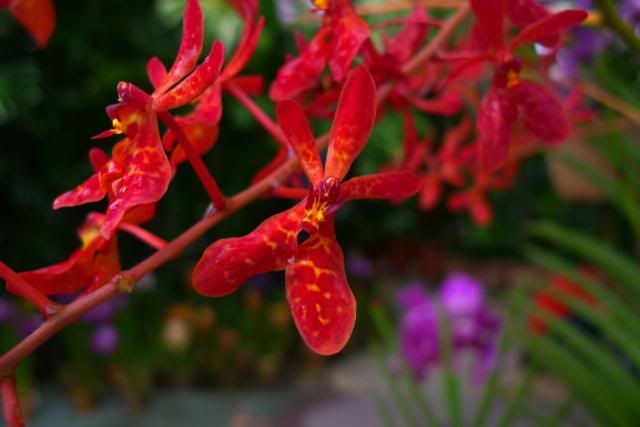
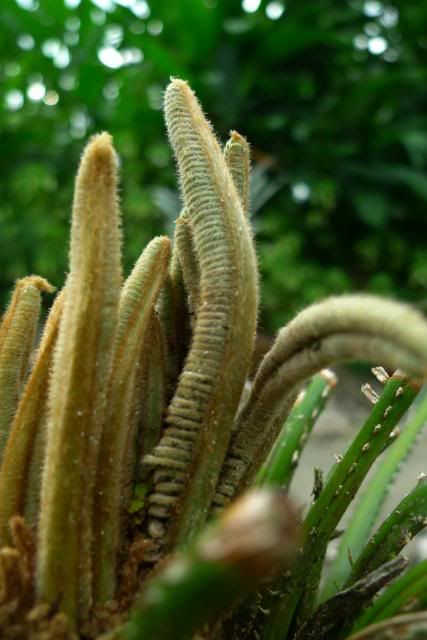
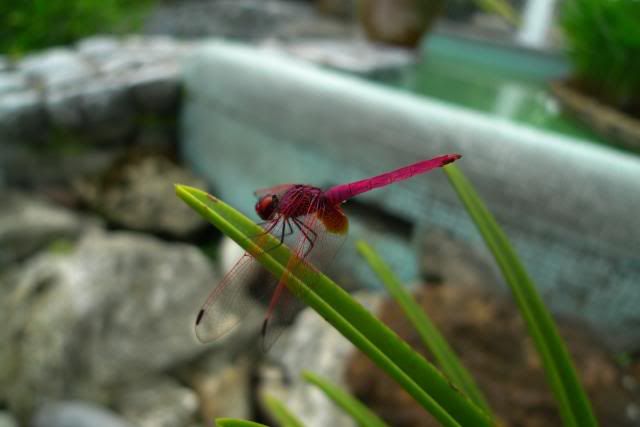
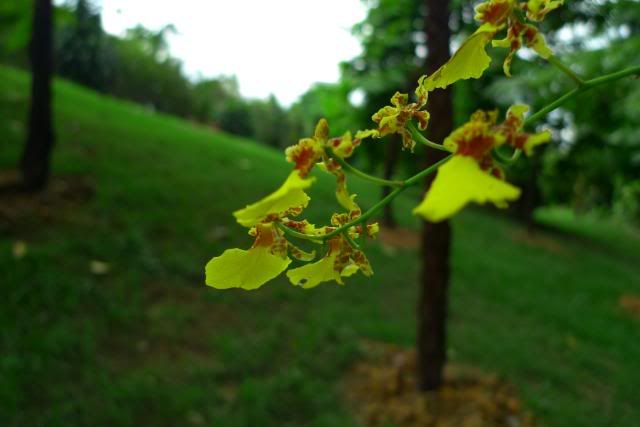
f/2.8, 12.8 mm, ISO 200, Exposure Bias +1 EV
shot in Nostalgic film then slightly lower the temperature in Lightroom, n decrease clarity a bit for the 'glow' ;p
Photography {▀} Panasonic Leica LX-3 King of the King: V3 {▀}, ▇ Ultimate F2.0 24mm Manual Digicam ▇
|
|
 Dec 28 2009, 10:28 PM Dec 28 2009, 10:28 PM
Return to original view | Post
#41
|
 
Senior Member
7,916 posts Joined: Jul 2005 From: Kuala Lumpur  
|
found my dad's SLR today!
f/2.8, 12.8 mm, ISO 200, Exposure Bias +1 EV shot in Nostalgic film then slightly lower the temperature in Lightroom, n decrease clarity a bit for the 'glow' ;p |
|
|
|
|
|
Dec 29 2009, 12:15 AM
Return to original view | Post
#42
|
|
Senior Member
7,916 posts Joined: Jul 2005 From: Kuala Lumpur
|
QUOTE(bagata @ Dec 28 2009, 10:56 PM) » Click to show Spoiler - click again to hide... « nice shot n editing there... got the feeling!   QUOTE(ahmike89 @ Dec 29 2009, 12:03 AM) scared you all.. lol.. shud put spoiler tag!!!   This post has been edited by dvlzplayground: Dec 29 2009, 12:16 AM |
|
|
Dec 29 2009, 09:11 PM
Return to original view | Post
#43
|
|
Senior Member
7,916 posts Joined: Jul 2005 From: Kuala Lumpur
|
eh eh anyone can share some tips on panning??
i was trying to do some panning shots in the afternoon...but since our LX3 aperture can only go up (or down to...im not sure what's the correct term) to 8.0...so my shutter speed become like 1/200. too fast to do panning, no blur at all. ISO is set to 80. if i put in shutter priority mode and set to 1/60 (i was using the tele end), and even 1/100...the picture will be too bright. if i turn down exposure composition to -3, the AF-tracking cannot focus at all haha how?? This post has been edited by dvlzplayground: Dec 29 2009, 09:12 PM |
|
|
Dec 29 2009, 10:10 PM
Return to original view | Post
#44
|
|
Senior Member
7,916 posts Joined: Jul 2005 From: Kuala Lumpur
|
QUOTE(ahmike89 @ Dec 29 2009, 09:31 PM) hey dvl, try to use Shutter Mode, use 1/100... off the anti shake... follow the closely the object and snap.... when the car or bike very fast. 1/100 is still too bright... i read somewhere the shutter speed shud be like 1/X, where X = my focal length. in this case its 60mm (shud it be 12.5mm?)..but not sure if this applies to LX3 or not haha. anyway is it better to use tele or wide end? n how close should i be?This post has been edited by dvlzplayground: Dec 29 2009, 10:12 PM |
|
|
Dec 29 2009, 11:30 PM
Return to original view | Post
#45
|
|
Senior Member
7,916 posts Joined: Jul 2005 From: Kuala Lumpur
|
QUOTE(reader @ Dec 29 2009, 11:17 PM) U might want to consider to make use of ND filter to slow down the shuttle speed. got cheaper alternatives?  sunglasses? haha sunglasses? hahaneed to save up for RAM~ |
|
|
Jan 2 2010, 11:48 AM
Return to original view | Post
#46
|
|
Senior Member
7,916 posts Joined: Jul 2005 From: Kuala Lumpur
|
QUOTE(Mr.LKM @ Jan 2 2010, 12:21 AM) Nope, it isn't, the market they target is different. The price range is different as well ircc. it's iirc lah QUOTE(Quickerzranoid @ Jan 2 2010, 12:38 AM) Hi all, LX3 picture quality is better..and 24mm wide versus FX35's 28mm. but LX3's zoom is crap, only up to 60mm...so if u want good zoom the FZ35 is for you. obviously it's bigger lah ;pIm thinking of buying a LUMIX DMC-FZ35 before this CNY.. Just after i saw this thread, it's really confused me.. is LX-3 better than DMC-FZ35? Can anyone tell me what is the diff? beside, fyi, im newbie in all these.. this decision gonna makes me to have my very 1st camera ever..  Thanks & Happy new year! QUOTE(wKkaY @ Jan 2 2010, 01:46 AM) The builtin HDR mode is REALLY good for casual shots. Really good. Often, available light is harsh (think direct sunlight or spotlights), and the HDR mode helps a lot to bring out the shadows. got built in HDR mode??? do u mean bracketing? can merge HDR in-camera? how come i never know  QUOTE(yott-chan @ Jan 2 2010, 11:03 AM) » Click to show Spoiler - click again to hide... « Some of my shots. At last, some pics I managed to get manual focus macro shot!! It was a pain in the @ss to get the perfect focus I tell u, almost felt like "aahh, dont care lah just use iA lah habis cerita" lol Love macro shot, but still have a lot to learn   Wanna ask some of u guys, if I take fish pictures like above, how to reduce the sun reflection? like white-color reflection above the yellow fish? possible with lx3 arh? p/s: all the above pictures i didn't use flash reduce sun reflection? get CPL filter for ur macro shots i think need to increase exposure a bit. the LX3 screen is very bright and always fooled me after upload to computer "why so dark??". i always put exposure bias +2/3 EV hehe |
|
|
|
|
|
Jan 2 2010, 01:03 PM
Return to original view | Post
#47
|
|
Senior Member
7,916 posts Joined: Jul 2005 From: Kuala Lumpur
|
it's pictures like this make me proud of the LX3's fast lens hehe
a photo of extended family dinner. i admit it's not even a nice pic, but my other relatives were either getting dark, saturated photos or the bright-flashed-face-with-black-background ones in LX3, juz use F/2.0, shutter 1/8, ISO 400 and exposure bias +1.3 EV can get like this already  Attached thumbnail(s) 
|
|
|
Jan 2 2010, 01:30 PM
Return to original view | Post
#48
|
|
Senior Member
7,916 posts Joined: Jul 2005 From: Kuala Lumpur
|
QUOTE(ahmike89 @ Jan 2 2010, 01:05 PM) wKkaY u r right. The HDR is great. oooo now i know about the HDR thing. never noticed before haha. seldom use Scene modeGuys, LX3 does have High dynamic mode in "scene mode". Find it out, it's just after the Film Grain/Pin hole mode. Added on January 2, 2010, 1:07 pm yea bro, I always use EV+1/3 or more to brighten the pics. I notice the Exposure is not so inteliggent. In LCD, it tends to be bright but when I see on pc, it's slightly darker Nice pics Added on January 2, 2010, 1:14 pm Each of them has their own advantage. For FZ35, it has tele zoom, For LX3, Good aperture but the zoom is short(but I don't mind as I shoot wide angle a lot). I prefer LX3 than FZ35. It has super drooling Sensor 1/1.63". Sedap! juz now the pic is +1.3 (as in 1 1/3) not +1/3 cuz of the low light (mebe that's y i get 1/8 shutter speed? not sure how it works). but thx! ;p FZ35 got stereo mic for better sound when recording movies |
|
|
Jan 2 2010, 01:54 PM
Return to original view | Post
#49
|
|
Senior Member
7,916 posts Joined: Jul 2005 From: Kuala Lumpur
|
QUOTE(ahmike89 @ Jan 2 2010, 01:33 PM) F35 got good stereo speaker indeed. Tried once it's real good. yeap May I know whether it has HD video? 720p 30fps. supports AVCHD format |
|
|
Jan 2 2010, 02:19 PM
Return to original view | Post
#50
|
|
Senior Member
7,916 posts Joined: Jul 2005 From: Kuala Lumpur
|
QUOTE(ianho @ Jan 2 2010, 02:05 PM)  HDR is not in the Film Mode ler. It is actual HDR just like how we do it with DSLR by taking multiple exposures n using software to combine the 3 exposures. The LX3/DLux4 does is for us in camera, no need software or any editing. U go to Menu-Multi Expo-Start. Then set -2 EV n snap 1st pic. Then select Next n set EV to 0 n snap 2nd pic. Then select Next n set +2 EV n snap 3rd pic. Then u select Exit n Voila! U have a real HDR shot within few seconds without any software n editing. Make sure use tripod ya. Or the result will b blur coz the 3 shots won't match properly. HDR is not in the Film Mode ler. It is actual HDR just like how we do it with DSLR by taking multiple exposures n using software to combine the 3 exposures. The LX3/DLux4 does is for us in camera, no need software or any editing. U go to Menu-Multi Expo-Start. Then set -2 EV n snap 1st pic. Then select Next n set EV to 0 n snap 2nd pic. Then select Next n set +2 EV n snap 3rd pic. Then u select Exit n Voila! U have a real HDR shot within few seconds without any software n editing. Make sure use tripod ya. Or the result will b blur coz the 3 shots won't match properly.This shows how many of u fellas read the manual eh? Got superb feature which u all don't even know about. Top SLR even ISO6400 is no problem.  max i go with LX3 is juz ISO 400 anyway how to take outdoor night pictures at open-air (no roof) places? e.g. mamak stall. will an external flash help? not sure cuz got no roof/wall to bounce flash |
|
|
Jan 2 2010, 09:18 PM
Return to original view | Post
#51
|
|
Senior Member
7,916 posts Joined: Jul 2005 From: Kuala Lumpur
|
QUOTE(ianho @ Jan 2 2010, 09:01 PM) Fake HDR mana syiok? kinda useless-but-very-good point hahaha |
|
|
Jan 2 2010, 11:01 PM
Return to original view | Post
#52
|
|
Senior Member
7,916 posts Joined: Jul 2005 From: Kuala Lumpur
|
QUOTE(Quickerzranoid @ Jan 2 2010, 01:27 PM) hi all, FZ35 widest angle is 28mm at 35mm equivalent.Appreciated. I think i would love the zooming part which having by FZ35. Plus, i would love the video recording + the stereo sound syst. About the wide angle, i think i shud hv tried it out myself. It's ok. I will go and compare it soon. Obviously i cant hv both of it in 1 single camera rite? Summore my budget is around 1.5k oni.. kihkihkih... Thanks DSLRs like Nikon DX ones, with 18-55mm kit lens, widest is at 27mm at 35mm equivalent. LX3 is 24mm. not much difference laa~ but the zoom differ very much prefer LX3 for the size n faster lensThis post has been edited by dvlzplayground: Jan 2 2010, 11:02 PM |
|
|
Jan 3 2010, 10:58 AM
Return to original view | Post
#53
|
|
Senior Member
7,916 posts Joined: Jul 2005 From: Kuala Lumpur
|
QUOTE(wKkaY @ Jan 3 2010, 01:52 AM) Aiyo.. sometimes the exposure range is too wide and you just want a quick and dirty way to compress it. You can get the same effect by post-processing with the dodge/burn brush, but consider the effort you'll have to put in. or Merge to HDR enough...no need to dodge n burn Without HDR - With LX-3 HDR.   . i think i still prefer the PP way of doing HDR since can auto align. i dun have tripod hehe . i think i still prefer the PP way of doing HDR since can auto align. i dun have tripod heheQUOTE(enfenete @ Jan 3 2010, 10:13 AM) Anyone have done a digital print from photo taken with LX3. I feel that not so nice compared to my laptop screen. A bit dark for the print out photo. this one dun blame ur camera hehe. maybe need to calibrate the printer?My opinion if put "Dynamic" the print out seem more darker compared to "Standard" Oh one more to ask..... What are the aspect ratio you are using "4:3 3:2 16:9" and which one you prefer. mostly 4:3 for me... 16:9 for landscape |
|
|
|
|
|
Jan 3 2010, 02:46 PM
Return to original view | Post
#54
|
|
Senior Member
7,916 posts Joined: Jul 2005 From: Kuala Lumpur
|
QUOTE(Quickerzranoid @ Jan 3 2010, 02:00 PM) meowid: That's nice.. And really wide.. yeah the smaller the number, the wider Thanks for sharing n poisoning.. hehehe.. XDBesides, dvlzplayground, i cant really get you about the 'wide angle'.. is that mean, the smaller is the num, the wider it can take? like... '24mm at 35mm' can takes wider than '28mm at 35mm'? much apologies for the noobie question..  wide is the opposite for telephoto/zoom. so 200mm is 'telephotorer' than 100mm, and inversely 18mm is wider than 24mm wide is the opposite for telephoto/zoom. so 200mm is 'telephotorer' than 100mm, and inversely 18mm is wider than 24mmthe 35mm thing is according to 'full frame' measurements. e.g. LX3 lens is actually 5.1-12.8mm, but more commonly referred to as 24-60mm This post has been edited by dvlzplayground: Jan 3 2010, 02:48 PM |
|
|
Jan 4 2010, 01:07 AM
Return to original view | Post
#55
|
|
Senior Member
7,916 posts Joined: Jul 2005 From: Kuala Lumpur
|
QUOTE(bibg @ Jan 4 2010, 12:23 AM) heh HI FELLOW LX3 USERS! this is what we think about it: http://forum.lowyat.net/topic/835448finally gotten mine after months of hesitation. bought it together with a digital uv crystal lens protection filter thing - super long name, i know. was just wondering it would affect the quality of my pictures. according to the salesperson, its meant to protect the lens. any sifus, clarify please? i wont use it. i wont want anything to interfere with the leica lens to protect the lens juz use the lens cap hehehe |
|
|
Jan 5 2010, 11:37 AM
Return to original view | Post
#56
|
|
Senior Member
7,916 posts Joined: Jul 2005 From: Kuala Lumpur
|
QUOTE(Virgil @ Jan 5 2010, 11:28 AM) hi all, may i knw wat is "dodge n burn" and HDR? i am new.... dodge is to increase exposure at specific areas only. mostly i juz use this for faces burn is to decrease. yesterday i used this to darken some makcik's face in the background heheh kacau saja these two not necessarily for HDR only. the names dodging and burning refers to the technique used to increase/decrease exposure when developing film in darkroom, thereby confusing us in the digital age hehehe sifu/old timers correct me if im wrong This post has been edited by dvlzplayground: Jan 5 2010, 11:39 AM |
|
|
Jan 9 2010, 12:10 AM
Return to original view | Post
#57
|
|
Senior Member
7,916 posts Joined: Jul 2005 From: Kuala Lumpur
|
selling my LX3 to my sister soon
hard to say goodbye.. hehe |
|
|
Jan 9 2010, 09:54 AM
Return to original view | Post
#58
|
|
Senior Member
7,916 posts Joined: Jul 2005 From: Kuala Lumpur
|
upgraded to nikon d40 hehe, now need money to cover back the cost ;p
|
|
|
Jan 11 2010, 02:52 PM
Return to original view | Post
#59
|
|
Senior Member
7,916 posts Joined: Jul 2005 From: Kuala Lumpur
|
QUOTE(nokia2003 @ Jan 11 2010, 12:31 PM) erm wrong thread to begin with, and hence an early apology! =P mm got two ways..just out of curiosity, i currently have the photoshop software installed in my work laptop and was wondering how can i edit pictures to achieve the following effects?: the whole picture is in grayscale (or black and white) and only a part of the picture to be in colour (for example an object of focus) i have the app on the iPhone, but i want a more refined copy and hence on the PC. thanks guys! (1) - open the image in photoshop - use selection tools to select the object u want to be coloured - in the menu bar, go to Select > Inverse - now go to Image > Adjustments > Desaturate the hard part is selection. use this method if the coloured object has a simple shape, or made out of straight lines. for more complex shapes use this method: (2) - open image, and from the menu go to Layer > Duplicate - select the new layer, go to Image > Adjustments > Desaturate - get the Eraser tool, choose a suitable brush (get the solid circle one, not the 'gradually fading' one, n adjust the size using [ and ] key) and make sure the Opacity and Flow is 100% - erase the part u want coloured. - for bigger objects u can just erase the outline, then use selection tools to cut the inside part. since u erased the outline, u can make a rough selection, no need to be so accurate like in (1) This post has been edited by dvlzplayground: Jan 11 2010, 02:53 PM |
|
|
Jan 11 2010, 04:44 PM
Return to original view | Post
#60
|
|
Senior Member
7,916 posts Joined: Jul 2005 From: Kuala Lumpur
|
QUOTE(kentLKW @ Jan 11 2010, 03:26 PM) I am not sure in Photoshop, but in Adobe Lightroom there is saturation to play with. jz tweak all the color to negative max. than positive max for the color that needed to be strike out.. this one is to have only one colour, not one object. lightroom can do the effect as well using brushes, but cannot be as accurate as photoshopHope can help. |
|
Topic ClosedOptions
|
| Change to: |  0.0456sec 0.0456sec
 0.24 0.24
 7 queries 7 queries
 GZIP Disabled GZIP Disabled
Time is now: 14th December 2025 - 08:16 AM |
 Quote
Quote