Welcome Guest ( Log In | Register )

Bump Topic Topic Closed RSS Feed
6 Pages < 1 2 3 4 > » Bottom

Outline · [ Standard ] · Linear+

 The Coolermaster League V5

views
     
hahn87
post Feb 13 2009, 06:54 PM

Enthusiast
*****
Senior Member
820 posts

Joined: Apr 2006
From: Klang Valley | Penang | Sungai Petani


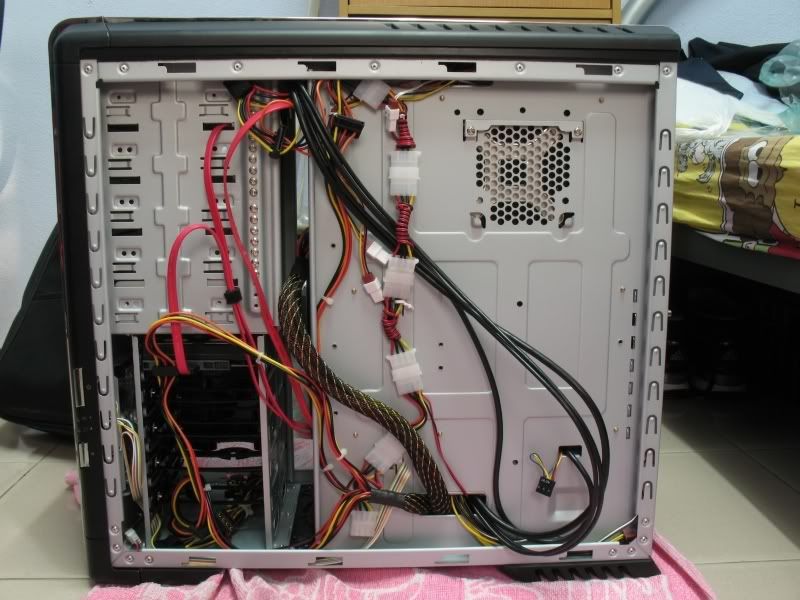
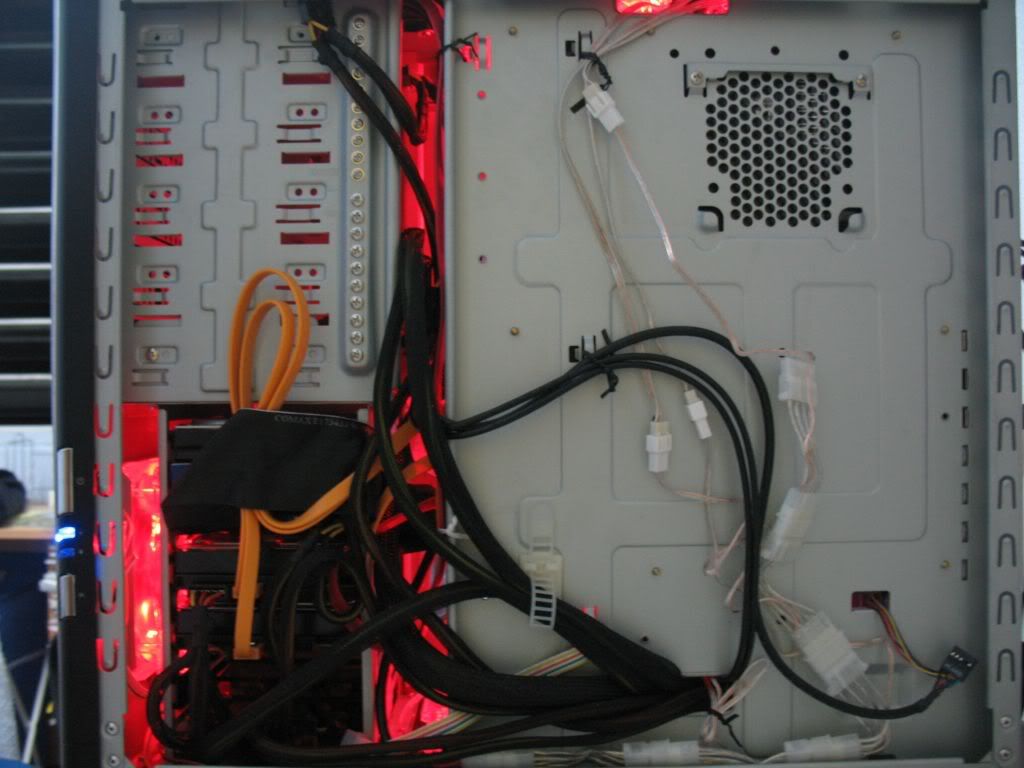
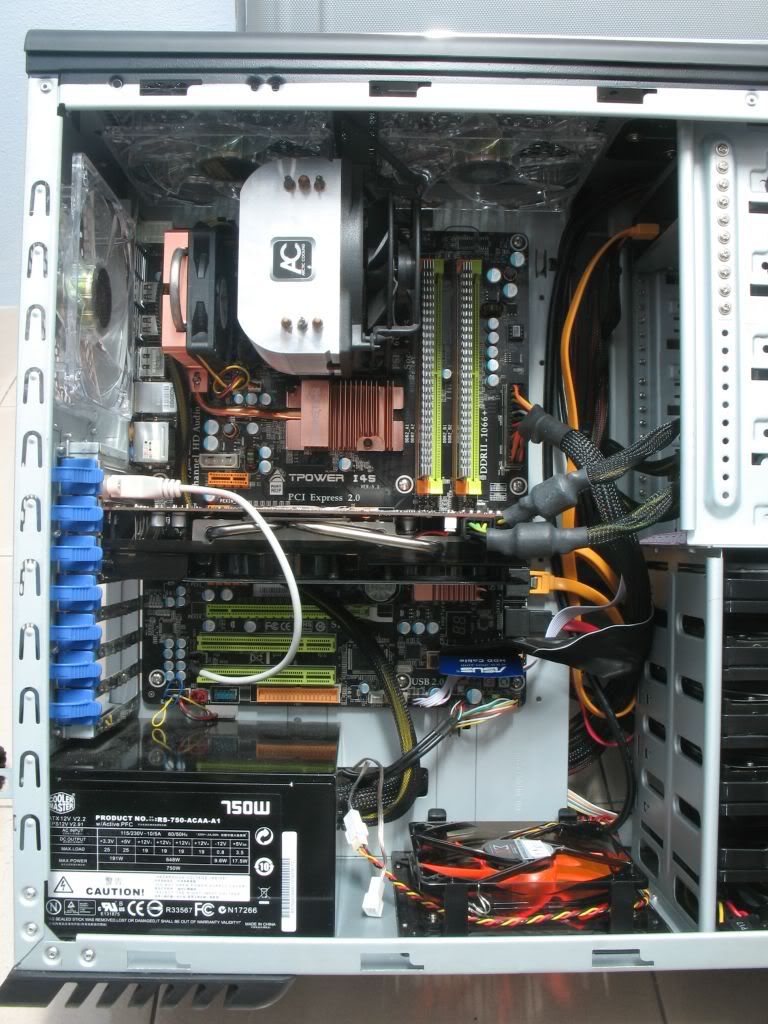
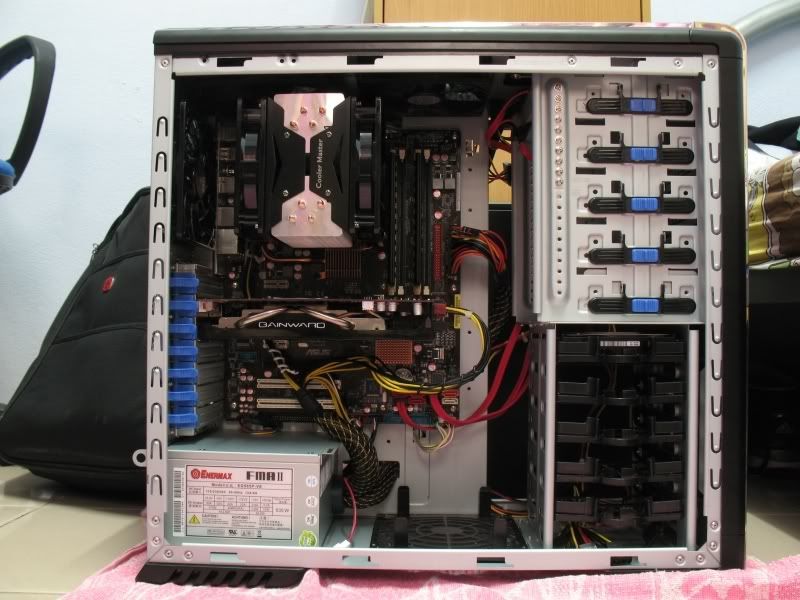
1st of all say TAK NAK to the cable clips on the right side of the mobo. bring all to the back of the case and ikat with cable tie. as for the exhaust fan yes u can plug to ur motherboard but. if u totally wanna hide it stay with the molex but just the cable tuck it to the side of the fan. to the top and tuck in to the side of the top exhaust fan and bring the cable through the hole. that way u wont see it hanging out.

but i am surprise that u can actually bring the 8pin atx power from the back of the mobo and to the top. the last time i did i couldn't do it unless i got extension. use extension cable or u totally remove the sleeving of the atx 8 pin power and the PCI-e power?
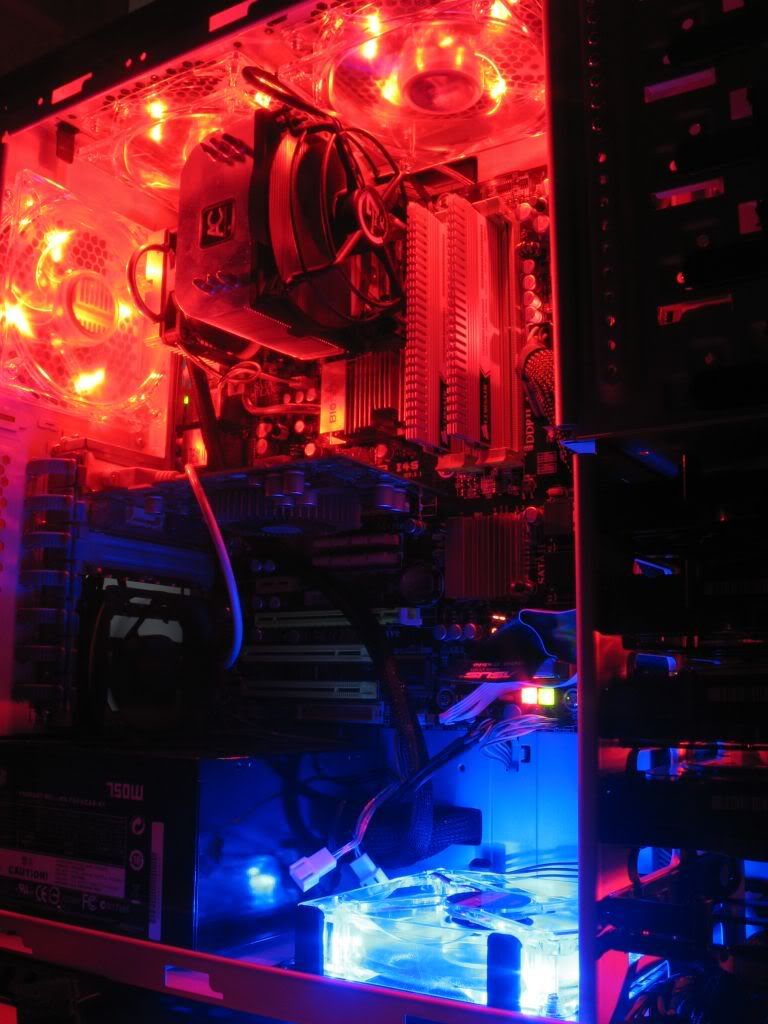
this is the result of the same power supply i use as urs
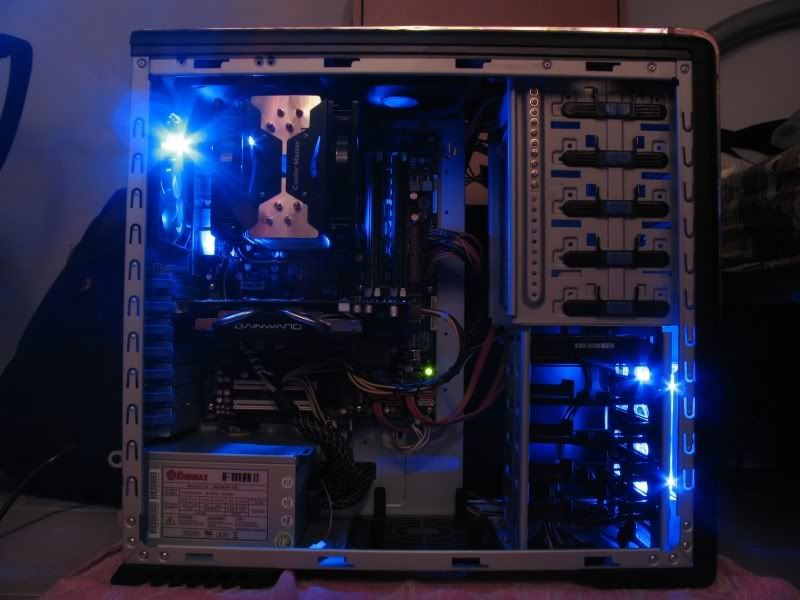
user posted image
user posted image
user posted image

oh yah.. remove the power supply fan monitor cable lar. no use one. just turn the fan speed of the PSU to max and just leave it be. the cable just makes thing look ugly
the black cable that goes below ur graphic card and sound card (izzit a sound card) u can tuck it behind the PSU.

Love the power supply for a few reason only. cheap and powerful and efficient. hate it for the way it sleeve the 8pin ATX and the 2 pcie power and fan monitor connector together. if u already notice the way the sata power header is facing. this is because this PSU is design mainly to mount on the top of the case.
i saw my friends CM690 case using this PSU with 3850 xfire setup. he have to mount the PSU upside down because the cable is not long enough to reach to 8 pin atx power socket. unless u totally unsleeve them and sleeve them back urself
hope this helps =D

edit: oh yah the 2nd fan on the hyper212 totally hides the 8pin atx power cable =D. i have no choice but to run the cables through there =.=. the fact that u actually did it makes me curious. can take a pic of the back of the mobo tray and show? wanna use for reference

edit again =.=: i just notice ur motherboard 8pin atx power socket location.. no wonder u can do it =D never the less still wanna look at the back of ur mobo tray =D

This post has been edited by hahn87: Feb 13 2009, 07:00 PM
hahn87
post Feb 13 2009, 07:27 PM

Enthusiast
*****
Senior Member
820 posts

Joined: Apr 2006
From: Klang Valley | Penang | Sungai Petani


lol just gulung round and round the molex ><
pekies actually say liddat messy can mod 1 molex to connect to few fan headers.
promised a tutorial but sampai sekarang tarak sound ah pekies~~~ rolleyes.gif
we are still waiting lo~~~ fan volt mod tutorial oso~~~ rclxms.gif

edit: show u my own CM690 last time b4 i switch to HAF932
put all in spoiler coz i upload high res to photobucket last time flood the v4 thread kena marah ><

» Click to show Spoiler - click again to hide... «

» Click to show Spoiler - click again to hide... «

» Click to show Spoiler - click again to hide... «

» Click to show Spoiler - click again to hide... «

» Click to show Spoiler - click again to hide... «

» Click to show Spoiler - click again to hide... «


This post has been edited by hahn87: Feb 13 2009, 07:34 PM
hahn87
post Feb 13 2009, 07:55 PM

Enthusiast
*****
Senior Member
820 posts

Joined: Apr 2006
From: Klang Valley | Penang | Sungai Petani


if u mean the molex fan to 3 pin fan connector just simply gulung it only. noneed brute force. turn gulung and press with your finger to prevent it front expand back and after a few rounds they will start to stay ady. cables are soft only lar.
when u get ur casing u 3 of ur fans will come with that connector gulung in other way. u see liao u will know d lol
hahn87
post Feb 14 2009, 02:10 AM

Enthusiast
*****
Senior Member
820 posts

Joined: Apr 2006
From: Klang Valley | Penang | Sungai Petani


bottom fan only fit 12cm fan.
@koki the 3pin header from the molex the cable is not very soft or very hard lar but can lipat lar but u have to gulung like mine a lot of rounds lor. if u just gulung 1-4 round liddat it will sure loosen up. inside of it is still wire after all.

if u plan to go ccfl but scare too bling. ur casing interior can do like pekies total flat black paint. so it wont reflect that much as the original grey surface.

i dun like connecting my case fan to motherboard header for few reasons. 1st the cable will show. at least a little. with molex i can totally make them invisible. can SOME motherboard tend to have preconfigured smart fan that will detect the case temperature and adjust the fan speed by itself. by using molex = max all the time. this is for those who is lazy like me to dun like to go bios and set this set that la ><

and koki ment i think is angled sata cables. those are very good to connect your optical drive on top so it wont show that much of the sata cable as it already angled down. hdd oso nice too. if u have few drive u can plug in then cable all will face down in one line u can just stack and tie it up and bend from the bottom of the case to go plug into mobo.
i personally dun remove drive case as i dun feel much of the difference. stock front intake fan are weak + it is filtered means the air flow got restricted so for me noneed remove drive cage. just install a 12cm fan at the bottom to bring in some air can ady. the drive cage can also help you one thing. the most bottom cage can use to press down ur unused power lead from your PSU for those who are not using modular PSU and will overall neat things up. removing them makes it look...... naked....
but i personally run 4 hardisks so.... =D i tried 5 hdd with all the extra PSU leads hid under my most bottom hdd cage. can fit =D it totally hide them up ><
hahn87
post Feb 14 2009, 03:00 AM

Enthusiast
*****
Senior Member
820 posts

Joined: Apr 2006
From: Klang Valley | Penang | Sungai Petani


TAK NAK! lol
hahn87
post Feb 14 2009, 09:38 AM

Enthusiast
*****
Senior Member
820 posts

Joined: Apr 2006
From: Klang Valley | Penang | Sungai Petani


@shuffler!!!
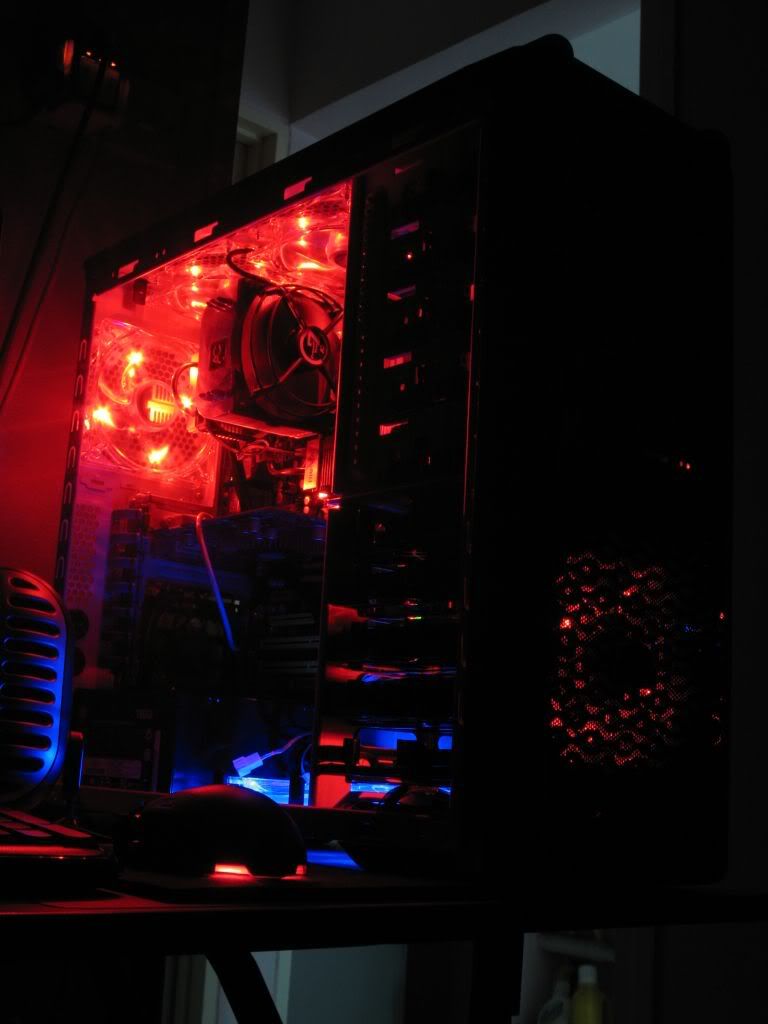
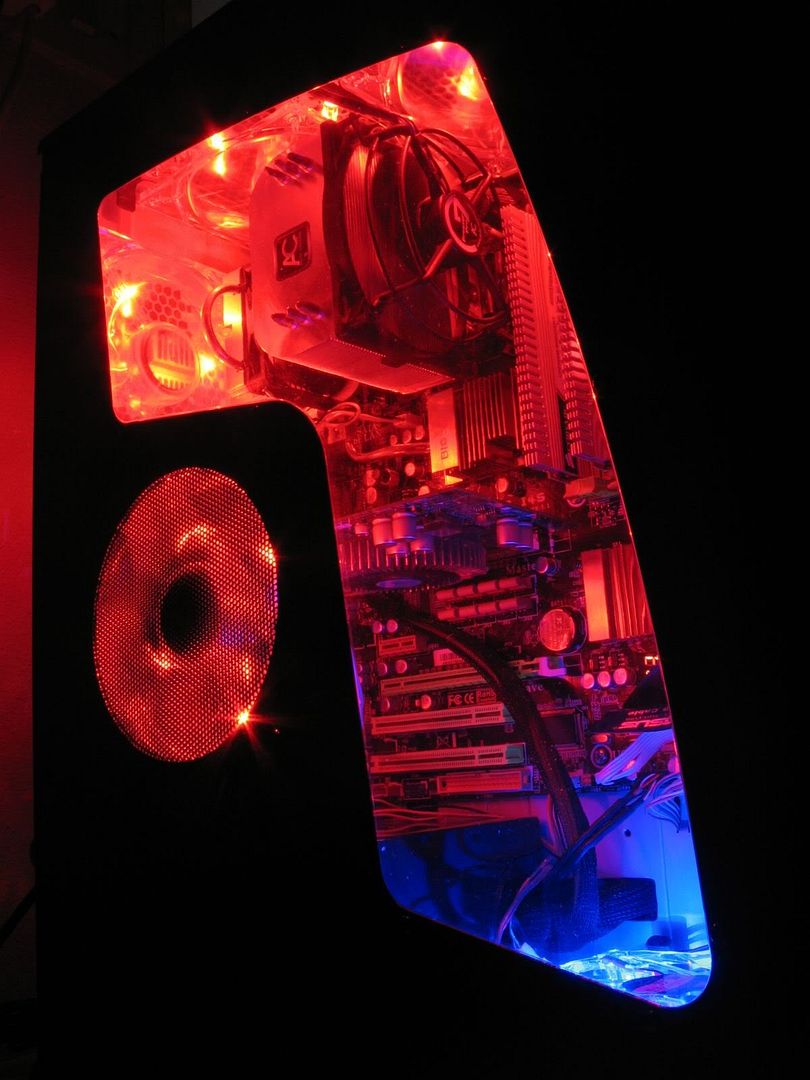
photo with PC power on and lights off pls =D wanna see the effect
with the side panel on and off =D thx
hahn87
post Feb 14 2009, 01:09 PM

Enthusiast
*****
Senior Member
820 posts

Joined: Apr 2006
From: Klang Valley | Penang | Sungai Petani


blocking PATA? where got.. u see the photo i put up.. i using 2 sata and 2 pata drives.

Black interior always make things look a lot neat~~~

This post has been edited by hahn87: Feb 14 2009, 01:10 PM
hahn87
post Feb 14 2009, 01:11 PM

Enthusiast
*****
Senior Member
820 posts

Joined: Apr 2006
From: Klang Valley | Penang | Sungai Petani


tarak girlfriend.... spending valentine with my PC~~~~ sedih sedih ><
overclock back my core2extreme just for today~~~~

This post has been edited by hahn87: Feb 14 2009, 01:11 PM
hahn87
post Feb 14 2009, 01:18 PM

Enthusiast
*****
Senior Member
820 posts

Joined: Apr 2006
From: Klang Valley | Penang | Sungai Petani


@koki
show the review site. just curious wad part of the blocking is it talking about
hahn87
post Feb 14 2009, 07:13 PM

Enthusiast
*****
Senior Member
820 posts

Joined: Apr 2006
From: Klang Valley | Penang | Sungai Petani


year dan137 since u have the interior black ady why not find black floppy cables? sure look nicer

hahn87
post Feb 14 2009, 09:49 PM

Enthusiast
*****
Senior Member
820 posts

Joined: Apr 2006
From: Klang Valley | Penang | Sungai Petani


when u switch the sphere. i tot last time see other cooler. lol.
what graphic card is that? 8800GTS 320mb? the design looks like it =D

yen262 ur front panel headers cable u can tuck them though the top small hole so it wont be visible. u dun have molex to 3 pin fan header converter for ur front zalman fan. u use the mobo header the cable came out looking kinda ugly lar. as for the other stuff.... looks ok already lar considering u using the extreme power and those cable no sleeve. or u can sleeve them ur self. i see you keep buy new gears why not change ur power supply to a real power 80 Plus efficiency they are usually sleeved and better efficient means u will save on electricity bill too.
the back 140mm can.. should be change.. not really strong.. i moved mine to front at the drive bay ikat with cable tie. =D
if i am not wrong ur mobo is abit KN9 Ultra rite? coz single PCI-e
recently manage my friend's cable on his cheap casing he using KN9 SLI.
u should check with CPUZ see if ur ram is running on dual channel or not. coz they should be at the same colour. bank 1 must go with bank 2. bank 3 must go with bank 4. same apply to most AMD platform board.


hahn87
post Feb 14 2009, 09:52 PM

Enthusiast
*****
Senior Member
820 posts

Joined: Apr 2006
From: Klang Valley | Penang | Sungai Petani


my fan use almost half year ady still very bright wor... my 4 cm red led fan
hahn87
post Feb 14 2009, 10:23 PM

Enthusiast
*****
Senior Member
820 posts

Joined: Apr 2006
From: Klang Valley | Penang | Sungai Petani


40CFM quite ok for us HAF932 user. put 4 at the side panel total up to 160CFM already.

@yen262
i personally swap my back fan with 12cm xigmatek XLF fan. it is a lot better. i wanted to get 14cm XLF but nobody selling if not i would get just one for the exhaust. i going to get 4 more 12cm XLF fan to swap with my CM red fan on my side panel. with my usual configuration. 3 intake and 1 exhaust on side panel. then the 4 CM red fan. 3 will go to the top for exhaust and one will go to the bottom for intake.
now i dunno what to do with the 2 big fan haha. plan to mod the one that comes with the sidepanel. got fan grill one. to usb. then i wanna cool my modem and router with it ahhaha. but have no idea how to mod it ><
hahn87
post Feb 14 2009, 10:38 PM

Enthusiast
*****
Senior Member
820 posts

Joined: Apr 2006
From: Klang Valley | Penang | Sungai Petani


maybe tomorrow i will clean up my PC and take new pic and post up. i already got the pic in my photobucket just that i remanaged my cable a bit already. or maybe i wait till i get my 4 XLF fans. and sponged my interior.
hahn87
post Feb 14 2009, 10:45 PM

Enthusiast
*****
Senior Member
820 posts

Joined: Apr 2006
From: Klang Valley | Penang | Sungai Petani


yes white led for XLF fan. transparent orange blade and trasparent black body.
120mm is around 25-30 depending on seller. 140cm i dun see anybody selling.

@yen262 out hdd bay there already got one at the front liao marh if u mean behind the rack like ATCS case.. noneed la.. waste of time. coz u already have 4 120mm fan blowing in that direction. have another fan there does do any good at all. so basically the 3 big fan that comes with the case. only the red LED ones left using. the other 2.. can use for self defense against robbers hahha


Added on February 14, 2009, 10:46 pmCEX selling 120mm for 30 and 80mm for forgot how much already
i did found rm25 each in penang nanyang prangin mall. as for 140mm no ppl sell. xigmatek site got photo. go check it out

This post has been edited by hahn87: Feb 14 2009, 10:46 PM
hahn87
post Feb 14 2009, 10:53 PM

Enthusiast
*****
Senior Member
820 posts

Joined: Apr 2006
From: Klang Valley | Penang | Sungai Petani


just look at xigmatek site it seems they added XLF 120mm fan with transparent black fin with same 4 white LED. hmm now getting some image of a dark light casing lol. imagine CM690 with interior sprayed black with 7 120mm XLF transparent black blade fan. it will be dark... yet bright.... dunno how to describe ><


Added on February 14, 2009, 10:54 pmit's the same spec so it should be the same price lar.. see who got bring in stock =D

This post has been edited by hahn87: Feb 14 2009, 10:54 PM
hahn87
post Feb 14 2009, 11:06 PM

Enthusiast
*****
Senior Member
820 posts

Joined: Apr 2006
From: Klang Valley | Penang | Sungai Petani


i just ask SKCS1985@CEX
he ordered 10 unit arriving next week and price unconfirmed lol
hahn87
post Feb 15 2009, 12:13 AM

Enthusiast
*****
Senior Member
820 posts

Joined: Apr 2006
From: Klang Valley | Penang | Sungai Petani


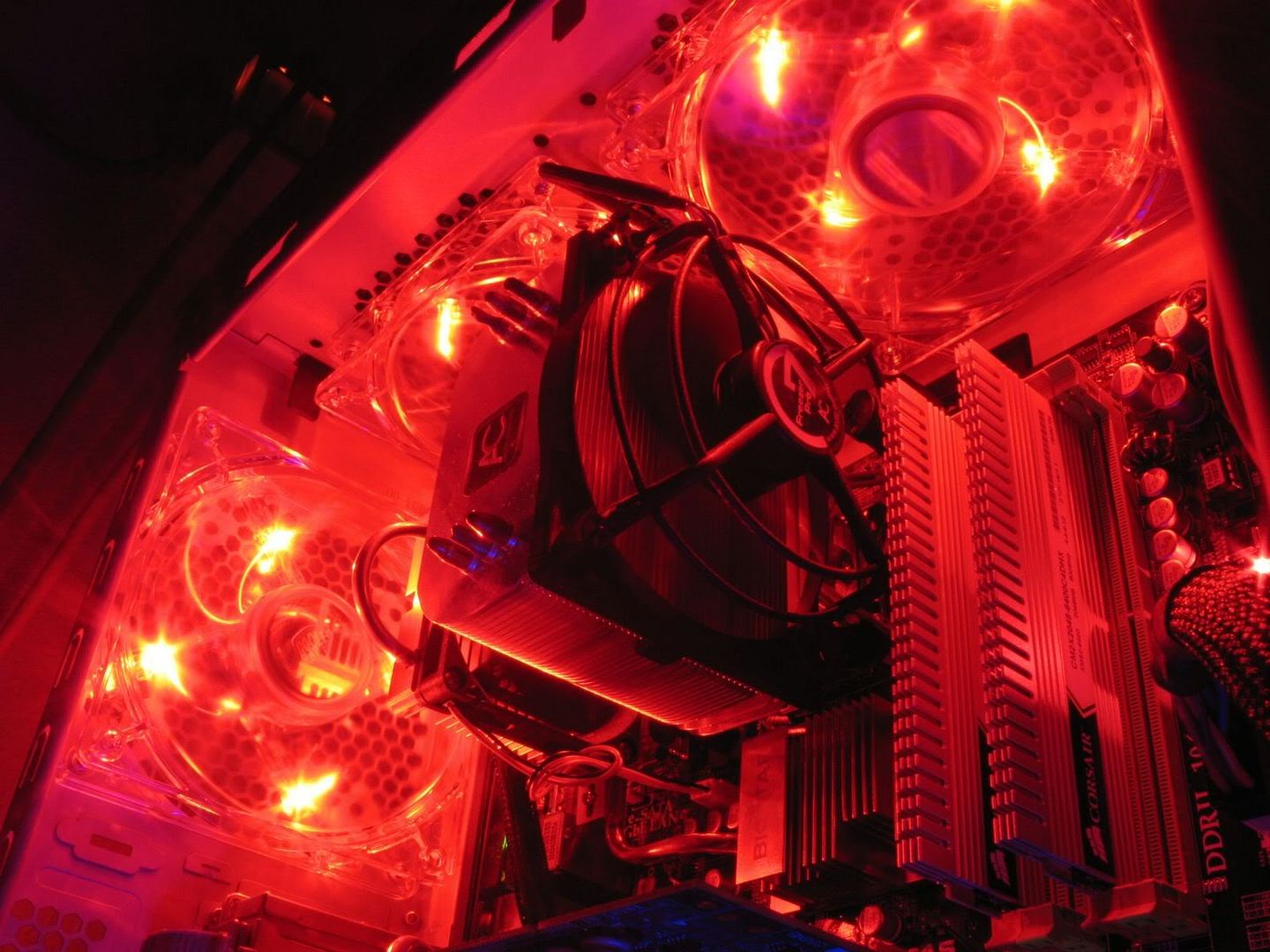
shuffler!! more pls
that photo a bit dark lar summore from bottom top... more angle pls.. =D we can never get enough of these photos
hahn87
post Feb 15 2009, 07:22 AM

Enthusiast
*****
Senior Member
820 posts

Joined: Apr 2006
From: Klang Valley | Penang | Sungai Petani


overdrive is a amd oc tool
we intel user have to tweak bios..
@onnjeyyon
dunno much about E6000 series core2duo if it's E7 or E8 series i might can give u some ideas coz ur processor is using slight higher voltage.

try bump your voltage to around 1.4v and FSB to around 400mhz. cpu multiplier to 8. 3.2ghz (i think this move would a bit extreme to begin with lol)
NB SB voltage around 1.3. ur corsair XMS2 DHX ram is wad timing? 4-4-4-12 at 2.1v if yes set the timing to this and adjust to voltage to 2.1 coz 400 FSB chun chun DDR2-800 at 1:1 ratio so the tighter timing would give bettter performance. unless u wanna go higher FSB then u might have to loosen the timing a bit.
other way around is keep the multiplier at 9 and increase the FSB to 350mhz = 3.15GHZ if bootable with this speed then if u ady satisfy then play with voltage to find the lowest possible vcore for stable. if wan more speed increase the FSB by 10mhz each time

note: noneed to remove battery to clear the CMOS. find the manual for the clear CMOS jumper. or maybe ur board has a button to do so.

if kenot boot then lower the overclock ammount. u can increase voltage to have it boot but this is not really recomended la.
if can boot check to see if stable or not
if prime95 test fail. increase the voltage a little.
if stable
test to find the lowest vcore possible to can get full stability. by decreasing the vcore a little bit and test ( this does takes a lot of time )
best don't exceed 1.45v on our intel C2D and C2Q processor for us normal overclocking.

when stress test... monitor the temperature... best not to exceed 70+. if stay around there under max load still ok. more than that consider too hot already.

i stress my core2extreme on 4ghz overclock b4. max load 87C on my Arctic Cooling Freezer Xtreme. had my room windows closed and door closed.. went down the mart to get something. got home open my room and it's HOT LIKE HELL lmao like masuk sauna. scared ><

This post has been edited by hahn87: Feb 15 2009, 07:42 AM
hahn87
post Feb 15 2009, 08:30 AM

Enthusiast
*****
Senior Member
820 posts

Joined: Apr 2006
From: Klang Valley | Penang | Sungai Petani


lol.. u siao arh. hahah get better cooler la haha
tomshardware OC to 3.9 using arctic cooling freezer 7 only at 1.45vcore
my core 2 extreme 1.42vcore vdroop till 1.38v i oso scare ady.. temp already 87C. if 1.45v core my arctic cooling freezer xtreme oso become sampah =.=
liquid cooling required nih.... recently see tomshardware SMB user CM Aquagate MAX but replace the cpu block to swiftech apogee GTZ and 360x120 radiator. pretty nice. since the aquagate max pump and resevior looks cool. if for my HAF casing i would find clear red colour coolant =D sure look nice hheehe

This post has been edited by hahn87: Feb 15 2009, 08:36 AM

6 Pages < 1 2 3 4 > » Top
Topic ClosedOptions
 

Change to:
| Lo-Fi Version
0.0181sec    0.78    7 queries    GZIP Disabled
Time is now: 18th December 2025 - 06:14 PM