Joined: Jan 2003
From: Quantum Leaping, Next Location Unknown..
QUOTE(rahuldave @ Dec 23 2008, 01:49 PM)
Thanks for your reply.
But I'm really sad as I can get the item as it is one day stuff. Bro, please let me know if there is any shop around KL seling it. I will pay you the money including the courier chargers, appreciate if u could send it to me
Currently, I'm having this Panasonic UJ-870 , it is connected via USB and does not need ac power, is there anyway that I can take out the casing and install the drive to the docking station? If it can be done, it can save me some $$$
Sure if and when I do see it Ill drop you a note to let you know. Ill charge the exact rate of course no cut throat jacking up prices when Im already at the shop and all that, besides its not as if I went to the shop specifically to get the item for you now huh
You may find that it might go for a little higher than the price I got it for though ( perhaps ), the site thats lists stuff that you saw sells things in a bunch in discounts, kinda like a one day bulk sale but it wont be different by much.
Hmm sadly I dont think youll be able to fit it to the dock, although, with some strong double sided tapes you might well be able to make it part of the docking station I think the docking station can be opened somehow, there's two fans inside, removing one and closing the dock again on top of your External DVDRW might well make it part of the docking station but thats just a thought, i gotta have a proper look at the dock again once i get the chance to.
Joined: Jan 2003
From: Quantum Leaping, Next Location Unknown..
QUOTE(paskal @ Dec 23 2008, 02:08 PM)
guys, especially to those that have EEEPC 1000H, can i know how much capacity (mAH rating) of your 6 cell battery? as it's heavier than other netbooks that i've hold, i think maybe it has bigger capacity than the raved Samsung NC10.
Mobile Computer Mag UK rates the 1000H to have more than 9 hours of battery life with their 6600mAH battery. anyone could confirm the capacity? would be much appreciated.
Now now, you should do a little search first mate, this is already in a couple of pages back. You'll find that there are different versions of it in the market and instead of needing to open the battery you can actually just look at the battery to know the difference.
Ill put it in for your reference.
» Click to show Spoiler - click again to hide... «
QUOTE(alvinddm @ Nov 28 2008, 04:18 PM)
Just my luck.. anyone knows who has stock? If not any big difference between the two battery capacity?
Right then, since itll be only after PC Fair that Ill be dropping by SG, perhaps ill see how hard it hits the pocket in our local shores first, that is, if it does hit
QUOTE(alvinddm @ Nov 28 2008, 06:45 PM)
Please elaborate
Okie day.. Here's the picture of the current 160GB EEEPC 1000H with 5600mah Batteries
Here's the one from the original 80GB EEEPC 1000H with 6600mah Batteries.
Lower capacity batteries but juts out ? Shouldnt it be the other way around ? Cuz on my 10400mah batteries they REALLY jut out !
QUOTE(rahuldave @ Dec 23 2008, 03:48 PM)
Thanks man, appreciate that
I guess, I will try to sell my external drive once I hv chance to get the docking station.
And purchase another drive, if possible, when u r at the shop, maybe can u ask them, if they can fix it as well. It'll be easier. The drive should support DVD+/-RW, DVD+/- R Dual Layer, DVD Ram, and those CD-R, CD-RW and etc for burning of DATA CD, Audio CD and etc .
And just to confirm, as u hv mentioned earlier, u hv bought the full fledged version, but at the website that u have mentioned before, it only shows ePA-106, which does not have the slot for DVD Drive. The exact model should be ePA-108, with CD Bay.
Haha as mentioned I didnt actually check properly had it sent direct to my bro in laws house. Will check when I get to see him again. And yes will work on the DVD input as well
Joined: Jan 2003
From: Quantum Leaping, Next Location Unknown..
QUOTE(Hico @ Dec 24 2008, 09:16 AM)
how much you bought the ssd?
eee pc 901 3.75G??? where did u get it? online?
Got it in SG, im planning to get me one as well. Comes with 3G, actually look up post by hangy2k and youll find the answers to your query. Im however interested to know how much was the SSD and it replaces the 8gb or 4gb on your 901? Im assuming your 901 originally came with 12gb SSD divided to 4gb and 8gb.
Joined: Jan 2003
From: Quantum Leaping, Next Location Unknown..
QUOTE(hangy2k @ Dec 24 2008, 09:34 AM)
the pci-e ssd cost me about S$278
i got my 901 3.75G in singapore 901 3.75G originally come with 16GB SSD divided to 8GB and 8GB seperately..
Thanks for the clarification mate. Erm id like to confirm tho. The 901 I have ( which of course is different from yours ) comes with 12gb SSD. But they are 2 separate ones physically, one is a faster 4GB and the other a slower 8gb.
Mind giving more details of the original 901 3.75g ? Ie you mentioned 16gb, does it physically separate to 8gb x 2 or is it only partitioned in 2. Also assuming that its physically separated, how you only replaced one of them making it 8gb + 64gb ?
Very curious, cuz im planning another EEEPC project later
Joined: Jan 2003
From: Quantum Leaping, Next Location Unknown..
QUOTE(hangy2k @ Dec 24 2008, 09:51 AM)
it come with 8gbx2 physically. now i have 8gb+64gb, 8gb for the operating system. i saw somewhere saying that the 64gb is faster than any stocked ssd or other brand ssd, those people have disable the 8gb and boot OS from the 64gb/32gb ssd
Thanks mate, that looks about right Yeah on my system my 12gb system divided into 2 of 4gb and 8gb the difference is glaring. Installing Windows on the 4Gb takes about 30 minutes while on the 8gb it takes about 4 hours. The 8gb on mine is definitely VERY slow Good insight and info on the 64gb SSD mate. Got any tips for me wheres best to get IT Stuff in SG ? I only know of Sim Lim Square which may or not be the correct place to be at
Joined: Jan 2003
From: Quantum Leaping, Next Location Unknown..
QUOTE(adinor @ Jan 2 2009, 07:47 PM)
904HD = RM1299
How about 1000 = RM?
Youre in the lowyat.net forum, and you'd like to buy at Lowyat for your Laptops, at least do some searching as well if you dont get immediate answers. On the main page, there's the Prices guidelines. Click on Notebook prices and you'll find that the 1000H runs for RM1799.
This post has been edited by havocx: Jan 3 2009, 09:00 AM
Joined: Jan 2003
From: Quantum Leaping, Next Location Unknown..
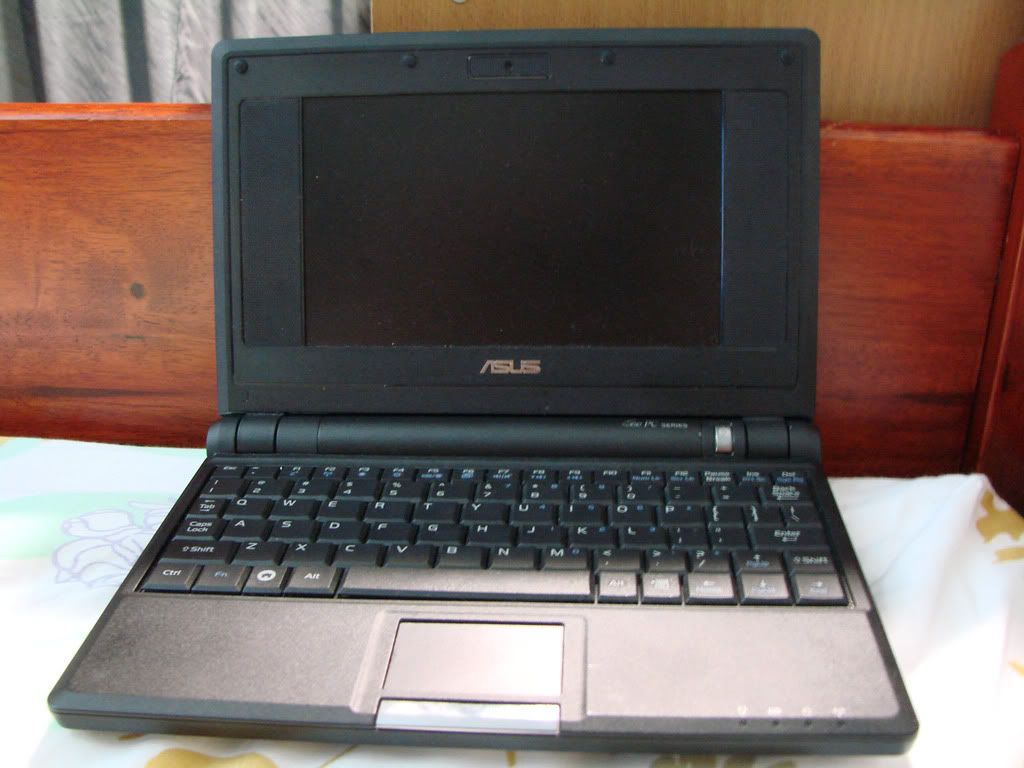
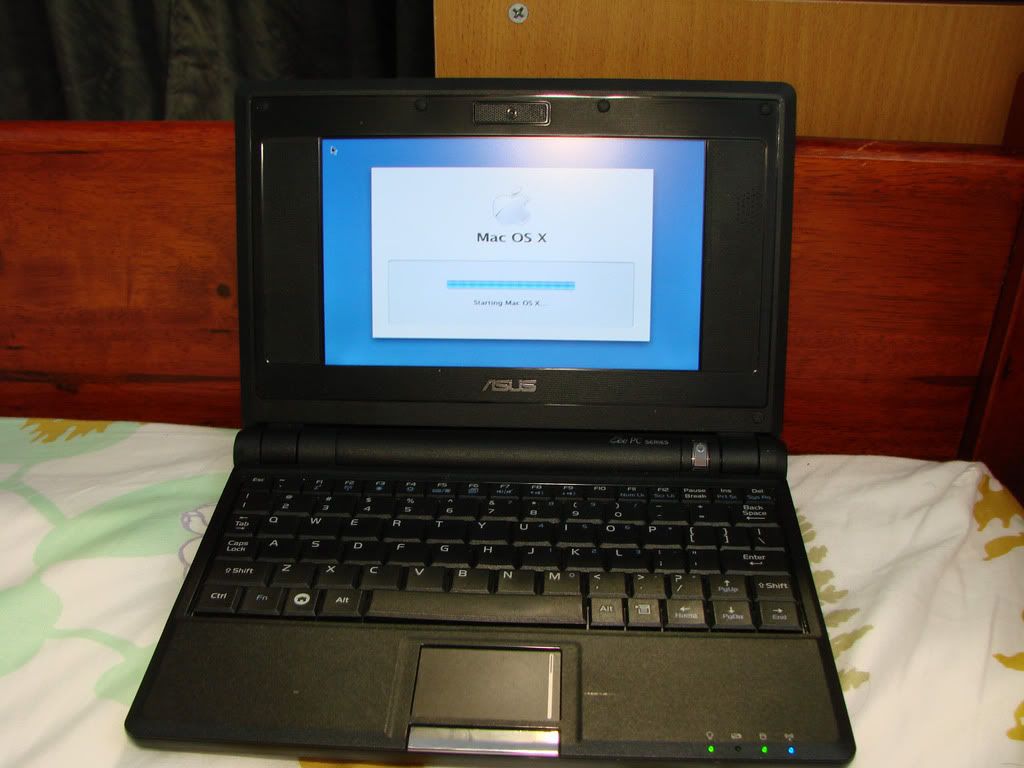
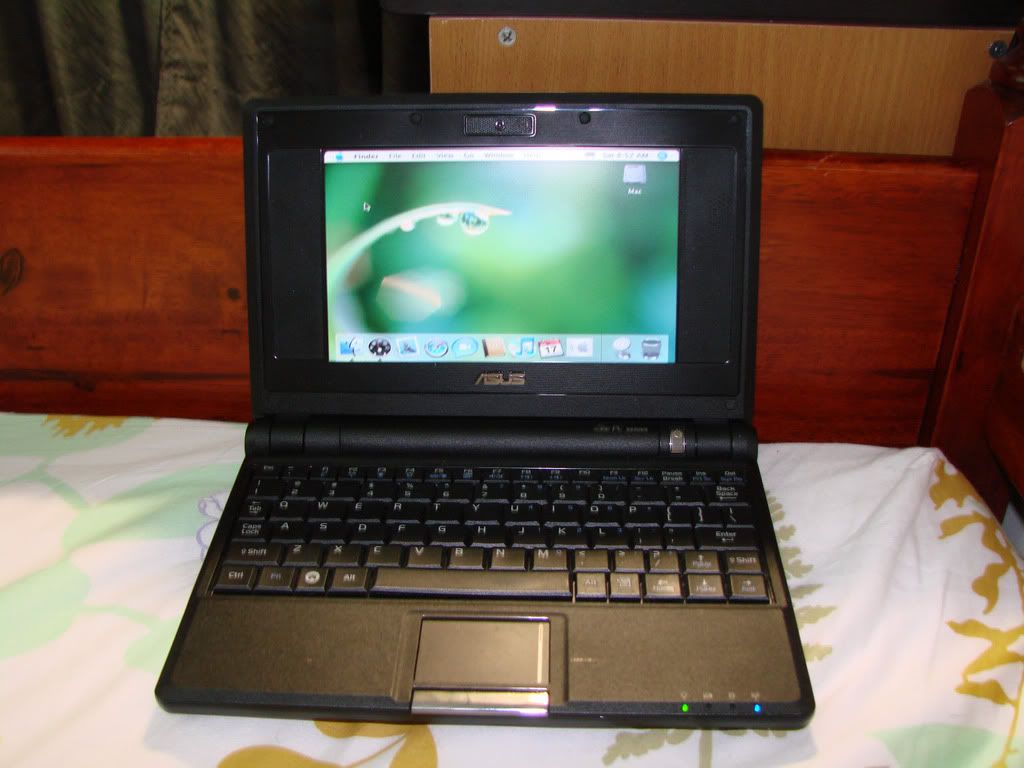
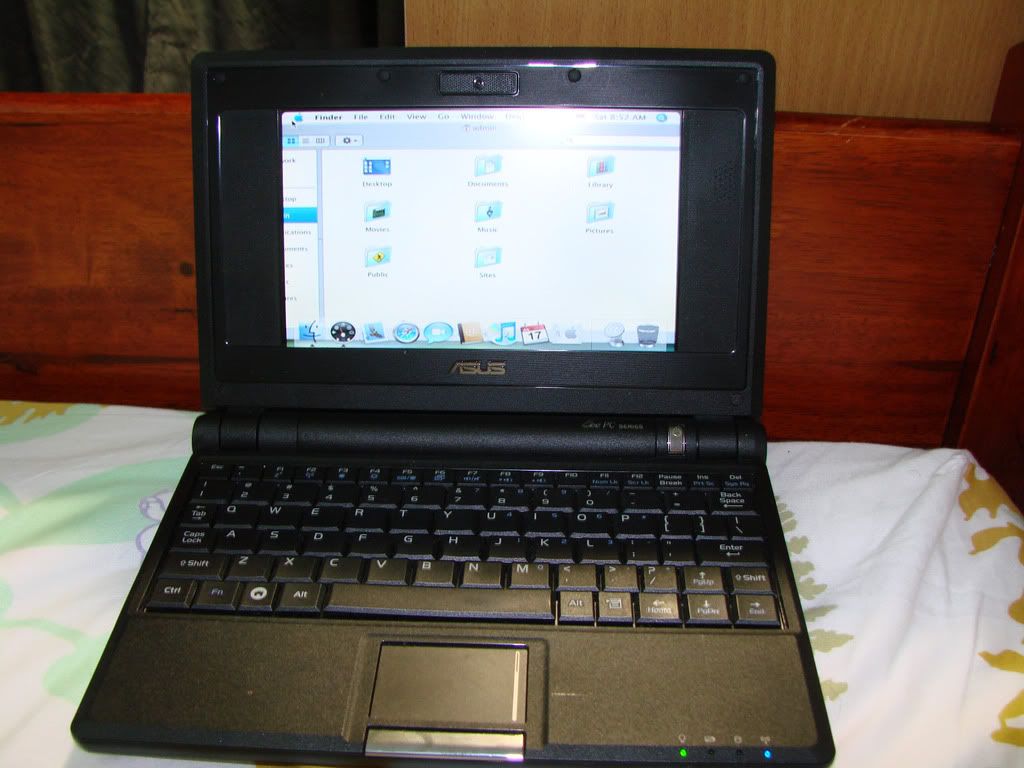
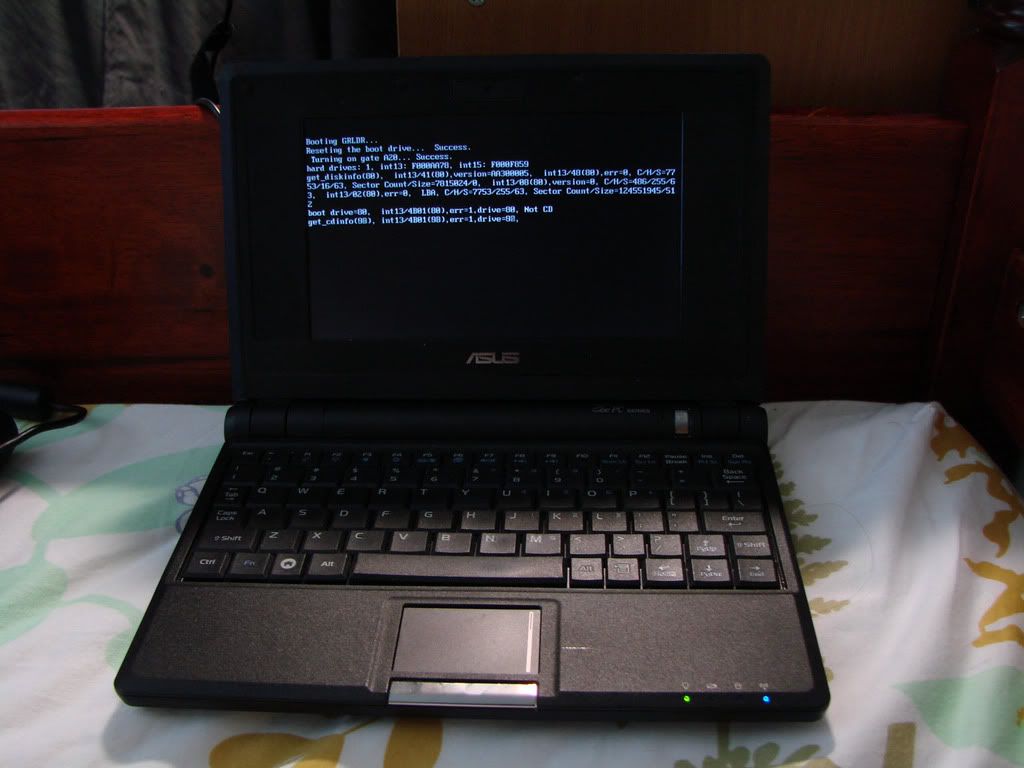
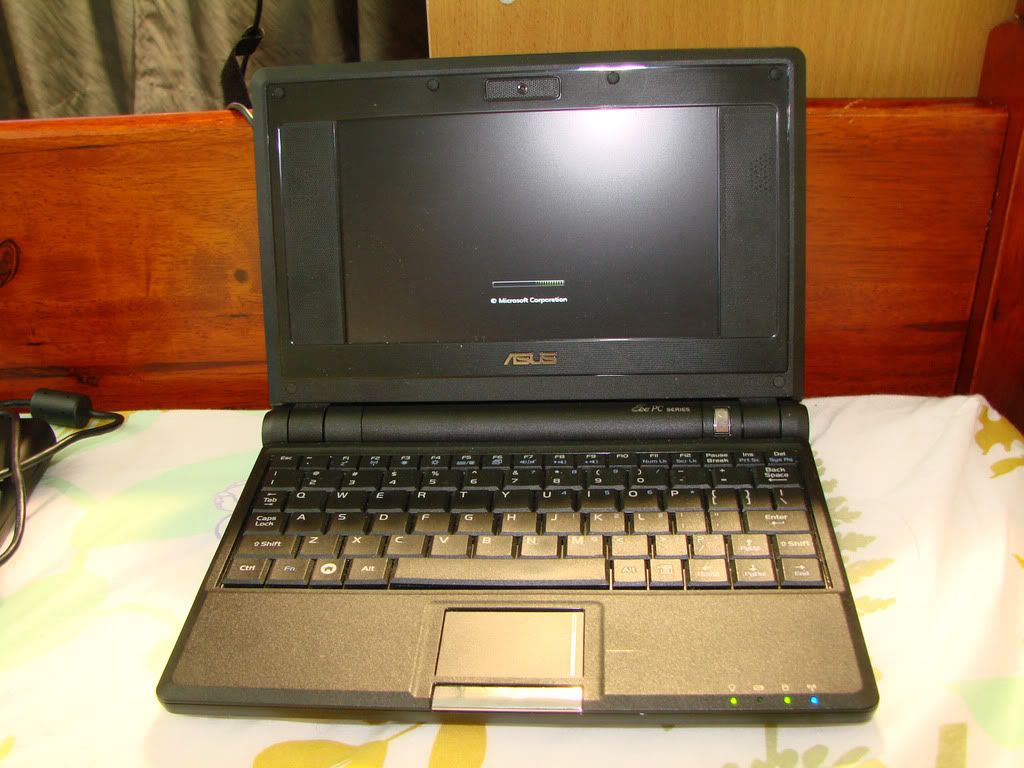
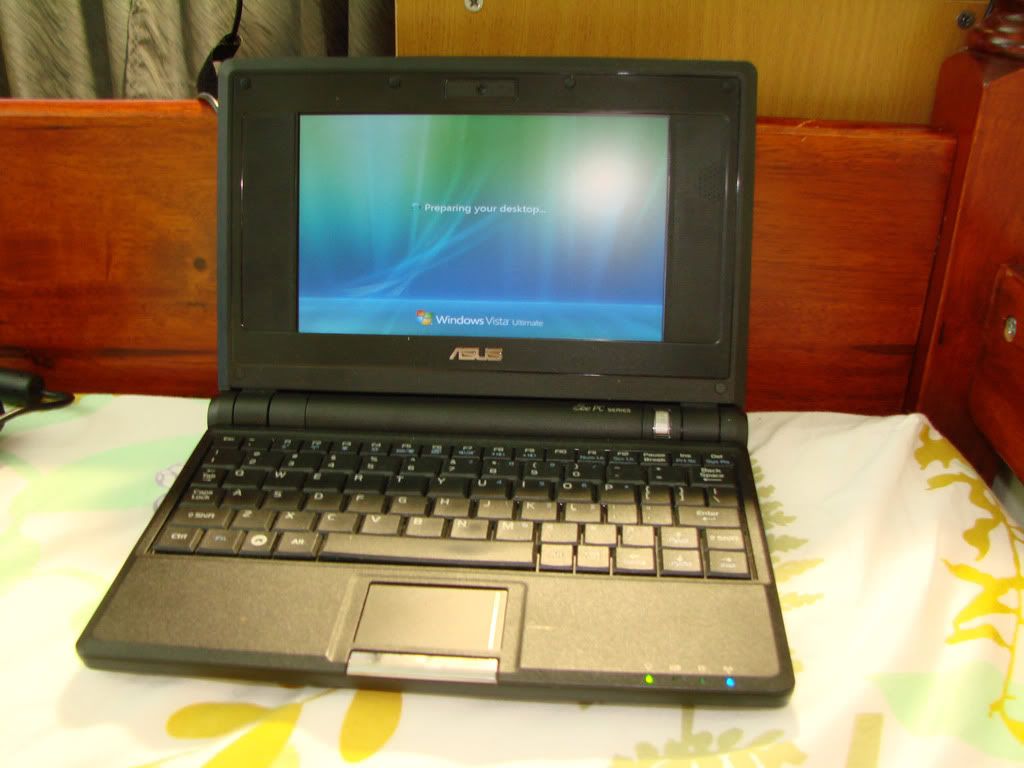
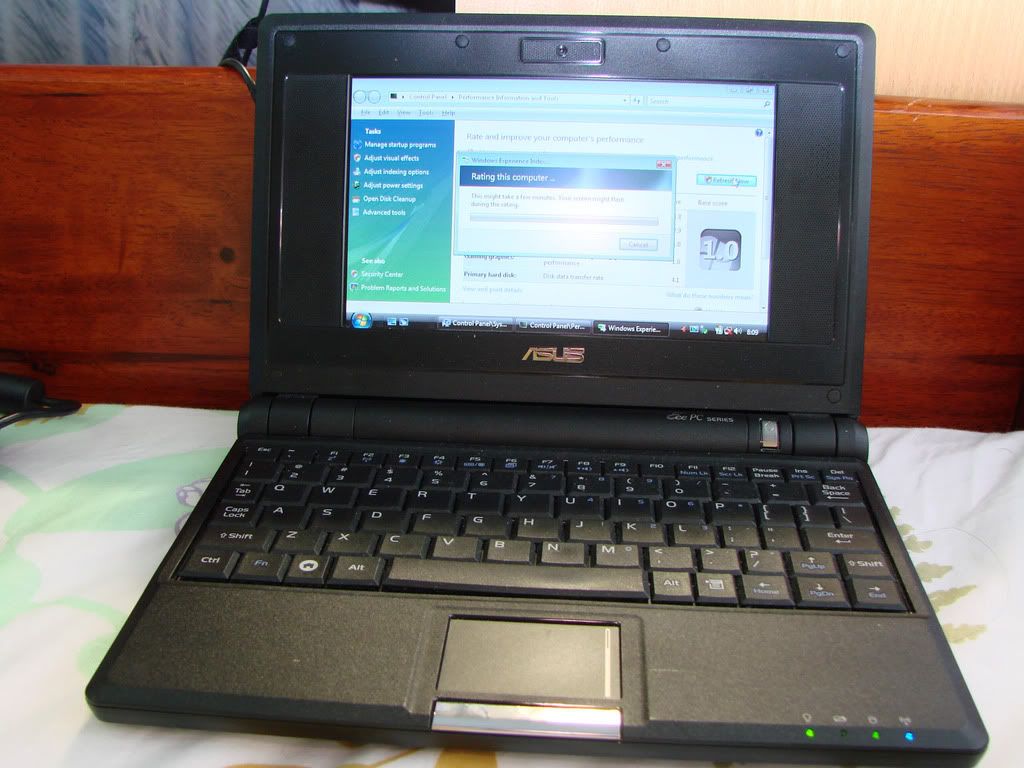
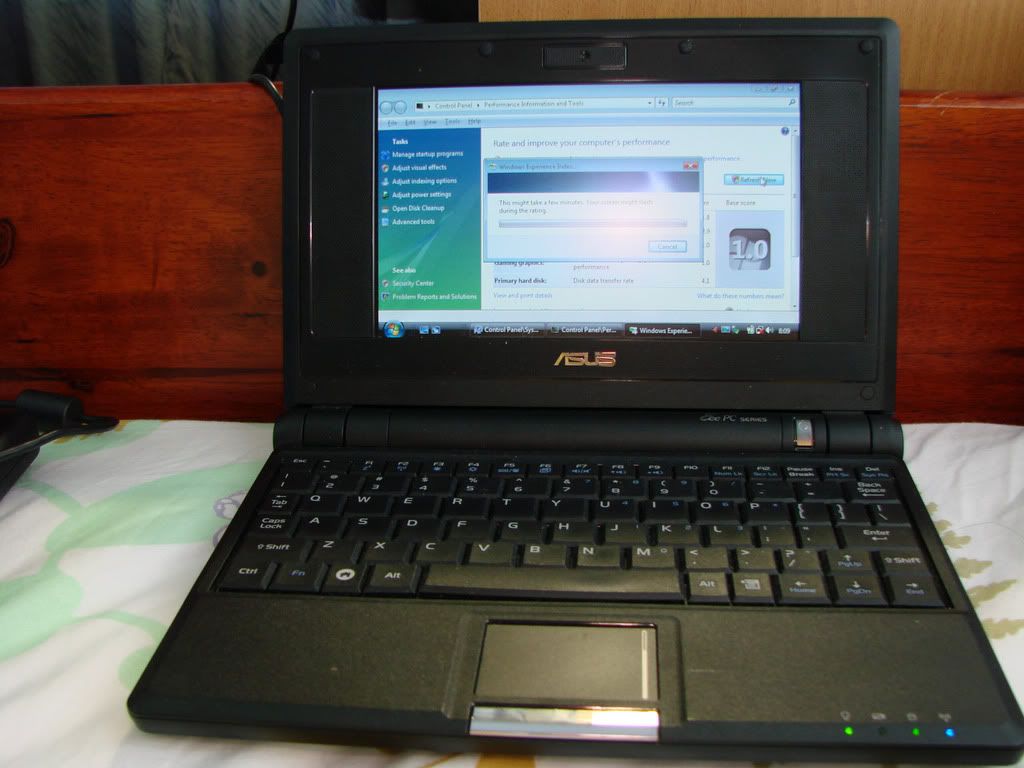
Its getting awfully quiet in here so I thought Id do some experimentation on my EEEPC's. As usual to show the prowess of the EEEPC, I dont have to go far in choosing the most powerful EEEPC i own, itll just work with the lowest end EEEPC with Camera I own. If it works on the lowest end model, it will surely and definitely work on the normal EEEPC's nowadays in the market what with the HDD space and newer Atom Processor. I took my standard EEEPC 701 with 512mb Ram and came up with some pictures. Now all my Linux Model EEEPCs have been formatted to run WinXP. This old geezer have forgotten alot of the Linux commands
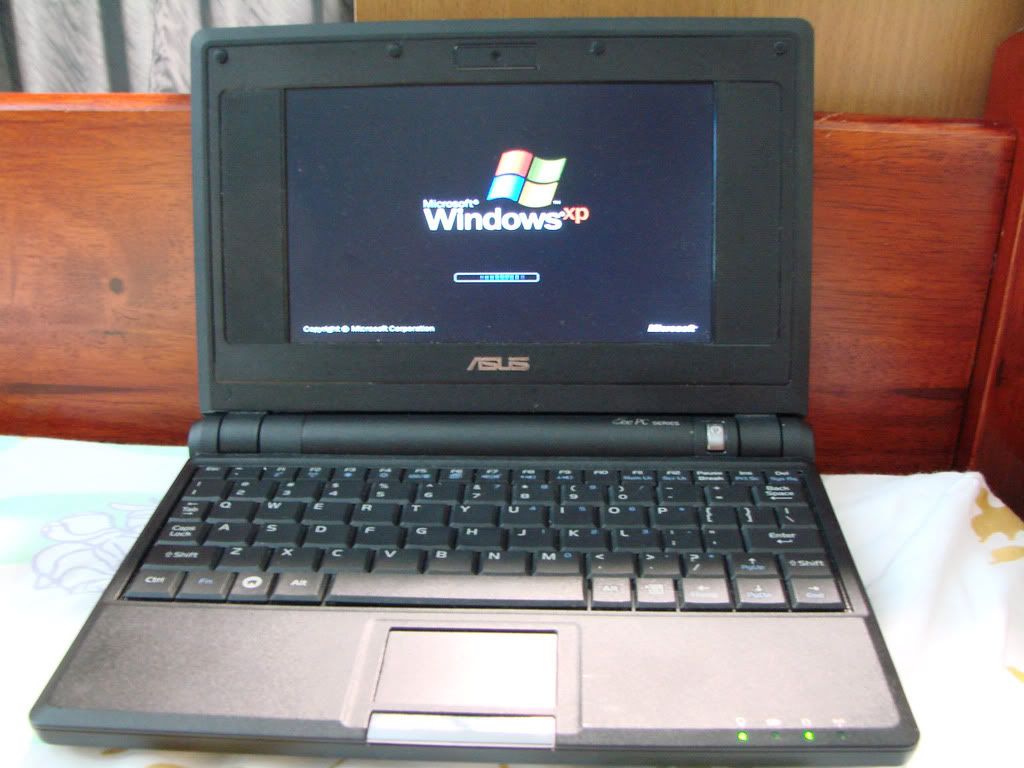
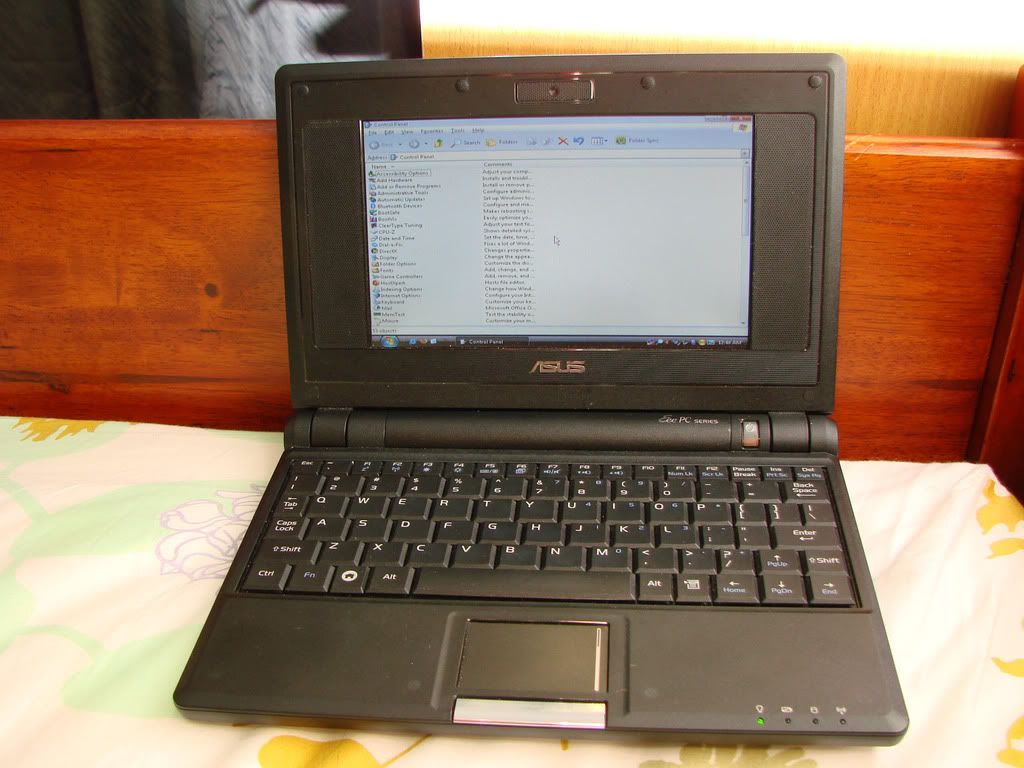
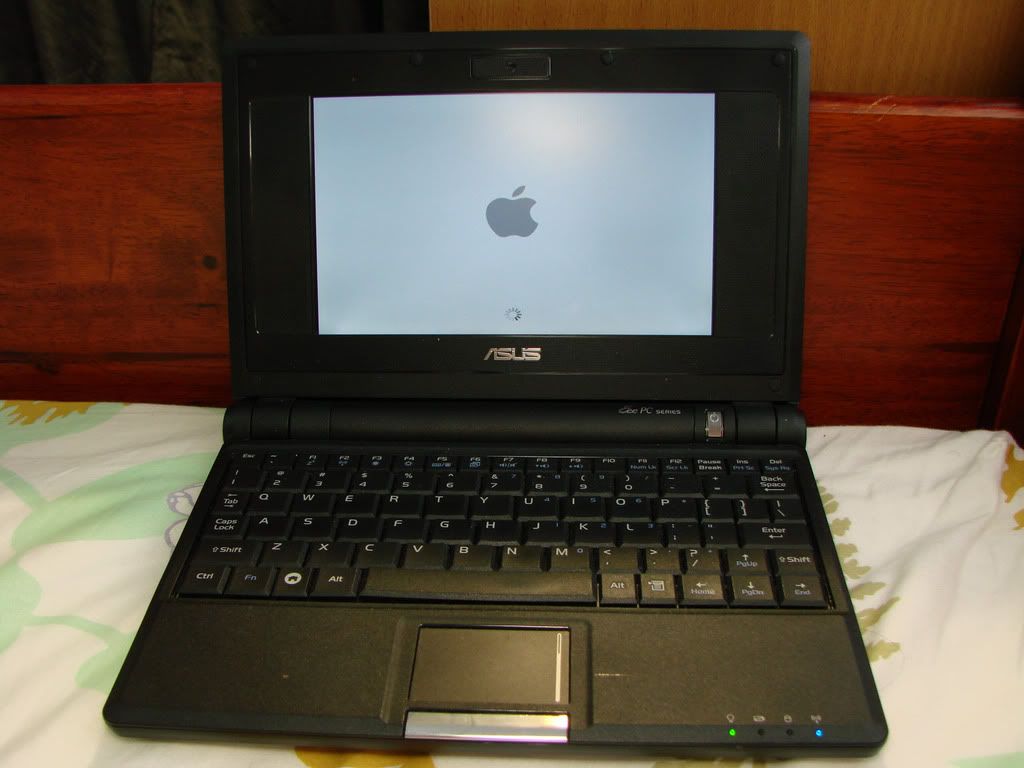
Pictures taken all on new installation of OS running on, all comments, queries and questions welcomed All pictures are taken by me and no Windows Skins were used in case any of you are wondering. All installation done on the same EEEPC today. I was bored EEEPC 701 900 Mhz Celeron 4 gb SSD 512 mb Ram
Here's the first one. EEEPC 701 running a Customized version of Windows XP. No suprise here. How long it took to install : 1 hour 15 minutes inclusive of drivers. New Installation Bootup time : About 11 secs. HDD space being used : 1.78gb out of 3.78gb All services running well. Verdict : EXCELLENT
» Click to show Spoiler - click again to hide... «
Next is the EEEPC running Mac OS 10.4.9 How long it took to install : 4 hours 45 minutes. Drivers were auto detected. New Installation Bootup Time : 14 secs HDD space being used : 3.2gb out of 3.78gb Wifi and LAN still needs to be worked out on. Got wifi running for a while then lost the settings again Verdict : Kinda Sluggish on the EEEPC but still a Hackintosh on your EEEPC
» Click to show Spoiler - click again to hide... «
Ive ran out of space for pictures and cant post more, need someone to post first before I can do another posting so will post after this one has been replied to
This post has been edited by havocx: Jan 4 2009, 11:36 PM
Joined: Jan 2003
From: Quantum Leaping, Next Location Unknown..
Tried that mate, the option didnt come out for me a bug somesort i think cuz in previous past posts it did.
In any case here's a continuation of the post.
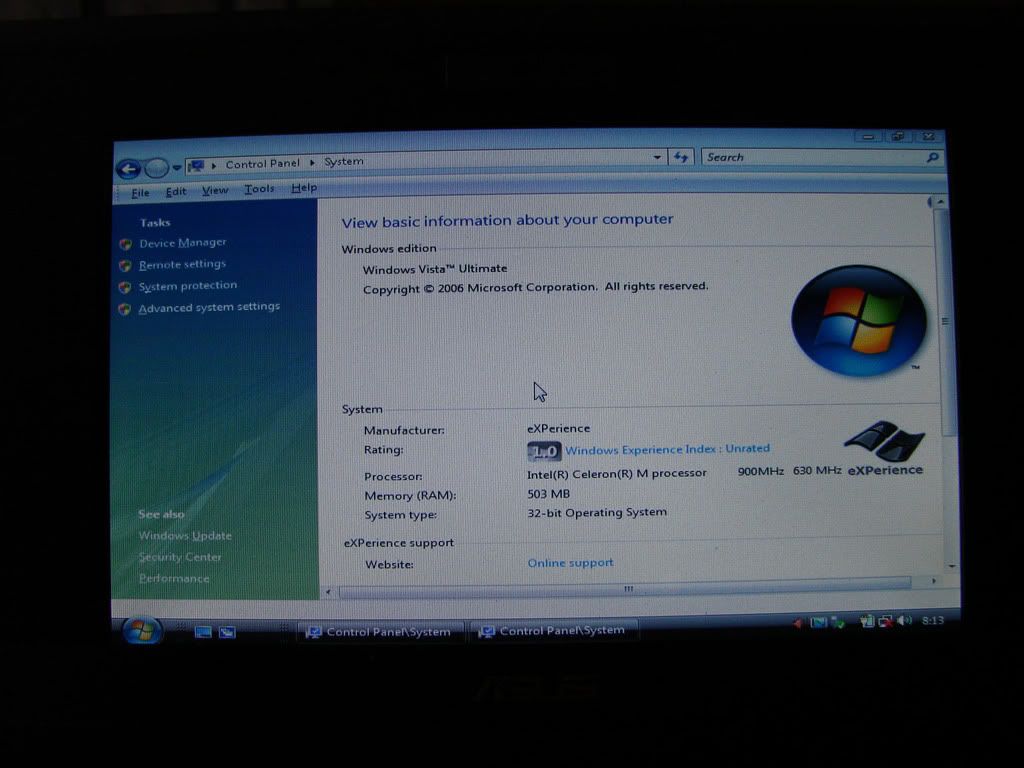
And finally EEEPC running customized version of Vista Ultimate 32bit. How long it took to install : 1 hour 20 minutes inclusive of drivers. New Installation Bootup Time : 14 seconds HDD space being used : 2.8gb out of 3.78gb Wifi and Graphics drivers needs to be customized, didnt get around to it yet though. Ignore the Windows Experience 1.0 index, thats because some drivers was yet to be detected Verdict : Would you believe it if I said NO LAGGING at All ? In terms of Speed if XP was running a 10, i'd give it a 9
» Click to show Spoiler - click again to hide... «
Here's what I also did cuz I was really bored
Had the new Inspiron Mini 12 with me. The Original Vista Home supplied by Dell and all the Bloatware in it, took a whole 4 minutes EVERYTIME to load. It was really awfully slow and this was new out of the box, ie no other extra stuff installed. Check out the bootspeeds
Took the new Inspiron Mini 12 and pitted it against the lowest end EEEPC. The contenders are EEEPC 701 ( Left of the screen ) Specs : 900Mhz Celeron, 4GB SSD, 512mb Ram, 7" Display, Newly Installed Tweaked version of Windows Ultimate 32bit with latest updates
Inspiron Mini 12 ( Middle Of The Screen ) Specs : 1.6Ghz Atom Processor, 80GB HDD, 1Gb Ram, 12" Display, Same Newly Installed Tweaked version of Windows Ultimate 32bit with latest updates
EEEPC 701 ( Right Of The Screen ) Specs : 900Mhz Celeron, 4GB SSD, 2GB Ram, 7" Display, Very Fragmented Daily Use Windows XP computer.
As you can see, only if the new Inspirons Vista was really tweaked could it reach about the same boot speed. Even then opening programs on the Native Vista Dell is much slower than if I was to open any App on the EEEPC 701 running Vista. The wonders of SSD
This post has been edited by havocx: Jan 5 2009, 07:34 AM
Joined: Jan 2003
From: Quantum Leaping, Next Location Unknown..
QUOTE(yusiang @ Jan 6 2009, 01:42 PM)
I think my sister's eee 900's SSD is getting problem already, keep having "windows did not start successfully a recent hardware or software change might have caused this" errors during bootup. Several rounds of reinstallation doesn't solve the problem...New eee buyers should keep the issue as long-term concern.
Is your EEEPC still under warranty ? The lifespan of an SSD should be well over more than 200 thousand write cycles. Have you perhaps tried a different Windows XP Cd Installation perhaps ?
Joined: Jan 2003
From: Quantum Leaping, Next Location Unknown..
QUOTE(kirakracus @ Jan 14 2009, 12:47 PM)
I got an eee pc 900a for xmas.
It's the US version so no webcam, only 4 GB SSD which is filled to capacity with the Xandros OS, 1GB RAM, Atom processor and other such things. Is it possible to add a second SSD on my own?
So far I don't need that much space since i really use it as a netbook only and have purchased an 8GB SD card. It's very nice to slip into my purse and go out.
Oh can you find laptop skins for the eee pc in Malaysia? Mine is white with the words "eee" on the top corner so it's not bad but would just like more color on it.
A 900a should have 2 SSD's the second one is removable. If yours has only one, it may mean the second one has somehow been removed though from my experience the rule of thumb would be, if yours came with Dual SSD you might be able to remove one of them for an SSD upgrade. Coming with only one, makes your choice a little more difficult.
Joined: Jan 2003
From: Quantum Leaping, Next Location Unknown..
QUOTE(kirakracus @ Jan 16 2009, 04:43 PM)
Saw the 900HA at Subang Parade Digital Mall for only RM 1399 yesterday. It has 160GB HDD and whatever other bells & whistles. A little jealous I should appreciate the gift but just hope he didn't pay over RM1k for the 900a that's all.
I have a q about changing to ubuntueee (or easypeasy) will everything be ready to go straight from install? Or do I need to go find different drivers for wi-fi card etc. and have the risk of all those things not working?
Your EEEPC would be running on Atom. So the price speaks for itself, the older 900 models only run on Celeron, so youre not to burnt here.
QUOTE(LWRNCH6550 @ Jan 18 2009, 11:49 PM)
Hay guys, i dont know if this is the right place to ask. - Comparing to 901 and 1k model, other than the screen size is there anything i should look into?
You should be considering the battery life as well as price. Other than that, and the fact that the 901 is no longer freely available in Malaysia, other than also searching for it, nothing more
QUOTE(ajaaja @ Jan 19 2009, 11:43 PM)
Guys,
Wanna ask. I currently using the EEEPC 901 model.
Now something weird happened to the keyboard. Whenever I press "k" word, the 'lk" will appeared on the screen(eg MS Word). Same if I press 'm', the ',m' will apprear.
I've reinstall the windows, but seems no solution.
Is it my keypad rosak or what?.
Whoever got same experience, pls share. Tq
The comments earlier on the keyboard problem is valid. What is also valid is Motherboard issues. Ive come across 3 instances and though they are not the same letters like yours and not mine personally, they were all with Mobo problems and 1 needed mobo replacement while the remaining 2 its the keyboard that needed to be replaced. Personal experience
Joined: Jan 2003
From: Quantum Leaping, Next Location Unknown..
The most important line in there would be the last
If you're just looking for a basic netbook, or even one for the corporate crowd, Asus' own Eee PC 1000 series offers nearly everything you get in the N10J for much less.
The price of the NJ series does not put it in the league of EEEPC's which is a statement of affordability. I think most folks are already aware of the N10Jc-A1 netbook. At the price of RM2799, thats about RM1k more than the most expensive EEEPC's.
Guess thats why they didnt add the EEEPC name in there, guess thats also why no one talks about the NJ10 in an EEEPC thread Nice info though haha!
Joined: Jan 2003
From: Quantum Leaping, Next Location Unknown..
QUOTE(berzerk @ Jan 24 2009, 11:46 PM)
Aren't computers tax free?
Yep computers are, ive ordered a lot of comp stuff which went through customs without trouble. Whats being charged as 'tax' here is merely the profit margins of shops and resellers. There is a difference. Customs will NEVER tax you for computer stuff. Its already in their policy. You might wanna just check out The Customs Tariffs by clicking on me. In it there is a wealth of information on items that might be taxed or exempted which might help you out. For those that needs a little push, search also [Computer] without the colons in there. Voila 0% tax. So dont put tax and shipment and whatever in the same vein
This post has been edited by havocx: Jan 25 2009, 09:37 PM
Joined: Jan 2003
From: Quantum Leaping, Next Location Unknown..
QUOTE(half-free @ Jan 26 2009, 12:45 AM)
hello, may i ask?maybe there were questions which had been asked b4 but i'm not following it. i'm using eee 900 pearl white 30HDD and using xp as my os. but it's a little bit slow. can i change the processor from celeron to atom?
can i get the replacement of eee 900 battery. currently i'm using 4400mAH. i has already asked asus royal club but they uz have 5800mAH. where i can get more than tht? at least 6600mAH.
Sure of course, its what we're here for. Sadly as it is with most processors on laptops you cant really upgrade them. Most of the time they rely on the motherboard of the laptop and most of the time to for build purposes they are soldered on to the laptop.
To speed up your load times, perhaps another way around it is to install a modified version of XP where you dont have as much useless stuff on load. Look back at my last few posts, you'll see a video i made of loading times. Those were using the earlier model of EEEPC's 701 running Celeron processors too. A modified XP may run even faster on these. SSD does play a part but not a huge part, in your case id say go with a Ram Upgrade and maybe modified XP. For further improvement on speed and space consider a 7200rpm HDD upgrade.
For those you'll have to hunt for them aftermarket, Ive personally a 10400mah battery but thats a little bulky. You could PM me if youd like for links for 6600mah batteries for EEEPC 900, though the normal standard for the EEEPC 900 is only a max of 5200mah ( you said 5800mah ) and a min of 4400mah.
You also have to keep in mind, a 4400mah on an Atom Processor will run much longer than a 6600mah on a Celeron. Just for your info
Joined: Jan 2003
From: Quantum Leaping, Next Location Unknown..
QUOTE(half-free @ Jan 26 2009, 01:27 PM)
thanks for the info...last question...can my 30hdd be upgraded?how?
Here's what you can do, just have a quick check at your local PC hardware haunt for a 1.8" HDD which is what the 30gb is. Normal laptop hdd's or the ones we are usually used to is 2.5" while desktop hdd's ( those huge Terrabytes ones ) are 3.5"
Another way, with a little bit of work, you might wanna try and get a Zif Socket adapter for the 1.8" connector, in which, you'll then be able to change your HDD to SSD.
Ive not tried it personally since all my EEEPC's run on SSD already but ive heard some success stories
Joined: Jan 2003
From: Quantum Leaping, Next Location Unknown..
QUOTE(zeffjeff @ Jan 26 2009, 09:28 PM)
Is eeepc 701 4 GB still selling ? I've been trying to find it in Low Yat, they all say, "no more selling".
Is it true? Really regret didnt buy it last time, coz its still the smallest notebook ever.
You cant no longer get it in most stores, too low a profit margin I guess. Last seen at some Tesco's 4GB SSD EEEPC 701 running for RM899. It should now be even cheaper i guess, but that was when Tesco was doing their offers. You might also wanna check in at the Garage Sales thread, you might find some gems there
Joined: Jan 2003
From: Quantum Leaping, Next Location Unknown..
QUOTE(zeffjeff @ Jan 28 2009, 10:39 AM)
thanx for the info. I prefer to buy brand new. Happen to know where can i get it? Been to Tesco Puchong n Ampang, they are all sold out.
cheers
Haha ive been searching around a few spots, Sunway, Subang Parade, Midvalley, Lowyat and well nada. Not that I know off. Hmm maybe if youd like ill try and look out somemore. Im going to Kelantan for a friends wedding, maybe stopping by Penang, who knows, there might be some there.
Oh also dropping by SG middle of Feb, perhaps getting one or two more units Dont know which to go for yet though.
Joined: Jan 2003
From: Quantum Leaping, Next Location Unknown..
QUOTE(iAce @ Jan 30 2009, 10:16 PM)
Hey Eee PC experts & users,
I would like to ask is there A 64 GB SSD upgrade kit for the eee pc 901 or S101 in Malaysia yet? Besides is there any store selling the eee s101 @ Digital Mall?
Please help me thanks.
No SSD's available officially in Malaysia just yet though a while ago a forummer Allngap brought some in. S101 hasnt been released in Malaysia, as yet
QUOTE(Riddhy @ Jan 30 2009, 11:18 PM)
hello guys some questions about Asus eee 900HA with XP OS 1. If i buy it can i watch dvds? If i plug in a external USB dvd writer? 2. Can I write dvds? 3. Can I watch Dvd Rip movies? which are usually 700 mb to 1.4gb in size encoded by divx, xvid or x264 codec? will it lag? they are .AVI and .MP4 files 4. Can I upgrage to 2 GB Ram? 5. Finally I want to get this spec
Atom N270 1.6ghz, 160 gb HDD, 2GB ram, with no OS installed how much will it cost? if i get without OS can i get it at RM 1200?
To answer your questions, if youd look at some of the older posts you'll find out what magic even an older model of the 900 ie 701 can do. To answer your question shortly though, 1. Yes. And Yes. 2. Yes. Unless you bought an external CDRW and not a DVDRW 3. Yes. Though there might be some stutter on the higher resolution ones, itll handle 720p mostly fine. It wont be able to handle 1080p though. 4. Yes. 5. About RM1699. There is no way to get it without the XP OS. It comes as default.
QUOTE(darkages @ Feb 1 2009, 12:50 PM)
Using my 1000H now, how to find out if the battery is fully charge?
The charging light will turn off. Also you can have the settings turned on in the power settings.
QUOTE(ottomatteseo @ Feb 1 2009, 04:56 PM)
Hi,
My eeepc is equipped with 1.8inch 30gb hard disk. It's very slow and using hdtach the read speed is 20MB/s with access time almost to 18ms. Do you know where can i get ssd so that i can change it with the current HD,
Thanks
Not yet available in Malaysia in official stores, though you could try bringing them in via Singapore ie dropping by there. Note there are various types of SSD. Some SSDs are much MUCH much slower than HDD even. For instance the secondary 8gb SSD in a 12gb 901 EEEPC. Also, it depends on how you use it and the OS thats installed. Look at my video posted a few posts back. Dell Inspiron Mini 12 1.6Ghz vs EEEPC 701 900Mhz Celeron. HDD vs SDD. Minimal difference on boot. Ill perhaps get a reading out from HDTach from some of my EEEPC's to let you see the speed comparison.
Joined: Jan 2003
From: Quantum Leaping, Next Location Unknown..
QUOTE(victor.c @ Feb 6 2009, 01:18 AM)
I have a question.... my friend have a EEEPC 904HD 160GB
how can i Format the EEEPC? isit pressing F9 to recovery? but i pressed F9...it nothing happen
can anyone tell me here ^^"
To format it you'll need to reboot from a bootable media. The eeepc can boot from USB. This includes Thumbdrives or USB CD or DVDRW. Once its booted from there and enters in Dos mode, you can format it as you wish. In any case to use the recovery CD, it wont work if youre pressing F9 since by default it will boot into the HDD, you need to update in Bios to either boot from USB thumbdrive or USB DVD
Also going to give easy peasy a shot tomorrow. Hope it's trouble free.
hangy2k has upgraded his if Im not mistaken. For now cant find it locally only in Singapore. Am planning to drop by there this weekend. Still looking for that elusive time when they add WWAN modems into the eeepc's. Maybe its time to upgrade
hangy2k you mentioned your SSD had a bad sector ? Ouch thats bad luck mate, is this the upgraded one or the internal one?


 Dec 23 2008, 02:00 PM


 but thats just a thought, i gotta have a proper look at the dock again once i get the chance to.
 Quote
Quote


 I should appreciate the gift but just hope he didn't pay over RM1k for the 900a that's all.
 0.0443sec
 0.38
0.38
 7 queries
 GZIP Disabled