QUOTE(Eoma @ Jul 5 2009, 01:00 AM)
Yeah, auto = very high voltages. So i'm back at 1.29v for vcore and 1.53v for CPUpll. Things are a lot cooler now. Max linpack reaches 80c highest on core1 @ 3.4Ghz.
The vtt is at default 1.3v, pll at 1.53v.
Any suggestions ?
As you're not interested in highest speed.... try to maintain your CPU core voltage at 1.25V... and increase the FSB slowly(increase the Northbridge voltage few notches at the same time when necessary)... test with *50 run linpack for each incremental step u've made.... and when you want to stop at certain frequency.. test your CPU with prime95 for *few hours after passing linpack. In your case, its better to run your overclocked processor at default VID. Anyway, its up to you to follow my suggestion... as u can try other ppls approaches/methods that seem work for you...
*Totally up to you.. the longer the better...
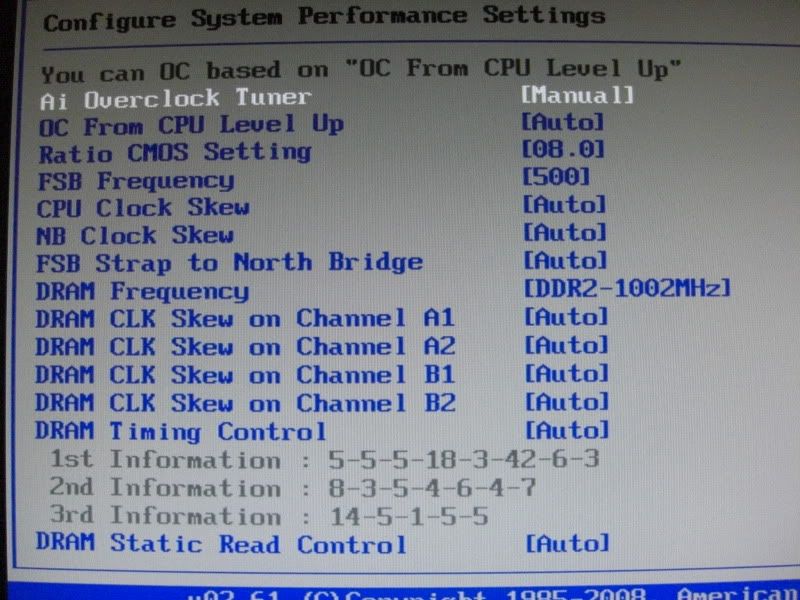
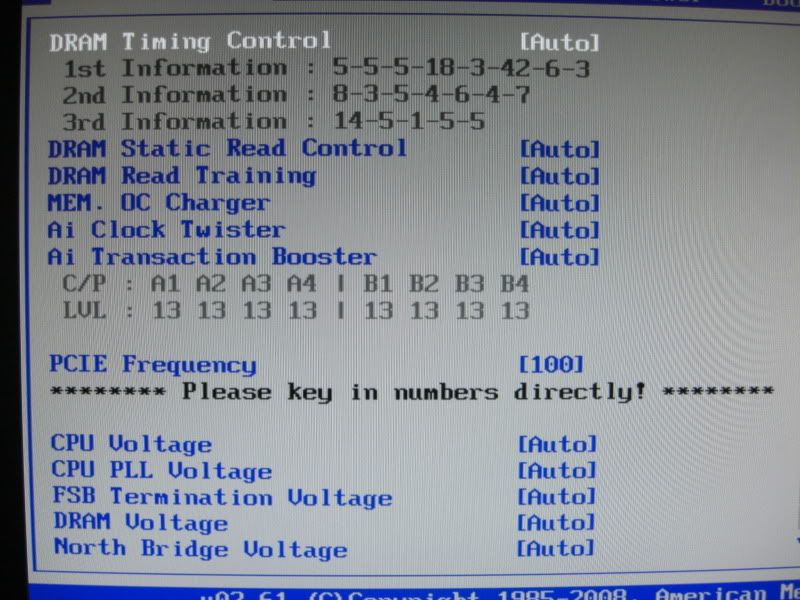
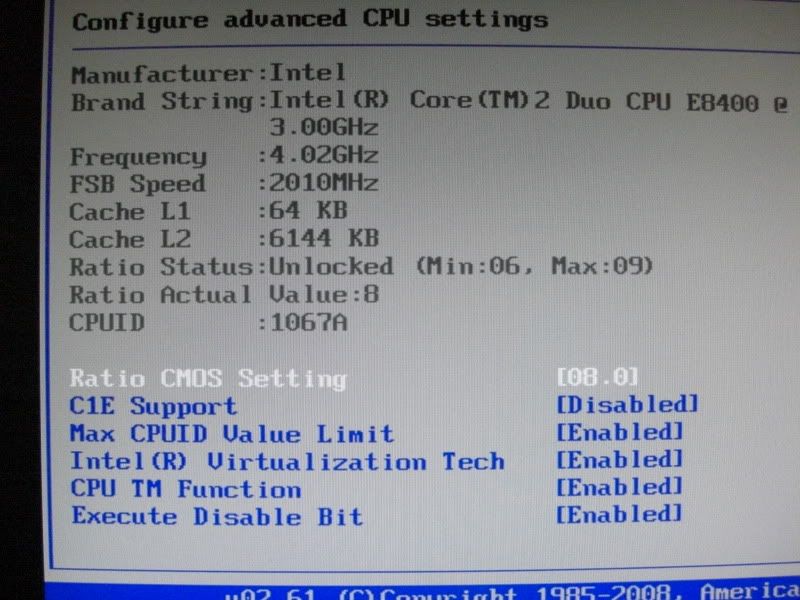
As for your reference, here are my overclocked settings. No guarantee it will work for your setup....
Mobo = P5Q deluxe
CPU = Intel Q9550 @ 435FSB X 8.5 =3.7GHz
Mem = GSkill D9GMH DDR2-800 @1045MHz 5-5-5-15 PL8
NB = 1.2V
VCC = 1.2625V
Vmem =2.0V
PLL =1.52V
VTT =1.28V
LLC = enabled
others on Auto
LinPack stable for 3 hours, Prime95 stable for 3 hours for each test(small, blend, large), OCCT test for 1 hour
QUOTE(Eoma @ Jul 5 2009, 01:00 AM)
The ghostbusters problem still happens though (random crashing, even at stock speeds). Maybe it doesn't like x64 or 6GB ram who knows. Any other game plays just fine (3dmark and fur bench too).
its not related to vista x64 or RAM size. if it still crashing at stock speed then the problem might due to
- driver problem.. either video or audio driver.. try to update the driver
- game bug... try to patch the game
This post has been edited by campsol2k: Jul 5 2009, 09:53 AM 

 Jun 7 2009, 05:35 PM


 Quote
Quote







 0.0298sec
 0.36
0.36
 6 queries
 GZIP Disabled