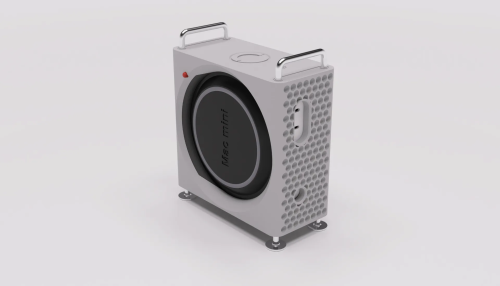
Setting it up vertical might help with cooling and also not to mention wireless range of the wifi and bluetooth, but If you're going to put a case on the Mac Mini M4, might as well be a cooling case, to help with the thermals and better sustain long throttling performance.
These are just example from the past:
This post has been edited by jonthebaptist: Nov 21 2024, 08:23 PM
didn't notice before but they also only just approved 14 & 16 inch m4 max macbook pros on 20 nov so they weren't done after the base m4 mac mini was approved lol thats why they still needed time
So there is 3 method i'm considering now to use the external ssd.
1. Only use external as normal storage and moving and install apps directly to it. When unplugged, nothing going to happen. In this case I have a 20gbps 1TB ssd I can use.
2. Moving whole home folder to external SSD. Everything will be installed there including some apps data. External ssd will have to be plugged in all the time. Not sure what will happened if mac wasn't boot up together with it or when it's unplugged. But it is also recommended to create a backup user with admin priviledge on the mac if that happens. In this case I will get the USB 4 enclosure + PCIE4 NVME SSD to fully utilize the usb 4 speed of 40gbps.
3. Install macOS to external SSD. This will disable Apple Intelligence and apple pay. This method I will skip.
So I'm undecided on method 1 or 2 right now. It's better to decide before start using the mac. If anyone wants tutorial on method 2 I can share the youtube link.
What do you guys think? Which one would you opt for if you're going for the base model?
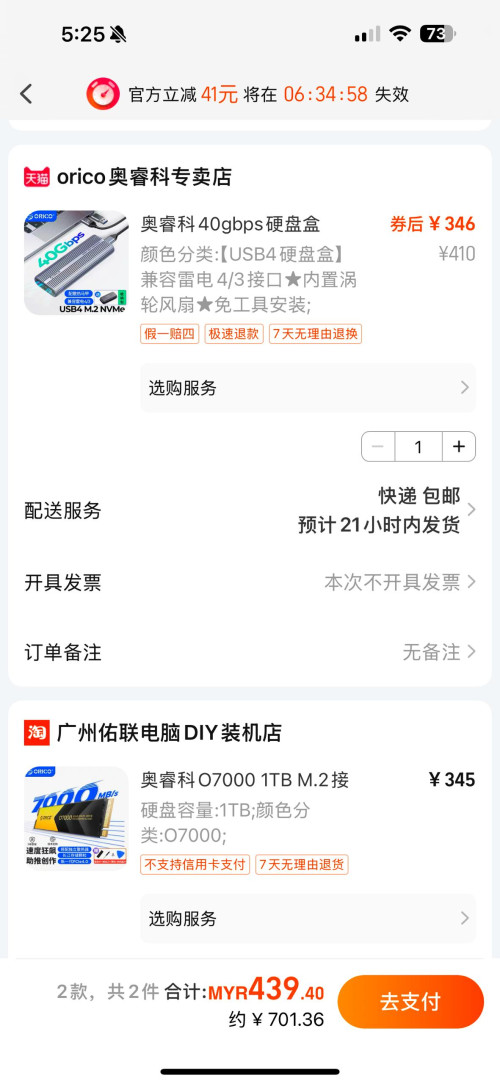
Found even cheaper combo for the external SSD on taobao.
So there is 3 method i'm considering now to use the external ssd.
1. Only use external as normal storage and moving and install apps directly to it. When unplugged, nothing going to happen. In this case I have a 20gbps 1TB ssd I can use.
2. Moving whole home folder to external SSD. Everything will be installed there including some apps data. External ssd will have to be plugged in all the time. Not sure what will happened if mac wasn't boot up together with it or when it's unplugged. But it is also recommended to create a backup user with admin priviledge on the mac if that happens. In this case I will get the USB 4 enclosure + PCIE4 NVME SSD to fully utilize the usb 4 speed of 40gbps.
3. Install macOS to external SSD. This will disable Apple Intelligence and apple pay. This method I will skip.
So I'm undecided on method 1 or 2 right now. It's better to decide before start using the mac. If anyone wants tutorial on method 2 I can share the youtube link.
What do you guys think? Which one would you opt for if you're going for the base model? Found even cheaper combo for the external SSD on taobao.
To Be Old and Wise You Must First be Young and Stupid
Senior Member
1,198 posts
Joined: Jun 2015
From: Malaysia
QUOTE(yvliew @ Nov 22 2024, 05:32 PM)
So there is 3 method i'm considering now to use the external ssd.
1. Only use external as normal storage and moving and install apps directly to it. When unplugged, nothing going to happen. In this case I have a 20gbps 1TB ssd I can use.
2. Moving whole home folder to external SSD. Everything will be installed there including some apps data. External ssd will have to be plugged in all the time. Not sure what will happened if mac wasn't boot up together with it or when it's unplugged. But it is also recommended to create a backup user with admin priviledge on the mac if that happens. In this case I will get the USB 4 enclosure + PCIE4 NVME SSD to fully utilize the usb 4 speed of 40gbps.
3. Install macOS to external SSD. This will disable Apple Intelligence and apple pay. This method I will skip.
So I'm undecided on method 1 or 2 right now. It's better to decide before start using the mac. If anyone wants tutorial on method 2 I can share the youtube link.
What do you guys think? Which one would you opt for if you're going for the base model? Found even cheaper combo for the external SSD on taobao.
Yeah previously I am also using method 1. But then some apps still store data locally in home folder. Apps like ai and ollama. Those are very big and have big models files. So now have to think which to go for.
Dont look on hardware. the unique is macOS stability.
I know how good Mac OS is. Was just simple comparison, we need to be able to compare to see what a bargain this Mac mini M4 is.
QUOTE(shyan90's @ Nov 23 2024, 10:20 PM)
Cant compare like that la..
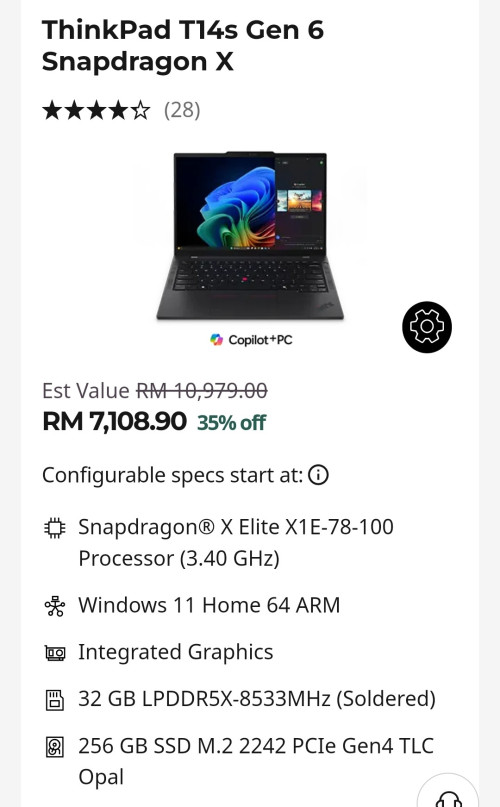
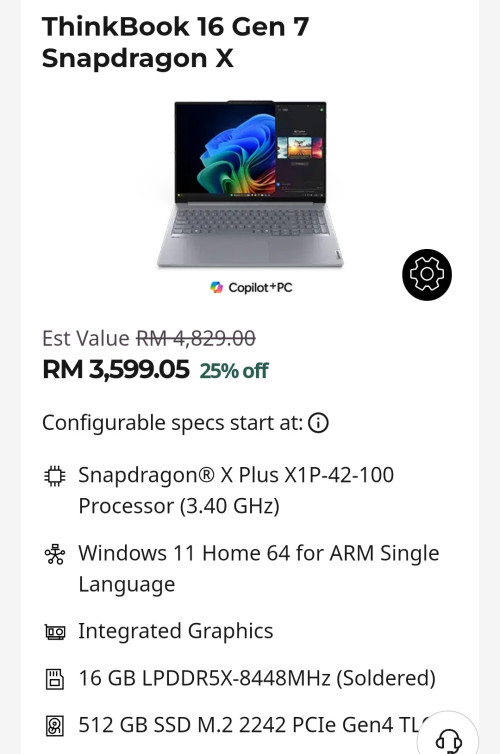
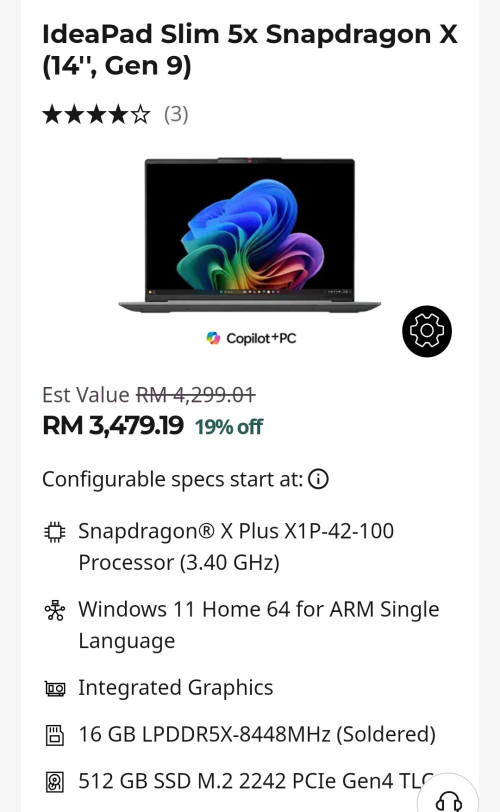
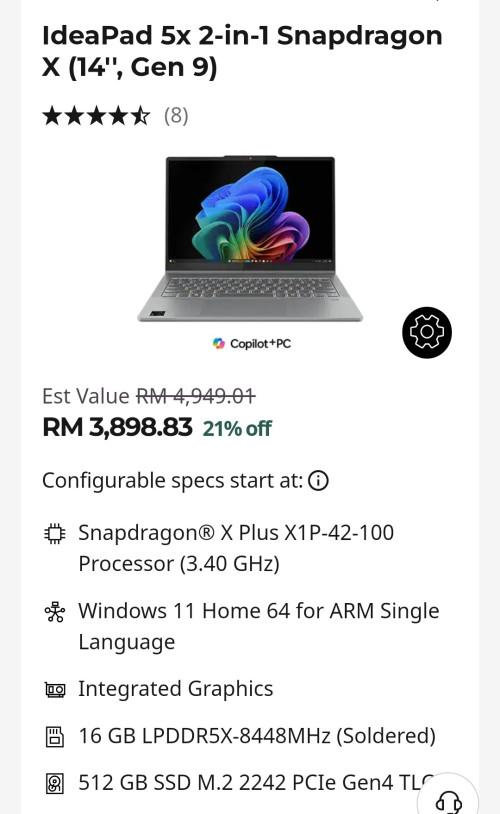
Well when there is no Desktop Windows ARM PC yet, you gotta compare with the next best thing, it's laptops. There was a prototype costing $899 (roughly RM4000) desktop Snapdragon that has since been cancelled:


 Nov 21 2024, 03:15 PM


 Quote
Quote





 0.0234sec
 0.55
0.55
 6 queries
 GZIP Disabled