Outline ·
[ Standard ] ·
Linear+
DLink DIR-X3060Z Router Speedtests & Tips, Oh. So. Free.
|
Khan92
|
 Oct 30 2023, 12:41 AM Oct 30 2023, 12:41 AM
|

|
QUOTE(soonwai @ Oct 22 2023, 11:47 PM) Wireless mesh throughput is halved because the mesh node only has one 5Ghz transceiver (radio.) It uses that single radio to alternate sending/receiving from the main mesh and sending/receiving to the device. Wifi is half-duplex, it can't send/receive simultaneously. So double duty for it and therefore about 50% effective throughput. I think the mesh can handle about 800Mbps so 400+400 for sending and receiving. Unifi upload is only 200Mbps so no problem there. This is why the more expensive tri-band mesh systems have 2 x 5Ghz radios. One dedicated to the main mesh and one to the devices. As for the MacBook, I think that's because the office room is a much smaller space with walls on all sides and the radio waves are bouncing off the walls and interfering with themselves. Also because the MacBook was much closer, about 3ft away from the x3060z. Too close also no good. Another thing is that I left the power of the x3060z in the office room at 100%. Probably a bit too much for that room. The living and dining room are much bigger spaces and I'm about 8ft away during the tests. Sifu question. i do an easymesh for ax3000z and ax3060z. Ax3000z as main unit while 3060z as satellite/mesh unit. channel set as 5ghz, by right when i close by on satellite unit i should get full speed as well right? the distance like 5-6 feet with 2 wall |
|
|
|
|
|
Epic_winner091
|
Oct 31 2023, 03:27 PM
|
|
|
We were given a pair of this router as part of their WiFi 6 upgrade exercise.
For a TM-provided router, I have to say it's rock solid. Haven't had any problems with it. At least 3 heavy users in our household and it has no issues trudging through that.
|
|
|
|
|
|
jkfoong
|
Oct 31 2023, 04:36 PM
|
|
|
How does this compare to AX50?
|
|
|
|
|
|
Queryz
|
Nov 5 2023, 10:56 AM
|
Getting Started

|
QUOTE(apalexar @ Oct 25 2023, 07:59 PM) Since TS provide good test result for the router, anyone interested to get one unit? Got 1 unit for sell here  how much wanted to sell master? cheap cheap plss |
|
|
|
|
|
apalexar
|
Nov 5 2023, 11:23 AM
|
|
|
QUOTE(Queryz @ Nov 5 2023, 10:56 AM) how much wanted to sell master? cheap cheap plss How about 110 |
|
|
|
|
|
Queryz
|
Nov 5 2023, 11:25 AM
|
Getting Started
|
QUOTE(apalexar @ Nov 5 2023, 11:23 AM) How about 110 wowwww sealed unit or used  |
|
|
|
|
|
apalexar
|
Nov 5 2023, 11:31 AM
|
|
|
QUOTE(Queryz @ Nov 5 2023, 11:25 AM) wowwww sealed unit or used Not virgin anymore, the technician direct open it even I say I will connect it later myself  |
|
|
|
|
|
Queryz
|
Nov 5 2023, 11:32 AM
|
Getting Started
|
QUOTE(apalexar @ Nov 5 2023, 11:31 AM) Not virgin anymore, the technician direct open it even I say I will connect it later myself let me ping you for more details  |
|
|
|
|
|
SUSoverlimit
|
Nov 8 2023, 04:37 PM
|
Getting Started
|
Is mesh function available under Access Point mode?
|
|
|
|
|
|
Sky.Live
|
Nov 16 2023, 08:31 PM
|
|
|
I thought this wifi ap is rock solid, able to max out my 500Mbps without sweat over wifi. Just realised my ethernet backhaul is only able to handshake at 100Mbps, upstairs mesh is only able to output 100Mbps.. i think need to redo my ethernet plug connectors
|
|
|
|
|
|
kopitiam
|
Nov 16 2023, 09:57 PM
|
|
|
QUOTE(apalexar @ Nov 5 2023, 11:23 AM) How about 110 wished i read earlier  bought used unit for rm160 from shopee so total i have 3 units  QUOTE(Sky.Live @ Nov 16 2023, 08:31 PM) I thought this wifi ap is rock solid, able to max out my 500Mbps without sweat over wifi. Just realised my ethernet backhaul is only able to handshake at 100Mbps, upstairs mesh is only able to output 100Mbps.. i think need to redo my ethernet plug connectors yup can max out 500mbps from all 3 of my units. all connected through cable |
|
|
|
|
|
apalexar
|
Nov 16 2023, 10:01 PM
|
|
|
QUOTE(kopitiam @ Nov 16 2023, 09:57 PM) wished i read earlier bought used unit for rm160 from shopee so total i have 3 units yup can max out 500mbps from all 3 of my units. all connected through cable Bet you can get it below 130 at lowyat easily, or carousell |
|
|
|
|
|
SUSnonamer
|
Nov 17 2023, 05:06 PM
|
Getting Started
|
QUOTE(kopitiam @ Nov 16 2023, 09:57 PM) yup can max out 500mbps from all 3 of my units. all connected through cable is the mesh node resilient to wan disconnection? means no need for manual intervention or re-setup when main router rebooted or wan changed ip |
|
|
|
|
|
kopitiam
|
Nov 18 2023, 06:17 PM
|
|
|
I gave up on this 3060z as a router. suddenly this morning 2 of my android tv no IP address assigned and a few hours ago one of the 3060z mesh client also no ip address. i took out my old tplink router set as router, and set all of the 3060z as AP. work perfectly  |
|
|
|
|
|
simmarjit
|
Nov 19 2023, 06:09 PM
|
|
|
I wonder, is this any better than a FiberHome PON ONU if using it as a ONU not router.
|
|
|
|
|
|
simmarjit
|
Nov 19 2023, 06:38 PM
|
|
|
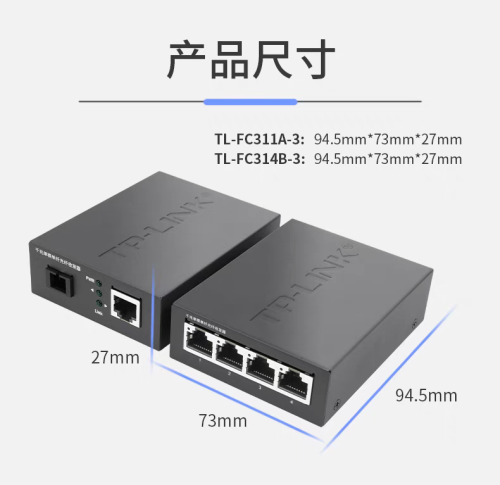
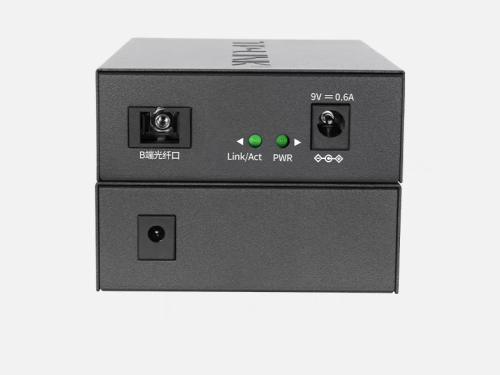
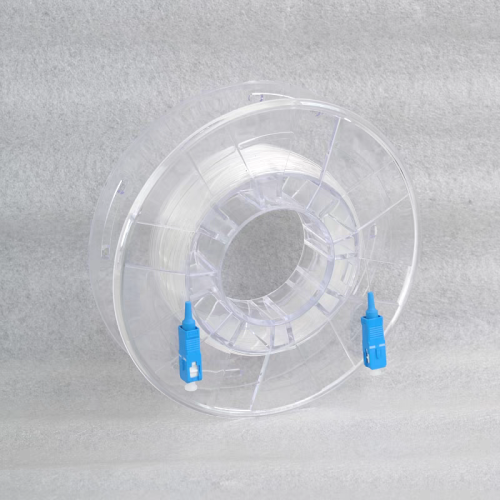
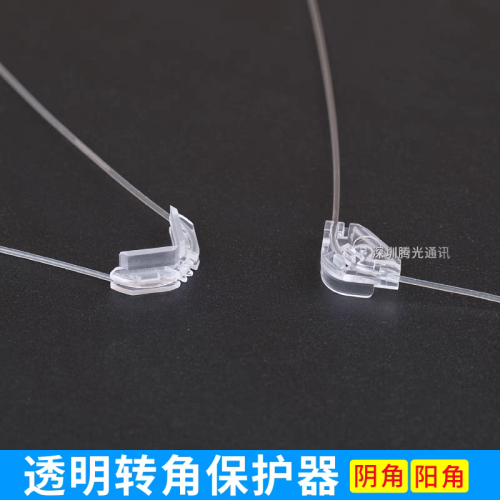
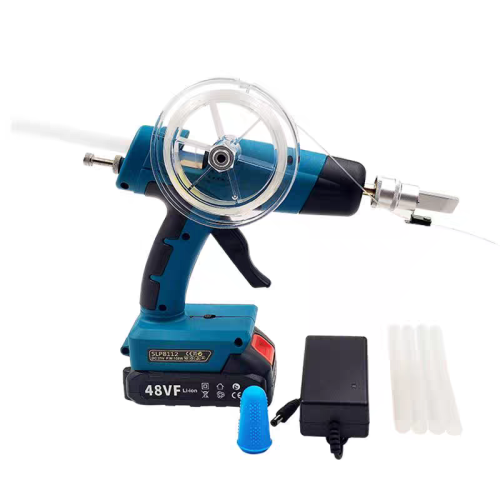
QUOTE(BOTAK_WAI @ Oct 23 2023, 09:53 PM) Do you know what are the tools for the last 3 pictures? Basically a hot glue gun for fiber? Cant seem to find it on shopee/taobao idk if i am typing for the correct item |
|
|
|
|
|
BOTAK_WAI
|
Nov 19 2023, 07:27 PM
|
|
|
QUOTE(simmarjit @ Nov 19 2023, 06:38 PM) Do you know what are the tools for the last 3 pictures? Basically a hot glue gun for fiber? Cant seem to find it on shopee/taobao idk if i am typing for the correct item the watermark got shop name if u zoom in. yes. just a hot glue gun, cordless. |
|
|
|
|
|
MyProLife
|
Nov 29 2023, 03:14 AM
|
|
|
Conclusion: dlink (well it's netis actually) still lose to fiber home (at least on paper) Because: 1. SR1041F with Econet (MTK subsidiary) has 64 bit dual core A53 @ 1ghz. Almost on par with Qualcomm IPQ5000 series (aka IPQ0518/5018) on some tp link archers 2. SR1041F comes with 512m of ram The wireless solutions from mediatek are almost the same nonetheless on both dlink/netis and fiber home so the range should be similar great for single level homes. But fiber home should be able to provide much more stable connection if with many devices connected But the con on zte/Econet on either model, no openWRT support at all to bypass ISP firmware. So no much value after all. Better to get mediatek filogic models for that, lol Source: https://www.acwifi.net/24040.html |
|
|
|
|
|
alip_11
|
Nov 30 2023, 01:56 AM
|
Getting Started
|
Hi guys. Need some opinion here. I have 5g cpe but its wireless coverage is limited. So I bought this ax3000 unifi unit to make it as AP.
Reading the first page, i managed to set it to bridge model. But the speed is way too low compared to wireless directly from my 5g cpe. If near the 5g cpe, i got around 500mbps. After connecting it to dlink and set it to bridge mode, the speed i got from dlink router is only around 100mbps altho just 5cm from it.
Anything i did wrong?
Oh ya, if in bridge mode, cannot access the dlink router setting page anymore? Type the ip, nothing comes up…
|
|
|
|
|
|
kopitiam
|
Nov 30 2023, 01:34 PM
|
|
|
QUOTE(alip_11 @ Nov 30 2023, 01:56 AM) Hi guys. Need some opinion here. I have 5g cpe but its wireless coverage is limited. So I bought this ax3000 unifi unit to make it as AP. Reading the first page, i managed to set it to bridge model. But the speed is way too low compared to wireless directly from my 5g cpe. If near the 5g cpe, i got around 500mbps. After connecting it to dlink and set it to bridge mode, the speed i got from dlink router is only around 100mbps altho just 5cm from it. Anything i did wrong? Oh ya, if in bridge mode, cannot access the dlink router setting page anymore? Type the ip, nothing comes up… most likely the ethernet cable. please try another cable |
|
|
|
|



 Quote
Quote







 0.0185sec
 0.19
0.19
 5 queries
 GZIP Disabled