|
MR_alien
|
 Aug 12 2024, 10:45 AM Aug 12 2024, 10:45 AM
|

|
QUOTE(andrekua2 @ Aug 12 2024, 08:43 AM) No for MC888S. Only can select 5G/4G, 5G SA, 5G NSA, 4G yes, u can...at advance option there QUOTE(GameSky @ Aug 5 2024, 09:32 AM) for some reason 5g umobile here been hit and miss since this morning... 5G is never consistent like fiber it's been like that for a very long time already from my experience but of course my experience is based on 3 bars out of 5 i wonder what the experience is like living with full 5 bars  |
|
|
|
|
|
MR_alien
|
Aug 18 2024, 03:28 PM
|
|
|
the DNS issue is finally reaching u-mobile
|
|
|
|
|
|
MR_alien
|
Aug 20 2024, 01:09 PM
|
|
|
QUOTE(cloudwan @ Aug 20 2024, 01:07 PM) google DNS and 1.1.1.1 and i notice web browsing has been weird these few days there's a very obvious delay in loading everything...and this is not even a night thingy already, it's 24 hours) but if you turn on your VPN or WARP, it changes everything...all those problem went away |
|
|
|
|
|
MR_alien
|
Aug 22 2024, 09:26 AM
|
|
|
QUOTE(ericsow @ Aug 21 2024, 04:02 PM) Waiting for my fourth router replacement. And today the connection still same as weird. 4g download speed with 5g upload speed.  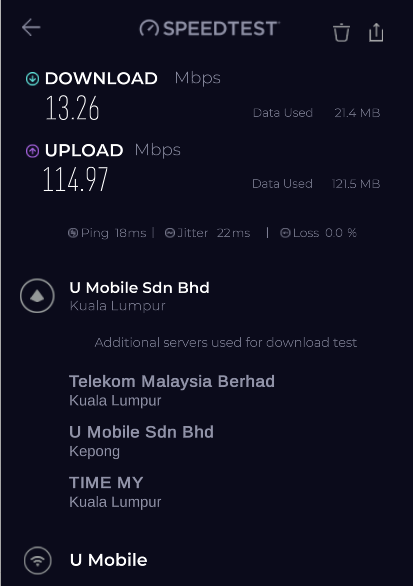 have you tried taking the modem and sim elsewhere to try? QUOTE(iz1011 @ Aug 21 2024, 10:47 PM) Currently I'm using the ZTE MC888 from the UMobile bundle anyone here facing Wi-Fi issue with this modem? It not consistent or stable. The issue I'm facing is that whenever the modem decide to switch channel from 2.4 to 5Ghz it seems to disconnect for awhile and connect back everything but the i can't consistently replicated the issue here somettimes it happen once in a blue moon while something it happen every few hours. My workaround atm is by disconnecting the on board wifi and plug in a router to use it as an AP mode from my router then every issue seems to goes away. Just wanted to knowif you guys faced this issue or mine was a defective unit? Got it bundle with u home tho. why didn't u just merge the 2.4 and 5Ghz together? |
|
|
|
|
|
MR_alien
|
Aug 29 2024, 05:29 PM
|
|
|
QUOTE(andrekua2 @ Aug 26 2024, 06:18 PM) Anyone experiencing slow network speed? On sunday, I can get between 200-300Mbps but today its back down to 30Mbps... some hanky panky going on with UM. Im gonna launch a complaint and see how it went. if you want consistent speed, you're on the wrong plan you should've subscribed to fiber |
|
|
|
|
|
MR_alien
|
Aug 29 2024, 05:30 PM
|
|
|
QUOTE(ultrageek @ Aug 29 2024, 04:15 PM) Sadly, though, there's also nothing about DC's? i just experience that DC problem few days ago for a few days the internet would suddenly stop, if i login to the router...it would switch from 5G to limited service and the router would restart itself funny enough, it stopped doing that 2 days ago |
|
|
|
|
|
MR_alien
|
Aug 29 2024, 07:30 PM
|
|
|
QUOTE(andrekua2 @ Aug 29 2024, 07:23 PM) many people don't understand using telco is like that, the speed will never be consistent due to many factors like what time of the day, how congested it is and which tower your router seem to be connected to and your test speed doesn't reflect your download speed too, this is what i found out recently i can test a very low speed but when i try download a test file, the speed will way surpass the speed i got from the speed test but of course not mind blowingly different if you want very consistent ping and speed(promised speed), fiber is the only choice anybody can get because nothing beats wired |
|
|
|
|
|
MR_alien
|
Aug 29 2024, 08:11 PM
|
|
|
QUOTE(ad2000 @ Aug 29 2024, 08:07 PM) Consistent speed is not the issue. I am fully aware of the pros and cons of a wireless broadband connection comparedto fibre broadband. What concern me was the sudden apparent drop of speed connection which is now "consistently" at the speed well below the norm and it is just not UM only, it involves other telcos too both home wireless broadband and mobile 5G normal if u ask me for MY we don't have as much tower as neighboring countries say thailand u go thailand, the amount of towers and repeaters they have, the line would always stay at full bar all the time here it isn't...sadly |
|
|
|
|
|
MR_alien
|
Nov 27 2024, 10:57 AM
|
|
|
updated MC888S on 23th
noticed quite some things extra like MAC-ip BIND and able to set DNS now
but able to set 5G SA and NSA is gone
will be buying a nokia fastmile soon and put it in the same position and see if there's any difference
|
|
|
|
|
|
MR_alien
|
Dec 5 2024, 10:00 AM
|
|
|
Here are some of my takes after using my newly bought nokia fastmile router vs MC888S
1. The snapdragon chip is indeed a signal magnet, the place i'm in is supposedly no 4G signal at all..not even my phone mediatek chip can detect 4G but this router can and got like 20Mbps out of it
5G wise slightly better signals but significantly better and consistent speed(even during peak hours)
for context, i can run a speedtest on fast.com at anytime, i can get 300Mbps
2. i think this router has 5 receiver which symbolizes the 5 dot on top so no matter which direction u put it on, it will detect which side has the best signal
3. it will still get hot but due to the circular design of it and me using the charger brick as a stand...it cooled off pretty good...u can feel heat coming out on top if you put your hand on top of it
4. cannot lock band, cannot change time or time zone, cannot manually connect and disconnect
5. DNS only can change ipv4
6. the question that everybody will be asking, will it disconnect?...answer is yes and no
the router won't restart but the 5G would disconnect so when the 5G disconnect, there's only 2 way it can go
one is it will try to reconnect 5G back or if it's unsuccessful, it will be only connected to 4G(5G will be permanently unavailable) and you have to manually restart the router to reconnect 5G
so i feel like the MC888S is setup as "if 5G disconnect, router has to restart" because i notice everytime 5G drops on MC888S to limited service, it basically means the router is gonna restart....they just need to change this line of code to prevent it from restarting
This post has been edited by MR_alien: Dec 5 2024, 12:26 PM
|
|
|
|
|
|
MR_alien
|
Dec 7 2024, 10:14 AM
|
|
|
QUOTE(andrekua2 @ Dec 6 2024, 10:35 PM) Did you choose 4G/5G or 5G only? After firmware update ....there is no 5G only option anymore All the 5G SA and NSA are removed And same thing with what happened to my Nokia fastmile The 5G will disconnect multiple times a day Whether it reconnect back to 5G is the only issue I think previously MC888S is programmed to restart once 5G disconnected |
|
|
|
|
|
MR_alien
|
Dec 7 2024, 02:12 PM
|
|
|
QUOTE(acid427 @ Dec 7 2024, 01:28 PM) Fastmile 1 or 3? fastmile 1 |
|
|
|
|
|
MR_alien
|
Dec 13 2024, 09:45 AM
|
|
|
after testing with my nokia fastmile 1, i switch my sim back to MC888S
and i'm impressed it hasn't restart until today...it's been 48 hours already which is my previous record
so it has nothing to do with heat afterall, it's all coding problem...it restarts once 5G is disconnected
signal wise, it's pulling the same strength as my nokia fastmile in terms of "dBm" but in terms of speed, the MC888S cannot pull as much as the fastmile but today it managed to download as fast as 25MBPS with just 3 bars of signal which previously is pretty rare
so overall this update is pretty impressive if you ask me
and i can't complain considering the size and weight difference of both router...this MC888S is only a fraction of the size and weight as the nokia fastmile
|
|
|
|
|
|
MR_alien
|
Dec 13 2024, 09:47 AM
|
|
|
QUOTE(Mewhatt @ Dec 12 2024, 08:01 PM) Just placed an order for TP link archer nx200. RM461 on tiktokshop 12.12 promo. Hopefully it's more stable than my free ZTE modem. But I'm afraid that the modem I just bought is not 'that' good. Because it is significantly cheaper than deco x50-5g. But yeah, I'll post my simple review when I received the modem don't look at the price, look at what chipset it's using is way more important |
|
|
|
|
|
MR_alien
|
Dec 13 2024, 02:42 PM
|
|
|
QUOTE(Mewhatt @ Dec 13 2024, 02:24 PM) The thing about tp link modem models, it's very difficult to identify which chipset they are using. Even for the x50-5g model, if not mistaken there's no official statement from tp link which chipset they use. Same goes for archer nx200. My area got 5g. My phone detect 5g and the speed is good. However when I'm using the free ZTE modem, it catches the 5g signal but very weak. So hopefully the archer nx200 that i bought can catch the 5g signal better. My aim is at least 150mbps is ok already. Not hoping for more than 300mbps. Because my current ZTE modem speed is only less than 20mbps. i think all you can do now is wait and test not much review of it on youtube as well...meanwhile the X50 5G is using snapdragon X62 chip which guarantee to be great |
|
|
|
|
|
MR_alien
|
Dec 18 2024, 12:02 PM
|
|
|
QUOTE(GoodToF @ Dec 17 2024, 07:02 PM) Hi, Using this at Puchong area. The speed is less than 10mbps. Lodged complaint with Umobile, they are asking me to do many test. Example, putting in sim card to phone, and test in multiple location. The speedtest shows the same result with their router and Deco X50-5g. Is there anyone here encountered this before? Puchong I tested with many sim/Telco before Almost all of them have bars but cannot load anything Is it really that congested in puchong has always been my question |
|
|
|
|
|
MR_alien
|
Dec 19 2024, 08:08 AM
|
|
|
QUOTE(Icehart @ Dec 19 2024, 07:49 AM) Only UMobile. Maxis/Hotlink full speed. i've also tested with unifi mobile and digi to say maxis is having full speed...someone just complained few days ago maxis no line in puchong  |
|
|
|
|
|
MR_alien
|
Dec 19 2024, 10:23 AM
|
|
|
QUOTE(tmc @ Dec 19 2024, 09:47 AM) Haha. I get 400 mbps in Puchong with Umobile but of course, only at certain locations. I suspect 5G lines get saturated very quickly. We just pray that other people don't come to use 5G near me. Go somewhere else to use please. LOL. i think it really depends on where you are or live i tested mine along LDP, got bars but nothing moves i think it gets worse at those area where residents refuse to setup telco towers |
|
|
|
|
|
MR_alien
|
Jan 22 2025, 09:20 AM
|
|
|
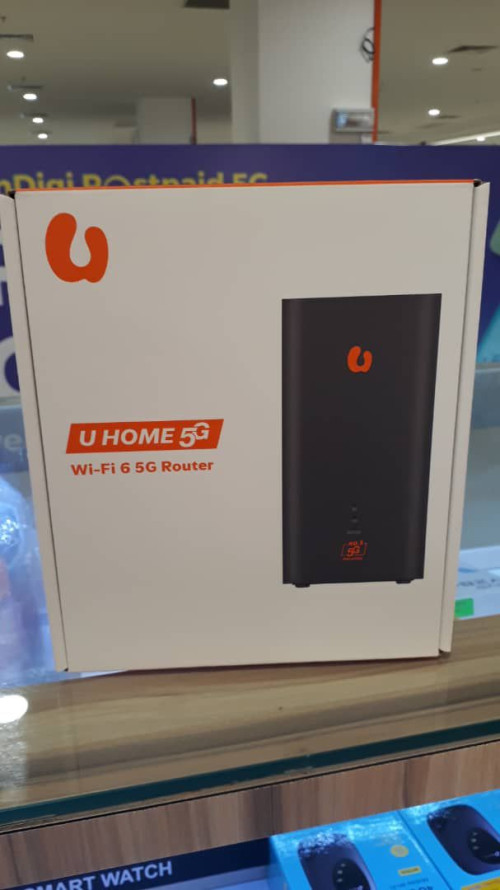
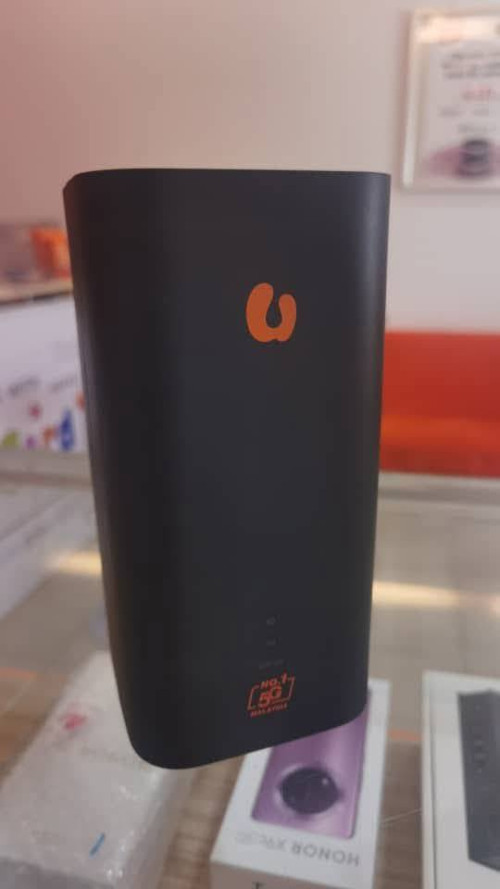
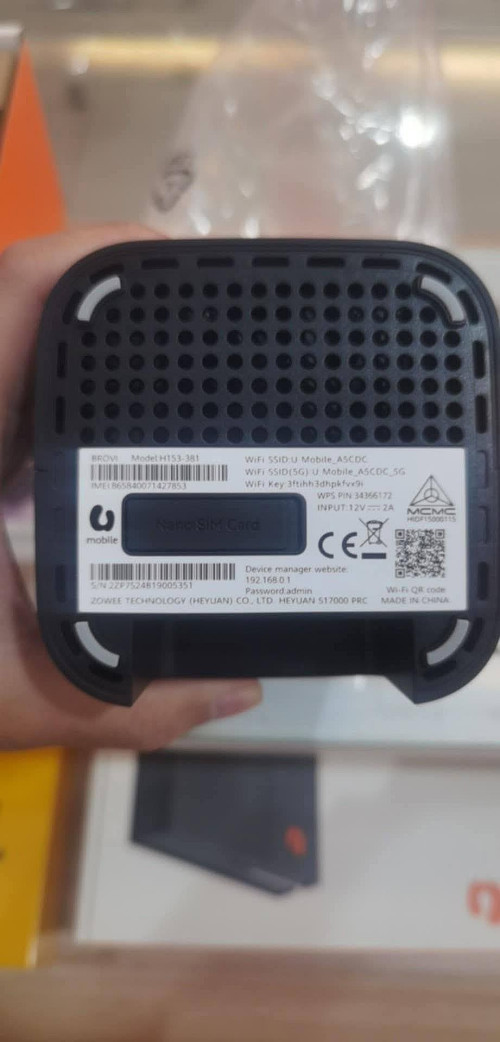
QUOTE(yapmeo @ Jan 14 2025, 12:25 PM) QUOTE(STEVE75 @ Jan 14 2025, 05:01 PM) the shape basically resembles huawei's legendary 4G router but it still doesn't mention what chipset it's using...that's the most important part it's all about the chipset it's using |
|
|
|
|
|
MR_alien
|
Jan 22 2025, 10:48 AM
|
|
|
QUOTE(JLA @ Jan 22 2025, 10:41 AM) hilink Balong 5000 multi-mode chipset not sure how it's going against the big boys nowadays for this sort of router, i only trust snapdragon and mediatek everything else seem quite inferior for signal |
|
|
|
|





 Quote
Quote

 0.7971sec
 0.98
0.98
 7 queries
 GZIP Disabled