Welcome Guest ( Log In | Register )

87 Pages « < 19 20 21 22 23 > » Bottom

Outline · [ Standard ] · Linear+

 [V33] Lowyat.Net Mechanical Keyboard Club

views
     
josh5671
post Mar 2 2023, 12:18 PM

Regular
******
Senior Member
1,197 posts

Joined: Dec 2010
QUOTE(LegendLee @ Mar 1 2023, 11:17 PM)
My order for the M2 monsgeek kit just arrived.
Some issues with the screw in stabilizers though.
The shift and enter key are a bit "sticky"
Once press down it doesn't come up...
This only occur when the keycaps are installed all the way down.
Not sure if I overlube it... or it's a stabilizer issue.

Changing stablizers seems like a major pain in the butt though.
Need to remove keycaps, switches, and lots of screws..
*
yep. the ESC section really will sink super hard if you didnt mod it..
thats one of the reason i yet slap money into mkb shop lol

and remove the stab really need unscrew everything. can said need to dissemble the keyboard totally whistling.gif


thats why i now researching if there got other 96%/98% keyboard
horns
post Mar 2 2023, 04:23 PM

\m/
*******
Senior Member
3,038 posts

Joined: Nov 2009
QUOTE(josh5671 @ Mar 2 2023, 12:18 PM)
yep. the ESC section really will sink super hard if you didnt mod it..
thats one of the reason i yet slap money into mkb shop lol

and remove the stab really need unscrew everything. can said need to dissemble the keyboard totally  whistling.gif
thats why i now researching if there got other 96%/98% keyboard
*
in the case of pcb-mount stabilizers in plated builds, a full teardown is usually required to apply fixes properly. that's also why we make sure every key with stabs work accordingly first, before soldering/assembly.

plate-mount stabilizers are much easier to maintain.

however, well-tuned/installed pcb-mount stabilizers will work fine for as long as they can, even if you swap key caps frequently. the key is just to be patient, and remove long key caps gently during the process.
horns
post Mar 2 2023, 08:08 PM

\m/
*******
Senior Member
3,038 posts

Joined: Nov 2009
note that these new dmk bow jp red/blue key cap sets are pbt dye-sub, not abs double-/triple-shot.

» Click to show Spoiler - click again to hide... «


it's no wonder it feels just like thick pbt to me. it IS thick pbt.

edit: apparently i missed the texts on the images hahaha

This post has been edited by horns: Mar 2 2023, 08:30 PM
toiletwater
post Mar 3 2023, 11:33 AM

On my way
****
Junior Member
531 posts

Joined: Mar 2012


QUOTE(LegendLee @ Mar 1 2023, 11:17 PM)
My order for the M2 monsgeek kit just arrived.
Some issues with the screw in stabilizers though.
The shift and enter key are a bit "sticky"
Once press down it doesn't come up...
This only occur when the keycaps are installed all the way down.
Not sure if I overlube it... or it's a stabilizer issue.

Changing stablizers seems like a major pain in the butt though.
Need to remove keycaps, switches, and lots of screws..
*
I was looking forward to buying a M2 for my office. Darn. Seems like I may need to settle for a V5 or Q5 from keychron.
josh5671
post Mar 3 2023, 11:58 AM

Regular
******
Senior Member
1,197 posts

Joined: Dec 2010
QUOTE(toiletwater @ Mar 3 2023, 11:33 AM)
I was looking forward to buying a M2 for my office. Darn. Seems like I may need to settle for a V5 or Q5 from keychron.
*
bangwall.gif same...slightly painful as keychron base color too plain
LegendLee
post Mar 3 2023, 12:55 PM

><3LG3|\|D
Group Icon
Elite
2,718 posts

Joined: Mar 2006


QUOTE(toiletwater @ Mar 3 2023, 11:33 AM)
I was looking forward to buying a M2 for my office. Darn. Seems like I may need to settle for a V5 or Q5 from keychron.
*
I don’t think it’s the keyboard’s fault.
Likely it’s the issue with my installation.

It’s unlike the gmmk pro where they overlubed it until it’s overflowing and then the stabilizers are just sticky.

Anyway, I’m just waiting for my durock stabilizers to arrive and I’ll try to do it. Stock stabilizer will likely work well too, but I’m not taking any chances. It’s a pain to disassemble the whole part.
josh5671
post Mar 3 2023, 03:09 PM

Regular
******
Senior Member
1,197 posts

Joined: Dec 2010
QUOTE(LegendLee @ Mar 3 2023, 12:55 PM)
I don’t think it’s the keyboard’s fault.
Likely it’s the issue with my installation.

It’s unlike the gmmk pro where they overlubed it until it’s overflowing and then the stabilizers are just sticky.

Anyway, I’m just waiting for my durock stabilizers to arrive and I’ll try to do it. Stock stabilizer will likely work well too, but I’m not taking any chances. It’s a pain to disassemble the whole part.
*
update us after you try to fix. interesting to know the result.
also, press your M2 ESC key area, it doesnt sink? whistling.gif
LegendLee
post Mar 3 2023, 04:06 PM

><3LG3|\|D
Group Icon
Elite
2,718 posts

Joined: Mar 2006


QUOTE(josh5671 @ Mar 3 2023, 03:09 PM)
update us after you try to fix. interesting to know the result.
also, press your M2 ESC key area, it doesnt sink?  whistling.gif
*
Nope. Don’t really have that issue.
There is a lot of foam below the pcb that’s pushing the whole board by quite a bit.
josh5671
post Mar 3 2023, 04:44 PM

Regular
******
Senior Member
1,197 posts

Joined: Dec 2010
QUOTE(LegendLee @ Mar 3 2023, 04:06 PM)
Nope. Don’t really have that issue.
There is a lot of foam below the pcb that’s pushing the whole board by quite a bit.
*
serious?...mind to share what keycap you using?
because most of the keycap i see/fav, its like not shine through type.
plus the M2 is south RGB make that much more worse
LegendLee
post Mar 3 2023, 05:29 PM

><3LG3|\|D
Group Icon
Elite
2,718 posts

Joined: Mar 2006


QUOTE(josh5671 @ Mar 3 2023, 04:44 PM)
serious?...mind to share what keycap you using?
because most of the keycap i see/fav, its like not shine through type.
plus the M2 is south RGB make that much more worse
*
Even my m1 doesn’t have that issue.
M1 using those side profile keycaps that allow rgb extremely well. In fact south facing is better than north facing for that.

M2 is for my wife. Using some knockoff GMK keycaps.
No rgb. But not much issue either.

My durocks will likely arrive next week.
So likely can only try to fix it next weekend.

The m1 I got was the China / local version where they actually pre installed the stabilizers too. The m2 international version was completely disassembled with lots of stuff. (A lot more foams and even sticker for tape mod).
josh5671
post Mar 3 2023, 06:47 PM

Regular
******
Senior Member
1,197 posts

Joined: Dec 2010
QUOTE(LegendLee @ Mar 3 2023, 05:29 PM)
Even my m1 doesn’t have that issue.
M1 using those side profile keycaps that allow rgb extremely well. In fact south facing is better than north facing for that.

M2 is for my wife. Using some knockoff GMK keycaps.
No rgb. But not much issue either.

My durocks will likely arrive next week.
So likely can only try to fix it next weekend.

The m1 I got was the China / local version where they actually pre installed the stabilizers too. The m2 international version was completely disassembled with lots of stuff. (A lot more foams and even sticker for tape mod).
*
because my M1 using Darling The Franx themed keycap it blocked the rgb...barely to see the rgb on 45 degree (the M1 rgb itself is bright enough, just my keycap blocked it)
do you mind to share side print or side shine through keycap?


btw, what color M2 you going ?
krayden
post Mar 3 2023, 09:56 PM

On my way
****
Junior Member
578 posts

Joined: Jun 2006


Guys, if you treasure your rgb, you should not get a pcb with south facing led. If that were the case, side backlit keycaps are your only option. I know of only 2 sets available:
YMDK in black or white, cherry or oem profile
(These are not good, the shinethrough is uneven, thin keycaps)
Kbdfans in black (slightly better than ymdk, i believe they are oos and discon, i have 1set and the caps lock is senget which drove me crazy)

Again. If you dun touch type and want to see legends in a dark room, go buy a pcb with north facing led.

This is a public service announcement.
josh5671
post Mar 4 2023, 09:58 AM

Regular
******
Senior Member
1,197 posts

Joined: Dec 2010
QUOTE(krayden @ Mar 3 2023, 09:56 PM)
Guys, if you treasure your rgb, you should not get a pcb with south facing led. If that were the case, side backlit keycaps are your only option. I know of only 2 sets available:
YMDK in black or white, cherry or oem profile
(These are not good, the shinethrough is uneven, thin keycaps)
Kbdfans in black (slightly better than ymdk, i believe they are oos and discon, i have 1set and the caps lock is senget which drove me crazy)

Again. If you dun touch type and want to see legends in a dark room, go buy a pcb with north facing led.

This is a public service announcement.
*
ahaha. I understood that before purchasing M1
actually I didnt think its rgb actually so bright, and my keycap not shine through causing it 'leak' though keycap gap directly into eyes.


keychon V5,Q5 south facing too bangwall.gif


*not a complain

This post has been edited by josh5671: Mar 4 2023, 09:59 AM
horns
post Mar 4 2023, 12:34 PM

\m/
*******
Senior Member
3,038 posts

Joined: Nov 2009
QUOTE(krayden @ Mar 3 2023, 09:56 PM)
Guys, if you treasure your rgb, you should not get a pcb with south facing led. If that were the case, side backlit keycaps are your only option. I know of only 2 sets available:
YMDK in black or white, cherry or oem profile
(These are not good, the shinethrough is uneven, thin keycaps)
Kbdfans in black (slightly better than ymdk, i believe they are oos and discon, i have 1set and the caps lock is senget which drove me crazy)

Again. If you dun touch type and want to see legends in a dark room, go buy a pcb with north facing led.

This is a public service announcement.
*
rgb is a marketing gimmick. it brings nothing but a mess to us. it's a part on the pcb that doesn't improve typing experience, but we have to fix it just because of the pure eye sore when it fails.

from my observatios, there are multiple issues about keycaps with shine-through legends:
1. choices are limited, e.g., profiles, designs, colorways, materials.
2. quality is questionable.
3. conflicts everywhere.

by default, due to cherry mx style switch design, per-key rgb led is north facing. this might be due to a design decision to prevent user discomfort when the rgb is south facing. however, north facing led also means multiple things:
1. in order to maximize shine-through effects, legends/sub legends are best to be located at the top side of each key, e.g. corsair's thick double-shot pbt. this has become keycap design issue.
2. north facing key switches cause incompatibility to key cap profiles, like cherry profile (at home row).

logitech's romer-g attempted to solve the issue of the led placement, but failed, because their key stems are not compatible with 99.99% of after-market cherry mx style key caps.

edit: i'm ok with pcbs that come with them. i just turn them off since day one. see? it's useless to me.

This post has been edited by horns: Mar 4 2023, 12:40 PM
LegendLee
post Mar 4 2023, 01:49 PM

><3LG3|\|D
Group Icon
Elite
2,718 posts

Joined: Mar 2006


QUOTE(josh5671 @ Mar 3 2023, 06:47 PM)
because my M1 using Darling The Franx themed keycap it blocked the rgb...barely to see the rgb on 45 degree (the M1 rgb itself is bright enough, just my keycap blocked it)
do you mind to share side print or side shine through keycap?
btw, what color M2 you going ?
*
Got the M2 Black.
But now that I think about it, the M2 lilac looks good too.

I'm using JKDK keycaps.
Side profile keycaps with RGB shinethrough.
You can find it on shopee
Doubleshot PBT, thickness around 1.4mm thick

This all works out for me.
I do need RGB sometimes (dark room)
I sometimes use Cherry keycaps (though not an issue with Akko switches)
and I do prefer side profile more.
horns
post Mar 4 2023, 03:02 PM

\m/
*******
Senior Member
3,038 posts

Joined: Nov 2009
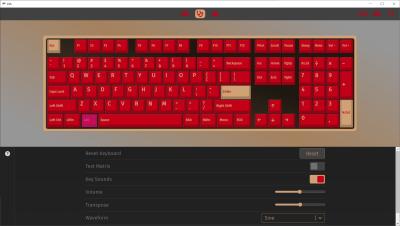
via-2.2.0 was released, https://github.com/the-via/releases/releases/tag/v2.2.0

» Click to show Spoiler - click again to hide... «

LegendLee
post Mar 4 2023, 11:01 PM

><3LG3|\|D
Group Icon
Elite
2,718 posts

Joined: Mar 2006


Fixed the stabilizer issue.
Basically just swap out the stock stabilizers for durock stabilizer.

Durock stabilizers were a bit rattly.
Did the holee mod and used lots of lube.

Problem solved.

This post has been edited by LegendLee: Mar 4 2023, 11:01 PM
horns
post Mar 4 2023, 11:22 PM

\m/
*******
Senior Member
3,038 posts

Joined: Nov 2009
QUOTE(LegendLee @ Mar 4 2023, 11:01 PM)
Fixed the stabilizer issue.
Basically just swap out the stock stabilizers for durock stabilizer.

Durock stabilizers were a bit rattly.
Did the holee mod and used lots of lube.

Problem solved.
*
sweet smile.gif

yes, durock stabs usually need hole mod + lube to behave.
White3N
post Mar 5 2023, 01:49 AM

New Member
*
Junior Member
36 posts

Joined: Jan 2023
Saved it for future reference
horns
post Mar 5 2023, 03:18 PM

\m/
*******
Senior Member
3,038 posts

Joined: Nov 2009
note that the current via app is just a wrapper to access https://usevia.app/ (use ms.edge or g.chrome)

found an issue just now: if you put either or both of these two configurations in rules.mk of your custom keymaps, set the value to NO, you will be greeted by an infinite loading screen in via.

BACKLIGHT_ENABLE
RGBLIGHT_ENABLE

i use them to remove qmk's backlight and rgb underglow features entirely from firmware. the other configurations are fine.


» Click to show Spoiler - click again to hide... «


a lot of people forget the fact that via is an addon that brings convenience to beginners. if you have a qmk-powered pcb, you are still fine by sticking to qmk only.

87 Pages « < 19 20 21 22 23 > » Top
 

Change to:
| Lo-Fi Version
0.0349sec    0.10    6 queries    GZIP Disabled
Time is now: 6th December 2025 - 10:41 AM