

QUOTE(hans86 @ Dec 23 2018, 11:40 PM)
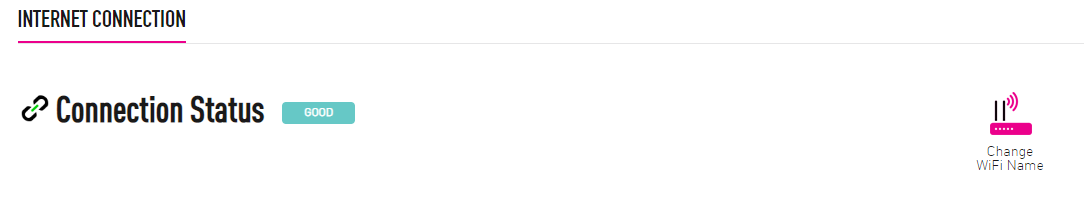
Anyone have tried change wifi name via selfcare? Does it really work?

Yes, it will work if you are using TIME Stock Router with bundled firmware.
Thanks.
TIME [OFFICIAL] TIME Fibre Broadband™ v4, Experience the ONE TRUE 2Gbps
|
|
 Dec 24 2018, 12:08 AM Dec 24 2018, 12:08 AM
Show posts by this member only | IPv6 | Post
#2201
|
 
Senior Member
3,607 posts Joined: Feb 2006 
|
QUOTE(hans86 @ Dec 23 2018, 11:40 PM) Anyone have tried change wifi name via selfcare? Does it really work? Yes, it will work if you are using TIME Stock Router with bundled firmware. Thanks. |
|
|
|
|
|
Dec 24 2018, 12:10 AM
Show posts by this member only | IPv6 | Post
#2202
|
|
Senior Member
3,607 posts Joined: Feb 2006
|
QUOTE(arefiq09 @ Dec 23 2018, 02:45 PM) My router (TP Link Archer C1200) suddenly shut down by itself (rip gaming) and then the power icon blinking for few minutes then proceeded to start working back normally. Anyone knows why is so? I think I have this happened maybe once a month. 2 possibilities, 1st, power adaptor faulty, 2ndly, buggy firmware.We spotted this a couple of times but it rarely happens. Do screeshot your firmware version & pm me. Thanks. |
|
|
Dec 24 2018, 12:41 AM
|

Junior Member
31 posts Joined: Oct 2006 From: Malaysia Ku Tercinta  
|
QUOTE(FusionXY @ Dec 24 2018, 12:07 AM) Hi. You're using stock router C1200? Yes Thanks.  QUOTE(jjj2 @ Dec 24 2018, 12:08 AM) Hi, Thanks alot bro Yes, it will work if you are using TIME Stock Router with bundled firmware. Thanks.  |
|
|
Dec 24 2018, 12:42 AM
Show posts by this member only | IPv6 | Post
#2204
|

Senior Member
3,834 posts Joined: Aug 2016
|
QUOTE(hans86 @ Dec 24 2018, 12:41 AM) Yes As bro jjj2 mentioned. Thanks alot bro Stock router can change via Self Care. Thanks. |
|
|
Dec 24 2018, 05:40 PM
Show posts by this member only | IPv6 | Post
#2205
|

Newbie
28 posts Joined: Jun 2016
|
Hi, i just installed time today for 500Mbps, but my desktop cant get the full speed for download/upload.
 Im using i7-7700k cat6 cable i tried following this vids to troubleshoot but still the same https://www.youtube.com/watch?v=ZqZsVND6KGU&t any idea on how to get max speed? During the installation, the time staff uses their laptop and can get maximum speed. |
|
|
Dec 24 2018, 05:51 PM
Show posts by this member only | IPv6 | Post
#2206
|
|
Senior Member
3,834 posts Joined: Aug 2016
|
QUOTE(mikeblitz1990 @ Dec 24 2018, 05:40 PM) Hi, i just installed time today for 500Mbps, but my desktop cant get the full speed for download/upload. Hi, disable both Anti-Virus and Firewall.Im using i7-7700k cat6 cable i tried following this vids to troubleshoot but still the same https://www.youtube.com/watch?v=ZqZsVND6KGU&t any idea on how to get max speed? During the installation, the time staff uses their laptop and can get maximum speed. Thanks. |
|
|
|
|
|
Dec 24 2018, 06:26 PM
Show posts by this member only | IPv6 | Post
#2207
|
|
Newbie
28 posts Joined: Jun 2016
|
Already disabled, still the same result.
 |
|
|
Dec 24 2018, 09:16 PM
Show posts by this member only | IPv6 | Post
#2208
|
|
Junior Member
7 posts Joined: Sep 2011
|
How long does it take to install fiber connection in a residence? I was informed last minute that it requires 3 hours to do it and this was not informed in advance by the TIME and the installer.
Ended up with postponed installation. Very upset with this first time experience |
|
|
Dec 24 2018, 11:01 PM
Show posts by this member only | IPv6 | Post
#2209
|
|
Senior Member
3,834 posts Joined: Aug 2016
|
QUOTE(mikeblitz1990 @ Dec 24 2018, 06:26 PM) Already disabled, still the same result. Is there any 3rd-party AV?Thanks. QUOTE(h3llb0urne @ Dec 24 2018, 09:16 PM) How long does it take to install fiber connection in a residence? I was informed last minute that it requires 3 hours to do it and this was not informed in advance by the TIME and the installer. It takes about 5 - 7 days or 7 - 14 days.Ended up with postponed installation. Very upset with this first time experience You didn't receive an email regarding the registration date? Thanks. |
|
|
Dec 24 2018, 11:14 PM
Show posts by this member only | IPv6 | Post
#2210
|
|
Junior Member
7 posts Joined: Sep 2011
|
QUOTE(FusionXY @ Dec 24 2018, 11:01 PM) Is there any 3rd-party AV? Thanks for reply.Thanks. It takes about 5 - 7 days or 7 - 14 days. You didn't receive an email regarding the registration date? Thanks. I did and it was scheduled for today. Checking through Time website, it shows my apartment already has this connection but the installer came to my unit and said need to pull wire, drill, etc. Would appreciate if they could ask or inform earlier. Wasted my leave for this |
|
|
Dec 26 2018, 11:07 AM
|
|
Junior Member
377 posts Joined: Jan 2003
|
Anyone have this same problem?
When connected on TIME via Wifi, some apps on Android phone doesn't work. Apps like Google Translate and Carousell. Both (and several more) says "No network" or offline. Gmail & Chrome works. When switch off Wifi and back to 4G connection, then all apps can get online again. Didn't have this issue with previous Maxis Fibre, or when connect to public Wifi. Is it some setting somewhere..? ** EDIT *** >> SOLVED Turns out currently, Android doesn't work well with IPV6. Have to go the router and turn it OFF at Advanced > IPV6 (on the left pane) Been bugging me ever since had TIME installed This post has been edited by hspace: Dec 26 2018, 11:16 AM |
|
|
Dec 26 2018, 11:16 AM
Show posts by this member only | IPv6 | Post
#2212
|
|
Senior Member
3,834 posts Joined: Aug 2016
|
QUOTE(hspace @ Dec 26 2018, 11:07 AM) Anyone have this same problem? Hi, my phone sometimes like that.When connected on TIME via Wifi, some apps on Android phone doesn't work. Apps like Google Translate and Carousell. Both (and several more) says "No network" or offline. Gmail & Chrome works. When switch off Wifi and back to 4G connection, then all apps can get online again. Didn't have this issue with previous Maxis Fibre, or when connect to public Wifi. Is it some setting somewhere..? ** EDIT *** >> SOLVED Turns out Android doesn't work well with IPV6. Have to go the router and turn it OFF at Advanced > IPV6 (on the left pane) Suddenly offline, then back on. Before that, not always happen. Thanks. This post has been edited by FusionXY: Dec 26 2018, 11:17 AM |
|
|
Dec 26 2018, 05:11 PM
|

Newbie
12 posts Joined: Jun 2015
|
Feeling so frustrated with the connection recently, it used to be good on the 1st month, after that the connection become so unstable and the ping are getting higher..
|
|
|
|
|
|
Dec 27 2018, 10:55 AM
|

Junior Member
216 posts Joined: Jan 2007
|
Got my 100Mbps plan up and running fine. Thanks jjj2 for the great service.
|
|
|
Dec 27 2018, 11:24 AM
|
|
Junior Member
377 posts Joined: Jan 2003
|
QUOTE(bighead.23 @ Dec 26 2018, 05:11 PM) Feeling so frustrated with the connection recently, it used to be good on the 1st month, after that the connection become so unstable and the ping are getting higher.. Yeah, this. I just changed from Maxis 10Mbps to TIME 100mbps, and there seems to be no difference in website loading speed. In fact sometimes it seems slower. There is noticeable lag when loading web pages. And the range of Wifi of the provided TP-Link 5Ghz router seems less and shorter than the old 2.4Ghz Maxis router. Used to be able to still get WiFi in one of my further rooms. Now can't. New TIME router is in exact same position as the old Thomson Maxis router. Wonder if RM89 for Maxis 30Mbps was the better deal after all. You can promise 100Mbps, but maybe there's a reason why it's much cheaper than other providers. This post has been edited by hspace: Dec 27 2018, 11:27 AM |
|
|
Dec 27 2018, 11:37 AM
|

Senior Member
1,495 posts Joined: Sep 2005 From: Damansara Perdana - KL
|
QUOTE(hspace @ Dec 27 2018, 11:24 AM) Yeah, this. I just changed from Maxis 10Mbps to TIME 100mbps, and there seems to be no difference in website loading speed. In fact sometimes it seems slower. There is noticeable lag when loading web pages. I can't comment on the service you're getting because I am enjoying very good speeds.And the range of Wifi of the provided TP-Link 5Ghz router seems less and shorter than the old 2.4Ghz Maxis router. Used to be able to still get WiFi in one of my further rooms. Now can't. New TIME router is in exact same position as the old Thomson Maxis router. Wonder if RM89 for Maxis 30Mbps was the better deal after all. You can promise 100Mbps, but maybe there's a reason why it's much cheaper than other providers. However I can comment on the router setup. 5Ghz wifi has lower penetration through walls compared to 2.4Ghz wifi, even though 5Ghz can give you speeds >300Mbps (under ideal situations). This is known, and many of us here have suffered through the same, regardless of ISP. The only option is to change to a more powerful router and/or invest in a mesh system. |
|
|
Dec 27 2018, 11:54 AM
|
|
Junior Member
377 posts Joined: Jan 2003
|
QUOTE(Lord_Ashe @ Dec 27 2018, 11:37 AM) I can't comment on the service you're getting because I am enjoying very good speeds. I see. Makes sense with 5Ghz.However I can comment on the router setup. 5Ghz wifi has lower penetration through walls compared to 2.4Ghz wifi, even though 5Ghz can give you speeds >300Mbps (under ideal situations). This is known, and many of us here have suffered through the same, regardless of ISP. The only option is to change to a more powerful router and/or invest in a mesh system. Wondering - when you say very good speeds, is that through speed tests? Assume you're on 100Mbps - do websites (esp overseas) load almost instantly? Have you used Maxis Fibre before? Cheers |
|
|
Dec 27 2018, 11:57 AM
|
|
Senior Member
1,495 posts Joined: Sep 2005 From: Damansara Perdana - KL
|
QUOTE(hspace @ Dec 27 2018, 11:54 AM) I see. Makes sense with 5Ghz. Through speed tests and real-world usage:Wondering - when you say very good speeds, is that through speed tests? Assume you're on 100Mbps - do websites (esp overseas) load almost instantly? Have you used Maxis Fibre before? Cheers Netflix FullHD 2x simultaneous streams + 1 HD youtube user at the same time Websites load with no hitch. I've posted my speedtest results before, basically to get 800Mbps I need to do a direct wired connection to the mesh node. Wireless seems stable at 400-500Mbps near the main node, but drops significantly further away. It's better now that I am on mesh, before this I couldn't get connection on my bed and some devices just time out. I use maxis fibre at the office. It's better than Unifi, that's for sure. |
|
|
Dec 27 2018, 12:02 PM
|
|
Junior Member
71 posts Joined: Feb 2017
|
I currently have Time Fibre internet (500Mbps plan) and using the TP-Link AC1200 router provided by Time for free. However I am only getting about 250Mbps on WiFi connection. Any recommendations for a best bang for buck router that will reach close to 500Mbps? My budget is around RM200-300
|
|
|
Dec 27 2018, 12:04 PM
|
|
Senior Member
1,495 posts Joined: Sep 2005 From: Damansara Perdana - KL
|
QUOTE(justinlee7892 @ Dec 27 2018, 12:02 PM) I currently have Time Fibre internet (500Mbps plan) and using the TP-Link AC1200 router provided by Time for free. However I am only getting about 250Mbps on WiFi connection. Any recommendations for a best bang for buck router that will reach close to 500Mbps? My budget is around RM200-300 Hehe, no such thing bro. You want those speeds you'll have to run LAN cable to your PC. |
| Change to: |  0.0201sec 0.0201sec
 0.95 0.95
 6 queries 6 queries
 GZIP Disabled GZIP Disabled
Time is now: 12th December 2025 - 04:54 AM |
 Quote
Quote