

 Mar 20 2022, 12:45 PM


QUOTE(eugenelam85 @ Mar 20 2022, 04:27 AM)
hi bro,
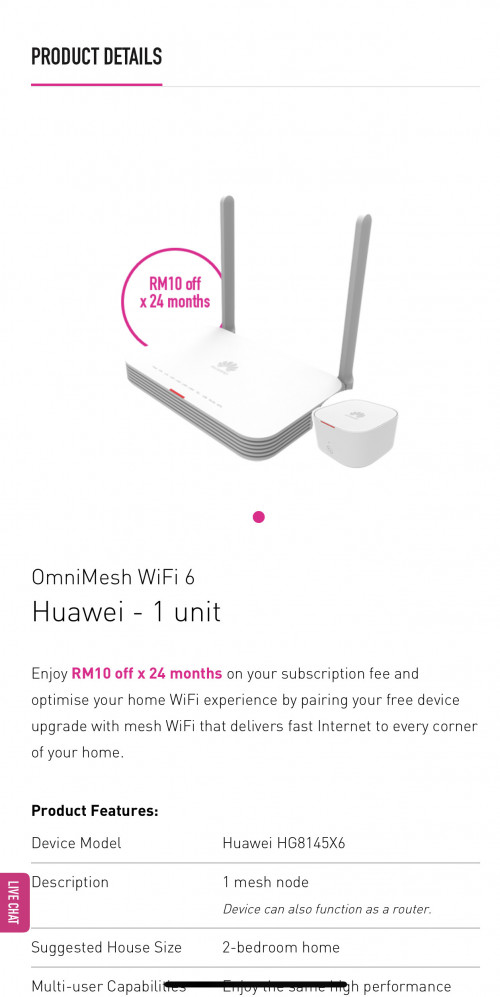
1. i see time now is giving wifi6 mesh router, is this router anything close to ax3 pro (quad core)? or still ax3 pro is much much better?
AX3 Pro (Quad Core).
2. during weekend the cs able to change the 2in1 modem to bridge mode or not?
Better not, as sometimes it involves provisioning team assistance.
3. i have the huawei v5 2in1 modem, last time you told me can buy ax3 pro (quad core) to upgrade, so can i check with you the steps stated below are correct or not?
a. connect the ax3 wan with huawei v5 port1
b. then call cs to change v5 to bridge mode
Yes, Step a & b sequence not important.
c. only take like 15 minutes to change right?
Not really, sometimes they need some time to do that.
d. i see the ax3 booklet said go 192.168.3.1 for setting?
Yes, that is for you to login into the admin panel to configure the router.
e. then key in the pppoe details which can be found in time selfcare? xxx@timebb & password?
f. then done right?
Yes, and your WiFi settings as well.
any extra steps that i missed out?
please help to see see, thank you much!

This post has been edited by jjj2: Mar 21 2022, 11:05 AM1. i see time now is giving wifi6 mesh router, is this router anything close to ax3 pro (quad core)? or still ax3 pro is much much better?
AX3 Pro (Quad Core).
2. during weekend the cs able to change the 2in1 modem to bridge mode or not?
Better not, as sometimes it involves provisioning team assistance.
3. i have the huawei v5 2in1 modem, last time you told me can buy ax3 pro (quad core) to upgrade, so can i check with you the steps stated below are correct or not?
a. connect the ax3 wan with huawei v5 port1
b. then call cs to change v5 to bridge mode
Yes, Step a & b sequence not important.
c. only take like 15 minutes to change right?
Not really, sometimes they need some time to do that.
d. i see the ax3 booklet said go 192.168.3.1 for setting?
Yes, that is for you to login into the admin panel to configure the router.
e. then key in the pppoe details which can be found in time selfcare? xxx@timebb & password?
f. then done right?
Yes, and your WiFi settings as well.
any extra steps that i missed out?
please help to see see, thank you much!
 Quote
Quote

 0.0351sec
 0.50
0.50
 7 queries
 GZIP Disabled