Outline ·
[ Standard ] ·
Linear+
HDR, High Dynamic Range
|
joyyy
|
 Oct 28 2008, 09:17 PM Oct 28 2008, 09:17 PM
|

|
QUOTE(achew @ Oct 28 2008, 08:28 PM)  2nd time trying =) Normally HDR is used for pictures with more contrast to bring out the details. From your picture it's hard to see the "HDR-ness" of the picture. Also, you bumped the hues and saturation too high. The whole picture has a greenish cast around it  But then again, nice try  QUOTE(avrilfreak87) Subang Jaya SS15 Roundabout! tongue.gif  |
|
|
|
|
|
Doomsday
|
Oct 28 2008, 10:00 PM
|
|
|
QUOTE(joyyy @ Oct 28 2008, 08:18 PM) An easier way is to use the automatic single file conversion in Photomatix. Automate > Single File Conversion > RAW file into .hdr After that just open that .hdr file and tone map it.  Anyways here's mine. Taken from inside a car window, so it has a slight bluish cast. http://lh5.ggpht.com/kinolai/SQSgsoI6E8I/A...IMG_1668HDR.jpgwow, u took 1 raw shot then HDR it? looks sharp  |
|
|
|
|
|
CrossFirE
|
Oct 28 2008, 10:43 PM
|
|
|
QUOTE(R a D ! c 4 L @ Oct 28 2008, 10:36 AM) have you tone mapped the .hdr file? You have to tone map the files 1st then only convert them to .tif so that you can view them or further enhance them. but that one have to select at least 2 files which are the same but i don have it. you guys said can use single RAW file to do it right? can tell me how to do it again?  |
|
|
|
|
|
avrilfreak87
|
Oct 28 2008, 10:54 PM
|
|
|
Hey guys my first attempt at HDR.... Please comment! Taken using LX3 with single RAW file.... By the way.. HDR introduces more noise? how can I remove it? 1)  2)  3)  This post has been edited by avrilfreak87: Oct 28 2008, 10:55 PM This post has been edited by avrilfreak87: Oct 28 2008, 10:55 PM |
|
|
|
|
|
achew
|
Oct 28 2008, 11:21 PM
|
|
|
QUOTE(joyyy @ Oct 28 2008, 09:17 PM) Normally HDR is used for pictures with more contrast to bring out the details. From your picture it's hard to see the "HDR-ness" of the picture. Also, you bumped the hues and saturation too high. The whole picture has a greenish cast around it But then again, nice try so its abit overcooked i guess hopefully my 3rd try would be better  |
|
|
|
|
|
razuryza
|
Oct 28 2008, 11:30 PM
|
|
|
try this  others in my gallery la.. |
|
|
|
|
|
joyyy
|
Oct 28 2008, 11:38 PM
|
|
|
QUOTE(Doomsday @ Oct 28 2008, 10:00 PM) wow, u took 1 raw shot then HDR it? looks sharp Yea, was in a moving car  Somehow I just meant for it to be a normal random shot. It ended up looking kinda nice when converted to HDR.  QUOTE(avrilfreak87) Hey guys my first attempt at HDR.... Please comment! smile.gif
Taken using LX3 with single RAW file....
By the way.. HDR introduces more noise? how can I remove it? One way is to save 2 different HDR images then blend them together in PS. If you took the 3 shots instead of a single RAW conversion, I think the noise problem wouldnt be as bad.  I just tweak the sliders so that minimal noise comes out, then use CS3 to brush away the noise.  |
|
|
|
|
|
R a D ! c 4 L
|
Oct 29 2008, 02:13 AM
|
Linc | Nox

|
QUOTE(CrossFirE @ Oct 28 2008, 10:43 PM) but that one have to select at least 2 files which are the same but i don have it. you guys said can use single RAW file to do it right? can tell me how to do it again? hmmm ok, the other way to do this is, use a RAW converter, then convert your files into 3 diff exposure values, +2, 0, -2. Then use photomatix to merge them and then tone map it. Try this. |
|
|
|
|
|
avrilfreak87
|
Nov 9 2008, 11:18 PM
|
|
|
Hey guys! Bump bump! no more HDR photos?? Here are a few taken from Uni Nottingham Malaysia. feel free to c&c! still noobie! 1)  2)  3)  |
|
|
|
|
|
-=Jay=-
|
Nov 10 2008, 02:01 AM
|
Getting Started

|
Heres Mine... 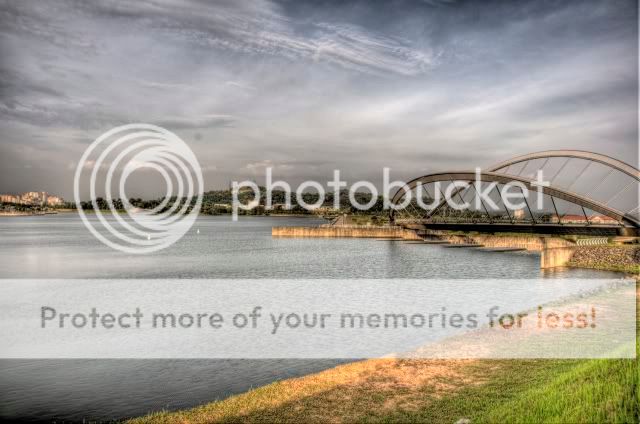 My 1st time HDR-ing C&C are most welcome.  |
|
|
|
|
|
joyyy
|
Nov 10 2008, 10:39 AM
|
|
|
Here's mine. Has a painted abstract feel to it. 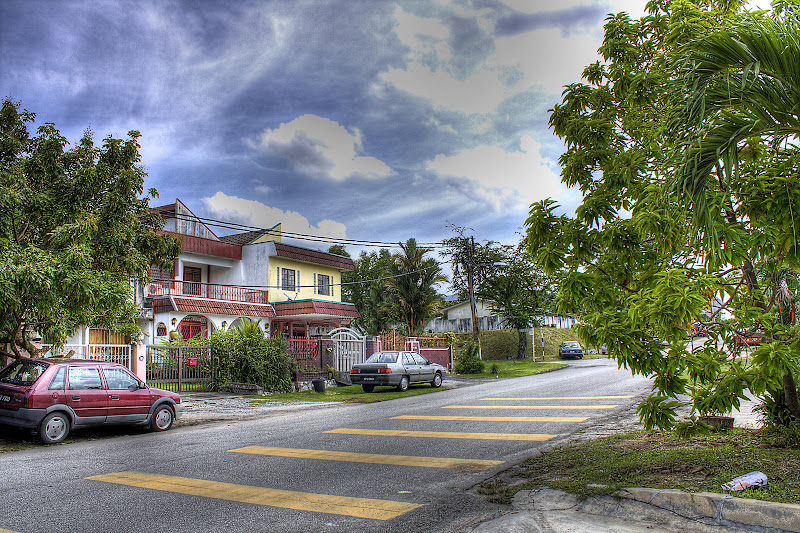 @-=Jay=- Personally I feel that your colors not saturated enough, makes the whole picture look dull. A little tweak in CS3 should do the job |
|
|
|
|
|
Doomsday
|
Nov 10 2008, 11:06 AM
|
|
|
QUOTE(avrilfreak87 @ Nov 9 2008, 11:18 PM) 2) The clouds are superb  |
|
|
|
|
|
-=Jay=-
|
Nov 10 2008, 08:43 PM
|
Getting Started
|
QUOTE(joyyy @ Nov 10 2008, 11:39 AM) @-=Jay=- Personally I feel that your colors not saturated enough, makes the whole picture look dull. A little tweak in CS3 should do the job Noted. Thx bro. |
|
|
|
|
|
jimlim007
|
Nov 10 2008, 10:40 PM
|
|
|
hey pros, mind to share how to produce HDR picture by step by step.  |
|
|
|
|
|
darthbaboon
|
Nov 20 2008, 09:09 PM
|
|
|
I've got one HDR shot to share...  What do you guys think? |
|
|
|
|
|
avrilfreak87
|
Nov 23 2008, 10:49 PM
|
|
|
darthbaboon: Awesome shot man!!
|
|
|
|
|
|
SHOfrE3zE
|
Nov 23 2008, 11:10 PM
|
|
|
QUOTE(darthbaboon @ Nov 20 2008, 09:09 PM) » Click to show Spoiler - click again to hide... « I've got one HDR shot to share... What do you guys think? artificial light trails?  |
|
|
|
|
|
razuryza
|
Nov 24 2008, 01:12 AM
|
|
|
QUOTE(SHOfrE3zE @ Nov 23 2008, 11:10 PM) artificial light trails? maybe real.. as i got some light trails shot too... |
|
|
|
|
|
darthbaboon
|
Nov 24 2008, 09:33 AM
|
|
|
QUOTE(avrilfreak87 @ Nov 23 2008, 10:49 PM) darthbaboon: Awesome shot man!! Thank you! QUOTE(SHOfrE3zE @ Nov 23 2008, 11:10 PM) artificial light trails? Real as real can be. Bracketed 3-shot and combined with Photomatix. |
|
|
|
|
|
Gemeniswong
|
Nov 27 2008, 12:02 PM
|
Getting Started
|
Normally you shoot with differencec expose then combine with software or just take 1 raw file picture and use software to adjust difference expose then combine??
|
|
|
|
|



 Quote
Quote


 0.0194sec
 1.15
1.15
 6 queries
 GZIP Disabled