QUOTE(Zephro @ Dec 16 2018, 09:53 PM)
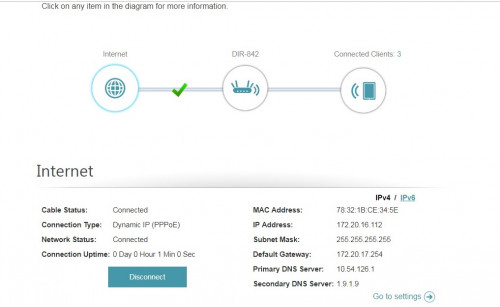
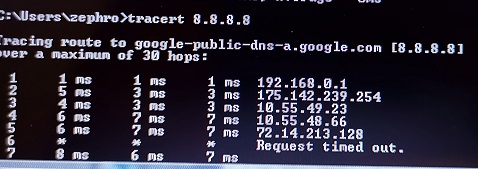
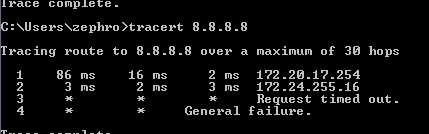
Oh yeah, 172 is private IP range. Weird.
Could the BTU need replacing? I don't think it's changed for 5 years.
I get a public IP when I use the old router though.
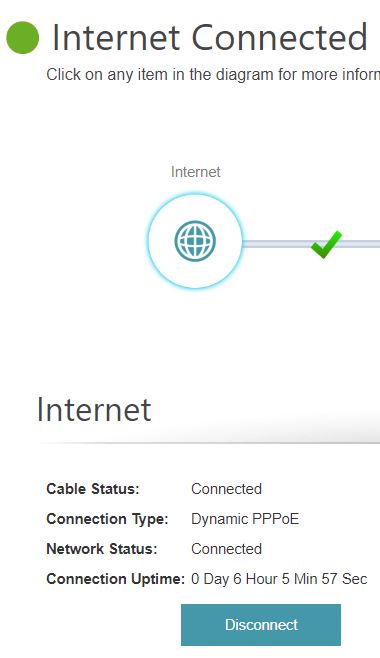
EDIT: OK, after some testing I found out that the new dlink 842 connected to the PPPOE, even after using an invalid login. This gave it a private IP.
So is the router or BTU at fault here?
Try to reset the router and enter all your details again, and see if that makes a difference.
QUOTE(soR @ Dec 16 2018, 09:54 PM)
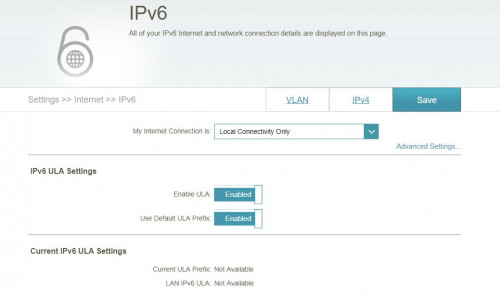
How do i disable IPV6? on the computer or on the router?
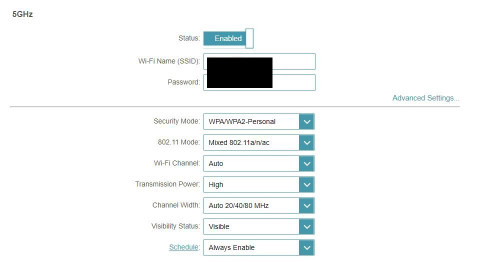
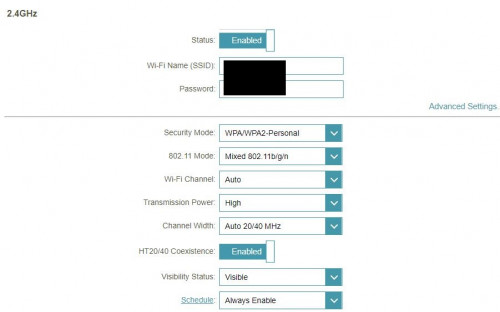
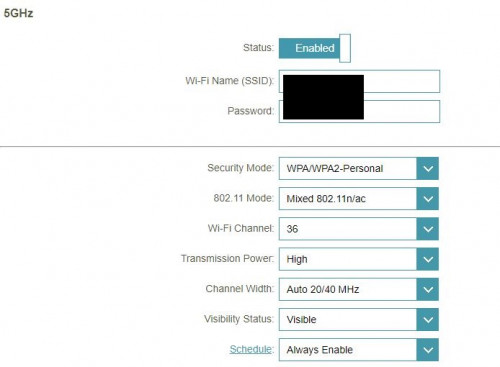
For the WiFi at first when i finish setting the router and got connected to the internet, i straight connected to the wifi on Smart Connect(Dlink) enabled, ive read some wifi configurations that 5ghz offer faster speed so i disable the smart connect the option of enabling 2.4G and 5G popped out so i just renamed them and setup the password and didnt change a thing on the advanced settings. Connected on 5G line no problem and both wifi has full signal. Today i got back my phone auto connect to 2.4G and 5G missing.
WiFi settings for 2.4G/5G (default)
» Click to show Spoiler - click again to hide... «
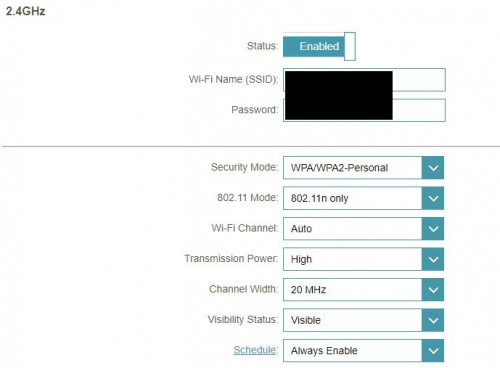
Router. Set 5GHz to Wi-Fi Channel 36, 802.11 Mode - n/ac, Channel width 40Mhz. Set 2.4GHz, 802.12 Mode - n only, Channel width 20Mhz only.


 Oct 15 2018, 03:13 PM


 Quote
Quote


 0.0308sec
 0.25
0.25
 7 queries
 GZIP Disabled