Original Post - Release 3.1QUOTE(polarzbearz @ Oct 11 2020, 06:30 PM)
[GO BACK TO ORIGINAL RELEASE POST]
» Click to show Spoiler - click again to hide... «
QUOTE(polarzbearz @ Oct 23 2020, 04:17 PM)
Hi all, at someone's requested I've decided to add a few more stock exchanges support (SGX, LSE, NASDAQ) and also a generic "Others" for all other world stock exchanges - as long as it's listed on Yahoo Finance, it will work. For those whom are interested - you can either re-download the template (same link in previous post quoted above) or follow manual DIY steps below (very simple actually)
Manual DIY steps (v3.1 or above):» Click to show Spoiler - click again to hide... «
Step 1: Go to "Investment Details" sheet > scroll down and find button "UPDATE CURRENT FUND PRICE ONLY" and Right click > Assign Macro > Edit
Step 2: A code editor window should appear, do a search (Ctrl+F) and find below code:
CODE
ElseIf fundSource = "KLSE" Or fundSource = "HKEX" Or fundSource = "NYSE" Then
Step 3: Replace that entire line with below code:
CODE
ElseIf fundSource = "KLSE" Or fundSource = "HKEX" Or fundSource = "NYSE" Or fundSource = "NASDAQ" Or fundSource = "SGX" Or fundSource = "LSE" Or fundSource = "Others" Then
Step 4: Close the code editor
Step 5: Go to "Reference Data" sheet > right click and unprotect sheet > go to column C and input below values respectively in C11, C12, C13, and C14 (one value per row)
CODE
NASDAQ
SGX
LSE
Others
Step 6: Go to Name Manager (under 'Formulas'. Or just press Ctrl + F3) > look for 'refData_Source' > change value
old value
CODE
='Reference Data'!$C$2:$C$10
new value
CODE
='Reference Data'!$C$2:$C$14
Step 7: Protect the "Reference Data" sheet again without password (prevent accidental edits)
You are done!
QUOTE(polarzbearz @ Nov 1 2020, 02:46 AM)

new website means need to update my script again aaaaaaaaaa
QUOTE(yklooi @ Nov 1 2020, 09:12 AM)
QUOTE(WhitE LighteR @ Nov 1 2020, 09:53 AM)
Fixed it via hotfix 3.1c. Original post updated for re-download of template, and for those who are YOLO, below are the manual DIY steps as usual:
Manual DIY steps for hotfix 3.1c (minimum v3.1 or above):» Click to show Spoiler - click again to hide... «
Strongly recommend to back-up a copy of your file before you do anything - especially if you are not familiar with programming.
Step 1: Go to "Investment Details" sheet > scroll down and find button "UPDATE CURRENT FUND PRICE ONLY" and Right click > Assign Macro > Edit
Step 2: A code editor window should appear, do a search (Ctrl+F) and find below code:
CODE
ElseIf fundSource = "FSMMY" Then
Step 3: Slowly delete the contents in between the above line until you reach the below code:
CODE
ElseIf fundSource = "FSMHK" Then
At this point, your code editor should look something like this:

Step 4: Now that area is pretty darn clean, paste the below code in between those 2 lines.
CODE
Set XML = CreateObject("winhttp.winhttprequest.5.1")
XML.Open "POST", "https://www.fsmone.com.my/rest/fund/find-price-history?paramSedolnumber=" & fundName & "¶mMonths=1"
XML.Send
' Get JSON response
jsonStr = XML.responseText
Set json = JsonConverter.ParseJson(XML.responseText) '(v3.1)
textCurrency = json("data")(1)("fundCurrencyCode") '(v3.1c)
textTxAmt = json("data")(1)("bidPrice") '(v3.1c)
textPrice = json("data")(1)("bidPrice") '(v3.1c)
rawDateMilliseconds = json("data")(1)("showDate") '(v3.1c)
textDate = Format(DateAdd("h", 8, Epoch2Date(rawDateMilliseconds)), "dd-mmm-yyyy") ' convert to dd-mmm-yyyy and offset GMT+8 '(v3.1)
' Troubleshooting check
'MsgBox "textCurrency: " & textCurrency & _
" | textTxAmt: " & textTxAmt & _
" | textPrice: " & textPrice & _
" | rawDateMilliseconds: " & rawDateMilliseconds & _
" | textDate: " & textDate & _
" | (textTxAmt / textPrice): " & (textTxAmt / textPrice)
loadingForm.Repaint '(v2.3) CREDITS TO idyllrain @ Lowyat.net
WsInvD.Range("tblInvestmentDetails[Date]")(c.Row - 1).Value = textDate
WsInvD.Range("tblInvestmentDetails[NAV Price]")(c.Row - 1).Value = textPrice
WsInvD.Range("tblInvestmentDetails[NAV Curr.]")(c.Row - 1).Value = textCurrency
If WsInvD.Range("tblInvestmentDetails[NAV Curr.]")(c.Row - 1).Value = WsInvD.Range("tblInvestmentDetails[Tx. Curr.]")(c.Row - 1).Value Then
'MsgBox "NAV Curr = Tx Curr"
WsInvD.Range("tblInvestmentDetails[Ex. Rate]")(c.Row - 1).Value = ""
Else
'MsgBox "NAV Curr != Tx Curr"
WsInvD.Range("tblInvestmentDetails[Ex. Rate]")(c.Row - 1).Value = (textTxAmt / textPrice)
End If
' successful update counter +1
successfulUpdate = successfulUpdate + 1
logs = logs & vbNewLine & vbTab & Left(i & Space(7), 7) & Left(fundSource & Space(12), 12) & Left(fundName & Space(15), 15) & vbTab & Left("OK!" & Space(10), 10) '(v3.3)
It should look something like this:

Step 5: Close the code editor
You are done!
This post has been edited by polarzbearz: Nov 11 2020, 01:31 AM 

 Jul 13 2018, 06:49 AM


 Quote
Quote please!


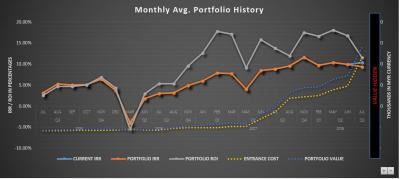
 - IT, process flows, logic & investing heheh

 ) hence didn't publish it.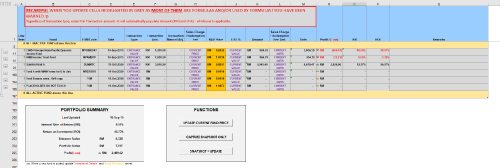
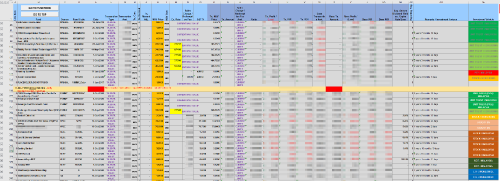
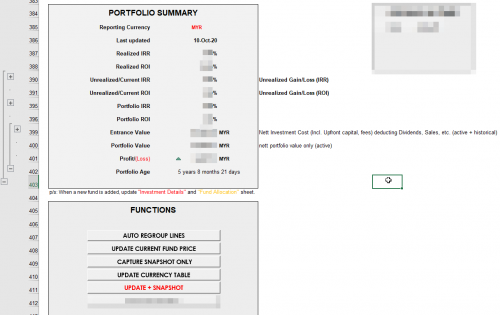



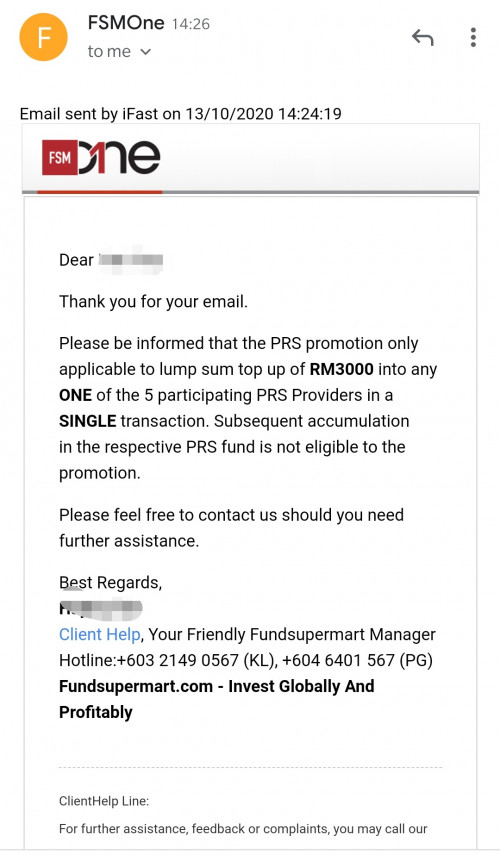


 seems like FSM MY has a new website make over and some changes to the Sales charges rate too...


 0.0658sec
 0.41
0.41
 7 queries
 GZIP Disabled