Welcome Guest ( Log In | Register )

Bump Topic Topic Closed RSS Feed
125 Pages « < 2 3 4 5 6 > » Bottom

Outline · [ Standard ] · Linear+

Xiaomi Xiaomi Redmi Note 3 Discussion V7, MIUI 8 Android 6 available now!

views
     
seanlss
post Oct 14 2016, 02:22 PM

Casual
***
Junior Member
333 posts

Joined: Oct 2010
QUOTE(GameSky @ Oct 14 2016, 01:00 PM)
unlock your phone..boot into fastboot mode.
fastboot flash recovery name.img
*
Yes. i did fastboot flash recovery name.img
but i cant get into recovery mode.
Power p + power or updater reboot to recovery.
I get the screen below.

user posted image
abubin
post Oct 14 2016, 02:33 PM

10k Club
********
All Stars
10,429 posts

Joined: Jan 2003


QUOTE(seanlss @ Oct 14 2016, 02:22 PM)
Yes. i did fastboot flash recovery name.img
but i cant get into recovery mode.
Power p + power or updater reboot to recovery.
I get the screen below.

user posted image
*
you should press volume(-) + power for fastboot.

volume(-) + power = fastboot (picture of bunny wearing green with fastboot word)
volume(+) + power = recovery (or TWRP if you flashed already)
seanlss
post Oct 14 2016, 02:36 PM

Casual
***
Junior Member
333 posts

Joined: Oct 2010
QUOTE(abubin @ Oct 14 2016, 01:33 PM)
you should press volume(-) + power for fastboot.

volume(-) + power = fastboot (picture of bunny wearing green with fastboot word)
volume(+) + power = recovery (or TWRP if you flashed already)
*
Yes i know. i have fastboot flash recovery via cmd just now.
after that i try to enter recovery after flash recovery, then i get the screen.
means i failed to install recovery lo.. cry.gif
TSGameSky
post Oct 14 2016, 03:03 PM

Nyancat too much
*******
Senior Member
6,381 posts

Joined: Jun 2005
From: meow meow
QUOTE(seanlss @ Oct 14 2016, 02:36 PM)
Yes i know. i have fastboot flash recovery via cmd just now.
after that i try to enter recovery after flash recovery, then i get the screen.
means i failed to install recovery lo..  cry.gif
*
which recovery u used? also does it end successfully?
seanlss
post Oct 14 2016, 03:05 PM

Casual
***
Junior Member
333 posts

Joined: Oct 2010
QUOTE(GameSky @ Oct 14 2016, 02:03 PM)
which recovery u used? also does it end successfully?
*
i used alka twrp as recomend in first page guide.
yes. cmd show okay and finished.
TSGameSky
post Oct 14 2016, 03:18 PM

Nyancat too much
*******
Senior Member
6,381 posts

Joined: Jun 2005
From: meow meow
QUOTE(seanlss @ Oct 14 2016, 03:05 PM)
i used alka twrp as recomend in first page guide.
yes. cmd show okay and finished.
*
try this.

CODE
fastboot device oem-info


whats the outcome. try switch to official twrp for kenzo instead
seanlss
post Oct 14 2016, 03:43 PM

Casual
***
Junior Member
333 posts

Joined: Oct 2010
QUOTE(GameSky @ Oct 14 2016, 02:18 PM)
try this.

CODE
fastboot device oem-info


whats the outcome. try switch to official twrp for kenzo instead
*
fastboot oem device-info

(bootloader) Device tampered: false
(bootloader) Device unlocked: true
(bootloader) Device critical unlocked: true
(bootloader) Charger screen enabled: true
(bootloader) Display panel:
OKAY [ 0.013s]
finished. total time: 0.014s

fastboot flash recovery twrp-3.0.2-2-kenzo.img
target reported max download size of 536870912 bytes
sending 'recovery' (34360 KB)...
OKAY [ 1.101s]
writing 'recovery'...
OKAY [ 0.232s]
finished. total time: 1.335s

still the same screen sweat.gif
try many times already. think to give up d.. sweat.gif

azhar75
post Oct 14 2016, 03:47 PM

10k Club
********
All Stars
17,220 posts

Joined: Dec 2015


Just temporary TWRP...it's good to keep the stock recovery for OTA later...

If need to permanently flash TWRP, you have to firstly cook custom boot.img file of MIUI Fastboot ROM using Android Kitchen. Follow link below:
Cook/cracked/moded boot.img Method (not easy lohhhh...)

Else, can use the readily patched Cofface TWRP .img file to permanently flash Cofface TWRP via Flashify app below :
Permanently flash Cofface TWRP

This post has been edited by azhar75: Oct 14 2016, 04:38 PM
seanlss
post Oct 14 2016, 04:16 PM

Casual
***
Junior Member
333 posts

Joined: Oct 2010
thought want to try cm13 rom.
will try the cofface twrp.
if i want to go back to miui just fastboot flash the official rom.
azhar75
post Oct 14 2016, 04:19 PM

10k Club
********
All Stars
17,220 posts

Joined: Dec 2015


QUOTE(seanlss @ Oct 14 2016, 04:16 PM)
thought want to try cm13 rom.
will try the cofface twrp.
if i want to go back to miui just fastboot flash the official rom.
*
EDL / Download method
TSGameSky
post Oct 14 2016, 04:20 PM

Nyancat too much
*******
Senior Member
6,381 posts

Joined: Jun 2005
From: meow meow
QUOTE(seanlss @ Oct 14 2016, 04:16 PM)
thought want to try cm13 rom.
will try the cofface twrp.
if i want to go back to miui just fastboot flash the official rom.
*
goodix fp? use santhosh's or flash kernel that have goodix support.

for now try official twrp first.
seanlss
post Oct 14 2016, 04:28 PM

Casual
***
Junior Member
333 posts

Joined: Oct 2010
QUOTE(GameSky @ Oct 14 2016, 03:20 PM)
goodix fp? use santhosh's or flash kernel that have goodix support.

for now try official twrp first.
*
fpc scanner

this is the official twrp? i just try flash this and still cannot.
twrp
azhar75
post Oct 14 2016, 04:36 PM

10k Club
********
All Stars
17,220 posts

Joined: Dec 2015


QUOTE(seanlss @ Oct 14 2016, 04:28 PM)
fpc scanner

this is the official twrp? i just try flash this and still cannot.
twrp
*
FYI:
Attached Image

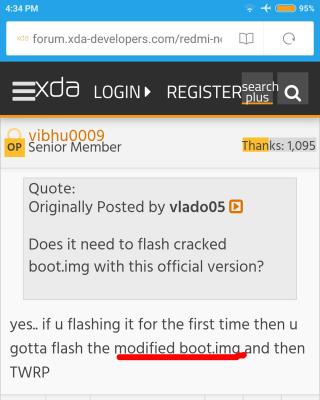
Cannot runaway from the cracked/moded boot.img file...
seanlss
post Oct 14 2016, 04:42 PM

Casual
***
Junior Member
333 posts

Joined: Oct 2010
huh... so complicated... T.T
zher4883
post Oct 14 2016, 04:45 PM

Look at all my stars!!
*******
Senior Member
4,490 posts

Joined: Oct 2014


QUOTE(seanlss @ Oct 14 2016, 04:42 PM)
huh... so complicated... T.T
*
Just use cofface TWRP, much simpler.
azhar75
post Oct 14 2016, 04:46 PM

10k Club
********
All Stars
17,220 posts

Joined: Dec 2015


QUOTE(seanlss @ Oct 14 2016, 04:42 PM)
huh... so complicated... T.T
*
Wait till you wanna flash CM:
Flashing CM
seanlss
post Oct 14 2016, 04:52 PM

Casual
***
Junior Member
333 posts

Joined: Oct 2010
QUOTE(azhar75 @ Oct 14 2016, 03:46 PM)
Wait till you wanna flash CM:
Flashing CM
*
i did installed custom rom before when the time i using htc one x, lg g2..
now my problem is flash twrp, seems so complicated to cook the custom boot img.. rclxub.gif
azhar75
post Oct 14 2016, 04:55 PM

10k Club
********
All Stars
17,220 posts

Joined: Dec 2015


QUOTE(seanlss @ Oct 14 2016, 04:52 PM)
i did installed custom rom before when the time i using htc one x, lg g2..
now my problem is flash twrp, seems so complicated to cook the custom boot img.. rclxub.gif
*
If I can do it, so can u... Believe in yourself... (hmmm...just like movie script...LOL...)


This post has been edited by azhar75: Oct 14 2016, 04:57 PM
seanlss
post Oct 14 2016, 05:02 PM

Casual
***
Junior Member
333 posts

Joined: Oct 2010
QUOTE(azhar75 @ Oct 14 2016, 03:55 PM)
If I can do it, so can u... Believe in yourself... (hmmm...just like movie script...LOL...)


*
lol.... will try it when i got time...
thank you so much for the link and advise... thumbsup.gif
azhar75
post Oct 14 2016, 05:09 PM

10k Club
********
All Stars
17,220 posts

Joined: Dec 2015


Chin-chai kasi 12 hours SoT till 1%...

Attached Image

This post has been edited by azhar75: Oct 14 2016, 05:10 PM

125 Pages « < 2 3 4 5 6 > » Top
Topic ClosedOptions
 

Change to:
| Lo-Fi Version
0.0162sec    0.36    6 queries    GZIP Disabled
Time is now: 6th December 2025 - 02:28 AM