


Project King Kong II, Silverstone TJ07
Project King Kong II, Silverstone TJ07
|
|
 Sep 17 2007, 06:34 PM Sep 17 2007, 06:34 PM
|
 
Senior Member
2,597 posts Joined: Mar 2005 From: Kuala Lumpur  
|
uncle finally jump to the core 2 bandwagon!
|
|
|
|
|
|
Sep 18 2007, 01:30 AM
|

Senior Member
959 posts Joined: Aug 2006 From: Gombak,Malaysia Status: Its Complicated 
|
yup..kamon2..oso post up its 3dmark score ya..
 |
|
|
Sep 18 2007, 11:44 AM
|
 
VIP
15,705 posts Joined: Mar 2005 From: Tg. Rambutan
|
Hang on guys. I jsut got my Windows Vista reinstalled. I need to make sure all is well n stable 1st b4 I call MS to activate it back. That's y i havent started playing around with it yet. Also, my camera been kidnapped. I'll be getting it back this weekend. Then I'll update with the new hardware n install.
Anyway, since u guys are curious about 3DM06, I just ran a quick run of 3DM06 with everything at stock settings n got qbout 13000 marks on Vista. No overclocks yet. Will start overclocking the rig only next week. Then I hope to c the 3DM06 marks flyyyyyyyyyyyyyyyyyyyyyyyyy. |
|
|
Sep 22 2007, 02:27 AM
|
|
VIP
15,705 posts Joined: Mar 2005 From: Tg. Rambutan
|
QUOTE(gmail @ Sep 17 2007, 06:34 PM) uncle finally jump to the core 2 bandwagon! Actually I've been playing with C2D for a very long time d. I had an E6300 the minute it 1st arrived at LYP. Problem is at the time, the only motherboard available was the Gigabyte DS4 n I really hated that mobo. Also no SLi. Anyway, the only benefit that the C2D brought was a big jump in 3D Marks. There was no difference at all in actual usage as a gaming rig. That's y i stayed with my X2 n A8N32SLi mobo. I decided to wait n buy the AMD quads but I cant wait any longer. Games like Bioshock already stressing the dual cores beyond limit. That's y I've decided to go quad cores now.  QUOTE(renesisx @ Sep 18 2007, 01:30 AM) yup..kamon2..oso post up its 3dmark score ya.. 3DM06 raid will begin once I get all my cooling n benching equipment together. I will be doing a kinda write up n project on my 3DM06 adventures. Hopefully I haf sum time to do a write up on it next week. Anyway, here's sum stuff I did for King Kong just b4 the new hardware arrived. I decided to change out the fans n use the lovely Arctic Cooling 12cm PWM fans for my HDD racks. Here's the 2 lovely beauties. A big thank you to Arctic Cooling for providing me with these fans. U guys shud go to the Arctic Cooling site n check these fans out. They're really special. There's a PWM sharing function which I havent seen on any other fans. 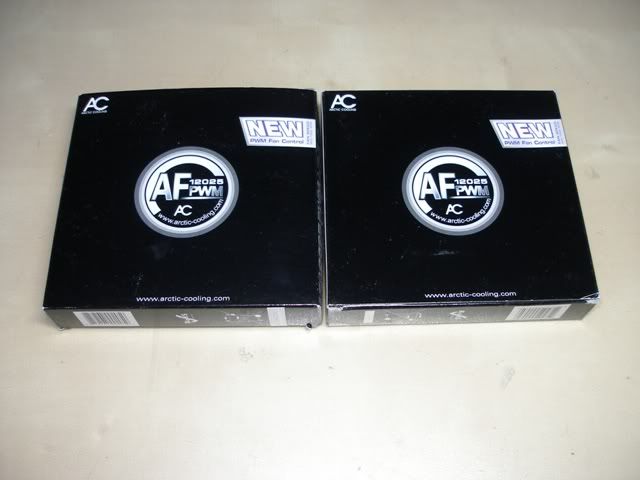 Here's how the fan looks like. Plain black fan. No colors, no bling bling. Just the way Arctic Cooling has been. Just pure performance instead of going for looks. Note that the wire is nicely sleeved in black so that's a big bonus for modders. Nonid to waste time sleeving the fans. 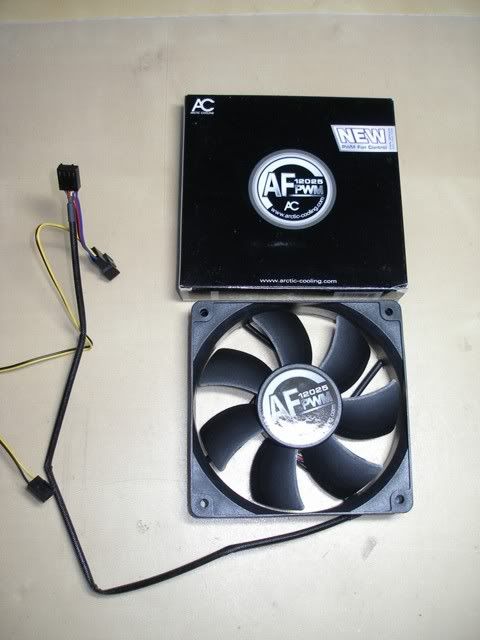 Installing the AC fans into the HDD racks. 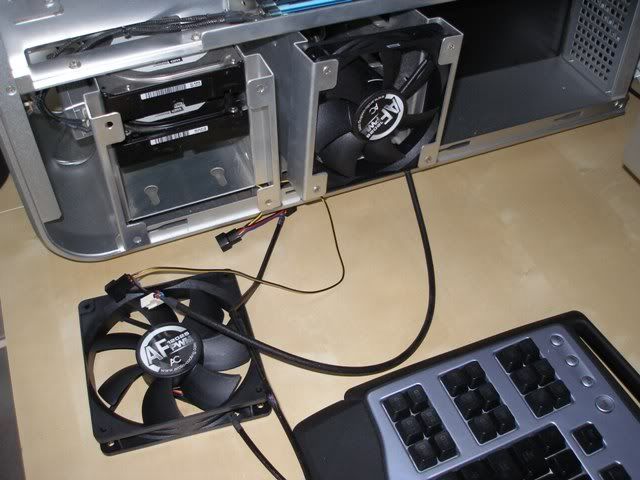 Done. 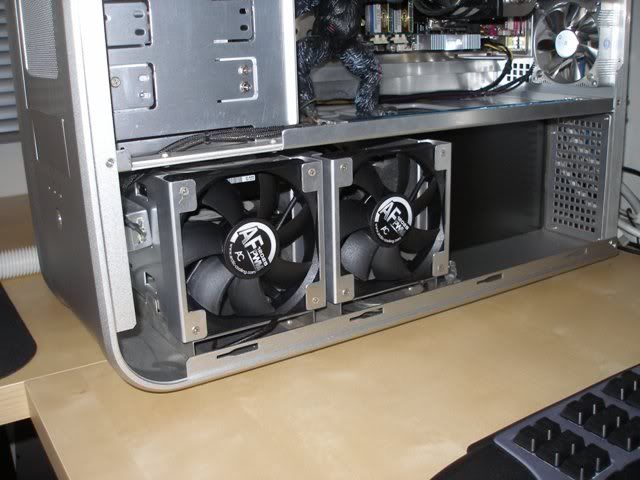 After that I proceeded to install my new aluminum fans too. Here they are in the back of the case as exhaust fans. 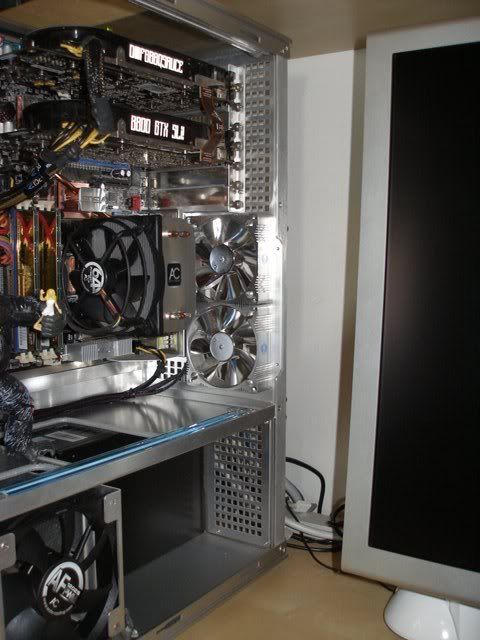 Aluminum fans in the front too, as intake fans. 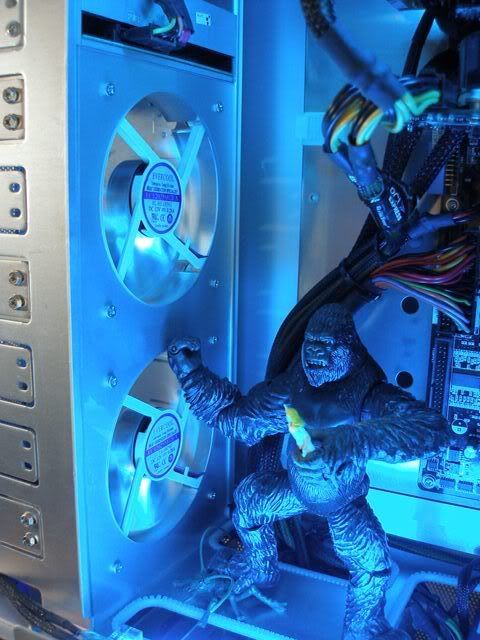 Here's the back again with blue CCFLs turned on to show how the alu n chrome blades really haf a nice bling bling effect.  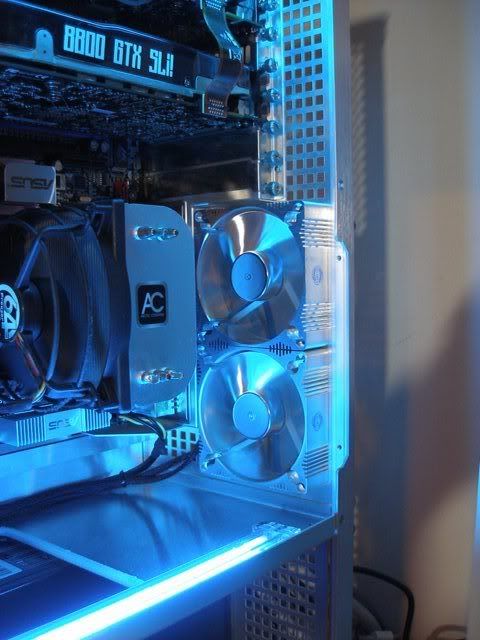 |
|
|
Sep 22 2007, 03:05 AM
|
|
VIP
15,705 posts Joined: Mar 2005 From: Tg. Rambutan
|
Wokeh, here's the update that I really love. New hardware!!!!!!!!!!!!
 I've been waiting waiting waiting for teh AMD quad to arrive for such a long time. They kept delaying it until I oso fed up liao. So I decided not to wait anymore n jsut get the Intel quad as my AMD X2 jsut cudn handle the new multi core coded games like Bioshock anymore. I've been waiting waiting waiting for teh AMD quad to arrive for such a long time. They kept delaying it until I oso fed up liao. So I decided not to wait anymore n jsut get the Intel quad as my AMD X2 jsut cudn handle the new multi core coded games like Bioshock anymore.Here's the new hardware. A loooooooooooooovely Striker Extreme mobo, Q6600 CPU, sum small DX10 gfx cards for use as a 3rd gfx card. More story on teh 3rd gfx card later. Got sum drama 1. 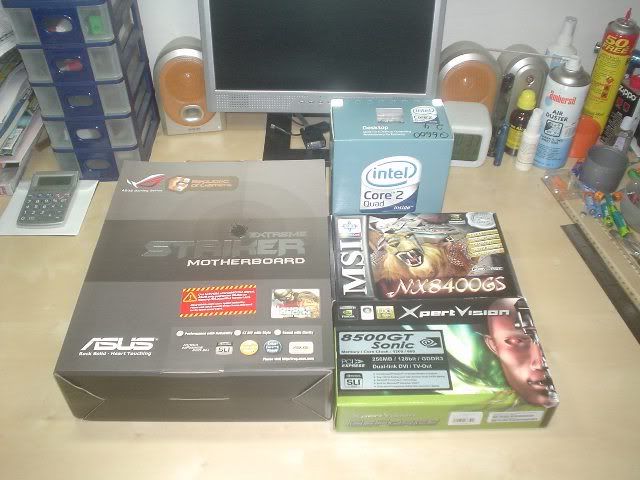 The very next day I went shopping in LYP again. Bought a boot full of stuff. After buying all that I had to go grocery shopping in Tesco. My wife took so long with the groceries. I was totally bored out of my mind so I decided to go back to the car to play around with the new stuff. I also decided to do a photo shoot right there in teh car park with my PDA's camera. :lol So many ppl were staring at this weird fella arranging stuff in the boot n taking pictures. Anywa, here's a list of teh stuff I bought. HP all in 1 printer, copier, fax, scanner. 2 ram heatspreaders in my favorite black. A PCI slot blower fan. A USB cup cooler n warmer. A special edition copy of PC.COM magazine, I dont read that mag but I bought it anyway coz i really like the metal box cover. Finally we come back to the small gfx card again. This time I bought an ATi 2400Pro.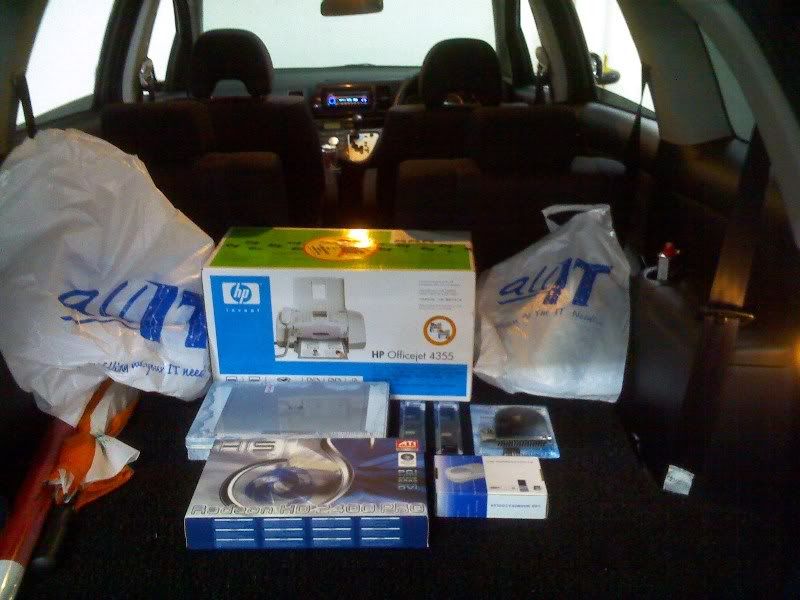 Now let's get back to the story about the gfx card. I actually bought a 8500GT n 8400GS earlier. I cudn decide which card I wanted to use as a 3rd card. So I bought both. Once I got home n took out the cards, I decided to use the 8400GS coz it's a half size card. the 8500GT is full sized. I prefer half size coz it sits on top of my 8800GTX n blocks the intake fan n also the exhaust slots on the back. The half sized 8400GS will allow the 8800GTX to haf better ventilation. My priority is always the performance of the GTX. So I spent the whole night trying to get the 3rd card working to power my 20" 2nd monitor while I SLI the 30" monitor. By sunrise oso cudnt do it. So I went to sleep after a frustrating night. Woke next day n started googling like a mad man to find out how to set up a 3 gfx card system. I then found out that for a 3 gfx card system to work with SLI I needed the 3rd gfx card to be ATi. Oh well, nothing like a lesson well learned the hard way. So, off I went to LYP again to buy the ATI 2400Pro.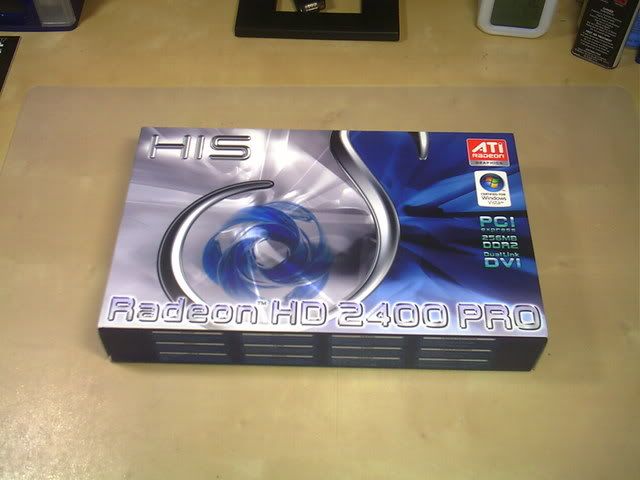 This post has been edited by ianho: Sep 22 2007, 03:21 AM |
|
|
Sep 22 2007, 03:19 AM
|

Senior Member
2,827 posts Joined: Mar 2007 From: MALAYSIA 
|
hmmm...more food for king kong...not bananas..but hardwares...
 can wait to see more updates on the 3rd gpu dude.. |
|
|
|
|
|
Sep 22 2007, 03:39 AM
|
|
VIP
15,705 posts Joined: Mar 2005 From: Tg. Rambutan
|
B4 I get on with this episode of updates, I'd like to apologise for the very, very poor quality pictures. I oni had a puny 2mp Sony camera to work with. My good camera wasnt with me at the time. Hope u guys enjoy the updates considering the pix r of such bad quality.
 Wokeh, time to get on with the mods this time. Remember the PCI slot cooler I bought earlier. Well, I'm not using it in the PCI slot. I wanted it for the purpose of ventilating the area between my 2x 8800GTX. The area where the SLI bridge is, it's waaaaaaaaaaay too hot I tell u. The side panel is burning hot in that area after a few hours of gaming. Here's what I did to it. Here's the fan with the metal plate removed. See that L shaped part that screws into teh PCI slot? I flattened it with a hammer after this pic was taken. 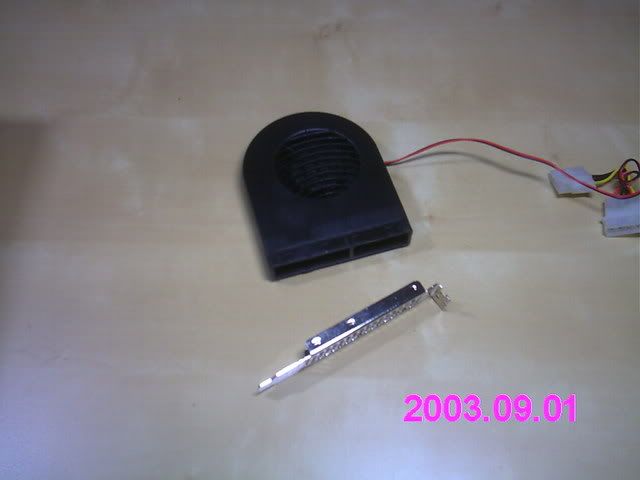 After hammering the metal slot flat. I drilled 2 holes in the top n bottom of the plate so I can screw it into the back panel of the case. This is how it looks like installed in the case. I'm doing sum rewiring in this pic. I had to extend the wire longer n also changed the molex plug to a 3 pin mobo plug so I can just plug it into the mobo for neater wire management purposes. This Striker Extreme mobo has lotsa fan plugs in all the right places. Just perfect for overclockers n modders who need lotsa fans. 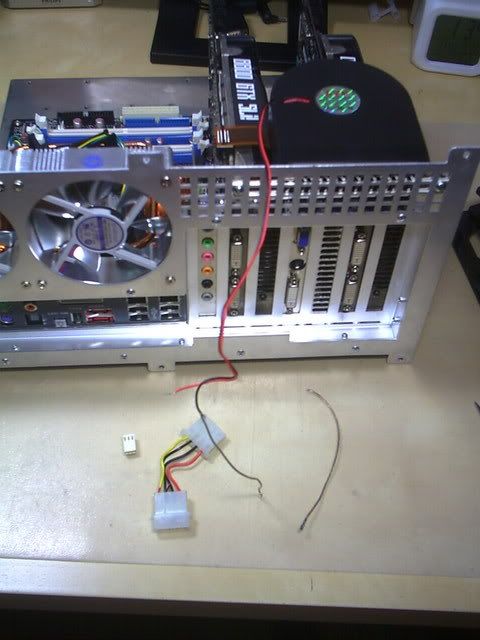 Soldering the wire joints n covering with heatshrink. Then sleeving the wires in black for stealth look. 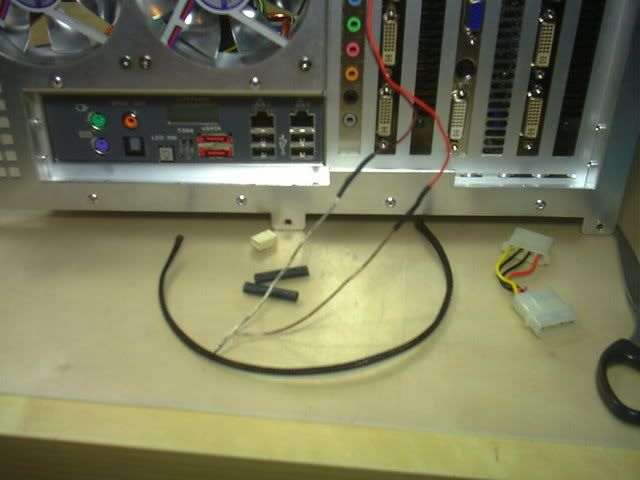 All done. This is how it looks like now with the new mobo, new CPU, new fans, 3rd ATi gfx card all installed. U can see I've installed the stock Intel HSf coz I wanted to compare the temps n also measure the performance of the Arctic Cooling Freezer7Pro. 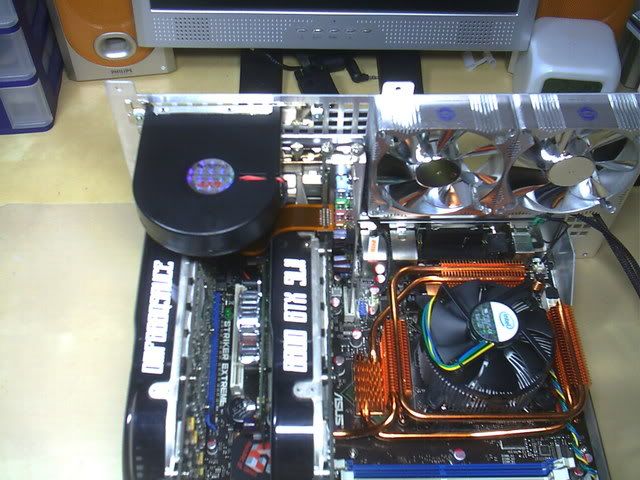 More updates coming soon. Need to sleep now, got lotsa stuff to do 2moro.  This post has been edited by ianho: Sep 22 2007, 03:44 AM |
|
|
Sep 22 2007, 05:19 AM
|

Senior Member
1,052 posts Joined: Oct 2006 From: Malaysia
|
nice stuff there
really simple design for the AC fan  |
|
|
Sep 22 2007, 11:42 AM
|

Senior Member
2,275 posts Joined: Jan 2007 From: 192.168.200.45
|
I love the heatsinks on the striker..cool stuff uncle
|
|
|
Sep 22 2007, 01:50 PM
|

Senior Member
1,995 posts Joined: May 2005
|
wah very nice indeed, love to see how good AC7 pro can do compare to stock HSF.... btw uncle do you plan to mod the system exhaust blower ? give it a aluminum look or something
Uncle is arctic start selling those fan in M'sia already ??? btw those frameless Arctic fan are very quiet and very strong output..... |
|
|
Sep 22 2007, 06:58 PM
|
|
VIP
15,705 posts Joined: Mar 2005 From: Tg. Rambutan
|
QUOTE(id86 @ Sep 22 2007, 05:19 AM) nice stuff there Yup. AC has always been about simple looks. really simple design for the AC fan QUOTE(Bigblock @ Sep 22 2007, 11:42 AM) I love the heatsinks on the striker..cool stuff uncle Ya it looks cool with all those heatpipes running around BUT they're extremely hot coz teh n680i is a volcano. Make sure the case has lotsa fresh air if u intend to use it.QUOTE(LExus65 @ Sep 22 2007, 01:50 PM) wah very nice indeed, love to see how good AC7 pro can do compare to stock HSF.... btw uncle do you plan to mod the system exhaust blower ? give it a aluminum look or something I'll jsut leave the blower fan as black color coz it's hidden behind the Snowflake window. The AC fans I'm using aren't available yet I think. Mebe u can check with Shawty.Uncle is arctic start selling those fan in M'sia already ??? btw those frameless Arctic fan are very quiet and very strong output..... |
|
|
Sep 22 2007, 09:56 PM
|
|
Senior Member
1,995 posts Joined: May 2005
|
thx for the info,
btw uncle the 3rd graphic is it limited to nvidia board ?? i was thinking of getting a 2nd graphic card to power my separate monitor instead of setting it on another pc....... |
|
|
Sep 22 2007, 09:57 PM
|

All Stars
10,530 posts Joined: Nov 2004 From: Petaling Jaya & Mid Valley
|
QUOTE(LExus65 @ Sep 22 2007, 09:56 PM) thx for the info, y u wanna add another GC???btw uncle the 3rd graphic is it limited to nvidia board ?? i was thinking of getting a 2nd graphic card to power my separate monitor instead of setting it on another pc....... ur current GC should have 2 outputs... just plug it...set abit in the gc driver control panel and kowtim. unless ur using onboard GC la |
|
|
|
|
|
Sep 22 2007, 11:15 PM
|

Senior Member
2,139 posts Joined: May 2007
|
uncle wanna SLi on the 30" and his 20" will use the 3rd gc
|
|
|
Sep 23 2007, 01:42 AM
|

Senior Member
1,298 posts Joined: May 2005 From: Penang Island 
|
nowdays wa 3rd graphic card
 so high tech these days , very cool feature eh can have a 3rd graphic card so high tech these days , very cool feature eh can have a 3rd graphic card how does the pc operate? with 3 graphic cards |
|
|
Sep 23 2007, 03:58 AM
|

Senior Member
1,237 posts Joined: Jul 2006 From: espie-prai
|
QUOTE(sherren @ Sep 23 2007, 01:42 AM) nowdays wa 3rd graphic card me also want to know how it work..hope can describe here..while waiting uncle update his mod KK II.. so high tech these days , very cool feature eh can have a 3rd graphic card how does the pc operate? with 3 graphic cards |
|
|
Sep 23 2007, 04:59 AM
|
|
VIP
15,705 posts Joined: Mar 2005 From: Tg. Rambutan
|
OK lemme explain a lil bit about y I need 3 gfx cards. When u run SLI it can only run on 1 monitor. So when I wanna use both my monitors for desktop work I need to switch off SLI in the control panel. Then oni can run both monitors. But it's very leceh coz when u turn SLI on n off it requires a reboot. So what the 3rd card does is allow u to leave SLI on all the time for the main monitor. The 3rd gfx card will power the 2nd monitor all the time.
Those who r not running SLI dont hafta worry coz ur gfx card has 2 outputs at the back. Just plug in both monitors to 1 card n use control panel to set windows to run on 2 monitors. Hope that clears up all the confusion for u guys. |
|
|
Sep 23 2007, 06:17 AM
|

Junior Member
367 posts Joined: Oct 2006
|
QUOTE(ianho @ Sep 23 2007, 04:59 AM) OK lemme explain a lil bit about y I need 3 gfx cards. When u run SLI it can only run on 1 monitor. So when I wanna use both my monitors for desktop work I need to switch off SLI in the control panel. Then oni can run both monitors. But it's very leceh coz when u turn SLI on n off it requires a reboot. So what the 3rd card does is allow u to leave SLI on all the time for the main monitor. The 3rd gfx card will power the 2nd monitor all the time. noob ques...Those who r not running SLI dont hafta worry coz ur gfx card has 2 outputs at the back. Just plug in both monitors to 1 card n use control panel to set windows to run on 2 monitors. Hope that clears up all the confusion for u guys. so can u run 6 monitor togather..??  |
|
|
Sep 23 2007, 01:22 PM
|

Senior Member
618 posts Joined: Sep 2005 From: Northpole :D
|
@uncle ianho
when u run SLI, cant the 2 monitor plug into the GC there ? to run dual monitor ? or it doesnt work like dat ? |
|
|
Sep 23 2007, 01:37 PM
|

Senior Member
1,654 posts Joined: Jan 2003 From: Miri City, Sarawak. Mood: Missing someone~
|
QUOTE(dEvILrOx @ Sep 23 2007, 01:22 PM) @uncle ianho Like he said, nVidia only let you choose either to SLI or dual monitor. Means if he turned on SLI, dual monitor mode will switch to single and SLI off only dual monitor is activated. That's what he meant i think...when u run SLI, cant the 2 monitor plug into the GC there ? to run dual monitor ? or it doesnt work like dat ? Uncle ian, so what happens if you're to pasang Ageia card in too one day  |
| Change to: |  0.0307sec 0.0307sec
 0.32 0.32
 5 queries 5 queries
 GZIP Disabled GZIP Disabled
Time is now: 4th December 2025 - 03:10 PM |
 Quote
Quote