QUOTE(fiezwan @ Jun 13 2016, 04:24 PM)
Hi, I was reading this thread and found out it is quite interesting.
I am also using Honor 7, Enhanced edition.
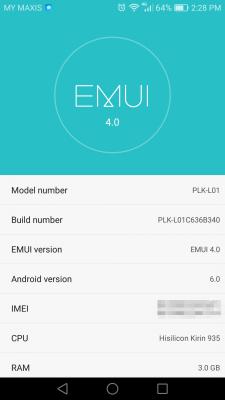
Model number: PLK-L01
Build: PLK-L01C636B130
CPU: Hisilicon Kirin 935
Android ver: 5.0.2
Kernel: 3.10.31-gf-21e110
EMUI ver: 3.1
Custom version: CUSTC636D001
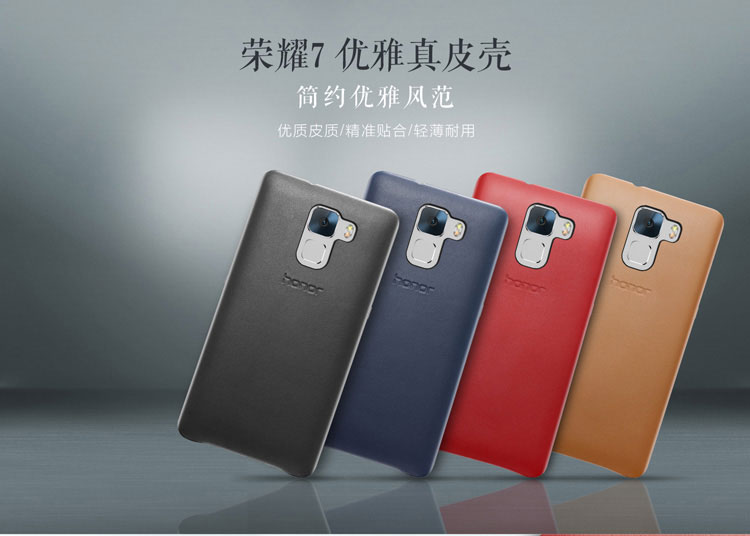
Casing that I'm using:
http://www.lelong.com.my/huawei-honor-7-pu...7-01-Sale-I.htmI have also rooted my phone. Of coz, i dun care about the warranty.
It took a while for me to root it. First I need to unlock the bootloader, require Huawei's portal.
Then I use SRK tool to install TWRP
SRK Tool Huawei Bootloader/ROOT/Recovery/Backup/Utility
Link:
http://forum.xda-developers.com/honor-7/de...r-root-t3383433This SRK tool were not able to root my Honor 7e.
So I use Honor 7 Multi-Tool, to root it.
Link:
http://forum.xda-developers.com/honor-7/ge...i-tool-t3281176As for the Whatsapp notification issue. (Which i saw everyone had it too)
I also face it. Same like you guys. What I did to fix the notification:
Launch Phone Manager -> Notification Center -> Whatsapp -> Allow notification = I turn it off.
then i reboot my phone. later on, head back to the same place, enable Allow notification + Status bar + Banners + Lock Screen
Wallahhh, it solve my ridiculous whatsapp notification issue.
I done that during i had my honor 7 on the very 1st day.
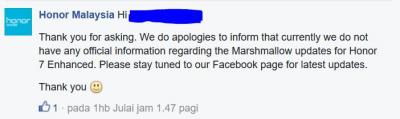
Right now, i am planning to go for Marshmallow.
http://www.modaco.com/forums/topic/375942-...l-2016-plk-l01/Yes, I am aware of our "636B130" code.. and the link provided are meant for EU country. However, i saw that some developer said, our 636 would not matter for it.
What worse can it be, correct? I alrd root the phone.
Brick the phone? hmm.. correct.. i still have the warranty. If the phone brick, let it brick and send back to Huawei. Say that all of sudden, my Honor 7 cannot turn on. i dont know why. (that's what my heart telling me)
So, anyone with me? (

)
go, or no go? hehe
By the way, in order to upgrade to MM, we (130) users need to fall back to 100. then direct to 121.
from 121 can easily go to 180 and so on..
so.. what's holding me up? hehe.. waiting for my "otak mereng" come, then i proceed.
Yihaaa..
I think..... After so many years with Android, flashing ROM won't brick the phone lah..
Of course you should know what you are doing.
The bricked case would only come if you spoiled the bootloader header that you can't boot your phone anymore, or typically the Nand Flash storage physically damaged that unable to keep your ROM completely.
Any error flashed, bootloader ok is ok. You just need to cover back the right ROM then good to go.
Of course, playing with this ROM, you should careful on saving your data before doing it.
Other issue likes physically hardware damaged then can't help unless replace the hardware.
Anything else flashing ROM won't kill your phone.
Just read carefully the cautions and details of the steps. That's all.
People who don't understand, just because they lazy to read and search the info. They are not the learning type of people, relying on people, better Do It Yourself then you know.
Most people panics when they faced the unknown problem, but typically most answer can be searched from internet.
The people who know to search the resources, it would survive.


 Apr 14 2016, 09:11 AM, updated 9y ago


 Quote
Quote






 need others to confirm.







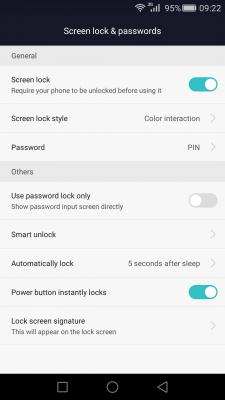
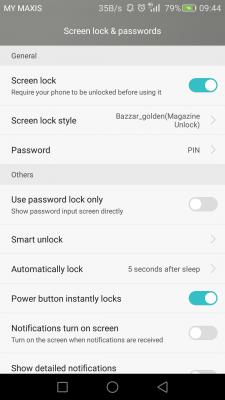

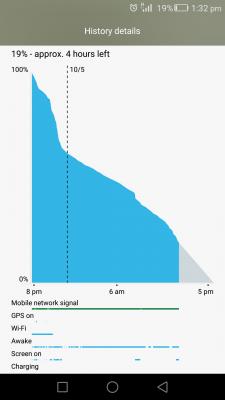







 hahaha











 0.3241sec
 0.70
0.70
 6 queries
 GZIP Disabled