Outline ·
[ Standard ] ·
Linear+
Ultrawide monitor fan's club, Ultrawide master race
|
Someonesim
|
 Sep 21 2017, 12:23 PM Sep 21 2017, 12:23 PM
|

|
QUOTE(Andrewtst @ Sep 21 2017, 07:56 AM) Haha. Very soon. This coming October.  Hahaha, time to reinstall and play again QUOTE(soul_fly9900 @ Sep 21 2017, 11:40 AM) What do you know, Grim Dawn actually supports 21:9, and its perfect as well haha. Never expected this, been a long time since I log into this game. Maybe just me, but I almost always play RPG or RTS in more traditional 4:3 mode. So leftover space will be binge watch drama or youtube  |
|
|
|
|
|
Someonesim
|
Sep 22 2017, 08:09 AM
|
|
|
QUOTE(Legendary Big Boss @ Sep 22 2017, 12:41 AM) How u guys play YouTube video on ultrawide monitor? I always get that black sidebar and only some video played ultra wide.btw I'm using the LG 29 inch model. Cant do much  but mostly I multitasking so youtube occupy half of the display. |
|
|
|
|
|
Someonesim
|
Sep 28 2017, 11:42 AM
|
|
|
QUOTE(muiz_xgx @ Sep 28 2017, 10:27 AM) http://www.lazada.com.my/brateck-single-fu...r-19085073.htmlI personally use this for my LG 29" and now upgraded to 34". So far so good. It use gas spring so can adjust the tension based on monitor weight. That one RM259, this one 259 RMB  |
|
|
|
|
|
Someonesim
|
Sep 28 2017, 01:42 PM
|
|
|
QUOTE(muiz_xgx @ Sep 28 2017, 12:23 PM) Did you use the clamp or drill a hole? I am using only the clamp for now but will drill for a more secure mounting. I'm using a custom desk btw, thicker than ikea linnmon. Yeah i bought from lazada with voucher + free shipping. Not much different from taobao. That's why i got it locally. [attachmentid=9181435] Need to search and wait for huge discount coupon then  Considering getting one, that ridiculously huge stock stand are ridiculous  QUOTE(kaicherc @ Sep 28 2017, 12:25 PM) i use the clamp, yea mayb the linmon is not strong enough Linnmon sure not strong enough. I read from reddit, people will use one or two piece of metal or hard wood fit between the table and clamp. |
|
|
|
|
|
Someonesim
|
Nov 10 2017, 03:56 PM
|
|
|
QUOTE(raydenex @ Nov 10 2017, 01:23 AM) No point, I have a H7 Quad Lumi on the desk here.. just too friggin' lazy to install it. But nice job on yours haha. Wow RGB tower. Let me know if it's good, and how is it for OCing Ryzen 7 |
|
|
|
|
|
Someonesim
|
Nov 24 2017, 04:58 PM
|
|
|
QUOTE(craxors @ Nov 24 2017, 12:27 PM) brain dead.. cant decide...  34" 1080p 144hz vs 34" 1440p 100hz gsync single gtx1080... mainly use for fb. didnt do csgo, dota, overwatch, pubg...etc. true story.  You'll appreciate higher resolution, FB + youtube side by side no stress  |
|
|
|
|
|
Someonesim
|
Nov 24 2017, 11:50 PM
|
|
|
QUOTE(toniseah @ Nov 24 2017, 08:25 PM) i need some suggestion please, i search lazanda LG 29UM59A ultrawide around rm800 , is this monitor best for gaming ? , or any better option other than this price range or even cheaper ? Try visit B&H, I did saw lots of cheap monitor for sales, many are LG model that wont see here. https://www.bhphotovideo.com/?BI=19301&KBID...FF=d10-v1-t8-x4QUOTE(toffy @ Nov 24 2017, 10:35 PM) I am curious. 1440p resolution is definitely sharper than 1080 on a widescreen, but aren't the words and pictures on the screen smaller? Ya but you can adjust scaling in Windows. |
|
|
|
|
|
Someonesim
|
Nov 25 2017, 12:13 PM
|
|
|
QUOTE(silrave @ Nov 25 2017, 03:04 AM) guys sometime i find out 4k tv is cheaper than ultrawide 21:9 ratio monitor dunno should go for tv or monitor haha Many 4K tv are cheaper, but low dpi, slow response time, limited refresh rate. If you dont mind above, and viewing far away, then no issue. |
|
|
|
|
|
Someonesim
|
Nov 27 2017, 11:16 AM
|
|
|
QUOTE(craxors @ Nov 27 2017, 10:58 AM) 1080p farcry primal ultra setting barely >100... temp shoot to 73... Well you dont need to must-have-over-100fps, 70+ fps are smooth enough even for FPS, except CS GO. |
|
|
|
|
|
Someonesim
|
Dec 5 2017, 07:34 PM
|
|
|
QUOTE(craxors @ Dec 5 2017, 08:14 AM) will there be any problem/downside if we use the monitor OC all the time? let say; x34a oc to 100 x34p oc to 120 z35p oc to 120 X34A, 100Hz since day one  If they officially rated OC capable, should be no issue maintain that. |
|
|
|
|
|
Someonesim
|
Dec 7 2017, 01:59 PM
|
|
|
QUOTE(craxors @ Dec 7 2017, 01:26 PM) any extra line.. blinking... sudden padam... ? actually why there is OC option? since they can make it to 100.. why cant they jut put 100.. instead off need to OC... for some reason rite? no? Me so far no issue *touchwood Once I almost thought got issue but end up it's the RM80 faulty display port cable I bought extra. I think reason they dont put 100Hz are because there's no guaranteed 100Hz, when I do research that time, roughly 5% of owner in reddit cant reach 100Hz, just 95Hz or 75Hz. That's why newer better QC'ed X34P are native 100Hz and 'possibly' OC to 120Hz |
|
|
|
|
|
Someonesim
|
Dec 11 2017, 05:32 PM
|
|
|
QUOTE(PowerSlide @ Dec 11 2017, 01:21 PM) 2 months plus with X34A no issue, 100hz since the day i get it and enjoying it everyday only problem is that it my eyes is tricking me telling me it feels small First hour, it's so damn huge Second day, it's about right size Now, hmm I might need larger display |
|
|
|
|
|
Someonesim
|
Dec 13 2017, 08:59 AM
|
|
|
QUOTE(lowyat-user @ Dec 13 2017, 12:27 AM) Hello there, Anyone here had the opportunity to use G-Sync capable card with G-Sync monitor and a non G-Sync 120Hz monitor? Did you notice significant difference between in your viewing and/or gaming experience between those two? Planning to get a new GPU with LG 34UC79G but I am on the fence with the GPU part. Either go with green team but not utilizing G-Sync or red team with FreeSync, which I think LG supports it. Been a red team supporter but would like to try out green this time around. Thank you in advance. Dont have above scenario experience to share. What I can share are, G-sync @ 40fps VS normal @ 40fps, much noticeable different. I can live with 40fps with G-sync, yes you'll notice the lower frame rate, but you dont felt the tiny lag/delay. You'll understand if got G-sync monitor |
|
|
|
|
|
Someonesim
|
Dec 14 2017, 01:18 PM
|
|
|
QUOTE(Mavik @ Dec 14 2017, 10:43 AM) Any reviews on this? I just recently upgraded my old PC with a new graphics card and started gaming again. Very tempted to get the LG 34UC79G purely because it is more affordable compared to the rest which >RM3k. Only issue for me is that should I pay more for G-Sync as I am using a Nvidia 1070 card? I don't mind the lower resolution of 1080p so that my gaming frame rates are higher as well. QUOTE(Andrewtst @ Dec 14 2017, 11:28 AM) From review, G-Sync helping a lot on tearing but still need to set the fps range. I don't have G-Sync no idea and also never bother on it because it needs extra RM 1k or more just for that. G-Sync beside helping on remove tearing, nothing already. Vsync also can do that and not all Vsync in games make the input lag. Some do, also the higher refresh rate also helping smoother out the games and less tearing, also not all. G-Sync I think is just eliminate more tearing issue, but I read where certain games still need to turn on Vsync and everywhere mentioned you need to set the fps not over or lesser than the G-Sync on that monitor specified. So I think G-Sync is not that necessary especially it is too costly to me. I rather get AMD card and use Freesync in future when build new PC. G-sync are useful when your system/gpu only capable of lower fps. I used to had gtx1070 so most games are below 100 fps, so far I'm not regret paying extra money for g-sync, but I'm sad it's bound to green team. |
|
|
|
|
|
Someonesim
|
Dec 15 2017, 03:53 PM
|
|
|
QUOTE(Cynox @ Dec 15 2017, 09:15 AM) received email from Samsung about it few days ago and it is finally here!! anyone getting this ridiculously wide monster? Price is RM6,499. 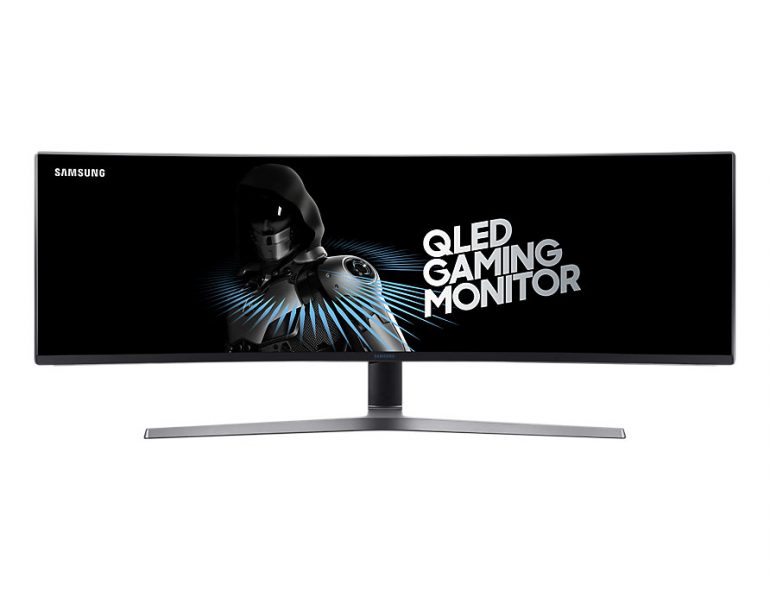 Source: Lowyat.netI could utilize this kind of monitor, as currently I had 34" and 23" on my desk, but that price tag and resolution need further improvement QUOTE(cheewai196 @ Dec 15 2017, 10:49 AM) Is Ultra Wide suitable for Facebook, YouTube and movies? I’ll be using the monitor 50% surfing web and 50% FPS game like CS:Go and PUBG. Need suggestion please thanks! Left FB / normal browsing, right YouTube all the time. Perfecto on 3440x1440 as web pages looks just right occupying half of the each. |
|
|
|
|
|
Someonesim
|
Dec 27 2017, 01:14 PM
|
|
|
QUOTE(invisiblelim @ Dec 27 2017, 11:53 AM) Dear Sifu... currently I'm using a Samsung 22" LED Monitor which is FHD and 60hz.. wanted to upgrade my monitor to <30" preferable with G-Sync as I'm using Nvidia 1080 Ti.. I'm not sure which to get.. 4K with 60hz or QHD with 144Ghz currently I am eyeing on XB271HU or PG279Q or S2716DG Dont think those are ultrawide. |
|
|
|
|
|
Someonesim
|
Jan 8 2018, 04:53 PM
|
|
|
QUOTE(Cynox @ Jan 8 2018, 02:05 PM) I think i just make my dream spec of 38" ultrawide too small a dream. They are coming out with 65" Big Format Gaming Display (BFGD) with 4k, Gsync, HDR, local dimming and 120Hz.  can't stop drooling.... One from Asus - meet the ROG Swift PG65. 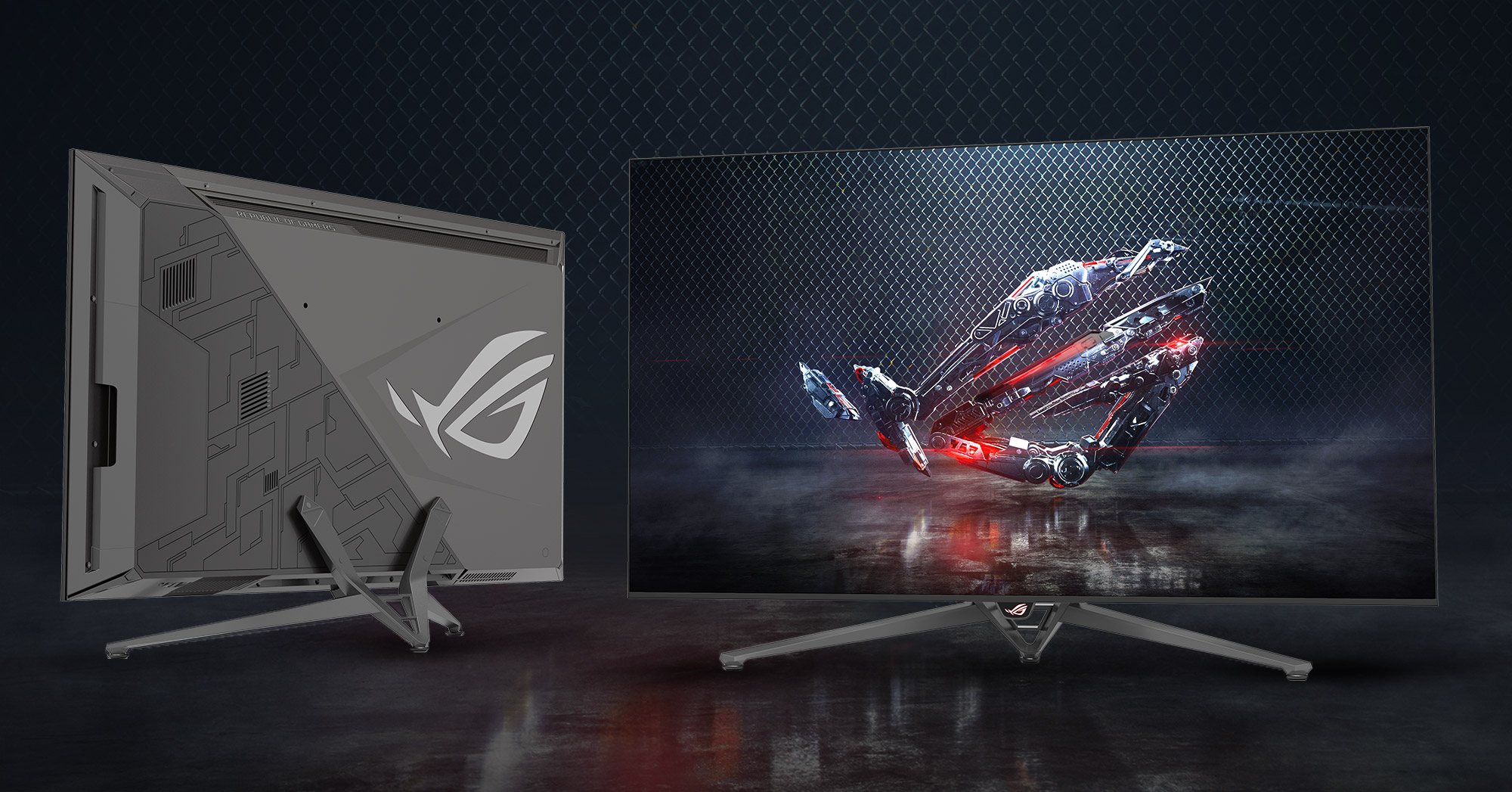 Perfect TV for #pcmasterrace |
|
|
|
|
|
Someonesim
|
Jan 10 2018, 11:03 AM
|
|
|
QUOTE(ahmaryusoff6 @ Jan 8 2018, 11:40 PM) Finally after 18 hours, I managed to setup my gaming rig. Ryzen 7 + 1080 Ti. Will be playing Roblox and Minecraft as staters :') Recommend me some fantastic ultrawide supported games please! I dont have too many games now, but DOOM are definitely one for ultrawide |
|
|
|
|
|
Someonesim
|
Jan 11 2018, 10:24 PM
|
|
|
QUOTE(gn02761859 @ Jan 11 2018, 07:18 PM) Hi guys, I am getting Acer X34P and definately need to upgrade my GC (GTX 960). Which gc I should getting? Seems like in market GC is shortage now and what I found is Asus 1070 Dual O8G, is that enuff? Normally i just play CS:GO and planning to join PUBG in future. GTX1070 are minimum requirement. I dont have PUBG and CSGO, but 1070 run DOOM around 70-80fps  |
|
|
|
|



 Quote
Quote
 did you try rotate the AMD ring ?


 0.0372sec
 0.39
0.39
 7 queries
 GZIP Disabled