Welcome Guest ( Log In | Register )

56 Pages « < 36 37 38 39 40 > » Bottom

Outline · [ Standard ] · Linear+

 Smart Home, Let's discuss

views
     
alucard89
post Sep 6 2022, 02:52 PM

Look at all my stars!!
*******
Senior Member
4,454 posts

Joined: Apr 2006
QUOTE(yosia_k @ Sep 6 2022, 02:01 PM)
pull 1 of the string to tilt the wooden blind (the blind will move \ - /), pull the other string to tilt it in other direction, not sure if you get what i am trying to describe biggrin.gif
it's not trying to retract the blind, just tilting the blind to allow/block light from coming in
*
Each string will retract each other right when you open/close the blinds?

alucard89
post Sep 6 2022, 05:25 PM

Look at all my stars!!
*******
Senior Member
4,454 posts

Joined: Apr 2006
QUOTE(Oltromen Ripot @ Sep 6 2022, 04:59 PM)
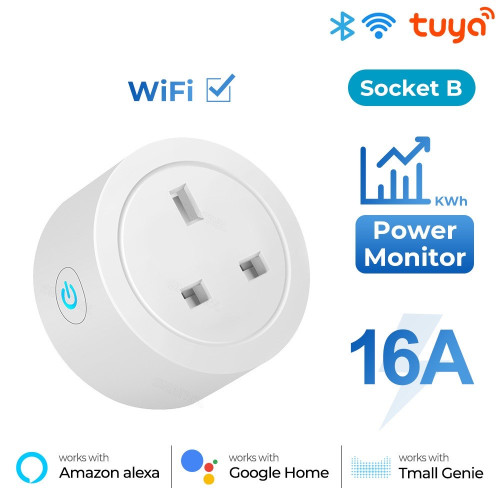
Guys, this sort of plug:

If I use it to control power to Wifi+tuya hub,
will I be able to turn it back on after I turn it off?

(yes, chicken-and-egg situation since switching off wifi will disconnect it.)

or does it have a function to sort of restart on its own, like, after 10secs or a minute.

user posted image
*
I’ll test that out later if it still works to turn back on after disconnect from wifi/tuya cloud. Not sure if the automation is saved into the firmware like tasmota or relies solely on cloud.

alucard89
post Sep 6 2022, 05:36 PM

Look at all my stars!!
*******
Senior Member
4,454 posts

Joined: Apr 2006
QUOTE(Oltromen Ripot @ Sep 6 2022, 05:28 PM)
what i mean is, for it to control power to the wifi router itself.
since switching off the wifi router will practically disconnect from the internet.

it would be dumb set up if i ended up with a switched-off router for good  😅
*
I’m aware of that
On esphome/tasmota you can still put some rules/automation that would still run independently.
I think better option is zigbee plug, even wifi is off the zigbee network still up and continue to run automation

This post has been edited by alucard89: Sep 6 2022, 05:41 PM
alucard89
post Sep 7 2022, 12:31 PM

Look at all my stars!!
*******
Senior Member
4,454 posts

Joined: Apr 2006
QUOTE(Oltromen Ripot @ Sep 6 2022, 05:43 PM)
Eh, the multi-mode Zigbee hub no need to get signal from internet to switch the plug back on after a delay?
*
Not quite sure for tuya hubs, but for local setup with HA they still work as usual
alucard89
post Sep 11 2022, 06:25 AM

Look at all my stars!!
*******
Senior Member
4,454 posts

Joined: Apr 2006
QUOTE(vacuos @ Sep 11 2022, 01:18 AM)
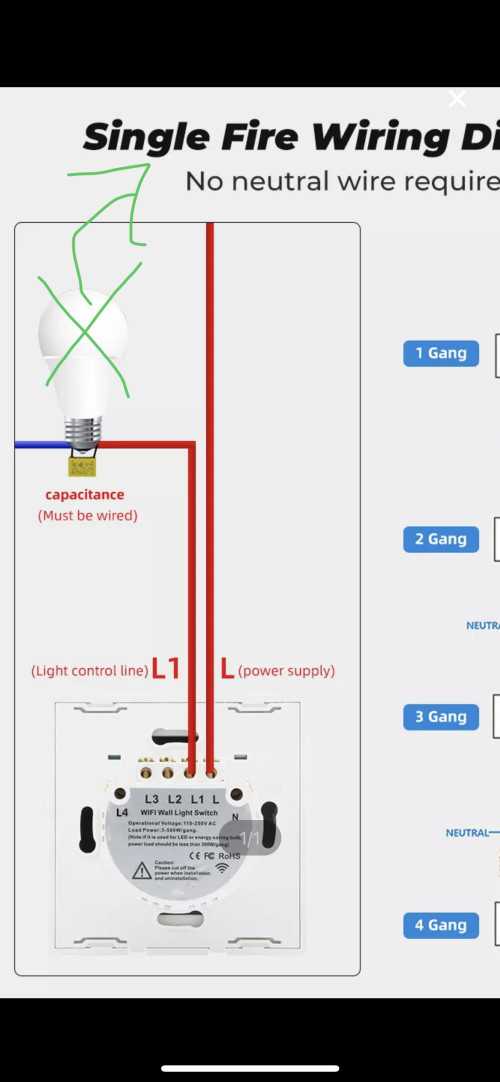
Dear all sifu, I just installed a smart switch without neutral. I was wondering what if I removed the light bulb that is parallel to the capacitor like picture below but leave the capacitor connected. Will it cause a short circuit with AC voltage thru the capacitor - overheating the circuit?

user posted image
*
No, it’ll work just fine. Just required for the switch to boot up.
alucard89
post Sep 13 2022, 06:56 PM

Look at all my stars!!
*******
Senior Member
4,454 posts

Joined: Apr 2006
QUOTE(wiind @ Sep 13 2022, 04:21 PM)
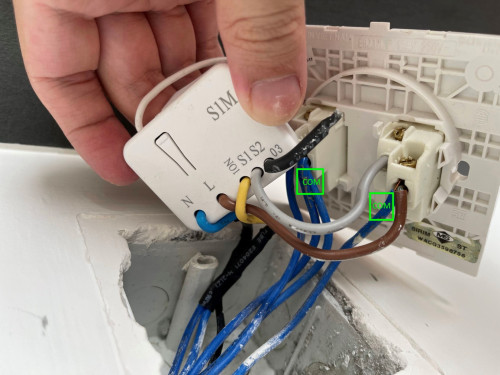
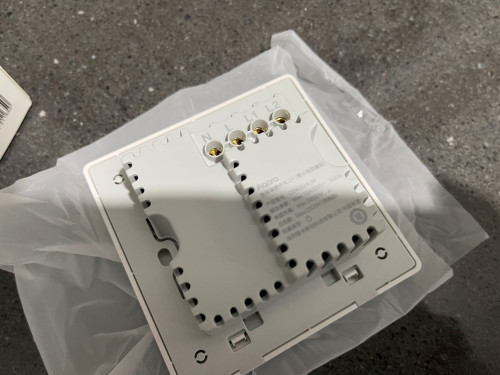
Hello all sifu, need some guidance here to replace an existing two gang switch with an Aqara switch (with Neutral).

1. I have figured out the Neutral wire and the load wire for switches (light and fan), which would go to the N, L1 and L2 terminal respectively on the Aqara switch.
2. What I'm not sure is the wires that should go into the L terminal on Aqara. In the existing switch there is one live wire going to the COM terminal for light switch, and two live wires going to the COM terminal of fan switch. Since there is only one L terminal on the Aqara switch, do I just squeeze in all three wires from the COM terminals?

Please ignore the relay as it would be removed.

user posted image
user posted image
*
What’s that relay module you have behind the switch? And what’s that yellow cable?
Maybe better if there’s some diagram how you originally wired that relay to your switch
alucard89
post Sep 13 2022, 10:28 PM

Look at all my stars!!
*******
Senior Member
4,454 posts

Joined: Apr 2006
QUOTE(wiind @ Sep 13 2022, 09:15 PM)
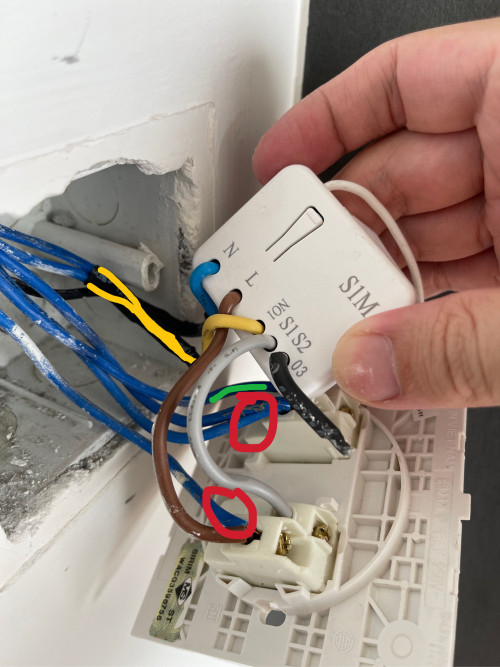
It’s a light switch module from my existing smart home system, the yellow cable is connected to the two lighting points (previously controlled by one of the two gangs, where the gray wire is).

So after I remove the relay:
1. The brown wire and grey wire will be gone as they are only required by the relay.
2. The two wire connected to the yellow wire on relay will go to L1 on Aqara switch.
3. The load wire for fan (marked in green) will go to L2 on Aqara switch. The fan is not connected to the relay.
4. The black wire (connected to N terminal on relay) will go to N terminal on Aqara switch.
5. [The bit I’m not sure] The live wires (marked in red) will go to L terminal on Aqara switch.

user posted image
*
Ok, that clears it up
Assuming the other 2 blue cables loops the live wire to somewhere else, then yeah you’ll need to squeeze with 1st one.
What’s the existing smart home system you’re using now?
alucard89
post Sep 14 2022, 07:34 AM

Look at all my stars!!
*******
Senior Member
4,454 posts

Joined: Apr 2006
QUOTE(wiind @ Sep 13 2022, 11:47 PM)
So my thinking is right, I’ll have to squeeze 3 live wires to the little L terminal on Aqara switch, I wonder if there is a way to join them into one single wire before connecting it to the terminal?

The existing smart home system is Bluguard, not a mainstream brand and I find it limiting in term of extensibility.
*
Definitely get a terminal block for the cables like Oltromen Ripot mentioned
Just had a look at their product line, and woah you’ve got a z-wave device there. You could add that to homeassistant to reuse any z-wave device you have but you’ll need a z-wave usb stick for msia region.

This post has been edited by alucard89: Sep 14 2022, 08:08 AM
alucard89
post Sep 15 2022, 03:37 PM

Look at all my stars!!
*******
Senior Member
4,454 posts

Joined: Apr 2006
QUOTE(Oltromen Ripot @ Sep 14 2022, 01:41 PM)
Guys, this sort of multi-gang wall switches (max 10A).
I'm looking at 1 gang, 2 gang, 3 gang, 4 gang, probably 6 gang as well.

Assuming I will be able to pull neutral to the switch.
Are they able to handle 1 ceiling fan as well? say, on L1 or L2?

user posted image
*
So far only spotted 6 gang sold by korean smart home maker

https://zigbee.blakadder.com/Shin-A-Systems_SBM-300-ZB6.html

If you need to 6 gang setup without adding another switch, could use something like this 3gang wifi module and squeeze 2 behind the switch
alucard89
post Sep 16 2022, 12:46 AM

Look at all my stars!!
*******
Senior Member
4,454 posts

Joined: Apr 2006
QUOTE(lucaswjk @ Sep 15 2022, 10:49 PM)
need review in this cctv options
1. buy nvr with 8ports poe
2. buy 8ports poe switch + own nas server + free cctv aps

the problem is my nas is only dual core 1.5ghz, 4gb ram
the advantages is, it use only 15watts and in future can add coraltpu
*
Better upgrade quad core at least, on dual core with frigate it's gonna spike that cpu even with coral

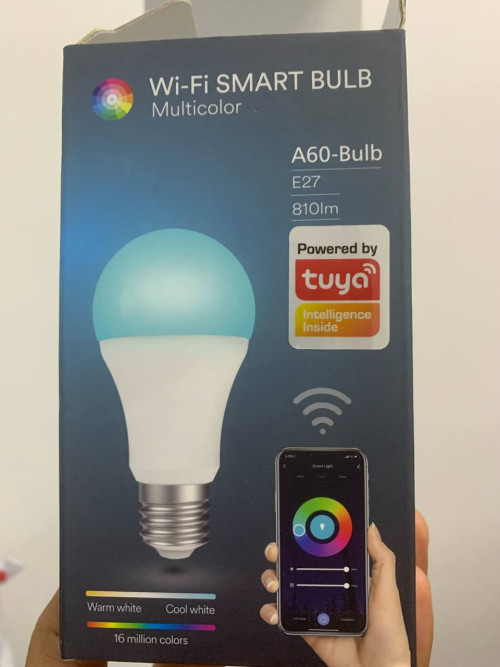
Got these 3 pcs 'defect' tuya bulb for rm20 a few months back on shopee.
user posted image
Seems to be internal power supply issue that caused the bulb to restart and blink for 1 sec but doesn't happen too often.

Put it back in storage when I realise can't flash it without destroying the bulb (the whole pcb is encased in silicon). Need to carve out the whole thing if need to access the pcb

Anyway I used cloudcutter that allows flashing firmware via ota.
Good thing there's an esphome port for tuya chip now, so at least no more blinking bulbs if accidentally reset like on stock tuya firmware.


alucard89
post Sep 17 2022, 08:39 PM

Look at all my stars!!
*******
Senior Member
4,454 posts

Joined: Apr 2006
QUOTE(lucaswjk @ Sep 17 2022, 12:35 AM)
other than frigate, so u know any other local nvr?
currently i just wanted to start small... especially low power consumption.
will most likely buy 8x 4-5mb camera,
but will only record it as 720p 15fps h265.
stupid reason for having too many camera 🫣
*
Got shinobi, motioneye
Won’t use as much resource like frigate does
alucard89
post Sep 17 2022, 08:40 PM

Look at all my stars!!
*******
Senior Member
4,454 posts

Joined: Apr 2006
QUOTE(ReaperX @ Sep 16 2022, 01:23 PM)
Bought one of those Tuya Zigbee 4" touch control panel supposingly to control all my Zigbee switches, aircond, tv but later found out aircond temp control is not supported via Zigbee IR controller.
Supplier mentioned it's only for Tuya capable airconds =.=
Sigh
*
Interesting, what about manually learning the ac remote commands? Still can use to control ac?
alucard89
post Sep 24 2022, 12:29 AM

Look at all my stars!!
*******
Senior Member
4,454 posts

Joined: Apr 2006
QUOTE(longpants @ Sep 23 2022, 11:23 PM)
Anyone connected Tuya bluetooth smart door lock (through tuya gateway) like this to Home assistant? Recently ported over all my xiao mi devices using Xiaomi Gateway 3 integration. hoping to mix up with some tuya devices through HA. I have got this cheap tuya smart lock from shopee with tuya gateway, but seems like not much of functions to control the lock on HA. Anyone familiar with integrating Tuya devices into HA?

https://shopee.com.my/Digital-Lock-Biometri...409.14527185810
*
Not support yet for Tuya locks
There's a workaround for TTLock (with hub) since some Tuya lock uses that app
https://community.home-assistant.io/t/ttloc...-with-ha/211244

And using zemismart homekit hub + tuya zigbee lock + homeassistant homekit integration

Latest attempt by using tuya local HACS integration (not localtuya) but the wifi lock (just wifi no hubs) isn't suitable since the device only wakes up when keypad is entered and you can't really unlock it directly from app like zigbee.
https://github.com/make-all/tuya-local/issues/162

You could try asking on that github if can support bt lock

Btw, your tuya hub is just bt hub?

This post has been edited by alucard89: Sep 24 2022, 12:31 AM
alucard89
post Sep 24 2022, 12:14 PM

Look at all my stars!!
*******
Senior Member
4,454 posts

Joined: Apr 2006
QUOTE(longpants @ Sep 24 2022, 10:42 AM)
Tuya bluetooth ble zigbee gateway (without homekit) + tuya BT lock..

https://detail.tmall.com/item.htm?spm=a1z10...d=5025558854308
+
https://shopee.com.my/Digital-Lock-Biometri...409.14527185810
I haven't tried tuya-local on my ha before- will try getting the add on and test test. whats the diff with localtuya?

Ah, just realized tuya-local works for tuya wifi devices.. any recommendation for tuya bluetooth integration?
*
No official bt integration yet
But some method cloud based like detecting alexa devices & from tuya iot page

https://community.home-assistant.io/t/integ...-to-ha/443495/5

Can’t say for sure if this also works with locks.
Can you still unlock using alexa/google assistant?
alucard89
post Sep 24 2022, 08:54 PM

Look at all my stars!!
*******
Senior Member
4,454 posts

Joined: Apr 2006
QUOTE(longpants @ Sep 24 2022, 05:13 PM)
i dont use alexa/ google assistant so cant test that out.  it looks like for locks a bit more complicated. no automation scene can unlock the lock even in tuya. guess i will just use it as is
*
For the bt lock, can still unlock directly from tuya app right?
No need unlock request by physically pressing keypad first
alucard89
post Sep 24 2022, 08:56 PM

Look at all my stars!!
*******
Senior Member
4,454 posts

Joined: Apr 2006
QUOTE(Oltromen Ripot @ Sep 24 2022, 07:33 PM)
Note-to-self:

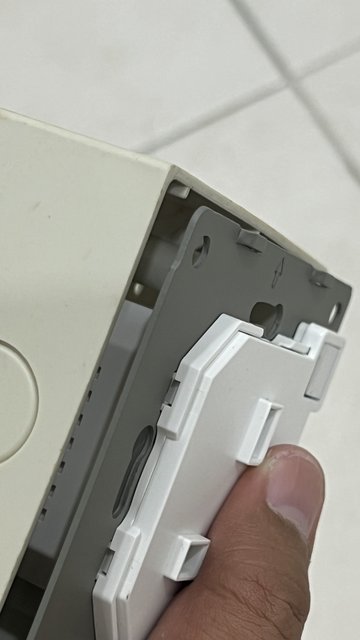
Malaysian base plates are not deep enought to hole smart sockets.

Tested 5mm gap on an empty baseplate, without wiring behind.

user posted image

user posted image
*
Yeah, need to dig deeper or just print those 10mm spacer from thingverse
alucard89
post Sep 26 2022, 10:36 AM

Look at all my stars!!
*******
Senior Member
4,454 posts

Joined: Apr 2006
QUOTE(Oltromen Ripot @ Sep 26 2022, 10:31 AM)
developer used common baseplate embedded into the wall leh.

as @alucard89 wrote: need to order those spacer.
so far only found 15mm ones, not yet found 20mm or deeper.

would prefer deeper than 15mm for practicality; some of the wall even have gangs of 3 and 4, so I can already imagine the thick mess behind them even before opening.
*
https://www.thingiverse.com/thing:2797173/files

If you dun have 3d printer, just use any 3d printing service at shopee. Adjust the thickness you need or just have them modify it before printing
Should be around rm2/piece

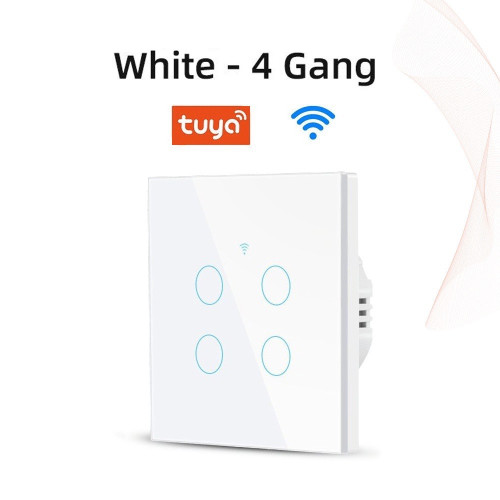
For the 4 gang i installed, depends on the wire thickness behind it, i got the 5mm - 10mm ones

This post has been edited by alucard89: Sep 26 2022, 10:42 AM
alucard89
post Sep 26 2022, 10:38 AM

Look at all my stars!!
*******
Senior Member
4,454 posts

Joined: Apr 2006
QUOTE(Max @ Sep 26 2022, 10:25 AM)
yep. but those white base is for surface mount.
inside wall usually the black one (abit softer plastic, can use normal long sharp screw).
mine luckily the box is deep enough to fit in NS & M5  biggrin.gif

» Click to show Spoiler - click again to hide... «

*
Worth getting nspanel? Or just re-use old android tablet
alucard89
post Oct 6 2022, 06:21 PM

Look at all my stars!!
*******
Senior Member
4,454 posts

Joined: Apr 2006
QUOTE(SIEWBAO @ Oct 6 2022, 05:05 PM)
Is there anything I need to take note of before purchase smart gadgets and before renovate my house?

Is Tuya good choice for android user?
*
For house renovation -
1) Pull neutral wire to existing switches & new switches
2) Extend ethernet cable to all areas that you might wanna install poe ip camera or just add router for mesh wifi
3) Maybe add some extra neutral/cable for later use like you need to make diy sensors that’s directly wired
4) Smart glass? I see some post a few months about adding smart film to glass windows that goes full visible when the relay’s on
5) Maybe plan to dig some extra holes on the ceiling? Seen some ideas by other people that mount smart speakers up top. There’s also tuya radar presence sensor in the form of downlight.

Tuya already has google skills integration, since you’re on android it’s google assistant by default.
Can just call google anytime even when phone locked
alucard89
post Oct 8 2022, 05:59 PM

Look at all my stars!!
*******
Senior Member
4,454 posts

Joined: Apr 2006
QUOTE(SIEWBAO @ Oct 8 2022, 12:42 PM)
TQ for the advice!
By the way, I thought neutral wire is a must on wall socket? Live, Earth, Neutral? Is there wall socket without neutral wire?
Smart glass in nice but i think its expensive rite? lol

So far i planned a few thing to install:-
-Smart curtain
-water flow ceiling light
-voice control
-body censor light in bedroom n stairs (maybe)
-smart door lock linking to fan/aircon/light (future)
Is there anything else can recommened?

electronic i getting:-
-haier/midea aircon (tis there anything i nid to take note while getting aircon?)
-xiaomi tv (maybe)
*
Wall socket yes got, but it’s the wall switches that don’t have neutral wire. If got wall socket next to wall switches can just loop the neutral from there

- smart curtain either get the smart railing one or just the robot curtain. Depends on which one more silent when opening/closing
- definitely radar sensor for your bathroom. Especially if you have a bathtub or just spend longer than usual sitting on the toilet seat
- for aircon, check this list here.

https://community.home-assistant.io/t/midea...acturers/320784

You can connect a cheap iot dongle that allows you to control ac/get actual status like temp etc. Sure you can just use ir control but that’s still just 1 way communication
- smart lock get the zigbee type. I don’t think can do much automation for the wifi version (without hub)
- also have a look at homeassistant, this allows to pair smart device from any brand. Good thing matter is officially rolled out now but slowly. Better to start with tuya anyway since they cover pretty much all smart device out there

56 Pages « < 36 37 38 39 40 > » Top
 

Change to:
| Lo-Fi Version
0.3260sec    0.67    7 queries    GZIP Disabled
Time is now: 1st December 2025 - 09:09 AM