QUOTE(slimey @ Dec 25 2018, 05:33 PM)
If you can DIY, put this sonoff behind the doorbell switch and solder the doorbell switch to the sonoff button.Than it work as smart switch with inching mode.
Smart Home, Let's discuss
|
|
Dec 25 2018, 07:22 PM
Show posts by this member only | IPv6 | Post
#4961
|
![]() ![]() ![]() ![]() ![]() ![]() ![]() ![]()
All Stars
17,024 posts Joined: Jan 2005 |
|
|
|
|
|
|
Dec 25 2018, 08:06 PM
|
![]() ![]() ![]() ![]() ![]() ![]() ![]()
Senior Member
6,914 posts Joined: Apr 2007 |
|
|
|
Dec 25 2018, 09:44 PM
Show posts by this member only | IPv6 | Post
#4963
|
![]() ![]() ![]() ![]() ![]() ![]() ![]() ![]()
All Stars
17,024 posts Joined: Jan 2005 |
|
|
|
Dec 25 2018, 10:54 PM
Show posts by this member only | IPv6 | Post
#4964
|
![]() ![]() ![]() ![]() ![]() ![]() ![]()
Senior Member
6,914 posts Joined: Apr 2007 |
|
|
|
Dec 26 2018, 08:50 AM
Show posts by this member only | IPv6 | Post
#4965
|
![]() ![]() ![]() ![]() ![]() ![]() ![]() ![]()
All Stars
17,024 posts Joined: Jan 2005 |
QUOTE(slimey @ Dec 25 2018, 10:54 PM) Oh. I am talking about the device Idoblu linked. That one uses 5v dc input. Sonoff basic have a inching mode in the ewelink. You can even program the momentum holding for how many milisecond for the switch. Sonoff basic can function like a doorbell switch ? I don’t see the description where it can close a normally open circuit and open it in some miliseconds.... ![]() |
|
|
Dec 26 2018, 08:51 AM
Show posts by this member only | IPv6 | Post
#4966
|
![]() ![]() ![]() ![]() ![]() ![]() ![]()
Senior Member
6,914 posts Joined: Apr 2007 |
|
|
|
|
|
|
Dec 26 2018, 08:17 PM
|
![]() ![]()
Junior Member
73 posts Joined: May 2008 From: Malaysia |
QUOTE(Kiding @ Dec 25 2018, 09:57 AM) I got both types of Aqara 2-gan wall switches (neutral and non neutral), all working fine with Smartthings, but you may need to modify the smartthings device type handle code a bit to make the second gang work. I read from the smartthings forum that it only is able to treat both gangs as a single input? Or did I miss the msg that states the workaround to be able to operate both gangs independently? Cause if that works then I'll straightaway buy the rest of the needed switches alr! Planning to change almost all the wall switches to smart ones This was the link I was reading: https://community.smartthings.com/t/device-...switch/101062/2 Also, one more thing.. Is it ok to install the wall switch before connecting it to the hub or should be done beforehand? This post has been edited by scy_krylief: Dec 26 2018, 09:08 PM |
|
|
Dec 27 2018, 12:50 AM
|
![]() ![]() ![]() ![]() ![]() ![]()
Senior Member
1,135 posts Joined: Jan 2003 From: Seri Kembangan |
QUOTE(scy_krylief @ Dec 26 2018, 08:17 PM) I read from the smartthings forum that it only is able to treat both gangs as a single input? Or did I miss the msg that states the workaround to be able to operate both gangs independently? Cause if that works then I'll straightaway buy the rest of the needed switches alr! Planning to change almost all the wall switches to smart ones You can treat both gangs seperately, you may need to modify the DTH code for the following on/off command, the 3 6 may need to change to 1 6This was the link I was reading: https://community.smartthings.com/t/device-...switch/101062/2 Also, one more thing.. Is it ok to install the wall switch before connecting it to the hub or should be done beforehand? CODE def off2() { log.debug "off2()" sendEvent(name: "switch2", value: "off") "st cmd 0x${device.deviceNetworkId} 3 6 0 {}" } def on2() { log.debug "on2()" sendEvent(name: "switch2", value: "on") "st cmd 0x${device.deviceNetworkId} 3 6 1 {}" } Install the DTH first, then install the switch. This post has been edited by Kiding: Dec 27 2018, 12:50 AM |
|
|
Dec 27 2018, 12:41 PM
|
![]() ![]()
Junior Member
73 posts Joined: May 2008 From: Malaysia |
QUOTE(Kiding @ Dec 27 2018, 12:50 AM) You can treat both gangs seperately, you may need to modify the DTH code for the following on/off command, the 3 6 may need to change to 1 6 Ohhh thanks so much for this! I'll try it out CODE def off2() { log.debug "off2()" sendEvent(name: "switch2", value: "off") "st cmd 0x${device.deviceNetworkId} 3 6 0 {}" } def on2() { log.debug "on2()" sendEvent(name: "switch2", value: "on") "st cmd 0x${device.deviceNetworkId} 3 6 1 {}" } Install the DTH first, then install the switch. |
|
|
Dec 30 2018, 12:29 AM
|
![]() ![]() ![]() ![]() ![]() ![]()
Senior Member
1,137 posts Joined: Oct 2007 From: ~Somewhere only we know~ |
|
|
|
Dec 31 2018, 01:37 PM
|
![]() ![]() ![]() ![]() ![]() ![]() ![]()
Senior Member
4,999 posts Joined: Jan 2003 |
Sigh anyone looking for a mijia hub and not using home assistant? Will sell it cheap.
Bought this as my 2nd hub for my 2nd floor but it cannot connect with home assistant despite it working perfectly in the mi home app. After 10 hours of troubleshooting and googling , apparently there are certain batches that has disabled local developer mode(speculation only). This post has been edited by Drian: Dec 31 2018, 01:38 PM |
|
|
Dec 31 2018, 01:43 PM
Show posts by this member only | IPv6 | Post
#4972
|
![]() ![]() ![]() ![]() ![]() ![]() ![]()
Senior Member
4,454 posts Joined: Apr 2006 |
QUOTE(Drian @ Dec 31 2018, 01:37 PM) Sigh anyone looking for a mijia hub and not using home assistant? Will sell it cheap. Is yours the early model? (Not the 2nd edition one)Bought this as my 2nd hub for my 2nd floor but it cannot connect with home assistant despite it working perfectly in the mi home app. After 10 hours of troubleshooting and googling , apparently there are certain batches that has disabled local developer mode(speculation only). That's the one that enabled yet |
|
|
Dec 31 2018, 01:45 PM
|
![]() ![]() ![]() ![]() ![]() ![]() ![]()
Senior Member
4,999 posts Joined: Jan 2003 |
|
|
|
|
|
|
Dec 31 2018, 01:58 PM
|
![]() ![]() ![]() ![]() ![]() ![]()
Senior Member
1,187 posts Joined: Apr 2011 From: Nowhere |
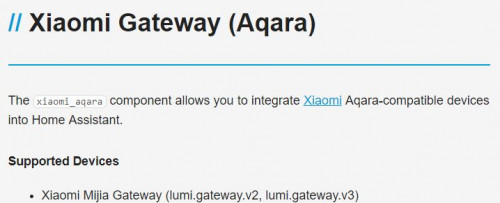
QUOTE(alucard89 @ Dec 31 2018, 01:43 PM) QUOTE(Drian @ Dec 31 2018, 01:45 PM) Alucard is correct. Only the early version is not supported.Link is at here Aqara Gateway ![]() Mind to tell us what is the error message in HA? |
|
|
Dec 31 2018, 07:06 PM
|
![]() ![]() ![]() ![]() ![]() ![]() ![]()
Senior Member
4,999 posts Joined: Jan 2003 |
QUOTE(Fubar20 @ Dec 31 2018, 01:58 PM) Alucard is correct. Only the early version is not supported. Link is at here Aqara Gateway ![]() Mind to tell us what is the error message in HA? QUOTE xiaomi_gw {'host': '192.168.2.154', 'port': 54321, 'hostname': 'lumi-gateway-v3_miio98876622.local.', 'properties': {'epoch': '1', 'mac': '7c49ebb0aab0'}, 'mac_address': '7c49ebb0aab0'} https://github.com/home-assistant/home-assi...nt/issues/164072018-12-31 18:45:59 DEBUG (MainThread) [homeassistant.core] Bus:Handling <Event platform_discovered[L]: service=xiaomi_gw, discovered=host=192.168.2.154, port=54321, hostname=lumi-gateway-v3_miio98876622.local., properties=epoch=1, mac=7c49ebb0aab0, mac_address=7c49ebb0aab0> 2018-12-31 18:44:40 INFO (SyncWorker_6) [xiaomi_gateway] Xiaomi Gateway 7c49ebb0aab0 configured at IP 192.168.2.154:9898 2018-12-31 18:44:40 INFO (MainThread) [homeassistant.setup] Setup of domain panel_iframe took 0.0 seconds. 2018-12-31 18:44:40 DEBUG (SyncWorker_6) [xiaomi_gateway] _send_cmd >> b'{"cmd":"read","sid":"7c49ebb0aab0"}' 2018-12-31 18:44:49 WARNING (MainThread) [homeassistant.setup] Setup of xiaomi_aqara is taking over 10 seconds. 2018-12-31 18:44:50 ERROR (SyncWorker_6) [xiaomi_gateway] Cannot connect to Gateway 2018-12-31 18:44:50 ERROR (SyncWorker_6) [xiaomi_gateway] No data in response from hub None 2018-12-31 18:44:50 INFO (SyncWorker_6) [xiaomi_gateway] Discovering Xiaomi Devices 2018-12-31 18:44:50 DEBUG (SyncWorker_6) [xiaomi_gateway] _send_cmd >> b'{"cmd" : "get_id_list"}' 2018-12-31 18:45:00 ERROR (SyncWorker_6) [xiaomi_gateway] Cannot connect to Gateway 2018-12-31 18:45:00 INFO (SyncWorker_6) [xiaomi_gateway] Discovering Xiaomi Devices 2018-12-31 18:45:00 DEBUG (SyncWorker_6) [xiaomi_gateway] _send_cmd >> b'{"cmd" : "get_id_list"}' 2018-12-31 18:45:10 ERROR (SyncWorker_6) [xiaomi_gateway] Cannot connect to Gateway 2018-12-31 18:45:10 INFO (SyncWorker_6) [xiaomi_gateway] Discovering Xiaomi Devices 2018-12-31 18:45:10 DEBUG (SyncWorker_6) [xiaomi_gateway] _send_cmd >> b'{"cmd" : "get_id_list"}' 2018-12-31 18:45:20 ERROR (SyncWorker_6) [xiaomi_gateway] Cannot connect to Gateway 2018-12-31 18:45:20 INFO (SyncWorker_6) [xiaomi_gateway] Discovering Xiaomi Devices 2018-12-31 18:45:20 DEBUG (SyncWorker_6) [xiaomi_gateway] _send_cmd >> b'{"cmd" : "get_id_list"}' 2018-12-31 18:45:30 ERROR (SyncWorker_6) [xiaomi_gateway] Cannot connect to Gateway 2018-12-31 18:45:30 INFO (SyncWorker_6) [xiaomi_gateway] Discovering Xiaomi Devices 2018-12-31 18:45:30 DEBUG (SyncWorker_6) [xiaomi_gateway] _send_cmd >> b'{"cmd" : "get_id_list"}' 2018-12-31 18:45:40 ERROR (SyncWorker_6) [xiaomi_gateway] Cannot connect to Gateway https://community.openhab.org/t/openhab2-xi...spond/52963/100 Seems like i have the same issue as these ppl. He only solved it after purchasing another unit. This post has been edited by Drian: Dec 31 2018, 07:35 PM |
|
|
Jan 1 2019, 01:09 PM
|
![]() ![]() ![]() ![]() ![]() ![]()
Senior Member
1,187 posts Joined: Apr 2011 From: Nowhere |
QUOTE(Drian @ Dec 31 2018, 07:06 PM) https://github.com/home-assistant/home-assi...nt/issues/16407 https://community.openhab.org/t/openhab2-xi...spond/52963/100 Seems like i have the same issue as these ppl. He only solved it after purchasing another unit. 2018-09-04 05:20:55 DEBUG (SyncWorker_12) [homeassistant.components.xiaomi_aqara] Gateways discovered. Listening for broadcasts 2018-09-04 05:20:55 INFO (MainThread) [homeassistant.components.binary_sensor] Setting up binary_sensor.xiaomi_aqara I assume you had done all to troubleshoot the issue ie.: 1) Make sure you have enabled LAN access. 2) Turn off the firewall on the system where Home Assistant is running. 3) Ensure your router supports multicast as this is a requirement of the Xiaomi Gateway. 4) Try to leave the MAC address mac: blank. 5) Try to set discovery_retry: 10 6) Hard reset the gateway: Press the button of the gateway 30 seconds and start again from scratch. Well, if cannot be connected then use for other purpose or sell it. |
|
|
Jan 3 2019, 04:42 PM
|
![]() ![]() ![]() ![]() ![]() ![]()
Senior Member
1,187 posts Joined: Apr 2011 From: Nowhere |
Added a Sonoff T1 UK 3 gang with stock firmware 2.6 and connected by Ewelink app.
Now it can be controlled using Home Assistant without needing to flash with Tasmota. Just follow the link here and restart Home Assistant. Works for stock Sonoff Basic, 4CH Pro (R2), S20 and S26. |
|
|
Jan 4 2019, 01:16 PM
|
![]() ![]() ![]() ![]() ![]() ![]()
Senior Member
1,671 posts Joined: Apr 2012 |
QUOTE(Fubar20 @ Jan 3 2019, 04:42 PM) Added a Sonoff T1 UK 3 gang with stock firmware 2.6 and connected by Ewelink app. so with this way of integration can you still use xiaomi wireless switches/cube to turn on/off sonoff switches ?Now it can be controlled using Home Assistant without needing to flash with Tasmota. Just follow the link here and restart Home Assistant. Works for stock Sonoff Basic, 4CH Pro (R2), S20 and S26. |
|
|
Jan 4 2019, 02:03 PM
|
![]() ![]() ![]() ![]() ![]() ![]() ![]()
Senior Member
4,999 posts Joined: Jan 2003 |
Anyone using an android box that can use alexa to search for youtube?
All those amazon android boxes can't search youtube. |
|
|
Jan 4 2019, 02:32 PM
|
![]() ![]() ![]() ![]() ![]() ![]()
Senior Member
1,187 posts Joined: Apr 2011 From: Nowhere |
QUOTE(zzzhhhzzz @ Jan 4 2019, 01:16 PM) so with this way of integration can you still use xiaomi wireless switches/cube to turn on/off sonoff switches ? Of course, you canQUOTE(Drian @ Jan 4 2019, 02:03 PM) Anyone using an android box that can use alexa to search for youtube? All those amazon android boxes can't search youtube. Not in beta anymore, follow the tutorial from Github link |
| Change to: | 0.0210sec
0.25
6 queries
GZIP Disabled
Time is now: 22nd December 2025 - 09:09 AM |