

Attached thumbnail(s)

The Official Maxis FTTH Thread | v5, Maxis Home Fibre Internet, from RM89
|
|
 Dec 21 2015, 07:33 AM Dec 21 2015, 07:33 AM
Return to original view | Post
#41
|
 
Senior Member
3,037 posts Joined: Dec 2011  
|
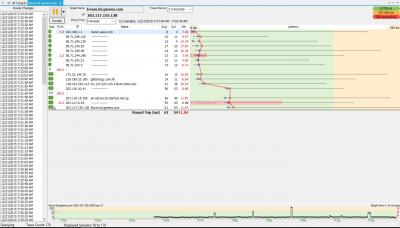
traceroute and pingplotter.
Attached thumbnail(s)
|
|
|
|
|
|
Jan 21 2016, 10:14 AM
Return to original view | Post
#42
|
|
Senior Member
3,037 posts Joined: Dec 2011
|
Huawei is from TM, its called BTU, if u use Maxis Fiber only den u don have TM VOIP.
So u need use Thompson router because VOIP is from Thompson. QUOTE(netken @ Jan 21 2016, 09:47 AM) i too want to replace the thompson router as it is too weak in the wifi signal and frequent dropped connection. would it be as easy as getting an Asus router, replaced it and use back the internet wifi with phone? i would still need to maintain the TM Huawei switch right? THanks.  |
|
|
Jan 26 2016, 08:36 PM
Return to original view | Post
#43
|
|
Senior Member
3,037 posts Joined: Dec 2011
|
U need to understand that TM opened their infrastructure to all telco, thus, Maxis take it.... So any problem, they of cos need to report to TM, den TM will do troubleshooting etc den feedback to Maxis, den only Maxis will contact u again.
QUOTE(fred131 @ Jan 26 2016, 08:31 PM) Really annoyed by Maxis call centre today, every time I call up to make a complaint for no internet, they ask me all the light on the modem and thompson wifi. The call center kids said they want to make a report. What the hell they need to ask stupid question like this ?? They think I disconnect the wire and then make prank call to Maxis for fun. So idiotic these Maxis fool... Tomorrow I return all my Thomson gateway and cancel my Maxis home fibre for good..  |
|
|
Jan 26 2016, 08:46 PM
Return to original view | Post
#44
|
|
Senior Member
3,037 posts Joined: Dec 2011
|
LOL calm down bro...
why don u apply unifi? QUOTE(fred131 @ Jan 26 2016, 08:40 PM) Everyone one just do their limited workscope and consumer who willing to pay got shit from idiots. I can of course give lots of reason not to work, public holiday, I do not know, other people ask me not to do it, etc.etc.etc. I wonder how much Maxis paid these idiot call centre staff. More than RM3000 for sure. |
|
|
Jan 26 2016, 10:23 PM
Return to original view | Post
#45
|
|
Senior Member
3,037 posts Joined: Dec 2011
|
TM is ad monopolize in Malaysia, so u think its easy to setup new hub?
QUOTE(fred131 @ Jan 26 2016, 09:24 PM) This TM also cannot understand why they must have 1 hub to 1 house for Maxis and Unifi to share. If the hub and terminal have problem, maxis blame unifi and unifi blame maxis or maxis technical people has to wait for Unifi technician to come to solve the problem..But not all house are able to install the hub in the centra location ! so reception would be slower in some corners etc. So Maxis contractor just connect their PC to the Thompson wireless hub and let you see the speed is up to par then after that you complaint about poor reception that is your business..! |
|
|
Jan 31 2016, 11:43 PM
Return to original view | Post
#46
|
|
Senior Member
3,037 posts Joined: Dec 2011
|
Check for Unifi coverage. If got den maxis surely got, that because maxis using Unifi backbone, aka tm infra..
QUOTE(stevenng97 @ Jan 31 2016, 11:40 PM) Hi is it Taman wawasan 3/7 puchong got maxis fibre already ? |
|
|
|
|
|
Feb 15 2016, 11:02 PM
Return to original view | Post
#47
|
|
Senior Member
3,037 posts Joined: Dec 2011
|
When internet down, what the status light on the modem? Most important is auth n link light, what the status on both light?
QUOTE(B u B u @ Feb 15 2016, 10:58 PM) My line will always sudden stop (internet wont run) for few minutes, very annoying when I'm playing online games. Am thinking to change the default router, any good suggestion? I only use the internet, no need to use the phone. TQTQ |
|
|
Feb 19 2016, 11:21 PM
Return to original view | Post
#48
|
|
Senior Member
3,037 posts Joined: Dec 2011
|
u need enter 603xxxxxx
QUOTE(MrHueHueHue @ Feb 19 2016, 11:18 PM) Hi, i am new user and just installed Maxis Fibre 10 mbps today. The thing is i cant register myself to due to the error "Invalid Phone Number. Please re-enter" . I am not sure about this column (Phone Number(Voip#) / Account Number*) .. so basically i entered 03XXXXXXXX with my IC no and tick the check box and submit. please enlighten me with this problem . Thanks  |
|
|
Feb 23 2016, 11:48 AM
Return to original view | Post
#49
|
|
Senior Member
3,037 posts Joined: Dec 2011
|
Its High rise building. Which Floor?
QUOTE(windson7618 @ Feb 23 2016, 11:41 AM) Hi, i would like kindly ask to check for me maxis fiber availability in BK9, the zest. Thanks. |
|
|
Feb 23 2016, 11:54 AM
Return to original view | Post
#50
|
|
Senior Member
3,037 posts Joined: Dec 2011
|
Checked Maxis no Coverage.
Checked Unifi, ONLY FIRST FLOOR got unifi, from 2nd floor till upper no coverage. Since first floor got unifi, so I think they will expanding, so u can try go TM point and ask, or call TM centre to ask. Anyway if ur place got Unifi coverage, u can try call Maxis to ask whether they got coverage or not since Maxis is using TM backbone, so maxis need to get approval from TM to install their service in ur apartment, once got approval maxis will contact u again  QUOTE(windson7618 @ Feb 23 2016, 11:50 AM) Block A, 3rd floor. Thanks. |
|
|
Feb 23 2016, 02:09 PM
Return to original view | Post
#51
|
|
Senior Member
3,037 posts Joined: Dec 2011
|
U need call Maxis to confirm first. As Maxis need to ask TM whether they can install in the residence or not first.
QUOTE(windson7618 @ Feb 23 2016, 01:44 PM) I went to TM center and they claim that my unit can install UNIFI, so means that i can try to subscribe for Maxis fibre ? |
|
|
Feb 23 2016, 08:26 PM
Return to original view | Post
#52
|
|
Senior Member
3,037 posts Joined: Dec 2011
|
server side issue...
anyway maxis fiber home is private IP so you will only get 1 IP address only. If u wan use randomly generated IP, den u have to call Maxis and request change ur account to PUBLIC IP address, FOC too. QUOTE(am2fans @ Feb 23 2016, 08:05 PM) Hi all, i am new to maxis fibre, 10mbps at taman wawasan 3/13 puchong. This post has been edited by jusbella: Feb 23 2016, 08:27 PMI want to ask if anyone facing same extremely slow connection to china website like me? My speedtest can get 10 up/ 10 down, just cannot access china website or can say super super slow on china website, anyone have same issue like me? I already try to keep connect/disconnet the ip for WHOLE day, but seems like all ip i get only 10.100.x.x, any advise??? Thank you. |
|
|
Apr 1 2016, 11:07 AM
Return to original view | Post
#53
|
|
Senior Member
3,037 posts Joined: Dec 2011
|
still can use internet like normal?
QUOTE(darrenlam @ Apr 1 2016, 09:21 AM) Woke up this morning and noted the TM fiber modem AUTH and LINK indicator no longer light up. The Thompson router still looks fine though. Anyone got this issue as well? |
|
|
|
|
|
Apr 1 2016, 01:58 PM
Return to original view | Post
#54
|
|
Senior Member
3,037 posts Joined: Dec 2011
|
Suspect its fiber cable issue, go check the fiber cable from internal till outside the pole at ur house.
QUOTE(darrenlam @ Apr 1 2016, 01:33 PM) Nope... No more internet after that... Despite rebooting both modem and router |
|
|
Apr 18 2016, 06:27 PM
Return to original view | Post
#55
|
|
Senior Member
3,037 posts Joined: Dec 2011
|
VOIP is free RM30 value, meaning u can call any number include oversea, it will deduct the RM30 value, and the balance u need to pay. If no make any call den also free.
QUOTE(cscheat @ Apr 18 2016, 12:31 PM) Newbie here. We will be assigned two(2) Maxis account numbers 1. Home Broadband = RM15x after GST 2. VoIP Services = ???? (How much is this bill if I'm not making any calls?) |
|
|
Apr 19 2016, 11:42 AM
Return to original view | Post
#56
|
|
Senior Member
3,037 posts Joined: Dec 2011
|
Yes correct.
example how VOIP charge, you will receive another billing paper like this:- 1) If u make calling for about RM100, den bill will state RM100-RM30(free value) = RM70, so u need pay RM70. 2) If u make calling for about RM20, den bill will state RM20-RM20(no over RM30) = RM0, so free. Can't use RM30 to deduct as there is no NEGATIVE value QUOTE(cscheat @ Apr 19 2016, 10:48 AM) So means I only need to pay 1 bill for the fibre internet if im not using the phone right ?? Thanks jusbella for the info  |
|
|
Apr 23 2016, 04:17 PM
Return to original view | Post
#57
|
|
Senior Member
3,037 posts Joined: Dec 2011
|
It's normal....
QUOTE(thpace @ Apr 23 2016, 04:14 PM)  Is this normal? I find it weird that my upload is more stable at 10mbps compared to my download which its always at the 9.5mbps range  BTW it the 10mbps package and direct connection to Thomsom router via cable should i complain? |
|
|
Apr 23 2016, 06:58 PM
Return to original view | Post
#58
|
|
Senior Member
3,037 posts Joined: Dec 2011
|
Already good...
QUOTE(thpace @ Apr 23 2016, 04:35 PM) good enough? |
|
|
May 4 2016, 11:05 PM
Return to original view | Post
#59
|
|
Senior Member
3,037 posts Joined: Dec 2011
|
How was today internet? Seem a slow currently... Going sleep now..
|
|
|
May 5 2016, 11:48 AM
Return to original view | Post
#60
|
|
Senior Member
3,037 posts Joined: Dec 2011
|
U use maxis VOIP to call them, toll-free, 1-800-82-1123
Ask them reset ur connection and you are done. QUOTE(Vertion @ May 5 2016, 11:32 AM) I am a Maxis Home Fibre user, and I have noticed that there are some inconsistencies of the speed as well as the connection recently. My connection disconnects more than usual and the speed will drop to half (I am using the 10 Mbps plan), even to only 0.5 Mbps. Please tell me why and solve it as soon as possible. Please get back my 10 Mbps back! |
| Change to: |  0.1755sec 0.1755sec
 0.71 0.71
 7 queries 7 queries
 GZIP Disabled GZIP Disabled
Time is now: 13th December 2025 - 08:41 PM |
 Quote
Quote