Welcome Guest ( Log In | Register )

Bump Topic Topic Closed RSS Feed
125 Pages « < 15 16 17 18 19 > » Bottom

Outline · [ Standard ] · Linear+

 illegear z5 discussion thread, anything and everything about the beast

views
     
Prince J
post Dec 21 2014, 08:36 PM

Regular
******
Senior Member
1,272 posts

Joined: May 2010
From: Team ILLEGEAR


QUOTE(xarive @ Dec 21 2014, 12:16 AM)
I'm having problem installing the drivers. E.G : When I trying to install the Hotkey QTradio , the computer goes reboot. When I trying to install Bluetooth driver, it says I have another unauthorized driver installed. Not sure about Hotkey OSD tho. I tried to install intel graphics but it shows a newer version is already installed in my computer. Can anyone guide me how to install these drivers?
*
QUOTE(miong93 @ Dec 21 2014, 09:13 AM)
I also facing the same problem..
You're using win 8 or 8.1 pro and your wifi card is AC right ? Prince J told me that we need to install the bluetooth driver from the official website cause the driver provided in the CD is not for AC card..

As for the QTradio I still dono how to fix it.. so i just ignore it  sweat.gif
@Prince J You know how to fix it ??
*
QUOTE(xarive @ Dec 21 2014, 06:40 PM)
win 8.1 pro x64.
yup. Just got this new laptop. my card is intel wifi+bluetooth dualband 7260 AC. any idea how to determine if I've installed all the drivers necessary ?
*
The QTradio driver is successfully installed after restart.

As for the hotkey driver, you can use these hotkeys after installation:

FN + 8 Enable/Disable the Camera
FN + 9 Enable/Disable Intel Turbo Boost
FN + 0 Dim Display

As for the Intel 7260-AC and BT drivers, please pm me for download links. You can also drop by our office to get a driver CD.
TSArvinaaaaa
post Dec 22 2014, 10:06 AM

Peace :D
*******
Senior Member
3,928 posts

Joined: Jan 2012


QUOTE(Prince J @ Dec 21 2014, 08:36 PM)
The QTradio driver is successfully installed after restart.

As for the hotkey driver, you can use these hotkeys after installation:

FN + 8 Enable/Disable the Camera
FN + 9 Enable/Disable Intel Turbo Boost
FN + 0 Dim Display

As for the Intel 7260-AC and BT drivers, please pm me for download links. You can also drop by our office to get a driver CD.
*
lol..i didnt know the
fn+1 can increase fan speed
and all those other secret options u mentioned above

edit: anything else that is not visible but can use with fn?

This post has been edited by Arvinaaaaa: Dec 22 2014, 10:07 AM
Prince J
post Dec 22 2014, 01:17 PM

Regular
******
Senior Member
1,272 posts

Joined: May 2010
From: Team ILLEGEAR


QUOTE(Arvinaaaaa @ Dec 22 2014, 10:06 AM)
lol..i didnt  know the
fn+1 can increase fan speed
and all those other secret options u mentioned above

edit: anything else that is not visible but can use with fn?
*
Yep and FN +1 to maximize fan speed.

Others are common hotkeys for e.g. FN + Esc to disable/enable touchpad etc. biggrin.gif
miong93
post Dec 22 2014, 10:21 PM

~ Fulamak ~
******
Senior Member
1,236 posts

Joined: Apr 2013
QUOTE(Arvinaaaaa @ Dec 22 2014, 10:06 AM)
lol..i didnt  know the
fn+1 can increase fan speed
and all those other secret options u mentioned above

edit: anything else that is not visible but can use with fn?
*
QUOTE(Prince J @ Dec 22 2014, 01:17 PM)
Yep and FN +1 to maximize fan speed.

Others are common hotkeys for e.g. FN + Esc to disable/enable touchpad etc. biggrin.gif
*
So far just when playing dota 2 in local lobby it is not smooth..

I tried COD:AW.. it's damn smooth in 1080p with high settings.. haven't try out ultra settings brows.gif
The cooling is indeed top notch.. Played Advanced Warfare for about 1 hour, temperature of gpu & cpu are both 60+ degree c on average.. (I also wonder how come when I'm gaming the fan is so damn quiet.. in the end the fan is not at max speed doh.gif )

After finding out the Max Fan "secret", the average of gpu & cpu temperature become 50+ !
Btw I underclocked my gpu and cpu.. it indeed lower some temperature also.. performance not much different

So far this laptop is superb rclxm9.gif
except for the weird scenario I got in dota 2 sweat.gif

P/S: The max speed fan is quite noisy though.. But I still can tahan.. just when playing game at outside everyone will turn around and wonder where's the sound come from.. lol laugh.gif
mingxun112
post Dec 23 2014, 12:25 AM

New Member
*
Junior Member
36 posts

Joined: Dec 2014


QUOTE(miong93 @ Dec 22 2014, 10:21 PM)
So far just when playing dota 2 in local lobby it is not smooth..

I tried COD:AW.. it's damn smooth in 1080p with high settings.. haven't try out ultra settings  brows.gif
The cooling is indeed top notch.. Played Advanced Warfare for about 1 hour, temperature of gpu & cpu are both 60+ degree c on average.. (I also wonder how come when I'm gaming the fan is so damn quiet.. in the end the fan is not at max speed  doh.gif )

After finding out the Max Fan "secret", the average of gpu & cpu temperature become 50+ !
Btw I underclocked my gpu and cpu.. it indeed lower some temperature also.. performance not much different

So far this laptop is superb  rclxm9.gif 
except for the weird scenario I got in dota 2  sweat.gif

P/S: The max speed fan is quite noisy though.. But I still can tahan.. just when playing game at outside everyone will turn around and wonder where's the sound come from.. lol  laugh.gif
*
bro what you use to see temperature in gaming?

me also can feel the laptop very cold in battlefield ultra, fan never max and very quiet. Not like my old laptop fan noise very loud and overwrite sound rclxub.gif

my housemate alienware 14 fan annoying like hell and keyboard there quite warm, big brand somemore zzz

This post has been edited by mingxun112: Dec 23 2014, 12:30 AM
miong93
post Dec 23 2014, 11:27 AM

~ Fulamak ~
******
Senior Member
1,236 posts

Joined: Apr 2013
QUOTE(mingxun112 @ Dec 23 2014, 12:25 AM)
bro what you use to see temperature in gaming?

me also can feel the laptop very cold in battlefield ultra, fan never max and very quiet. Not like my old laptop fan noise very loud and overwrite sound  rclxub.gif

my housemate alienware 14 fan annoying like hell and keyboard there quite warm, big brand somemore zzz
*
I'm using HWMonitor.. It's a very popular tools.. You can dl CPU-Z and GPU-Z to see your cpu and gpu status also..
For me it's decent lar.. cause never really have a gaming laptop before.. so I still feel kinda warm in the middle and right part of the keyboard.. mostlyl the gpu and cpu is located at there..

With max fan then it's a bit noisy but the keyboard remain quite cool.. not so warm compared to no max fan.. biggrin.gif
miong93
post Dec 23 2014, 05:53 PM

~ Fulamak ~
******
Senior Member
1,236 posts

Joined: Apr 2013
Just tried out BF4.. been playing for 2 hours..
This is what I get after 2 hours of BF4 w/ max fan speed and intel turbo boost OFF:
user posted image

The machine is really good in cooling.. even better than Acer Nitro rclxms.gif

Edit : Settings is all High.. NOT ultra

This post has been edited by miong93: Dec 23 2014, 05:57 PM
xarive
post Dec 23 2014, 07:28 PM

Getting Started
**
Junior Member
73 posts

Joined: May 2013
just got this around 4 days ago and the rubber is missing. any possible replacement for this rubber?


Attached thumbnail(s)
Attached Image
ZRong223
post Dec 23 2014, 07:46 PM

Enthusiast
*****
Senior Member
864 posts

Joined: Dec 2009
From: Selangor


QUOTE(miong93 @ Dec 23 2014, 05:53 PM)
Just tried out BF4.. been playing for 2 hours..
This is what I get after 2 hours of BF4 w/ max fan speed and intel turbo boost OFF:
user posted image

The machine is really good in cooling.. even better than Acer Nitro  rclxms.gif

Edit : Settings is all High.. NOT ultra
*
This is simply.... overkill.
Assuming the power is enough, this can be an overclocking beast.
miong93
post Dec 23 2014, 10:20 PM

~ Fulamak ~
******
Senior Member
1,236 posts

Joined: Apr 2013
QUOTE(ZRong223 @ Dec 23 2014, 07:46 PM)
This is simply.... overkill.
Assuming the power is enough, this can be an overclocking beast.
*
Actually i underclocked my gpu and cpu.. it helped to drop a few degree c.. lol xD
SUSErgoProxi
post Dec 23 2014, 10:31 PM

Aren't I just good enough to eat?
*******
Senior Member
2,702 posts

Joined: Aug 2011
From: UNKNOWN
QUOTE(miong93 @ Dec 23 2014, 10:20 PM)
Actually i underclocked my gpu and cpu.. it helped to drop a few degree c.. lol xD
*
so...
where the screenshots of temps with default & over clocked ?

btw, didjya get IC diamond or stock thermal paste?

This post has been edited by ErgoProxi: Dec 23 2014, 11:37 PM
miong93
post Dec 24 2014, 06:12 PM

~ Fulamak ~
******
Senior Member
1,236 posts

Joined: Apr 2013
QUOTE(ErgoProxi @ Dec 23 2014, 10:31 PM)
so...
where the screenshots of temps with default & over clocked ?

btw, didjya get IC diamond or stock thermal paste?
*
I just updated my driver.. but it seems that I can't underclock my gpu ad.. lol sleep.gif
I got post the default temperature w/o underclock.. but not ss.. Not like I need to purposely play a game just to take ss right ? XD

Yea i used IC Diamond thermal paste..
mingxun112
post Dec 26 2014, 09:28 AM

New Member
*
Junior Member
36 posts

Joined: Dec 2014


QUOTE(miong93 @ Dec 23 2014, 11:27 AM)
I'm using HWMonitor.. It's a very popular tools.. You can dl CPU-Z and GPU-Z to see your cpu and gpu status also..
For me it's decent lar.. cause never really have a gaming laptop before.. so I still feel kinda warm in the middle and right part of the keyboard.. mostlyl the gpu and cpu is located at there..

With max fan then it's a bit noisy but the keyboard remain quite cool.. not so warm compared to no max fan.. biggrin.gif
*
thx bro. i need to tab out to see temperature? how to see temperature in game full screen mode?
miong93
post Dec 26 2014, 10:42 AM

~ Fulamak ~
******
Senior Member
1,236 posts

Joined: Apr 2013
QUOTE(mingxun112 @ Dec 26 2014, 09:28 AM)
thx bro. i need to tab out to see temperature? how to see temperature in game full screen mode?
*
Nop.. no idea.. But for FPS i do know, get Fraps.. when you installed it and open the program during you're gaming.. the fps will be shown on top left corner..
YeepaSC
post Dec 26 2014, 12:31 PM

New Member
*
Newbie
1 posts

Joined: Dec 2014
QUOTE(xarive @ Dec 21 2014, 06:40 PM)
win 8.1 pro x64.
yup. Just got this new laptop. my card is intel wifi+bluetooth dualband 7260 AC. any idea how to determine if I've installed all the drivers necessary ?
*
For Intel Drivers, you can download the Intel Driver Update Utility at the Intel Website. It will automatically detect & update all the drivers in your system.
Monya Meow Meow
post Dec 26 2014, 06:23 PM

100% Tiffanyfied
*******
Senior Member
2,222 posts

Joined: Jun 2007
Just collected my Z5 from the guys at Illegear!
Very friendly and helpful duo, thanks a lot!
miong93
post Dec 26 2014, 06:43 PM

~ Fulamak ~
******
Senior Member
1,236 posts

Joined: Apr 2013
QUOTE(Monya Meow Meow @ Dec 26 2014, 06:23 PM)
Just collected my Z5 from the guys at Illegear!
Very friendly and helpful duo, thanks a lot!
*
Welcome to the Z5 family !!! biggrin.gif
May share your Z5 config ? Lets try out some game and compare the performance.. So we can improve all Z5 user experience !!! rclxms.gif
TSArvinaaaaa
post Dec 27 2014, 02:17 AM

Peace :D
*******
Senior Member
3,928 posts

Joined: Jan 2012


QUOTE(miong93 @ Dec 26 2014, 06:43 PM)
Welcome to the Z5 family !!! biggrin.gif
May share your Z5 config ? Lets try out some game and compare the performance.. So we can improve all Z5 user experience !!!  rclxms.gif
*
ur dota 2 problem solved dy?? just downloaded far cry 4..will install later
buttwait
post Dec 27 2014, 10:53 AM

Getting Started
**
Junior Member
58 posts

Joined: Oct 2014
QUOTE(ZRong223 @ Dec 23 2014, 07:46 PM)
This is simply.... overkill.
Assuming the power is enough, this can be an overclocking beast.
*
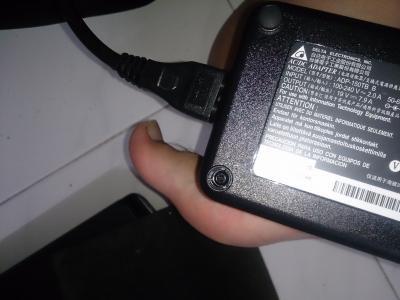
i saw Illegear facebook said Z5 uses 150W adapter instead of 120W by other 860M laptops, meaning i can overclock my Z5? How to do that?
miong93
post Dec 27 2014, 11:17 AM

~ Fulamak ~
******
Senior Member
1,236 posts

Joined: Apr 2013
QUOTE(Arvinaaaaa @ Dec 27 2014, 02:17 AM)
ur dota 2 problem solved dy?? just downloaded far cry 4..will install later
*
Nop.. Still not solved yet.. When playing lobby game not smooth.. hmmm
So far you tried what game ? I played BF4 but half way crash.. i suspect is the game problem.. cuz I'm using ahem ahem version of BF doh.gif
Advanced Warfare is more optimum that BF4 sia.. I can play AW with high settings in 1080p w/ 60fps++.. BF4 just get 40fps+.. but under 768p can get 60fps+

QUOTE(buttwait @ Dec 27 2014, 10:53 AM)
i saw Illegear facebook said Z5 uses 150W adapter instead of 120W by other 860M laptops, meaning i can overclock my Z5? How to do that?
*
Ya.. it's 150W. Most ppl don't encourage overclocking your gpu / cpu.. You could try MSI Afterburner to tweak ur gpu settings.. I used to use that to underclock my gpu.. but now dono why after driver update (v347.09) I can't do it anymore sleep.gif
Do let me know if you manage to underclock/overclock using Afterburner..

P/S: if you dono what you are doing, better don't overclock your gpu..

125 Pages « < 15 16 17 18 19 > » Top
Topic ClosedOptions
 

Change to:
| Lo-Fi Version
0.0362sec    0.41    6 queries    GZIP Disabled
Time is now: 6th December 2025 - 10:41 PM