
|
 Nexus 4 FAQs, Tips & Tricks Nexus 4 FAQs, Tips & TricksAlways do a search first. Answer could be in the previous version of discussion threads too. Do note that this section will only cover basic stuff related to Nexus 4. For advanced features, see the Nexus 4 Unleashed section. A. PURCHASING RELATED QUESTIONS (BEFORE)- A1. Why Nexus 4 and not other models? Pros and Cons?
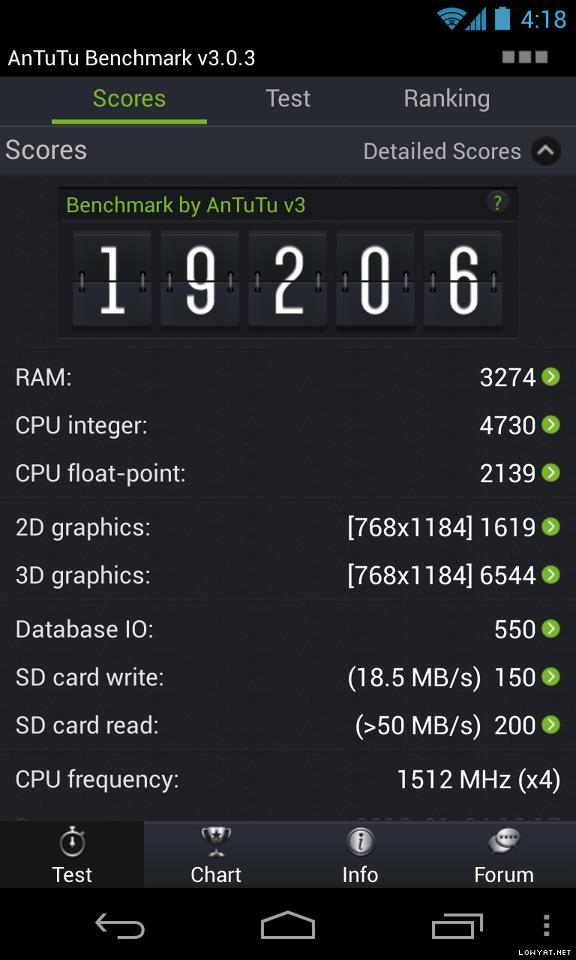
» Click to show Spoiler - click again to hide... « Various opinions / posts regarding this question are collected and shown below: posted by billy_overheat» Click to show Spoiler - click again to hide... « posted by Norameen» Click to show Spoiler - click again to hide... « user preferences..test n pick what suit u.not what others thing..my stock rom..stock kernel..can last a day with 3g on and average 3 hours screen on time..which in my opinion and comparison..note 2 have a better battery life almost double...this is out of the box usgae..no modification and etc...
in term of lag..i would say pure android without and added ui is the advantage of nexus...very minimal lag..as 0 lag in nexus 4..nexus 4 with better cpu...make my old gnex look not smooth enough..damn..now really eager to get 2nd unut of nex4..but bdget permitted..so stick with my gnex..
why nexus?for a user like me..with no interest yet in custom rom and kernel..it is purely for the updates from google..coming from dhd..the updates fail me big time..after that..give up on other brand of android and get nexus as i personally feel that my nexus will not look old as the software is up to date to the latest..so u feel like u get the latest software..so i can keep my money and my desire in getting a new phone..at least for 2 years minimum..
why not to buy nex4..no sd slot which i dont care as 16gb is enough for me..even 8gb will serve me well..as i auto upload my photo to dropbox...i didnt listen to music using phone..i watch movie on my tab and laptop..i only play games to kill my time..play a casual games such as subway surfer and temple run...
2nd is camera..camera is performing so..so...if want better camera u can take lumia or pureview..me..i just need camera for a pictures..decent picture is enough..if i want a great picture..i have dslr which i shot a night landscape picture..
base on my usage why i didnt choose iphone?because iphone is boring for me..as i need a widget on my homescreen and as far as i know..iphone u cant add widget..so i settle for nexus devices...
last is the design..which i find it very2 subjective...btw the money is yours...go buy the devices use your hard earn money and be happy with it...even i buy my old dhd for 2.3k..i still happy with my previous dhd..and i did miss the ui of sense..some of it is useful such as t9 dialer (i cant find a good t9 dialer in gplay yet)..the appdrawer sort design..the fb and contact sync..the gallery and etc...
its just me...so make your call.. posted by polarzbearz » Click to show Spoiler - click again to hide... « | PROS | CONS | | Official Google line-up. It means that Nexus series will ALWAYS be the first to receive official updates DIRECTLY FROM Google. To put it simply, if you're not the type which loves to constantly flash ROM on daily/weekly/monthly basis, you don't have to do anything but sit back and wait for Google's official updates. | Being the first to receive updates have its disadvantages such as where we're always the white rats to test out major / minor bugs in new software versions | | The hardware specifications on this device is lovely and almost completely top-tier (e.g. S4 Pro processor chipset, etc); with way cheaper price as compared to other flagships with similar specifications. | Although the specs sheet of Nexus 4 is very nice, some of its disadvantages of hardware that are most notable are such as its camera which is very average or the lack of external SD card slot. These issues may be subjective depending on person. |
Do remember that these are only the subjective opinions of various forummers regarding this question; and as everyone will definitely have different usage, lifestyle, preferences and priorotisations, if you still have doubt it's best to try out the devices and pick the one you love the most and never regret with your choice!
- A2. Where can I buy phone only without any telco's plans bundled (Contract-free)?
» Click to show Spoiler - click again to hide... « You can purchase it outright at RRP (RM1649) at retails like HotSpot @ LYN or SenQ/SenHeng. For more information please visit their official website or walk-in their retail stores for inquiries. Please visit their Facebook for most updated info on the stock availability and pre-orders. OR LYN Garage Sales @ http://forum.lowyat.net/MobilePhonesandRelatedAccessories
- A3. What are the purchase options for DiGi? Price? Rebates?
» Click to show Spoiler - click again to hide... « The calculation below are estimated only and by no means to be 100% correct and confirmed, as many of us have gotten the phone via Zero Contract BEFORE DiGi decides to remove it. The total cost sums up to be the same as the previous Zero Contract (calculations available in post#10 Information Archive) for on-the-spot terminations. For the new DiGi Smartplan, I have not tested it yet but seems that the calculation should be this way for SKMM rebate: | DESCRIPTION | PRICE | | Nexus 4 | RM1169 | | Upfront Payment* | RM240 | | SKMM Rebate | - RM200 | | Advanced Payment | RM58 | | Early Termination Fee** | RM200 | | TOTAL | RM1467 |
*This is actually the rebate in order to have the discounted Nexus 4 price shown above, which will be given over 24 months. For on-the-spot termination, the device price would be RM1169 + RM240 as shown above.
**An early termination fee of RM200 (inclusive of administration fee) is applicable to the DG Smart Plan™ device bundles.Original post hereRefer to http://www.digi.com.my/PhonesDevices/LG_Nexus_4.do for more information regarding DiGi's new smartplan.
- A4. Alright, I'm in! So what do I check for when I'm purchasing one unit?

» Click to show Spoiler - click again to hide... « So you've decided to purchase one unit? Here are some guidelines which may help you to perform tests / checks for potential defects during your purchase. Do note that these are just a guideline and feel free to perform even more extensive tests at your wish  Note: These guidelines are written based on local sets but I believe the package will not vary too much, even if you have ordered from US. Do correct me if I'm wrong, tho. Note: These guidelines are written based on local sets but I believe the package will not vary too much, even if you have ordered from US. Do correct me if I'm wrong, tho.- Here, the main packaging in which your new baby resides in

» Click to show Spoiler - click again to hide... « - Make sure that the package is sealed when you accept it. If it's not sealed when you receives it, chances are someone else have already opened the package prior to passing it to you. The sealed stickers are shown in the picture below:
» Click to show Spoiler - click again to hide... « - Checklist of package contents
- Nexus 4 with default screen protector applied (slightly different with the photo taken below; as the stock SP was removed)
- USB Cable
- Charger Plug
- SIM Ejection Tool (a really tiny pin)
- User Manual
- Warranty Card
- Some sort of sticker with serial number, IMEI and other information.
» Click to show Spoiler - click again to hide... « - Turn on the device now to test it! Best if you have a micro-sim ready to test out calls. A few things to note when testing are:
- Check the device's IMEI (see the sticker at the back of the phone) and compare it with the box. By right it should match. Alternatively, dial *#06# to check.
- Check the screen for dead pixels, turn on maximum brightness and see if there are any dead pixels.
- Try to make a call and listen on the phone speaker clearly. There should not be any buzz-ling sounds (apart from bad signal receptions etc)
- Try to snap photos with your camera.
- Check your accelerometer and ensure that it's working fine (Easiest way to test is to enable Auto Rotate Screen and launch an application, such as Camera. It should rotate according to how you rotate your phone. There are rare hardware defects where the accelerometer are Dead on Arrival)
- Check and ensure the set you receive is local original set instead of overseas original set (if you're purchasing from shops etc). LG Malaysia will only accept local sets for servicing purpose. Currently the only known way to identify local / oversea set is via the Warranty Card included in the box; local sets will have "LG Malaysia" written on it.
Basically these are just a basic guideline for you to use when you first purchase your device. If you have any suggestions or ideas, feel free to PM me or reply me!
(Prepared by polarzbearz)
- A5. How to differentiate between Original set and Oversea (AP) set?
» Click to show Spoiler - click again to hide... « Currently the only known way to identify local / oversea set is via the Warranty Card included in the box; local sets will have "LG Malaysia" written on it.
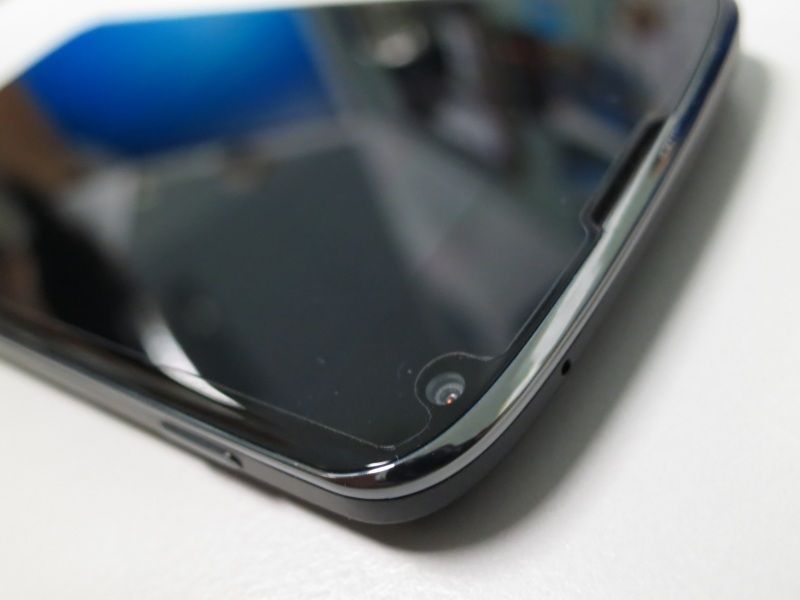
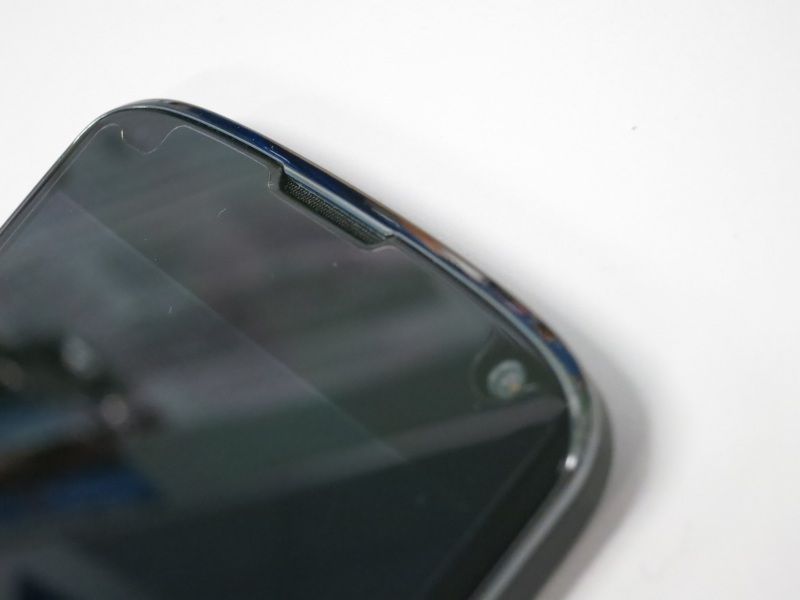
- A6. How to identify production batch? Which batch have new camera lens cut-out and rubber nips?
» Click to show Spoiler - click again to hide... « Based on the Serial Number on your box (Not IMEI); note the first 4 characters: First character is for year: (e.g. 1 for 2011, 2 for 2012, 3 for 2013, etc...) Second character - Third character is for month: (e.g. 01 for January, 11 for November, etc...) Forth character for Country of Production: (e.g. C for China, K for Korea) Most probably batches from March 2013 onwards will have the newer design. Read more: http://forum.xda-developers.com/showthread.php?t=2055351Read more: http://www.androidpolice.com/2013/03/28/di...exus-4s-design/
B. PURCHASING RELATED QUESTIONS (AFTER)- B1. What about warranty for this phone? How long? By who? Need to register?
» Click to show Spoiler - click again to hide... « The warranty are different depending on which set you purchase: For local sets, it is directly under LG Malaysia's warranty, register your warranty here after you purchase it by creating a LG account and fill in the details. All LG Nexus 4 will have 1-year warranty; except some SenHeng member purchases will have 2 years (1 year under LG, 1 year under Senheng). For US Playstore Sets, the currently known warranty is to send it back to US to claim for warranty. High chances are LG Malaysia will not accept non-local sets for servicing. Additional note (thanks to cjlai): According to one of the forummer here, he bought the Nexus 4 from US Play Store and is able to register the device under LG Malaysia's website. However, it is still unclear that whether if LG will accept International Sets for servicing & repairing without charges (under warranty). NOTE: It doesn't matter whether if it's a local or overseas (AP) set; both are manufactured and servicing will be directly under them - LG. Do not mix up with the term 'SME' as it stands for 'SAMSUNG MALAYSIA ELECTRONICS'; which is a term used to refer to Local Sets for Samsung Devices (in NO relation with our LG Nexus 4)
- B2. My unit is defective! Where is LG Warranty centre?
» Click to show Spoiler - click again to hide... « NOTE: With new policy in LG Service Centre, I believe that they are much more stricter than before. Previously, majority of the forummers were not asked to show proof of purchase or warranty card to service their device. However, a recent photo[link clickable] taken by jimbet1337 shows that they will now require both of it for in-warranty services; else a minimum fee of RM30 will be charged for labour fees. SELANGORLG ELECTRONICS (M) SERVICE CENTRE Level 1, Wisma AmFIRST 2 (formerly known as Kelana Brem Towers 2)Jalan Stadium, SS7/15, Kelana Jaya, Selangor. GPS Coordinates: 3.097024,101.593558 Working hours: Monday to Friday, 9am to 6pm. Telephone Number: 1800-822-822 Photo of the building: [Click here]PULAU PINANGD’Plazza Mall, 70-1-17 Jalan Mahsuri, Bandar Bayan Baru 11990 Pulau Pinang. Tel: 04-6459722 MELAKA357A & 357A 1 Tmn Peringgit Jaya 75400 Melaka. Tel: 06-2837045 PERAK6 & 6A Jalan Medan Ipoh 4 Bandar Baru Medan Ipoh 31400 Ipoh. Tel: 05-5461333 PAHANGA-265 Ground & 1st Floor Jalan Air Putih 25300 Kuantan, Pahang. Tel: 09-5684112 JOHOR BARU12 & 14 Jalan Ros Merah 2/17 Tmn Johor Jaya, 81100 Johor Bahru, Johor. Tel: 07-3584102 SARAWAKLot 9635, Grd & 1st Floor Section 64, KTLD, Jalan Pending 93450 Kuching, Sarawak. Tel: 082-349366 & 082-342363 SABAHS-0-17 & S-1-16, Ground & 1st Floor Block D, City Mall, Jln. Lintas 88300 Kota Kinabalu, Sabah. Tel: 088-447400 (ext 401) (Source)
- B3. My front-screen / back-screen got cracked
 . How much will it cost to repair for local / US sets? . How much will it cost to repair for local / US sets?
» Click to show Spoiler - click again to hide... « As screen cracking are not within the warranty's coverage, both local and US sets will be charged by LG Malaysia (at Kelana Jaya Service Centre or other branches, call them up to check) for screen replacements, according to most forummers here whom had repaired their cracked screen. Front-Screen Replacement: RM350 RM394 according to NightFelixBack-Glass Replacement: RM180 Non-local sets will be charged an extra of RM30 (confirmed for front-screen by damned_dude, need confirmation for back-glass)Also, they will usually replace it on-the-spot for you (takes around 15 ~ 30 minutes) if they have ready-stocks for changing parts. You might want to give them a call before paying them a visit to save time!
- B4. There's other defects with my phone (battery, power button, etc.), how much does it cost?
» Click to show Spoiler - click again to hide... «
Battery Replacement = RM120 (RM90 battery, RM30 labour charge)
Power Button = Free of Charge (if under LG warranty)
For more info, read the previous points in section B.
C. DEVICE-SPECIFIC QUESTIONS (Note: All advanced FAQs / information regarding N4 are shown in the next-next post of Nexus 4 Unleashed)- C1. How is the battery life of Nexus 4? What's SOT?
» Click to show Spoiler - click again to hide... «
This question is really subjective and it all boils down on how you use and configure your device. However you can get a brief idea by looking at other member's battery life. As many members have posted many times, it's best if you can search it yourself using the search function within the thread.
Search for the keyword "battery life" and make sure you search the previous threads as well because there are posts about battery life in previous threads, too.
SOT = abbreviation for Screen-on Time
- C2. Why some other members have received latest version update but I have not received it yet?
» Click to show Spoiler - click again to hide... « Firstly, make sure that you are eligible for OTA update (see previous question regarding OTA / Official updates). If you're eligible and have yet received any OTA update notifications but some other members have already received it, do not worry. This is mainly because Google rolls out update by batches instead of all at once; which presumably that they chooses this method to prevent the server from overloading during the release of the new version.
You may try the steps below if you're impatient and hopes to receive update faster:
For those on stock ROM and have yet receive OTA notification, try these steps: Go to Settings > Apps > All Apps > Google Framework Services > Force Stop > Disable > Clear Data > Enable > Go back to settings > About Phone > System Updates > Check now > 4.2.2 is available! (credits to stormlcc).
- C3. Can I still receive OTA / Official updates from Google if I root / unlock / flash kernel / ROM / etc?
» Click to show Spoiler - click again to hide... « Requirements to receive OTA:CODE Stock ROM
Stock Kernel [i](might or might not work with custom kernels)[/i]
Stock Bootloader
Stock Recovery
No modifications
All system apps present. posted by polarzbearz:» Click to show Spoiler - click again to hide... « (Original Post)For those who are curious / unsure; I just received OTA update notification on my second Nexus 4 (my first did not receive it yet  ). And yes, it's unlocked, rooted, stock rom, stock kernel. So it's confirmed to be a myth for those that says "rooted" or "unlocked" couldn't receive OTA  Just to add on, you'll most likely lose your root access after installing the OTA. So make sure you leave your bootloader unlocked (if you do not have custom recovery installed) and re-flash the root after updating. Alternatively you may try OTA Rootkeeper (thanks ronaldlim91) and see if it's able to retain your root access after an OTA.  Add-ons by cowithgun: » Click to show Spoiler - click again to hide... « Custom Kernel should still work. OTA will most likely replace your kernel (boot.img). Add-ons by annoymous1234: » Click to show Spoiler - click again to hide... « one more thing. cannot remove any system apps or else OTA wont work Add-ons by ronaldlim91» Click to show Spoiler - click again to hide... « hey @polarzbearz, might wanna add this to app to those who want to do OTA update but still want to keep their root. OTA RootKeeper.., dont know if this has been mentioned before, but saw the first page and this piece of important information isn't there, at least quite useful to me cheers! Refer to Nexus OTA Help-desk thread in XDA for more information
- C4. After updating my device, I could not download / update from Playstore with [RPC:S-5:AEC-0] error!
» Click to show Spoiler - click again to hide... « This is a common problem encountered by many users (but not all) after they've updated their device (OTA or flash or sideload). To fix this, follow the steps below: 1. Remove your Google Account (Settings > Accounts > Google > youremail@gmail.com > Remove Account)2. Force Stop & Clear Data of Google Play Services, Google Play Store, Google Services Framework (Settings > Apps > All Apps > Scroll down to these mentioned apps > click on it > Force Stop > Clear Data > OK > Repeat until all 3 are done)Original Solution: [link]
- C5. Does this device supports NFC?
» Click to show Spoiler - click again to hide... « In short, YES. However, do note some compatibility issues with the tags used. Nexus 4 can only read NFC-approve-standards tag (such as NTAG203). Non-approved standards will not be readable (such as MiFare Classic 1k tags). Read more
- C6. My phone froze! How do I restart / shut down / reset? Can't pull battery!!11
» Click to show Spoiler - click again to hide... « Don't panic! Just hold your power button for ~10 seconds and your device will be forced to reboot (it's hard coded into the device).
- C7. There's some rattling noises when shaking the device, is this normal?
» Click to show Spoiler - click again to hide... « Yes, that rattling sound is pretty normal. Not sure if it's the camera or the sim tray though (many different claims online)
- C8. My messaging app stays awake and drains my battery, help!
» Click to show Spoiler - click again to hide... « Here if anyone had same issue with this, can try this out: Reason: not android OS problem, is telco carrier mms setting messed up. It keep trying to retrieve MMS all the time. Solution 1: Simplest way factory reset. If don't want to factory reset can try solution 2. Solution 2: Reconfigure the setting from here: http://tipsshack.blogspot.jp/2011/12/digi-...s-settings.html (if you are using digi or find others telco configuration), and then try to send a dummy MMS to yourself. After that you may see a toast "message expired or not available". Then reboot your device and try again. For me, messaging apps is no more keep awake. Solution 3: go to messaging apps, setting, disable auto retrieve MMS (this is temporary method) (posted by nightwalkertzs)
- C9. Is Android Lollipop 5.0 available for Nexus 4?
» Click to show Spoiler - click again to hide... « Yes, Android Lollipop 5.0 is officially supported by Google. For new devices / fresh installation, you can download the stock image from Google directly. Refer to FAQs below for detailed / linked installation guide.
D. GENERAL USEFUL TIPS- D1. Battery savings
» Click to show Spoiler - click again to hide... « - Turn Google Currents background sync off if you don't need it (it is on by default)
> Open up Google Currents > Settings > untick Enable background sync - Turn off location reporting, location sharing and location history (**Google Now requires Location reporting and location history enabled)
> Open up Google Maps > Settings > Location settings > untick Location reporting, Report from this device, Enable location sharing and Enable location history - Turn off Google sync-ups that are not needed
> Settings > Accounts > Google > tap on your ACCOUNT eg. xxx@gmail.com > untick those service that are not needed
- D2. Chinese input?
» Click to show Spoiler - click again to hide... « Nexus 4 come preloaded with Google Pinyin. Enable it at Settings > Language & input > make sure Google Pinyin is checked. After that, you could choose it from the input methods by holding the spacebar of the default English keyboard or through input method selector notification under notification bar if it's enabled.
- D3. The infamous 'Red Blinking Light of Death' issue
» Click to show Spoiler - click again to hide... «
- D4. I want to set my music for my ringtones / notifications / alarms / etc.
» Click to show Spoiler - click again to hide... «
Use these directories to store your music / ringtone of your choice:-
/sdcard/Alarms to be used by any "Alarm" applications.
/sdcard/Ringtones to be used by calling "Ringtones".
/sdcard/Notifications for any other notifications (e.g. messaging, whatsapp, facebook, etc.)
To change your alarm, head over to Clock > Alarms > click on any existing / create new alarm > change the alarm tone.
To change your notifications or ringtones, head over to Settings > Sounds > Phone Ringtone / Default Notification sound; alternatively you can head over to your application and set the custom notification specific to the application.
Note: If the audio that you transferred to respective directory (e.g. Notifications) does not shows up in the respective category of audio selection (e.g. selecting notification tones), try rebooting your device and check again.
- D5. Where did the 'Developer Options' go?
» Click to show Spoiler - click again to hide... « Go to Settings > About > Tap on 'Build Number' 7 times and viola! Developer Options will now be available at your Settings page
- D6. Can I hide the 'Developer Options' after showing it?
» Click to show Spoiler - click again to hide... « To someone who wants to re-hide 'developer options' follow this step but root needed. 1. If you already root just install root explorer. 2. Open it and navigate to data/data/com.android.settings/shared_prefs/development.xml. Edit and change value "true" to "false". Save and exit. 3. Then delete development.xml.bak. 4. After that go to settings>apps>all>Settings. Open it then force stop. 5. Lastly open Settings app to check it. Voila! developer options re-hide again! (posted by phadly)
- D7. How do I change my Play Store to US Version to bypass region restrictions?
» Click to show Spoiler - click again to hide... «
(posted by polarzbearz)
I'm not sure which of this had worked but feel free to try them all! As I've tried all of the said method before it finally worked (after I left it there for like 1 or 2 days, without doing anything).
1. Changing Credit Card address to US
2. Changing Google Accounts setting (https://www.google.com/settings/account) to US (click the "Edit" button next to EMAIL)
3. Installing Market Access on your Android Device and emulate T-Mobile [US]
4. Using DroidVPN (combined with Market Access), clear Play Store Cache + Data, and re-launch it
5. Using HotSpotShield on PC and try to browse the play store (without cache)
Basically these are what I have done and even I myself are not sure which had helped me. But if my guesses are correct, it's the US billing address + Market Access that helped.
Hope it helps!
- D8. Full-coloured notification lights for all apps?
» Click to show Spoiler - click again to hide... « Try using Light Manager (FREE) or Light Flow ($2.99). Both allows you to fully customise your notification lights, the colours and the apps.
- D9. Alternatives to lock / unlock the phone without using power button? Touch Control?
» Click to show Spoiler - click again to hide... « (ONLY FOR ROOTED DEVICES WITH CUSTOM KERNEL!!!!)You can give Touch Control a try. Basically you can slide on the screen to wake / lock the device without the use of power button. A guide on how to configure the settings are written by polarzbearz here: https://forum.lowyat.net/index.php?showtopi...post&p=61107495
- D10. I replaced the broken-screen by myself, and was stuck in Bootloop after that. HELP!
» Click to show Spoiler - click again to hide... « Please read the case below, posted in XDA, and shared by iriahk89 and see if it helps: "Hi, I just fixed a Nexus 4 with broken screen and fastboot flashed the latest 4.4.2 official ROM but I was stuck in bootloop on the 4 circles. Then I flashed the 4.2.2 version and everything worked until I accepted the the 4.3 update (official OTA) and the phone was bootlooping again. Then I found your posts and downgraded the radio .84 to .48 and android 4.3 finally booted successfully. BUT, when trying to upgrade to 4.4 (from 4.3 with official OTA), I'm stuck again! And downgrading radio .97 to .48 does not work anymore... I've found nothing like a software fix until now. People facing the same issues are mostly getting some replacement devices. Given that I replaced the screen myself, I'm not certain that they would give me a new one. Any feedback from someone having the same issue?" than he solve the prob by this "Hi, yes I finally found out that my proximity sensor was only disconnected (I forgot to reconnect it properly after the screen replacement). Then I managed to update my phone." and this "Well, I meant I could get 4.3 to work after downgrading the radio file (baseband) to its previous version, otherwise I was stuck in bootloop in 4.3 already. But I couldn't do the same operation after flashing 4.4 : even downgrading the radio to a previous version didn't get 4.4 to work. Once I reconnected the proximity sensor, I could use any radio and was able to update from 4.2 to 4.3 and 4.4 or directly flashing the latest. You can use the Androsensors app to see if your light and proximity sensors are working properly, the displayed values should change all the time. If they are not changing or if there is no value displayed, it means that your sensors are not working properly"
This post has been edited by polarzbearz: Nov 20 2014, 11:36 PM |


 Sep 10 2014, 10:45 PM, updated 10y ago



 Quote
Quote









 Woah, 4 units!?!? For entire family?

 0.0470sec
 0.51
0.51
 7 queries
 GZIP Disabled