Outline ·
[ Standard ] ·
Linear+
LCD Monitor Thread v13.
|
Andrewtst
|
 Oct 20 2022, 07:47 PM Oct 20 2022, 07:47 PM
|

|
QUOTE(PJng @ Oct 17 2022, 03:38 PM) Few day ago saw a Aopen monitor, acer store only RM499 https://store.acer.com/en-my/24mv1y-pIs it ok Aopen monitor? Budget VA is all very bad and surely got terrible Black Smearing. Highly NOT RECOMMENDED. |
|
|
|
|
|
Andrewtst
|
Oct 24 2022, 06:48 PM
|
|
|
QUOTE(chaics85 @ Oct 24 2022, 03:37 PM) Guys. i'm looking for a monitor. 27 inch. budget around RM1000 +-10% I guess it is mostly used on youtube, movies and some light gaming. Previously using Benq RL2755 27" 1080 TN panel, viewing angle is really bad. but straight on is still acceptable. With my limited budget, found these few monitors on local stores, which will be a better choice? or you guys have any other recommendations? Acer NITRO VG271S (FHD/165hz/IPS) Acer NITRO XV272UV (acer online store 2k reso/170hz/IPS) LG 27GQ50F (FHD/165hz/VA) Lenovo G27Q-20 (2k reso/165hz/IPS) Viewsonic VX2718-P-MHD (FHD/165hz/VA) Benq EW2780 (FHD/75hz/IPS) Suggest go for 1440p for 27" in IPS for budget monitor. Don't take VA in budget as VA in budget is bad and have black smearing issue. |
|
|
|
|
|
Andrewtst
|
Oct 25 2022, 09:30 AM
|
|
|
QUOTE(chaics85 @ Oct 24 2022, 09:05 PM) Thanks for reply. Looking at my list, what do you think about the Lenovo g27q-20? There some mix review on the net. And not sure how's the warranty claim of Lenovo Malaysia if there's anything happen. Not sure on Lenovo G27Q-20 as not many review can find. But your list model Acer NITRO XV272UV seems OK except HDR performance. (HDR performance all very expensive). |
|
|
|
|
|
Andrewtst
|
Oct 28 2022, 01:08 PM
|
|
|
QUOTE(ben3003 @ Oct 28 2022, 06:22 AM) Hi guys, is 10bit and 8bit+frc huge diff when talking about hdr video and gaming? Nope. Basically unable to notice. 8bit + FRC of 10-bit is as good as native 10-bit. |
|
|
|
|
|
Andrewtst
|
Oct 29 2022, 02:25 PM
|
|
|
QUOTE(sleyer @ Oct 28 2022, 02:09 PM) hai guys . can review or any comments below monitor asus vg247q1a gigabyte g2pf lg ultragear 24gq50f planning to buy 2 unit for gaming.. dual display but 1 for gaming 1 more for browser n other task ( streaming) This 3 is normal 165hz monitor, not great but ok SDR monitor. I will pick Gigabyte G24F (I cannot find G2PF) as only this monitor Brightness (Typ.) is : 300cd/㎡ The others 2 is 250cd/㎡ which is a bit low for current standard in SDR. I will totally avoid LG UltraGear 24GQ50F-B as this monitor is VA panel and value VA normally came with very bad black smearing issue. I only can find review for Asus - https://www.rtings.com/monitor/reviews/asus...gaming-vg249q1aThis post has been edited by Andrewtst: Oct 29 2022, 02:28 PM |
|
|
|
|
|
Andrewtst
|
Nov 7 2022, 02:01 PM
|
|
|
Why they is no 32" ~ 42" OLED monitor with at least 120hz. Haizz...
|
|
|
|
|
|
Andrewtst
|
Nov 8 2022, 09:14 PM
|
|
|
Jut pre-order Samsung Odyssey Neo G8. This will be my 1st 4K monitor, hope it run perfectly.  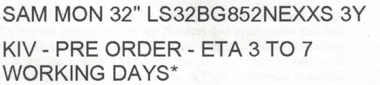 This post has been edited by Andrewtst: Nov 8 2022, 09:14 PM This post has been edited by Andrewtst: Nov 8 2022, 09:14 PM |
|
|
|
|
|
Andrewtst
|
Nov 9 2022, 05:32 PM
|
|
|
QUOTE(craxors @ Nov 9 2022, 10:10 AM) others used one not jual? Nope. Neo G9 will be keep until better 32:9 aspect ratio monitor is available. |
|
|
|
|
|
Andrewtst
|
Nov 12 2022, 12:14 AM
|
|
|
Finally I had both display. Here is my Short Review of both G9 Neo and G8 Neo. Today I just know 32" 4K in 125% scaling is kind of exact size in 27" (34", 49") 1440p in 100% scaling. Very shocking to know both resolution (5120x1440 and 3840x2160) have kind of same benchmark result. (I do had check the resolution is correct or not).  Pros of G9 Neo Pros of G9 Neo- Very immersive feel due to it very long aspect ratio.
- 32:9 is still better for me in productivity as I can open 3 apps side by side. 16:9 only can open max 2 apps.
- Joystick OSD navigation is very easier to use.
- Totally no tearing issue.
- they is no scan line issue even on 240hz as reviewer said.
- Deep black like OLED when local dimming on.
Pros of G8 Neo- Gaming and movies apps compatibility I will going to vote for 16:9 aspect ratio.
- The matte surface is like totally blocking the light source without impact to the screen look.
- Crisp and sharp image and text clarity.
- They is totally no black smearing issue to me and also they is no scan line issue even on 240hz as reviewer said.
- Deep black like OLED when local dimming on.
- Very great screen uniformity even without using local dimming.
- Outstanding HDR performance! It is much better than Neo G9.
Cons of G9 Neo- They is slightly black smearing for very dark scenes.
- Local Dimming is not good in productivity usage.
- 1440p is not crispy sharp and clear especially on Windows icon, text and also games quality after you use and taste the 2160p monitor.
Cons of G8 Neo- The 4 way button is very difficult to navigate the OSD.
- Local Dimming is not good in productivity usage.
My personal preferable settings. Not mentioned value means default value. Update: 18 Feb 2023Samsung Galaxy G9 Neo- Windows - Use HDR: Off
- Windows - SDR Content Brightness: 7
- OSD - Black Equalizer: 11 (only can set at SDR mode)
- OSD - Picture Mode: HDR Standard
- OSD - Brightness: 39 (100 in HDR)
- OSD - Contrast: 48 (100 in HDR)
- OSD - Color: Red 42, Green 40, Blue 60
- Local Dimming: Auto
Samsung Galaxy G8 Neo- Windows - Use HDR: Off
- Windows - SDR Content Brightness: 7
- OSD - Black Equalizer: 13 (SDR), 15 (HDR)
- OSD - Picture Mode: Custom
- OSD - Brightness: 44 (100 in HDR)
- OSD - Contrast: 63 (100 in HDR)
- OSD - Color: Red 44, Green 45, Blue 56, Gamma Mode 1
- OSD - Contrast Enhancer: Off
- Local Dimming: Auto
The reason I put both contrast and brightness 100% as that is the best setting for HDR in gaming and movies, it did not display 100% always but the maximum they can reach depends on situation. That is not the case in Windows Productivity Environment, thus I need to lower down SDR Content Brightness to 8 or 15 (default is 40) to prevent over bright in desktop productivity usage. This post has been edited by Andrewtst: Feb 18 2023, 03:35 AM |
|
|
|
|
|
Andrewtst
|
Nov 16 2022, 11:34 PM
|
|
|
QUOTE(Pewufod @ Nov 16 2022, 05:47 PM) hey guys im currently using samsung g7 32" looking to get a second monitor should i get a flat or 1000r monitor? do they have to be in same sizes? You are using G7 which is 1000r curve, you should know you love curve or not. If you dislike curve, probably it is better your 2nd monitor is flat. If you love curve but you want a flat monitor for better productivity especially on graphics design, then no harm to get 2nd monitor which is flat. They is no rules flat with flat, curve with curve or flat with curve. It is up to your own decision and preferable. This post has been edited by Andrewtst: Nov 16 2022, 11:35 PM |
|
|
|
|
|
Andrewtst
|
Nov 17 2022, 11:12 AM
|
|
|
QUOTE(Pewufod @ Nov 16 2022, 11:40 PM) i have decided to look for a flat monitor but have it in vertical instead any recommendation for 27" vertical monitor prolly with 2k reso ? You need to specific your budget, else it is very difficult to recommended. |
|
|
|
|
|
Andrewtst
|
Nov 17 2022, 12:12 PM
|
|
|
QUOTE(Pewufod @ Nov 17 2022, 12:06 PM) used to survey this model last time, really value for money but looking for something below MYR1k below 1k if possible i like the asus proart model but its a little hard for me to justify since im only using for vertical text reading Below 1k for 1440p is not so impossible. That price range is for 1080p only. This post has been edited by Andrewtst: Nov 17 2022, 12:12 PM |
|
|
|
|
|
Andrewtst
|
Nov 17 2022, 07:01 PM
|
|
|
QUOTE(Pewufod @ Nov 17 2022, 12:15 PM) ohh i did not realize the pricing is steeper for 1440p what do you think about this model then ? https://www.pcbyte.com.my/p/samsung-27-qhd-...nQaAtJBEALw_wcBits a little higher than 1k, but still justifiable This monitor is for normal productivity usage only. If you are not gaming and not use it for HDR content, the spec is kind of ok. But it is very bad for HDR and also 75hz is definately not for gaming. Do remember this is a very basic 1440p monitor that purely for normal productivity usage only. This post has been edited by Andrewtst: Nov 17 2022, 07:07 PM |
|
|
|
|
|
Andrewtst
|
Nov 17 2022, 07:11 PM
|
|
|
QUOTE(Pewufod @ Nov 17 2022, 07:08 PM) Yes I intend to use it for productivity usage in vertical form Sounds good to me so far, thanks In this case, it is good to go. 😊 |
|
|
|
|
|
Andrewtst
|
Nov 19 2022, 01:14 AM
|
|
|
QUOTE(Duckies @ Nov 19 2022, 12:09 AM) What's the recommended 1440p 144hz 27" gaming monitor with native freesync? Budget around 1 to 1.5k By top up a bit to around RM 1.7k+, you could get LG 32GP850-B which is one of the recommended budget monitor recommended by Rtings.com Best Monitor - https://www.rtings.com/monitor/reviews/best/monitorsLG 32GP850-B is under Best Mid-Range Gaming Monitor - https://www.rtings.com/monitor/reviews/lg/32gp850-bAlso this monitor is officially certified to work with AMD FreeSync and NVIDIA G-SYNC This post has been edited by Andrewtst: Nov 19 2022, 01:15 AM |
|
|
|
|
|
Andrewtst
|
Nov 19 2022, 01:57 AM
|
|
|
QUOTE(Duckies @ Nov 19 2022, 01:23 AM) 32" might be a bit too big for my table hahaha.. Any recommendation for 27"? For 27", you may check-out following monitor: - Gigabyte M27Q (within your budget)
- Gigabyte M27Q X (not selling in Malaysia yet and I believe this will also over your budget since it is 240hz)
- LG 27GP850-B (over your budget RM 800)
https://www.rtings.com/monitor/reviews/best/by-size/27-inchSorry previously I didn't check the screen size but just based on the rtings.com review recommendation. 😅 For 32", I recommended 4K instead of 1440p, 1440p wise is recommended for 27" and below only. This post has been edited by Andrewtst: Nov 19 2022, 02:12 AM |
|
|
|
|
|
Andrewtst
|
Nov 19 2022, 10:14 AM
|
|
|
QUOTE(Duckies @ Nov 19 2022, 01:23 AM) 32" might be a bit too big for my table hahaha.. Any recommendation for 27"? 32" is not very big actually. Here I am using 49" which is 2 units of 27" You just need imaging the monitor cut into half vertically. On the right side is 32". As you can seen 32" is not big a lot. https://forum.lowyat.net/index.php?showtopi...ost&p=105816370This post has been edited by Andrewtst: Nov 19 2022, 10:15 AM |
|
|
|
|
|
Andrewtst
|
Nov 19 2022, 11:15 AM
|
|
|
QUOTE(Duckies @ Nov 19 2022, 10:55 AM) I saw the recommendation for LG monitor but macam very hard to find in Malaysia.. Not going to go for 4k cause need very strong GPU to push high FPS.. LG monitor normally difficult to get from shop. Many computer shop only selling low quality very budget monitor. You can get it from Shopee or Harvey Norman. Gigabyte wise also easier to get from Shopee. If not go for 4K, I suggest it is better stick with 27" for 1440p. This post has been edited by Andrewtst: Nov 19 2022, 11:20 AM |
|
|
|
|
|
Andrewtst
|
Nov 19 2022, 09:06 PM
|
|
|
QUOTE(Skylinestar @ Nov 19 2022, 08:51 PM) Hell it's about time. LG 27GR95QE-B 27" QHD (2560 x 1440) 240Hz OLED Display https://www.lg.com/us/monitors/lg-27gr95qe-b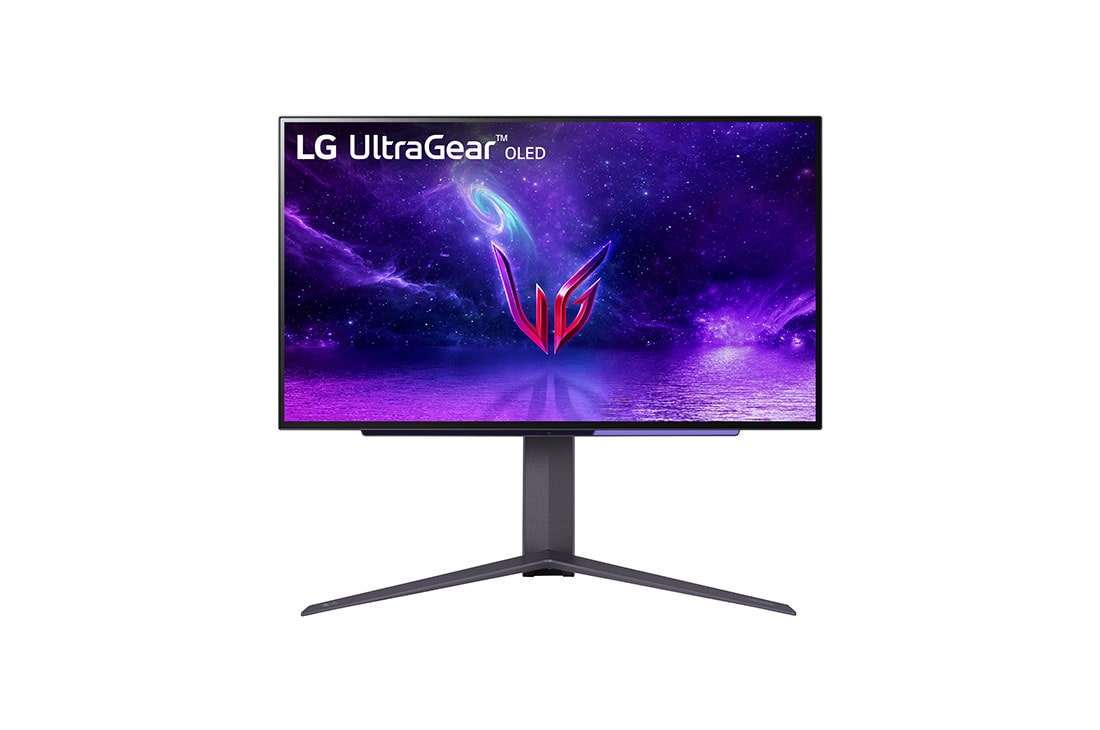 Price reasonable, only RM 4.5k But due to pixel arrangement, they should do 4K to over come the text clarity issue instead of 1440p. Not for me. I wait for 32" 4K OLED. 😊 This post has been edited by Andrewtst: Nov 19 2022, 11:03 PM |
|
|
|
|
|
Andrewtst
|
Nov 20 2022, 12:50 AM
|
|
|
QUOTE(thelws @ Nov 19 2022, 09:43 PM) hi guys, can someone help recommend me the following: 1)A good website summary about monitors so that I can learn about what i'm going to buy. 2)A monitor for video editing. -I will never do 4k. So I don't need a 4k monitor. -I don't care about gaming. i really just want a cheap monitor. -I do need a monitor that's decently colour correct. -I don't think I'll ever go past 32 inch monitors. But I need a decently sized monitor. -Cheapest I can find... Also what's the diff betweem 27inch vs 28 inch monitor? 1) You may check review from rtings.com or YouTube channel - Hardware Unboxed and Monitor Unboxed. 2) Cheap =/ to color accuracy, color accuracy monitor is professional monitor which never cheap. Also how cheap is cheap? You should provide your budget instead of telling cheap as cheap is very subjective. Certain people may think RM 1000 is cheap but certain people to them RM 4000 is also cheap. So they are no way to know the cheap you mean. 3) Monitor size is not the one gives the differences but spec instead especially the resolution. For 27" and rare 28" resolution should be in 1440p. For 1080p should be for 24" and below. As for 32" and above, the resolution should be 2160p (4K). All this is to maintain the text clarity and sharpness. This post has been edited by Andrewtst: Nov 20 2022, 12:55 AM |
|
|
|
|





 Quote
Quote
 0.2531sec
 0.48
0.48
 7 queries
 GZIP Disabled