Welcome Guest ( Log In | Register )

69 Pages « < 32 33 34 35 36 > » Bottom

Outline · [ Standard ] · Linear+

Unifi TMnet Streamyx/Unifi & IPv6, Now live!

views
     
lpsoldier007
post Feb 13 2014, 07:21 PM

Casual
***
Junior Member
306 posts

Joined: May 2009
QUOTE(Moogle Stiltzkin @ Feb 11 2014, 01:51 AM)
what you want me to post  smile.gif  ?

i posted some instructions in an early post above. is that what you meant ?

simply put

1. i use tomato victek firmware
2. i change the ipv6 mtu using winscp < putty into the router itself to perform the change
3. i disable and re-enable the ethernet ports on my desktop
*
So what is the best MTU for Streamyx?
Moogle Stiltzkin
post Feb 13 2014, 08:20 PM

Look at all my stars!!
*******
Senior Member
4,473 posts

Joined: Jan 2003
bruce.gif

This post has been edited by Moogle Stiltzkin: Jul 15 2017, 11:02 AM
lpsoldier007
post Feb 13 2014, 09:44 PM

Casual
***
Junior Member
306 posts

Joined: May 2009
QUOTE(Moogle Stiltzkin @ Feb 13 2014, 08:20 PM)
smile.gif
in layman talk, the higher the mtu the better. Usually i think this means something closest to 1492 roughly.

But sometimes the mtu is too high, thus causing stuff like youtube to hang not load. So you reduce the mtu to a lower value usually around the 14xx-1492 range to achieve the optimal mtu setting.

You need to trial and error using the guide in the source link to determine your optimal mtu to use.
Also from what i've been told, in tomato when i change the mtu, i also have to login to the router via winscp putty to change the mtu there which is for mtu ipv6. And that value is usually lower than the mtu that is set in the tomato gui settings mtu.

Maybe this method of doing things has changed in a newer tomato firmware, i don't know  hmm.gif
*
I am using TM's default router. Can simply change the MTU value via the router's setting right?

Moogle Stiltzkin
post Feb 14 2014, 02:19 AM

Look at all my stars!!
*******
Senior Member
4,473 posts

Joined: Jan 2003
bruce.gif

This post has been edited by Moogle Stiltzkin: Jul 15 2017, 11:03 AM
Raki
post Feb 14 2014, 02:27 AM

Casual
***
Junior Member
311 posts

Joined: Jan 2009


I thought using only TMNut provided modem router setup should work out of the box when IPv6 is enable
Moogle Stiltzkin
post Feb 15 2014, 06:51 AM

Look at all my stars!!
*******
Senior Member
4,473 posts

Joined: Jan 2003
bruce.gif

This post has been edited by Moogle Stiltzkin: Jul 15 2017, 11:03 AM
TSwKkaY
post Feb 15 2014, 04:45 PM

misutā supākoru
Group Icon
VIP
6,008 posts

Joined: Jan 2003
QUOTE(Moogle Stiltzkin @ Feb 15 2014, 06:51 AM)
why else the ridiculous lockdown on preventing other router models from being used  sad.gif
*
There's no lockdown, it is an unusual setup but still based on standards. Vendors who want a piece of the market here will need to adapt to it.
rip_code
post Feb 17 2014, 01:06 PM

Regular
******
Senior Member
1,972 posts

Joined: Jan 2003


Do I need to call TM to enable IPv6 for VIP package?
Tried to enable at two different place but to no avail.
InSplre
post Feb 17 2014, 11:53 PM

Look at all my stars!!
*******
Senior Member
2,816 posts

Joined: Jan 2003
From: kat situ kat sana


just want to check, does UNIFI allow us to use google ipv6 dns? as if i use google dns, i cant get connected to ipv6, if let it to automatic obtain, no issue,, btw, google dns 2001:4860:4860::8888 and
2001:4860:4860::8844
TSwKkaY
post Feb 18 2014, 12:48 AM

misutā supākoru
Group Icon
VIP
6,008 posts

Joined: Jan 2003
QUOTE(InSplre @ Feb 17 2014, 11:53 PM)
just want to check, does UNIFI allow us to use google ipv6 dns? as if i use google dns, i cant get connected to ipv6, if let it to automatic obtain, no issue,, btw, google dns 2001:4860:4860::8888 and
2001:4860:4860::8844
*
Works for me. Try pasting a ping and traceroute result to those IPs.
InSplre
post Feb 18 2014, 06:38 AM

Look at all my stars!!
*******
Senior Member
2,816 posts

Joined: Jan 2003
From: kat situ kat sana


QUOTE(wKkaY @ Feb 18 2014, 12:48 AM)
Works for me. Try pasting a ping and traceroute result to those IPs.
*
Ping and tracert looks ok.

» Click to show Spoiler - click again to hide... «

darrenliew96
post Feb 18 2014, 10:38 AM

Getting Started
**
Junior Member
115 posts

Joined: Nov 2011


How to IPV6 for this router.. I enable all ipv6 settings but seems like not working.

user posted image
TSwKkaY
post Feb 18 2014, 01:31 PM

misutā supākoru
Group Icon
VIP
6,008 posts

Joined: Jan 2003
QUOTE(InSplre @ Feb 18 2014, 06:38 AM)
Ping and tracert looks ok.
*
Hmm ok, what if you open a command prompt and run: nslookup www.google.com 2001:4860:4860::8888
CyrusWong
post Feb 22 2014, 11:56 PM

Regular
******
Senior Member
1,643 posts

Joined: Apr 2013
is it possible to have ipv6 only? any disadvantage?
TSwKkaY
post Feb 23 2014, 01:15 AM

misutā supākoru
Group Icon
VIP
6,008 posts

Joined: Jan 2003
QUOTE(CyrusWong @ Feb 22 2014, 11:56 PM)
is it possible to have ipv6 only? any disadvantage?
*
Sure it's possible, but I don't think the Internet is much fun when 99% of it is inaccessible...
klseet
post Feb 23 2014, 02:23 AM

Getting Started
**
Junior Member
130 posts

Joined: Mar 2008
Both my house (VIP10) & office (Biz10) are in the same area and seem to connect to the same exchange:
Attached Image
But I'm not getting any v6 on office Biz10...

Call TM tech support, they sent 2 guys but can't resolve, they forward the case to network team ....

The thing is, if I use my home a/c (@unifi) login at office then I can get v6
But if I use my office a/c (@unifibiz) login at home, there is no v6 ... rclxub.gif

So it seem to me the v6 feature is somehow "tag" with a/c, regardless of location
I try to explain this to TM, they check & re-check both the a/c, insist there are the same blink.gif

TM's tech explanation is that, it could be "the network path is different for the Biz a/c, also v6 has not fully deployed yet ...." so basically TM can't do anything now, I'll just have to wait ... sad.gif

Kinda of strange & usual to me, I thought it should deploy by area rather than by login a/c

Does anyone here experience the same ?

This post has been edited by klseet: Feb 23 2014, 02:26 AM
rizvanrp
post Feb 23 2014, 03:04 AM

Getting Started
Group Icon
Elite
195 posts

Joined: Sep 2006


QUOTE(klseet @ Feb 23 2014, 02:23 AM)
Both my house (VIP10) & office (Biz10) are in the same area and seem to connect to the same exchange:
Attached Image
But I'm not getting any v6 on office Biz10...

Call TM tech support, they sent 2 guys but can't resolve, they forward the case to network team ....

The thing is, if I use my home a/c (@unifi) login at office then I can get v6
But if I use my office a/c (@unifibiz) login at home, there is no v6 ...  rclxub.gif

So it seem to me the v6 feature is somehow "tag" with a/c, regardless of location
I try to explain this to TM, they check & re-check both the a/c, insist there are the same blink.gif

TM's tech explanation is that, it could be "the network path is different for the Biz a/c, also v6 has not fully deployed yet ...." so basically TM can't do anything now, I'll just have to wait ... sad.gif

Kinda of strange & usual to me, I thought it should deploy by area rather than by login a/c

Does anyone here experience the same ?
*
Hey seet, if I'm not mistaken Unifibiz static IP users get a static /56 IPv6 prefix as well (at least this is what I'm seeing on one of my BIZ10 lines). It could be possible that they haven't provisioned a prefix for your account.
klseet
post Feb 23 2014, 10:22 AM

Getting Started
**
Junior Member
130 posts

Joined: Mar 2008
Hi Riz biggrin.gif

My house a/c has been using since day1, the office it's a new area which only started unifibiz service about a year ago
So may be TM is allocating & configuring v6 by a/c, starting from earlier a/cs

Anyway, not really a issue, will swap my a/c to use v6 if needed tongue.gif

Btw, seem like our neighbour SingTel is deploying 6rd (or 6to4?):
http://info.singtel.com/business/products-...s/internet/ipv6
Some local users discussion:
http://forums.hardwarezone.com.sg/next-gen...-4381081-2.html

I follow the above link and configure my friend's RT-N56U (on Padavan's FW):
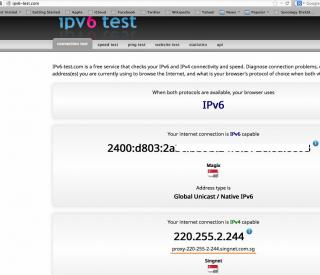
Attached Image
Attached Image
Attached Image

Through proxy sweat.gif
ahbenchai
post Feb 24 2014, 01:03 PM

what do you mean you people?
******
Senior Member
1,210 posts

Joined: Jun 2005
From: penang


QUOTE(darrenliew96 @ Feb 18 2014, 10:38 AM)
How to IPV6 for this router.. I enable all ipv6 settings but seems like not working.

user posted image
*
can some1 help out with this? I am also using the same router as this user, and would like to enable it with ipv6 too
Eoma
post Feb 25 2014, 05:28 AM

- ,. -
Group Icon
Elite
4,603 posts

Joined: Jan 2003
From: PJ


QUOTE(klseet @ Feb 23 2014, 10:22 AM)
So may be TM is allocating & configuring v6 by a/c, starting from earlier a/cs
*
No lah. For biz accounts, you need to apply for v6 at TMPoint.

69 Pages « < 32 33 34 35 36 > » Top
 

Change to:
| Lo-Fi Version
0.0252sec    0.80    6 queries    GZIP Disabled
Time is now: 13th December 2025 - 11:28 AM