Welcome Guest ( Log In | Register )

Outline · [ Standard ] · Linear+

Home Networking Access to HG850a, any custom router possible now!, Maxis/Unifi

views
     
TSywkwy
post Feb 21 2013, 12:53 PM, updated 11y ago

Enthusiast
*****
Senior Member
868 posts

Joined: Dec 2005
Due to many ppl pm me to ask for the access into HG850a, here is it..
If you're using Maxis FTTH, this setup will enable you to plug the telephone into the HG850a, use custom router and you can put your Thompson router into store room or maybe rubbish bin. tongue.gif
You can go straight to the end of this post to see the final outcome.

Do it at your own risk.

Preparation

1. Download & install autohotkey http://l.autohotkey.net/AutoHotkey_L_Install.exe
2. After finish install autohotkey, launch it and right click on the AutoHotkey icon at the right corner taskbar, click on "edit this script", a notepad will open. Change the content to following:
CODE

^!z::
Send enable{Enter}configure terminal{Enter}shell{Enter}iptables --flush{Enter}
return

^!x::
Send iptables --flush{Enter}iptables --flush{Enter}iptables --flush{Enter}iptables --flush{Enter}
return

3. save it and close the notepad, right click the AutoHotkey icon again and click "reload this script"
4. download putty http://tartarus.org/~simon/putty-snapshots/x86/putty.exe
5. configure your pc ip to 192.168.100.123 subnet 255.255.255.0
6. Switch off the HG850a and plug LAN cable connect ur pc to the HG850a LAN 2

Action
1. open a command prompt [windows key + R, type ' cmd ', enter]
2. type
CODE
ping 192.168.100.1 -t
to perform continuous ping to 192.168.100.1
3. open putty client and ready for telnet: input 192.168.100.1 and choose telnet. Dont click 'Open' Yet.
user posted image

4. Switch on ur HG850a and check the continuous ping
5. Once you saw you're getting Reply from 192.168.100.1.. IMMEDIATELY click "Open" in the putty client.
6. You're now successfully telnet into the HG850a but dont be happy, your access will soon be block once the HG850a finish loading the iptables, so you need to perform the following steps quick and accurate.
7. login by
username: root
password: admin

8. press the hotkey [ ctrl + alt + z ] , wait for the command to finish typing,
then immediately repeat pressing [ctrl + alt + x], let the command finish typing between the interval.This is the Hotkey that we configure into the AutoHotkey previously. This is to let the AutoHotkey help us to type the command in a very short time, before the iptables kicks in and repeatedly wipe the iptables.

9. After around 10 seconds, if you still get response from the telnet (respond to your "enter"; press enter can go next line), then you're safe for now.. but not permanent, if u power off and power on your HG850a, you will need to do from step 1 again.

Configure to have permanent access and no need to hassle so much, perform the following:

Web Interface
1. Open your browser, go into http://192.168.100.1
2. Login with admin account:
Username: telecomadmin
Password: hs5711Bbfh
3. go to 'maintain' > 'device' > 'configure file' > 'Download Configuration File' to backup the config.
» Click to show Spoiler - click again to hide... «


4. after download, make a duplicate copy of your config so that if anything goes wrong you still have the original config.
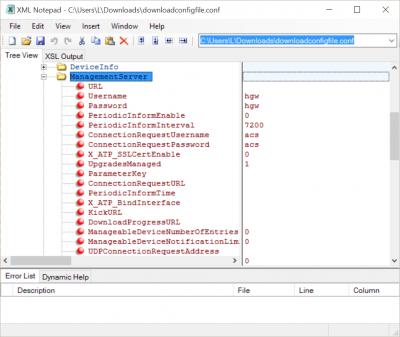
5. open the 'downloadconfigfile.conf' using notepad
6. ctrl+f to find
CODE
<AclServices HTTPLanEnable


7. change that line to
CODE

<AclServices HTTPLanEnable="1" HTTPWanEnable="0" TELNETLanEnable="1" TELNETWanEnable="0" FTPLanEnable="0" FTPWanEnable="0" SSHLanEnable="0" SSHWanEnable="0"/>

8. save it and go to the HG850a web interface, go to 'maintain' > 'device' > 'configure file' > 'choose file' > select this modified config > 'Upload Configuration File'
9. After finish restore, power off and on the HG850a, you should now able to access the web interface and telnet even after power cycle.

Setup VoIP into HG850a [Maxis]
1. Go to 'Basic' > 'WAN' and you should now see by default '1_VOIP_R_VID_400' {not too sure about the name but I know there is a default there}
2. click on it to select, change the VLAN ID to 822. Change and save it as below
» Click to show Spoiler - click again to hide... «


3. Go to Status > 'Device' > 'WAN' you should see it connected with an ip address
» Click to show Spoiler - click again to hide... «


4. Go to 'Basic' > 'VoIP' and setup the SIP as follow
» Click to show Spoiler - click again to hide... «


5. Go to 'Status' > 'VoIP' , you should see the status 'Registered' and the 'voip' led on the HG850a should lid up.
» Click to show Spoiler - click again to hide... «


6. Plug your telephone into 'Tel 1' Port and try to make a call to your mobile phone.

Setup custom router
Any router

QUOTE

Note that Maxis FTTH is using vlan 621 and should use fe2 (correct me if I'm wrong), other port is blocked, unless u unblock all the other port (share this if u get it done smile.gif probably by editing the iptables.)


Refer to bro thankyou!
QUOTE(thankyou @ Feb 27 2013, 09:54 PM)
Okay, I have to take back my word... untagging only can be done through telnet.

Now, do it at your own risk... FYI, I'm testing it with Unifi. It should be straight forward to identify your own Maxis VLAN ID.

I've used fe3 for 'untagging' testing purpose...

1) Telnet to HG850a with 'root' user

2) display lswinfo
CODE
------------------------------------------
-------------vlan information-------------
------------------------------------------

Vlanid    fe1    fe2    fe3    fe4    cpu    pon
1          1      1      1      1      1      1    
209        1      0      0      0      1      1    
400        1      0      0      0      1      1    
500        1      0      0      0      1      1    
600        1      0      0      0      1      1    

Native Vlan And Pri
Port        NativeVlan            Pri
fe1                  1            0
fe2                  1            0
fe3                  1            0
fe4                  1            0
pon                  1            0
cpu                  1            0


You should get all fe1-fe4 (LAN1 - LAN4) tagged with VLANID 1/209/400/500/600

3) set fe3 as untag mode
CODE
HG850a>ethernet port tagmode fe3 untag
Set Success


4) set fe3 NativeVlan as 500
CODE
HG850a>ethernet vlan native port 500 fe3 0
Set Success


4) VLAN ID 1 [fe3-remove] / VLAN ID 500 [fe1-remove] [fe3-add]
CODE
HG850a>ethernet vlan port delete 1 fe3
Set Success

HG850a>ethernet vlan port delete 500 fe1
Set Success

HG850a>ethernet vlan port add 500 fe3
Set Success


5) You should see the following with 'display lswinfo'
CODE
------------------------------------------
-------------vlan information-------------
------------------------------------------

Vlanid    fe1    fe2    fe3    fe4    cpu    pon
1          1      1      0      1      1      1    
209        1      0      0      0      1      1    
400        1      0      0      0      1      1    
500        0      0      1      0      1      1    
600        1      0      0      0      1      1    

Native Vlan And Pri
Port        NativeVlan            Pri
fe1                  1            0
fe2                  1            0
fe3                500            0
fe4                  1            0
pon                  1            0
cpu                  1            0


Now, take any non VLAN supported router (basically any home router), set PPPoE with login and password, try to dial... You should able to connect and get IP....

If it success, remember don't forget to save configuration @ HG850a... so any router without VLAN tagging is supported...

For Unifi, still failed connect IPTV directly through HG850a... hopefully someone is able to do it...
*
QUOTE(thankyou @ Feb 27 2013, 10:56 PM)
I've solved my last puzzle!!! Wow... Gotta thanks everyone who dig up my interest with HG850a again!

To setup IPTV for Unifi)

Continue from Step 5

6) Set fe4 as untag mode
CODE
HG850a>ethernet port tagmode fe4 untag
Set Success


7) Set VLAN 600 as native VLAN for fe4
CODE
HG850a>ethernet vlan native port 600 fe4 0
Set Success


8) VLAN ID 1 [fe4-remove] / VLAN ID 600 [fe4-remove] [fe4-add]

CODE
HG850a>ethernet vlan port delete 1 fe4
Set Success

HG850a>ethernet vlan port delete 600 fe1
Set Success

HG850a>ethernet vlan port add 600 fe4
Set Success


9) display lswinfo
CODE

------------------------------------------
-------------vlan information-------------
------------------------------------------

Vlanid    fe1    fe2    fe3    fe4    cpu    pon
1          1      1      0      0      1      1    
209        1      0      0      0      1      1    
400        1      0      0      0      1      1    
500        0      0      1      0      1      1    
600        0      0      0      1      1      1    

Native Vlan And Pri
Port        NativeVlan            Pri
fe1                  1            0
fe2                  1            0
fe3                500            0
fe4                600            0
pon                  1            0
cpu                  1            0


Now, Internet-LAN3 & IPTV-LAN4

We have everything by connecting Internet/VoIP/IPTV to HG850a directly as HUB...
*
vlan capable router
» Click to show Spoiler - click again to hide... «


Final look..
» Click to show Spoiler - click again to hide... «


Credit: Thanks MrSpeedy for giving me some important information which originated from yjwong. smile.gif

This post has been edited by ywkwy: Mar 1 2013, 10:45 AM
MrSpeedy
post Feb 21 2013, 07:32 PM

Casual
***
Junior Member
460 posts

Joined: Jun 2012


As for setup for custom router, I think it's possible for any router (non-VLAN router and ADSL router with WAN port internet capability) can use by removing VLAN tagging from HG850a.

Link: http://unifi.stanleytiang.com/

This post has been edited by MrSpeedy: Feb 21 2013, 07:35 PM
TSywkwy
post Feb 21 2013, 09:34 PM

Enthusiast
*****
Senior Member
868 posts

Joined: Dec 2005
QUOTE(MrSpeedy @ Feb 21 2013, 09:32 PM)
As for setup for custom router, I think it's possible for any router (non-VLAN router and ADSL router with WAN port internet capability) can use by removing VLAN tagging from HG850a.

Link: http://unifi.stanleytiang.com/
*
It is definitely possible but from my understanding, it can't done by web interface. (Maybe it can but I got no time to dig on that)
I tried to go into the HG850a by telnet and I do see some vlan tagging thingy which are not found in the web interface but I didn't go in deep because I've no time on it. Now the devices is not with me anymore. I strongly believe it can be done by telnet. If someone have time on it, please share with us your result icon_rolleyes.gif

This post has been edited by ywkwy: Feb 21 2013, 10:00 PM
bsa12
post Feb 21 2013, 10:15 PM

On my way
****
Senior Member
562 posts

Joined: Feb 2009
From: klang valley


any guide for Alcatel Lucent I-240G-P BTU?
syk
post Feb 22 2013, 02:06 PM

Casual
***
Junior Member
315 posts

Joined: Jan 2003
From: KL


Very informative guide.
I will try it out this weekend!
rootlinux
post Feb 22 2013, 02:13 PM

Enthusiast
*****
Senior Member
898 posts

Joined: Jan 2003
From: ph/sbj/slgr
QUOTE(syk @ Feb 22 2013, 02:06 PM)
Very informative guide.
I will try it out this weekend!
*
looking fwd to ur result notworthy.gif notworthy.gif notworthy.gif
TSywkwy
post Feb 22 2013, 05:21 PM

Enthusiast
*****
Senior Member
868 posts

Joined: Dec 2005
QUOTE(bsa12 @ Feb 22 2013, 12:15 AM)
any guide for Alcatel Lucent I-240G-P BTU?
*
Unfortunately I don't have the device, so I'm not sure about it.
esoo88
post Feb 22 2013, 09:49 PM

New Member
*
Junior Member
26 posts

Joined: May 2012
i hit an issue, it stops at "# iptables --flush", i am pretty sure the iptables hasn't kick in, but the modem is not responding to this command. Any clue on this?


Welcome Visiting Huawei Home Gateway
Copyright by Huawei Technologies Co., Ltd.
Login:root
Password:
HG850a>enable

HG850a#configure terminal

HG850a(config)#shell
# iptables --flush

TSywkwy
post Feb 23 2013, 06:23 AM

Enthusiast
*****
Senior Member
868 posts

Joined: Dec 2005
QUOTE(esoo88 @ Feb 22 2013, 11:49 PM)
i hit an issue, it stops at "# iptables --flush", i am pretty sure the iptables hasn't kick in, but the modem is not responding to this command. Any clue on this?
Welcome Visiting Huawei  Home Gateway
Copyright by Huawei Technologies Co., Ltd.
Login:root
Password:
HG850a>enable

HG850a#configure terminal

HG850a(config)#shell
# iptables --flush
*
Ctrl + alt + z command is until that only. After it stop at "# iptables --flush" need to press ctrl+alt+x already.. repeat few times for ctrl+alt+x..
TSywkwy
post Feb 23 2013, 06:26 AM

Enthusiast
*****
Senior Member
868 posts

Joined: Dec 2005
After few times of ctrl+alt+x if you can access the web interface then you can proceed to next steps already..
esoo88
post Feb 23 2013, 08:43 AM

New Member
*
Junior Member
26 posts

Joined: May 2012
the problem is after keyin "iptables --flush", the modem stop responding, but i am pretty sure the iptable hasn't block yet, just the command not responding.
TSywkwy
post Feb 23 2013, 10:19 AM

Enthusiast
*****
Senior Member
868 posts

Joined: Dec 2005
QUOTE(esoo88 @ Feb 23 2013, 10:43 AM)
the problem is after keyin "iptables --flush", the modem stop responding, but i am pretty sure the iptable hasn't block yet, just the command not responding.
*
How about you change your auto hotkey script to the following
CODE

^!z::
Send enable{Enter}configure terminal{Enter}shell{Enter}iptables --flush{Enter}iptables --flush{Enter}iptables --flush{Enter}iptables --flush{Enter}iptables --flush{Enter}iptables --flush{Enter}iptables --flush{Enter}iptables --flush{Enter}iptables --flush{Enter}iptables --flush{Enter}iptables --flush{Enter}
return


How many iptables --flush it can run?
young_97
post Feb 23 2013, 11:45 AM

Enthusiast
*****
Senior Member
828 posts

Joined: Dec 2010
Does This work with Unifi TM Huawei hg850a ONU ?
esoo88
post Feb 23 2013, 04:20 PM

New Member
*
Junior Member
26 posts

Joined: May 2012
i further diagnosed line by line, any command that i put after "shell" will not be responding, telnet session will hang.
can you verify if this is correct command?
TSywkwy
post Feb 23 2013, 09:03 PM

Enthusiast
*****
Senior Member
868 posts

Joined: Dec 2005
QUOTE(young_97 @ Feb 23 2013, 01:45 PM)
Does This work with Unifi TM Huawei hg850a ONU ?
*
Probably, coz Maxis FTTH is using TM's HG850a too.. You can try, share result smile.gif
TSywkwy
post Feb 23 2013, 09:15 PM

Enthusiast
*****
Senior Member
868 posts

Joined: Dec 2005
QUOTE(esoo88 @ Feb 23 2013, 06:20 PM)
i further diagnosed line by line, any command that i put after "shell" will not be responding, telnet session will hang.
can you verify if this is correct command?
*
Yes, it is correct. I'm not sure ur case, but when I first trying the access, iptables kicks in is the only thing that make the telnet session hang. R u sure u r fast enough to respond before iptables kicks in? U've about 5-8 seconds only to enter the command until iptables --flush start from getting the first ping reply. Once you reach iptables --flush, don't stop at there, keep on ctrl+alt+x to keep sending iptables --flush
onthefly
post Feb 23 2013, 09:43 PM

Regular
******
Senior Member
1,315 posts

Joined: Aug 2007
omg i was trying to access HG850A for hours and i ended up here. freaking maxis.

is this method still relavant ? tired already
syk
post Feb 24 2013, 04:50 PM

Casual
***
Junior Member
315 posts

Joined: Jan 2003
From: KL


HuraY!
The step is working!!
I managed to access to HG850A and configure VOIP.
Next step is to buy a TPLink TL-WR1043ND to retire the stupid Thomson Gataway!

dionghy
post Feb 25 2013, 10:25 PM

New Member
*
Newbie
5 posts

Joined: Sep 2004


All I can say is great work Bro!!

Got everything working smile.gif

If someone could help getting a non vlan tagging router on this, it would be awesome.

By the way I can't see any bridging mode on the hg850a web admin page and the port binding feature on all ports are greyed out.
thankyou
post Feb 26 2013, 09:36 PM

Regular
******
Senior Member
1,941 posts

Joined: Jan 2003
Untag on HG850a is possible but the IPTV wouldn't work by connecting directly through HG850a.

If IPTV not required then you can do that by accessing through telecomadmin superuser.

root user is not superuser by default
gahkin
post Feb 26 2013, 11:08 PM

Enthusiast
*****
Senior Member
735 posts

Joined: Jan 2003
From: Selayang , Kepong


great solution workout !
dionghy
post Feb 27 2013, 03:15 PM

New Member
*
Newbie
5 posts

Joined: Sep 2004


Bro Thankyou thanks for the comment, I did manage to log in as telecomadmin but there doesn't seem to be any feature that allows for tagging or untagging.sad.gif if you could help with this it that would be awesome!!:)

IPTV shouldn’t be a problem as there are IPTV bundled with Maxis home fiber ha ha and thanks to Bro ywkwy we managed to move the voip phone out of that Thompson crap.
TSywkwy
post Feb 27 2013, 03:34 PM

Enthusiast
*****
Senior Member
868 posts

Joined: Dec 2005
QUOTE(dionghy @ Feb 27 2013, 05:15 PM)
Bro Thankyou thanks for the comment, I did manage to log in as telecomadmin but there doesn't seem to be any feature that allows for tagging or untagging.sad.gif if you could help with this it that would be awesome!!:)

IPTV shouldn’t be a problem as there are IPTV bundled with Maxis home fiber  ha ha and thanks to Bro ywkwy we managed to move the voip phone out of that Thompson crap.
*
if not mistaken, u need to use telnet for that tag/untag..

if someone manage to do that, please share it.
The devices is not with me anymore, so I can't do any finding on it anymore.. smile.gif
zzzxtreme
post Feb 27 2013, 05:37 PM

Synth Freak
*******
Senior Member
4,299 posts

Joined: Sep 2006
From: Your girlfriend's bed


hey ywkwy, awesome work. u seem to know a lot about working? do you think it is possible to not use any router at all, and just use windows server? i know there's a VLAN setting in LAN to set the number, but that's all i know
thankyou
post Feb 27 2013, 06:55 PM

Regular
******
Senior Member
1,941 posts

Joined: Jan 2003
Can't recall how I did the untagging hmm... it has been quite awhile since I last access to HG850a... I will login shortly to check it out about the port untag...

Maybe ywkwy is right, I probably did it with telnet...

QUOTE(zzzxtreme @ Feb 27 2013, 05:37 PM)
hey ywkwy, awesome work. u seem to know a lot about working? do you think it is possible to not use any router at all, and just use windows server? i know there's a VLAN setting in LAN to set the number, but that's all i know
*
If you wish to setup PPP client and ISA server, you can try by setting VLAN ID to the designated internet port... Just do a Wireshark trace over that port to make sure VLAN: 500 (I'm not using Maxis FTTH) is tagged along the packets... technically it should work...
thankyou
post Feb 27 2013, 07:54 PM

Regular
******
Senior Member
1,941 posts

Joined: Jan 2003
Okay, I have to take back my word... untagging only can be done through telnet.

Now, do it at your own risk... FYI, I'm testing it with Unifi. It should be straight forward to identify your own Maxis VLAN ID.

I've used fe3 for 'untagging' testing purpose...

1) Telnet to HG850a with 'root' user

2) display lswinfo
CODE
------------------------------------------
-------------vlan information-------------
------------------------------------------

Vlanid    fe1    fe2    fe3    fe4    cpu    pon
1          1      1      1      1      1      1    
209        1      0      0      0      1      1    
400        1      0      0      0      1      1    
500        1      0      0      0      1      1    
600        1      0      0      0      1      1    

Native Vlan And Pri
Port        NativeVlan            Pri
fe1                  1            0
fe2                  1            0
fe3                  1            0
fe4                  1            0
pon                  1            0
cpu                  1            0


You should get all fe1-fe4 (LAN1 - LAN4) tagged with VLANID 1/209/400/500/600

3) set fe3 as untag mode
CODE
HG850a>ethernet port tagmode fe3 untag
Set Success


4) set fe3 NativeVlan as 500
CODE
HG850a>ethernet vlan native port 500 fe3 0
Set Success


4) VLAN ID 1 [fe3-remove] / VLAN ID 500 [fe1-remove] [fe3-add]
CODE
HG850a>ethernet vlan port delete 1 fe3
Set Success

HG850a>ethernet vlan port delete 500 fe1
Set Success

HG850a>ethernet vlan port add 500 fe3
Set Success


5) You should see the following with 'display lswinfo'
CODE
------------------------------------------
-------------vlan information-------------
------------------------------------------

Vlanid    fe1    fe2    fe3    fe4    cpu    pon
1          1      1      0      1      1      1    
209        1      0      0      0      1      1    
400        1      0      0      0      1      1    
500        0      0      1      0      1      1    
600        1      0      0      0      1      1    

Native Vlan And Pri
Port        NativeVlan            Pri
fe1                  1            0
fe2                  1            0
fe3                500            0
fe4                  1            0
pon                  1            0
cpu                  1            0


Now, take any non VLAN supported router (basically any home router), set PPPoE with login and password, try to dial... You should able to connect and get IP....

If it success, remember don't forget to save configuration @ HG850a... so any router without VLAN tagging is supported...

For Unifi, still failed connect IPTV directly through HG850a... hopefully someone is able to do it...
zzzxtreme
post Feb 27 2013, 08:09 PM

Synth Freak
*******
Senior Member
4,299 posts

Joined: Sep 2006
From: Your girlfriend's bed


Thanks so much!!! I wanna kiss u!!!!
thankyou
post Feb 27 2013, 08:56 PM

Regular
******
Senior Member
1,941 posts

Joined: Jan 2003
I've solved my last puzzle!!! Wow... Gotta thanks everyone who dig up my interest with HG850a again!

To setup IPTV for Unifi)

Continue from Step 5

6) Set fe4 as untag mode
CODE
HG850a>ethernet port tagmode fe4 untag
Set Success


7) Set VLAN 600 as native VLAN for fe4
CODE
HG850a>ethernet vlan native port 600 fe4 0
Set Success


8) VLAN ID 1 [fe4-remove] / VLAN ID 600 [fe4-remove] [fe4-add]

CODE
HG850a>ethernet vlan port delete 1 fe4
Set Success

HG850a>ethernet vlan port delete 600 fe1
Set Success

HG850a>ethernet vlan port add 600 fe4
Set Success


9) display lswinfo
CODE

------------------------------------------
-------------vlan information-------------
------------------------------------------

Vlanid    fe1    fe2    fe3    fe4    cpu    pon
1          1      1      0      0      1      1    
209        1      0      0      0      1      1    
400        1      0      0      0      1      1    
500        0      0      1      0      1      1    
600        0      0      0      1      1      1    

Native Vlan And Pri
Port        NativeVlan            Pri
fe1                  1            0
fe2                  1            0
fe3                500            0
fe4                600            0
pon                  1            0
cpu                  1            0


Now, Internet-LAN3 & IPTV-LAN4

We have everything by connecting Internet/VoIP/IPTV to HG850a directly as HUB...

This post has been edited by thankyou: Feb 27 2013, 08:57 PM
zzzxtreme
post Feb 27 2013, 09:25 PM

Synth Freak
*******
Senior Member
4,299 posts

Joined: Sep 2006
From: Your girlfriend's bed


Wow!!! I got to make love to u!!!!
TSywkwy
post Feb 27 2013, 09:48 PM

Enthusiast
*****
Senior Member
868 posts

Joined: Dec 2005
QUOTE(thankyou @ Feb 27 2013, 10:56 PM)
I've solved my last puzzle!!! Wow... Gotta thanks everyone who dig up my interest with HG850a again!

To setup IPTV for Unifi)

Continue from Step 5

6) Set fe4 as untag mode
CODE
HG850a>ethernet port tagmode fe4 untag
Set Success


7) Set VLAN 600 as native VLAN for fe4
CODE
HG850a>ethernet vlan native port 600 fe4 0
Set Success


8) VLAN ID 1 [fe4-remove] / VLAN ID 600 [fe4-remove] [fe4-add]

CODE
HG850a>ethernet vlan port delete 1 fe4
Set Success

HG850a>ethernet vlan port delete 600 fe1
Set Success

HG850a>ethernet vlan port add 600 fe4
Set Success


9) display lswinfo
CODE

------------------------------------------
-------------vlan information-------------
------------------------------------------

Vlanid    fe1    fe2    fe3    fe4    cpu    pon
1          1      1      0      0      1      1    
209        1      0      0      0      1      1    
400        1      0      0      0      1      1    
500        0      0      1      0      1      1    
600        0      0      0      1      1      1    

Native Vlan And Pri
Port        NativeVlan            Pri
fe1                  1            0
fe2                  1            0
fe3                500            0
fe4                600            0
pon                  1            0
cpu                  1            0


Now, Internet-LAN3 & IPTV-LAN4

We have everything by connecting Internet/VoIP/IPTV to HG850a directly as HUB...
*
haha, thanks for sharing!! its good to see ppl sharing knowledge to get things done!! rclxms.gif

syk
post Feb 27 2013, 10:08 PM

Casual
***
Junior Member
315 posts

Joined: Jan 2003
From: KL


Should get mod to pin this topic!
dionghy
post Feb 27 2013, 11:07 PM

New Member
*
Newbie
5 posts

Joined: Sep 2004


Holy Cow!!! in your face Maxis/TM. thankyou ywkwy you guys ROCK!!!! thumbup.gif rclxm9.gif
scion
post Feb 28 2013, 01:28 AM

Getting Started
**
Junior Member
125 posts

Joined: Jul 2006
So envy u guy with HG850a modem. My modem is Alcatel Lucent I-240G-P. Still no way to get into it.
chintmy
post Mar 1 2013, 08:11 PM

Getting Started
**
Junior Member
76 posts

Joined: Dec 2004


i had bought another unit of HG850a and restore my configuration file from my original unit (UNIFI).

Before restoring, I try to replace the HG850a with the newly bought unit but the link light always blinking. After restoring the configuration file also the same.

Could it be that they had the MAC address coded in UNIFI router/server??

Thanks guys.
thankyou
post Mar 2 2013, 01:16 AM

Regular
******
Senior Member
1,941 posts

Joined: Jan 2003
Don't think they authenticate based on MAC address because I had my HG8240 successfully configured to replace HG850a.

Try to open up the saved configuration with notepad/browser and look for the field as below:

<PassWord PassWord="0000123456"/>

PassWord is the optical authentication between Huawei ONU & OLT (not too sure about other brand though).

What you can do is, reset the new HG850a to factory settings, and insert the PassWord through web interface by using "telecomadmin" username then save and reboot the ONU.

If you stay in PJ area, I wouldn't mind lending you the HG8240 for you to test it out...

chintmy
post Mar 2 2013, 01:37 AM

Getting Started
**
Junior Member
76 posts

Joined: Dec 2004


QUOTE(thankyou @ Mar 2 2013, 01:16 AM)
Don't think they authenticate based on MAC address because I had my HG8240 successfully configured to replace HG850a.

Try to open up the saved configuration with notepad/browser and look for the field as below:

<PassWord PassWord="0000123456"/>

PassWord is the optical authentication between Huawei ONU & OLT (not too sure about other brand though).

What you can do is, reset the new HG850a to factory settings, and insert the PassWord through web interface by using "telecomadmin" username then save and reboot the ONU.

If you stay in PJ area, I wouldn't mind lending you the HG8240 for you to test it out...
*
Thanks. Let me try it later or tomorrow. I actually backup (original BTU) the configuration file and restore it to the used unit (2nd BTU). Should be the same configuration ( I think but not sure ). Like my TPLINK router, if I do that all the settings will be exactly the same. With the in my mind, the 2nd unit = 1st Unit but still the 2nd unit link still not able to get connected. The link light keeps blinking.

Anyway, let me test it out and if I am leave with no choice then I will contact you to borrow your unit (HG8240).

BTW, did you ever bring your HG850a to another friend place with unifi and plug in? I am about to test it with my unit at friend place but not sure if it will change anything to the unit.

Thanks Mate smile.gif
chintmy
post Mar 2 2013, 02:08 AM

Getting Started
**
Junior Member
76 posts

Joined: Dec 2004


Wow, it works. I just reset the password in the GUI and it works...

Thanks thanks... Really appreciate it... Now running with the 2nd Unit. Strange as why restoring the configuration from the 1st unit does not work... BUG??
chintmy
post Mar 2 2013, 01:13 PM

Getting Started
**
Junior Member
76 posts

Joined: Dec 2004


Done and Successful removed the DIR615. Configured it as a bridge earlier, so now can turn the DIR615 off.

Thanks All for the great work, and sharing smile.gif have a nice weekend ahead
thankyou
post Mar 2 2013, 01:15 PM

Regular
******
Senior Member
1,941 posts

Joined: Jan 2003
I think HW Rev makes diff... that's why it's better restore all the configuration one by one...

Bringing your unit to friend's house will not work because ONU password only tie to the OLT you are connected to...

This post has been edited by thankyou: Mar 2 2013, 01:17 PM
scion
post Mar 2 2013, 02:48 PM

Getting Started
**
Junior Member
125 posts

Joined: Jul 2006
Is it possible to replace my Alcatel Lucent I-240G-P with HG850a?

syk
post Mar 2 2013, 02:53 PM

Casual
***
Junior Member
315 posts

Joined: Jan 2003
From: KL


QUOTE(thankyou @ Feb 27 2013, 07:54 PM)
Okay, I have to take back my word... untagging only can be done through telnet.

Now, do it at your own risk... FYI, I'm testing it with Unifi. It should be straight forward to identify your own Maxis VLAN ID.

I've used fe3 for 'untagging' testing purpose...

1) Telnet to HG850a with 'root' user

2) display lswinfo
CODE
------------------------------------------
-------------vlan information-------------
------------------------------------------

Vlanid    fe1    fe2    fe3    fe4    cpu    pon
1          1      1      1      1      1      1    
209        1      0      0      0      1      1    
400        1      0      0      0      1      1    
500        1      0      0      0      1      1    
600        1      0      0      0      1      1    

Native Vlan And Pri
Port        NativeVlan            Pri
fe1                  1            0
fe2                  1            0
fe3                  1            0
fe4                  1            0
pon                  1            0
cpu                  1            0


You should get all fe1-fe4 (LAN1 - LAN4) tagged with VLANID 1/209/400/500/600

3) set fe3 as untag mode
CODE
HG850a>ethernet port tagmode fe3 untag
Set Success


4) set fe3 NativeVlan as 500
CODE
HG850a>ethernet vlan native port 500 fe3 0
Set Success


4) VLAN ID 1 [fe3-remove] / VLAN ID 500 [fe1-remove] [fe3-add]
CODE
HG850a>ethernet vlan port delete 1 fe3
Set Success

HG850a>ethernet vlan port delete 500 fe1
Set Success

HG850a>ethernet vlan port add 500 fe3
Set Success


5) You should see the following with 'display lswinfo'
CODE
------------------------------------------
-------------vlan information-------------
------------------------------------------

Vlanid    fe1    fe2    fe3    fe4    cpu    pon
1          1      1      0      1      1      1    
209        1      0      0      0      1      1    
400        1      0      0      0      1      1    
500        0      0      1      0      1      1    
600        1      0      0      0      1      1    

Native Vlan And Pri
Port        NativeVlan            Pri
fe1                  1            0
fe2                  1            0
fe3                500            0
fe4                  1            0
pon                  1            0
cpu                  1            0


Now, take any non VLAN supported router (basically any home router), set PPPoE with login and password, try to dial... You should able to connect and get IP....

If it success, remember don't forget to save configuration @ HG850a... so any router without VLAN tagging is supported...

For Unifi, still failed connect IPTV directly through HG850a... hopefully someone is able to do it...
*
Mind to share with me the command to save configuration @ HG850a?
I notice whenever after I reboot the modem, vlan tagging is revert to previous setting.
chintmy
post Mar 2 2013, 03:26 PM

Getting Started
**
Junior Member
76 posts

Joined: Dec 2004


just type "save" at the telnet session command prompt after making the changes

thankyou
post Mar 2 2013, 04:04 PM

Regular
******
Senior Member
1,941 posts

Joined: Jan 2003
QUOTE(scion @ Mar 2 2013, 02:48 PM)
Is it possible to replace my Alcatel Lucent I-240G-P with HG850a?
*
Idea... you may have to login to the Alu ONU to take a look at config.

Have extra Huawei ONU if you interested to try it out!
syk
post Mar 2 2013, 04:08 PM

Casual
***
Junior Member
315 posts

Joined: Jan 2003
From: KL


QUOTE(chintmy @ Mar 2 2013, 03:26 PM)
just type "save" at the telnet session command prompt after making the changes
*
save don't work!

thankyou, pls help!
thankyou
post Mar 2 2013, 04:10 PM

Regular
******
Senior Member
1,941 posts

Joined: Jan 2003
QUOTE(syk @ Mar 2 2013, 04:08 PM)
save don't work!

thankyou, pls help!
*
Can't recall... not at home atm.... can you check the command from '?' ?
syk
post Mar 2 2013, 04:20 PM

Casual
***
Junior Member
315 posts

Joined: Jan 2003
From: KL


QUOTE(thankyou @ Mar 2 2013, 04:10 PM)
Can't recall... not at home atm.... can you check the command from '?' ?
*
i check on help ''?'
save command is there,but it doesn't save vlan tagging
after reboot,it revert to ori
hope you can resolve this
i w change b to thompson 1st
thankyou
post Mar 2 2013, 04:29 PM

Regular
******
Senior Member
1,941 posts

Joined: Jan 2003
QUOTE(syk @ Mar 2 2013, 04:20 PM)
i check on help ''?'
save command is there,but it doesn't save vlan tagging
after reboot,it revert to ori
hope you can resolve this
i w change b to thompson 1st
*
Okay, didn't know save not working... I'll check it out and get back to you...
syk
post Mar 2 2013, 04:35 PM

Casual
***
Junior Member
315 posts

Joined: Jan 2003
From: KL


QUOTE(thankyou @ Mar 2 2013, 04:29 PM)
Okay, didn't know save not working... I'll check it out and get back to you...
*
many thanks
just notice we both join lyn sametime jan2003
smile.gif
thankyou
post Mar 2 2013, 09:01 PM

Regular
******
Senior Member
1,941 posts

Joined: Jan 2003
We may have joined LYN before Jan 2003, haha... do you remember the DB crashed n they have to rebuild the DB.

Btw, I haven't try it yet... n will probably try it by tomorrow. I think you are right, the saved config might not contain the include port configuration so worst case scenario, we can add the scripts on startup
chintmy
post Mar 2 2013, 09:51 PM

Getting Started
**
Junior Member
76 posts

Joined: Dec 2004


HG850a>ethernet vlan port delete 1 fe3
Set Success

HG850a>ethernet vlan port delete 500 fe1
Set Success

HG850a>ethernet vlan port add 500 fe3
Set Success

Did you see the word "Set Success" when you issue those command??
syk
post Mar 2 2013, 10:11 PM

Casual
***
Junior Member
315 posts

Joined: Jan 2003
From: KL


chintmy,

When the modem rebooted.
The configuration we did to untag port3 are gone.
Like thankyou said might need a startup script to set again or there is already a startup script to set the vlan. Need expert to figure it out. I prefer not to use custom firmware.
toh2020
post Mar 3 2013, 01:05 AM

Casual
***
Junior Member
493 posts

Joined: Apr 2011
does it confirmes whenever Huawei ONT reboots. it will pull the updated configuration from the TM server after the optical password authentication? that overwrite all that was preconfigured. everything backs to square one?

i am planning to try on my own one..
chintmy
post Mar 3 2013, 11:55 AM

Getting Started
**
Junior Member
76 posts

Joined: Dec 2004


syk,

You did not answer my questions? Can you try the command and see if you get the response "Set Success" for each and everyone of it? It is because for my case, you don't see some... Let me know.

toh2020,

I am not sure if there is any pulling but I just restored my Unifi set HG850a into my 2nd unit and then key in the password in the GUI. Bla, it works exactly the same as my original unit. So now I got both unit working.

scion
post Mar 3 2013, 01:43 PM

Getting Started
**
Junior Member
125 posts

Joined: Jul 2006
QUOTE(thankyou @ Mar 2 2013, 04:04 PM)
Idea... you may have to login to the Alu ONU to take a look at config.

Have extra Huawei ONU if you interested to try it out!
*
There is still no way to access into Alcatel Lucent I-240G-P

syk
post Mar 3 2013, 08:40 PM

Casual
***
Junior Member
315 posts

Joined: Jan 2003
From: KL


QUOTE(chintmy @ Mar 3 2013, 11:55 AM)
syk,

You did not answer my questions?  Can you try the command and see if you get the response "Set Success" for each and everyone of it?  It is because for my case, you don't see some...  Let me know.

toh2020,

I am not sure if there is any pulling but I just restored my Unifi set HG850a into my 2nd unit and then key in the password in the GUI. Bla, it works exactly the same as my original unit.  So now I got both unit working.
*
Yes, of course is set success on each command.
And I also can use port 3 connect to my router without vlan tagging before i reboot the modem.

siaush
post Mar 3 2013, 09:39 PM

Getting Started
**
Junior Member
246 posts

Joined: Jan 2005
my calls are dropping at around 25-30 secs mark, anyone has this issue after letting the Huawei modem to handle VoIP?
syk
post Mar 3 2013, 11:35 PM

Casual
***
Junior Member
315 posts

Joined: Jan 2003
From: KL


Yes, experience the same.
Outgoing call is dropping, but incoming call is ok.
chintmy
post Mar 4 2013, 02:14 PM

Getting Started
**
Junior Member
76 posts

Joined: Dec 2004


Syk,

For my side, I got 2 set success and I no response. If your case all set success, and then type save (with response), it should be working... I had not issue if I issue the command and if all get response + save, after reboot, it still works.

Siaush,

All this while VOIP is handled by the HG850a, and there is no change. Let me try it later tonight..


thankyou
post Mar 5 2013, 02:31 AM

Regular
******
Senior Member
1,941 posts

Joined: Jan 2003
I'm afraid to say there isn't any way to write it to init script as the MTD block is read-only unless someone is able to compile a firmware for it...


gahkin
post Mar 6 2013, 01:09 AM

Enthusiast
*****
Senior Member
735 posts

Joined: Jan 2003
From: Selayang , Kepong


any one can guide to how to setup with Business Fibre one??
kingguy
post Mar 10 2013, 08:20 AM

New Member
*
Junior Member
14 posts

Joined: Aug 2006
TS any comment on the call line dropping problem? has anyone found a solution to fix it?
blu3skyr4in
post Mar 13 2013, 01:15 AM

New Member
*
Junior Member
22 posts

Joined: Mar 2009


Hi there anyone know tat is possible the HG850a terminal will Hang?
cause my customer internet Hang.his device is Asus N56U Router (Unifi Support)with Firmware 318 and HG850a terminal~
i call Unifi care he say my Asus cause the Hang~but i ask my customer how the problem happen~they say tat HG850a Lan 1 light no blink But the light was Steady only and the asus N56u wan port no light and internet also no light~after 2 device on off .on will working..

Customer Is Fix IP 20MB RM899 Package

Just wanna find out problem~Thx All Big Big
(PS:Just 11 march 2013 updated the Asus N56U Firmware to 342 The latest Firmware)

This post has been edited by blu3skyr4in: Mar 13 2013, 01:16 AM
thankyou
post Mar 14 2013, 01:58 PM

Regular
******
Senior Member
1,941 posts

Joined: Jan 2003
Don't think I'm able to do anything for the startup script... sorry about it...
kkm
post Mar 14 2013, 07:56 PM

Regular
******
Senior Member
1,258 posts

Joined: Jan 2003
QUOTE(siaush @ Mar 3 2013, 09:39 PM)
my calls are dropping at around 25-30 secs mark, anyone has this issue after letting the Huawei modem to handle VoIP?
*
QUOTE(syk @ Mar 3 2013, 11:35 PM)
Yes, experience the same.
Outgoing call is dropping, but incoming call is ok.
*
QUOTE(kingguy @ Mar 10 2013, 08:20 PM)
TS any comment on the call line dropping problem? has anyone found a solution to fix it?
*
Anyone else did the mod and experience this?
mikeymic
post Mar 17 2013, 07:31 PM

Getting Started
**
Junior Member
172 posts

Joined: Oct 2006
From: Puchong


Need some help here. I'm stuck at registering the sip. Which password should I use? My phone number or account number? If I'm wrong please assist me. Thanks.

Note.. Settled. Account No.+Last 4 digits.(Phone No.)

This post has been edited by mikeymic: Mar 18 2013, 03:02 AM
syk
post Mar 18 2013, 02:05 PM

Casual
***
Junior Member
315 posts

Joined: Jan 2003
From: KL


The problem of 30s call drop after switch to HG850a VOIP still remain unresolved...
weihuan
post Mar 18 2013, 02:20 PM

New Member
*
Junior Member
4 posts

Joined: Dec 2008


Thanks for your info.
But may i know is it work for Huawei HG655a Modem?

chintmy
post Mar 18 2013, 03:25 PM

Getting Started
**
Junior Member
76 posts

Joined: Dec 2004


I just called back to my hometown in Ipoh (TM Fixed line) and spoke more than 1 minutes. No drop call... I don't remember having drop calls (Calling and receiving)..

Is it you guys are referring calling to different operator than TM??
kkm
post Mar 18 2013, 03:32 PM

Regular
******
Senior Member
1,258 posts

Joined: Jan 2003
This is for Maxis FTTH users who modded their setup to run voip direct from the 850a instead of the Thomson/Technicolor router. You are referring to a Unifi service? For TM Unifi, the default is voip from the 850a, so should be no problem of course...

This post has been edited by kkm: Mar 18 2013, 03:35 PM
chintmy
post Mar 18 2013, 03:45 PM

Getting Started
**
Junior Member
76 posts

Joined: Dec 2004


oh ok...

Thanks.... Cause the guide also covers for both Maxis FTTH and also Unifi...

cranko
post Mar 28 2013, 10:20 PM

New Member
*
Junior Member
12 posts

Joined: Oct 2007


Anyone having problem with the connection? my internet is out after few days of using my ddwrt using this method.

Plugged back my Thomson and it says "Connector Not Reachable" i dont know why suddenly the internet is down.It was perfectly ok last 2 days.Anyone?
Boldnut
post Mar 30 2013, 09:11 AM

Look at all my stars!!
*******
Senior Member
2,209 posts

Joined: Nov 2010
Unifi 850a user here, possible to save a untagged config file(without ur Unifi voip password) and share here?

This post has been edited by Boldnut: Mar 30 2013, 09:11 AM
chengsiong
post Mar 30 2013, 11:03 AM

Getting Started
**
Junior Member
168 posts

Joined: Nov 2010
From: KL


Direct Internet dialing (PPPoE) from the HG850a

firstly go to basic > wan
then click new at the right upper side

tick enable
choose "INRERNET" from service list
VLAN ID put 500

then IPGETMODE to PPPoE
type in the unifi PPPoE login id & password ..
APPLY!


THEN,

head on to Basic > LAN
tick LAN 1,2,3 ( Layer 3 )
then click apply

U ARE GOOD TO GO thumbup.gif
plug into any of the LAN 1,2,3 and internet pops out

[EDIT]
If it doesn't working, go to Advanced > Route
and tick the default route , and choose "2_R_VID_500" from the drop down menu
and click apply~
[/EDIT]

This post has been edited by chengsiong: Mar 30 2013, 11:49 AM
TSywkwy
post Mar 30 2013, 02:01 PM

Enthusiast
*****
Senior Member
868 posts

Joined: Dec 2005
QUOTE(chengsiong @ Mar 30 2013, 01:03 PM)
Direct Internet dialing (PPPoE) from the HG850a

firstly go to basic > wan
then click new at the right upper side

tick enable
choose "INRERNET" from service list
VLAN ID put 500

then IPGETMODE to PPPoE
type in the unifi PPPoE login id & password ..
APPLY!
THEN,

head on to Basic > LAN
tick LAN 1,2,3 ( Layer 3 )
then click apply

U ARE GOOD TO GO  thumbup.gif
plug into any of the LAN 1,2,3 and internet pops out

[EDIT]
If it doesn't working, go to Advanced > Route
and tick the default route , and choose "2_R_VID_500" from the drop down menu
and click apply~
[/EDIT]
*
Hi, I believe u're using unifi right?
Could you (or anyone using unifi) please share/print screen the setting of advance > VoIP and advance > voice?
Maybe these settings can solve the VoIP drop call of maxis ftth.
Thanks in advance.

chengsiong
post Mar 30 2013, 09:37 PM

Getting Started
**
Junior Member
168 posts

Joined: Nov 2010
From: KL


QUOTE(ywkwy @ Mar 30 2013, 02:01 PM)
Hi, I believe u're using unifi right?
Could you (or anyone using unifi) please share/print screen the setting of advance > VoIP and advance > voice?
Maybe these settings can solve the VoIP drop call of maxis ftth.
Thanks in advance.
*
Here you go rclxms.gif

Attached Image

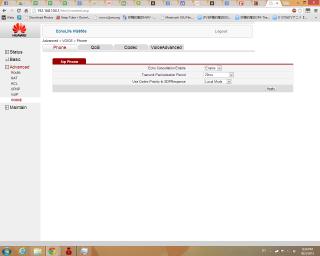
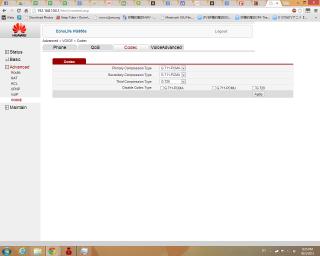
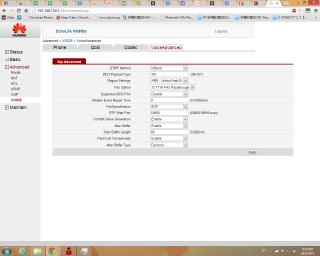
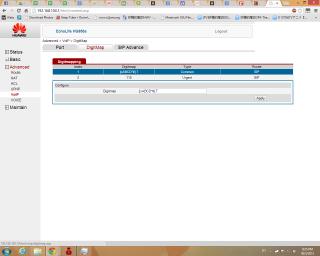
Attached Image

Attached Image

Attached Image

Attached Image

Attached Image

Attached Image

chengsiong
post Mar 30 2013, 09:41 PM

Getting Started
**
Junior Member
168 posts

Joined: Nov 2010
From: KL


QUOTE(syk @ Mar 2 2013, 02:53 PM)
Mind to share with me the command to save configuration @ HG850a?
I notice whenever after I reboot the modem, vlan tagging is revert to previous setting.
*
Same .. the iptv need to be reconfigurated everytime I restarted the modem ..

[EDIT]

Maybe it can be done by typing "save" command..

QUOTE
HG850a>save
Successed in saving config datas
[/EDIT]

This post has been edited by chengsiong: Mar 30 2013, 09:45 PM
jian118
post Mar 30 2013, 11:44 PM

New Member
*
Newbie
0 posts

Joined: Sep 2011


For those who can't access through telnet or screwed up. Your last option is to use serial. However i will not be held responsible for any damages done. And please do note that you are voiding your warranty by doing so.

You need a serial port. I used this http://cytron.com.my/viewProduct.php?pcode...nverter%20V2011

Change voltage of UART to 3.3v.

user posted image
Connect TXD on HG850a to UART RXD, RXD to TXD(UART) and GND to GND.
Open putty change to serial.
Change to the proper COM port. (Check it in the device manager )
Baud rate: 115200

If everything is successful, you will be able to read the "English" printed from the device and be able to type.
Wait until you see the word "Login:" then follow the original instruction

And once again, I will not be held responsible for any damages/bricked device/injuries or anything bad that happens.

This post has been edited by jian118: Mar 30 2013, 11:47 PM
esoo88
post Apr 6 2013, 04:34 PM

New Member
*
Junior Member
26 posts

Joined: May 2012
jian118,
can you more details on it:

1. What cable do you use?
2. Does soldering require?
3. What connector you use to connect the PCB interface?

thanks
jian118
post Apr 11 2013, 09:07 PM

New Member
*
Newbie
0 posts

Joined: Sep 2011


QUOTE(esoo88 @ Apr 6 2013, 04:34 PM)
jian118,
can you more details on it:

1. What cable do you use?
2. Does soldering require?
3. What connector you use to connect the PCB interface?

thanks
*
1 & 3.
Method 1:
Get single core wire and http://cytron.com.my/viewProduct.php?pcode...20Jumper%20Wire
Solder single core wire and plug into female header.
Unsolder after doing it.

Method 2:
Buy header http://cytron.com.my/viewProduct.php?pcode...)%201x40%20Ways and http://cytron.com.my/viewProduct.php?pcode...20Jumper%20Wire
and solder onto pcb


2. Solder required as no connector available on the PCB
gbhuss
post Apr 21 2013, 04:25 PM

New Member
*
Newbie
0 posts

Joined: Apr 2013
Hello,

I've just installed my Unifi. Any body knows how to access and setup HG8240w so that I can use my own router. I was able to get in thru the website but it is totally different than HG850a.

thanks.

thankyou
post Apr 22 2013, 12:47 PM

Regular
******
Senior Member
1,941 posts

Joined: Jan 2003
QUOTE(gbhuss @ Apr 21 2013, 04:25 PM)
Hello,

I've just installed my Unifi. Any body knows how to access and setup HG8240w so that I can use my own router.  I was able to get in thru the website but it is totally different than HG850a.

thanks.
*
So now they are offering HG8240w as all-in-1 device including Wifi?
xHj09
post Apr 22 2013, 12:52 PM

Your Friendly Neighborhood
******
Senior Member
1,614 posts

Joined: Apr 2010


QUOTE(gbhuss @ Apr 21 2013, 04:25 PM)
Hello,

I've just installed my Unifi. Any body knows how to access and setup HG8240w so that I can use my own router.  I was able to get in thru the website but it is totally different than HG850a.

thanks.
*
look behind the router, should have the default gateway with username and password?
gbhuss
post Apr 22 2013, 07:16 PM

New Member
*
Newbie
0 posts

Joined: Apr 2013
QUOTE(thankyou @ Apr 22 2013, 12:47 PM)
So now they are offering HG8240w as all-in-1 device including Wifi?
*
It still come with a separate router Wifi. I saw your very useful inputs on HG850 here, http://forum.lowyat.net/topic/2710206/all
Do you know if HG8240w share the same command set for me to do untagging? Where did you get the information on the commands? I want to dig out. I tried to send some commands but it is not recognized.
Another problem that I'm facing is the config file is in xml. I got garbage when I opened up using notepad.
I managed to log to the device by doing reset up power up.

Please help.
esoo88
post Apr 23 2013, 01:58 PM

New Member
*
Junior Member
26 posts

Joined: May 2012
anyone here manage to resolve the 20sec call drop issue? Appreciate if you share the solution
Isky
post Apr 30 2013, 01:40 PM

Getting Started
**
Junior Member
94 posts

Joined: Jul 2005


QUOTE(gbhuss @ Apr 21 2013, 04:25 PM)
Hello,

I've just installed my Unifi. Any body knows how to access and setup HG8240w so that I can use my own router.  I was able to get in thru the website but it is totally different than HG850a.

thanks.
*
Just installed my Unifi as well. U mind pm'ing me the password to access the HG8240w?
alfian2
post May 28 2013, 11:33 PM

New Member
*
Junior Member
25 posts

Joined: Aug 2006
OMG! this is so good to be true!

does anyone knows how to change the flag for 'cpu' and 'pon' from 0 to 1.

i see the example above are all flagged 1 for vlan 600.

thanks!! smile.gif
kwangz
post Jun 23 2013, 07:30 PM

New Member
*
Junior Member
13 posts

Joined: Jan 2007


too bad, i am not able to telnet into the hg850a sad.gif

btw, just found that maxis VOIP doesn't seems require vlan other than vlan621.
my setup as below work, just it is with additional thompson router in place:

[huawei btu] LAN 2 --> [my own router configured with vlan 621 tagging] <-- [thompson router] wan to any port of my own router

Thompson eVOIP connected with IPOE succesfully.


wiraone
post Jul 8 2013, 01:11 PM

Who cares about all the stars?
*******
Senior Member
3,892 posts

Joined: Jan 2003
From: Back on earth!
I've terminated Unifi after installing Maxis Fibre and since Saturday, the link is down, the LINK led is blinking all the time and the AUTH will blink rapidly at certain interval. Is this cable problem or did the Exchange guy deactivated the AUTH PassWord?

And stupid me, I did a restore to original configuration this morning and I couldn't get the telecomadmin's user/password anymore, it is wiped out and only root/admin can access through web and telnet. I'm hosed I guess.. will need to wait for them to come tomorrow.
wiraone
post Jul 9 2013, 09:53 AM

Who cares about all the stars?
*******
Senior Member
3,892 posts

Joined: Jan 2003
From: Back on earth!
TM Technician comes with a new password today, he entered the new one and all back to normal again. But this mean that I couldn't do a backup and restore my modem. Anyone knows how to retrieve the PassWord using telnet?

Ok, by resetting the BTU previously, the standard user/password is back to telecomadmin/admintelecom .. now I could access the router backup/upload again.

This post has been edited by wiraone: Jul 9 2013, 11:17 AM
wiraone
post Jul 10 2013, 03:05 PM

Who cares about all the stars?
*******
Senior Member
3,892 posts

Joined: Jan 2003
From: Back on earth!
Anyone has migrated the VOIP to HG850a? I'm trying to use the guid on the first post, Basic -> VOIP -> SIP Local Port = 5068 but it is complaining about ALG has use the port. So, I went to Advance -> NAT and yes, it is used there. Should I use SIP Local Port = 5060?

One other thing, it seems that Maxis VOIP won't pickup a call, the other end hears the ringing tone but the phone doesn't ring. But if I make a call first, hangup and receive a call, this is working. It seems that the routing to my phone doesn't work unless if I make a call out first. Anyone experiencing the same?
draxler
post Aug 11 2013, 09:10 PM

New Member
*
Newbie
0 posts

Joined: Aug 2013
user posted image

This post has been edited by draxler: Aug 11 2013, 11:29 PM
draxler
post Aug 11 2013, 11:25 PM

New Member
*
Newbie
0 posts

Joined: Aug 2013
do anyone know how to untag vlan on HG8240w to install custom router. im using maxis fibre, really appriciate if anyone could help me. thumbup.gif

Attached Image

Attached Image

Attached Image

Attached Image

This post has been edited by draxler: Aug 12 2013, 08:07 PM
osxchd
post Oct 18 2013, 08:29 PM

Am I a Freak?
******
Senior Member
1,083 posts

Joined: Jan 2003
From: "New" Klang Road, Kuala Lumpur


anyone please help me to log into hg8240w?
jdrock
post Oct 19 2013, 06:58 PM

New Member
*
Junior Member
7 posts

Joined: Jul 2006
QUOTE(osxchd @ Oct 18 2013, 08:29 PM)
anyone please help me to log into hg8240w?
*
Same here, I fixed the laptop IP to 192.168.100.123 and try to access the HG-8240w via the LAN port 1,2,3,4 by entering 192.168.100.1 in IE, nothing happen.
I tried ping 192.168.100.1 and I have the returned.
Anyone can help?
Thanks.

This post has been edited by jdrock: Oct 19 2013, 06:59 PM
osxchd
post Oct 19 2013, 07:34 PM

Am I a Freak?
******
Senior Member
1,083 posts

Joined: Jan 2003
From: "New" Klang Road, Kuala Lumpur


QUOTE(jdrock @ Oct 19 2013, 06:58 PM)
Same here, I fixed the laptop IP to 192.168.100.123 and try to access the HG-8240w via the LAN port 1,2,3,4 by entering 192.168.100.1 in IE, nothing happen.
I tried ping 192.168.100.1 and I have the returned.
Anyone can help?
Thanks.
*
yup, can be ping-ed... but cant be accessed via web gui... anyone can help?
TSywkwy
post Oct 19 2013, 08:04 PM

Enthusiast
*****
Senior Member
868 posts

Joined: Dec 2005
is ur telnet still responsive when u ping 192.168.100.1
jdrock
post Oct 19 2013, 11:57 PM

New Member
*
Junior Member
7 posts

Joined: Jul 2006
QUOTE(ywkwy @ Oct 19 2013, 08:04 PM)
is ur telnet still responsive when u ping 192.168.100.1
*
Tried Telnet to the same IP but nothing happen too.
Not as described that prompt for User name and password.
Just a blank blink green cursor.

osxchd
post Oct 20 2013, 12:15 AM

Am I a Freak?
******
Senior Member
1,083 posts

Joined: Jan 2003
From: "New" Klang Road, Kuala Lumpur


QUOTE(ywkwy @ Oct 19 2013, 08:04 PM)
is ur telnet still responsive when u ping 192.168.100.1
*
i tried the method described on ur 1st post, but was not able to repeat the ctrl+alt+x enough times to get to the "response to enter" state
TSywkwy
post Oct 20 2013, 11:33 AM

Enthusiast
*****
Senior Member
868 posts

Joined: Dec 2005
thats mean u're not doing these steps quick enough and the iptables already loaded to deny ur access
QUOTE
5. Once you saw you're getting Reply from 192.168.100.1.. IMMEDIATELY click "Open" in the putty client.
6. You're now successfully telnet into the HG850a but dont be happy, your access will soon be block once the HG850a finish loading the iptables, so you need to perform the following steps quick and accurate.
7. login by
username: root
password: admin

8. press the hotkey [ ctrl + alt + z ] , wait for the command to finish typing,
then immediately repeat pressing [ctrl + alt + x], let the command finish typing between the interval.This is the Hotkey that we configure into the AutoHotkey previously. This is to let the AutoHotkey help us to type the command in a very short time, before the iptables kicks in and repeatedly wipe the iptables.
osxchd
post Oct 20 2013, 09:46 PM

Am I a Freak?
******
Senior Member
1,083 posts

Joined: Jan 2003
From: "New" Klang Road, Kuala Lumpur


what if the command doesn't work with the new hg8240w?

because i tried many many times already... no avail...

This post has been edited by osxchd: Oct 20 2013, 10:40 PM
TSywkwy
post Oct 21 2013, 11:37 AM

Enthusiast
*****
Senior Member
868 posts

Joined: Dec 2005
QUOTE(osxchd @ Oct 20 2013, 11:46 PM)
what if the command doesn't work with the new hg8240w?

because i tried many many times already... no avail...
*
then Im not sure, I dont have this device
spiky21
post Oct 29 2013, 01:55 PM

New Member
*
Junior Member
5 posts

Joined: Mar 2010


Any one able to successfully migrate the VOIP from Thompson to Huawei ?
I jz able to get the IP after changing the VLAN to 822.
And the SIP Server address seems not working ...
What else do i need to change at SIP?
1. SIP ID?
2. Auth name?
3. Reg Server address?
4. SIP Service Domain?

syk
post Oct 29 2013, 06:05 PM

Casual
***
Junior Member
315 posts

Joined: Jan 2003
From: KL


QUOTE(spiky21 @ Oct 29 2013, 01:55 PM)
Any one able to successfully migrate the VOIP from Thompson to Huawei ?
I jz able to get the IP after changing the VLAN to 822.
And the SIP Server address seems not working ...
What else do i need to change at SIP?
1. SIP ID?
2. Auth name?
3. Reg Server address?
4. SIP Service Domain?
*
I did. Just follow the instruction from first page...

spiky21
post Nov 3 2013, 06:31 PM

New Member
*
Junior Member
5 posts

Joined: Mar 2010


QUOTE(syk @ Oct 29 2013, 06:05 PM)
I did. Just follow the instruction from first page...
*
Really? but my VoIP LED jz remain no light... and the VoIP Regist Status in the HG850a is still unregister.
But i did get the IP for the WAN after change the VLAN from 400 to 822.
Any advice?
syk
post Nov 3 2013, 09:26 PM

Casual
***
Junior Member
315 posts

Joined: Jan 2003
From: KL


QUOTE(spiky21 @ Nov 3 2013, 06:31 PM)
Really? but my VoIP LED jz remain no light... and the VoIP Regist Status in the HG850a is still unregister.
But i did get the IP for the WAN after change the VLAN from 400 to 822.
Any advice?
*
Double check whether you follow the steps on page 1.
And also verify the setting is same as thompson router.

moshazat
post Nov 6 2013, 05:14 AM

New Member
*
Newbie
13 posts

Joined: Nov 2013
From: Kuala Lumpur, Malaysia


Guys, this is really good instruction.

Thank you thankyou and others.

But, in my putty session, i still cant save the configuration. i already use the 'save' command.

i only do the iptv part only. then after reboot my hg850a, it go back to previous setting, not vlan id 600 anymore on LAN port 4.

any tips?
joseph.lim
post Jan 1 2014, 08:58 PM

New Member
*
Junior Member
22 posts

Joined: Apr 2008
QUOTE(moshazat @ Nov 6 2013, 05:14 AM)
Guys, this is really good instruction.

Thank you thankyou and others.

But, in my putty session, i still cant save the configuration. i already use the 'save' command.

i only do the iptv part only. then after reboot my hg850a, it go back to previous setting, not vlan id 600 anymore on LAN port 4.

any tips?
*
Hi,

Did you manage to save the configuration ? My settings are all gone now and I can't seems to save it.
archonixm
post Jan 4 2014, 04:17 PM

Enthusiast
*****
Senior Member
774 posts

Joined: Jan 2003
From: Prontera's Inn


QUOTE(osxchd @ Oct 20 2013, 09:46 PM)
what if the command doesn't work with the new hg8240w?

because i tried many many times already... no avail...
*
Have you tried SSH? Most probably its in SSH.
moshazat
post Jan 4 2014, 05:32 PM

New Member
*
Newbie
13 posts

Joined: Nov 2013
From: Kuala Lumpur, Malaysia


QUOTE(joseph.lim @ Jan 1 2014, 08:58 PM)
Hi,

Did you manage to save the configuration ?  My settings are all gone now and I can't seems to save it.
*
No i dont
g3m
post Jan 9 2014, 09:12 PM

Getting Started
**
Junior Member
53 posts

Joined: Nov 2004
From: Kota Damansara


QUOTE(spiky21 @ Nov 3 2013, 06:31 PM)
Really? but my VoIP LED jz remain no light... and the VoIP Regist Status in the HG850a is still unregister.
But i did get the IP for the WAN after change the VLAN from 400 to 822.
Any advice?
*
i got the same result.. UNREGISTER

any solution?

SIP - 03(my phone no)
Auth Username - 03(my phone no)
password - 03(my phone no)1 <-- is this correct?


above correct?
excom76
post Jan 18 2014, 12:02 AM

New Member
*
Newbie
0 posts

Joined: Jan 2014
Help... I have successfully gone thru the telnet, but I can't login to the modem GUI using the username / password provided.

I just switch from TM to Maxis recently, is the password been changed by Maxis? Anyone knows what is the password?

Thanks in advance.
wiraone
post Jan 18 2014, 09:08 AM

Who cares about all the stars?
*******
Senior Member
3,892 posts

Joined: Jan 2003
From: Back on earth!
QUOTE(g3m @ Jan 9 2014, 09:12 PM)
i got the same result.. UNREGISTER

any solution?

SIP - 03(my phone no)
Auth Username - 03(my phone no)
password - 03(my phone no)1 <-- is this correct?
above correct?
*
Had this problem before and found out that I got a wrong phone number configured into my original technicolor router. Asked the maxis guy and they give me my correct phone number and password and all is okay. The password can be as you said above or mine is a combination of few numbers which I don't remember much. Just ask them vua twitter, they're quite responsive during work days.
excom76
post Jan 19 2014, 02:39 PM

New Member
*
Newbie
0 posts

Joined: Jan 2014
Is there a way to change the GUI password for the HG850a using telnet?
forum.bear
post Jan 28 2014, 05:11 PM

New Member
*
Junior Member
6 posts

Joined: Aug 2012
QUOTE(g3m @ Jan 9 2014, 09:12 PM)
i got the same result.. UNREGISTER

any solution?

SIP - 03(my phone no)
Auth Username - 03(my phone no)
password - 03(my phone no)1 <-- is this correct?
above correct?
*
password may not be 03(xxxx)1

I had the same problem, googled hard enough to try another method. Look up your void invoice from maxis for the account number, and plus the last 4 digits of your phone number

Eg: Your Account number: 177889900, and your phone number 03-12345678

your password will be 1177889900(5678) (without the brackets...)

and works for me.

This post has been edited by forum.bear: Jan 28 2014, 05:15 PM
forum.bear
post Jan 28 2014, 05:14 PM

New Member
*
Junior Member
6 posts

Joined: Aug 2012
First of all, thanks to the TS for the information, all work beautifully.

Here are further issues that I was facing, and got that resolved, hope the information able to save some of you time.

Phone Always getting engaged dial tone
Another issue if anyone facing the same, is that even i got my number shown as registered, I kept on getting a engaged tone.

To fix that, go to the Advance, VOIP, and click on the associate check box, then click Apply.

Phone kept on disconnecting
If your phone got disconnecting often enough, you can go to Advance, VOIP, SIP Advance, and change the session expired and minimum session expired to 0 (which means, unlimited)

got those information from the HG850a manual
http://www.docin.com/p-545975576.html
forum.bear
post Jan 28 2014, 05:21 PM

New Member
*
Junior Member
6 posts

Joined: Aug 2012
QUOTE(spiky21 @ Nov 3 2013, 06:31 PM)
Really? but my VoIP LED jz remain no light... and the VoIP Regist Status in the HG850a is still unregister.
But i did get the IP for the WAN after change the VLAN from 400 to 822.
Any advice?
*
in order for the voip led light to show, the username/password needs to be correct.

Username, Auth Username will be your phone number including the area code.

eg: 0312345678

Password will be either:
0312345678 + 1
or
Account number (from your voip invoice) + 5678

once is correct, you should see registered on the front page.

HTH
forum.bear
post Jan 28 2014, 05:23 PM

New Member
*
Junior Member
6 posts

Joined: Aug 2012
QUOTE(excom76 @ Jan 18 2014, 12:02 AM)
Help... I have successfully gone thru the telnet, but I can't login to the modem GUI using the username / password provided.

I just switch from TM to Maxis recently, is the password been changed by Maxis? Anyone knows what is the password?

Thanks in advance.
*
want to give this user/pass a try? i got this from a online HG850a manual

telecomadmin / admintelecom


excom76
post Jan 29 2014, 10:20 AM

New Member
*
Newbie
0 posts

Joined: Jan 2014
QUOTE(forum.bear @ Jan 28 2014, 05:23 PM)
want to give this user/pass a try? i got this from a online HG850a manual

telecomadmin / admintelecom
*
Hi Bear,

Thanks for your reply. I already tried that username / password, but it doesn't work for me. sad.gif
forum.bear
post Jan 29 2014, 01:05 PM

New Member
*
Junior Member
6 posts

Joined: Aug 2012
QUOTE(excom76 @ Jan 29 2014, 10:20 AM)
Hi Bear,

Thanks for your reply. I already tried that username / password, but it doesn't work for me. sad.gif
*
is your HG850a v3? I remember reading some post about there are different version of HG850a. According to the manual, the root / admin will get you in as well, but it might not have enough privileges... once you log in, maybe can dig around and see is there any place you change the things you need.

This post has been edited by forum.bear: Jan 29 2014, 01:07 PM
tanic55
post Mar 19 2014, 11:04 AM

New Member
*
Newbie
2 posts

Joined: May 2011


QUOTE(syk @ Mar 2 2013, 10:11 PM)
chintmy,

When the modem rebooted.
The configuration we did to untag port3 are gone.
Like thankyou said might need a startup script to set again or there is already a startup script to set the vlan. Need expert to figure it out. I prefer not to use custom firmware.
*
Hi Syk,

Recently my router is broken, keep show me the yellow light on the power. So I have followed instruction and success set it with my router WRT54G2 but face the problem as you faced.
Do you manage find out any solution to solve the save function which is not working.

Thanks.
carlos.asj
post Mar 24 2014, 01:10 AM

New Member
*
Newbie
0 posts

Joined: Mar 2014


ywkwy, thank you so much!!! You made my day.
Those instructions helped me with my fiber provider.

Now the problem is how to save the configuration! sad.gif
Did you manage to save that?
jchue73
post May 2 2014, 01:42 AM

Look at all my stars!!
*******
Senior Member
2,496 posts

Joined: Nov 2006
Many thanks to yjwong, ywkwy and the other many people who have contributed to this thread. Just dropping in to say that I managed to use the HG850a to handle VOIP with the guide that was posted.

It has been for the longest time that I wanted to replace the Maxis default modem with something better. Glad I found time today.

So far so good. Will give feedback on stability. Cheers. rclxms.gif
theMadMan
post Jul 14 2014, 05:29 PM

New Member
*
Junior Member
20 posts

Joined: Jan 2006
thanks to all that posted here with their tips, i managed to get rid of the maxis router and use only the 850a now.

Just replying here because i wanted to stress that I had to do the 'associate' trick as described here in post #115 to get the dial tone for the VOIP.

Didn't do the timeout settings as it seems ok so far.

pastadudde
post Jul 15 2014, 04:54 PM

Getting Started
**
Junior Member
64 posts

Joined: Jul 2014


I am planning to switch to Maxis Fibre 10 mb/s , but I've heard so many horror stories about their Thomson router. I still have an old TP Link TD-W8951ND V1 router that is still useable - is that sufficent as a replacement for the Thomson router?

Features:
http://www.tp-link.com/en/products/details...=TD-W8951ND#fea

Specifications:
http://www.tp-link.com/en/products/details...TD-W8951ND#spec


Thanks smile.gif

This post has been edited by pastadudde: Jul 15 2014, 04:58 PM
aeiou228
post Jul 17 2014, 09:08 AM

Look at all my stars!!
*******
Senior Member
5,867 posts

Joined: Feb 2006
QUOTE(jchue73 @ May 2 2014, 01:42 AM)
Many thanks to yjwong, ywkwy and the other many people who have contributed to this thread. Just dropping in to say that I managed to use the HG850a to handle VOIP with the guide that was posted.

It has been for the longest time that I wanted to replace the Maxis default modem with something better. Glad I found time today.

So far so good. Will give feedback on stability. Cheers.  rclxms.gif
*
QUOTE(theMadMan @ Jul 14 2014, 05:29 PM)
thanks to all that posted here with their tips, i managed to get rid of the maxis router and use only the 850a now.

Just replying here because i wanted to stress that I had to do the 'associate' trick as described here in post #115 to get the dial tone for the VOIP. 

Didn't do the timeout settings as it seems ok so far.
*
My Maxis Home fiber is using TM Alcatel-Lucent modem, can I hook up to HG850a too ? Will the strength of the wifi signal better than Maxis stock Technic Colour router ?
audiocool
post Jul 17 2014, 05:08 PM

On my way
****
Senior Member
587 posts

Joined: Jan 2006
anyone know about stability between HG850a and HG655 ?

Where to get HG850a ?
thamch
post Aug 7 2014, 09:39 PM

Getting Started
**
Junior Member
271 posts

Joined: Sep 2004


Any idea how to configure Tel1 and Tel2 to be active and same number?
thamch
post Aug 9 2014, 10:19 AM

Getting Started
**
Junior Member
271 posts

Joined: Sep 2004


QUOTE(thamch @ Aug 7 2014, 09:39 PM)
Any idea how to configure Tel1 and Tel2 to be active and same number?
*
anybody know or there is no such configuration?
thamch
post Aug 11 2014, 04:37 PM

Getting Started
**
Junior Member
271 posts

Joined: Sep 2004


Finally get rid of Thomson router. Using Asus AC66u and can see performance different when surfing internet. Very responsive.
engseng
post Aug 17 2014, 04:21 PM

Regular
******
Senior Member
1,981 posts

Joined: Jan 2003
From: Malaysia


Want to ask if you have any Internet connection or phone problem and Maxis finds out you changed the configuration like this, will they still help you or they just say they can't help because you mess up the configuration?
wiraone
post Aug 18 2014, 05:57 PM

Who cares about all the stars?
*******
Senior Member
3,892 posts

Joined: Jan 2003
From: Back on earth!
QUOTE(engseng @ Aug 17 2014, 04:21 PM)
Want to ask if you have any Internet connection or phone problem and Maxis finds out you changed the configuration like this, will they still help you or they just say they can't help because you mess up the configuration?
*
I had a problem once, what I did before they came, I reset the fibre modem smile.gif
sohzaikid123
post Aug 19 2014, 04:56 PM

New Member
*
Newbie
1 posts

Joined: Jun 2012


Is it still no idea for after HG850a restart, all configured vlan setting will be gone? Already type "save" into config, it said successfully saved but actually after restart it wont work, all setting still gone. My house sometimes got jump fuse when there having big thunder...this will be very annoying..please help if there got any solution
sohzaikid123
post Aug 22 2014, 05:26 PM

New Member
*
Newbie
1 posts

Joined: Jun 2012


QUOTE(sohzaikid123 @ Aug 19 2014, 04:56 PM)
Is it still no idea for after HG850a restart, all configured vlan setting will be gone? Already type "save" into config, it said successfully saved but actually after restart it wont work, all setting still gone. My house sometimes got jump fuse when there having big thunder...this will be very annoying..please help if there got any solution
*
Anyone got the solution?
syk
post Aug 23 2014, 09:00 PM

Casual
***
Junior Member
315 posts

Joined: Jan 2003
From: KL


QUOTE(sohzaikid123 @ Aug 19 2014, 04:56 PM)
Is it still no idea for after HG850a restart, all configured vlan setting will be gone? Already type "save" into config, it said successfully saved but actually after restart it wont work, all setting still gone. My house sometimes got jump fuse when there having big thunder...this will be very annoying..please help if there got any solution
*
Yes. I reported this problem 2 years ago. Only solution is replaced with vlan tagging router.
wiraone
post Aug 27 2014, 12:11 PM

Who cares about all the stars?
*******
Senior Member
3,892 posts

Joined: Jan 2003
From: Back on earth!
Anybody else having the same problem as me? Suddenly the VOIP LED is gone and checking the webconfig, the VOIP status is now become unregistered. Looking at the log, it is giving me SIP error 408.
wiraone
post Aug 27 2014, 12:13 PM

Who cares about all the stars?
*******
Senior Member
3,892 posts

Joined: Jan 2003
From: Back on earth!
Update: Just received a reply in twitter, they acknowledge the problem and they're rectifying it. I guess I'm not alone then.
mohdradzi
post Oct 30 2014, 11:59 PM

New Member
*
Junior Member
13 posts

Joined: Feb 2009
I accidently restore default the terminal without saving the configuration file. now i cannot connect to internet.please help me how to configure this terminal from beginning just like unifi did.Or can someone send me the config file?

user posted image
image uploading site

This post has been edited by mohdradzi: Oct 30 2014, 11:59 PM
nostcivial
post Nov 8 2014, 05:40 PM

New Member
*
Junior Member
6 posts

Joined: Sep 2009


QUOTE(sohzaikid123 @ Aug 22 2014, 05:26 PM)
Anyone got the solution?
*
Im also the same... Had done all configuration but in the end cant save it. Is there anyone knowing how to save?
archonixm
post Dec 14 2014, 09:04 AM

Enthusiast
*****
Senior Member
774 posts

Joined: Jan 2003
From: Prontera's Inn


QUOTE(nostcivial @ Nov 8 2014, 05:40 PM)
Im also the same... Had done all configuration but in the end cant save it. Is there anyone knowing how to save?
*
Having the same problem.
gogetter83
post Dec 14 2014, 02:36 PM

New Member
*
Junior Member
32 posts

Joined: Oct 2010
QUOTE(archonixm @ Dec 14 2014, 09:04 AM)
Having the same problem.
*
you can't save it. Usually ONTs are provisioned by the OLT. So, everytime you reboot, the OLT pushes the config again and re-provisions the ONT to the settings as intended by TM.
irwin97
post Jan 7 2015, 06:24 PM

New Member
*
Newbie
0 posts

Joined: Jan 2015
QUOTE(ywkwy @ Feb 21 2013, 12:53 PM)

Due to many ppl pm me to ask for the access into HG850a, here is it..
If you're using Maxis FTTH, this setup will enable you to plug the telephone into the HG850a, use custom router and you can put your Thompson router into store room or maybe rubbish bin. tongue.gif 
You can go straight to the end of this post to see the final outcome.

Do it at your own risk.

Preparation

1. Download & install autohotkey http://l.autohotkey.net/AutoHotkey_L_Install.exe
2. After finish install autohotkey, launch it and right click on the AutoHotkey icon at the right corner taskbar, click on \"edit this script\", a notepad will open. Change the content to following:
CODE


^!z::

Send enable{Enter}configure terminal{Enter}shell{Enter}iptables --flush{Enter}

return


^!x::

Send iptables --flush{Enter}iptables --flush{Enter}iptables --flush{Enter}iptables --flush{Enter}

return

3. save it and close the notepad, right click the AutoHotkey icon again and click \"reload this script\"
4. download putty http://tartarus.org/~simon/putty-snapshots/x86/putty.exe
5. configure your pc ip to 192.168.100.123 subnet 255.255.255.0
6. Switch off the HG850a and plug LAN cable connect ur pc to the HG850a LAN 2

Action
1. open a command prompt [windows key + R, type ' cmd ', enter]
2. type
CODE
ping 192.168.100.1 -t
to perform continuous ping to 192.168.100.1
3. open putty client and ready for telnet: input 192.168.100.1 and choose telnet. Dont click 'Open' Yet.
http://i.imgur.com/HOv4EYV.png 

4. Switch on ur HG850a and check the continuous ping
5. Once you saw you're getting Reply from 192.168.100.1.. IMMEDIATELY click \"Open\" in the putty client.
6. You're now successfully telnet into the HG850a but dont be happy, your access will soon be block once the HG850a finish loading the iptables, so you need to perform the following steps quick and accurate.
7. login by 
username: root
password: admin

8. press the hotkey [ ctrl + alt + z ] , wait for the command to finish typing, 
then immediately repeat pressing [ctrl + alt + x], let the command finish typing between the interval.This is the Hotkey that we configure into the AutoHotkey previously. This is to let the AutoHotkey help us to type the command in a very short time, before the iptables kicks in and repeatedly wipe the iptables.

9. After around 10 seconds, if you still get response from the telnet (respond to your \"enter\"; press enter can go next line), then you're safe for now.. but not permanent, if u power off and power on your HG850a, you will need to do from step 1 again.

Configure to have permanent access and no need to hassle so much, perform the following:

Web Interface
1. Open your browser, go into http://192.168.100.1
2. Login with admin account:
Username: telecomadmin
Password: hs5711Bbfh
3. go to 'maintain' > 'device' > 'configure file' > 'Download Configuration File' to backup the config.
» Click to show Spoiler - click again to hide... «


4. after download, make a duplicate copy of your config so that if anything goes wrong you still have the original config.
5. open the 'downloadconfigfile.conf' using notepad
6. ctrl+f to find
CODE


7. change that line to 
CODE


8. save it and go to the HG850a web interface, go to 'maintain' > 'device' > 'configure file' > 'choose file' > select this modified config > 'Upload Configuration File'
9. After finish restore, power off and on the HG850a, you should now able to access the web interface and telnet even after power cycle.

Setup VoIP into HG850a [Maxis]
1. Go to 'Basic' > 'WAN' and you should now see by default '1_VOIP_R_VID_400' {not too sure about the name but I know there is a default there}
2. click on it to select, change the VLAN ID to 822. Change and save it as below
» Click to show Spoiler - click again to hide... «


3. Go to Status > 'Device' > 'WAN' you should see it connected with an ip address
» Click to show Spoiler - click again to hide... «


4. Go to 'Basic' > 'VoIP' and setup the SIP as follow
» Click to show Spoiler - click again to hide... «


5. Go to 'Status' > 'VoIP' , you should see the status 'Registered' and the 'voip' led on the HG850a should lid up.
» Click to show Spoiler - click again to hide... «


6. Plug your telephone into 'Tel 1' Port and try to make a call to your mobile phone.

Setup custom router
Any router
Refer to bro thankyou!
vlan capable router
» Click to show Spoiler - click again to hide... «


Final look..
» Click to show Spoiler - click again to hide... «


Credit: Thanks MrSpeedy for giving me some important information which originated from yjwongsmile.gif
*


It not working for me because cmd show login but at last inactive...


Attached thumbnail(s)
Attached Image
wiraone
post Jan 27 2015, 08:29 AM

Who cares about all the stars?
*******
Senior Member
3,892 posts

Joined: Jan 2003
From: Back on earth!
Anybody know how to prevent TM from reconfiguring our HG850a? Out of sudden, my voip went dead and I couldn't seems to get into the HG850a from the URL. So, did the whole process again and found that my old voip is now in place instead of the maxis voip. It seems that TM has pushed their config down to my modem again. Grrr...
thamch
post Jan 28 2015, 09:32 PM

Getting Started
**
Junior Member
271 posts

Joined: Sep 2004


QUOTE(wiraone @ Jan 27 2015, 08:29 AM)
Anybody know how to prevent TM from reconfiguring our HG850a? Out of sudden, my voip went dead and I couldn't seems to get into the HG850a from the URL. So, did the whole process again and found that my old voip is now in place instead of the maxis voip. It seems that TM has pushed their config down to my modem again. Grrr...
*
I'm facing the same problem. Have to reconfigure everything back to default again.
I think to prevent them setting back to default is by changing the telnet password and web password? Anybody dare to try?
wiraone
post Jan 28 2015, 09:38 PM

Who cares about all the stars?
*******
Senior Member
3,892 posts

Joined: Jan 2003
From: Back on earth!
QUOTE(thamch @ Jan 28 2015, 09:32 PM)
I'm facing the same problem.  Have to reconfigure everything back to default again.
I think to prevent them setting back to default is by changing the telnet password and web password?  Anybody dare to try?
*
I did that, won't help, they re-provisioned the modem now and then. Somebody said on every reboot.
thamch
post Jan 30 2015, 10:58 AM

Getting Started
**
Junior Member
271 posts

Joined: Sep 2004


QUOTE(wiraone @ Jan 28 2015, 09:38 PM)
I did that, won't help, they re-provisioned the modem now and then. Somebody said on every reboot.
*
OK, if I'm facing problem again, I will try to change the password. See if it helps or not?
goolias
post Jan 30 2015, 03:14 PM

Casual
***
Junior Member
321 posts

Joined: Jan 2003
I think the OLT ( at TM network room )and ONU ( our premise) talk to each other via other means instead of rely on web and telnet password, the reset is performed automatically without human intervention.
goolias
post Feb 2 2015, 03:29 PM

Casual
***
Junior Member
321 posts

Joined: Jan 2003
QUOTE(mohdradzi @ Oct 30 2014, 11:59 PM)
I accidently restore default the terminal without saving the configuration file. now i cannot connect to internet.please help me how to configure this terminal from beginning just like unifi did.Or can someone send me the config file?

user posted image
image uploading site
*
I have the same problem, I will need the PassWord in the HG850a as well because it won't auth with TM network unit without it.
eeyak
post Feb 18 2015, 01:52 AM

New Member
*
Newbie
0 posts

Joined: Feb 2015
This is only for Maxis FTTH VOIP HG8240w modem... (just litter change and edit) and I not respond to any damage or failure equipment !
The access to HG8240w is permanently blocked when first boot startup until you RESET it (Restart is not an option).

The same step for HG850a, just follow below

QUOTE
Preparation

1. Download & install autohotkey http://l.autohotkey.net/AutoHotkey_L_Install.exe
2. After finish install autohotkey, launch it and right click on the AutoHotkey icon at the right corner taskbar, click on "edit this script", a notepad will open. Change the content to following:

CODE

^!z::
Send enable{Enter}configure terminal{Enter}shell{Enter}iptables --flush{Enter}
return

^!x::
Send iptables --flush{Enter}iptables --flush{Enter}iptables --flush{Enter}iptables --flush{Enter}
return

3. save it and close the notepad, right click the AutoHotkey icon again and click "reload this script"
4. download putty http://tartarus.org/~simon/putty-snapshots/x86/putty.exe
5. configure your pc ip to 192.168.100.123 subnet 255.255.255.0


6. Plug LAN cable connect ur pc to the HG8240w continue next step.

QUOTE
Action
1. open a command prompt [windows key + R, type ' cmd ', enter]
2. type
CODE
ping 192.168.100.1 -t
to perform continuous ping to 192.168.100.1
3. open putty client and ready for telnet: input 192.168.100.1 and choose telnet. Dont click 'Open' Yet.
user posted image


4. Reset the HG8240w (at the back near power cable) hold the reset button for 10 sec then release and wait until the 4 LAN port light up together, once reset continue next step.

QUOTE
5. Once you saw you're getting Reply from 192.168.100.1.. IMMEDIATELY click "Open" in the putty client.
6. You're now successfully telnet into the HG850a but dont be happy, your access will soon be block once the HG850a finish loading the iptables, so you need to perform the following steps quick and accurate.
7. login by
username: root
password: admin

8. press the hotkey [ ctrl + alt + z ] , wait for the command to finish typing,
then immediately repeat pressing [ctrl + alt + x], let the command finish typing between the interval.This is the Hotkey that we configure into the AutoHotkey previously. This is to let the AutoHotkey help us to type the command in a very short time, before the iptables kicks in and repeatedly wipe the iptables.

9. After around 10 seconds, if you still get response from the telnet (respond to your "enter"; press enter can go next line), then you're safe for now.. but not permanent, if u power off and power on your HG850a, you will need to do from step 1 again.

Configure to have permanent access and no need to hassle so much, perform the following:

Web Interface
1. Open your browser, go into http://192.168.100.1
2. Login with admin account:
Username: telecomadmin
Password: hs5711Bbfh


from here
3. Go to 'Security' > 'ONT Access Control Configuration' and tick both HTTP and telnet.
» Click to show Spoiler - click again to hide... «


4. Go to 'System Tools' > 'Configuration File' > 'Save Configuration', once complete you are now safe to restart and access HTTP/Telnet permanent (unless you RESET it).
» Click to show Spoiler - click again to hide... «


Setup VoIP into HG8240w
1. Go to 'WAN' > 'Wan configuration' follow those step below
» Click to show Spoiler - click again to hide... «


2. Go to 'Status' > 'WAN Information' it show connected with ip address
» Click to show Spoiler - click again to hide... «


3. Go to 'Voice' > 'VoIP Basic Configuration' follow those voip setup below
» Click to show Spoiler - click again to hide... «


4. Go to 'Voice' > 'VoIP Advanced Configuration' must change those step below
» Click to show Spoiler - click again to hide... «


5. Go to 'Status' > 'VoIP Information' check to see voip up and running.
» Click to show Spoiler - click again to hide... «


6. Plug your telephone into 'Tel 1' Port and try to make a call to your mobile phone.

Alt link for autohotkey https://doc-0s-7o-docs.googleusercontent.co...fbFU?e=download
Enjoy and hope you like it. biggrin.gif

This post has been edited by eeyak: Aug 24 2015, 03:02 AM
LickGuy
post Feb 25 2015, 08:54 PM

Highly Flammable Material
******
Senior Member
1,520 posts

Joined: Jan 2003
From: Shuddup


my dir-615 just fried and I'd like to replace another non-vlan tagging router for my unifi 5m
tried the instruction seems telnet/ssh/web all is blocked even I try to telnet to the BTU (192.168.100.1 on LAN port 2) as soon as ping got reply, means right now all local access to BTU is blocked?
or any of you still able to access it? mind to share your method?
thanks
sitescope
post Feb 25 2015, 11:17 PM

Look at all my stars!!
*******
Senior Member
4,494 posts

Joined: Oct 2013
eeyak
4. Go to 'System Tools' > 'Configuration File' > 'Save Configuration', once complete you are now safe

Safe meaning if the modem is rebooted, no need to start from step 1
Coz can access via http ?
jchue73
post Feb 26 2015, 01:15 AM

Look at all my stars!!
*******
Senior Member
2,496 posts

Joined: Nov 2006
QUOTE(wiraone @ Jan 27 2015, 08:29 AM)
Anybody know how to prevent TM from reconfiguring our HG850a? Out of sudden, my voip went dead and I couldn't seems to get into the HG850a from the URL. So, did the whole process again and found that my old voip is now in place instead of the maxis voip. It seems that TM has pushed their config down to my modem again. Grrr...
*
QUOTE(thamch @ Jan 28 2015, 09:32 PM)
I'm facing the same problem.  Have to reconfigure everything back to default again.
I think to prevent them setting back to default is by changing the telnet password and web password?  Anybody dare to try?
*
Been awhile since I last check in here. Initially I had no problems with the VOIP after ditching the Thomson and connecting it directly to the HG850a. It was until late last year that I suddenly had no access VOIP. Thought it was a problem on Maxis side but they reported nothing. But I swear they changed something to make it not working. And the post above probably confirms it. Was too lazy to bring out the ladder and connect the laptop to reconfigure the HG850a again since it's located on a server rack high up.

So to put the long story short, I got a Cisco SPA122 ATA to handle the VOIP connection. Plugged into my switch and so far after working out some configuration hitches with a kind soul, no problems now. nod.gif
eeyak
post Feb 27 2015, 03:08 AM

New Member
*
Newbie
0 posts

Joined: Feb 2015
QUOTE(sitescope @ Feb 25 2015, 11:17 PM)
eeyak
4. Go to 'System Tools' > 'Configuration File' > 'Save Configuration', once complete you are now safe

Safe meaning if the modem is rebooted, no need to start from step 1
Coz can access via http ?
*
If u think is not safe try to reboot. It should no problem, unless tm make change and push new configuration then it will go back to default (not away). I have try once suddenly my VoIP gone then reconfigure it back to normal.
wiraone
post Feb 27 2015, 10:16 AM

Who cares about all the stars?
*******
Senior Member
3,892 posts

Joined: Jan 2003
From: Back on earth!
QUOTE(jchue73 @ Feb 26 2015, 01:15 AM)
So to put the long story short, I got a Cisco SPA122 ATA to handle the VOIP connection. Plugged into my switch and so far after working out some configuration hitches with a kind soul, no problems now.  nod.gif
*
I believe this is the best solution for now, I've an old Linksys (now CISCO) ATA which is not being used right now. I've SIP account with Manchester UK call area, probably I'll try to power it up again.
sitescope
post Feb 27 2015, 11:17 PM

Look at all my stars!!
*******
Senior Member
4,494 posts

Joined: Oct 2013
Anyone successfully configured WR841ND load with dd-wrt to works with Maxis Fibre ?
Especially on VLAN part...
Quanta any comment ?
Quanta
post Feb 28 2015, 03:54 AM

Idiot member
******
Senior Member
1,425 posts

Joined: Jan 2003
From: Pearl 14000 + Kayangan 01000


QUOTE(sitescope @ Feb 27 2015, 11:17 PM)
Anyone successfully configured WR841ND load with dd-wrt to works with Maxis Fibre ?
Especially on VLAN part...
Quanta any comment ?
*
Try KLseet's setting https://klseet.com/index.php/setup-walk-thr...setup-for-unifi
Vlantag 500 replace with 621. All the best!
sitescope
post Feb 28 2015, 05:16 PM

Look at all my stars!!
*******
Senior Member
4,494 posts

Joined: Oct 2013
QUOTE(Quanta @ Feb 28 2015, 03:54 AM)
Try KLseet's setting https://klseet.com/index.php/setup-walk-thr...setup-for-unifi
Vlantag 500 replace with 621. All the best!
*
Tried but failed... VOIP also dunno how to configure...
At the end flash openwrt again, now 621 n 822 working like charm...
Quanta
post Feb 28 2015, 10:08 PM

Idiot member
******
Senior Member
1,425 posts

Joined: Jan 2003
From: Pearl 14000 + Kayangan 01000


QUOTE(sitescope @ Feb 28 2015, 05:16 PM)
Tried but failed... VOIP also dunno how to configure...
At the end flash openwrt again, now 621 n 822 working like charm...
*
I think dd-wrt just allow 1 vlantag. Just use openwrt, it is rocking solid.
syk
post Mar 1 2015, 10:20 AM

Casual
***
Junior Member
315 posts

Joined: Jan 2003
From: KL


QUOTE(jchue73 @ Feb 26 2015, 01:15 AM)
Been awhile since I last check in here. Initially I had no problems with the VOIP after ditching the Thomson and connecting it directly to the HG850a. It was until late last year that I suddenly had no access VOIP. Thought it was a problem on Maxis side but they reported nothing. But I swear they changed something to make it not working. And the post above probably confirms it. Was too lazy to bring out the ladder and connect the laptop to reconfigure the HG850a again since it's located on a server rack high up.

So to put the long story short, I got a Cisco SPA122 ATA to handle the VOIP connection. Plugged into my switch and so far after working out some configuration hitches with a kind soul, no problems now.  nod.gif
*
Where can buy Ciso SPA122 ATA or newer router with VOIP connection.
This will be the ideal replacement for Maxis Thompson router.
jchue73
post Mar 3 2015, 11:33 AM

Look at all my stars!!
*******
Senior Member
2,496 posts

Joined: Nov 2006
QUOTE(wiraone @ Feb 27 2015, 10:16 AM)
I believe this is the best solution for now, I've an old Linksys (now CISCO) ATA which is not being used right now. I've SIP account with Manchester UK call area, probably I'll try to power it up again.
*
Yes, new model is Cisco. Originally it was Linksys. That's the hardware issued when you subscribe to some 3rd party SIP accounts.

QUOTE(syk @ Mar 1 2015, 10:20 AM)
Where can buy Ciso SPA122 ATA or newer router with VOIP connection.
This will be the ideal replacement for Maxis Thompson router.
*
I got it shipped from US. I tried to find one locally but to no avail. Nobody seems to know what it is. Perhaps you'll be lucky. If not, let me know. If I buy something else from US, you can tumpang me to buy the SPA122.
goolias
post Mar 3 2015, 11:46 AM

Casual
***
Junior Member
321 posts

Joined: Jan 2003
How do we make use of VOIP ATA adapter ? alwayz heard of this but dunno how it works actually
noobloh31128
post Mar 3 2015, 03:16 PM

New Member
*
Junior Member
5 posts

Joined: Feb 2013


huawei HG8240w how to configure?
dRLurve
post Mar 18 2015, 01:25 PM

Casual
***
Junior Member
357 posts

Joined: Oct 2008


Can anyone check if the command script for autohotkey still working?

I tried exactly "ctl-alt-z" then "ctl-alt-x". The command type in straight line. After that the console freeze.

-----

Welcome Visiting Huawei Home Gateway
Copyright by Huawei Technologies Co., Ltd.
Login:root
Password:
HG850a>enable configure terminalshelliptables --flush

HG850a#iptables--flushiptables --flushiptables --flushiptables --flush
^
HG850a#

------

Any suggestion?

This post has been edited by dRLurve: Mar 18 2015, 01:43 PM
TSywkwy
post Mar 18 2015, 02:16 PM

Enthusiast
*****
Senior Member
868 posts

Joined: Dec 2005
QUOTE(dRLurve @ Mar 18 2015, 01:25 PM)
Can anyone check if the command script for autohotkey still working?

I tried exactly "ctl-alt-z" then "ctl-alt-x". The command type in straight line. After that the console freeze.

-----

Welcome Visiting Huawei  Home Gateway
Copyright by Huawei Technologies Co., Ltd.
Login:root
Password:
HG850a>enable configure terminalshelliptables --flush

HG850a#iptables--flushiptables --flushiptables --flushiptables --flush
      ^
HG850a#

------

Any suggestion?
*
u need to include {enter} in the script, not pressing enter key
creed
post Jul 6 2015, 01:00 AM

Getting Started
**
Junior Member
262 posts

Joined: Jan 2003
From: Bdr Sri D'sara
I am using Maxis and using a Non-VLAN capable router by following the custom router section, I went thru two times power trip last week due to scheduled maintenance, every time the HG850 rebooted my internet wasn't working and I need to go into the CLI and perform the fe3 configuration to the vlan621 again, is there any way I can save the configuration without having to redo this every time the HG850 rebooted or lost power?

Thanks
ati radeon
post Aug 27 2015, 07:07 PM

Casual
***
Junior Member
454 posts

Joined: Jan 2006
From: kuala lumpur


does this work with Huawei HG655a modem?
WLFung
post Sep 22 2015, 11:32 PM

Getting Started
**
Junior Member
137 posts

Joined: Jan 2003
From: Kuala Lumpur
Anyone willing to share their Huawei Ecolife HG850a GPON Configuration file?

I have reset the GPON Terminal, now looking for the PON Connection settings.
By using a XML Editor, you can categorized and access those settings, password etc. Then you can edit and upload back.I need these settings to compare and figure out the differences, then other days, all people can share their settings and purchase their own GPON. Not the lousy Lucent-Alcatel anymore.
Attached Image


Currently I can't get the PON Connection yet. cool2.gif
Attached Image
uni_lib
post Dec 28 2015, 10:56 AM

Getting Started
**
Junior Member
176 posts

Joined: Feb 2008
Anyone know the step to enable web ui for GPON HG8240w? I try all the method from putty. Then, screen just blank. Not even prompt to enter username and password. Kindly advice
lwk523
post Dec 30 2015, 05:53 AM

Premium Q Trader
******
Senior Member
1,040 posts

Joined: Mar 2006


Does anyone try on HG655 ?? work as well ?
guardioo
post Jan 1 2016, 09:00 AM

Casual
***
Junior Member
360 posts

Joined: Jan 2003


QUOTE(creed @ Jul 6 2015, 01:00 AM)
I am using Maxis and using a Non-VLAN capable router by following the custom router section, I went thru two times power trip last week due to scheduled maintenance, every time the HG850 rebooted my internet wasn't working and I need to go into the CLI and perform the fe3 configuration to the vlan621 again, is there any way I can save the configuration without having to redo this every time the HG850 rebooted or lost power?

Thanks
*
Not sure whether work, after exit from configure terminal type wr / writeconfig
creed
post Jan 1 2016, 10:55 AM

Getting Started
**
Junior Member
262 posts

Joined: Jan 2003
From: Bdr Sri D'sara
QUOTE(guardioo @ Jan 1 2016, 09:00 AM)
Not sure whether work, after exit from configure terminal type wr / writeconfig
*
yea, done that still the same, it seems upon a reboot of the Huawei terminal it'll be reset into original setting which is VLAN-based
faizrs
post Jan 9 2016, 04:42 PM

Getting Started
**
Junior Member
113 posts

Joined: Jan 2011


after countless tries, manage to follow steps to unlock hg8240w. turn out, you need to unplug fiber cable before resetting... thank you forumers
Alpha Wolf
post Mar 23 2016, 10:10 PM

Getting Started
**
Junior Member
263 posts

Joined: Mar 2008
From: SS2, Petaling Jaya


QUOTE(scion @ Feb 28 2013, 01:28 AM)
So envy u guy with HG850a modem. My modem is Alcatel Lucent I-240G-P.  Still no way to get into it.
*
I feel the same.
narf03
post Jun 23 2016, 11:48 AM

Look at all my stars!!
*******
Senior Member
4,547 posts

Joined: Dec 2004
From: Metro Prima, Kuala Lumpur, Malaysia, Earth, Sol


Since few days ago this trick no longer work.

From the modem that i enabled the web access and telnet terminal, i wasnt able to key in "ethernet ", after typing in ethernet, could not press space, but can type space after "display", something was changed in the modem, even i didnt do so.

The Login screen seems different, it says password is default, please change, i dont remember got such thing. Then I saved the configuration file then reset the modem. I no longer able to access the telnet and web. Could not do this trick anymore to unlock, even i wrote a simple application constantly attempt to connect into 192.168.100.1, connect 10 times per second every second, just attempting to connect, not sending any data, but not successful at connecting at all, but still able to use the old thomson router to connect into internet.
lwk523
post Jul 17 2016, 11:48 PM

Premium Q Trader
******
Senior Member
1,040 posts

Joined: Mar 2006


QUOTE(WLFung @ Sep 22 2015, 11:32 PM)
Anyone willing to share their Huawei Ecolife HG850a GPON Configuration file?

I have reset the GPON Terminal, now looking for the PON Connection settings.
By using a XML Editor, you can categorized and access those settings, password etc. Then you can edit and upload back.I need these settings to compare and figure out the differences, then other days, all people can share their settings and purchase their own GPON. Not the lousy Lucent-Alcatel anymore.
Attached Image
Currently I can't get the PON Connection yet. cool2.gif
Attached Image
*
Hi bro,

There is no way to replace Lucent-Alcatel to HG850a if I don't have the PON Connection settings ?


AdmiralG
post Dec 6 2016, 08:31 PM

Getting Started
**
Junior Member
130 posts

Joined: Dec 2014


Hey guys. My HG850a is given to me by TM for my unifi connection. I want to set the VLAN as well. I followed the all the steps until step 5. Once 192168.100.1 responds to the ping, I pressed open immediately on Putty but after many attempts, putty still fails to connect.

I tried taking out the phone wire, WAN cable, as well as the optical cable and then restarting it, but putty still fails to connect. No firewall on my laptop. I tried it with another laptop as well but it was still the same.
SUSweyyt
post Apr 11 2017, 10:42 PM

Getting Started
**
Junior Member
88 posts

Joined: Feb 2012


anyone can confirm is this still working? hmm.gif
kewellhoo520
post Apr 19 2017, 05:34 PM

New Member
*
Newbie
1 posts

Joined: Mar 2009
QUOTE(weyyt @ Apr 11 2017, 10:42 PM)
anyone can confirm is this still working? hmm.gif
*
yes, it is.


mousqy
post Jun 22 2017, 04:46 PM

Enthusiast
*****
Senior Member
758 posts

Joined: Aug 2008


the only turn off to this guide is that the settings cant be saved
it reverts back to normal upon restart
AlexCTS
post Jul 7 2017, 09:58 PM

Getting Started
**
Junior Member
57 posts

Joined: Sep 2007


Wanted to ask something. What if I connect my new router to my existing maxis router and create another SSID? I am currently using this setting, so I don't need to access my modem to make these changes.

However, what are the pros and cons between the method in this post and the method I'm using? I heard that the maxis router will be a "bottle neck" for my internet speed, no matter how good my new router is, it will be slowed down by the maxis router. Is that true?

Thanks.
kenhwa
post Sep 26 2017, 10:13 PM

New Member
*
Newbie
11 posts

Joined: Sep 2011
Hi , someone unifi user have HG8240W ?
please can you screenshot (voip basic configuration) and (voip advanced configuration)
i want to setup my VOIP please help
vortex_kl
post Dec 4 2017, 11:31 AM

New Member
*
Newbie
20 posts

Joined: Mar 2006


QUOTE(mousqy @ Jun 22 2017, 04:46 PM)
the only turn off to this guide is that the settings cant be saved
it reverts back to normal upon restart
*
Hi,

Am going to attempt this but now I'm confused... is this true? So the changes are not really permanent?

This post has been edited by vortex_kl: Dec 4 2017, 11:31 AM
mousqy
post Dec 4 2017, 12:11 PM

Enthusiast
*****
Senior Member
758 posts

Joined: Aug 2008


QUOTE(vortex_kl @ Dec 4 2017, 11:31 AM)
Hi,

Am going to attempt this but now I'm confused... is this true? So the changes are not really permanent?
*
as point out by other users
you cant restart
during restart it will default back
good luck and if you find a way to make it stick share here

cheers
vortex_kl
post Dec 4 2017, 12:14 PM

New Member
*
Newbie
20 posts

Joined: Mar 2006


QUOTE(mousqy @ Dec 4 2017, 12:11 PM)
as point out by other users
you cant restart
during restart it will default back
good luck and if you find a way to make it stick share here

cheers
*
Thanks for the quick reply. thumbsup.gif
kaoska
post Dec 4 2017, 02:55 PM

New Member
*
Newbie
1 posts

Joined: Dec 2017
QUOTE(thankyou @ Mar 2 2013, 01:16 AM)
Don't think they authenticate based on MAC address because I had my HG8240 successfully configured to replace HG850a.

Try to open up the saved configuration with notepad/browser and look for the field as below:

<PassWord PassWord="0000123456"/>

PassWord is the optical authentication between Huawei ONU & OLT (not too sure about other brand though).

What you can do is, reset the new HG850a to factory settings, and insert the PassWord through web interface by using "telecomadmin" username then save and reboot the ONU.

If you stay in PJ area, I wouldn't mind lending you the HG8240 for you to test it out...
*
Can anyone post the password for Time? Thank you guys.
vortex_kl
post Dec 8 2017, 06:53 PM

New Member
*
Newbie
20 posts

Joined: Mar 2006


Instead of fiddling with TM’s fiber router, can we just use a normal router compatible with Unifi/Maxis from TP-Link or D-Link or whatever and then just plug-in a normal VoIP SIP phone to it?
kenjixx
post Dec 8 2017, 08:15 PM

my home hero
*****
Senior Member
741 posts

Joined: Oct 2006
From: KL/Ampang


QUOTE(vortex_kl @ Dec 8 2017, 06:53 PM)
Instead of fiddling with TM’s fiber router, can we just use a normal router compatible with Unifi/Maxis from TP-Link or D-Link or whatever and then just plug-in a normal VoIP SIP phone to it?
*
can be done people in the past did it before you can search the forum for guide there is people share before
vortex_kl
post Dec 8 2017, 09:09 PM

New Member
*
Newbie
20 posts

Joined: Mar 2006


QUOTE(kenjixx @ Dec 8 2017, 08:15 PM)
can be done people in the past did it before you can search the forum for guide there is people share before
*
Thanks. Maybe I'll try this route instead if I can find a cheap voip phone.

thamch
post Feb 25 2018, 11:36 PM

Getting Started
**
Junior Member
271 posts

Joined: Sep 2004


I'm facing problem with outgoing call. Call from my DECT phone and I'm getting the ringing ringtone. But the other party not ringing at all.
Incoming call no problem.

Try using back the Thomson router, no problem at all.

jeepac
post Apr 20 2018, 12:35 AM

New Member
*
Newbie
1 posts

Joined: Jul 2005
From: Selangor


now i am unable to access huawei hg850a,

im able to ping,

but cannot telnet or access the web ui,

i manage to access it but 2 years ago after following the steps on this thred,

any ideas on this


jutamind
post Jul 19 2018, 07:10 PM

Look at all my stars!!
*******
Senior Member
2,429 posts

Joined: Jul 2007
Not sure whether this is the right thread to ask. The power adapter to my Huawei HG850a is dead. Where can I get the replacement adapter/similarly compatible adapter?

Thanks
soonwai
post Jul 19 2018, 10:02 PM


********
All Stars
11,458 posts

Joined: Oct 2007
From: KL


QUOTE(jutamind @ Jul 19 2018, 07:10 PM)
Not sure whether this is the right thread to ask. The power adapter to my Huawei HG850a is dead. Where can I get the replacement adapter/similarly compatible adapter?

Thanks
*
TM will change it for you. FOC.

If you can’t wait, you’ll need 12V. 1A or 2A. I forgot so check the dead adaptor. Ensure the replacement has the same amperage or higher. Never lower.

Not sure where to buy one though cause I have so many spares from old routers.

This post has been edited by soonwai: Jul 19 2018, 10:05 PM
layzieboy
post Nov 28 2018, 05:22 PM

Casual
***
Junior Member
496 posts

Joined: Mar 2007


hmm, is the voip on hg850a still working for any of you?
the new archer c5v router provided in the recent upgrade is bad @5ghz, i frequently get dropped connections and it will not recover. would like to go back to my asus + voip on hg850a.

currently in the logs i am getting sipid<03xxxxxxxx> register to <202.179.100.11> failed with code 500.
internal server error?

any help is greatly appreciated.
kenjixx
post Nov 29 2018, 08:43 AM

my home hero
*****
Senior Member
741 posts

Joined: Oct 2006
From: KL/Ampang


QUOTE(layzieboy @ Nov 28 2018, 05:22 PM)
hmm, is the voip on hg850a still working for any of you?
the new archer c5v router provided in the recent upgrade is bad @5ghz, i frequently get dropped connections and it will not recover. would like to go back to my asus + voip on hg850a.

currently in the logs i am getting sipid<03xxxxxxxx> register to <202.179.100.11> failed with code 500.
internal server error?

any help is greatly appreciated.
*
why not just asus + voip on c5v?
should be able to work like before
layzieboy
post Nov 29 2018, 02:04 PM

Casual
***
Junior Member
496 posts

Joined: Mar 2007


QUOTE(kenjixx @ Nov 29 2018, 08:43 AM)
why not just asus + voip on c5v?
should be able to work like before
*
Running out of power ports 😂. Also it's a cleaner setup if possible. Furthermore, will likely save a few watts.

All good things I would say. Too bad not working already unless some early maxis Fibre adopters can prove otherwise.

cinemaxed
post Feb 13 2019, 05:34 PM

New Member
*
Junior Member
31 posts

Joined: Aug 2009
doot

This post has been edited by cinemaxed: Feb 13 2019, 05:35 PM
trix
post Feb 15 2019, 08:25 PM

Enthusiast
*****
Senior Member
848 posts

Joined: Feb 2005
From: everywhere, yet nowhere.


anybody can share with me ONT authentication password? PJ area.
bought a used hg8240h for cheap, it was used with TIME previously.
I'm using Maxis Fibre now, was thinking of configuring SIP on this and ditching the provided TPLINK.
Chuanmok
post Feb 25 2019, 04:16 PM

Getting Started
**
Junior Member
206 posts

Joined: Jul 2008
From: Malaysia to Manchester


I have one for sale.
Good condition. Some power cord still unused

Contact me 0179801711.

user posted image
yongtjunkit
post Jun 24 2019, 03:06 PM

Look at all my stars!!
*******
Senior Member
2,516 posts

Joined: Mar 2016
QUOTE(ywkwy @ Feb 21 2013, 12:53 PM)
Due to many ppl pm me to ask for the access into HG850a, here is it..
If you're using Maxis FTTH, this setup will enable you to plug the telephone into the HG850a, use custom router and you can put your Thompson router into store room or maybe rubbish bin. tongue.gif
You can go straight to the end of this post to see the final outcome.

Do it at your own risk.

Preparation

1. Download & install autohotkey http://l.autohotkey.net/AutoHotkey_L_Install.exe
2. After finish install autohotkey, launch it and right click on the AutoHotkey icon at the right corner taskbar, click on "edit this script", a notepad will open. Change the content to following:
CODE

^!z::
Send enable{Enter}configure terminal{Enter}shell{Enter}iptables --flush{Enter}
return

^!x::
Send iptables --flush{Enter}iptables --flush{Enter}iptables --flush{Enter}iptables --flush{Enter}
return

3. save it and close the notepad, right click the AutoHotkey icon again and click "reload this script"
4. download putty http://tartarus.org/~simon/putty-snapshots/x86/putty.exe
5. configure your pc ip to 192.168.100.123 subnet 255.255.255.0
6. Switch off the HG850a and plug LAN cable connect ur pc to the HG850a LAN 2

Action
1. open a command prompt [windows key + R, type ' cmd ', enter]
2. type
CODE
ping 192.168.100.1 -t
to perform continuous ping to 192.168.100.1
3. open putty client and ready for telnet: input 192.168.100.1 and choose telnet. Dont click 'Open' Yet.
user posted image

4. Switch on ur HG850a and check the continuous ping
5. Once you saw you're getting Reply from 192.168.100.1.. IMMEDIATELY click "Open" in the putty client.
6. You're now successfully telnet into the HG850a but dont be happy, your access will soon be block once the HG850a finish loading the iptables, so you need to perform the following steps quick and accurate.
7. login by
username: root
password: admin

8. press the hotkey [ ctrl + alt + z ] , wait for the command to finish typing,
then immediately repeat pressing [ctrl + alt + x], let the command finish typing between the interval.This is the Hotkey that we configure into the AutoHotkey previously. This is to let the AutoHotkey help us to type the command in a very short time, before the iptables kicks in and repeatedly wipe the iptables.

9. After around 10 seconds, if you still get response from the telnet (respond to your "enter"; press enter can go next line), then you're safe for now.. but not permanent, if u power off and power on your HG850a, you will need to do from step 1 again.

Configure to have permanent access and no need to hassle so much, perform the following:

Web Interface
1. Open your browser, go into http://192.168.100.1
2. Login with admin account:
Username: telecomadmin
Password: hs5711Bbfh
3. go to 'maintain' > 'device' > 'configure file' > 'Download Configuration File' to backup the config.
» Click to show Spoiler - click again to hide... «


4. after download, make a duplicate copy of your config so that if anything goes wrong you still have the original config.
5. open the 'downloadconfigfile.conf' using notepad
6. ctrl+f to find
CODE
<AclServices HTTPLanEnable


7. change that line to 
CODE

<AclServices HTTPLanEnable="1" HTTPWanEnable="0" TELNETLanEnable="1" TELNETWanEnable="0" FTPLanEnable="0" FTPWanEnable="0" SSHLanEnable="0" SSHWanEnable="0"/>

8. save it and go to the HG850a web interface, go to 'maintain' > 'device' > 'configure file' > 'choose file' > select this modified config > 'Upload Configuration File'
9. After finish restore, power off and on the HG850a, you should now able to access the web interface and telnet even after power cycle.

Setup VoIP into HG850a [Maxis]
1. Go to 'Basic' > 'WAN' and you should now see by default '1_VOIP_R_VID_400' {not too sure about the name but I know there is a default there}
2. click on it to select, change the VLAN ID to 822. Change and save it as below
» Click to show Spoiler - click again to hide... «


3. Go to Status > 'Device' > 'WAN' you should see it connected with an ip address
» Click to show Spoiler - click again to hide... «


4. Go to 'Basic' > 'VoIP' and setup the SIP as follow
» Click to show Spoiler - click again to hide... «


5. Go to 'Status' > 'VoIP' , you should see the status 'Registered' and the 'voip' led on the HG850a should lid up.
» Click to show Spoiler - click again to hide... «


6. Plug your telephone into 'Tel 1' Port and try to make a call to your mobile phone.

Setup custom router
Any router
Refer to bro thankyou!
vlan capable router
» Click to show Spoiler - click again to hide... «


Final look..
» Click to show Spoiler - click again to hide... «


Credit: Thanks MrSpeedy for giving me some important information which originated from yjwongsmile.gif
*
Did Maxis changed the username and password, can't get into web ui with telcomadmin

web UI is working when I plug in my laptop and configure Ip address

my modem is HG8240

This post has been edited by yongtjunkit: Jun 24 2019, 03:08 PM


Change to:
| Lo-Fi Version
0.1605sec    0.26    6 queries    GZIP Disabled
Time is now: 11th December 2025 - 12:40 AM