Welcome Guest ( Log In | Register )

Bump Topic Topic Closed RSS Feed
25 Pages < 1 2 3 4 5 > » Bottom

Outline · [ Standard ] · Linear+

 Tp LInk TL-MR3420 Owner CLub V2.5, need a pro here

views
     
chuahcs79
post Feb 22 2013, 04:08 PM

Look at all my stars!!
Group Icon
Elite
6,931 posts

Joined: Apr 2011
From: Bolehland for sure ^_^


QUOTE(hansapkuay @ Feb 22 2013, 09:02 AM)
Hi,
sorry for noob question here.
Does yes wimax dongle works with this device?
thank u
*
hi there

sorry yes go dongle doesn't work with V2 notworthy.gif
chuahcs79
post Feb 23 2013, 09:21 PM

Look at all my stars!!
Group Icon
Elite
6,931 posts

Joined: Apr 2011
From: Bolehland for sure ^_^


QUOTE(Wahroonga Farm @ Feb 23 2013, 04:21 AM)
It's like using the usb modem with a connection manager and a PC ... but the router connection manager is more powerful.

user posted image

SMS facilities for Modem Gui are coming soon.

PS Make sure that you disconnect and then exit.

Don't close with the red X as it leaves the modem in an unknown state.

PPS You may have to experiment with usb port numbers to find your modems connection port. Usually 1 or 2.
*
that's a good one, very convenien for a lot of user for sure,. notworthy.gif
chuahcs79
post Mar 20 2013, 11:49 PM

Look at all my stars!!
Group Icon
Elite
6,931 posts

Joined: Apr 2011
From: Bolehland for sure ^_^


QUOTE(noobandroid @ Mar 20 2013, 05:43 PM)
still the same issue, once i stop the modem connection, i cant revive it without a restart of the modem
*
new release firmware it is always at testing mode Beta,.. icon_idea.gif
chuahcs79
post Mar 21 2013, 08:29 PM

Look at all my stars!!
Group Icon
Elite
6,931 posts

Joined: Apr 2011
From: Bolehland for sure ^_^


QUOTE(noobandroid @ Mar 21 2013, 05:39 PM)
i still using redback on my v1, and now even reboot cant use my modem internet, help with this~
*
it is stated @ first post first pages Bro


Open Wrt for TL-MR3420 V1 ~ V1.3 BY khairilyazit & ibnuasad

» Click to show Spoiler - click again to hide... «


This post has been edited by chuahcs79: Mar 21 2013, 08:31 PM
chuahcs79
post Mar 27 2013, 01:22 AM

Look at all my stars!!
Group Icon
Elite
6,931 posts

Joined: Apr 2011
From: Bolehland for sure ^_^


QUOTE(DoomGuard @ Mar 26 2013, 10:13 PM)
my icon505m can detect but cant connect. what to do? sorry i am newbie.. =(
the problem is switching problem. what should i do for it to switch to modem mode? =(
*
change more popular modem like huawei, or zte
chuahcs79
post Apr 8 2013, 11:20 AM

Look at all my stars!!
Group Icon
Elite
6,931 posts

Joined: Apr 2011
From: Bolehland for sure ^_^


QUOTE(Skylinestar @ Apr 7 2013, 04:15 PM)
When my MR3420 started up with the Huawei E367 3G modem, the 3G part takes a long time to identify and connect... have to wait for 3-5 minutes before I can go online.

Anyway to speed up the process? Why is it so slow in identifying my E367?
*
with openwrt, the E367 huawei can be identify as fast as 5 second,. notworthy.gif
chuahcs79
post Apr 8 2013, 11:22 AM

Look at all my stars!!
Group Icon
Elite
6,931 posts

Joined: Apr 2011
From: Bolehland for sure ^_^


QUOTE(recoil @ Apr 7 2013, 03:38 PM)
I'm having regular disconnection when pair mr3420 with e372.

Anyone out there have experience this? Or maybe I'm out of luck on this hehee

Hope someone can enlighten me
*
if u are using tplink stock firmware,

make sure u enter number 0 in time out section in 3G/4G notworthy.gif

because auto time out number is 15
chuahcs79
post Apr 10 2013, 03:43 PM

Look at all my stars!!
Group Icon
Elite
6,931 posts

Joined: Apr 2011
From: Bolehland for sure ^_^


QUOTE(DoomGuard @ Apr 10 2013, 03:32 PM)
why it took so long time for my sierra 320u to be able to connect to internet through mr3420 v2 and openwrt? about 5-6 min like that..
*
did u set 5 second to the time out section in openwrt ? hmm.gif
chuahcs79
post Apr 10 2013, 04:12 PM

Look at all my stars!!
Group Icon
Elite
6,931 posts

Joined: Apr 2011
From: Bolehland for sure ^_^


QUOTE(digilife @ Apr 10 2013, 04:05 PM)
just upgraded my MR3420 V1 to OpenWRT BW 04042013

comes with Cell Id + Network info and modem is auto set unlike AA

[attachmentid=3386123]
*
everything come together in that firmware right ? no need to install seperate update ?

any link ?
chuahcs79
post Apr 10 2013, 04:19 PM

Look at all my stars!!
Group Icon
Elite
6,931 posts

Joined: Apr 2011
From: Bolehland for sure ^_^


QUOTE(digilife @ Apr 10 2013, 04:05 PM)
just upgraded my MR3420 V1 to OpenWRT BW 04042013

comes with Cell Id + Network info and modem is auto set unlike AA

[attachmentid=3386123]
*
found the link,. icon_idea.gif
chuahcs79
post Apr 10 2013, 04:23 PM

Look at all my stars!!
Group Icon
Elite
6,931 posts

Joined: Apr 2011
From: Bolehland for sure ^_^


QUOTE(digilife @ Apr 10 2013, 04:21 PM)
http://www.rfactory.org/OpenWRT/index.html

noobs like me also can flash my Mr3420 in less than 20mins , very easy , just follow the instructions only

thumbup.gif  thumbup.gif
*
as i have mr3040 , that's why want to try the new openwrt icon_idea.gif
chuahcs79
post Apr 10 2013, 10:38 PM

Look at all my stars!!
Group Icon
Elite
6,931 posts

Joined: Apr 2011
From: Bolehland for sure ^_^


finally i did it,..

flash openwrt mr3040V1 bin into mr11u,...

and it work like a charm,.

love the modem section where u can see everything like what u see in MDMA<.. >

great job for sure,.
chuahcs79
post Apr 10 2013, 11:34 PM

Look at all my stars!!
Group Icon
Elite
6,931 posts

Joined: Apr 2011
From: Bolehland for sure ^_^


QUOTE(xplayxtreme @ Apr 10 2013, 10:59 PM)
i flashed my mr3420 v2 to bw040413,,its taking quite some time to connect to network.
*
if u are flashing to tplink stock firmware, that's always a standard challenge that it will take some time to recognize and dial your modem,

but if u are flasing to openwrt for your v2,.. it will recognize and dial it almost as fast as instantly 5 second ~ 10 second,..


chuahcs79
post Apr 10 2013, 11:53 PM

Look at all my stars!!
Group Icon
Elite
6,931 posts

Joined: Apr 2011
From: Bolehland for sure ^_^


Digilife

i use tl-mr11u V2 but flash to openwrt tl-mr3040V1

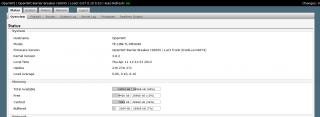
below is the new openwrt i flashed

Attached Image

This post has been edited by chuahcs79: Apr 11 2013, 12:05 AM
chuahcs79
post Apr 10 2013, 11:55 PM

Look at all my stars!!
Group Icon
Elite
6,931 posts

Joined: Apr 2011
From: Bolehland for sure ^_^


QUOTE(xplayxtreme @ Apr 10 2013, 11:48 PM)
does -94dbm rssi is good or bad?
*
rssi:94 is quite bad signal,.. notworthy.gif
chuahcs79
post Apr 11 2013, 12:04 AM

Look at all my stars!!
Group Icon
Elite
6,931 posts

Joined: Apr 2011
From: Bolehland for sure ^_^


QUOTE(xplayxtreme @ Apr 10 2013, 11:57 PM)
waaa..maybe i aim the panel antenna to wrong tower..aiya..anyway..thanks for your info.. smile.gif
*
u need rSSI 60~70 or 70~80,.. then consider medium and ok,. best is 50~60dBm
chuahcs79
post Apr 11 2013, 12:07 AM

Look at all my stars!!
Group Icon
Elite
6,931 posts

Joined: Apr 2011
From: Bolehland for sure ^_^


QUOTE(xplayxtreme @ Apr 11 2013, 12:06 AM)
yeah,,tomorrow i will try to change to direction of the antenna..last time i thought already aim at the right tower..huhu
*
may be recently maxis upgrading LTE and create hiccup
chuahcs79
post Apr 11 2013, 01:21 AM

Look at all my stars!!
Group Icon
Elite
6,931 posts

Joined: Apr 2011
From: Bolehland for sure ^_^


QUOTE(xplayxtreme @ Apr 11 2013, 12:18 AM)
yeah maybe..my connection always dc as well..
*
well u need to set the setting to keep the connection alive,. otherwise it will DC automatically
chuahcs79
post Apr 11 2013, 02:52 PM

Look at all my stars!!
Group Icon
Elite
6,931 posts

Joined: Apr 2011
From: Bolehland for sure ^_^


QUOTE(xplayxtreme @ Apr 11 2013, 11:35 AM)
yeah i setting the 'keep connection alive: enabled with restart'.

now it doesn't dc but sometimes the connection become slow sometimes fast..haha

but its ok la..last night can download up to 1mbps with idm..happy already.. biggrin.gif
*
if u want accurate number, try Networx

is more accurate than speedtest or IDM notworthy.gif

i use that setting too, never DC or slow at all notworthy.gif
chuahcs79
post Apr 11 2013, 07:32 PM

Look at all my stars!!
Group Icon
Elite
6,931 posts

Joined: Apr 2011
From: Bolehland for sure ^_^


QUOTE(0168257061 @ Apr 11 2013, 07:28 PM)
Last week I just bought MR3420 V2.
But I am new to flashing.
What are the advantages over stock firmware ?

Anywhere I can find guide to flash openwrt ?
*
here's the link : http://www.rfactory.org/OpenWRT/index.html

make sure u download the last group under the red color warning words,. ( that's the latest one )

and flashing to openwrt/ddwrt, can give stable wifi connection, many other function like modem detail, network status,. QoS, dns forwarding, and so on,..

mine is MR11u V3 convert to MR3040 V1 oipenwrt firmware ( for yours u download the MR3420 V2 version )

Attached Image

This post has been edited by chuahcs79: Apr 11 2013, 07:33 PM

25 Pages < 1 2 3 4 5 > » Top
Topic ClosedOptions
 

Change to:
| Lo-Fi Version
0.0429sec    0.68    7 queries    GZIP Disabled
Time is now: 15th December 2025 - 03:16 PM