Welcome Guest ( Log In | Register )

Bump Topic Topic Closed RSS Feed
72 Pages « < 18 19 20 21 22 > » Bottom

Outline · [ Standard ] · Linear+

 LYN Notebook Price Catalog V4, For reference/reviews/discussions

views
     
TS[PF] T.J.
post May 22 2013, 12:03 PM

20k VIP Club
Group Icon
Elite
24,193 posts

Joined: Feb 2010
From: Perak
QUOTE(nexus2238 @ May 22 2013, 11:46 AM)
will definitely try to abuse the hinge when I get my hands on a display unit laugh.gif
But so far this is the best hinge design (on paper at least, and if it really can stand the abuse) that I've seen, better than the XPS 13 or the Sony Viao or the Lenovo Twist. And the fact that Acer feel confident to put it with a much heavier 15" screen  hmm.gif
*
Looking forward to your review man laugh.gif
I hope Acer put the fancy screen in the 15" variant out of confidence rather than negligence haha.... they have a pretty bad record when it comes to wobbly screen hinges sweat.gif
raymondtong94
post May 22 2013, 08:41 PM

Choco-chan daisuki!
********
Senior Member
11,096 posts

Joined: Feb 2011
From: Your kokoro


QUOTE(PF T.J. @ May 22 2013, 12:03 PM)
Looking forward to your review man laugh.gif
I hope Acer put the fancy screen in the 15" variant out of confidence rather than negligence haha.... they have a pretty bad record when it comes to wobbly screen hinges  sweat.gif
*
i may abuse it more, as i will travel from home to work on LRT (bukit jalil to KL) and use it during on work and transit. most probably in 3 months, the hinge will loosen. laugh.gif
-kytz-
post May 22 2013, 09:09 PM

10k Club
********
All Stars
12,573 posts

Joined: Nov 2008
QUOTE(nexus2238 @ May 22 2013, 11:46 AM)
will definitely try to abuse the hinge when I get my hands on a display unit laugh.gif
But so far this is the best hinge design (on paper at least, and if it really can stand the abuse) that I've seen, better than the XPS 12 or the Sony Viao or the Lenovo Twist. And the fact that Acer feel confident to put it with a much heavier 15" screen  hmm.gif
*
Ehhh the funny thing is the placement of the touchpad. How to use it when the touchpad is above the keyboard laugh.gif Or are they expecting us to use mouse more often?
TS[PF] T.J.
post May 22 2013, 11:30 PM

20k VIP Club
Group Icon
Elite
24,193 posts

Joined: Feb 2010
From: Perak
QUOTE(-kytz- @ May 22 2013, 09:09 PM)
Ehhh the funny thing is the placement of the touchpad. How to use it when the touchpad is above the keyboard laugh.gif Or are they expecting us to use mouse more often?
*
maybe they expect people to use the touchscreen more kua? haha tongue.gif
raymondtong94
post May 23 2013, 01:12 AM

Choco-chan daisuki!
********
Senior Member
11,096 posts

Joined: Feb 2011
From: Your kokoro


QUOTE(PF T.J. @ May 22 2013, 11:30 PM)
maybe they expect people to use the touchscreen more kua? haha  tongue.gif
*
thats what they expected. Acer thought of 'who needs touchpad when you have touchscreen?'
nexus2238
post May 23 2013, 10:53 AM

Look at all my stars!!
*******
Senior Member
4,195 posts

Joined: Sep 2012


I'll keep an open mind on the touchpad for now biggrin.gif
The main advantages of the touchpad placement are these, I think hmm.gif
1. palm no longer has to rest on the palm rest area (which usually are a bit warm (personally I just find it uncomfortable).
2. the screen could be moved a lot closer to the user. No longer need to extend the arm across. Really help the utilisation of touch screen.
3. On W8 desktop mode, could push the screen back to "normal" position, and make touchpad available. I will try it out later and see if using the touchpad will make me accidentally press any button on the keyboard tongue.gif But I think sliding the hand up to use the touchpad actually is quite inutitive than cramping the hand down (always found touchpad annoying anyway, I'm a trackpoint user laugh.gif)

Will go look for it and test it out next Friday (this Friday is public holiday, not going into town to work rclxms.gif )
-kytz-
post May 23 2013, 12:31 PM

10k Club
********
All Stars
12,573 posts

Joined: Nov 2008
QUOTE(PF T.J. @ May 22 2013, 11:30 PM)
maybe they expect people to use the touchscreen more kua? haha  tongue.gif
*
Maybe the Metro UI...but for desktop, I can't imagine myself using much of the touch screen tongue.gif

QUOTE(nexus2238 @ May 23 2013, 10:53 AM)
I'll keep an open mind on the touchpad for now biggrin.gif
The main advantages of the touchpad placement are these, I think  hmm.gif
1. palm no longer has to rest on the palm rest area (which usually are a bit warm (personally I just find it uncomfortable).
2. the screen could be moved a lot closer to the user. No longer need to extend the arm across. Really help the utilisation of touch screen.
3. On W8 desktop mode, could push the screen back to "normal" position, and make touchpad available. I will try it out later and see if using the touchpad will make me accidentally press any button on the keyboard tongue.gif But I think sliding the hand up to use the touchpad actually is quite inutitive than cramping the hand down (always found touchpad annoying anyway, I'm a trackpoint user laugh.gif)

Will go look for it and test it out next Friday (this Friday is public holiday, not going into town to work  rclxms.gif )
*
Where did you get to test the Acer R7 ah?
nexus2238
post May 23 2013, 03:39 PM

Look at all my stars!!
*******
Senior Member
4,195 posts

Joined: Sep 2012


QUOTE(-kytz- @ May 23 2013, 12:31 PM)
Where did you get to test the Acer R7 ah?
*
Not sure yet. Normally, every Friday after lunch I will stroll around LYP. Let's see if the R7 will pop up in display in a few weeks time tongue.gif
budakmaran
post Jun 2 2013, 12:21 AM

Casual
***
Junior Member
323 posts

Joined: Dec 2011
From: Kinrara/ KL Sentral


hi all..
may someone suggest a gaming laptop with budget 2k?

Thanks
raymondtong94
post Jun 3 2013, 08:54 AM

Choco-chan daisuki!
********
Senior Member
11,096 posts

Joined: Feb 2011
From: Your kokoro


QUOTE(-kytz- @ May 23 2013, 12:31 PM)
Maybe the Metro UI...but for desktop, I can't imagine myself using much of the touch screen tongue.gif
Where did you get to test the Acer R7 ah?
*
QUOTE(nexus2238 @ May 23 2013, 03:39 PM)
Not sure yet. Normally, every Friday after lunch I will stroll around LYP. Let's see if the R7 will pop up in display in a few weeks time tongue.gif
*
i tested the acer R7 at PC Expo. just can say wow after saw that laptop. most of the time when playing with it, i used the touch interface only. touch pad is good and responsive. typing feel on the white backlit keyboard is ok only, cuz they dont give a very tactile feedback as scissor switches do, due to chiclet style keyboards. the laptop itself is quite heavy as a hybrid and it is not suitable for on-the-transit usage if you are a tablet user. viewing angles are great and colours arent washed out if viewed from top to down. thanks to the full HD IPS screen technology used by Acer, just hope the glare can be reduced a bit by adding an anti-glare film.

last feedback for the R7 is, it is a good budget and massive hybrid ever found.
TS[PF] T.J.
post Jun 3 2013, 09:21 AM

20k VIP Club
Group Icon
Elite
24,193 posts

Joined: Feb 2010
From: Perak
QUOTE(raymondtong94 @ Jun 3 2013, 08:54 AM)
i tested the acer R7 at PC Expo. just can say wow after saw that laptop. most of the time when playing with it, i used the touch interface only. touch pad is good and responsive. typing feel on the white backlit keyboard is ok only, cuz they dont give a very tactile feedback as scissor switches do, due to chiclet style keyboards. the laptop itself is quite heavy as a hybrid and it is not suitable for on-the-transit usage if you are a tablet user. viewing angles are great and colours arent washed out if viewed from top to down. thanks to the full HD IPS screen technology used by Acer, just hope the glare can be reduced a bit by adding an anti-glare film.

last feedback for the R7 is, it is a good budget and massive hybrid ever found.
*
Saw one at Digital Mall as well laugh.gif
Like you said, its massive! Especially when its "converted" into "desktop" mode haha..
But I'm a bit sceptical of the hinge.. it looks pretty strained by the monitor hmm.gif
raymondtong94
post Jun 3 2013, 09:27 AM

Choco-chan daisuki!
********
Senior Member
11,096 posts

Joined: Feb 2011
From: Your kokoro


QUOTE(PF T.J. @ Jun 3 2013, 09:21 AM)
But I'm a bit sceptical of the hinge.. it looks pretty strained by the monitor  hmm.gif
*
yeah. i find some time to learn how to turn the monitor and questionable about the hinge durability.
Alpha_Tay
post Jun 5 2013, 01:39 PM

Beware The Spammer Star!
******
Senior Member
1,725 posts

Joined: Jan 2003
finally another acer digital catalog after more than half year.

https://www.acer-sites.com.my/downloads/025...pp_Roadshow.pdf

no haswell.

This post has been edited by Alpha_Tay: Jun 5 2013, 02:03 PM
raymondtong94
post Jun 6 2013, 11:10 AM

Choco-chan daisuki!
********
Senior Member
11,096 posts

Joined: Feb 2011
From: Your kokoro


TJ, time to update the dell's price list as in official site.

Dell Inspiron 14 i5 ULV GT625M (same spec as in list) - RM1699
Dell Inspiron 14R i5 ULV GT730M W8SL - RM2199
Dell Inspiron 14R i7 ULV GT730M (1366x768 touch) W8SL 8GB 1TB - RM2799
Dell Inspiron 15 i5 ULV HD7670M - RM1749 (W8SL)/RM1649 (Ubuntu 12.04)
Dell Inspiron 15R i5 ULV HD8730M 4GB 750GB W8SL 4-cell - RM1949
Dell Inspiron 15R i7 ULV HD8730M 8GB 1TB 6-cell - RM2349 (Ubuntu)
Dell Inspiron 15R i5 ULV HD8730M 6GB 750GB 6-cell (1366x768 touch) - RM2399
Dell Inspiron 15R i7 ULV HD8730M 8GB 1TB 6-cell W8SL - RM2549/RM2749 (touch)
TS[PF] T.J.
post Jun 7 2013, 10:10 AM

20k VIP Club
Group Icon
Elite
24,193 posts

Joined: Feb 2010
From: Perak
Dell pricelist updated rclxms.gif
devour
post Jun 7 2013, 10:26 AM

Look at all my stars!!
*******
Senior Member
2,227 posts

Joined: May 2010


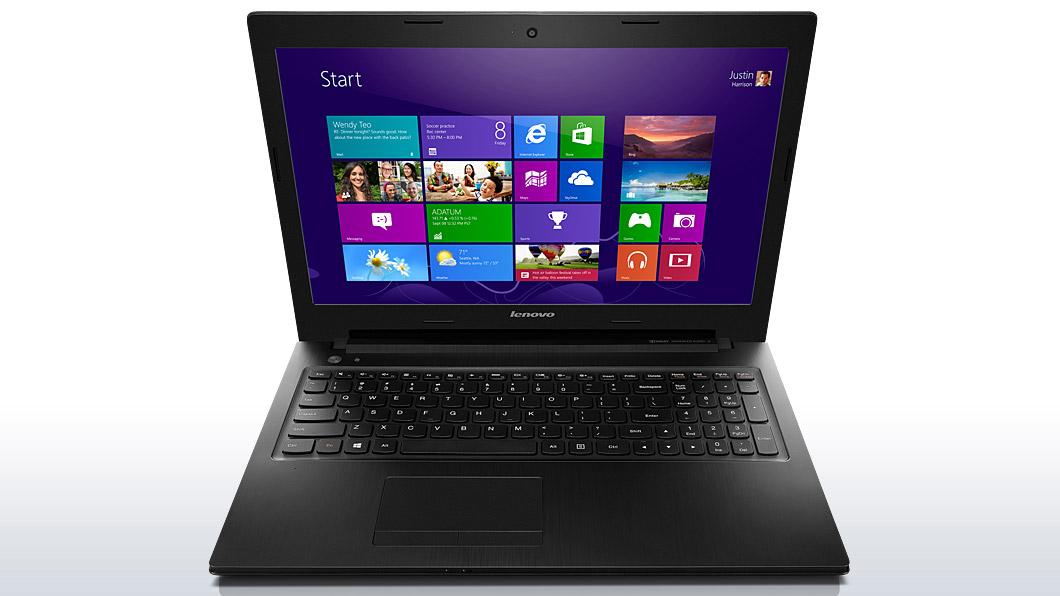
Lenovo G400S

i5-3230
4 GB ram
1TB
14
W8
GT740 2GB

1 Yr In'tl

rm 1899
ytlay
post Jun 7 2013, 06:33 PM

Regular
******
Senior Member
1,087 posts

Joined: Dec 2006
Y410p with new Haswell core i7-4700MQ + GT750m(GDDR5) in MY. brows.gif
Y410p i7-4700MQ + GT750M(GDDR5)@RM2899, 8GB, 1TB, W8, red backlit, 120w psu, swappable ODD, 2 yrs

G400s affordable slim profile laptop in MY. rclxms.gif
G400s i5-3230M + GT740M@RM1799, 4GB, 500GB, W8
G400s i5-3230M + GT740M@RM1899, 4GB, 1TB, W8
http://lnv.gy/10UEiPI
» Click to show Spoiler - click again to hide... «


Lenovo updates.
V480, i5-3230M + Nvidia GT740M@RM2305, 4GB, 500GB, W7P/W8P
[Ultrabook]U410T, i5-3337U + Nvidia G710M + 24GB SSD + (1366x768; touch)@RM2699[1.85kg], 4GB,500GB, W8, 2 yrs
[ultrabook]IdeaPad Yoga 13, i7-3537U + Intel HD4000 + 256GB SSD + (1600x900 IPS; touch)@RM3799[1.5kg], 4GB, W8, 2 yrs

This post has been edited by ytlay: Jun 7 2013, 06:34 PM
lwtw
post Jun 7 2013, 07:55 PM

New Member
*
Junior Member
30 posts

Joined: Aug 2009
wowww, you guys saw the killer specs for P34G?
http://www.gigabyte.my/products/product-pa...spx?pid=4636#sp
Will it get here? What will this cost? maybe it can fry eggs too.

Disclaimernotice
post Jun 8 2013, 09:21 PM

Getting Started
**
Junior Member
70 posts

Joined: Apr 2013
QUOTE(lwtw @ Jun 7 2013, 07:55 PM)
wowww, you guys saw the killer specs for P34G?
http://www.gigabyte.my/products/product-pa...spx?pid=4636#sp
Will it get here? What will this cost? maybe it can fry eggs too.
*
Yes, I'd really like to know where in Malaysia I can get my hands on that laptop.
TS[PF] T.J.
post Jun 10 2013, 10:58 AM

20k VIP Club
Group Icon
Elite
24,193 posts

Joined: Feb 2010
From: Perak
The latest Asus product guide is up:
http://event.asus.com/my/2013/productguide...ly_Notebook.pdf

72 Pages « < 18 19 20 21 22 > » Top
Topic ClosedOptions
 

Change to:
| Lo-Fi Version
0.0357sec    0.61    6 queries    GZIP Disabled
Time is now: 8th December 2025 - 11:47 AM