

QUOTE(MX510 @ Mar 20 2008, 08:30 AM)
Kalau pakai kerbau ko set kepada 62mW :-) that is max just nice settings

aku pun tgh testing xmit power yang baik, buat masa ni paling baik 68-70mw..THE DD-WRT V1, For Linksys WRT54G/GL/GS Fans -ONLY-
|
|
 Mar 20 2008, 10:23 AM Mar 20 2008, 10:23 AM
|
 
Junior Member
292 posts Joined: Feb 2008   
|
QUOTE(MX510 @ Mar 20 2008, 08:30 AM) Kalau pakai kerbau ko set kepada 62mW :-) that is max just nice settings aku pun tgh testing xmit power yang baik, buat masa ni paling baik 68-70mw.. |
|
|
|
|
|
Mar 20 2008, 10:54 AM
|
 
Elite
2,520 posts Joined: Jan 2003 From: Sibu
|
aku set 70 setakat ni. Ok je da 2 hari tak off lagi no problem so far. Client pun ada 2 orang
 |
|
|
Mar 20 2008, 07:51 PM
|

Senior Member
962 posts Joined: Jan 2006 From: شه عالم
|
my first linksys wrt54gl is running at 251mW + 8.5dBi antenna for more than 2 years already...
 |
|
|
Mar 20 2008, 09:03 PM
|
|
Junior Member
292 posts Joined: Feb 2008
|
This is what happen when AP power is more than client adapter:
http://www.connect802.com/client_cards.htm |
|
|
Mar 21 2008, 01:58 AM
|
 
Staff
12,089 posts Joined: Dec 2004 From: Malaysia
|
Suspecting that my WRT54GS is having some hardware failure issue now, the wireless connection goes on and off quite frequently. Going to do some troubleshooting tomorrow morning.
 |
|
|
Mar 21 2008, 08:22 AM
|

Senior Member
2,865 posts Joined: Jan 2003
|
QUOTE(yongkailoon @ Mar 21 2008, 01:58 AM) Suspecting that my WRT54GS is having some hardware failure issue now, the wireless connection goes on and off quite frequently. Going to do some troubleshooting tomorrow morning. Used to experience that b4, but that was after flashing to tomato. Maybe U can try clear the NVram first. IF cannot, can try flash again and then clear NVram. Just my suggestion.Now I upgrade myself, playing with OpenWRT+X-WRT(White Russian) firmware. Very powerful firmware and UI is fast too compare to DD-WRT. The QoS is every effective and work well compare to DD-WRT and tomato. Use to get around 650ms during WoW game with some p2p download at background. Now with new firmware, can get around 400ms!!  Highly recommend for those who want to try new thing.. |
|
|
|
|
|
Mar 21 2008, 03:17 PM
|
|
Staff
12,089 posts Joined: Dec 2004 From: Malaysia
|
QUOTE(mikelanding @ Mar 21 2008, 08:22 AM) Used to experience that b4, but that was after flashing to tomato. Maybe U can try clear the NVram first. IF cannot, can try flash again and then clear NVram. Just my suggestion. After doing a lot of troubleshooting, it is now confirmed that there is a problem with the router's wireless components. It is still working fine just that the wireless connectivity is gone. I now have to hook it up with a D-Link router to have wireless access.Now I upgrade myself, playing with OpenWRT+X-WRT(White Russian) firmware. Very powerful firmware and UI is fast too compare to DD-WRT. The QoS is every effective and work well compare to DD-WRT and tomato. Use to get around 650ms during WoW game with some p2p download at background. Now with new firmware, can get around 400ms!! Highly recommend for those who want to try new thing.. |
|
|
Mar 21 2008, 06:21 PM
|

Senior Member
4,038 posts Joined: Aug 2005 From: Earth 
|
QUOTE(yongkailoon @ Mar 21 2008, 03:17 PM) After doing a lot of troubleshooting, it is now confirmed that there is a problem with the router's wireless components. It is still working fine just that the wireless connectivity is gone. I now have to hook it up with a D-Link router to have wireless access. Wow that's bad get a kerbau to replace that router . You boost to much mW to your antenna? Sorry for what happened to you . D-Link should be okay for temporary use |
|
|
Mar 21 2008, 06:29 PM
|
|
Staff
12,089 posts Joined: Dec 2004 From: Malaysia
|
QUOTE(MX510 @ Mar 21 2008, 06:21 PM) Wow that's bad get a kerbau to replace that router . You boost to much mW to your antenna? Sorry for what happened to you . D-Link should be okay for temporary use Thought of getting Buffalo to replace but not at the moment as budget is a bit tight at the moment. I used 40mW for the output power. |
|
|
Mar 21 2008, 06:49 PM
|

Senior Member
1,427 posts Joined: Sep 2006
|
how to blocking website with ddwrt?
already enabled the access restrictions.. on Website Blocking by URL Address already put the web.. as example yahoo.com.. but still can access yahoo.com anyone can help me? thanks in advance. This post has been edited by xtreme_paranoid: Mar 21 2008, 07:07 PM |
|
|
Mar 21 2008, 09:07 PM
|
|
Senior Member
962 posts Joined: Jan 2006 From: شه عالم
|
QUOTE(xtreme_paranoid @ Mar 21 2008, 06:49 PM) how to blocking website with ddwrt? you need to add IP address or MAC for the pc that you want to block.already enabled the access restrictions.. on Website Blocking by URL Address already put the web.. as example yahoo.com.. but still can access yahoo.com anyone can help me? thanks in advance. |
|
|
Mar 21 2008, 10:15 PM
|
|
Senior Member
1,427 posts Joined: Sep 2006
|
i mean block certain website..
not block the pc to access the internet.. i wanna block the p*rn site.. anyway, thanks for the answer  |
|
|
Mar 22 2008, 12:13 PM
|
|
Elite
2,520 posts Joined: Jan 2003 From: Sibu
|
Ni contoh load balancer 2 WAN pakai ubuntu linux. Mantap skit hotspot pakai load balancing ni
Lain kali kita wat triple quadriple load balancer plak... huhuhu CODE .install SSH server so that the PC Linux gateaway accessable from other computer: # apt-get install openssh-server # /etc/init.d/ssh restart . edit file /etc/network/interfaces. Make sure the content of the file is: (WAN1 : 10.0.148.48, WAN2:192.168.1.222, LAN:192.168.0.222) auto eth0 iface eth0 inet static address 10.0.148.48 netmask 255.255.255.0 auto eth1 iface eth1 inet static address 192.168.0.222 netmask 255.255.255.0 auto eth2 iface eth2 inet static address 192.168.1.222 netmask 255.255.255.0 . fill the file of /etc/iproute2/rt_tables with adsl table, wirelessisp, dan internet to simplefied iproute2 job. Example of file content: 120 adsl 121 wirelessisp 123 internet . Make script to start and control iproute2 to turn ON load balancing. The script can be place at /etc/rc.local so it will automaticly start on booting. Example of the script: # activate interface/sbin/ip link set lo up /sbin/ip link set eth0 up /sbin/ip link set eth1 up /sbin/ip link set eth2 up # flush/clear existing routing table /sbin/ip route flush table adsl /sbin/ip route flush table wirelessisp /sbin/ip route flush table internet # enter the information of ip address and broadcast every interface /sbin/ip addr add 127.0.0.1/8 brd 127.0.0.255 dev lo /sbin/ip addr add 192.168.1.222/24 brd 192.168.1.255 dev eth2 /sbin/ip addr add 10.0.148.48/24 brd 10.0.148.255 dev eth0 /sbin/ip addr add 192.168.0.222/24 brd 192.168.0.255 dev eth1 # Enter the routing table to LAN /sbin/ip route add 127.0.0.0/8 dev lo /sbin/ip route add 192.168.0.0/24 dev eth1 # give priority to each table /sbin/ip rule add prio 10 table main /sbin/ip rule add prio 20 table adsl /sbin/ip rule add prio 30 table wirelessisp /sbin/ip rule add prio 40 table internet # delete routing to the default gateway /sbin/ip route del default table main /sbin/ip route del default table adsl /sbin/ip route del default table wirelessisp /sbin/ip route del default table internet # make a routing table to ADSL gateaway /sbin/ip rule add prio 20 from 192.168.1.0/24 table adsl /sbin/ip route add default via 192.168.1.1 dev eth2 src 192.168.1.222 \ proto static table adsl /sbin/ip route append prohibit default table adsl metric 1 proto static # make a routing table to Wireless ISP /sbin/ip rule add prio 30 from 10.0.148.0/24 table wirelessisp /sbin/ip route add default via 10.0.148.254 dev eth0 src 10.0.148.48 \ proto static table wirelessisp /sbin/ip route append prohibit default table wirelessisp metric 1 proto static # setup load balancing with 2 gateway to the Internet /sbin/ip rule add prio 40 table internet /sbin/ip route add default proto static table internet \ nexthop via 192.168.1.1 dev eth2 weight 1 \ nexthop via 10.0.148.254 dev eth0 weight 1 . Lastly, make a script to do NAT job to both WAN interface to internet. Script can be place at /etc/rc.local so it will run automatically upon booting. Example script: # make sure the linux pc can foward ip packet /bin/echo 1 > /proc/sys/net/ipv4/ip_forward # clear iptables content /sbin/iptables -F /sbin/iptables -P INPUT DROP /sbin/iptables -A INPUT -i eth1 -j ACCEPT /sbin/iptables -A INPUT -m state --state ESTABLISHED, RELATED -j ACCEPT /sbin/iptables -A INPUT -p tcp -i eth0 -j REJECT --reject-with tcp-reset /sbin/iptables -A INPUT -p tcp -i eth2 -j REJECT --reject-with tcp-reset /sbin/iptables -A INPUT -p udp -i eth0 -j REJECT --reject-with icmp-port-unreachable /sbin/iptables -A INPUT -p udp -i eth2 -j REJECT --reject-with icmp-port-unreachable # do the NAT for eth0 and eth2 interface /sbin/iptables -t nat -A POSTROUTING -o eth2 -j SNAT --to 192.168.1.222 /sbin/iptables -t nat -A POSTROUTING -o eth0 -j SNAT --to 10.0.148.48 This post has been edited by tictac: Mar 22 2008, 12:15 PM |
|
|
|
|
|
Mar 22 2008, 01:43 PM
|

Senior Member
1,178 posts Joined: Oct 2005 From: Sunway / Ipoh
|
QUOTE(azmihamzah @ Mar 20 2008, 07:51 PM) my first linksys wrt54gl is running at 251mW + 8.5dBi antenna for more than 2 years already... 251? not scared of frying ur brains eh? |
|
|
Mar 22 2008, 05:08 PM
|
|
Senior Member
962 posts Joined: Jan 2006 From: شه عالم
|
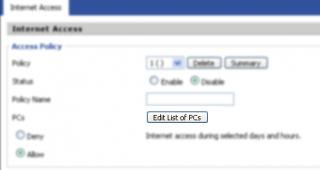
QUOTE(xtreme_paranoid @ Mar 21 2008, 10:15 PM) i mean block certain website.. #1. Add the url address that you want to block (porn site)not block the pc to access the internet.. i wanna block the p*rn site.. anyway, thanks for the answer #2. Click on "Edit lists of PCs" #3. Add the MAC address of the PC you want to block using the rules u set at #1, or by IP address, or by IP address range. Click "Save"  Attached thumbnail(s) 

|
|
|
Mar 22 2008, 05:09 PM
|
|
Senior Member
962 posts Joined: Jan 2006 From: شه عالم
|
QUOTE(youliang @ Mar 22 2008, 01:43 PM) 251? not scared of frying ur brains eh? people like me which has 9 dd-wrt routers has no brain  |
|
|
Mar 22 2008, 06:33 PM
|

Junior Member
481 posts Joined: Jan 2007
|
after i flash the dd-wrt i dun know wat should i going to chage the setting
|
|
|
Mar 22 2008, 06:43 PM
|

Senior Member
890 posts Joined: Jan 2003 From: Penang
|
i need some guide here. recently my wireless seem like no working stable. after wireless ON for few hour then it can't be use, if i using LAN then working fine. i'm using DD-WRT v23 SP2 for linksys WRT54GL.
please help me!!! thank you. |
|
|
Mar 22 2008, 07:38 PM
|
|
Senior Member
962 posts Joined: Jan 2006 From: شه عالم
|
QUOTE(davidsk2002 @ Mar 22 2008, 06:43 PM) i need some guide here. recently my wireless seem like no working stable. after wireless ON for few hour then it can't be use, if i using LAN then working fine. i'm using DD-WRT v23 SP2 for linksys WRT54GL. weird, MX510 is having a same problem as you. Suspected that overheating problem, but putting a fan does not help as well. Too much cosmic interference i think please help me!!! thank you. may i know where u live? |
|
|
Mar 22 2008, 09:03 PM
|
|
Elite
2,520 posts Joined: Jan 2003 From: Sibu
|
QUOTE(azmihamzah @ Mar 22 2008, 05:09 PM) people like me which has 9 dd-wrt routers has no brain Just make sure we read the Malaysia WiFi Signal Guideline  Before someone knock our door...  This post has been edited by tictac: Mar 22 2008, 09:34 PM Attached File(s)  WiFi_Guideline_Final_V.pdf ( 90.69k )
Number of downloads: 436
WiFi_Guideline_Final_V.pdf ( 90.69k )
Number of downloads: 436 |
|
Topic ClosedOptions
|
| Change to: |  0.0297sec 0.0297sec
 0.83 0.83
 6 queries 6 queries
 GZIP Disabled GZIP Disabled
Time is now: 4th December 2025 - 09:58 PM |
 Quote
Quote