Welcome Guest ( Log In | Register )

Bump Topic Topic Closed RSS Feed
123 Pages « < 27 28 29 30 31 > » Bottom

Outline · [ Standard ] · Linear+

 SΛMSUNG Galaxy W (I8150) Official Thread V4, Be intelligent; read thoroughly.

views
     
game4life
post Feb 5 2012, 08:45 PM

Regular
******
Senior Member
1,943 posts

Joined: Nov 2008
QUOTE(~@Sharks@~ @ Feb 5 2012, 08:23 PM)
Do i post both kernel and partial? Wifi off
*
yes

QUOTE(IwanAGP @ Feb 5 2012, 08:26 PM)
I kill active apps and use android default Clear Memory only.
8 hours 1% full idle is very normal. Actually when you just unplug. 8 hours probably drop to 98% like that. I'm now 18hours on battery since 2am, 56% left. Did on GPS and data for quite some time. But later noon i keep sleeping and watching movie on laptop. No time touch phone. Now still got 56%  laugh.gif  thumbup.gif
*
same with me thumbup.gif
~@Sharks@~
post Feb 5 2012, 08:51 PM

Casual
***
Junior Member
498 posts

Joined: Apr 2009
QUOTE(game4life @ Feb 5 2012, 08:45 PM)
yes
same with me thumbup.gif
*
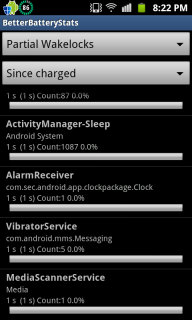
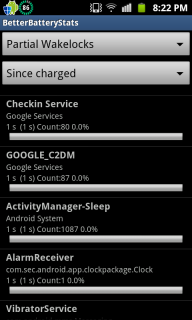
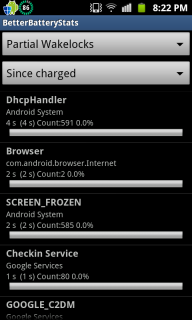
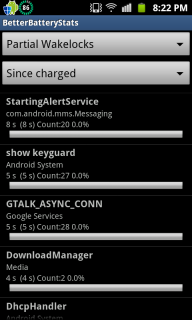
» Click to show Spoiler - click again to hide... «


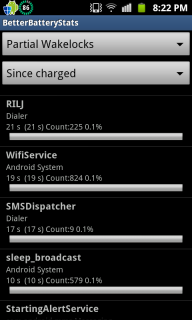
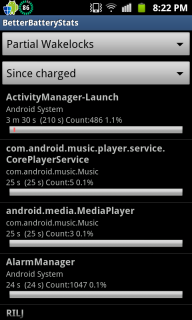
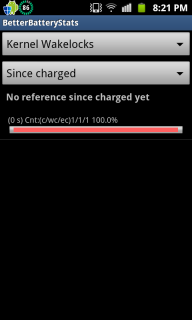
Here you go notworthy.gif

Btw, Wifi was off just now. I on it to download the app itself.

This post has been edited by ~@Sharks@~: Feb 5 2012, 09:02 PM
driots
post Feb 5 2012, 09:42 PM

Getting Started
**
Junior Member
119 posts

Joined: Dec 2009
How do u capture the screen on the phone?
what is the method. thanks.....
shiki_arc
post Feb 5 2012, 09:47 PM

Getting Started
**
Junior Member
281 posts

Joined: May 2009
From: EXA_PICO


QUOTE(xchaosdragon @ Feb 5 2012, 08:16 PM)
Tried ADB too, were you using Android Commander or the ADB from SDK Manager?
I got this when I try using the code.

[attachmentid=2669864]
*
I installed SDK manager. Then followed the code given for RZrecovery installation. After that, just enter recovery, clear cache and install cows ROM..no problem here. biggrin.gif

and after command SU, it will give a #, then you paste the next command. mine just do this and ok liao. And if u using SDK installer, you did set environmental path?

This post has been edited by shiki_arc: Feb 5 2012, 09:50 PM
cowithgun
post Feb 5 2012, 09:47 PM

A cow that can play notebook & phone
*******
Senior Member
2,248 posts

Joined: Sep 2010
QUOTE(~@Sharks@~ @ Feb 5 2012, 07:29 PM)
Wow guys. My battery was used for 4 h 17 MIN . Most of the time it is in idle state . I used like 10 mins to download apps and it dropped from 99% to 97 % . that was alright. Then it went idle for 3 hours straight and it drained 4% ! Last night it went idle for 8 hrs an it only drained 1%. Is this normal?

Plus, everytime i use advance task killer, I would minimize it and go back to the app to check if there are any other apps running. And it shows that i'm running gallery, whatsapp, google search, market,email, maps, and social hub . Any idea why? :confused:
*
According to what you say:

4h 17min - 100%-99%
10 mins internet - 99%-97%
3 hours idle - 97%-93%
8 hours sleep - 93%-92%

Total = 15 hours 27 mins = 8% usage

This is very good already. It would be more accurate if you can post your battery usage.

Go to Setting, About phone, Battery usage, tap on the graph you can see if your phone is active or in sleep from the graph.


Added on February 5, 2012, 9:48 pm
QUOTE(driots @ Feb 5 2012, 09:42 PM)
How do u capture the screen on the phone?
what is the method. thanks.....
*
Press Home button, hold it, press screen off. Let go both.

This post has been edited by cowithgun: Feb 5 2012, 09:48 PM
TSBesanth
post Feb 5 2012, 09:54 PM

On my way
****
Senior Member
668 posts

Joined: Nov 2011
From: Malaysia


I'm now going to install the OC version of Cow's Custom ROM. I've backed up my contacts & applications and finished downloading everything. Wish me luck guys! biggrin.gif
~@Sharks@~
post Feb 5 2012, 09:56 PM

Casual
***
Junior Member
498 posts

Joined: Apr 2009
QUOTE(cowithgun @ Feb 5 2012, 09:47 PM)
According to what you say:

4h 17min - 100%-99%
10 mins internet - 99%-97%
3 hours idle - 97%-93%
8 hours sleep - 93%-92%

Total = 15 hours 27 mins = 8% usage

This is very good already. It would be more accurate if you can post your battery usage.

Go to Setting, About phone, Battery usage, tap on the graph you can see if your phone is active or in sleep from the graph.


Added on February 5, 2012, 9:48 pm

Press Home button, hold it, press screen off. Let go both.
*
Hi. Thanks for the reply cheers.gif

I used till 76 percent ystd night. Then went to sleep till this morn

76 % - 75 %

Then this afternoon use cable to transfer stuff so i charge till 99% .
Came back and used it for 10 mins surfing

99% - 97

Then i took a nap . Did not use the phone so jst off screen for 3 hrs without nything running

97 - 93 %

I'm kinda paranoid as I'm still a newb. Need sifus to enlighten me cheers.gif
cowithgun
post Feb 5 2012, 09:59 PM

A cow that can play notebook & phone
*******
Senior Member
2,248 posts

Joined: Sep 2010
QUOTE(Besanth @ Feb 5 2012, 09:54 PM)
I'm now going to install the OC version of Cow's Custom ROM. I've backed up my contacts & applications and finished downloading everything. Wish me luck guys! biggrin.gif
*
Most important: make sure you have nandroid backup! anything wrong, can revert back. Good luck!

TSBesanth
post Feb 5 2012, 10:01 PM

On my way
****
Senior Member
668 posts

Joined: Nov 2011
From: Malaysia


QUOTE(cowithgun @ Feb 5 2012, 09:59 PM)
Most important: make sure you have nandroid backup! anything wrong, can revert back. Good luck!
*
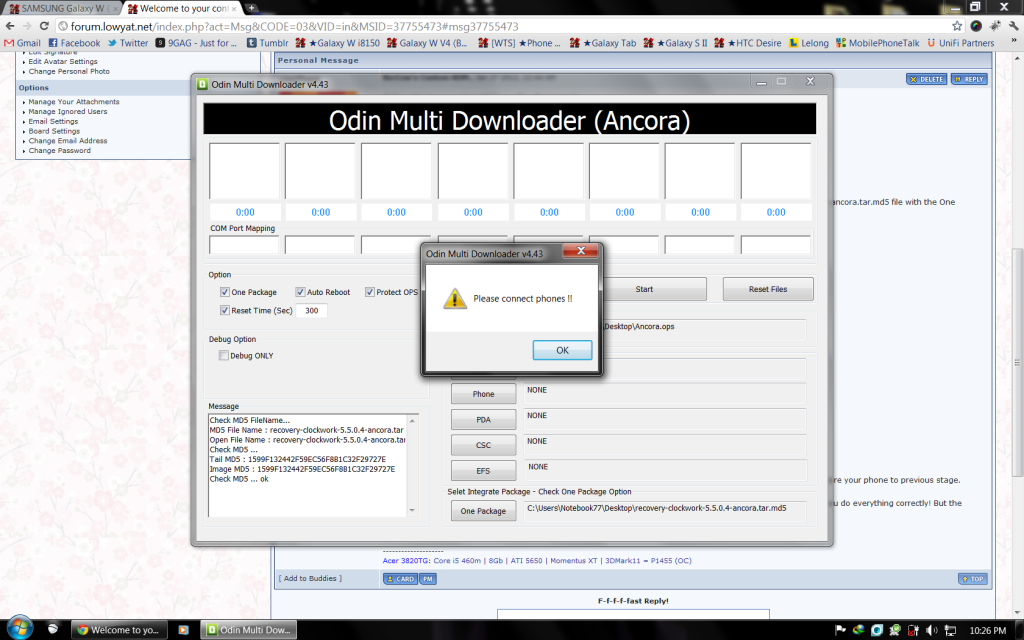
Luckily not yet do. Btw, where to get Nandroid and why when I click the "Start" on Odin, it keep saying "Please connect phones !!" ?
cowithgun
post Feb 5 2012, 10:03 PM

A cow that can play notebook & phone
*******
Senior Member
2,248 posts

Joined: Sep 2010
QUOTE(Besanth @ Feb 5 2012, 10:01 PM)
Luckily not yet do. Btw, where to get Nandroid and why when I click the "Start" on Odin, it keep saying "Please connect phones !!" ?
*
You can access nandroid back in ClockWorkMod. In CWM, select Backup your phone. You cannot use Odin to install my custom ROM! Must use CWM or RZRecovery...
TSBesanth
post Feb 5 2012, 10:04 PM

On my way
****
Senior Member
668 posts

Joined: Nov 2011
From: Malaysia


QUOTE(cowithgun @ Feb 5 2012, 10:03 PM)
You can access nandroid back in ClockWorkMod. In CWM, select Backup your phone. You cannot use Odin to install my custom ROM! Must use CWM or RZRecovery...
*
Oh... Okay. But... last time you PM'ed me the details on how to install the Custom ROM, you wrote there use Odin to Install ClockworkMod? blink.gif

This post has been edited by Besanth: Feb 5 2012, 10:05 PM
cowithgun
post Feb 5 2012, 10:10 PM

A cow that can play notebook & phone
*******
Senior Member
2,248 posts

Joined: Sep 2010
QUOTE(Besanth @ Feb 5 2012, 10:04 PM)
Oh... Okay. But... last time you PM'ed me the details on how to install the Custom ROM, you wrote there use Odin to Install ClockworkMod?  blink.gif
*
Ya, use Odin to install CWM. Then use CWM to install my ROM.

PS: about the step 0, there is newer ROM now! check this page:

http://forum.xda-developers.com/showthread.php?t=1441662

This post has been edited by cowithgun: Feb 5 2012, 10:12 PM
TSBesanth
post Feb 5 2012, 10:12 PM

On my way
****
Senior Member
668 posts

Joined: Nov 2011
From: Malaysia


QUOTE(cowithgun @ Feb 5 2012, 10:10 PM)
Ya, use Odin to install CWM. Then use CWM to install my ROM.
*
But.. now to install the CWM, I click "Start" on Odin it keeps popping up "Please connect phones !!".
cowithgun
post Feb 5 2012, 10:18 PM

A cow that can play notebook & phone
*******
Senior Member
2,248 posts

Joined: Sep 2010
Phone connected to PC via USB??? Hey, if u not sure, dont continue until you get someone to help u!

Got something to do! Back in 2 hours!
TSBesanth
post Feb 5 2012, 10:23 PM

On my way
****
Senior Member
668 posts

Joined: Nov 2011
From: Malaysia


QUOTE(cowithgun @ Feb 5 2012, 10:18 PM)
Phone connected to PC via USB??? Hey, if u not sure, dont continue until you get someone to help u!

Got something to do! Back in 2 hours!
*
Yeah, connected to PC via USB already. I restart my laptop also still the same! It keep popping up "Please connect phones !!". Damn it, why like this one?! mad.gif vmad.gif
shiki_arc
post Feb 5 2012, 10:25 PM

Getting Started
**
Junior Member
281 posts

Joined: May 2009
From: EXA_PICO


QUOTE(Besanth @ Feb 5 2012, 10:23 PM)
Yeah, connected to PC via USB already. I restart my laptop also still the same! It keep popping up "Please connect phones !!". Damn it, why like this one?!  mad.gif  vmad.gif
*
I have the same problem. Then give up and install SDK to use adb for manual recovery install...
TSBesanth
post Feb 5 2012, 10:29 PM

On my way
****
Senior Member
668 posts

Joined: Nov 2011
From: Malaysia


user posted image

See. It keep popping up like this! I've tried restarting my laptop also still can't. Anyone know how to solve this problem? Haihh vmad.gif
game4life
post Feb 5 2012, 10:32 PM

Regular
******
Senior Member
1,943 posts

Joined: Nov 2008
QUOTE(Besanth @ Feb 5 2012, 10:12 PM)
But.. now to install the CWM, I click "Start" on Odin it keeps popping up "Please connect phones !!".
*
reinstall the usb driver http://forum.xda-developers.com/showthread.php?t=961956
Reboot and try again

TSBesanth
post Feb 5 2012, 10:36 PM

On my way
****
Senior Member
668 posts

Joined: Nov 2011
From: Malaysia


QUOTE(game4life @ Feb 5 2012, 10:32 PM)
reinstall the usb driver http://forum.xda-developers.com/showthread.php?t=961956
Reboot and try again
*
Thank you smile.gif I shall try it out now.


Added on February 5, 2012, 10:50 pmI reinstall the USB driver then reboot also still can't. This is my first time installing custom ROM for a device, so I'm a newbie. I guess I'll just wait for Cowithgun to return and I'll seek for his help sad.gif

This post has been edited by Besanth: Feb 5 2012, 10:50 PM
driots
post Feb 5 2012, 11:17 PM

Getting Started
**
Junior Member
119 posts

Joined: Dec 2009
QUOTE(Besanth @ Feb 5 2012, 10:29 PM)
user posted image

See. It keep popping up like this! I've tried restarting my laptop also still can't. Anyone know how to solve this problem? Haihh  vmad.gif
*
Have u try setting the odin first than only plug in the cable than press start. Or press start than only plug in the usb cable.
I facing the same problem like u but manage to get it installed.

123 Pages « < 27 28 29 30 31 > » Top
Topic ClosedOptions
 

Change to:
| Lo-Fi Version
0.0269sec    0.83    6 queries    GZIP Disabled
Time is now: 11th December 2025 - 05:10 PM