Welcome Guest ( Log In | Register )

Bump Topic Topic Closed RSS Feed
100 Pages « < 60 61 62 63 64 > » Bottom

Outline · [ Standard ] · Linear+

 LYN DJing Thread, Spin, Twist and Turn !!!!

views
     
leng2
post May 26 2008, 10:05 PM

モデレーター
****
Senior Member
603 posts

Joined: Jun 2006
according to your illustration, you're assuming the both pgm1&2 are deck 1 and 2, which is incorrect (if i'm not wrong la)

going thru the soundcard, analog out 1 & 2 is suppose your monitor output and 3 & 4 is, which in my case is the headphone, so, i'm not really sure where u should plug that to.

take a picture behind of your mixer... lemme see what's there
westokan
post May 26 2008, 10:20 PM

Casual
***
Junior Member
469 posts

Joined: Jan 2008


QUOTE(speedfamgirl @ May 26 2008, 09:21 PM)
no lah...actually i set it all correct, just need to increase the gain a bit higher on the external mixer.

but anyway, this is what i've tried & found....
Mixvibes

- can control wave in software externally using timecode
- bunyi 'eeeee' too loud, but ada music came out from speaker
- need to play in REV mode, activate jog wheel to control wave
Virtual DJ

- all CDJ buttons & functions works 100% with the software
- right deck have timecode sound while music playing, left deck ok

Maya 44 usb setup (playing CD & live recording)

user posted image
scenario:
- 2 decks playing, crossfader at left (PGM 1) but can hear sound from deck 2
- crossfader at right (PGM 2), no sound came out
- recording in audacity, only deck 2 can record...lain tak dapat
any help? saya dah buntu fikiran nih... rclxub.gif
*
gile la speed, lawa betul the diagram, pakai autocad ke? tongue.gif
Choongster
post May 26 2008, 11:00 PM

Banned From Lowyat.net
******
Senior Member
1,606 posts

Joined: Jan 2008
From: Car Junk


QUOTE(speedfamgirl @ May 26 2008, 09:21 PM)
- bunyi 'eeeee' too loud, but ada music came out from speaker
are you using ASIO4All driver?
i think your MAYA should have a control panel where you can "mute" it so you won't hear the "EEEEEE" Sound...

this is my ASIO setup on mixvibes

user posted image


westokan .. refering to the same image , the "Control Panel" at the bottom will bring me to my asio setup for the "BUFFER SIZE" to reduce the latency.


Added on May 26, 2008, 11:12 pm
QUOTE(speedfamgirl @ May 26 2008, 09:21 PM)
scenario:
- 2 decks playing, crossfader at left (PGM 1) but can hear sound from deck 2
- crossfader at right (PGM 2), no sound came out
- recording in audacity, only deck 2 can record...lain tak dapat
any help? saya dah buntu fikiran nih... rclxub.gif
*
this could be that u did not set the channel properly... look at your software and look if you can see any single digit number "1" ..
usually labeled as Out / Output ... if u can click on that and if the number change to "2" then .. player should remain 1 ... and player two should now be "2" .....

if u hear two channel playing when the fader is on one side means the outputs of both players has be "pushed" to the same Line thus hearing two sides and when the crossfader is moved over to "Channel 2" it's silent due to nothing is going out to Channel 2 ..

hope i make sense ..


Added on May 26, 2008, 11:14 pmif you looking to try asio drivers ... here is the link http://www.asio4all.com/

This post has been edited by Choongster: May 26 2008, 11:14 PM

westokan
post May 26 2008, 11:17 PM

Casual
***
Junior Member
469 posts

Joined: Jan 2008


Vinyl type V1 :
Since the version 6.28.2 , these vinyls can't be use .

- i think i found my problem. damn.
Choongster
post May 26 2008, 11:19 PM

Banned From Lowyat.net
******
Senior Member
1,606 posts

Joined: Jan 2008
From: Car Junk


QUOTE(westokan @ May 26 2008, 11:17 PM)
Vinyl type V1 :
Since the version 6.28.2 , these vinyls can't be use .

- i think i found my problem. damn.
*
ur vinyl is type 1?
speedfamgirl
post May 26 2008, 11:21 PM

Not afraid of #138
******
Senior Member
1,900 posts

Joined: Apr 2007
From: Mental Asylum
QUOTE(leng2 @ May 26 2008, 10:05 PM)
according to your illustration, you're assuming the both pgm1&2 are deck 1 and 2, which is incorrect (if i'm not wrong la)

going thru the soundcard, analog out 1 & 2 is suppose your monitor output and 3 & 4 is, which in my case is the headphone, so, i'm not really sure where u should plug that to.

take a picture behind of your mixer... lemme see what's there
*
something like this

user posted image

giler ah lambat betul internet nih vmad.gif
nak upload gambar pun susah mad.gif

apa lagi nak reply u all...
westokan
post May 26 2008, 11:25 PM

Casual
***
Junior Member
469 posts

Joined: Jan 2008


QUOTE(Choongster @ May 26 2008, 11:19 PM)
ur vinyl is type 1?
*
yep...
now looking if i can get version < 6.28.2 or any other software eg miss pinky or vdj etc
Choongster
post May 26 2008, 11:27 PM

Banned From Lowyat.net
******
Senior Member
1,606 posts

Joined: Jan 2008
From: Car Junk


QUOTE(westokan @ May 26 2008, 11:25 PM)
yep...
now looking if i can get version < 6.28.2 or any other software eg miss pinky or vdj etc
*
vinyl 1 is no good
speedfamgirl
post May 26 2008, 11:30 PM

Not afraid of #138
******
Senior Member
1,900 posts

Joined: Apr 2007
From: Mental Asylum
QUOTE(Choongster @ May 26 2008, 11:00 PM)
are you using ASIO4All driver?
i think your MAYA should have a control panel where you can "mute" it so you won't hear the "EEEEEE" Sound...

this is my ASIO setup on mixvibes

user posted image
westokan  .. refering to the same image , the "Control Panel" at the bottom will bring me to my asio setup for the "BUFFER SIZE" to reduce the latency.


Added on May 26, 2008, 11:12 pm
this could be that u did not set the channel properly... look at your software and look if you can see any single digit number "1" ..
usually labeled as Out / Output  ... if u can click on that and if the number change to "2" then .. player should remain 1 ... and player two should now be "2" .....

if u hear two channel playing when the fader is on one side means the outputs of both players has be "pushed" to the same Line thus hearing two sides and when the crossfader is moved over to "Channel 2" it's silent due to nothing is going out to Channel 2 ..

hope i make sense ..


Added on May 26, 2008, 11:14 pmif you looking to try asio drivers ... here is the link http://www.asio4all.com/
*
tak paham laa rclxub.gif

okay, macam ni....i want to record sounds/mixes by using the maya soundcard.
suppose that when i play both deck they should be recorded together, betul kan?
but this only 1 deck saja dapat...another one no signal recorded.

and that method up there, is it referring to mixvibes?
Choongster
post May 26 2008, 11:37 PM

Banned From Lowyat.net
******
Senior Member
1,606 posts

Joined: Jan 2008
From: Car Junk


u cannot record using your mayaUSB .. u got no more input ...
in order to record ..
your output of your mixer should go directly into a recording device
leng2
post May 26 2008, 11:45 PM

モデレーター
****
Senior Member
603 posts

Joined: Jun 2006
ann, i think this soundcard may not be the right solution for you. but anyway, to make this still work for you, if i'm not wrong, you will need to actually split analog out 1 to your line 1, and analog ouy 2 to line 2... for monitoring, i'm not really sure which one to connect to... but my best bet is the session in. your master out in your mixer should go to directly to your speakers.

you have put analog out 1 & 2 to one of your line ins, that that's half correct and that's why u only have half of the sound going through... analog out 1 & 2 as i mentioned earlier, is meant for the monitors, and 3 & 4 for the headphones.
so, if u split the analog out 1 to line 1 and analog out 2 to line 2, you should be able to get it work.

i'll post a pic of my setup tomorrow...

This post has been edited by leng2: May 26 2008, 11:49 PM
speedfamgirl
post May 26 2008, 11:46 PM

Not afraid of #138
******
Senior Member
1,900 posts

Joined: Apr 2007
From: Mental Asylum
alaa....cis what a waste..i thought all external soundcard can record one...
Choongster
post May 26 2008, 11:48 PM

Banned From Lowyat.net
******
Senior Member
1,606 posts

Joined: Jan 2008
From: Car Junk


QUOTE(speedfamgirl @ May 26 2008, 11:46 PM)
alaa....cis what a waste..i thought all external soundcard can record one...
*
either use your desktop to record ... or use another laptop to record ..smile.gif
speedfamgirl
post May 26 2008, 11:49 PM

Not afraid of #138
******
Senior Member
1,900 posts

Joined: Apr 2007
From: Mental Asylum
QUOTE(leng2 @ May 26 2008, 11:45 PM)
ann, i think this soundcard may not be the right solution for you. but anyway, to make this still work for you, if i'm not wrong, you will need to actually split analog 1 to your line 1, and analog 2 to line 2... for monitoring, i'm not really sure which one to connect to... but my best bet is the session in. your master out in your mixer should go to directly to your speakers.

you have put analog 1 & 2 to one of your line ins, that that's half correct and that's why u only have half of the sound going through... analog 1 & 2 as i mentioned earlier, is meant for the monitors, and 3 & 4 for the headphones.
so, if u split the analog 1 to line 1 and analog 2 to line 2, you should be able to get it work.

i'll post a pic of my setup tomorrow...
*
ok thanks leng for your explanation although i still cannot get it...
maybe it'snow past bedtime tongue.gif lol

will look at your setup pics later...janji tau?


Added on May 26, 2008, 11:51 pm
QUOTE(Choongster @ May 26 2008, 11:48 PM)
either use your desktop to record ... or use another laptop to record ..smile.gif
*
i have no desktop, but i have a very ancient laptop with TV out, mic in & headphone input...hehe

This post has been edited by speedfamgirl: May 26 2008, 11:54 PM
leng2
post May 26 2008, 11:51 PM

モデレーター
****
Senior Member
603 posts

Joined: Jun 2006
btw, you don't use any hardware to record... since you're using the digital solution, you're using the software to record... which in this case is the virtual dj application. at least that's how my traktor does.

edit 1: if i'm correct, since you're using an external soundcard and a mixer, all outs from the soundcard should go to your mixer as ins, that's the general rule of thumb. and all your ins should go to the soundcard... so, in this case, your cdjs go to the soundcard, which is correct. the only problem is the outs from the soundcard is not enough (maybe i'm wrong), you only got 1 Left & Right output (analog out 1 & 2) which should go to the monitors. in this case, like i mentioned just now, analog out 1 should split into 2 to go into mixer line 1 and analog out 2 split into 2 and goes into mixer line 2. hope u get the drill

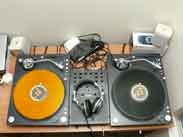
edit 2: here's a better look at ann's mixer
user posted image

This post has been edited by leng2: May 27 2008, 12:00 AM
speedfamgirl
post May 26 2008, 11:57 PM

Not afraid of #138
******
Senior Member
1,900 posts

Joined: Apr 2007
From: Mental Asylum
QUOTE(leng2 @ May 26 2008, 11:51 PM)
btw, you don't use any hardware to record... since you're using the digital solution, you're using the software to record... which in this case is the virtual dj application. at least that's how my traktor does.

edit: here's a better look at ann's mixer
user posted image
*
owh, ok i'll try that later if i would like to use dvs system btw....
anyway if i would like to record live mixes, not using virtual dj with your method (split line 1?) macam mana oh?

btw, that was clear picture leng...i googled everywhere but cannot find it,.
westokan
post May 27 2008, 12:01 AM

Casual
***
Junior Member
469 posts

Joined: Jan 2008


QUOTE(Choongster @ May 26 2008, 11:27 PM)
vinyl 1 is no good
*
yeah.. that's 100 down the drain... gotta buy those new ones now aduh

did u get u spares from ur friend?

Choongster
post May 27 2008, 12:02 AM

Banned From Lowyat.net
******
Senior Member
1,606 posts

Joined: Jan 2008
From: Car Junk


QUOTE(westokan @ May 27 2008, 12:01 AM)
yeah.. that's 100 down the drain... gotta buy those new ones now aduh

did u get u spares from ur friend?
*
i got spare la ... tapi it's my spare ..
i got 2 old .. + 3 new ..for my spare .. susah dapat .. hard to sell to you la ..

leng2
post May 27 2008, 12:12 AM

モデレーター
****
Senior Member
603 posts

Joined: Jun 2006
here's the pic...

user posted image

i got two cables to connect to the mini-jacks... those jacks from pc speakers, headphones, etc, they're are stereo cables. so no prob actually when u connect like the way i do, it can still read Left and Right just the way it should be. lolz, hope i'm making some sense here

This post has been edited by leng2: May 27 2008, 12:16 AM
westokan
post May 27 2008, 07:27 AM

Casual
***
Junior Member
469 posts

Joined: Jan 2008


QUOTE(Choongster @ May 27 2008, 12:02 AM)
i got spare la ... tapi it's my spare ..
i got 2 old .. + 3 new ..for my spare .. susah dapat .. hard to sell to you la ..
*
hehe im not looking to buy from u ler, ingat mau tapau jeh


Added on May 27, 2008, 7:28 am
QUOTE(leng2 @ May 27 2008, 12:12 AM)
here's the pic...

user posted image

i got two cables to connect to the mini-jacks... those jacks from pc speakers, headphones, etc, they're are stereo cables. so no prob actually when u connect like the way i do, it can still read Left and Right just the way it should be. lolz, hope i'm making some sense here
*
sweet vci-100.. hows that doing for ya? doesnt it already have a soundcard inside?

This post has been edited by westokan: May 27 2008, 07:28 AM

100 Pages « < 60 61 62 63 64 > » Top
Topic ClosedOptions
 

Change to:
| Lo-Fi Version
0.0249sec    0.59    6 queries    GZIP Disabled
Time is now: 15th December 2025 - 12:09 PM