Welcome Guest ( Log In | Register )

126 Pages « < 30 31 32 33 34 > » Bottom

Outline · [ Standard ] · Linear+

 Huawei Ideos X5 - Official Thread, Stunning, Fast, Affordable!

views
     
moromota
post Jun 14 2011, 06:41 PM

Getting Started
**
Junior Member
81 posts

Joined: May 2010
QUOTE(fragglerock @ Jun 14 2011, 06:30 PM)
moromota, what brand of microsd are you using? try bringing back to the shop to check it out.
*
4GB is Kingston brand.
but it is a gift when i bought mp3 several years before.
Still can claim warranty or not?
for 8gb is nokia brand.
it took out from my friend's Aino.
But duno why X5 onli can detect 2GB. rclxub.gif
Any solution?
mikeeeee
post Jun 14 2011, 06:49 PM

*~Tien9Chi~*
*******
Senior Member
3,026 posts

Joined: Oct 2004
From: KL, Penang & JB


QUOTE(waseken2 @ Jun 14 2011, 06:07 PM)
hey bro, may i know when u power on you phone, first boot screen is ideox and the second boot screen is android with flash light?

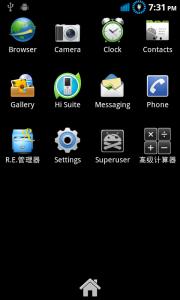
just found the simply way to remove the app, download official firmware and do not put the UPDATE_CUST, and the demo game will not install by default.
*
Bro, no woh ... My boot screen is still ideos only , don't have any android with flashlight.
ShengHow
post Jun 14 2011, 07:00 PM

Casual
***
Junior Member
455 posts

Joined: Jun 2011
guys
according to http://forum.xda-developers.com/showthread.php?t=803682

File Type: zip SuperOneClickv1.7-ShortFuse.zip (1.58 MB, 206980 views)
File Type: zip SuperOneClickv1.9.5-ShortFuse.zip (1.59 MB, 2051 views)
File Type: rar SuperOneClickv1.9.5-ShortFuse.Drivers.rar (8.00 MB, 3873 views)

which one should i download?
the SD card must take out for rooting?
shadow111
post Jun 14 2011, 07:07 PM

Look at all my stars!!
*******
Senior Member
3,140 posts

Joined: Jan 2003
QUOTE(mavezai1984 @ Jun 14 2011, 06:26 PM)
Finally have time to change partition, SuperReboot and install ClockworkMod to my Ideos X5, all goes well so far  smile.gif
*
once u done. can post the step here? thanks.


Added on June 14, 2011, 7:09 pm
QUOTE(ShengHow @ Jun 14 2011, 07:00 PM)
guys
according to http://forum.xda-developers.com/showthread.php?t=803682

File Type: zip  SuperOneClickv1.7-ShortFuse.zip (1.58 MB, 206980 views)
File Type: zip  SuperOneClickv1.9.5-ShortFuse.zip (1.59 MB, 2051 views)
File Type: rar  SuperOneClickv1.9.5-ShortFuse.Drivers.rar (8.00 MB, 3873 views)

which one should i download?
the SD card must take out for rooting?
*
u sure our phone can be rooted using this?

normally, it's advised to take out the sd card in case somethin goes wrong during the rooting and it won't accidentally wipe out yr sd content.

This post has been edited by shadow111: Jun 14 2011, 07:09 PM
mavezai1984
post Jun 14 2011, 07:12 PM

Regular
******
Senior Member
1,610 posts

Joined: Jul 2010
QUOTE(shadow111 @ Jun 14 2011, 07:07 PM)
once u done. can post the step here? thanks.


Added on June 14, 2011, 7:09 pm

u sure our phone can be rooted using this?

normally, it's advised to take out the sd card in case somethin goes wrong during the rooting and it won't accidentally wipe out yr sd content.
*
Hmm, after superbooted, system still not allowed me to delete those preinstalled apps. hmm.gif
ShengHow
post Jun 14 2011, 07:15 PM

Casual
***
Junior Member
455 posts

Joined: Jun 2011
oh yea
where to download android driver?


Added on June 14, 2011, 7:16 pm
QUOTE(shadow111 @ Jun 14 2011, 07:07 PM)
once u done. can post the step here? thanks.


Added on June 14, 2011, 7:09 pm

u sure our phone can be rooted using this?

normally, it's advised to take out the sd card in case somethin goes wrong during the rooting and it won't accidentally wipe out yr sd content.
*
i see
what about android driver?
where to download it?
can guide me about the way you root your x5? smile.gif


This post has been edited by ShengHow: Jun 14 2011, 07:16 PM
shadow111
post Jun 14 2011, 07:21 PM

Look at all my stars!!
*******
Senior Member
3,140 posts

Joined: Jan 2003
QUOTE(ShengHow @ Jun 14 2011, 07:15 PM)
oh yea
where to download android driver?


Added on June 14, 2011, 7:16 pm

i see
what about android driver?
where to download it?
can guide me about the way you root your x5? smile.gif
*
check this guide.. it contains lots of useful info, but i nvr try them b4.. http://android.modaco.com/content/huawei-u...e-huawei-u8800/
only plan to root n repartition my internal mem once i got my 16gb card.
android driver, but nvr tested b4 http://www.mediafire.com/?5z6i5cv8l6br292
waseken2
post Jun 14 2011, 07:26 PM

Getting Started
**
Junior Member
174 posts

Joined: Sep 2008
QUOTE(shadow111 @ Jun 14 2011, 07:07 PM)
once u done. can post the step here? thanks.


Added on June 14, 2011, 7:09 pm

u sure our phone can be rooted using this?

normally, it's advised to take out the sd card in case somethin goes wrong during the rooting and it won't accidentally wipe out yr sd content.
*
the simple way to root is just place a recovery.img to u phone when u in bootload..

it will root n install clockworkmod at once.. this will not flash ur rom..

for partition space, clockworkmod must be install as well..
ShengHow
post Jun 14 2011, 07:30 PM

Casual
***
Junior Member
455 posts

Joined: Jun 2011
QUOTE(shadow111 @ Jun 14 2011, 07:21 PM)
check this guide.. it contains lots of useful info, but i nvr try them b4.. http://android.modaco.com/content/huawei-u...e-huawei-u8800/
only plan to root n repartition my internal mem once i got my 16gb card.
android driver, but nvr tested b4 http://www.mediafire.com/?5z6i5cv8l6br292
*
im almost done rooting according the way of this post
but!
i dont knw why
remove the battery from the phone
is the most difficult thing to me
i couldn't remove out! zzz
which side should i pull out at man doh.gif
waseken2
post Jun 14 2011, 07:33 PM

Getting Started
**
Junior Member
174 posts

Joined: Sep 2008
For those who love the phone with no application pre-install

» Click to show Spoiler - click again to hide... «

ShengHow
post Jun 14 2011, 07:33 PM

Casual
***
Junior Member
455 posts

Joined: Jun 2011
QUOTE(waseken2 @ Jun 14 2011, 07:26 PM)
the simple way to root is just place a recovery.img to u phone when u in bootload..

it will root n install clockworkmod at once.. this will not flash ur rom..

for partition space, clockworkmod must be install as well..
*
oh no!
i have done rooted
when i switch on my phone
after the " Ideos " animation
my phone turned to blue screen and no more response.
omg! what shld i do now rclxub.gif


Added on June 14, 2011, 7:34 pm
QUOTE(shadow111 @ Jun 14 2011, 07:21 PM)
check this guide.. it contains lots of useful info, but i nvr try them b4.. http://android.modaco.com/content/huawei-u...e-huawei-u8800/
only plan to root n repartition my internal mem once i got my 16gb card.
android driver, but nvr tested b4 http://www.mediafire.com/?5z6i5cv8l6br292
*
oh no!
i have done rooted
when i switch on my phone
after the " Ideos " animation
my phone turned to blue screen and no more response.
omg! what shld i do now rclxub.gif

This post has been edited by ShengHow: Jun 14 2011, 07:34 PM
waseken2
post Jun 14 2011, 07:36 PM

Getting Started
**
Junior Member
174 posts

Joined: Sep 2008
QUOTE(ShengHow @ Jun 14 2011, 07:33 PM)
oh no!
i have done rooted
when i switch on my phone
after the " Ideos " animation
my phone turned to blue screen and no more response.
omg! what shld i do now  rclxub.gif


Added on June 14, 2011, 7:34 pm

oh no!
i have done rooted
when i switch on my phone
after the " Ideos " animation
my phone turned to blue screen and no more response.
omg! what shld i do now  rclxub.gif
*
unplug battery and insert back, hold power button n vol + together until the screen boot into recovery mood.
from there u try reset factory default.


shadow111
post Jun 14 2011, 07:39 PM

Look at all my stars!!
*******
Senior Member
3,140 posts

Joined: Jan 2003
QUOTE(waseken2 @ Jun 14 2011, 07:26 PM)
the simple way to root is just place a recovery.img to u phone when u in bootload..

it will root n install clockworkmod at once.. this will not flash ur rom..

for partition space, clockworkmod must be install as well..
*
actually.. what is this recovery.img n clockworkmod? still cant get the hang for this... blush.gif
mavezai1984
post Jun 14 2011, 07:39 PM

Regular
******
Senior Member
1,610 posts

Joined: Jul 2010
QUOTE(waseken2 @ Jun 14 2011, 07:33 PM)
For those who love the phone with no application pre-install

» Click to show Spoiler - click again to hide... «

*
Which rom is it anyway?
shadow111
post Jun 14 2011, 07:40 PM

Look at all my stars!!
*******
Senior Member
3,140 posts

Joined: Jan 2003
QUOTE(waseken2 @ Jun 14 2011, 07:33 PM)
For those who love the phone with no application pre-install

» Click to show Spoiler - click again to hide... «

*
how to do this?
ShengHow
post Jun 14 2011, 07:42 PM

Casual
***
Junior Member
455 posts

Joined: Jun 2011
QUOTE(waseken2 @ Jun 14 2011, 07:36 PM)
unplug battery and insert back, hold power button n vol + together until the screen boot into recovery mood.
from there u try reset factory default.
*
select reboot system now?
piumiu
post Jun 14 2011, 07:45 PM

I see you.
*******
Senior Member
3,174 posts

Joined: Oct 2008
From: Wonderland


QUOTE(shadow111 @ Jun 14 2011, 08:39 PM)
actually.. what is this recovery.img n clockworkmod? still cant get the hang for this...  blush.gif
*
Both are in recovery img. Just just to replace the original one but do copy out or rename to backup.
mavezai1984
post Jun 14 2011, 07:47 PM

Regular
******
Senior Member
1,610 posts

Joined: Jul 2010
QUOTE(shadow111 @ Jun 14 2011, 07:39 PM)
actually.. what is this recovery.img n clockworkmod? still cant get the hang for this...  blush.gif
*
ClockWorkMod enable u to install zip files eg custom roms after u reboot to recovery mode, to play save, just backup the original recovery.img before u replace it. smile.gif

This post has been edited by mavezai1984: Jun 14 2011, 07:48 PM
shadow111
post Jun 14 2011, 07:49 PM

Look at all my stars!!
*******
Senior Member
3,140 posts

Joined: Jan 2003
QUOTE(mavezai1984 @ Jun 14 2011, 07:47 PM)
ClockWorkMod enable u to install zip files eg custom roms after u reboot to recovery mode, to play save, just backup the original recovery.img before u replace it.  smile.gif
*
we do this to go into recovery mode?

Turn off your device, turn your device on while holding 'volume up' and 'volume down' the screen will turn purple
waseken2
post Jun 14 2011, 07:51 PM

Getting Started
**
Junior Member
174 posts

Joined: Sep 2008
QUOTE(mavezai1984 @ Jun 14 2011, 07:39 PM)
Which rom is it anyway?
*
B160.1 "slim version" still testing weather stable or not..
this rom really slim down all the android os, even keyboard also dun,t have, now looking for nice keyboard to replace..
if stable i will post a guide to how 2 flash this rom.

recovery can say is a boot menu before u run into android, if any thing goes wrong, u can reset over there..

clockworkmod is like advancing the menu which allow u to select zip file 2 update, clear cache and other function. also, it will rooting ur device as well..

126 Pages « < 30 31 32 33 34 > » Top
 

Change to:
| Lo-Fi Version
0.0197sec    0.85    6 queries    GZIP Disabled
Time is now: 11th December 2025 - 10:49 PM