Welcome Guest ( Log In | Register )

13 Pages  1 2 3 > » Bottom

Outline · [ Standard ] · Linear+

 Huawei Ideos X5 - Official Thread, Stunning, Fast, Affordable!

views
     
ShengHow
post Jun 8 2011, 08:00 AM

Casual
***
Junior Member
455 posts

Joined: Jun 2011
QUOTE(SubRoutine @ May 30 2011, 01:34 AM)
Users Guide

Just bought a unit?
» Click to show Spoiler - click again to hide... «


Ideos X5 Ultimate Guide!
» Click to show Spoiler - click again to hide... «


Rooting
» Click to show Spoiler - click again to hide... «


Custom ROMs - flash at your own risk!
» Click to show Spoiler - click again to hide... «


Essential Apps
» Click to show Spoiler - click again to hide... «

*
"Custom ROMs - flash at your own risk!"

can i know what's the purpose of flashing ROM?
sorry im a phone idiot
lol

ShengHow
post Jun 8 2011, 11:43 AM

Casual
***
Junior Member
455 posts

Joined: Jun 2011
QUOTE(sjn hassan @ Jun 8 2011, 08:10 AM)
ROM ~ windows on PC

custom ROM ~ custom / tweak windows..it's 'supposed' to be better than stock ROM but sometime it will be worse. eg: slow, not stable, to fancy etc.

it's just a simple method but quite risky. so pls read carefully before doing that
*
Is that something like rooting?


Added on June 8, 2011, 11:44 am
QUOTE(shadow111 @ Jun 8 2011, 08:12 AM)
since u r not that familiar, it's not advice for you to do flashing/etc..
juz play around with the stock ROM.. get familiar with all the functions/etc..
once you grow out of it, then only consider flashing..
*
hmm.. i see
thanks for advicing
getting this phone soon biggrin.gif

This post has been edited by ShengHow: Jun 8 2011, 11:44 AM
ShengHow
post Jun 9 2011, 06:05 AM

Casual
***
Junior Member
455 posts

Joined: Jun 2011
Can i know is that flashing = to overclock the phone?
Can someone guides me with the clear steps and what is the most suitable software would u recommend to me for flashing?
Is papago for android phone is free to download?
Thanks

This post has been edited by ShengHow: Jun 9 2011, 06:08 AM
ShengHow
post Jun 10 2011, 07:47 AM

Casual
***
Junior Member
455 posts

Joined: Jun 2011
QUOTE(hyschara @ Jun 9 2011, 12:14 AM)
they run out of soft case already. I think they have the hard case in stock tho
*
both of soft and hardcase are out of stock
ShengHow
post Jun 11 2011, 11:50 AM

Casual
***
Junior Member
455 posts

Joined: Jun 2011
can i know what's the purpose of flasing the rom?
will flashing affect phone warranty?
can it unflash just like unroot?

Does overclock affect warranty?
overclocked x5 can hit how much?

once memory card is inserted into phone
it can be used straightly what?
can anyone explain to me why app2sd is needed?
ShengHow
post Jun 12 2011, 05:01 PM

Casual
***
Junior Member
455 posts

Joined: Jun 2011
QUOTE(shadow111 @ Jun 12 2011, 04:25 PM)
This is a gd bargain. Where is this shop?
*
the shop is at kepong
nearby the jusco there
ShengHow
post Jun 12 2011, 09:03 PM

Casual
***
Junior Member
455 posts

Joined: Jun 2011
QUOTE(Borsch Soup @ Jun 12 2011, 08:05 PM)
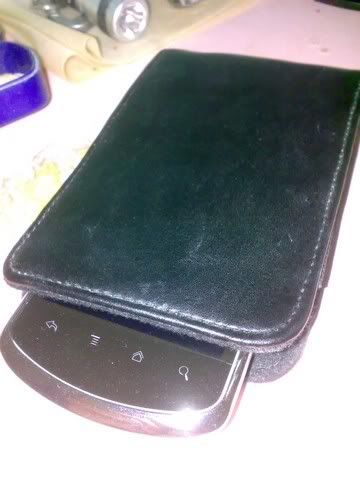
My simple pouch for my X5

user posted image

user posted image
Ok I tested mine Data Off Wifi off, 3G mode.

user posted image
*
wow!
cool!
HP pouch thumbup.gif
ShengHow
post Jun 12 2011, 09:21 PM

Casual
***
Junior Member
455 posts

Joined: Jun 2011
QUOTE(Borsch Soup @ Jun 12 2011, 09:17 PM)
smile.gif Ngam ngam fit my X5 thumbup.gif
Wow, 3Gb. What movie is that?
*
i'm getting the phone tomorrow
hooraayy !! rclxms.gif
ShengHow
post Jun 13 2011, 02:36 PM

Casual
***
Junior Member
455 posts

Joined: Jun 2011
QUOTE(mavezai1984 @ Jun 13 2011, 11:05 AM)
Yeah, for your knowledge, gameloft's games i have in phone,

Asphalt 5 - 300mb
Shrek Kart - 150mb
Tom Clancy Splinter Cell - 530mb
NOVA 2 - 600mb
Eternal Legacy - Almost 1gb
Let's Golf 2 - 300mb

3gb for 6 games lol... laugh.gif
*
you make me feel like getting a 8GB memory card....

IS NOT ENOUGH! rclxub.gif
ShengHow
post Jun 14 2011, 07:00 PM

Casual
***
Junior Member
455 posts

Joined: Jun 2011
guys
according to http://forum.xda-developers.com/showthread.php?t=803682

File Type: zip SuperOneClickv1.7-ShortFuse.zip (1.58 MB, 206980 views)
File Type: zip SuperOneClickv1.9.5-ShortFuse.zip (1.59 MB, 2051 views)
File Type: rar SuperOneClickv1.9.5-ShortFuse.Drivers.rar (8.00 MB, 3873 views)

which one should i download?
the SD card must take out for rooting?
ShengHow
post Jun 14 2011, 07:15 PM

Casual
***
Junior Member
455 posts

Joined: Jun 2011
oh yea
where to download android driver?


Added on June 14, 2011, 7:16 pm
QUOTE(shadow111 @ Jun 14 2011, 07:07 PM)
once u done. can post the step here? thanks.


Added on June 14, 2011, 7:09 pm

u sure our phone can be rooted using this?

normally, it's advised to take out the sd card in case somethin goes wrong during the rooting and it won't accidentally wipe out yr sd content.
*
i see
what about android driver?
where to download it?
can guide me about the way you root your x5? smile.gif


This post has been edited by ShengHow: Jun 14 2011, 07:16 PM
ShengHow
post Jun 14 2011, 07:30 PM

Casual
***
Junior Member
455 posts

Joined: Jun 2011
QUOTE(shadow111 @ Jun 14 2011, 07:21 PM)
check this guide.. it contains lots of useful info, but i nvr try them b4.. http://android.modaco.com/content/huawei-u...e-huawei-u8800/
only plan to root n repartition my internal mem once i got my 16gb card.
android driver, but nvr tested b4 http://www.mediafire.com/?5z6i5cv8l6br292
*
im almost done rooting according the way of this post
but!
i dont knw why
remove the battery from the phone
is the most difficult thing to me
i couldn't remove out! zzz
which side should i pull out at man doh.gif
ShengHow
post Jun 14 2011, 07:33 PM

Casual
***
Junior Member
455 posts

Joined: Jun 2011
QUOTE(waseken2 @ Jun 14 2011, 07:26 PM)
the simple way to root is just place a recovery.img to u phone when u in bootload..

it will root n install clockworkmod at once.. this will not flash ur rom..

for partition space, clockworkmod must be install as well..
*
oh no!
i have done rooted
when i switch on my phone
after the " Ideos " animation
my phone turned to blue screen and no more response.
omg! what shld i do now rclxub.gif


Added on June 14, 2011, 7:34 pm
QUOTE(shadow111 @ Jun 14 2011, 07:21 PM)
check this guide.. it contains lots of useful info, but i nvr try them b4.. http://android.modaco.com/content/huawei-u...e-huawei-u8800/
only plan to root n repartition my internal mem once i got my 16gb card.
android driver, but nvr tested b4 http://www.mediafire.com/?5z6i5cv8l6br292
*
oh no!
i have done rooted
when i switch on my phone
after the " Ideos " animation
my phone turned to blue screen and no more response.
omg! what shld i do now rclxub.gif

This post has been edited by ShengHow: Jun 14 2011, 07:34 PM
ShengHow
post Jun 14 2011, 07:42 PM

Casual
***
Junior Member
455 posts

Joined: Jun 2011
QUOTE(waseken2 @ Jun 14 2011, 07:36 PM)
unplug battery and insert back, hold power button n vol + together until the screen boot into recovery mood.
from there u try reset factory default.
*
select reboot system now?
ShengHow
post Jun 14 2011, 08:00 PM

Casual
***
Junior Member
455 posts

Joined: Jun 2011
QUOTE(waseken2 @ Jun 14 2011, 07:36 PM)
unplug battery and insert back, hold power button n vol + together until the screen boot into recovery mood.
from there u try reset factory default.
*
can i have your msn?
so i can ask you straightly
cos im quite worried with my phone cry.gif
ShengHow
post Jun 14 2011, 08:15 PM

Casual
***
Junior Member
455 posts

Joined: Jun 2011
QUOTE(waseken2 @ Jun 14 2011, 08:10 PM)
i didn,t use msn long time already.. smile.gif
anyway, any problem u can pm me, or just post here, i will try 2 assist u...
remember, if anything bad happen to ur phone, u can always try factory reset..
*
shit! after factory reset
i switch on it
it's still blue screen cry.gif


Added on June 14, 2011, 8:40 pm
QUOTE(waseken2 @ Jun 14 2011, 08:10 PM)
i didn,t use msn long time already.. smile.gif
anyway, any problem u can pm me, or just post here, i will try 2 assist u...
remember, if anything bad happen to ur phone, u can always try factory reset..
*
can i do the same way back and put the original .img file back?

This post has been edited by ShengHow: Jun 14 2011, 08:40 PM
ShengHow
post Jun 14 2011, 08:49 PM

Casual
***
Junior Member
455 posts

Joined: Jun 2011
QUOTE(waseken2 @ Jun 14 2011, 08:41 PM)
yes, try 2 replace n c..
*
GOD BLESS ME!!
finally recover back!! cry.gif
will some errors appear or some negative effect ?


Added on June 14, 2011, 8:51 pm
QUOTE(waseken2 @ Jun 14 2011, 08:41 PM)
yes, try 2 replace n c..

btw, ur screen color is in blue or in purple?
*
it's blue colour
unlike the purple colour when u wanna root

This post has been edited by ShengHow: Jun 14 2011, 08:51 PM
ShengHow
post Jun 14 2011, 08:55 PM

Casual
***
Junior Member
455 posts

Joined: Jun 2011
QUOTE(shadow111 @ Jun 14 2011, 08:51 PM)
how did u recover bck?


Added on June 14, 2011, 8:51 pm

thanks for the info..
*
i just reput back the file which is belonged to the phone atcually biggrin.gif


Added on June 14, 2011, 8:57 pm
QUOTE(waseken2 @ Jun 14 2011, 08:52 PM)
ok, first of all, i do not know which root file u are using for,
now u can check at ur app drawer, if go superuser icon which means u root u phone success.
*
i used Superboot image. which is taught in this thread
definitely didn't root success
because i delete the superboot and put the original one back
thanks to the god biggrin.gif


Added on June 14, 2011, 8:58 pm
QUOTE(SubRoutine @ May 30 2011, 01:34 AM)
Users Guide

Just bought a unit?
» Click to show Spoiler - click again to hide... «


Ideos X5 Ultimate Guide!
» Click to show Spoiler - click again to hide... «


Rooting
» Click to show Spoiler - click again to hide... «


Custom ROMs - flash at your own risk!
» Click to show Spoiler - click again to hide... «


Essential Apps
» Click to show Spoiler - click again to hide... «


Games List
» Click to show Spoiler - click again to hide... «

*
I followed the exact rooting step just now
but at the end blue screen happens
is that my own problem? rclxub.gif

This post has been edited by ShengHow: Jun 14 2011, 08:58 PM
ShengHow
post Jun 14 2011, 09:13 PM

Casual
***
Junior Member
455 posts

Joined: Jun 2011
QUOTE(waseken2 @ Jun 14 2011, 08:52 PM)
ok, first of all, i do not know which root file u are using for,
now u can check at ur app drawer, if go superuser icon which means u root u phone success.
*
oh yea
just now during all the time
my SD was out from phone
my phone had the factory reset just nw
now i reinsert my SD card back
how do i make all my apps which are located in SD card to be usable?
cos all the apps icons are gone
where can i find all this apps at?


btw, which way to root would u recommend or guide to me? smile.gif
ShengHow
post Jun 14 2011, 09:21 PM

Casual
***
Junior Member
455 posts

Joined: Jun 2011
QUOTE(adamw @ Jun 14 2011, 09:19 PM)
I agree with you when I thought I brick my phone last night, it's so tediuos to remove the battery for those of us without long fingernails. I use a scissors end to pry it out.
*
lol
i already found the technique to remove the battery XD

13 Pages  1 2 3 > » Top
 

Change to:
| Lo-Fi Version
0.0425sec    0.40    7 queries    GZIP Disabled
Time is now: 8th December 2025 - 04:33 PM