

updated to 2.24.707.1 !!
HTC Wildfire V4, Hello, Froyo! Guide to updating to Froyo
HTC Wildfire V4, Hello, Froyo! Guide to updating to Froyo
|
|
 Dec 28 2010, 04:48 PM Dec 28 2010, 04:48 PM
|
 
Junior Member
318 posts Joined: Apr 2009 From: Penang   
|
updated to 2.24.707.1 !!
|
|
|
|
|
|
Dec 28 2010, 04:50 PM
|

Junior Member
193 posts Joined: Jun 2007
|
Woah it's already 50 pages in less than a week....
  This post has been edited by endymeon: Dec 28 2010, 04:51 PM |
|
|
Dec 28 2010, 04:51 PM
|

Senior Member
566 posts Joined: Oct 2006
|
is it true we can't access applanet with Froyo?
|
|
|
Dec 28 2010, 04:52 PM
|
|
Junior Member
193 posts Joined: Jun 2007
|
QUOTE(quintesson @ Dec 28 2010, 04:51 PM) is it true we can't access applanet with Froyo? false... i can access it... |
|
|
Dec 28 2010, 04:53 PM
|

Senior Member
1,239 posts Joined: Sep 2008
|
i think we should take out the guide to root phone cos froyo not yet able to root. need wait UnrEVOked3 release new version. we can change it to guide for 1.15.707.1 update to 1.25.707.1 and update to froyo
and apps recommended should add this http://www.appbrain.com/app/music-wizard-d...ingtone.Music13 there have many similar apps. for user to download music.  This post has been edited by xngjn: Dec 28 2010, 04:55 PM |
|
|
Dec 28 2010, 04:55 PM
|
|
Junior Member
108 posts Joined: Apr 2008
|
memory is best to format into what form?? FAT32 / exFAT / NTFS?
|
|
|
|
|
|
Dec 28 2010, 04:55 PM
|

Senior Member
1,207 posts Joined: May 2009
|
hehe... after the updating to 1.25 with RUU, now at oldtown downloading froyo lo ^^... wohoo!!!!!!!!
can't wait to finish downloading... |
|
|
Dec 28 2010, 04:56 PM
|
Senior Member
4,331 posts Joined: Jan 2007
|
QUOTE(whitegoh @ Dec 28 2010, 04:55 PM) hehe... after the updating to 1.25 with RUU, now at oldtown downloading froyo lo ^^... wohoo!!!!!!!! Wah.. Be prepare to order more kopi lolcan't wait to finish downloading... |
|
|
Dec 28 2010, 04:58 PM
|
|
Junior Member
193 posts Joined: Jun 2007
|
QUOTE(squareballs @ Dec 28 2010, 04:56 PM) Wah.. Be prepare to order more kopi lol i used 1 hours in Old Town with 4mbps, i order a meal and eat it slowly while playing angry bird... time pass very fast.. |
|
|
Dec 28 2010, 04:59 PM
|
|
Senior Member
4,331 posts Joined: Jan 2007
|
QUOTE(andydavids @ Dec 28 2010, 04:40 PM) may i know it is in level 4?? Forgotten the location.. I think is the area where the sell a lot of pirated DVDs..It's not at the center part but the sides..as thinking of buying 1 also... looks very nice.. 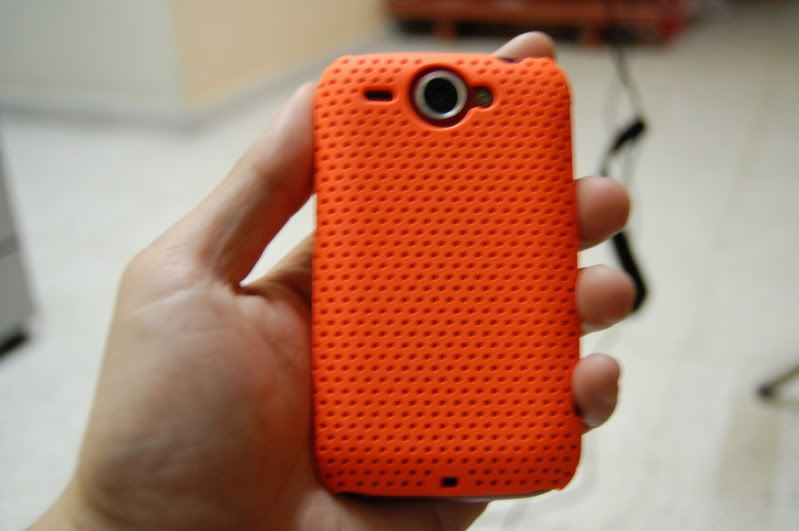 My next 2 colors are white and blue.. |
|
|
Dec 28 2010, 05:00 PM
|
|
Senior Member
1,207 posts Joined: May 2009
|
no need lo.. the speed quite okay, within 10 minutes liao already 25%..
okay la last time when froyo roll out, i quickly go out coffee bean there keep waiting the update ah.. in the end don't have,., haiz... thx to those who teach us use ROO to update it to 1.25/ those who can't wait.. download it.. very easy only.. don't need to root. |
|
|
Dec 28 2010, 05:04 PM
|
|
Senior Member
4,331 posts Joined: Jan 2007
|
Btw, Thanks for the tips on the Update to 1.25 Method..
Thank you |
|
|
Dec 28 2010, 05:07 PM
|

Senior Member
2,919 posts Joined: Mar 2009
|
QUOTE(xngjn @ Dec 28 2010, 03:30 PM) here is a simple guide : Just follow this will do? Gonna update to 1.25 later after finish download http://www.unrevoked.com/rootwiki/lib/exe/...-usb-driver.zip http://shipped-roms.com/shipped/Buzz/RUU_B...2190_signed.exe 1. boot into hboot (volume down + power) 2. now device manager >> Other Device - Android 1.0 3. right click Update driver software >Browse My Computer For Driver Software> choose Android USB Driver( the file u just extract) 4. u will see Android Bootloader Interface under Android Phone in Device Manager 5. restart yours phone 6. enavle USB debuging 7. in device manager u will see ADB under Other device 8. right click select Update Driver Software>Browse My Computer for Driver Software>Let me pick from a list of a device drivers on my computer>android phone>Android ADB Interface 9. after install complete u will see Android ADB Interface under Android phone 10. Download and run the exe file. (attach usb to phone with USB debugging) 11. On the Welcome screen, click Next to begin the RUU installation. 12. Check the listed instructions in the dialog box and make sure you have done them. Click Next to proceed. 13. A message will then be displayed indicating that the utility is verifying and acquiring information about the Android phone as preparation for the update process. Wait for this verification process to be finished. 14. After the verification process, current information about the Android phone will be displayed. Click Update to proceed. 15. Information about the current image version and the new image update version will be displayed. If you are sure that you want to install the new RUU, click Next to proceed. 16. A confirmation message will appear and show the time it will take to install the necessary files (including radio image) to the Android phone. Click Next to begin the update. A progress bar will run through the screen during the update process. 17. RUU update is complete. Click Finish to exit the utility. after complete yours phone software version will be 1.25.707.1 now u can check for froyo update new froyo version will be: Android Version: 2.2.1 Baseband Version: 13.55.55.24H_3.35.20.10 Kernel Version: 2.6.32.21-g6c55ee4 Build Number: 2.24.707.1 CL298423 Software Number: 2.24.707.1  |
|
|
|
|
|
Dec 28 2010, 05:08 PM
|
|
Senior Member
1,239 posts Joined: Sep 2008
|
ok. since now we got froyo. the next thing is what? for 2011 i hope adobe can develop lite version of flash 10.1 for wildfire. so we able to view flash 10.1 video on browser using phone.
|
|
|
Dec 28 2010, 05:10 PM
|
|
Senior Member
1,207 posts Joined: May 2009
|
1) back up yr data
2) download RUU .exe 3) connect yr phone with pc. 4) run RUU 5) wait and it will be done. |
|
|
Dec 28 2010, 05:10 PM
|
|
Senior Member
4,331 posts Joined: Jan 2007
|
QUOTE(xngjn @ Dec 28 2010, 05:08 PM) ok. since now we got froyo. the next thing is what? for 2011 i hope adobe can develop lite version of flash 10.1 for wildfire. so we able to view flash 10.1 video on browser using phone. Keep money for Desire HD |
|
|
Dec 28 2010, 05:11 PM
|
|
Senior Member
2,919 posts Joined: Mar 2009
|
Backup my date as in..? Copy everything in my SD card and paste in pc?
 |
|
|
Dec 28 2010, 05:11 PM
|
|
Senior Member
1,239 posts Joined: Sep 2008
|
QUOTE(squareballs @ Dec 28 2010, 05:10 PM) Keep money for Desire HD lol. i dont want keep money for new phone. haha. maybe next year got free ipad / iphone4 / dhd. so keep money for others thing better.Added on December 28, 2010, 5:12 pmbetter to backup into pc. apps better reinstall. cos dont know will crash when u move from 2.1 to 2.2 or not. This post has been edited by xngjn: Dec 28 2010, 05:12 PM |
|
|
Dec 28 2010, 05:13 PM
|
|
Senior Member
2,919 posts Joined: Mar 2009
|
So that means all my contacts = gone once I upgraded to 1.25? Then how am I gonna backup..since I saved it to phone.
|
|
|
Dec 28 2010, 05:14 PM
|
|
Senior Member
1,239 posts Joined: Sep 2008
|
ya. backup yours thing to sd . to pc will more safe
|
|
Topic ClosedOptions
|
| Change to: |  0.0233sec 0.0233sec
 0.68 0.68
 6 queries 6 queries
 GZIP Disabled GZIP Disabled
Time is now: 15th December 2025 - 10:35 AM |
 Quote
Quote